
There’s something liberating about heading out for a run, hitting the gym, or just wandering the city without your phone weighing you down—yet still having your favorite songs right there on your wrist. In 2026, local music storage on smartwatches has become one of the most practical features for anyone who values independence during workouts or daily commutes. No more relying solely on streaming over spotty connections or draining your battery with constant data pulls. Instead, you load up playlists, albums, or podcasts ahead of time, pair Bluetooth headphones, and go. The ecosystem has matured significantly, with flagship models offering generous onboard capacity, smart syncing tools, and seamless playback controls that make the experience feel almost effortless.
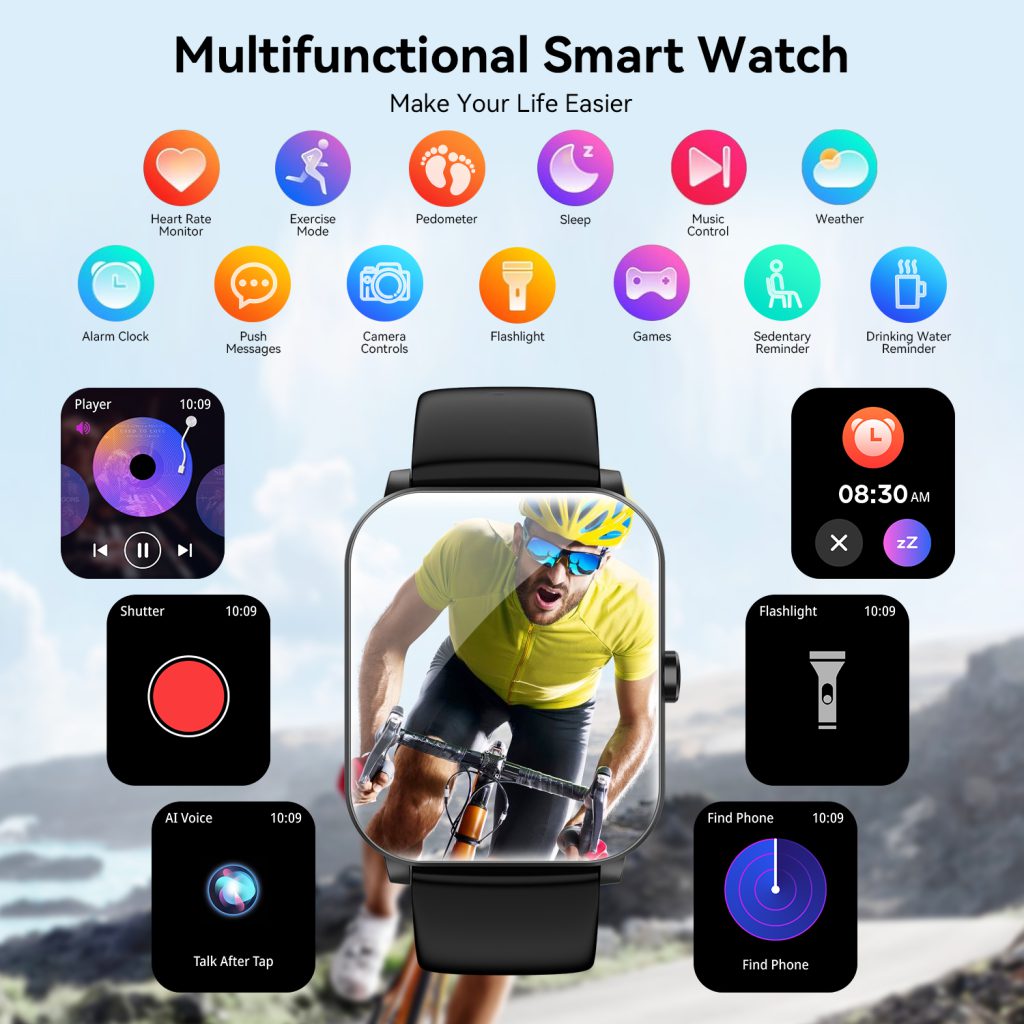
Local storage means downloading music directly to the watch’s internal memory, bypassing the need for an internet connection or nearby phone during playback. This approach shines in scenarios like trail runs in remote areas, crowded subways with poor signal, long flights, or intense gym sessions where you don’t want distractions. Most modern smartwatches support MP3/AAC files or integrate with major services for offline downloads, and the capacity has grown enough to hold hundreds or thousands of tracks. Battery efficiency improves too—offline playback typically sips far less power than streaming, letting you enjoy hours of music without constant recharges.
Apple’s lineup leads the pack for sheer capacity and polish among iPhone users. The Apple Watch Series 11 and Ultra 3 both come with 64GB of total storage, a hefty jump from earlier generations. After accounting for the OS and other data, you’re left with roughly 50-55GB usable for music, photos, and apps. That’s enough for thousands of songs in high-quality formats—easily 5,000 to 8,000 tracks at 256kbps AAC, depending on compression and mix of albums versus singles. The native Music app handles downloads from your Apple Music library or synced personal files via iTunes/Finder on Mac or the Files app on iPhone. Syncing happens automatically over Wi-Fi when the watch charges on its stand overnight; you can select specific playlists, artists, or even spatial audio tracks for offline use. The interface on the watch is clean: album art displays crisply on the always-on Retina screen, lyrics scroll in real time, and controls include precise scrubbing via the digital crown. For third-party services, Spotify Premium users download playlists directly through the watch app, though Apple Music remains the smoothest experience due to native integration. Even the more affordable Apple Watch SE 3 packs 32GB total (around 20-25GB usable), which still accommodates 2,000-3,000 songs comfortably—plenty for most daily needs.
Samsung’s Galaxy Watch series takes a balanced approach, appealing to Android users who want flexibility across services. The Galaxy Watch 8 and its Ultra variant typically offer 32GB total storage, with about 20-25GB available after system overhead. This holds roughly 2,000 to 4,000 songs, making it ideal for extended trips or multi-day adventures. Samsung’s native player supports local MP3 files transferred from your phone, while the Samsung Health-integrated music controls work with Spotify, YouTube Music, and Amazon Music for offline downloads. The rotating bezel (on Classic models) or touch gestures make skipping tracks intuitive mid-run, and the vibrant AMOLED screen shows vibrant album artwork. One nice touch is the ability to queue local files alongside streamed content—perfect if you have a mix of personal rips and service playlists. Battery life during offline playback remains strong, often stretching 10-15 hours of continuous music on a single charge when not heavily using other features.
Google’s Pixel Watch 4 emphasizes clean design and tight integration with Google’s ecosystem. Storage sits at around 32GB total (usable ~20-25GB), similar to Samsung’s offerings. YouTube Music takes center stage here, allowing generous offline downloads of personalized mixes, albums, or even converted YouTube audio. The watch app supports smart caching—automatically refreshing your most-listened playlists when connected to Wi-Fi. Spotify works reliably too, with quick downloads and a simplified interface optimized for the circular screen. Controls feel natural: swipe for queue management, tap to play/pause, or use Gemini voice commands like “play my running mix offline.” The smaller form factor keeps it comfortable for all-day wear, and offline music doesn’t hammer the battery as hard as always-on streaming would.
Garmin stands apart for users who prioritize fitness over flashy smart features, and its local music support reflects that focus. Models like the Venu 4, Forerunner series (e.g., 265/970), and Fenix line offer 8GB to 32GB depending on the tier—often 8GB on mid-range like Venu 4 (around 1,000 songs) and up to 32GB on premium Fenix variants (thousands of tracks). Garmin’s strength lies in purpose-built offline playback: download from Spotify, Amazon Music, YouTube Music, or Deezer via the Connect IQ platform, then enjoy distraction-free listening during long runs or rides. The interface integrates music right into workout screens—see current track alongside pace, heart rate, and distance. Battery life is exceptional; many Garmin models deliver 10+ hours of GPS + music playback, or days of casual use with tunes. Transferring personal MP3s is straightforward through Garmin Express on desktop, and the system avoids unnecessary bloat, keeping storage efficient for audio.
How much storage do you actually need? A typical 3-4 minute song at 256kbps uses about 6-8MB. That means 8GB holds ~1,000-1,200 tracks (several full marathons’ worth of playlists), 32GB manages 4,000-5,000 songs (weeks of varied listening), and 64GB swallows entire discographies. Most people rarely exceed 500-1,000 songs offline, so even mid-tier capacities feel generous. Services compress files smartly during downloads, and you can prioritize higher bitrate for favorites while keeping others leaner.
Transfer and management have improved dramatically. Apple uses automatic Wi-Fi sync or direct downloads on the watch. Android/Wear OS devices rely on companion apps that push playlists over Bluetooth or Wi-Fi—often faster than older methods. Garmin requires desktop software for local files but streamlines service downloads. Deleting tracks to free space is simple: long-press in the music app and select remove, or let the system auto-manage least-played items.
Playback quality depends on your headphones. Bluetooth codecs like AAC (Apple), aptX (some Android), or LDAC (premium buds) deliver solid sound from the watch. No true hi-res yet due to hardware limits, but 256-320kbps feels crisp and detailed enough for workouts or casual listening. Volume controls are granular, and features like auto-pause on removing buds or call interruptions work reliably.
Real-world benefits emerge in user routines. A trail runner loads a 5-hour ultra playlist onto their Garmin Fenix, leaves the phone at home, and focuses purely on the path ahead. A gym regular with a Galaxy Watch queues workout beats without fumbling pockets between sets. Commuters on the Apple Watch grab podcasts for noisy trains, enjoying hours of offline audio. These scenarios highlight why local storage endures as a killer feature—it’s about freedom and reliability when connectivity falters.
Limitations exist. Budget models often skip storage entirely or cap at 4GB. Transferring large libraries takes time over Wi-Fi, and managing space requires occasional cleanup. Not every service supports every watch equally—Apple Music favors watchOS, while YouTube Music thrives on Pixel. Battery drain during extended playback (though minimal compared to streaming) still factors in multi-sport days.
Despite those trade-offs, local music storage transforms smart watches into standalone entertainment hubs. As capacities climb and syncing gets smarter, the days of mandatory phone tethering for tunes fade further. Whether you’re deep in Apple’s ecosystem, navigating Wear OS options, or committing to Garmin’s endurance focus, your wrist now holds an entire soundtrack ready whenever the moment strikes.
Leave a Comment
Your email address will not be published. Required fields are marked *