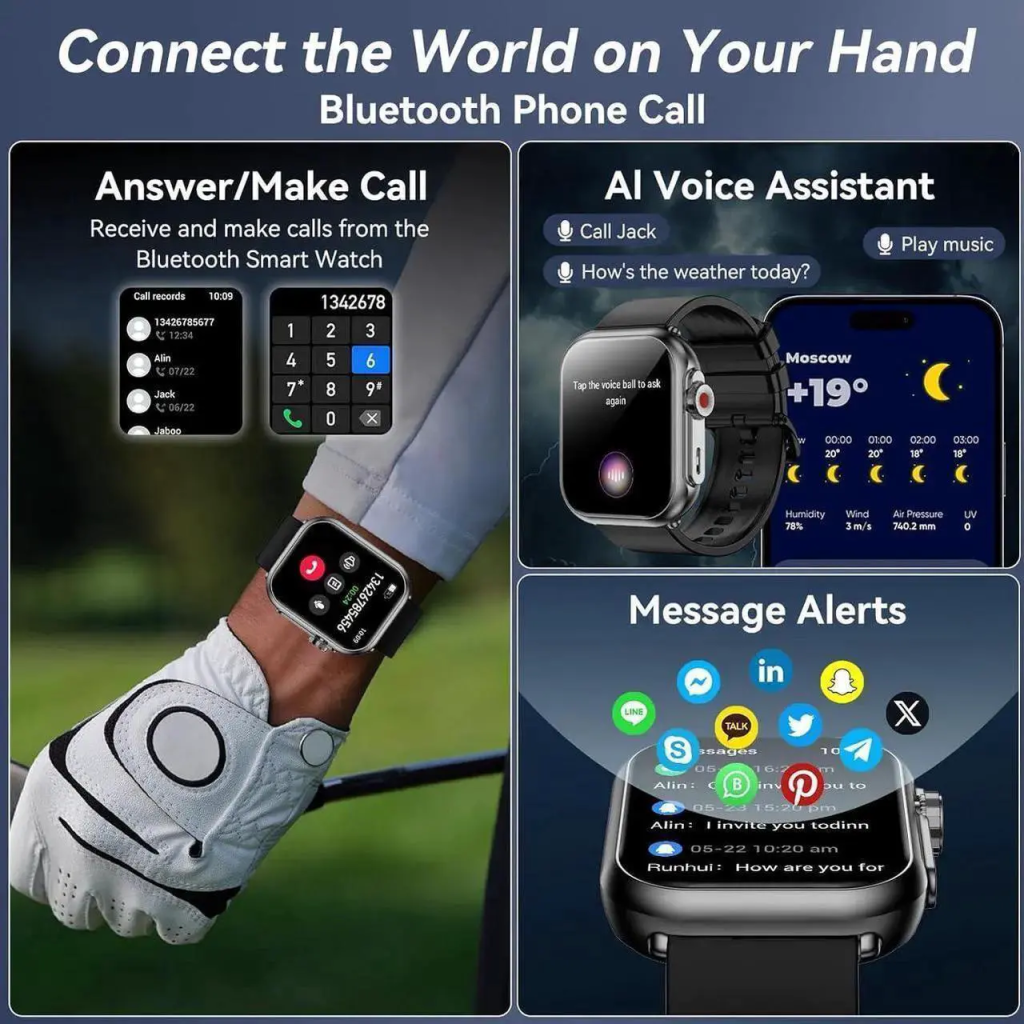
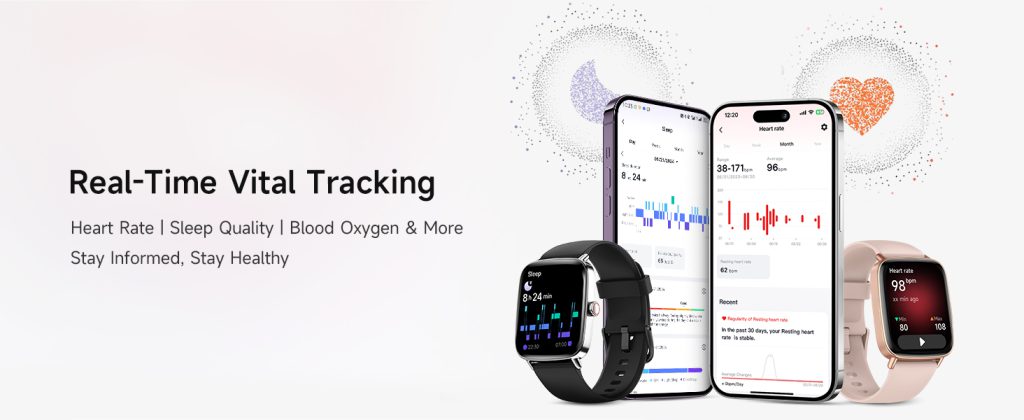
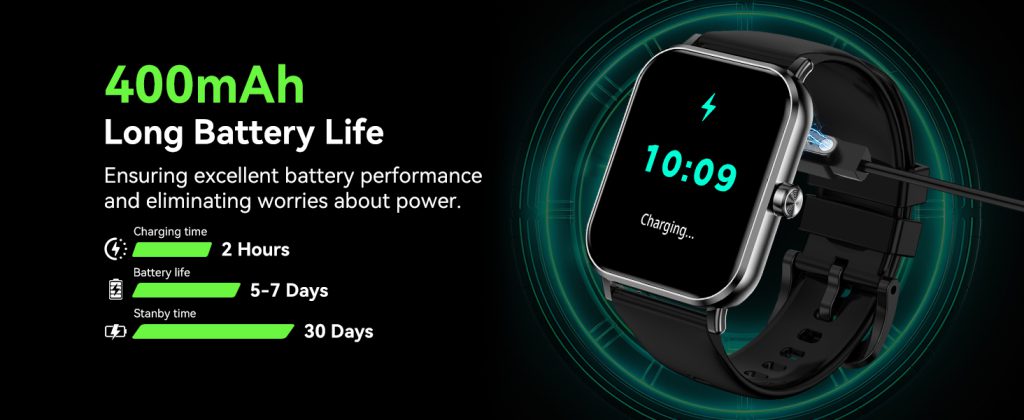
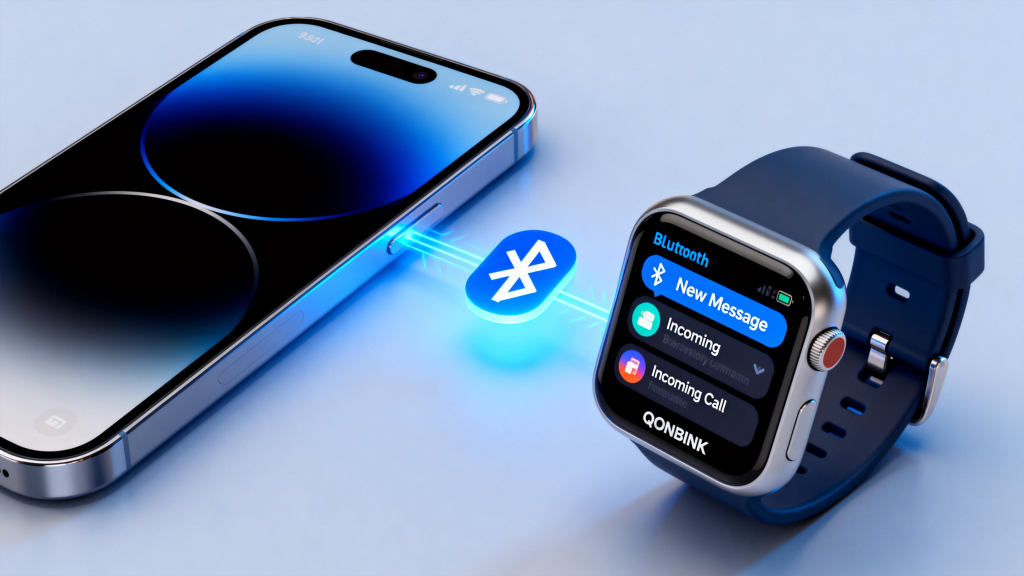
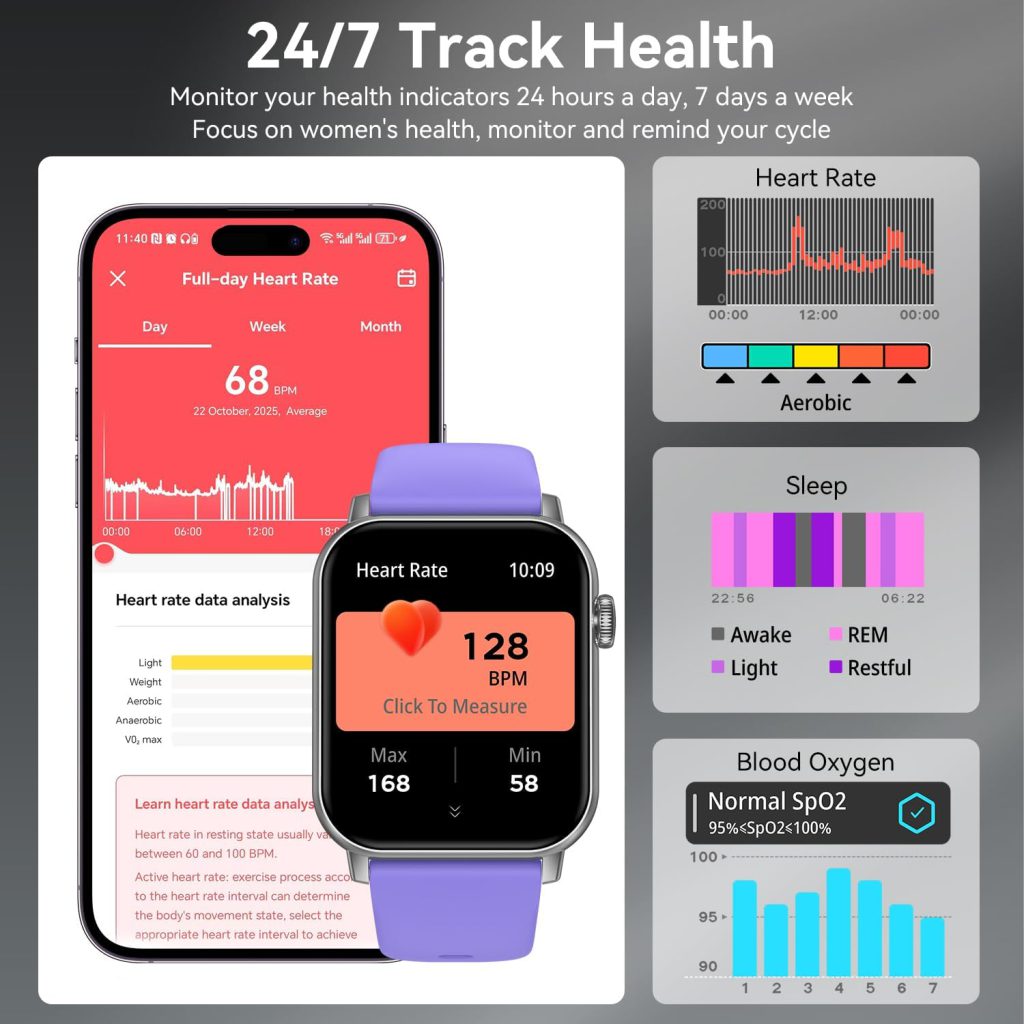
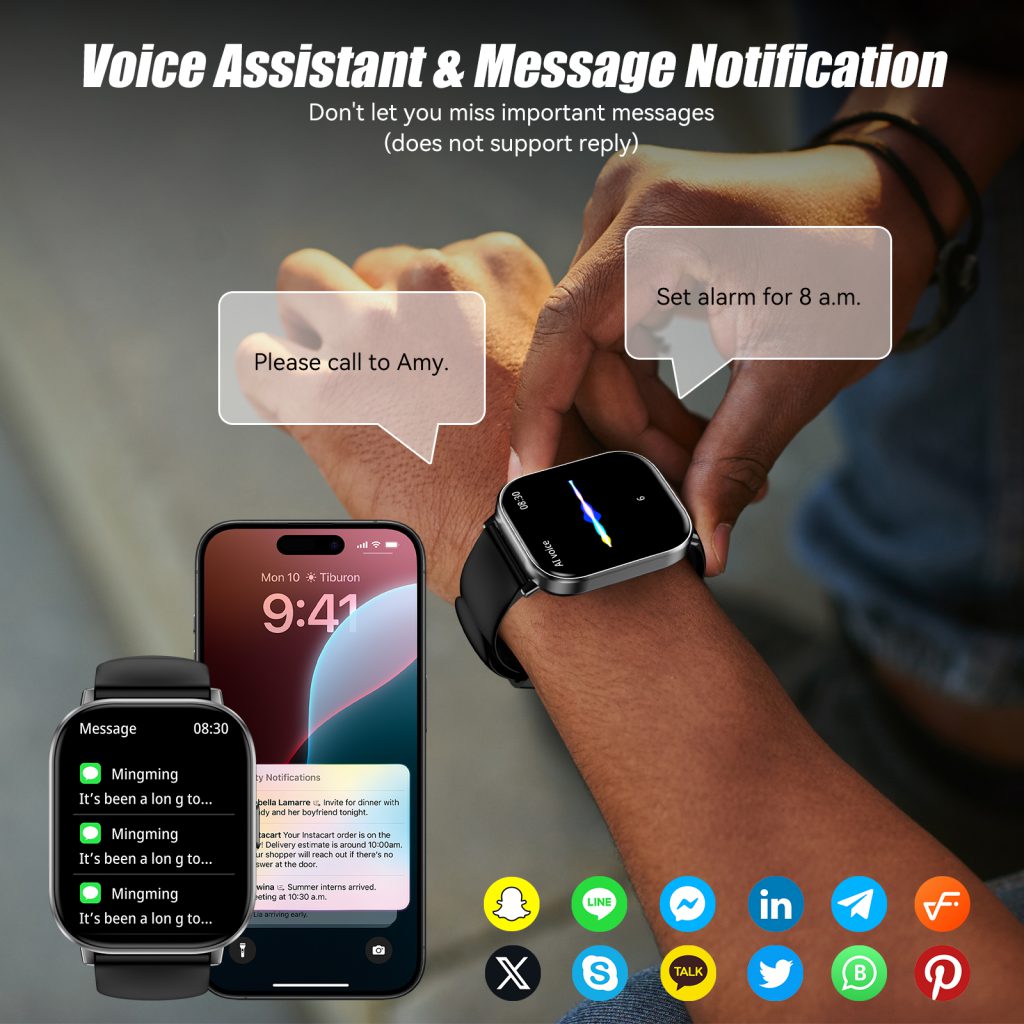
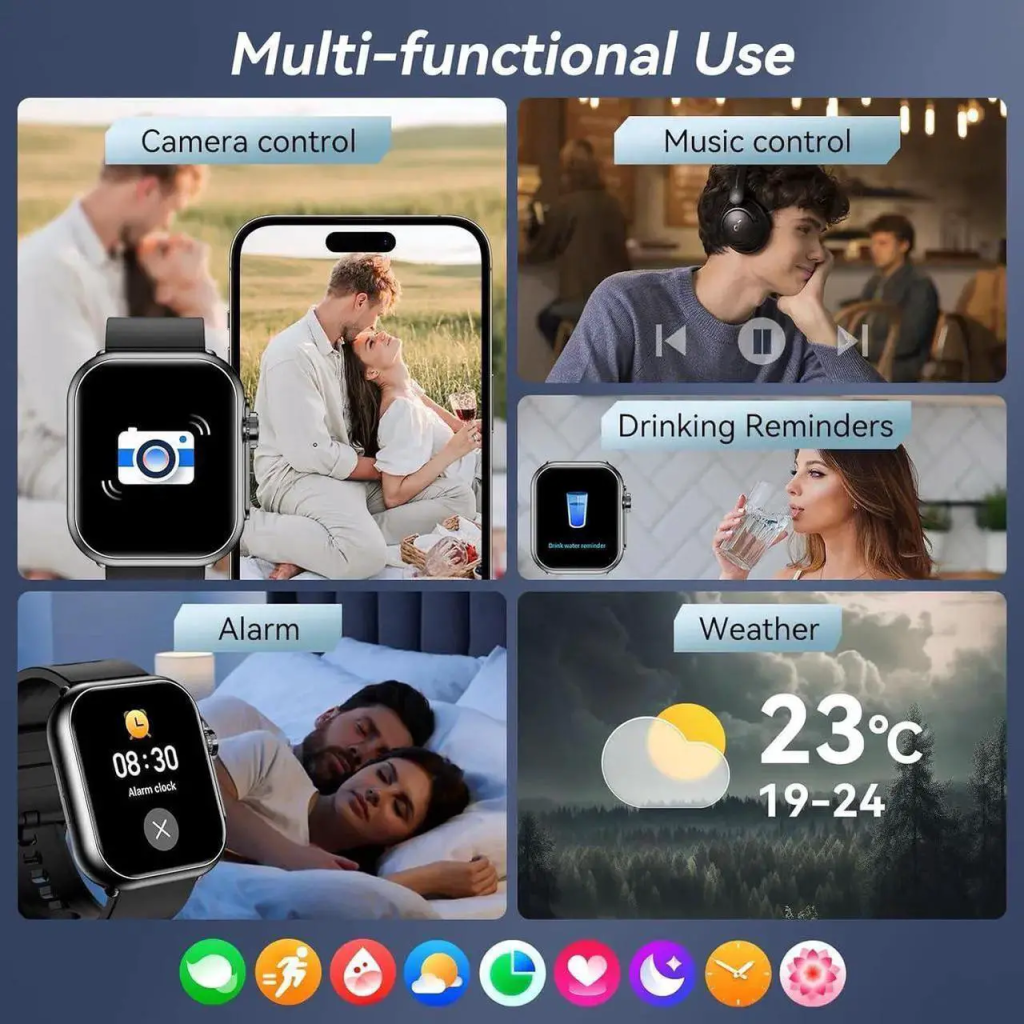
In the digital age, smartwatches have evolved from simple timekeeping devices into indispensable wearable companions that seamlessly integrate into daily life. These compact yet powerful gadgets monitor heart rate, track sleep patterns, record exercise data, manage notifications, process contactless payments, and even store personal identification information. As smartwatches continuously collect, transmit, and store sensitive user data, they have become attractive targets for cyber threats, data breaches, and unauthorized access. Behind the convenience and functionality of smartwatches lies a critical foundation: data encryption technologies.
Data encryption is the core technology that converts readable plaintext into unreadable ciphertext through mathematical algorithms, ensuring that only authorized parties with decryption keys can access original information. For smartwatches—wearable devices with limited computing power, small storage, and constant wireless connectivity—encryption must balance security strength, energy efficiency, and operational fluency.
1. The Importance of Data Encryption for Smart watches
Before diving into technical details, it is essential to clarify why encryption is non-negotiable for smartwatch security. Unlike smartphones or computers, smartwatches feature unique characteristics that amplify security risks:
1.1 Proximity to the Human Body
Smartwatches remain in close contact with the skin, collecting highly private biometric data including real-time heart rate, blood oxygen levels, electrocardiogram results, body temperature, sleep cycles, and menstrual cycles. This health data is extremely sensitive; leaks can lead to privacy violations, insurance discrimination, or targeted fraud.
1.2 Limited Computing and Battery Resources
Traditional high-strength encryption algorithms consume significant CPU and power resources, which is impractical for compact wearables. Smartwatch encryption must be lightweight, low-power, and highly efficient.
1.3 Persistent Wireless Connectivity
Smartwatches rely on Bluetooth, Wi-Fi, NFC, and cellular networks to sync with phones, upload to the cloud, and make payments. Open wireless channels create risks of interception, man-in-the-middle attacks, and data tampering during transmission.
1.4 High Risk of Loss or Theft
Wearables are small, portable, and easily lost or stolen. Without full-disk encryption, thieves can directly extract stored data, including payment credentials, health records, and personal messages.
1.5 Integration with Payment and Identity Systems
Modern smartwatches support NFC payments, transit cards, building access, and electronic ID functions. A security breach could directly cause financial losses or identity theft.
Against this backdrop, encryption is not an optional feature but a necessary security infrastructure for smartwatches. It protects data confidentiality, integrity, and availability throughout its lifecycle—from collection and transmission to storage and deletion.
2. Core Encryption Technologies Used in Smart watches
Smartwatch encryption covers three key scenarios: data at rest, data in transit, and real-time authentication. Below are the most widely deployed encryption technologies.
2.1 AES (Advanced Encryption Standard)
AES is the global standard for symmetric encryption, adopted by NIST and widely used in consumer electronics. In smartwatches, AES primarily protects stored data.
Application: Full-disk encryption (FDE), database encryption, health file encryption, and local backup protection
Advantages: High efficiency, low power consumption, mature hardware acceleration support
Smartwatch usage: Encrypts locally stored health data, payment tokens, messages, and user credentials
Most premium smartwatches use AES‑256 hardware encryption, ensuring data remains unreadable even if flash memory is physically extracted.
2.2 ECC (Elliptic Curve Cryptography)
ECC is an asymmetric encryption algorithm ideal for resource‑constrained devices. Compared to RSA, ECC delivers equivalent security with shorter keys and less computation.
Advantages: Low power, small bandwidth usage, high security per bit
Application: Secure device pairing, identity authentication, key exchange, and digital signatures
Smartwatch usage: Bluetooth pairing between watch and phone, secure login, over-the-air (OTA) update verification
ECC enables secure key exchange without exposing sensitive information, forming the basis of trusted connections.
2.3 TLS 1.3 & DTLS
Transport Layer Security (TLS) and Datagram TLS (DTLS) protect data in transit between the watch, phone, and cloud.
Strong encryption uses battery and processing power. Manufacturers must balance security, battery life, and smooth UI.
4.2 Compatibility and Cross-Platform Issues
Encrypted data must sync across iOS, Android, cloud, and third-party apps without breaking interoperability.
4.3 Key Management Complexity
Keys must be securely generated, stored, backed up, rotated, and revoked—without user friction.
4.4 Firmware and OTA Security
Outdated firmware creates vulnerabilities. Encrypted, signed, verified OTA updates are mandatory.
4.5 User Awareness
Many users disable locks or use weak passwords, undermining encryption. Security must be automatic and invisible.
4.6 Regulatory Compliance
Global regulations (GDPR, CCPA, HIPAA for health data) require strict encryption, user consent, and breach reporting.
5. Best Practices for Smartwatch Encryption Implementation
Leading brands follow these security-by-design principles:
Enable full-disk encryption by default
Use hardware-backed key storage (Secure Element / StrongBox / Secure Enclave)
Enforce secure boot to prevent malicious firmware
Implement BLE Secure Connections and TLS 1.3 for all transmission
Use tokenization for payments; never store real financial data
Encrypt biometric templates and perform matching in secure hardware
Automate key rotation and session key refresh
Support remote wipe and loss protection
Undergo third-party security audits and penetration testing
Provide transparent privacy policies and user data controls
6. Future Trends of Smartwatch Encryption
Encryption will evolve to meet emerging demands:
6.1 Homomorphic Encryption
Enables analysis of fully encrypted data without decryption, preserving privacy during cloud processing.
6.2 AI-Powered Adaptive Encryption
AI adjusts encryption strength based on context: high security for payments, optimized efficiency for daily steps.
6.3 Post-Quantum Cryptography (PQC)
Resists quantum computing attacks. NIST-standard PQC algorithms will be integrated into future wearables.
6.4 Decentralized Identity & Blockchain
User-controlled encrypted identity, reducing reliance on centralized servers.
6.5 Edge Encryption
Data is encrypted at the sensor level before entering main memory, minimizing attack surface.
6.6 Cross-Device Trusted Ecosystem
Secure interconnection between watches, phones, home devices, and vehicles via shared trusted root.
7. How Users Can Protect Their Smartwatch Data
Even with strong factory encryption, users play a vital role:
Set a strong password/passcode; never use 0000 or 1234
Enable biometric unlock for convenience and security
Activate auto-lock when the watch is removed
Keep firmware and apps updated
Only pair with trusted devices; avoid public Wi‑Fi sync
Use find my device and remote wipe
Review app permissions; deny unnecessary access
Do not install unofficial firmware or mods
Log out or factory reset before reselling
Use separate passwords for watch accounts
Security is a shared responsibility between manufacturers and users.
Smart watches are more than gadgets—they are personal data hubs on our wrists. As health monitoring, payment, and identity features deepen, encryption technologies become the invisible guardian of privacy and security.
From AES‑256 storage encryption to ECC authentication, from Secure Element hardware to TLS 1.3 transmission, modern smartwatches rely on a sophisticated encryption architecture to protect users. While challenges like performance constraints and quantum threats remain, ongoing innovation in lightweight, hardware‑accelerated, post‑quantum encryption will drive safer wearables.
In an era of increasing digital risk, encryption is not just a technical feature—it is a fundamental right to privacy. The next generation of smartwatches will deliver stronger security, longer battery life, and richer experiences, all built on a foundation of reliable, efficient, and user-friendly data encryption.
As wearable technology continues to advance, encryption will remain the cornerstone of trust between users and devices. Choosing a smartwatch is also choosing a security system; understanding encryption helps users make informed decisions to protect their most sensitive personal data.
In the world of wearables, smart watches have become essential companions for tracking fitness, staying connected, and managing daily tasks. But one persistent issue plagues users: battery drain. With apps constantly running in the background, pulling data from sensors, and syncing with your phone, it’s no wonder many devices barely last a full day. As developers and users alike push for more features, the need for smart power management in smart watch apps has never been greater.
Smart watches operate on tiny batteries, often with capacities under 500mAh, compared to smartphones that boast thousands. This limitation means every app update, notification, or sensor ping counts. Poorly optimized apps can slash battery life from 18 hours to just 4-6 hours, frustrating users who expect all-day performance. The good news? Developers can make a big difference through thoughtful design, and users can tweak settings for better results. Let’s explore the core challenges and how to tackle them.
First off, display settings are a major culprit. Always-on displays, high brightness, and vibrant animations look great but guzzle power. To counter this, apps should default to lower refresh rates when possible, like 30Hz instead of 60Hz for non-interactive screens. Users can dim the screen or enable auto-brightness, which adjusts based on ambient light. Some watches even offer grayscale modes for extended life during low-activity periods. By minimizing screen-on time—perhaps through quick-glance notifications—apps can extend usage significantly.
Background activities and notifications add another layer of drain. Apps that frequently wake the device for updates or syncs can quietly erode battery reserves. A smart approach is to batch processes: instead of pinging the server every few minutes, collect data and send it in bursts. For notifications, prioritize essential ones and let users customize filters. Uninstalling unused apps is straightforward but effective; built-in battery monitors often highlight power-hungry culprits. On the development side, leveraging APIs like Wear OS’s JobScheduler ensures tasks run efficiently during connected or charging states.
Sensors and GPS are power hogs, especially in fitness apps. Continuous heart rate monitoring or real-time location tracking can halve battery life. Optimize by using adaptive sampling—monitor heart rate every few minutes rather than constantly, or switch to low-power modes during rest. Hybrid systems combine GPS with accelerometers to reduce full satellite locks. Developers should implement user controls for these features, allowing toggles for power-saving profiles. For outdoor activities, adjusting GPS update frequency from every second to every 10 seconds can preserve energy without losing accuracy.
Network connectivity plays a pivotal role too. Bluetooth syncing, Wi-Fi downloads, and cellular data on standalone watches amplify consumption. Apps should minimize data transfers by compressing payloads and using efficient protocols like MQTT for IoT-style updates. Avoid unnecessary polling; push notifications from the cloud are more battery-friendly. When designing for wearables, consider offline-first architectures where data is cached locally and synced opportunistically.
Emerging tech like AI and deep reinforcement learning (DRL) is revolutionizing power management. Frameworks such as SmartAPM use DRL to learn user patterns and dynamically adjust power allocation. For instance, it might dim the screen or throttle CPU during predicted idle times, extending life by up to 36%. Low-power process technologies and PMICs (Power Management Integrated Circuits) further help by gating voltage and entering ultra-low power states when idle. Zephyr OS demos for wearables showcase how devicetree configurations enable sleep modes, cutting idle consumption dramatically.
Best practices extend to hardware-software synergy. Newer batteries with higher energy density pair well with DVFS (Dynamic Voltage and Frequency Scaling), which scales processor speed based on load. App developers should test on real devices, monitoring metrics like discharge rates and peak usage. Tools like Android’s Battery Historian reveal app-specific impacts, guiding optimizations. Case studies from Samsung highlight intelligent algorithms that adapt to user behavior, like reducing brightness in low-light or pausing non-essential services.
Users aren’t powerless either. Simple habits make a difference: charge during off-peak hours, avoid extreme temperatures that degrade batteries, and use airplane mode when connectivity isn’t needed. Monitoring apps with AI settings let you balance accuracy and efficiency—higher precision for workouts, lower for daily wear.
In wrapping up, mastering power management in smart watch apps requires a blend of efficient coding, user-centric design, and cutting-edge tech. By focusing on these strategies, developers can create apps that enhance rather than hinder the wearable experience. Users, meanwhile, gain tools to stretch their device’s limits. As smart watches evolve, expect even smarter batteries, but until then, these tips keep you powered through the day.
Smart watches have come a long way from being just fancy timepieces strapped to our wrists. Today, in 2026, they’re indispensable gadgets that blend technology with daily routines, helping us stay connected, healthy, and productive. Whether you’re a fitness enthusiast tracking your runs, a busy professional managing notifications on the go, or someone who simply wants to monitor their heart rate without pulling out a phone, smartwatches offer something for everyone.
Let’s start with the basics: what exactly is a smartwatch? At its core, a smartwatch is a wearable computer in the form of a wristwatch. It typically connects to your smartphone via Bluetooth or Wi-Fi, allowing it to display notifications, track health metrics, play music, and even make calls. But modern smartwatches go beyond that. They incorporate advanced sensors like accelerometers, gyroscopes, heart rate monitors, GPS, and sometimes even ECG (electrocardiogram) capabilities. This integration of hardware and software makes them powerful tools for personal wellness and convenience.
The history of smartwatches dates back further than you might think. While the concept of a “wrist computer” appeared in science fiction as early as the 1940s with Dick Tracy’s two-way radio watch, the first real attempts came in the 1970s. Seiko released the Pulsar in 1972, a digital watch with LED display, but it wasn’t “smart” by today’s standards. Fast forward to the 1980s, and Casio introduced watches with calculators, games, and even TV remote functions. The 1990s saw Microsoft’s SPOT (Smart Personal Objects Technology) watches, which received data via FM radio signals for news and weather updates. However, it wasn’t until the 2010s that smartwatches truly exploded in popularity.
The turning point came in 2012 with the Pebble smartwatch, funded through Kickstarter. It was affordable, had a long battery life, and connected to both Android and iOS devices. Pebble paved the way for giants like Apple and Samsung to enter the market. Apple’s Watch, launched in 2015, revolutionized the industry with its sleek design, app ecosystem, and health features. Samsung’s Galaxy Gear series followed suit, emphasizing compatibility with their phones. By the mid-2020s, smartwatches had become mainstream, with global sales surpassing 200 million units annually. Factors like the COVID-19 pandemic accelerated adoption, as people sought ways to monitor health metrics like oxygen saturation and sleep patterns from home.
Now, let’s talk about the different types of smartwatches available. Broadly, they fall into three categories: fitness-focused, hybrid, and full-featured smartwatches. Fitness-focused ones, like those from Fitbit or Garmin, prioritize health tracking. They excel in monitoring steps, calories burned, workouts, and recovery metrics. For instance, Garmin’s Vivosmart series uses advanced algorithms to analyze your VO2 max, a measure of cardiovascular fitness, and provides training load insights to prevent overexertion. These are ideal for athletes or anyone serious about exercise.
Hybrid smartwatches blend analog looks with digital smarts. Brands like Withings and Fossil offer models that look like traditional watches but include subtle notifications via vibrating hands or small OLED screens. They’re perfect for those who want tech without sacrificing style. Finally, full-featured smartwatches like the Apple Watch Ultra or Samsung Galaxy Watch are mini-computers on your wrist. They run apps, support third-party integrations, and even allow standalone cellular connectivity, meaning you can leave your phone behind for runs or errands.
One of the most compelling aspects of smartwatches is their health and fitness tracking capabilities. Gone are the days when you needed a separate pedometer or heart rate strap. Modern devices use optical sensors to measure heart rate continuously, detecting irregularities that could signal atrial fibrillation. Apple’s Watch, for example, has saved lives by alerting users to abnormal rhythms and prompting them to seek medical help. Sleep tracking has also advanced; watches like the Oura Ring (though not a traditional watch) or Samsung’s Galaxy Watch analyze sleep stages, providing scores and tips for better rest.
For fitness, smartwatches offer guided workouts, from yoga sessions to high-intensity interval training (HIIT). They integrate with apps like Strava or MyFitnessPal to log activities and share progress with friends. GPS tracking ensures accurate route mapping for outdoor activities, while built-in altimeters track elevation for hikes or cycling. Some models, like the Google Pixel Watch, use AI to suggest personalized workout plans based on your data history. This level of insight helps users set realistic goals, whether it’s training for a marathon or just hitting 10,000 steps a day.
Beyond health, smartwatches enhance connectivity in subtle yet powerful ways. Imagine glancing at your wrist to see a text message, email, or calendar reminder without fumbling for your phone. Voice assistants like Siri, Google Assistant, or Bixby let you dictate replies, set timers, or control smart home devices. For music lovers, streaming services like Spotify allow direct playback control, with some watches storing songs offline. Navigation is another boon—Google Maps on Wear OS devices provides turn-by-turn directions with haptic feedback, vibrating to signal left or right turns.
Payment integration is a game-changer for convenience. Apple Pay, Google Pay, and Samsung Pay turn your watch into a contactless wallet. Just tap it on a terminal to buy coffee or groceries. In crowded cities like New York or Tokyo, this speeds up transactions and reduces the risk of losing your physical cards. Some watches even support transit cards, like London’s Oyster or Hong Kong’s Octopus, for seamless public transport payments.
But smartwatches aren’t just for adults. Kid-friendly versions, such as the Garmin Bounce or Apple’s Family Setup on the Watch SE, allow parents to track location, set communication limits, and monitor activity. These provide peace of mind without giving kids full smartphones. For seniors, features like fall detection—where the watch senses a hard fall and calls emergency services if you’re unresponsive—are invaluable. Brands like Withings have models with medical-grade blood pressure monitoring, aiding those with hypertension.
Of course, no technology is perfect, and smartwatches have their drawbacks. Battery life remains a common complaint. While some fitness trackers last a week on a charge, full-featured models like the Apple Watch often need daily charging. This can be inconvenient during travel or long days out. Privacy concerns are also rising. These devices collect vast amounts of personal data— from location history to biometric info. In 2024, there were reports of data breaches affecting wearable users, highlighting the need for strong encryption and user controls. Always check privacy settings and opt out of unnecessary data sharing.
Another issue is compatibility. Apple Watches only work fully with iPhones, locking Android users out. Samsung’s ecosystem favors their phones, though Wear OS has improved cross-compatibility. Screen size can be a limitation for typing or viewing detailed content, and not everyone finds the constant notifications helpful—some argue they increase stress by blurring work-life boundaries. Cost is a factor too; premium models can exceed $500, though budget options from Amazfit or Xiaomi offer solid features for under $100.
When choosing a smartwatch, consider your needs and ecosystem. If you’re deep in Apple’s world, the Apple Watch Series 11 (as of 2026) is hard to beat with its seamless integration and vast app store. For Android users, the Samsung Galaxy Watch 7 or Google Pixel Watch 3 provide excellent alternatives, running on Wear OS with access to the Google Play Store. Fitness buffs might prefer Garmin’s Fenix series for its rugged build and multi-sport tracking. Don’t forget battery life—look for models with solar charging, like Garmin’s Instinct Solar, which extends usage in sunlight.
Accessories can enhance your experience. Bands come in materials like silicone for workouts, leather for formal occasions, or metal for durability. Screen protectors guard against scratches, while charging docks keep things organized. Some users invest in companion apps for deeper analytics, like Whoop’s strap system that focuses on recovery metrics.
Looking ahead, the future of smartwatches is exciting. By 2030, we could see widespread adoption of non-invasive glucose monitoring for diabetics, currently in testing by companies like Apple and Samsung. AI will play a bigger role, with predictive health insights—warning you of potential illnesses based on trends in your data. Augmented reality (AR) integration might allow watches to overlay directions or info on the real world via connected glasses. Flexible displays could make them more comfortable, and improved battery tech, like solid-state batteries, might enable week-long usage.
Sustainability is another trend. Brands are using recycled materials and offering trade-in programs to reduce e-waste. In a world increasingly aware of environmental impact, eco-friendly smartwatches will appeal to conscious consumers.
In conclusion, smart watches have transformed from novelties to necessities. They empower us to take control of our health, stay connected, and simplify daily tasks. Whether you’re upgrading your old model or buying your first, the key is finding one that fits your lifestyle. As technology evolves, these wrist-bound wonders will only get smarter, making our lives easier and more informed.
But wait, there’s more to explore. Let’s delve deeper into specific models and user experiences. Take the Apple Watch Ultra 2, released in 2025. It’s built for adventurers with a titanium case, 100-meter water resistance, and a brighter display visible in direct sunlight. Users rave about its double-tap gesture for quick actions without touching the screen—perfect for gloved hands during hikes. Battery life hits 36 hours in normal use, extending to 72 in low-power mode. The Action Button is customizable for shortcuts like starting a workout or activating the siren for emergencies.
On the Android side, the Samsung Galaxy Watch Ultra mirrors this ruggedness with a sapphire crystal display and military-grade durability. It includes advanced sleep apnea detection, using sensors to monitor breathing patterns overnight. Integration with Samsung Health provides comprehensive reports, syncing with other devices like earbuds for immersive audio during runs.
For budget-conscious buyers, the Amazfit GTR 4 offers impressive value. At around $200, it boasts a 1.43-inch AMOLED screen, 150+ sports modes, and up to 14 days of battery life. Alexa built-in handles voice commands, and it supports music storage for offline listening. Reviews highlight its accurate heart rate tracking, comparable to pricier models.
Garmin’s ecosystem stands out for serious athletes. The Forerunner 965, for example, includes triathlon-specific features like transition tracking and power meter compatibility. It uses Garmin’s Firstbeat analytics for training status, telling you if you’re peaking, overreaching, or need rest. Cyclists appreciate the Varia radar integration, which alerts you to approaching vehicles.
Women’s health tracking has improved dramatically. Many watches now monitor menstrual cycles, predicting periods and fertile windows based on temperature and heart rate variability. The Fitbit Sense 2 adds stress management with EDA (electrodermal activity) scans, guiding breathing exercises to reduce anxiety.
Kids’ smartwatches focus on safety. The Verizon Gizmo Watch 3 lets parents set geofences, receiving alerts if a child leaves a designated area. It includes games and fitness challenges to encourage activity, all while limiting screen time.
For fashion-forward users, luxury brands like Tag Heuer and Montblanc offer smart versions of their classic designs. The Tag Heuer Connected Calibre E4 combines Swiss craftsmanship with Google’s Wear OS, featuring golf tracking for over 40,000 courses worldwide.
Privacy advocates might prefer open-source options or devices with minimal data collection. PineTime, from Pine64, runs on free software, allowing full customization without cloud dependency.
Challenges persist. Over-reliance on tech can lead to “notification fatigue,” where constant buzzes disrupt focus. Studies from 2023 showed that wearable users sometimes experience increased anxiety from health data obsession, a phenomenon called “orthosomnia” for sleep tracking.
To mitigate this, set boundaries—use Do Not Disturb modes during meals or sleep. Regularly review data privacy policies, as regulations like GDPR in Europe and CCPA in California give users more control.
The market is competitive, with new entrants like Huawei’s Watch GT 5 pushing boundaries with satellite messaging for off-grid communication. Xiaomi’s Watch S3 offers modular bezels for style changes.
In sports, professional athletes use smartwatches for performance edge. NBA players track recovery, while cyclists analyze power output in real-time.
Entertainment integration grows too. Watches control smart TVs, stream podcasts, or even play simple games like Sudoku.
For developers, platforms like WatchOS and Wear OS open doors for custom apps. From language translators to stock tickers, the possibilities are endless.
As we approach the 2030s, expect seamless integration with other wearables—rings, glasses, earbuds—forming a “body network” for holistic data.
In the previous decade, Enterprise Device Management (EDM) was a discipline almost entirely focused on two endpoints: the laptop and the smartphone. However, as we move further into the 2020s, a third category has moved from the realm of fitness enthusiasts into the critical path of corporate operations: the smart watch. From logistics and healthcare to hospitality and high-security manufacturing, the enterprise smartwatch is no longer a luxury—it is a functional tool.
Yet, for the IT department, the introduction of wearables brings a unique set of headaches. Unlike a laptop, which stays on a desk, or a phone, which sits in a pocket, a smartwatch is “bio-attached.” It collects physiological data, it is constantly connected to the body, and it presents a brand-new attack surface for cyber threats. Successfully managing these devices requires a specialized approach to EDM that balances operational efficiency with stringent data privacy.
1. The Deployment Challenge: Zero-Touch Provisioning at Scale
The first hurdle in any enterprise wearable strategy is deployment. In a corporate environment where a company might be issuing five thousand smartwatches to field technicians, manual setup is an impossibility. Enterprise-grade smartwatches now support Zero-Touch Provisioning.
Through an EDM platform, IT administrators can pre-configure devices before they even leave the box. When the employee powers on the watch for the first time, it automatically connects to the corporate server, downloads the necessary security certificates, installs proprietary enterprise apps, and applies the company’s “terms of use” policy. This ensures that every device in the fleet is uniform, secure, and ready for work without requiring a single minute of an IT technician’s manual labor.
2. Security at the Edge: Hardening the Wearable OS
Smartwatches are inherently vulnerable because they often rely on Bluetooth or Wi-Fi bridges to communicate with other devices. In an enterprise setting, a “leaky” smartwatch could serve as a gateway into the company’s broader network. To combat this, Enterprise Device Management focuses on OS Hardening.
Restricted Connectivity: EDM allows administrators to disable high-risk features such as unencrypted Wi-Fi joining or unauthorized Bluetooth pairing.
Encrypted Storage: Any corporate data stored locally on the watch—such as calendar invites, contact lists, or internal messaging—must be encrypted using AES-256 standards.
Remote Wipe Capabilities: If a worker loses their watch or leaves the company, the EDM platform must be able to “kill” the device remotely, erasing all sensitive data instantly to prevent unauthorized access.
3. Data Privacy and the “Human Factor”
Perhaps the most sensitive aspect of managing smartwatches is the collection of health data. Many modern wearables track heart rate, sleep patterns, and stress levels. In a consumer context, this is a feature; in a corporate context, it is a legal minefield.
Strict EDM policies must create a “Data Silo.” While the company may use the watch for GPS tracking of delivery drivers or for push-to-talk communication, they must be legally and technically barred from accessing the employee’s personal health metrics. Enterprise management software now includes “Privacy Toggles” that allow the IT department to manage the device while remaining completely blind to the user’s biology. Maintaining this trust is essential for employee buy-in and compliance with global regulations like GDPR.
4. Custom App Ecosystems and Workflow Integration
The true power of an enterprise smartwatch lies in its ability to streamline workflows. Instead of a warehouse worker stopping to pull out a ruggedized tablet, they can scan a barcode or receive a routing update directly on their wrist.
Modern EDM suites facilitate the deployment of Private App Stores. This allows a company to push internal, proprietary software to the watches without going through public app stores like Google Play or the Apple App Store. Whether it’s a custom-built inventory management tool or a specialized emergency alert system for lone workers, the EDM ensures that these apps stay updated, patched, and functional across the entire fleet.
5. Longevity and Lifecycle Management
Finally, enterprise device management handles the “physical” side of the technology. Smartwatches have smaller batteries and more fragile screens than traditional mobile devices. A robust EDM strategy includes Battery Health Monitoring. Administrators can see a dashboard of the entire fleet’s battery longevity; if a specific batch of watches shows a rapid decline in capacity, they can be proactively replaced before they fail in the field.
Furthermore, when the device reaches its end-of-life, the EDM ensures a secure “Offboarding” process. This isn’t just about deleting files; it’s about revoking the device’s digital identity from the corporate network, ensuring that a recycled or resold watch can never be used to backtrack into the company’s private systems.
In the era of smart wearables, smart watches have evolved from simple timekeeping devices into indispensable personal assistants that track our health, manage our schedules, and keep us connected on the go. But as these devices become more complex—packed with health sensors, Bluetooth connectivity, third-party apps, and customizable features—they’re also prone to software bugs that can disrupt the user experience. A single bug can turn a premium smartwatch into a frustrating gadget: imagine your heart rate data freezing mid-workout, your notifications failing to sync, or your device crashing when you try to make a contactless payment. For manufacturers, software bugs aren’t just a user annoyance; they’re a threat to brand reputation, customer loyalty, and bottom-line profits. That’s why effective smart watch software bug management isn’t an afterthought—it’s a critical part of the product development lifecycle, from concept to post-launch support.
Unlike smartphones, smart watches operate under unique constraints: limited processing power, restricted battery capacity, tiny screen real estate, and constant interaction with external devices (phones, fitness trackers, Wi-Fi networks) and environmental factors (temperature changes, moisture, physical impact). These constraints make bug management for smartwatches more challenging than for other consumer electronics. A bug that might be a minor inconvenience on a smartphone—like a slow-loading app—can be a critical failure on a smartwatch, where every millisecond of processing power and every percent of battery life matters. For example, a bug in the battery optimization algorithm could drain the watch’s battery in hours instead of days, rendering it useless for its core purpose of all-day wear. A glitch in the health monitoring software could provide inaccurate heart rate or sleep data, which users rely on for their well-being. This means that bug management for smartwatches must be proactive, meticulous, and tailored to the device’s unique hardware and software ecosystem.
To understand how to effectively manage software bugs in smartwatches, we first need to define what constitutes a “bug” in this context. A software bug is any error, flaw, or defect in the code that causes the smartwatch to behave unexpectedly or fail to perform its intended function. Bugs can range from minor UI glitches (e.g., a misaligned icon, a text overlap) to critical system failures (e.g., device crashes, data loss, inability to boot). They can originate at any stage of the development process: during coding, testing, integration, or even post-launch when the watch interacts with new apps, operating system updates, or third-party devices. Some bugs are easy to spot and fix, while others are elusive, manifesting only under specific conditions—like when the watch is connected to a particular smartphone model, or when using multiple apps simultaneously, or in extreme temperature environments.
One of the biggest challenges in smartwatch bug management is identifying bugs early in the development cycle. The cost of fixing a bug increases exponentially the later it’s discovered: a bug found during the coding phase might take a few hours to fix, while a bug discovered after launch could cost thousands of dollars in software updates, customer support, and reputational damage. For example, if a manufacturer releases a smartwatch with a bug that causes the heart rate sensor to malfunction, they may need to issue an emergency software update, provide refunds to dissatisfied customers, and spend resources on PR to mitigate negative reviews. This is why proactive bug detection is so important—and it starts with a robust testing strategy integrated into every phase of development.
The first step in proactive bug management is establishing clear bug classification criteria. Not all bugs are created equal, and prioritizing them ensures that the most critical issues are addressed first. For smartwatches, bugs are typically classified based on two key factors: severity and impact. Severity refers to how serious the bug is—from “critical” (causes system failure, data loss, or safety risks) to “minor” (cosmetic issues that don’t affect functionality). Impact refers to how many users are affected and how much it disrupts their experience—from “widespread” (affects all users) to “isolated” (affects only a small subset of users, such as those with a specific phone model or software version). For example, a bug that causes the watch to crash when making a contactless payment is critical and widespread, so it should be prioritized above a minor UI glitch that misaligns a settings icon. A bug that affects only users with Android 11 phones is isolated, so it can be addressed after more widespread issues.
To illustrate, let’s break down the common bug categories for smartwatches and their severity levels:
1. Critical Bugs: These are bugs that render the smartwatch unusable or pose a risk to the user. Examples include: device crashes that prevent the watch from turning on or responding; data loss (e.g., lost health data, deleted contacts); security vulnerabilities that allow unauthorized access to personal information; and malfunctions in critical sensors (e.g., heart rate sensor giving inaccurate readings, GPS failing to track location). These bugs require immediate attention—usually within 24 to 48 hours—and should be fixed before the product launches or via an emergency OTA (Over-the-Air) update post-launch. For instance, a critical bug in the watch’s boot sequence could mean the device never turns on after a software update, leaving users with a non-functional gadget. In such cases, manufacturers must act quickly to roll out a fix, often using emergency OTA updates that bypass normal update schedules to ensure users can regain access to their devices.
2. Major Bugs: These bugs don’t render the watch unusable but significantly disrupt core functionality. Examples include: notifications failing to sync with the paired phone; Bluetooth connectivity dropping frequently; battery drain that’s much faster than advertised; and apps crashing when opened. These bugs should be fixed in the next scheduled software update, typically within a week or two of discovery. A common major bug is Bluetooth disconnection during workouts—many users rely on their smartwatches to stream music or receive calls while exercising, so frequent drops can be extremely frustrating. While this doesn’t make the watch useless, it undermines its core value proposition, leading to negative reviews and reduced customer satisfaction.
3. Minor Bugs: These bugs affect non-core functionality or are cosmetic in nature. Examples include: misaligned text or icons on the UI; minor delays in app loading; and typos in menu items. These bugs can be fixed in future updates, as they don’t significantly impact the user experience. For example, a minor bug that causes the “Settings” icon to be slightly misaligned with other icons on the home screen is annoying but doesn’t prevent users from accessing the settings menu. These bugs are often low-priority but still worth fixing over time to maintain a polished user experience.
Once bugs are classified, the next step is implementing a structured bug tracking system. A bug tracking system is a tool that allows development and testing teams to log, monitor, assign, and track bugs throughout their lifecycle—from discovery to resolution. For smartwatch development, the ideal bug tracking system should be tailored to the device’s unique needs, integrating with other development tools (e.g., code repositories, testing frameworks) and allowing for detailed bug reporting. Key features of an effective bug tracking system for smartwatches include:
– Detailed bug reporting fields: When a bug is discovered, testers or users should be able to log specific details such as the watch model, software version, paired device (if any), steps to reproduce the bug, screenshots or videos of the issue, and the impact on the user. For example, a bug report for a Bluetooth connectivity issue should include the watch model (e.g., Series 5), software version (e.g., WatchOS 9.2), paired phone model (e.g., iPhone 14), steps to reproduce (e.g., “Connect watch to phone, open fitness app, start workout, Bluetooth drops after 10 minutes”), and any error messages displayed. This level of detail helps developers quickly identify the root cause of the bug and reduces the time spent troubleshooting.
– Status tracking: Bugs should have clear statuses to indicate where they are in the resolution process—e.g., “New” (just discovered), “Assigned” (assigned to a developer), “In Progress” (being fixed), “Fixed” (code has been changed), “Verified” (tested and confirmed fixed), and “Closed” (resolved and no longer an issue). This ensures transparency and accountability within the team. For example, if a bug is marked “In Progress,” the product manager can check in with the developer to see if they need additional support, while testers know when to verify the fix once it’s complete.
– Prioritization tools: The system should allow teams to sort bugs by severity, impact, and deadline, ensuring that critical issues are addressed first. Some tools even allow for custom prioritization labels (e.g., “Urgent,” “High,” “Medium,” “Low”) to align with the team’s workflow. For example, a critical bug that affects all users should be labeled “Urgent” and assigned to a developer immediately, while a minor UI glitch can be labeled “Low” and scheduled for a later update.
– Collaboration features: Developers, testers, and product managers should be able to comment on bug reports, share updates, and attach additional information (e.g., code snippets, test results) to facilitate collaboration. This is especially important for complex bugs that require input from multiple team members—for example, a bug that involves both the watch’s software and the paired phone’s app may require collaboration between the smartwatch development team and the mobile app team. Comment threads in the bug tracking system allow team members to share insights, ask questions, and track progress without the need for constant meetings.
– Integration with testing tools: The bug tracking system should integrate with automated testing tools, so that bugs discovered during automated testing are automatically logged and assigned. This streamlines the bug detection and resolution process, reducing manual effort and ensuring that no bugs slip through the cracks. For example, if an automated test detects a bug in the heart rate sensor software, the testing tool can automatically log the bug in the tracking system, assign it to the relevant developer, and include details about the test case that triggered the bug.
Popular bug tracking tools used in smartwatch development include Jira, Bugzilla, MantisBT, and YouTrack. Jira, for example, is widely used due to its flexibility and integration with other development tools—teams can customize workflows to match their bug management process, create dashboards to track bug metrics (e.g., number of open bugs, average time to fix), and integrate with code repositories like GitHub to link bug reports to specific code changes. YouTrack, on the other hand, offers AI-assisted bug management, including smart detection of duplicate bugs and automatic assignment of bugs to the most appropriate developer based on past work, which can significantly speed up the resolution process. For smaller teams or startups, tools like Trello or Asana can be used as lightweight bug tracking systems, though they may lack some of the advanced features of dedicated tools. Trello, for example, uses boards and cards to track bugs, making it easy to visualize the bug lifecycle, while Asana allows teams to create custom workflows and set deadlines for bug fixes.
In addition to a bug tracking system, effective bug management requires a robust testing strategy. Testing is the foundation of bug detection, and for smartwatches, it must cover a wide range of scenarios to account for the device’s unique constraints and use cases. There are several types of testing that are critical for smartwatch software bug management:
1. Unit Testing: This is the most basic form of testing, where individual components of the software (e.g., a single function or module) are tested in isolation to ensure they work as intended. For smartwatches, unit testing focuses on critical components like sensor data processing, battery optimization algorithms, and Bluetooth connectivity modules. Developers write unit tests as they code, allowing them to catch bugs early before they integrate with other components. For example, a unit test for the heart rate sensor module would check if the module correctly processes raw sensor data and outputs accurate heart rate readings. If the test fails, the developer can fix the bug immediately, before it affects other parts of the software.
2. Integration Testing: Once individual components are tested, integration testing checks how they work together. Smartwatches rely on multiple components working in harmony—for example, the health monitoring module must integrate with the display module to show heart rate data, and the Bluetooth module must integrate with the phone app to sync notifications. Integration testing identifies bugs that occur when components interact, such as data corruption during syncing or communication failures between modules. For example, an integration test might check if the watch correctly sends heart rate data to the paired phone app—if the data is corrupted or not sent at all, the test will fail, indicating a bug in the integration between the health module and the Bluetooth module.
3. System Testing: System testing evaluates the entire smartwatch software system as a whole, ensuring it meets all functional and non-functional requirements. This includes testing the watch’s performance, battery life, usability, and compatibility with external devices. For example, system testing might involve running the watch for 24 hours straight to check if the battery lasts as advertised, or testing the watch with multiple smartphone models to ensure Bluetooth connectivity works across different devices. System testing is critical for identifying bugs that only manifest when the entire system is running, such as memory leaks that cause the watch to slow down over time.
4. User Acceptance Testing (UAT): UAT involves testing the smartwatch with real users to gather feedback and identify bugs that might have been missed during development and testing. Users test the watch in real-world scenarios—wearing it during workouts, using it to make payments, syncing notifications, and customizing settings. This type of testing is valuable because it uncovers bugs that only occur in real-world use cases, such as a bug that appears when the watch is exposed to sweat during a workout or when using multiple apps at the same time. UAT also helps ensure that the watch is user-friendly and meets the needs of the target audience.
5. Regression Testing: Regression testing is performed after a bug is fixed or a new feature is added to ensure that the fix doesn’t introduce new bugs and that existing functionality still works. For smartwatches, this is especially important because software updates are frequent, and each update can potentially break existing features. For example, if a developer fixes a bug in the Bluetooth connectivity module, regression testing would check if the fix works and if other features like heart rate monitoring, notifications, and app loading still function correctly. Regression testing can be automated to save time, with automated test suites running after each code change to catch regressions early.
6. Environmental Testing: Smartwatches are used in a wide range of environments, so environmental testing is critical to identify bugs that occur under specific conditions. This includes testing the watch in extreme temperatures (e.g., below freezing or above 100°F), high humidity, and physical impact (e.g., dropping the watch from waist height). For example, a bug might cause the watch’s screen to freeze when exposed to cold temperatures, or the Bluetooth module to fail when the watch is wet. Environmental testing ensures that the watch is robust and reliable in real-world conditions, reducing the number of post-launch bugs related to environmental factors.
In addition to testing, effective bug management also involves post-launch monitoring and user feedback. Even with rigorous testing, some bugs will inevitably slip through the cracks and be discovered by users after launch. That’s why it’s important to have a system in place to collect user feedback and monitor the watch’s performance in real time. Many smartwatch manufacturers use in-app feedback tools that allow users to report bugs directly from the watch or paired phone app. These tools typically ask users to describe the bug, provide steps to reproduce it, and attach screenshots or videos if possible. This feedback is then logged into the bug tracking system, where it’s reviewed and prioritized by the development team.
Real-time performance monitoring is another key component of post-launch bug management. Manufacturers can use analytics tools to track metrics like app crash rates, battery drain, and Bluetooth disconnection frequency. For example, if the analytics tool shows a sudden spike in app crashes after a software update, the development team can investigate and identify the root cause of the bug. This proactive monitoring allows manufacturers to address bugs before they affect a large number of users, reducing customer frustration and reputational damage.
Another important aspect of bug management is communication with users. When a critical bug is discovered post-launch, it’s important to inform users promptly and keep them updated on the progress of the fix. This can be done through in-app notifications, email updates, or social media posts. For example, if a bug causes the watch’s battery to drain quickly, the manufacturer can send an in-app notification informing users of the issue and advising them to avoid certain features until a fix is released. This transparency builds trust with users and reduces the number of negative reviews and support tickets.
To illustrate the importance of effective bug management, let’s look at a real-world example. In 2023, a major smartwatch manufacturer released a new model with a bug in the health monitoring software that caused the heart rate sensor to give inaccurate readings—sometimes showing heart rates 20-30 beats per minute higher than the actual rate. The bug was not detected during testing because the test environment didn’t simulate the exact conditions (e.g., high levels of physical activity) that triggered the issue. After launch, hundreds of users reported the problem, with some users expressing concern about relying on inaccurate health data for medical purposes. The manufacturer quickly acknowledged the bug, issued an emergency OTA update within 48 hours, and apologized to users. They also offered a free one-month subscription to their premium health service as a gesture of goodwill. While the bug caused some short-term reputational damage, the manufacturer’s quick response and transparent communication helped mitigate the impact, and most users were satisfied with the resolution. This example highlights the importance of proactive testing, post-launch monitoring, and effective communication in bug management.
In conclusion, smart watch software bug management is a complex but critical process that requires proactive planning, robust testing, structured tracking, and post-launch monitoring. The unique constraints of smartwatches—limited processing power, restricted battery capacity, and constant interaction with external devices and environments—make bug management more challenging than for other consumer electronics. However, by establishing clear bug classification criteria, implementing a structured bug tracking system, and adopting a comprehensive testing strategy, manufacturers can minimize the number of bugs, fix critical issues quickly, and ensure a smooth user experience. Post-launch, monitoring user feedback and real-time performance allows manufacturers to address bugs before they escalate, while transparent communication builds trust with users. Ultimately, effective bug management isn’t just about fixing errors—it’s about delivering a reliable, high-quality product that meets the needs of users and maintains brand reputation in a competitive market.
In the fast-paced world of wearable technology, smart watches have evolved from simple timepieces to powerful companions that track health, manage notifications, and even control smart homes. One of the key features driving their popularity is compatibility with third-party apps. These apps, developed by independent creators outside the watch’s native ecosystem, expand functionality in ways that built-in software often can’t match. But what exactly does third-party app compatibility mean for users, and how does it vary across different devices?
Third-party apps refer to software created by developers not affiliated with the smartwatch manufacturer. For instance, while a device might come preloaded with fitness tracking from the brand itself, a third-party app could integrate specialized tools like advanced running analytics or meditation guides from popular services. Compatibility ensures these apps run smoothly on the watch, syncing data with your smartphone and leveraging hardware features like heart rate sensors or GPS. This openness allows users to customize their experience, turning a generic gadget into a personalized tool.
When we talk about smartwatch platforms, the landscape is dominated by a few major players. Apple’s WatchOS powers the Apple Watch series, known for its tight integration with iOS but somewhat restrictive approach to third-party apps. Developers must adhere to strict guidelines, and apps are distributed exclusively through the App Store. This results in high-quality, secure options, but it can limit innovation from smaller devs. On the other hand, Google’s Wear OS, used by brands like Samsung, Fossil, and Google itself, offers broader compatibility. It supports apps from the Google Play Store, making it easier for Android users to install a wide variety of third-party tools, from productivity apps like Todoist to niche fitness trackers.
HarmonyOS from Huawei and Tizen from Samsung represent other ecosystems. These platforms emphasize cross-device compatibility within their own brands but have made strides in supporting third-party developers. For example, Huawei’s AppGallery allows indie apps to flourish, especially in regions where Google services are less dominant. The key to successful compatibility lies in APIs—application programming interfaces—that let apps access hardware without compromising security. When done right, this creates a seamless user experience where an app like Strava can pull GPS data in real-time during a bike ride.
The benefits of strong third-party app compatibility are numerous. First, it enhances personalization. Imagine tailoring your watch face with widgets from different apps, or using a third-party music player that supports offline Spotify downloads. Health enthusiasts benefit greatly; apps like MyFitnessPal or Calm can integrate with the watch’s sensors to provide deeper insights into nutrition or stress levels. For professionals, compatibility means quick access to email clients, calendar reminders, or even stock trading apps right on your wrist. This level of integration boosts productivity, as you spend less time pulling out your phone.
Moreover, third-party apps often fill gaps left by native software. If a smartwatch’s built-in weather app is basic, a third-party one like AccuWeather might offer hyper-local forecasts with radar maps. In the realm of accessibility, apps designed for users with disabilities—such as voice-to-text tools or magnified interfaces—can make devices more inclusive. Developers also bring innovation; think of augmented reality apps that overlay directions on your watch during navigation, or gamified fitness challenges that keep motivation high.
However, compatibility isn’t without challenges. Not all apps are optimized for every smartwatch model, leading to issues like battery drain, laggy performance, or incomplete feature support. For example, an app that works flawlessly on a high-end device might struggle on an older model with less processing power. Privacy concerns arise too, as third-party apps may request access to sensitive data like location or health metrics. Users must be vigilant about permissions and app reviews to avoid risks.
Cross-platform compatibility adds another layer of complexity. If you’re an iPhone user with a non-Apple watch, some features might be limited, or vice versa. Developers often prioritize popular platforms, leaving users of lesser-known systems with fewer options. Battery life can suffer from poorly coded apps that run in the background excessively. To mitigate these, manufacturers provide developer kits and guidelines, encouraging best practices.
Looking ahead, the future of third-party app compatibility looks promising. With advancements in AI and machine learning, apps could become smarter, predicting user needs based on patterns. Integration with emerging tech like AR glasses or smart rings could create ecosystems where apps flow seamlessly across devices. Open standards might emerge, reducing fragmentation and allowing more universal app development. For consumers, this means even greater choice and functionality.
In conclusion, third-party app compatibility is a cornerstone of what makes smart watches indispensable. It empowers users to go beyond the basics, fostering a vibrant developer community that drives innovation. Whether you’re a fitness buff, a busy professional, or just someone who loves gadgets, understanding and leveraging this compatibility can unlock the full potential of your wearable. As technology evolves, staying informed about app ecosystems will help you make the most of your smartwatch investment.
The moment you unbox a new smart watch and power it on for the first time, you embark on a journey of digital trust that most users barely notice yet profoundly shapes their privacy, security, and overall experience. Every application you install, every fitness tracker you enable, every messaging service you configure asks something of you—not money, not time, but permissions. These seemingly innocuous dialog boxes, often dismissed with a casual tap in our eagerness to explore new functionality, represent the fundamental architecture of control that determines what software can and cannot do on the computers we strap to our wrists. Understanding app permission controls on smart watches is not merely a technical exercise for the privacy-conscious; it is an essential literacy for anyone who values their personal data, their physical safety, and their digital autonomy in an age of ubiquitous computing.
The stakes of permission management on smart watches differ qualitatively from those on smartphones, tablets, or traditional computers. These devices occupy a unique position in our technological ecosystem, maintaining continuous physical contact with our bodies while serving as gateways to our most intimate biological data. A smartphone might know your location; a smartwatch knows your heart rate variability, your sleep quality, your stress levels, and the subtle movements of your body throughout every moment of the day. When applications request access to this information, they are not asking for abstract data points—they are requesting insight into your physical existence, your health status, and your behavioral patterns with a granularity that would have been unimaginable to previous generations.
The evolution of permission architectures on wearable devices reflects broader tensions in the technology industry between user empowerment and developer convenience, between security rigor and functional flexibility. Early smartwatch platforms offered crude binary choices—grant all requested permissions or abandon the installation entirely—forcing users into impossible trade-offs between privacy and utility. Modern systems have matured considerably, introducing granular controls, contextual permissions, and intelligent defaults that attempt to balance legitimate application needs against user protection. Yet significant challenges remain, as the complexity of permission ecosystems grows alongside the sophistication of wearable applications and the sensitivity of the data they access.
This comprehensive examination explores the multifaceted landscape of app permission controls on contemporary smartwatches, tracing their architectural foundations, analyzing their implementation across major platforms, examining their implications for user privacy and security, and considering their trajectory as wearable technology continues its rapid evolution. From the lowest levels of operating system enforcement to the highest levels of user interface design, we will uncover the mechanisms that determine who can access your heartbeat, your location, your conversations, and your digital identity—and how you can maintain meaningful control over these critical decisions.
The Architectural Foundation: How Permission Systems Work
At the most fundamental level, app permission controls on smartwatches represent a contractual relationship between three parties: the user who owns the device and the data it contains, the application developer who seeks to provide functionality requiring access to that data, and the operating system that mediates their interaction. This mediation occurs through sophisticated security architectures that enforce isolation between applications, regulate access to sensitive resources, and provide mechanisms for users to understand and control these access relationships. The technical implementation of these controls varies across platforms, but certain architectural principles remain consistent across the wearable ecosystem.
Modern smartwatch operating systems employ sandboxing as the primary mechanism for application isolation. Each application executes within its own restricted environment, unable to access the file systems, memory spaces, or hardware resources of other applications or the core system. This containment prevents malicious or compromised applications from interfering with device operation or exfiltrating data from legitimate applications. However, sandboxing alone would render applications useless, as even basic functionality—displaying notifications, accessing the internet, reading sensor data—requires capabilities beyond the sandbox’s boundaries. Permission systems provide the controlled gateways through which applications can legitimately access protected resources.
The enforcement of permissions occurs at multiple layers of the system architecture. At the lowest level, the kernel validates all system calls against access control lists that define which processes may invoke which operations on which resources. This hardware-enforced boundary represents the ultimate security guarantee, as compromised applications cannot circumvent kernel-level protections without exploiting vulnerabilities that would constitute serious system compromises. Above the kernel, middleware services implement higher-level permission semantics, translating user-granted authorizations into specific resource access policies. These services maintain databases of granted permissions, handle permission revocation, and coordinate with user interface components to request authorization when applications attempt unpermitted operations.
The granularity of permission controls has evolved significantly since the early days of wearable computing. Initial implementations offered coarse permissions that grouped diverse capabilities into broad categories—”Health Data” might encompass heart rate, step counts, blood oxygen, sleep stages, and workout information without distinction. Modern systems increasingly provide fine-grained controls that allow users to authorize specific data types while denying others, to grant read access without write permissions, or to permit access to historical data while restricting real-time monitoring. This granularity reflects growing recognition that not all sensitive data deserves equal protection, and that user preferences regarding data sharing are nuanced and context-dependent.
Runtime permission models represent a crucial advancement in permission architecture, particularly relevant to the intermittent usage patterns characteristic of smartwatches. Rather than requiring users to grant all permissions at installation time—when they lack context about how those permissions will be used—runtime systems defer authorization until the moment of actual access. When an application attempts to access location data, the system intercepts the request and presents a permission dialog explaining what is being requested and why. This just-in-time approach improves user comprehension and enables more informed decision-making, though it also introduces friction that developers and users sometimes find frustrating.
The persistence and scope of permissions raise additional architectural considerations. Should permissions granted to an application persist indefinitely, or should they expire after periods of disuse? Should they apply globally across all device usage contexts, or should they vary based on time, location, or activity? Modern smartwatch platforms are increasingly experimenting with contextual permissions that automatically adjust based on detected circumstances—granting fitness applications enhanced sensor access during workouts, relaxing location restrictions when users are at home, or suspending notification access during sleep hours. These adaptive permission systems attempt to align security policies with actual user needs, reducing the burden of manual permission management while maintaining protective boundaries.
Platform-Specific Implementations: A Comparative Analysis
The major smartwatch platforms—Apple’s watchOS, Google’s Wear OS, and Samsung’s Tizen (now transitioning to Wear OS)—have developed distinct approaches to app permission controls, reflecting their differing philosophies regarding user autonomy, developer flexibility, and ecosystem integration. Understanding these platform-specific implementations enables users to make informed choices about which ecosystems best align with their privacy preferences and security requirements.
Apple’s watchOS implements perhaps the most restrictive permission architecture among major platforms, consistent with the company’s broader emphasis on user privacy and controlled developer access. The permission model extends directly from iOS, leveraging the same frameworks and policies that govern iPhone applications. When users install watch applications, they encounter detailed permission requests that explicitly enumerate the specific data types being accessed—Heart Rate, Blood Oxygen, Audio Input, Location Precise/Approximate—rather than abstract categories. Apple mandates that applications provide purpose strings explaining why each permission is necessary, with App Store review enforcing meaningful descriptions rather than generic justifications.
watchOS distinguishes itself through its handling of health data permissions, which receive exceptional protection due to their sensitivity. Access to HealthKit data requires separate authorization for each data type, with users able to grant read access, write access, both, or neither. The system maintains detailed audit logs of health data access, visible to users through the Health app, showing which applications have read or written which data types and when. Perhaps most significantly, watchOS permits users to revoke health permissions without uninstalling applications, and applications cannot detect whether permissions were denied or merely whether data is unavailable—preventing punitive behavior by applications denied access.
The platform’s approach to background processing permissions reflects its prioritization of battery life and predictable performance. Applications must declare specific background modes—location updates, audio processing, Bluetooth central/peripheral communication—and receive explicit system approval to execute when not actively displayed. Users have limited direct control over these background permissions, instead relying on Apple’s curation and system-level resource management to prevent abuse. This approach reduces user cognitive load but also limits granular control for advanced users who might wish to restrict specific background behaviors.
Google’s Wear OS, built upon Android foundations, offers a more flexible but potentially more complex permission landscape. The Android permission model, inherited by Wear OS, categorizes permissions into protection levels—normal permissions granted automatically at installation, dangerous permissions requiring user approval, and signature permissions restricted to system applications. This architecture provides developers greater latitude in designing application functionality but places greater responsibility on users to understand and manage potentially risky permissions.
Wear OS distinguishes between permissions granted to the phone application and those granted to the watch application, creating potential confusion when companion applications require different authorizations across devices. The platform has gradually adopted runtime permission models similar to iOS, with Android 6.0 and subsequent versions requiring user approval for dangerous permissions when first requested rather than at installation. However, the fragmentation of the Android ecosystem means that permission behaviors can vary across different Wear OS devices and software versions, complicating user understanding.
Google’s approach to health data permissions on Wear OS has evolved significantly with the introduction of Health Connect, a centralized health data repository that provides unified permission management across fitness and health applications. Rather than granting each application direct sensor access, users can authorize Health Connect to mediate data sharing, enabling more granular control and reducing redundant sensor polling by multiple applications. This architectural shift represents recognition that health data deserves special handling, though implementation remains less comprehensive than Apple’s HealthKit integration.
Samsung’s historical Tizen platform and its current Wear OS implementations have emphasized user choice and customization in permission management, consistent with the company’s broader product philosophy. Tizen provided detailed permission controls accessible through system settings, allowing users to review and modify permissions for installed applications comprehensively. The transition to Wear OS has maintained this emphasis on user accessibility while benefiting from Google’s security architecture improvements.
Across all platforms, the presentation of permission requests significantly influences user comprehension and decision quality. Research consistently demonstrates that users rarely read permission dialogs carefully, often granting requests based on application reputation, perceived necessity, or simple habituation to repetitive prompts. Platform designers have responded with increasingly informative permission presentations—highlighting unusual permission combinations, providing visual indicators of sensitivity levels, and offering post-hoc permission review interfaces that enable users to audit and modify their authorizations after installation.
Health Data: The Permission Frontier
Health data permissions occupy a uniquely sensitive position in smartwatch permission architectures, reflecting both the exceptional value of biological information and the exceptional risks of its misuse. When applications request access to heart rate monitors, blood oxygen sensors, electrocardiogram capabilities, or sleep tracking data, they are seeking insight into physiological states that many users do not fully understand themselves. The granularity, accuracy, and intimacy of this data demand permission controls that go beyond standard resource access management to encompass ethical considerations of bodily autonomy and medical privacy.
The regulatory landscape surrounding health data permissions adds complexity to their implementation. In jurisdictions governed by the Health Insurance Portability and Accountability Act (HIPAA) in the United States or the General Data Protection Regulation (GDPR) in Europe, health data receives enhanced legal protection that influences technical permission architectures. Smartwatch platforms must design permission systems that enable compliance with these regulations—providing audit trails of data access, supporting data portability and deletion requests, and ensuring that user consent meets legal standards for informed authorization. These requirements have driven the development of more sophisticated permission logging and management capabilities than those required for less sensitive data types.
The distinction between wellness data and medical data creates important permission considerations that users and developers often misunderstand. A fitness application tracking steps and estimating calorie burn operates in a regulatory gray area distinct from applications that claim to diagnose conditions, monitor disease progression, or provide medical recommendations. Platform permission systems increasingly attempt to capture this distinction, requiring additional authorization levels for applications making medical claims and subjecting such applications to more stringent review processes. Users granting permissions to “wellness” applications may not realize that developers could repurpose this data for medical-adjacent functions not explicitly disclosed in permission requests.
The sharing of health data between applications introduces permission complexities that individual application permissions cannot fully address. When a heart rate monitoring application shares data with a sleep tracking application, which shares aggregated insights with a wellness platform, the user’s original permission grant to the first application implicitly enables data flows they may not have anticipated or authorized. Modern permission architectures are beginning to address these transitive data flows through data provenance tracking and secondary use restrictions, but comprehensive solutions remain elusive. Users must currently rely on platform policies and developer goodwill to prevent unauthorized data sharing chains.
Biometric authentication permissions represent a specialized category of health-adjacent authorizations with significant security implications. Smartwatches increasingly serve as authentication factors for financial transactions, device unlocking, and identity verification, leveraging heart rate signatures, gait analysis, or wrist detection as biometric identifiers. Permissions governing access to biometric sensors and authentication functions receive exceptional protection, with hardware-isolated secure enclaves processing biometric data and strict limitations on application access to raw biometric signals. Users granting biometric permissions are effectively delegating identity verification capabilities to applications, a trust relationship that demands careful consideration of application legitimacy and security practices.
The revocation of health data permissions poses technical challenges that permission systems must address. Unlike location permissions, which can be immediately revoked with minimal consequence, health data permissions often involve ongoing data collection and historical data storage. When users revoke health permissions, systems must determine whether to delete historical data shared with applications, retain it with access suspended, or provide users explicit choices regarding data retention. These decisions involve trade-offs between privacy protection and data utility, between regulatory compliance and user convenience, that permission architectures must navigate thoughtfully.
Location and Motion: Tracking the Physical Self
Location permissions on smartwatches carry implications distinct from those on smartphones, reflecting the different contexts and usage patterns of wearable devices. While smartphones typically travel in pockets or bags, smartwatches maintain continuous skin contact, providing location data that correlates precisely with the user’s physical presence rather than merely their device’s location. This distinction matters because location data from smartwatches reveals not merely where users go but what they do—distinguishing between walking, running, cycling, or driving through motion sensor correlation, identifying specific activities through location patterns, and inferring health states through movement characteristics.
The precision of location permissions varies significantly across applications and use cases, with permission systems increasingly offering granular control over location accuracy. Some applications genuinely require precise GPS coordinates—navigation applications, mapping services, location-based fitness tracking—while others function adequately with approximate location indicating merely the city or neighborhood. Modern permission architectures allow users to grant approximate location access while reserving precise location for applications demonstrating specific need, reducing the privacy exposure of fine-grained tracking without sacrificing functionality.
Background location permissions present particular challenges for smartwatch platforms, as the continuous monitoring required for features like geofencing, location-based automation, or fitness route tracking conflicts with battery optimization goals. Permission systems must balance legitimate use cases against the privacy risks of persistent location tracking and the technical constraints of limited battery capacity. Platform policies increasingly restrict background location access to applications providing demonstrable user benefit, with automated detection of excessive or unjustified location polling and user notifications when applications access location frequently in the background.
Motion and activity permissions overlap significantly with location permissions but introduce distinct considerations regarding the inferences that can be drawn from accelerometer, gyroscope, and barometric data. These sensors enable step counting, workout detection, fall identification, and sleep stage classification—functions that users often want while remaining unaware of the broader behavioral insights such data enables. Motion data can reveal daily routines, social interactions (through proximity detection), emotional states (through movement patterns), and even specific activities users might prefer to keep private. Permission controls for motion sensors must communicate these inference capabilities to users without overwhelming them with technical complexity.
The correlation of location and motion data creates privacy risks that individual permission grants might not anticipate. An application granted location permissions and motion permissions separately might combine these data streams to infer that a user visited a hospital, participated in a protest, or engaged in activities they consider private. Permission architectures have begun to address these correlation risks through data minimization requirements—limiting the granularity or frequency of data access to what applications genuinely require—and through technical measures that prevent easy data combination across permission categories.
Emergency location permissions represent a specialized category that challenges standard permission architectures. Smartwatches increasingly provide safety features—fall detection, emergency SOS, medical ID—that require immediate location access without user interaction during crisis situations. Permission systems must enable these emergency functions while preventing their abuse for non-emergency tracking. Technical implementations typically involve hardware-enforced emergency modes that bypass normal permission checks only when specific trigger conditions—hard fall signatures, manual emergency activation—are detected, with audit logging of all emergency location access for subsequent review.
Communication and Notification Permissions
The communication capabilities of smartwatches—messaging, calling, email, social media integration—depend upon permissions that grant applications access to conversation content, contact lists, and notification streams. These permissions enable the core functionality that makes smartwatches valuable companions to smartphones, but they also expose sensitive interpersonal data that users might not wish to share with third-party developers. The permission controls governing communication access must balance seamless functionality against appropriate privacy boundaries.
Notification permissions occupy a central role in smartwatch functionality, as the relay of smartphone notifications represents a primary use case for many users. However, notification access grants applications broad visibility into user communications, including message content, sender information, and application usage patterns. Malicious applications with notification permissions could capture two-factor authentication codes, intercept sensitive communications, or build detailed profiles of user relationships and activities. Permission systems must provide users meaningful control over notification access while preserving the convenience that drives smartwatch adoption.
The handling of notification content permissions varies across platforms in ways that significantly impact privacy. Some platforms allow applications to access notification metadata—sender, application source, timestamp—without accessing message content, enabling filtering and prioritization without full content exposure. Others provide all-or-nothing notification access that forces users to choose between functionality and privacy. Advanced permission architectures are exploring differential notification access, where applications receive content summaries or categories rather than full message text, preserving utility while limiting exposure.
Contact permissions on smartwatches enable features like caller identification, quick replies, and social connection suggestions, but they also provide applications access to the user’s social graph—information about who they know, how frequently they communicate, and the structure of their personal and professional networks. This social graph data holds significant value for advertising, influence operations, and social engineering attacks, warranting careful permission controls. Modern systems increasingly provide contact access without full contact detail exposure, allowing applications to identify known contacts without accessing phone numbers, email addresses, or other contact information unless specifically required.
Messaging application permissions introduce complexities regarding end-to-end encryption and message synchronization. When users grant messaging applications permission to access smartwatch platforms, they may inadvertently enable message decryption on devices with different security characteristics than their primary phones. Permission architectures must communicate these encryption implications clearly, ensuring users understand that smartwatch message access might require decryption on potentially less secure devices or cloud services. Some platforms now offer encrypted messaging permissions that maintain end-to-end protection across device synchronization, though implementation complexity limits widespread adoption.
The temporal scope of communication permissions raises important considerations that users rarely consider explicitly. When granting messaging applications access to conversation history, are users authorizing access to future messages only, or to historical conversations as well? When revoking permissions, should historical message data remain accessible to applications, or should it be deleted? These questions lack universal answers, with platform policies and application implementations varying significantly. Users concerned about communication privacy must investigate how specific platforms and applications handle the lifecycle of communication data access.
Managing Permissions: User Strategies and Best Practices
Effective permission management on smartwatches requires active user engagement that many find intimidating or tedious. The default permission behaviors of most platforms prioritize convenience over privacy, granting broad permissions to first-party applications and encouraging liberal permission grants to third-party applications to ensure functional completeness. Users seeking to maintain meaningful control over their data must adopt deliberate strategies for permission review, ongoing monitoring, and informed decision-making.
The principle of least privilege provides a foundational framework for permission management: applications should receive only the permissions absolutely necessary for their core functionality, with additional permissions granted only when specific features justify the privacy cost. Applying this principle requires users to understand what applications genuinely need versus what they merely want. A simple calculator application requesting location permissions likely does not require that access for legitimate function; a fitness tracking application requesting the same permission might have valid justification. Users must develop the critical evaluation skills to distinguish these cases, aided by platform-provided purpose strings and permission explanations.
Regular permission audits represent essential maintenance for privacy-conscious smartwatch users. The permissions granted to applications at installation time may become inappropriate as application functionality evolves, as user needs change, or as understanding of privacy risks improves. Most platforms now provide centralized permission management interfaces—Settings > Privacy > Permissions on most systems—where users can review all granted permissions, identify unusual or excessive authorizations, and revoke permissions no longer justified by application utility. Scheduling quarterly permission reviews, perhaps coinciding with software updates or seasonal changes, establishes sustainable habits for ongoing permission hygiene.
The revocation of permissions requires understanding of application dependencies that users often overlook. Applications granted permissions at installation may build functionality assumptions around that access, such that permission revocation causes unexpected feature degradation or application instability. Users should test application functionality after permission changes and be prepared to restore permissions if revocation proves more disruptive than anticipated. Some platforms now provide permission revocation warnings that identify likely feature impacts, helping users make informed trade-offs.
Third-party application stores and sideloading introduce permission risks that official platform distributions mitigate through review processes. Applications installed from unofficial sources may request dangerous permissions without the scrutiny that official app stores provide, potentially including malware that exploits granted permissions for data theft or device compromise. Users should understand that permission controls provide limited protection against malicious applications that have already been granted access; preventing such grants through careful source verification remains essential.
The synchronization of permissions across companion devices—smartphones and smartwatches—creates management complexity that users often misunderstand. Granting a permission to a smartphone application might automatically extend that permission to its smartwatch companion, or might require separate authorization on each device. Users must verify permission status on both devices and understand how permission changes on one device affect the other. Some platforms provide unified permission management across device pairs, while others maintain separate permission databases that require independent review.
Developer reputation and application provenance should influence permission grant decisions more than they typically do. Applications from established developers with clear privacy policies, transparent data handling practices, and histories of responsible permission usage warrant greater trust than applications from unknown developers with opaque operations. Users should research applications before installation, reading privacy policies and reviewing permission requests in the context of developer reputation. The minimal effort of investigating developer credibility provides significant protection against permission abuse.
The Future of Permission Control
The permission architectures governing smartwatch applications continue evolving in response to technological capabilities, regulatory pressures, and user expectations. Several emerging trends promise to reshape how users interact with permission systems and how platforms balance access control against functional flexibility.
Intelligent permission systems represent a significant evolution from static permission grants toward dynamic, context-aware access control. Machine learning models, operating locally on devices to preserve privacy, can learn user permission preferences and automatically adjust authorizations based on detected patterns. If a user consistently denies location permissions to social media applications during evening hours but grants them during daytime travel, the system might automatically implement these preferences without repeated user interaction. Such intelligent systems reduce permission fatigue while maintaining user control, though they introduce risks of preference misinterpretation and reduced user awareness of access decisions.
Privacy-preserving computation techniques promise to reduce the necessity of data permissions by enabling application functionality without raw data exposure. Differential privacy, federated learning, and secure multi-party computation allow applications to derive insights from user data without accessing the underlying information directly. A fitness application might learn exercise trends across its user base without accessing individual workout data; a health application might identify disease risk factors without viewing specific health records. As these technologies mature, permission systems might evolve from controlling data access to controlling computation participation, fundamentally changing the permission landscape.
Decentralized identity and self-sovereign data architectures propose radical alternatives to platform-mediated permission systems. In these visions, users maintain personal data stores under their direct control, granting applications time-limited, revocable access tokens rather than persistent permissions. Smartwatches might serve as hardware anchors for decentralized identities, using secure enclaves to authenticate data access requests without revealing identity information. While these architectures remain largely theoretical for mainstream wearable applications, they represent potential long-term evolutions of permission control that restore user agency over personal data.
Regulatory developments will inevitably shape permission system evolution, as legislators worldwide grapple with the implications of ubiquitous biometric monitoring and location tracking. The European Union’s Digital Markets Act, proposed legislation in the United States regarding health data privacy, and similar regulatory initiatives worldwide will likely mandate specific permission behaviors—explicit consent requirements, data minimization obligations, prohibition of coerced permission grants—that platforms must implement. These regulatory requirements may drive convergence in permission architectures across platforms or might fragment approaches as jurisdictions impose differing requirements.
The integration of smartwatches with broader Internet of Things ecosystems introduces permission complexities that current architectures handle poorly. When smartwatches interact with smart home devices, automotive systems, or workplace infrastructure, permission decisions extend beyond the watch itself to encompass complex multi-device data flows. Future permission systems must provide users visibility and control over these ecosystem-wide data movements, potentially through centralized IoT permission dashboards that aggregate access controls across connected environments.
App permission controls on smart watches represent far more than technical implementation details or user interface annoyances to be dismissed with casual taps. They constitute the fundamental architecture through which we negotiate the terms of our relationship with wearable technology—determining what aspects of our physical existence, our social connections, our daily movements, and our biological processes remain private and what becomes accessible to the software we invite onto our wrists. These negotiations occur dozens of times during typical smartwatch usage, with cumulative effects that shape our exposure to surveillance, our vulnerability to data breaches, and our autonomy in an increasingly data-driven world.
The sophistication of modern permission systems reflects genuine progress in platform design, with granular controls, runtime authorization, and intelligent defaults that attempt to balance protection against utility. Yet significant challenges remain in communicating permission implications to users, in preventing permission fatigue that leads to reflexive grants, and in addressing the complex data flows that occur across application ecosystems and device boundaries. Users cannot rely solely on platform protections to safeguard their interests; they must develop the knowledge and habits to engage actively with permission decisions, to audit their authorizations regularly, and to demand better from developers and platforms when current implementations fall short.
As smart watches evolve from accessories to primary computing platforms, from fitness trackers to health monitors, from notification mirrors to independent communication devices, the importance of permission control will only intensify. The devices we wear continuously, that know our heartbeats and track our locations, that mediate our conversations and authenticate our identities, demand permission architectures worthy of their intimacy with our lives. Understanding these systems, engaging with them thoughtfully, and advocating for their continued improvement represents essential digital citizenship for the wearable age.
When we strap a smart watch onto our wrists each morning, we rarely pause to consider the intricate symphony of processes occurring beneath that sleek glass surface. We check our notifications, track our morning runs, monitor our heart rates, and perhaps glance at the weather forecast—all without realizing that a sophisticated background management system is working tirelessly to make these seamless interactions possible. These invisible mechanisms represent the true technological marvel of modern wearables, orchestrating power consumption, memory allocation, sensor coordination, and connectivity maintenance in ways that would have seemed like science fiction merely a decade ago.
The evolution of smartwatch background management has fundamentally transformed how we interact with technology. Gone are the days when wearing a computer on your wrist meant accepting bulky hardware, abysmal battery life, and frustrating performance lag. Today’s smartwatches achieve remarkable feats of engineering, delivering sophisticated functionality while maintaining form factors that complement rather than complicate our daily lives. This transformation hinges entirely upon the sophisticated background architectures that operate continuously, often without user awareness, to optimize every aspect of device operation.
Understanding these background management mechanisms offers valuable insights not merely for technology enthusiasts or software developers, but for anyone seeking to maximize their wearable experience. When we comprehend how our devices manage resources, we become empowered to make informed decisions about usage patterns, application selection, and settings configuration. Moreover, this knowledge illuminates the extraordinary challenges engineers face in balancing competing demands: performance versus longevity, functionality versus simplicity, connectivity versus autonomy.
This comprehensive exploration delves deep into the multifaceted world of smartwatch background management, examining the architectural foundations, power optimization strategies, sensor integration techniques, and connectivity protocols that enable these remarkable devices to function as natural extensions of our digital lives. From the lowest levels of hardware abstraction to the highest levels of user interface presentation, we will uncover the sophisticated systems that transform raw silicon and sensors into indispensable personal companions.
The Architectural Foundation: Real-Time Operating Systems and Microkernels
At the heart of every smartwatch lies an operating system architecture fundamentally different from those powering our smartphones, tablets, or desktop computers. While mobile devices can afford the luxury of general-purpose operating systems optimized for responsiveness to user input, smartwatches operate under far more stringent constraints. They must maintain continuous awareness of biological signals, environmental conditions, and communication states while surviving on battery capacities that would barely sustain a smartphone for an hour of active use. This demanding environment necessitates specialized real-time operating systems (RTOS) or heavily modified microkernel architectures designed specifically for ultra-low-power continuous operation.
Traditional operating systems prioritize throughput and user interface responsiveness, accepting occasional latency in exchange for overall computational efficiency. Smartwatch operating systems invert these priorities, instead guaranteeing that critical tasks—heart rate monitoring, fall detection, emergency SOS functionality—execute within strictly defined time constraints regardless of other system activities. This real-time guarantee requires fundamentally different scheduling algorithms, where traditional priority-based preemptive multitasking gives way to sophisticated deadline-monotonic or earliest-deadline-first scheduling protocols that ensure life-critical functions never miss their execution windows.
The microkernel approach prevalent in modern smartwatch architectures reflects these unique requirements. Unlike monolithic kernels where device drivers, file systems, and network protocols execute with full system privileges, microkernels isolate these components into user-space services communicating through carefully defined message-passing interfaces. This architectural choice carries significant performance overhead in traditional computing environments but provides crucial advantages for wearable devices. The isolation of components enables fine-grained power management, allowing the system to suspend entire subsystems when not actively required. Furthermore, the reduced trusted computing base enhances system reliability—essential for devices intended to monitor health conditions and potentially summon emergency assistance.
Memory management in smartwatch operating systems presents equally fascinating challenges. With physical RAM typically limited to mere hundreds of megabytes rather than the gigabytes standard in modern smartphones, every byte allocation requires careful consideration. Background memory management employs sophisticated compression algorithms, transparently compressing inactive application states to maximize available working memory. Additionally, aggressive memory deduplication identifies identical data segments across processes—common given the limited variety of applications typically running on wearables—and consolidates them into single shared physical pages. These techniques operate continuously, invisible to users, ensuring that foreground applications remain responsive while background services maintain their state without exhausting limited resources.
The file systems underlying smartwatch storage demonstrate similar optimization for constrained environments. Log-structured or copy-on-write file systems minimize write amplification—critical for extending the lifespan of flash memory with limited program-erase cycles—while providing crash consistency guarantees essential for preserving health and fitness data. Background garbage collection processes, carefully scheduled during charging periods or periods of low activity, reclaim storage space without impacting user-perceived performance. These mechanisms ensure that months or years of health metrics, workout histories, and notification logs remain accessible without requiring user intervention or manual storage management.
Power Management: The Art of Milliwatt Optimization
Perhaps no aspect of smartwatch background management demands more engineering ingenuity than power optimization. With typical battery capacities ranging from 200 to 500 milliampere-hours—roughly one-tenth that of modern smartphones—smartwatches must achieve extraordinary energy efficiency while maintaining continuous operation. This challenge has spawned an entire discipline of milliwatt-level optimization, where engineers measure power consumption in microjoules and compete to eliminate every unnecessary electron expenditure.
The fundamental strategy underlying smartwatch power management involves aggressive state transitions between performance modes of vastly different energy characteristics. When users actively interact with their devices—scrolling through notifications, launching applications, or responding to messages—the system enters a high-performance state where the processor operates at maximum frequency, the display illuminates at full brightness, and all sensors sample at high rates. However, these active periods typically constitute less than five percent of total device operation time. The remaining ninety-five percent demands entirely different management strategies.
During periods of apparent inactivity, modern smartwatches do not merely reduce processor frequency or dim displays—they fundamentally restructure system operation through sophisticated sleep state hierarchies. The shallowest sleep states maintain processor context in static RAM, allowing microsecond-scale wakeups for critical interrupts while reducing power consumption by orders of magnitude compared to active operation. Deeper sleep states power down processor caches, suspend peripheral controllers, and reduce memory to self-refresh modes, achieving further power savings at the cost of longer wakeup latencies measured in milliseconds rather than microseconds.
The deepest sleep states represent true engineering achievements, reducing system power consumption to mere milliwatts while maintaining essential functionality. In these states, the main application processor enters complete power gating, with all volatile state preserved in retention flip-flops or static RAM maintained at minimal voltage. A separate, ultra-low-power coprocessor—often a simple ARM Cortex-M series microcontroller consuming microamperes rather than milliamperes—assumes responsibility for critical monitoring functions. This coprocessor maintains awareness of accelerometer data, processing simple gesture recognition algorithms to detect wrist raises or significant motion events that warrant waking the primary system. It monitors ambient light sensors to determine when display activation would be appropriate, manages Bluetooth Low Energy advertising intervals to maintain connectivity without excessive power expenditure, and even performs basic heart rate signal processing for continuous health monitoring.
The transition between these states occurs through sophisticated predictive algorithms that anticipate user needs based on historical patterns, contextual awareness, and sensor fusion. Machine learning models, trained on aggregated usage data from millions of devices, recognize patterns in user behavior—morning workout routines, typical notification checking intervals, sleep schedules—and proactively transition the system between power states to minimize latency while maximizing efficiency. These background intelligence systems operate entirely locally, preserving privacy while ensuring that the watch feels responsive precisely when users expect it to be.
Display technology exemplifies the sophisticated trade-offs inherent in smartwatch power management. Always-on display functionality, now standard in premium devices, requires balancing user convenience against battery impact through complex background algorithms. Rather than maintaining full display illumination, modern smartwatches employ memory-in-pixel or low-temperature polycrystalline oxide (LTPO) display technologies capable of refreshing at variable rates as low as one hertz. Background compositing engines generate simplified user interfaces for low-power modes—reduced color palettes, minimal animations, essential information only—while full graphical capabilities remain available for active interaction. The decision to transition between these display modes involves continuous assessment of user attention, wrist position, ambient lighting conditions, and remaining battery capacity, all managed by background processes invisible to the user.
Sensor Fusion and Continuous Monitoring
The sensor arrays modern smartwatches incorporate—accelerometers, gyroscopes, heart rate photoplethysmography (PPG) sensors, blood oxygen saturation monitors, electrocardiogram electrodes, barometric altimeters, ambient light sensors, and increasingly, temperature sensors and bioimpedance analyzers—generate staggering data volumes that would overwhelm naive processing approaches. A continuous heart rate monitor sampling at 100 hertz produces 8,640,000 data points daily; adding accelerometer data at similar rates increases this volume tenfold. Processing this information through foreground applications would rapidly exhaust battery reserves and render devices unusable. Instead, sophisticated background sensor fusion architectures transform raw data streams into meaningful insights through hierarchical processing pipelines.
At the lowest level, specialized sensor hub processors—distinct from main application processors—perform initial signal conditioning and feature extraction. These dedicated circuits, optimized for specific sensor types, filter noise, compensate for temperature drift, and detect basic signal characteristics without involving higher-power processing elements. For PPG heart rate sensors, this preprocessing includes ambient light cancellation, motion artifact suppression through accelerometer correlation, and pulse waveform characterization. The resulting processed signals, reduced to essential features rather than raw samples, propagate upward through the processing hierarchy only when significant events occur.
Machine learning inference increasingly occurs at intermediate levels of this hierarchy, with neural network accelerators or digital signal processors classifying activities, detecting anomalies, and recognizing patterns without waking the main application processor. These background inference engines distinguish between walking, running, cycling, and swimming based on accelerometer and gyroscope signatures; they identify irregular heart rhythms potentially indicative of atrial fibrillation; they detect falls through characteristic acceleration profiles. By performing these analyses continuously in background contexts, smartwatches provide safety monitoring and health insights while maintaining reasonable battery longevity.
The coordination of multiple sensors for specific monitoring scenarios demonstrates the sophistication of background management systems. Sleep tracking, for example, requires simultaneous interpretation of accelerometer data (detecting movement and position changes), heart rate variability (indicating autonomic nervous system states), blood oxygen saturation (identifying potential sleep apnea events), and ambient light or sound sensors (determining environmental sleep quality). Background sensor fusion algorithms integrate these disparate data streams, applying sleep stage classification models that distinguish light sleep, deep sleep, REM sleep, and wakefulness with accuracy approaching clinical polysomnography equipment. This processing occurs continuously throughout the night, consuming mere percentage points of total battery capacity through careful duty cycling and progressive processing refinement.
Environmental sensing introduces additional complexity, as smartwatches must maintain awareness of altitude changes, atmospheric pressure trends, and ambient light conditions without requiring active user engagement. Barometric sensors enable floor counting and elevation tracking for fitness applications, but continuous sampling would introduce significant power overhead. Background management instead employs adaptive sampling strategies, increasing measurement frequency during detected activity periods while maintaining minimal monitoring during sustained inactivity. Similarly, ambient light sensors inform automatic brightness adjustment and sleep detection, with background algorithms distinguishing between natural daylight variations and artificial lighting transitions to infer user context.
The calibration and maintenance of sensor accuracy represents another critical background function often overlooked in discussions of wearable technology. Accelerometers and gyroscopes experience drift over time; PPG sensors require periodic baseline adjustment; barometric readings must compensate for weather-induced pressure variations. Background calibration routines, triggered during known reference states—device charging periods, GPS fix acquisitions, user-confirmed activities—continuously refine sensor models to maintain accuracy. These processes operate transparently, ensuring that the step counts, heart rate measurements, and elevation gains users rely upon remain trustworthy without requiring manual intervention or calibration procedures.
Connectivity and Synchronization Architecture
The connectivity demands placed upon smartwatches create perhaps the most challenging background management scenarios, requiring continuous maintenance of wireless links while minimizing power consumption and managing intermittent connectivity environments. Modern smartwatches typically maintain simultaneous connections to smartphones via Bluetooth Low Energy, to Wi-Fi networks for high-bandwidth data transfer, to GPS satellites for location services, and increasingly, to cellular networks for standalone operation. Each of these connectivity modalities imposes distinct power profiles, latency requirements, and reliability constraints that background management systems must balance dynamically.
Bluetooth Low Energy (BLE) serves as the primary tether between smartwatches and companion smartphones, providing notification relay, data synchronization, and remote control functionality. The background management of BLE connections involves sophisticated trade-offs between latency, reliability, and power consumption. Connection intervals—the frequency at which devices exchange data—can range from 7.5 milliseconds to 4 seconds, with shorter intervals providing lower latency but consuming proportionally more power. Background algorithms dynamically adjust these parameters based on observed usage patterns, maintaining aggressive intervals during active interaction periods while relaxing to seconds-scale intervals during sustained inactivity.
The negotiation of BLE connection parameters occurs through Link Layer protocols largely invisible to users but critical for device experience. Background processes monitor connection quality metrics—packet error rates, received signal strength indications, channel noise assessments—and adapt physical layer parameters accordingly. When users move beyond typical Bluetooth range, background roaming algorithms initiate disconnection procedures gracefully, queuing time-sensitive notifications for later delivery while immediately alerting users to connectivity loss. Upon re-entering range, automatic reconnection sequences execute with optimized timing to minimize power expenditure while ensuring rapid service restoration.
Wi-Fi connectivity, increasingly available in premium smartwatches, enables high-bandwidth applications such as music streaming, software updates, and cloud synchronization that would prove impractical over Bluetooth. However, Wi-Fi transceivers consume significantly more power than their Bluetooth counterparts, necessitating careful background management. Smartwatches typically maintain Wi-Fi in disconnected or low-power listen states, activating full connectivity only when explicitly required or when connected to power sources. Background synchronization schedulers batch data transfers, prioritizing Wi-Fi connectivity when available for large transfers while restricting Bluetooth to essential real-time communications.
Cellular connectivity in standalone smartwatches introduces additional complexity, as these devices must perform network registration, mobility management, and radio resource control procedures originally designed for smartphones with substantially larger batteries. Background management of cellular modems involves aggressive idle mode optimization, where devices enter discontinuous reception (DRX) cycles—periodically waking to monitor paging channels for incoming calls or messages before returning to deep sleep. Extended DRX configurations, supported by modern LTE and 5G standards, enable sleep periods of several seconds or even minutes, dramatically reducing power consumption at the cost of slightly increased call setup latency.
The synchronization of data between smartwatches and companion devices or cloud services represents a critical background function that must balance immediacy against efficiency. Health and fitness data, application states, notification histories, and configuration settings must propagate reliably across device ecosystems without requiring manual user intervention or consuming excessive power. Background synchronization engines employ delta encoding to transfer only changed data, compression algorithms to minimize payload sizes, and predictive prefetching to anticipate likely data needs. These systems monitor network conditions, deferring large transfers until Wi-Fi connectivity becomes available or until devices connect to charging power, while ensuring that critical data—emergency health information, time-sensitive notifications—propagates immediately regardless of power cost.
Application Lifecycle and Resource Governance
The application ecosystems that have transformed smartwatches from simple notification mirrors into capable computing platforms introduce significant background management challenges. Unlike smartphone applications, which can reasonably assume substantial memory, processing, and power resources, smartwatch applications must operate within severely constrained environments while maintaining user expectations of responsiveness and functionality established by their mobile counterparts. Background application lifecycle management ensures that these constraints do not compromise overall device experience through resource exhaustion or performance degradation.
Modern smartwatch operating systems implement sophisticated multi-tiered application states that extend far beyond simple foreground/background distinctions. Active applications receive full system resources, with unrestricted processor scheduling, display access, and sensor availability. However, when users dismiss applications or the system detects prolonged inactivity, applications transition through suspended, frozen, and ultimately terminated states, each with progressively restricted capabilities and resource allocations. These transitions occur automatically, managed by background system services that monitor application behavior, resource consumption, and user engagement patterns.
Suspended applications maintain their execution context in memory but receive no processor time, allowing instantaneous resumption when users return while consuming no active power. Frozen applications undergo additional restrictions, with their memory pages marked for reclamation and their network connections suspended. The most aggressive state, application termination, releases all associated resources, preserving only essential state information necessary to recreate the user experience upon subsequent launch. Background management systems make termination decisions based on complex heuristics considering application usage frequency, recency, memory pressure, and predicted user behavior.
The background execution privileges granted to applications vary significantly based on their declared functionality and demonstrated behavior. Health and fitness applications may receive exemptions from normal suspension policies to maintain continuous sensor access, but must justify this privilege through careful resource accounting and periodic system audits. Navigation applications receive location update privileges even when not actively displayed, but must minimize update frequency and employ significant location change filters to prevent excessive power consumption. Communication applications may maintain persistent network connections for message delivery, but face strict limits on background processing time and network activity.
Notification systems represent a particularly critical background application function, requiring sophisticated management to balance timely delivery against user distraction and power consumption. Background notification routers prioritize incoming alerts based on sender importance, content analysis, user historical engagement, and current context. Machine learning models classify notifications by urgency, suppressing non-critical alerts during detected sleep periods or meetings while ensuring that emergency communications bypass all filtering. The background processing of notifications includes rich content fetching—images, expanded text, action buttons—that occurs without activating display or haptic systems until classification determines user notification appropriate.
Complications and watch face integrations demonstrate background application functionality that must update continuously without explicit user activation. These system-integrated application components display information—weather conditions, upcoming calendar events, fitness progress, stock prices—directly on the primary watch interface, requiring background data refresh, content rendering, and display update coordination. Background management systems schedule these updates strategically, batching data fetches from multiple complications, updating display content during natural refresh cycles, and suspending unnecessary updates when display remains inactive or battery levels decline.
Security and Privacy Protection
The continuous background operation of smartwatches, particularly their health monitoring and location tracking capabilities, creates significant security and privacy considerations that sophisticated management mechanisms must address. These devices collect intimate biological data, maintain constant awareness of user location, and serve as authentication factors for financial transactions and digital services. Background security architectures must protect this sensitive information against unauthorized access while maintaining seamless user experience and reasonable power consumption.
Secure enclave processors, isolated from main application processors and operating systems, provide the foundation for smartwatch security architectures. These dedicated security chips generate and store cryptographic keys, perform biometric authentication, and execute sensitive operations within hardware-isolated environments inaccessible to potentially compromised main system software. Background security management involves continuous monitoring of secure enclave integrity, attestation of system software authenticity, and enforcement of access control policies that restrict sensitive data exposure to authorized processes only.
Biometric authentication—fingerprint sensors, wrist detection, or behavioral biometrics—requires continuous background processing to balance security against convenience. Wrist detection algorithms analyze accelerometer and heart rate sensor data to distinguish between worn and unworn states, automatically locking devices when removed to prevent unauthorized access. More sophisticated systems analyze gait patterns, typing rhythms, or usage behaviors to establish confidence in legitimate user presence, prompting re-authentication only when behavioral anomalies suggest potential unauthorized use. These background security systems must operate continuously without significant power impact, requiring highly optimized algorithms and dedicated sensor processing hardware.
Data encryption and secure communication protocols execute primarily in background contexts, transparently protecting information at rest and in transit without requiring user intervention. Full-disk encryption ensures that health records, payment credentials, and personal data remain inaccessible should devices be lost or stolen. Background key management handles encryption key generation, secure storage, and rotation, with keys protected by biometric authentication factors and hardware security modules. Secure communication protocols establish encrypted tunnels to companion devices and cloud services, with background certificate management ensuring authentication of remote endpoints and detection of potential man-in-the-middle attacks.
Privacy-preserving computation represents an emerging background management capability particularly relevant to health monitoring applications. Rather than transmitting sensitive biological data to cloud servers for analysis, modern smartwatches increasingly perform machine learning inference locally, sharing only anonymized, aggregated, or differentially-private insights with external services. Background federated learning systems enable model improvement through distributed training across device populations without centralizing sensitive raw data. These privacy-enhancing technologies operate entirely in background contexts, protecting user information without requiring privacy-conscious users to accept functionality limitations.
Thermal Management and Hardware Protection
The compact form factors of smartwatches create unique thermal management challenges that background systems must address to prevent hardware damage and maintain user comfort. With surface areas measured in square centimeters rather than square decimeters, smartwatches possess limited capability to dissipate heat generated by processors, displays, wireless transceivers, and charging circuits. Background thermal management prevents dangerous temperature excursions while maximizing performance within safe operating limits.
Thermal monitoring involves continuous background assessment of multiple temperature sensors distributed across device packages, measuring processor die temperatures, battery cell temperatures, and ambient environmental conditions. These measurements feed into thermal models that predict temperature trajectories based on current and anticipated workloads, enabling proactive rather than merely reactive thermal management. When temperatures approach safe limits, background governors reduce processor frequencies, dim display backlights, suspend non-essential wireless transmissions, and throttle charging currents to maintain thermal equilibrium.
The charging process particularly stresses thermal management systems, as the combination of power conversion losses, battery internal resistance, and simultaneous device operation can generate substantial heat. Background charging managers implement sophisticated charging profiles that adapt to thermal conditions, reducing charge rates when temperatures rise and temporarily suspending charging during high-temperature environmental exposure. Fast charging capabilities, increasingly common in modern smartwatches, require particularly careful thermal coordination, with background systems continuously balancing charging speed against temperature constraints and long-term battery health considerations.
Battery protection extends beyond thermal management to encompass comprehensive state-of-health monitoring and predictive maintenance. Background battery management systems track charge cycle counts, capacity fade, internal resistance growth, and voltage characteristics to assess battery degradation and predict remaining useful life. These systems adjust charging termination voltages, limit maximum charge levels when devices remain plugged in for extended periods, and provide user guidance regarding optimal charging practices. By managing battery aging through background intelligence, smartwatches maintain consistent performance and safety characteristics throughout their operational lifespans.
The Future of Background Management
As smart watch technology continues evolving, background management mechanisms will assume increasingly central roles in enabling new capabilities and form factors. The integration of advanced health sensors—non-invasive glucose monitoring, blood pressure estimation, hydration assessment—will demand even more sophisticated sensor fusion and signal processing in severely power-constrained environments. Background artificial intelligence will evolve from pattern recognition to predictive health analytics, potentially identifying emerging medical conditions before symptoms become apparent to users.
Ambient computing paradigms, where smartwatches serve as persistent awareness hubs for broader device ecosystems, will require background management systems capable of maintaining complex multi-device state while operating on energy harvested from body heat, motion, or ambient light. The transition from periodic charging to continuous energy harvesting will fundamentally reshape background power management, replacing aggressive sleep state optimization with dynamic energy budgeting that matches computational activity to real-time energy availability.
The architectural trends toward specialized accelerators for machine learning, signal processing, and security operations will continue, with background management systems orchestrating heterogeneous computing resources of increasing diversity. Task scheduling will evolve to consider not merely time and power constraints but also computational accuracy requirements, security sensitivity levels, and privacy preservation needs, creating multi-objective optimization problems of remarkable complexity.
Ultimately, the sophistication of background management mechanisms will determine whether smartwatches evolve into indispensable health guardians and ambient intelligence platforms or remain constrained to their current roles as convenient but inessential accessories. The invisible infrastructure of resource orchestration, power optimization, and intelligent prediction represents the true competitive frontier in wearable technology, where engineering excellence manifests not through visible features but through the seamless, reliable, and unobtrusive operation that earns user trust and dependence.
As users, we may never consciously appreciate the intricate background systems enabling our smartwatch experiences, but we certainly notice their absence when poorly implemented. The devices that win our loyalty will be those whose background management achieves that perfect balance—present when needed, invisible when not, reliable always, and respectful of the finite resources and infinite trust we place in these remarkable machines adorning our wrists.
In 2026 your smart watch is far more than a tiny computer strapped to your wrist. Behind every heart-rate notification, offline playlist, sleep-stage breakdown, emergency SOS ping, and “you’ve been sitting too long” reminder lies a sophisticated cloud service platform working 24/7. These invisible backends handle data synchronization, AI model inference, secure storage, cross-device handoff, health insights, firmware updates, and even emergency response coordination. Without robust cloud infrastructure the modern smartwatch experience would collapse into a collection of isolated, limited gadgets. Today the three dominant cloud ecosystems—Apple’s iCloud + private compute servers, Google Cloud + Fitbit infrastructure, and Samsung’s Knox + SmartThings cloud—define how most people experience their wrist device.
Apple’s cloud architecture remains the most tightly integrated and privacy-focused. Every Apple Watch (Series 11, Ultra 3, SE 3) ties directly to an iCloud account that acts as the single source of truth for health, activity, payments, home controls, and media libraries. Health data is end-to-end encrypted by default; even Apple cannot read your ECG waveforms, blood-oxygen trends, or sleep-stage logs. Private Cloud Compute (PCC), expanded significantly since its 2024 debut, processes many on-device AI tasks—such as Workout Buddy voice coaching or irregular-rhythm detection—in secure enclaves on Apple silicon servers when more compute power is needed. Only anonymized, differentially private data leaves the device unless you explicitly enable sharing with researchers or physicians via Health Records. iCloud syncs workout routes, rings progress, and recovery metrics across iPhone, iPad, Mac, and Vision Pro in real time. If you start a run on the watch and finish on your phone, the session merges seamlessly in the Fitness app. Over-the-air updates arrive through iCloud without manual intervention; the watch downloads tiny differential patches overnight, often completing before you wake up. Emergency SOS and Fall Detection leverage nearby iPhones and Apple’s Find My network, routing location and medical ID to first responders via iCloud relays that preserve anonymity until consent is given. The result is an experience that feels local and instantaneous even when heavy lifting happens thousands of miles away in Cupertino data centers.
Google’s cloud story is more open and AI-forward, blending Google Cloud Platform (GCP), Firebase, and the Fitbit backend acquired in 2021. Pixel Watch 4/5 users sign in with a Google Account, instantly unlocking a unified data lake that spans Wear OS devices, Android phones, Chromebooks, Nest hubs, and even third-party apps via Health Connect. Machine learning models running on GCP’s Tensor Processing Units (TPUs) analyze heart-rate variability, sleep patterns, and activity streaks to deliver personalized Daily Readiness scores, stress insights, and adaptive training suggestions. Gemini Nano on-device handles quick queries, but deeper pattern recognition—such as predicting a potential cold from subtle vital shifts or suggesting playlist tempo based on running cadence—happens in the cloud with strong differential-privacy safeguards. YouTube Music offline libraries and Spotify downloads sync via Firebase; lose your watch and the next one you pair restores the exact queue and offline cache in minutes. Google Fit aggregates data from Garmin, Oura, Whoop, and other partners, creating longitudinal health views that feed back to the watch as actionable notifications. Firmware updates roll out in controlled waves through Google Play Services, minimizing bugs while allowing rapid security patches. For families, Family Link ties child watches to parental Google Accounts, enforcing bedtime modes, location boundaries, and app restrictions—all managed from the cloud dashboard. The openness comes with trade-offs: more data flows to Google servers than to Apple’s, but the company has invested heavily in transparency reports and user controls to rebuild trust.
Samsung’s approach blends its own cloud services with deep ties to Knox security and SmartThings. Galaxy Watch 8/9 users log in with a Samsung Account that serves as the central vault for Samsung Health metrics, Galaxy Wearable settings, Bixby Routines, SmartThings scenes, Samsung Pay tokens, and even browser data from Galaxy phones and Books. Knox Vault keeps sensitive biometrics and payment keys in hardware-secured enclaves, while cloud backups remain encrypted at rest and in transit. Samsung Health cloud processes body-composition scans, BioActive sensor readings, and sleep apnea indicators (FDA-cleared in many markets) to generate Energy Score and Wellness Tips. AI models fine-tuned on anonymized user cohorts run on Samsung’s custom cloud clusters, offering marathon-pace predictions or stress-reduction breathing guides tailored to your HRV baseline. SmartThings integration means the watch can act as a remote for lights, thermostats, robot vacuums, and appliances even when your phone is out of Bluetooth range—LTE models send commands directly via the cloud. Family accounts allow parents to monitor children’s activity rings, sleep consistency, and location history from one portal. Over-the-air updates arrive through Samsung’s FOTA (Firmware Over-The-Air) system, often bundled with Galaxy phone patches for consistent security across the ecosystem. The advantage is vertical integration: because Samsung makes both the watch and many IoT devices, latency between wrist command and living-room light toggle is often sub-second.
Other players carve meaningful niches. Garmin Connect Cloud remains a favorite among endurance athletes. It stores multi-sport profiles, training readiness scores, Body Battery estimates, and equipment wear logs with exceptional accuracy. The platform syncs seamlessly with Strava, TrainingPeaks, MyFitnessPal, and Zwift, creating a federated view that feeds back to the watch as daily workout suggestions. Garmin’s cloud also powers incident detection on remote trails: if a fall is detected and you don’t respond, the system sends GPS coordinates and pre-set emergency contacts via satellite or cellular relay. Amazfit and Huawei watches lean on Zepp Health Cloud and Huawei Health respectively, offering aggressive AI coaching and regional data centers that comply with local privacy laws (important in markets like China and the EU). Withings Health Mate Cloud focuses on medical-grade accuracy for blood pressure, ECG, and sleep apnea, feeding longitudinal trends to physicians through secure APIs.
Cross-cloud collaboration has improved thanks to standards. Health Connect (Android) and Apple HealthKit now expose compatible APIs, letting authorized apps pull step counts, workouts, or sleep data from either ecosystem when the user grants permission. Matter 1.4 extends beyond home control to include health-device discovery, so a Withings scale can push weight readings to both Apple Health and Google Fit clouds simultaneously. Passkeys and OAuth federation reduce the need for multiple logins across platforms.
The cloud also enables entirely new experiences. Predictive health alerts—spotting early signs of atrial fibrillation or respiratory issues—rely on longitudinal cloud models trained on billions of anonymized data points. Voice assistants (Siri, Gemini, Bixby) improve dramatically when they can reference your full context: calendar, recent messages, location history, and vital trends stored securely in the cloud. Lost watch recovery has become routine; mark the device lost from any signed-in phone or computer, and the cloud remotely locks it, erases sensitive caches, and displays a return message. Firmware security patches deploy globally within hours of a vulnerability discovery, protecting millions simultaneously.
Privacy remains the biggest point of contention. Apple emphasizes on-device processing and end-to-end encryption, minimizing cloud exposure. Google and Samsung offer more features that require cloud access but provide detailed transparency dashboards and opt-out controls. In regions with strict regulations (GDPR, CCPA, PIPL), users can request full data deletion or portability, though health datasets often stay pseudonymized for research value. Independent audits and bug-bounty programs have become standard across all three major players.
Real users feel the cloud’s presence most in reliability and continuity. A traveler loses their Galaxy Watch in an airport; logs into a replacement via Samsung Account and watches their entire health history, offline music, and SmartThings routines restore in under ten minutes. An Apple Watch owner in a rural area triggers Fall Detection; the cloud routes precise coordinates and medical ID to emergency services even when no nearby iPhone exists. A Garmin user completes an ultra-marathon in the Alps; detailed splits, elevation profiles, and recovery metrics upload automatically to the cloud, then appear in polished reports on their laptop the next day.
As we look toward the rest of 2026 and beyond, expect even tighter cloud integration. Edge-cloud hybrid models will push more inference closer to the device while keeping training and aggregation in massive data centers. Generative AI coaches that create custom training plans or meditation scripts based on your multi-year vitals are already in limited beta. Interoperability standards will continue to mature, letting you mix devices from different brands without losing continuity. The cloud is no longer just storage or backup—it is the beating heart that makes the smartwatch feel alive, adaptive, and truly personal.
In the contemporary landscape of parenting, we are often caught in a tug-of-war between two powerful instincts: the desire to protect our children and the necessity of fostering their independence. As children reach the age where they begin to navigate the world—walking to school alone, visiting friends, or attending extracurricular activities—the demand for communication becomes undeniable. However, handing a primary-school child a fully unlocked smartphone is akin to giving them the keys to a car without a driver’s license. This is where the modern smartwatch, specifically designed with robust parental control features, has stepped in to bridge the gap.
The Philosophy of “Curated Connectivity”
The fundamental appeal of a smartwatch for a minor is not just that it is a “mini-phone,” but that it is a controlled phone. The architecture of these devices is built on the philosophy of curated connectivity. Unlike a standard mobile device where the world can reach the child (and the child can reach the world) without restriction, a kid-centric smartwatch operates within a “walled garden.”
The cornerstone of this is the Whitelisted Contact List. Through a dedicated parent app, guardians have total oversight over who can call or message the device. If a number is not on the pre-approved list, the call is automatically blocked. This provides an absolute shield against telemarketers, spam bots, and strangers. For the child, it simplifies their social world to the people who matter most: Mom, Dad, grandparents, and verified friends.
Real-Time Geolocation and the Power of Geofencing
For many parents, the primary motivator for purchasing a wearable is the peace of mind offered by GPS tracking. However, modern parental controls have evolved far beyond simple “dots on a map.”
Geofencing is perhaps the most transformative safety feature in this category. It allows parents to draw virtual boundaries around significant locations—such as the school campus, a local park, or the family home. The system monitors the device’s location in the background and sends an instantaneous push notification if the child enters or exits these zones.
This creates a “passive safety” environment. Instead of constantly checking a tracking app and feeling like a “helicopter parent,” guardians can go about their day knowing they will be alerted if something deviates from the routine. It allows children to experience the “free-range” childhood of previous generations while maintaining a digital tether that ensures help is only a notification away.
Preserving the Sanctity of the Classroom: School Mode
One of the loudest arguments against wearable tech for children comes from educators who fear that games, cameras, and messaging will disrupt the learning environment. This is a valid concern, and manufacturers have addressed it with “School Mode” (sometimes called “Do Not Disturb” or “Class Time”).
This feature is controlled entirely by the parent’s smartphone. You can set specific schedules—for example, 8:30 AM to 3:30 PM, Monday through Friday—during which the watch’s interactive features are completely disabled. During these hours, the device becomes a “dumb” watch. It displays the time and nothing else. Crucially, while the fun features are locked, the safety features (GPS tracking and the SOS button) remain active in the background. This ensures that the device is a tool for safety, not a toy for distraction.
The Emergency Lifeline: The SOS Trigger
The SOS feature is the “big red button” of parental controls. Most high-end smartwatches for children feature a dedicated physical button that, when held for a certain duration, triggers an emergency sequence.
When activated, the watch typically:
Calls the primary guardian immediately.
If the primary doesn’t answer, it cycles through the secondary emergency contacts.
Sends an updated, high-precision location pin to all family members.
Sometimes records a short ambient audio clip to give parents context of the situation.
This feature is designed for high-stress situations where a child might not have the time or presence of mind to navigate a touch screen. Knowing that their child has a “panic button” strapped to their wrist provides a level of security that a phone buried in a backpack simply cannot match.
Managing the Digital Footprint: App and Content Filtering
As kids get older, they often want more than just calling and GPS; they want apps, music, and basic internet access. Modern parental control suites allow for granular management of these desires. Parents can choose to enable or disable the camera, limit the number of photos that can be shared, and vet every single application before it is installed.
This serves as a vital “training wheels” phase for digital literacy. It allows parents to have conversations about screen time, data privacy, and responsible communication in a low-stakes environment. By the time the child is ready for their first smartphone, they have already spent years under a guided system, learning the boundaries of the digital world.