Free Shipping On All Orders Over $10

Gyroscopes in Smart watches

Gyroscope sensors have quietly become essential to the smooth, intuitive experience we expect from modern smart watches. While accelerometers handle linear motion and gravity, gyroscopes measure angular velocity—how fast your wrist rotates or twists around any axis. This rotation data fills in gaps that accelerometers alone can’t cover, enabling precise orientation tracking, fluid screen gestures, accurate activity detection, and advanced features like navigation assistance or fall analysis.

Without a gyroscope, a smartwatch would struggle to tell the difference between tilting your arm forward while walking and actually turning your body. The sensor captures yaw (turning left/right), pitch (nodding up/down), and roll (twisting side to side), typically in degrees per second. Combined with accelerometer data through sensor fusion, it gives the watch a much clearer picture of your wrist’s true 3D orientation in space.
How Gyroscopes Work in Practice

Most smart watches use tiny MEMS (micro-electro-mechanical systems) gyroscopes—vibrating structures etched onto silicon chips. When you rotate your wrist, the Coriolis effect causes a measurable shift in the vibration pattern, which the sensor converts into angular rate readings. These chips sample at high frequencies (often 100–200 Hz or more) to catch quick movements like flicking your wrist or spinning during a workout.

Power consumption is low in standby, but active use—especially in always-on modes or high-sampling scenarios—adds noticeable drain. Manufacturers balance this by duty-cycling the sensor, waking it only when needed, or using low-power modes for basic gesture detection.

Core Applications in Everyday Use

One of the most visible roles is orientation-aware screen rotation and gesture control. When you raise your wrist, the gyroscope helps confirm the motion isn’t just an accidental bump by detecting the characteristic pitch-up rotation. It also enables precise “twist to scroll” on some models—rotating your wrist scrolls through notifications or menus with natural feel. Double-tap or knock gestures sometimes rely on gyro data to distinguish intentional taps from random knocks.

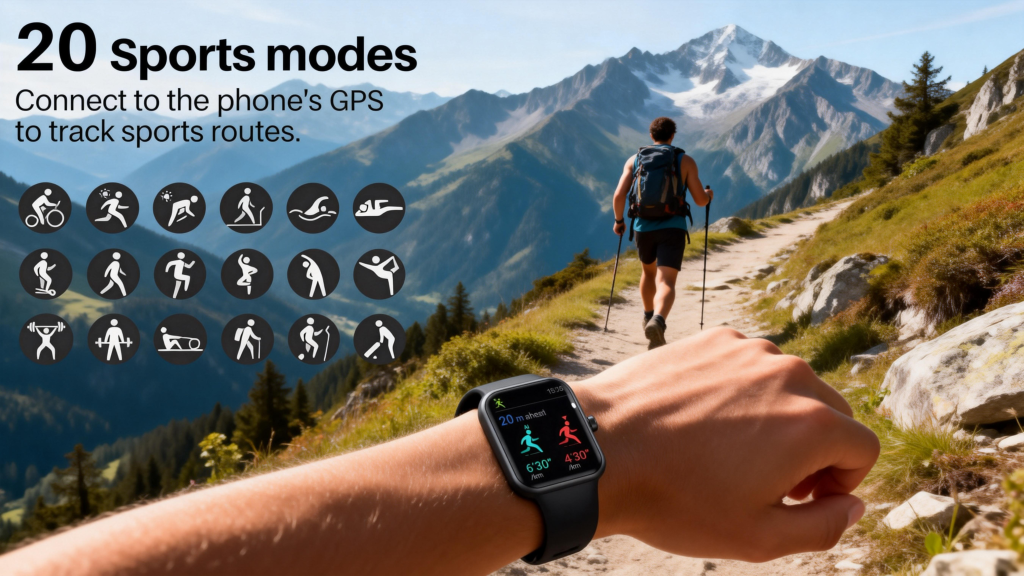
In fitness tracking, gyroscopes dramatically improve activity classification. Accelerometers alone might confuse brisk walking with arm-only exercises like shadowboxing. Adding rotation data lets the watch recognize cycling (steady roll from pedaling), swimming strokes (distinct pitch/roll patterns per style—freestyle, breaststroke, etc.), or even yoga poses where wrist orientation changes predictably. During runs or hikes, it helps filter out arm swing artifacts that would otherwise inflate or deflate step counts.

Navigation gets a boost too. When GPS signal drops—in tunnels, dense forests, or tall buildings—gyroscopes provide short-term dead reckoning. Fused with accelerometer and compass data, they estimate heading changes and distance traveled until satellites reconnect. This “inertial navigation” keeps your map arrow pointing the right way for seconds to minutes, reducing frustrating jumps on the display.

Advanced Features That Depend on Gyroscopes

Fall detection benefits enormously from gyro input. A real fall often involves rapid rotation—tumbling forward, sideways, or backward—before the hard impact caught by the accelerometer. Gyroscopes spot these angular rates (sometimes exceeding 200–300°/s), helping algorithms differentiate a genuine fall from simply sitting down fast or dropping your arm. Many watches now require both sensors to agree before triggering an alert.

Sleep stage estimation and automatic workout detection also lean on gyroscopes. Nighttime wrist rotations reveal turning over or restless periods more reliably than acceleration alone. For workouts, sudden changes in orientation (like flipping from face-down plank to upward dog) help the watch switch modes without manual input.

Some premium models use gyroscopes for more niche tricks: stabilizing compass readings against magnetic interference, improving augmented reality overlays (if the watch supports basic AR), or even assisting in golf swing analysis by tracking clubface rotation through the swing path.

Limitations and Real-World Trade-offs

Gyroscopes aren’t perfect. They suffer from drift—small errors accumulate over time because they’re measuring rate of change, not absolute position. Without periodic correction from GPS, magnetometer, or accelerometer gravity reference, heading can wander by several degrees per minute. High-end watches mitigate this through constant sensor fusion and calibration routines (often done automatically when you move your arm in figure-8 patterns or during GPS locks).

Temperature changes affect MEMS gyros too—thermal drift can introduce bias shifts, though modern chips include compensation circuits. Vibration from bumpy trails or heavy gym work can add noise, requiring robust filtering.

Battery impact remains the biggest practical limit. Full 3-axis gyro at high sample rates chews through power faster than accelerometer-only modes. That’s why many watches offer “battery saver” GNSS or activity profiles that disable or downsample the gyro when high precision isn’t critical.

As chips get smaller, more accurate, and lower-power, gyroscopes will enable even finer motion tracking. We’re already seeing sub-degree-per-second noise floors in flagship devices, opening doors to medical-grade tremor detection, advanced gesture languages, or seamless handoff between watch and phone AR experiences.

For now, the gyroscope remains the unsung partner to the accelerometer—together they turn raw wrist movements into reliable insights about your activity, safety, and interaction with the device. The next time your watch rotates the screen perfectly, detects your swimming stroke, or keeps your map steady underground, remember it’s the gyro quietly measuring every twist and turn that makes it possible.
Role of Accelerometers in Smart watches

Accelerometers are one of the quiet workhorses inside every modern smart watch. Without them, your device would be far less useful for tracking movement, counting steps, detecting falls, or even waking the screen when you raise your wrist. These tiny sensors measure acceleration—the change in velocity over time—in three axes (X, Y, Z), capturing how your wrist moves in space. What starts as raw data gets processed into meaningful insights that power most of the health and fitness features we rely on daily.

At its core, an accelerometer detects both dynamic acceleration (from motion like walking or swinging your arm) and static acceleration (gravity pulling downward). When your watch is still on a table, it reads roughly 1g straight down on the vertical axis. As soon as you pick it up or start moving, the readings shift across all three axes. This sensitivity to even subtle changes lets the watch distinguish between sitting quietly, jogging lightly, or sprinting uphill.

Step counting is probably the most familiar use. Early pedometers used mechanical springs; today’s digital accelerometers sample at high rates (often 50–100 Hz or more) to detect the characteristic up-and-down pattern of each stride. Algorithms analyze the waveform—peaks from heel strikes, valleys from lift-off—and filter out noise from random arm swings or bumpy car rides. Machine learning models trained on thousands of gait patterns help refine accuracy, so the watch knows whether you’re walking, running, or just fidgeting at your desk. Most devices aim for 95–98% accuracy under normal conditions, though things like carrying bags, pushing a stroller, or very slow shuffling can still trip them up.

Activity recognition goes further. By looking at patterns in acceleration data over seconds or minutes, the watch classifies what you’re doing: walking, running, cycling, swimming (if water-resistant), elliptical training, or even stair climbing. Some models fuse accelerometer data with heart rate, GPS speed, and gyroscope inputs for better guesses. For example, if acceleration shows rhythmic arm motion but no significant forward progress and heart rate is elevated, it might log “indoor rowing” or “shadow boxing.” This auto-detection means you don’t always have to manually start a workout—many watches now prompt you after a few minutes of sustained activity.

Gesture detection is another everyday role. The classic “raise to wake” feature uses a low-power accelerometer to spot the quick upward flick of your wrist. It triggers the screen without needing a button press or always-on display draining the battery. Similar logic powers tap-to-wake, double-tap gestures for music controls, or even shaking the watch to undo typing mistakes on some models. These interactions feel natural because accelerometers respond almost instantly.

Fall detection, now standard on many premium watches, relies heavily on accelerometers. A serious fall produces a distinct signature: sudden high acceleration downward, followed by a sharp stop (impact), then prolonged low or no movement. Algorithms compare this pattern against thousands of recorded falls versus non-falls (like dropping your phone or sitting down hard). If the match is strong and no movement follows for a set time, the watch vibrates, sounds an alarm, and can auto-call emergency services or send your location to contacts. Gyroscopes often help confirm rotation during the tumble, but the accelerometer catches the linear forces first.

Sleep tracking leans on accelerometers too. During the night, they monitor subtle wrist movements to estimate sleep stages. Minimal motion suggests deep sleep; frequent small shifts indicate light sleep or restlessness; larger movements mark wake-ups or turning over. While not as precise as clinical polysomnography, combining this with heart-rate variability and breathing estimates gives a solid picture of sleep quality over weeks.

Beyond health, accelerometers enable smarter power management. When the watch detects you’ve been still for a while, it dims the screen, lowers sensor polling rates, or switches to ultra-low-power modes. Conversely, sudden motion wakes everything back up quickly. This constant awareness keeps battery life reasonable despite always listening for gestures or steps.

Modern MEMS (micro-electro-mechanical systems) accelerometers are incredibly small—often just a few millimeters square—and sip power, making them perfect for wrist-worn devices. High-end models use 3-axis accelerometers with low-noise floors and wide dynamic ranges (±2g to ±16g), allowing them to handle everything from gentle breathing to explosive burpees without saturating.

Limitations exist, of course. Accelerometers alone can’t measure absolute position or direction—they drift over time without correction from GPS, compass, or barometer. Arm swing during running can inflate step counts if not filtered properly, and activities like cycling (minimal wrist motion) or weightlifting (complex patterns) sometimes confuse detection. Manufacturers keep improving fusion algorithms, blending accelerometer data with other sensors to close these gaps.

In the bigger picture, accelerometers turned smartwatches from notification gadgets into personal health companions. They’re the foundation for daily activity goals, workout insights, safety features, and effortless interactions. Without them, the watch would know the time and maybe your notifications—but little about how you actually move through the day.

Factors Affecting GPS Accuracy in Smart watches

When you glance at your smart watch during a run and see your pace, distance, and route mapped out cleanly, it feels almost magical. But that clean track on your wrist relies on a surprisingly delicate dance between satellites, hardware, software, and the world around you. GPS accuracy on smartwatches isn’t fixed—it’s highly variable, and understanding the main factors that influence it helps explain why one day your 10K route looks textbook perfect while the next it zigzags wildly through the same park.

The most obvious starting point is satellite geometry and visibility. Your watch needs a clear line of sight to at least four satellites to calculate a 3D position (latitude, longitude, altitude) plus time. More satellites improve the fix dramatically. In open fields or on a beach, you might see 12–20 satellites from multiple constellations (GPS, GLONASS, Galileo, BeiDou, QZSS). Under a dense tree canopy, in a narrow urban canyon, or inside a building atrium, that number can drop to four or fewer, forcing the watch to rely on weaker, reflected signals. Poor geometry—when satellites cluster in one part of the sky—also widens the error ellipse, even with decent count.

Multipath interference ranks high among culprits. Signals bounce off buildings, vehicles, water, or even rocky cliffs before reaching the antenna. The watch receives both the direct path and delayed reflections, and if the receiver can’t distinguish them well, it averages the wrong arrival times and plots you meters (or tens of meters) off course. Modern dual-frequency chips (L1 + L5) handle multipath better because the two frequencies arrive at slightly different times in reflective environments, letting the device spot and suppress bad signals. Single-band watches suffer more in cities.

Atmospheric conditions introduce another layer of error. The ionosphere and troposphere slow radio signals, but the delay varies with solar activity, time of day, and weather. Ionospheric errors peak during high solar-flare periods (we’re in a solar maximum cycle right now in 2026), sometimes adding several meters of uncertainty. Dual-frequency receivers cancel much of this by comparing how much each band is delayed—the difference reveals the ionospheric impact, which can then be subtracted. Single-band devices have to guess or use modeled corrections, which are less precise.

Antenna quality and placement matter far more than most people realize. Smartwatch antennas are tiny and squeezed into curved, metal-surrounded cases. The wrist itself blocks part of the sky, and your body orientation (arm swinging, watch facing inward) can shield signals further. Higher-end models place the antenna on the top or sides with better sky view, use ceramic patches or helical designs for wider reception patterns, and sometimes add ground planes to reduce body interference. Budget watches with smaller, cheaper antennas often lose lock faster in marginal conditions.

Software and processing algorithms play a huge behind-the-scenes role. Raw satellite data is noisy; the magic happens in how the chipset filters it. Kalman filters, particle filters, and machine-learning-based multipath classifiers smooth jumps and dead-reckon through short outages using the watch’s accelerometer and gyroscope. Assisted GPS (A-GPS) pulls ephemeris and almanac data over Wi-Fi or cellular from your phone, slashing time-to-first-fix from minutes to seconds and improving initial accuracy. Some watches apply map-matching—snapping your position to known roads or trails—which can hide raw GNSS errors but sometimes creates artifacts if the map data is outdated.

Motion and activity type affect perceived accuracy too. During steady-state running or cycling on open paths, the watch can average positions over time for smooth tracks. Sudden direction changes, high-speed sprints, or stop-start intervals (like interval training) challenge the system more because velocity estimates from Doppler shift can lag. Wrist-based inertial sensors help bridge these gaps, but drift accumulates quickly without fresh GNSS updates.

Environmental factors beyond sky view include interference from electronics. Strong radio sources—cell towers, Wi-Fi routers, power lines, even nearby Bluetooth devices—can desensitize the receiver or create jamming-like effects. In dense urban areas or near airports, this adds noise. Cold temperatures slow crystal oscillators in the chipset, lengthening lock times and slightly degrading precision until warmed up.

Battery-saving modes introduce their own compromises. Many watches offer “standard,” “all-systems,” or “multi-band” GNSS options. Choosing battery-friendly modes (single-band GPS only) sacrifices accuracy for longer life—great for all-day wear but frustrating on a trail run. High-accuracy modes drain faster but deliver tighter tracks when it counts.

Altitude deserves special mention. Vertical error is typically 1.5–2× worse than horizontal because satellites sit mostly overhead, giving poor geometry for height. Barometric altimeters in many premium watches (Garmin, Apple Watch Ultra, Coros) correct this by fusing pressure data with GNSS, yielding much smoother elevation profiles during hikes or climbs.

In real-world use, these factors combine in unpredictable ways. A 2026 flagship watch with multi-band, multi-constellation GNSS, good antenna design, and smart fusion might hold sub-2-meter consistency through a forested trail where a 2020 single-band model wandered 20+ meters. Yet the same flagship can still drift in a deep urban canyon if multipath dominates or if your arm blocks the sky during a phone call.

The takeaway is that smartwatch GPS isn’t inherently “inaccurate”—it’s context-dependent. Open sky + multi-constellation + dual-frequency + quality antenna + aggressive processing = excellent results. Obstructions, reflections, weak signals, budget hardware, or power-saving choices = visible errors. Manufacturers keep pushing boundaries with better chips, smarter algorithms, and hybrid positioning (blending GNSS with Wi-Fi/Bluetooth beacons and inertial data), so the gap between ideal and real-world performance narrows every year.

Next time your watch nails a tricky route or disappoints you in the city, you’ll know it’s not just “bad GPS”—it’s the interplay of dozens of variables doing their best under the circumstances.

Message Synchronization Mechanism

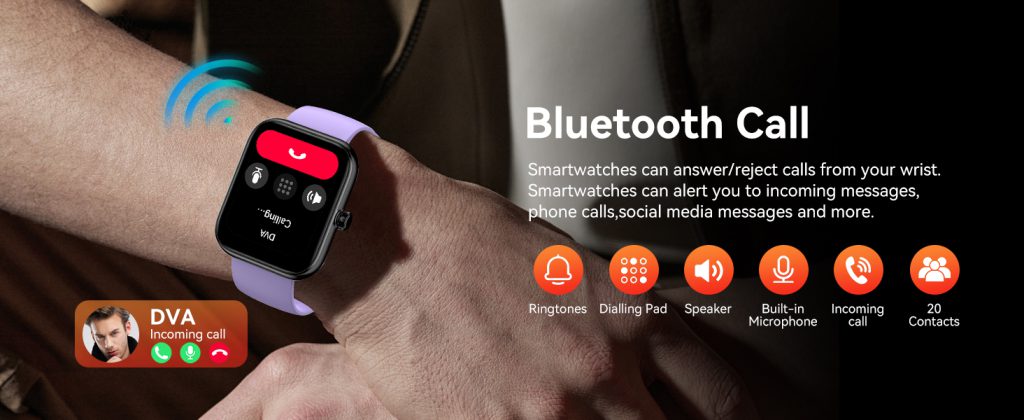
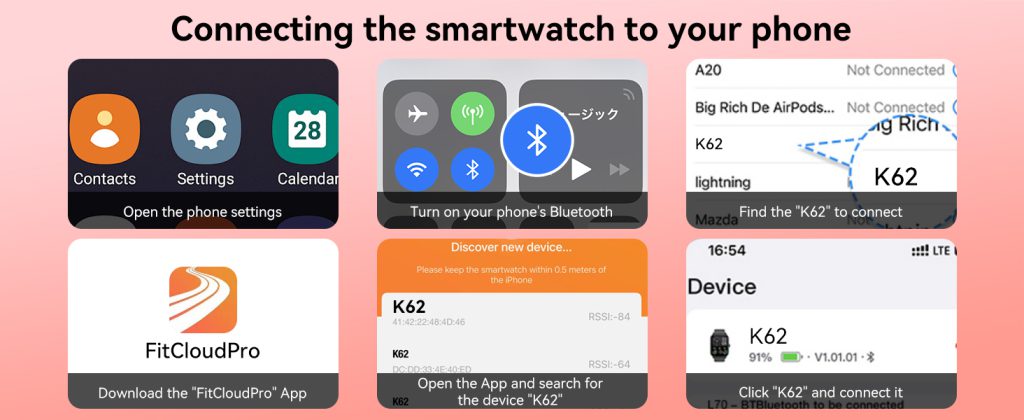
In the era of seamless digital life, message synchronization has become one of the core experiences that define whether a smart watch feels smooth, reliable, or frustrating. Users expect to see the same text messages, chat app notifications, social media alerts, and system reminders on their watch exactly as they appear on their phone. When you read a message on your wrist, it should automatically mark as read on your phone. When you reply from the watch, the conversation should update in real time across both devices.

This level of coordination does not happen by accident. It relies on a carefully designed message synchronization mechanism that connects the phone, the Bluetooth connection, the watch operating system, and the supporting application layer. For users who rely on their watch for daily communication—whether for work, family, or emergency situations—understanding how message sync works helps them set up their device for better performance and fewer interruptions. Devices like the QONBINK smart watch implement a highly optimized synchronization structure to ensure stable and consistent message delivery in daily scenarios.

What Is Message Synchronization on Smart Watches?

Message synchronization refers to the process where text messages, instant messages, app notifications, and system alerts are shared, mirrored, and kept consistent between a smartphone and a paired smart watch. The goal is to create a unified experience so users do not have to check multiple devices or manually update message statuses.

True synchronization includes three key behaviors:

  • Real-time delivery: Messages appear on the watch almost at the same time as they arrive on the phone.
  • Status consistency: When a message is read, deleted, or replied to on one device, the other device updates automatically.
  • Cross-device continuity: Conversations can be started on the phone and continued on the watch, or vice versa, without interruption.

Without proper synchronization, users may face delayed messages, duplicate alerts, unread badges that do not disappear, or messages that only show on one device. These small issues can greatly reduce trust in the wearable device.

Core Structure of the Message Synchronization System

A complete message synchronization system consists of four major components: the messaging source, the mobile phone system, the communication bridge, and the smart watch end. Each part must work together to maintain stable data flow.

  1. Message SourceThis includes SMS, MMS, third-party chat apps, social media platforms, email applications, and system services. Each app generates message data that includes sender, content, timestamp, type, and status flags.
  2. Mobile Phone Operating SystemThe phone acts as the host device. It receives messages first, manages notification permissions, filters unnecessary alerts, and packages message data into a format that can be transmitted to the watch. The system also records message status such as unread, read, replied, or deleted.
  3. Communication BridgeBluetooth Low Energy (BLE) is the primary channel for message synchronization. In some advanced systems, Wi‑Fi or cloud services act as supplementary channels when Bluetooth is temporarily disconnected. The bridge ensures encrypted, low-power, high-speed transmission.
  4. Smart Watch EndThe watch receives the packaged data, parses it, displays the message properly, and records user interactions. It then sends feedback signals back to the phone to update message status.

How Message Synchronization Works Step by Step

To help you understand the entire process clearly, we break down message synchronization into simple, logical steps.

Step 1: Message Arrives on the Phone

A new message is received by an app on the smartphone. The phone’s system detects the incoming message and checks whether the user has granted notification access for that app.

Step 2: Permission Verification and Filtering

The system filters messages based on user settings. Important messages such as calls, SMS, and work chat are prioritized, while low-priority alerts or promotional content may be blocked. This filtering reduces unnecessary battery drain on the watch.

Step 3: Data Packaging and Encryption

The phone system packages the message content, sender information, timestamp, and status into a compact data packet. To protect privacy, all transmitted data is encrypted to prevent interception.

Step 4: Transmission via Bluetooth

The encrypted data packet is sent to the paired smart watch through BLE. Since BLE uses very little power, this process does not significantly affect battery life on either device.

Step 5: Watch Parses and Displays the Message

The smart watch receives the data, decrypts it, and displays the message in a readable format based on its interface design. The watch may trigger vibration, sound, or a screen wake to alert the user.

Step 6: User Interaction on the Watch

When the user reads, replies, or deletes the message on the watch, the device records this action and sends a status update back to the phone.

Step 7: Two-Way Status Sync

The phone receives the feedback signal and updates the message status accordingly. The message is marked as read, and the notification is removed from both devices. This creates a truly unified experience.

Common Synchronization Modes

Different smart watch systems use slightly different synchronization logic. Here are the most common modes.

1. Mirror Synchronization

This is the most basic mode. The watch simply mirrors all notifications allowed by the phone. It does not deeply sync conversation status, only shows incoming alerts.

2. Deep Sync

Deep synchronization goes beyond simple mirroring. It syncs entire conversations, read/unread status, deleted messages, and reply history. This is the mode used in high-quality wearables for a smooth experience.

3. Cloud-Assisted Sync

Some devices use cloud servers to assist synchronization. If Bluetooth disconnects temporarily, the cloud can cache messages and deliver them once the connection is restored. This reduces message loss.

4. Partial Sync

To save power, some watches only sync message previews instead of full content. Users can open the phone to view complete details.

Factors That Affect Message Sync Stability

Many users experience delayed or missing messages without understanding why. Several key factors influence synchronization performance.

  • Bluetooth Connection Strength: Weak Bluetooth signals cause transmission delays or interruptions.
  • Phone Background Restrictions: Many Android phones aggressively kill background processes to save power, which breaks the sync service.
  • Battery Saver Modes: Extreme battery saving may limit data transmission between devices.
  • App Permissions: Missing notification access or Bluetooth permissions will completely block sync.
  • System Version Compatibility: Outdated phone or watch software can cause compatibility bugs.
  • Distance and Obstacles: Walls, distance, and electronic interference affect Bluetooth quality.

How to Optimize Message Synchronization for Better Performance

Users can improve message sync reliability with a few simple settings.

  1. Keep the smart watch and phone within reasonable proximity.
  2. Disable extreme battery saver or background cleanup for the watch’s companion app.
  3. Grant all required permissions, including notification access.
  4. Regularly update both the phone system and the watch firmware.
  5. Restart Bluetooth or re-pair the devices if connection issues occur.
  6. Close unnecessary apps that may interfere with Bluetooth stability.

By following these steps, most message delay or loss issues can be resolved effectively.

Why Stable Message Synchronization Matters

For modern users, the wrist has become an important extension of daily communication. Many people check their watch more frequently than their phone, especially during meetings, workouts, commutes, or nighttime hours.

Stable message synchronization improves efficiency, safety, and convenience. It allows users to respond quickly without picking up their phone. It reduces distractions and helps people stay focused on their current activity. For users who value reliability and smoothness, a well-designed synchronization mechanism is not just a feature—it is a necessity.

Message synchronization is much more than just pushing notifications to the wrist. It is a complete two-way communication system that combines hardware, software, communication protocols, and user experience design. Every time you read a message on your watch and see it automatically marked as read on your phone, a complex and precise process is working in the background.

As wearable technology continues to evolve, synchronization mechanisms will become faster, more stable, more secure, and more intelligent. Devices like the QONBINK smart watch continue to optimize this core experience, bringing users one step closer to truly seamless cross-device digital life.

Multi-Satellite Positioning Systems in Smart watches

Smart watches have come a long way from basic step counters to serious tools for outdoor adventures, fitness tracking, and even off-grid safety. One of the biggest upgrades driving this shift is the move toward multi-satellite positioning systems, often called multi-constellation GNSS. Instead of relying solely on the American GPS network, modern smartwatches tap into multiple global satellite fleets at once. This means more satellites overhead at any given moment, quicker locks on your location, and far better performance when you’re in tough spots like city streets lined with tall buildings, dense forests, or deep canyons.

The core idea is simple: the more satellites your watch can “see,” the more reliable and accurate your position becomes. Traditional single-system GPS might struggle if buildings block signals or trees create multipath reflections (where signals bounce around before reaching the receiver). By combining signals from different constellations, the watch gets redundant data points, letting it filter out bad signals and average the good ones for a tighter fix.

The main players in this space are GPS (United States), GLONASS (Russia), Galileo (European Union), BeiDou (China), and QZSS (Japan’s regional system). Many current smartwatches support all five, often labeled as “all-systems” or “multi-GNSS.” For example, high-end models from Garmin like the Fenix 8 series or Instinct 3 routinely pull from GPS, GLONASS, Galileo, BeiDou, and QZSS simultaneously. This setup shines in challenging environments—think trail running under heavy canopy or hiking in remote mountains—where a single constellation might drop to just a handful of usable satellites.

Apple’s Watch Ultra series takes a similar approach. It uses precision dual-frequency GNSS with support for GPS, GLONASS, Galileo, QZSS, and BeiDou. The dual-frequency part (L1 and L5 bands) adds another layer by correcting atmospheric delays that slow signals differently on each frequency. When combined with multi-constellation access, this delivers strong results for activities like open-water swimming, trail runs, or urban cycling. In practice, users report consistent tracks even in spots where older single-band watches wander off course.

Other brands follow suit. Devices like the Amazfit Balance 2 or various 2026 budget-to-midrange models advertise five-satellite support (GPS + BeiDou + Galileo + GLONASS + QZSS) with upgraded chipsets and antennas for better signal processing. Coros, Suunto, and some Samsung Galaxy Watch variants also lean heavily on multi-constellation tracking, often pairing it with dual-band capabilities for sub-meter consistency in ideal conditions.

The accuracy gains are noticeable. Standalone GPS might deliver 3–10 meters in open sky and degrade to 10–30 meters in urban or wooded areas. Multi-constellation alone often tightens that to 1–5 meters by increasing satellite visibility and reducing dropouts. Add dual-frequency (multi-band), and you’re frequently looking at sub-meter or even sub-2-meter precision under good skies. In real-world tests from recent reviews, watches like Garmin’s with “all-systems + multi-band” modes hold steady tracks through city canyons or forested trails where single-GPS rivals zigzag noticeably.

Battery life is the trade-off everyone mentions. Scanning multiple constellations and frequencies uses more power than sticking to GPS alone. Manufacturers counter this with smart modes—Garmin’s SatIQ automatically switches between standard, all-systems, and multi-band based on signal quality and your activity, preserving battery for long outings. Apple and others optimize similarly, so a full day of mixed use (including GPS workouts) remains realistic on most flagship models.

Beyond pure positioning, multi-satellite support ties into broader features. Emergency satellite messaging on models like the Apple Watch Ultra or Garmin’s inReach-integrated watches relies on clear sky views and robust GNSS locks to send your coordinates when cell service vanishes. For runners or hikers who venture far from trails, knowing the watch can pinpoint you accurately—even if it takes a moment longer in fringe coverage—adds real peace of mind.

Looking at 2026 trends, multi-constellation is basically standard in mid-to-high-end smartwatches. Entry-level ones might still lean on GPS + one or two extras, but the gap is closing fast. Chipmakers continue improving low-power multi-band receivers, and constellations like Galileo and BeiDou keep adding more satellites for better global coverage. Future updates could push toward even tighter accuracy, perhaps blending GNSS with phone-assisted data or on-device AI for smarter signal selection.

For anyone serious about outdoor activities, a watch with full multi-satellite support changes the game. You get faster first fixes (often under 10 seconds with assisted data), fewer gaps in your activity maps, and confidence that your route log reflects reality. Whether you’re chasing personal bests on pavement, exploring backcountry trails, or just wanting reliable navigation without carrying a phone, these systems make the wrist a trustworthy guide.

The beauty is how seamless it feels now. You start a run or hike, the watch locks on quickly with a constellation of satellites working together, and you forget about signal worries. That’s the quiet evolution multi-satellite positioning has brought to smartwatches—turning them from nice-to-have gadgets into dependable companions for wherever life takes you.

Types of GPS Chips and Their Accuracy

GPS technology has become so common that we rarely think about what’s powering it behind the scenes. Whether you’re tracking a run on your smartwatch, navigating city streets with your phone, or surveying land for construction, the GPS chip (more accurately called a GNSS receiver chipset) determines how quickly and precisely your device knows where you are.

Not all GPS chips are equal. They differ in the satellite signals they can receive, how they handle errors like atmospheric interference, and the techniques they use for refinement. In 2026, consumer devices range from basic single-band chips accurate to several meters to advanced multi-band ones that approach centimeter-level precision under ideal conditions.

Single-Band GPS Chips (Primarily L1)

The most widespread type remains single-band receivers focused on the L1 frequency (1575.42 MHz). This is the original civilian GPS signal, using the Coarse/Acquisition (C/A) code available to everyone.

These chips are inexpensive, low-power, and compact—ideal for mass-market products. Common manufacturers include older Qualcomm SiRF series, MediaTek in budget wearables, and entry-level u-blox modules.

Typical accuracy:

  • Open sky: 3–10 meters horizontal
  • Urban or forested areas: Often 10–30 meters due to multipath (signal reflections) and fewer visible satellites
  • Time to first fix (TTFF): 20–60 seconds cold start, faster with assisted data from phone networks

You’ll see single-band L1 in lower-end fitness trackers, basic car navigation, and many older smartphones. While reliable for general use, they struggle in challenging environments like dense cities or under tree cover.

Dual-Frequency Chips (L1 + L5 or L1 + L2)

The big leap in recent years came with dual-frequency receivers. These access two signals simultaneously, allowing the device to correct for ionospheric delay—a major error source where signals slow down passing through the upper atmosphere.

Most modern flagship devices use L1 + L5:

  • L1: Legacy signal, widely available
  • L5: Newer, higher-power civilian signal (1176.45 MHz), designed for better multipath resistance and interference rejection

L1/L5 combinations are common in premium smartphones (via Broadcom BCM477x series or Qualcomm Snapdragon GNSS), high-end smartwatches like recent Apple Watch Ultra models, Garmin Forerunner series, and some Samsung Galaxy Watches.

Typical accuracy:

  • Standard conditions: 1–3 meters
  • Good open-sky conditions with multi-constellation support (GPS + GLONASS + Galileo + BeiDou): Sub-meter in many cases
  • Urban canyons or moderate multipath: Noticeably better than single-band, often staying under 5 meters

Some chips still pair L1 with L2 (1227.60 MHz), traditionally more for high-precision or military use, but L1/L5 has become the go-to for consumer dual-band because L5 is fully civilian-accessible and offers stronger performance in obstructed areas.

Multi-Band / Multi-Constellation Chips

Beyond dual-frequency, top-tier chips receive signals across multiple bands and from multiple satellite systems (GNSS: GPS, GLONASS, Galileo, BeiDou, QZSS). These “all-systems” or multi-band receivers maximize the number of visible satellites and use advanced error correction.

Examples include u-blox F9/F10 series (used in drones, surveying gear, and some premium wearables), Broadcom’s latest low-power chips in wearables, and high-end Qualcomm integrations.

Typical accuracy:

  • Standard positioning: 0.5–2 meters
  • With advanced multipath mitigation and full constellations: Frequently sub-meter, even in tricky environments

In smartwatches and fitness devices from Garmin (Forerunner 265/970, Fenix series), Coros, Suunto, and Apple Watch Ultra, multi-band GNSS with dual-frequency support delivers reliable tracking during trail runs, urban workouts, or open-water swims.

High-Precision Chips with RTK and Corrections

For applications needing extreme accuracy, chips support Real-Time Kinematic (RTK) or differential corrections. These use a nearby base station or network corrections (like u-blox PointPerfect, Trimble RTX, or government services) to achieve centimeter-level fixes.

RTK-capable chips (u-blox ZED-F9P, Septentrio, Trimble BD series) are common in:

  • Precision agriculture
  • Drone mapping
  • Autonomous vehicles
  • Professional surveying

Typical accuracy:

  • RTK fixed: 1–2 cm horizontal
  • RTK float or differential: 10–30 cm
  • Requires clear sky view and correction data link

Consumer devices rarely include full RTK due to cost, power, and antenna size, but some high-end wearables hint at it through improved convergence times and lane-level potential in automotive contexts.

Factors That Affect Real-World Accuracy

No chip performs in isolation. Accuracy depends on:

  • Number of visible satellites (multi-constellation helps massively)
  • Environment (urban multipath vs. open fields)
  • Antenna quality (patch vs. helix; external better than tiny watch antennas)
  • Software algorithms (Kalman filtering, multipath suppression)
  • Assisted data (A-GPS via Wi-Fi/cell for faster locks)

In tests from 2025–2026, dual/multi-band watches like Garmin’s SatIQ mode (auto-switching to high-accuracy when needed) or Apple Watch Ultra’s multi-band GNSS often outperform single-band rivals by 50–70% in dense areas.

Even budget dual-band chips in 2026 phones can hit 1–2 meter consistency, a huge improvement over the 5–10 meter norm of a decade ago.

Choosing the Right GPS Chip for Your Needs

For everyday navigation and fitness tracking, single-band or basic dual-frequency is plenty. If you run trails, cycle in cities, or need reliable maps without constant phone tethering, prioritize dual-frequency/multi-band support.

How Mobile Payments Work on Smart watches

Mobile payments have quietly become part of daily routines for millions of people, and smartwatches are making them even more effortless. Instead of reaching for your wallet or phone, you simply raise your wrist, double-click a button or tap the screen, and hold it near the terminal. The whole thing takes seconds, and you walk away with your coffee or groceries without breaking stride.

The Foundation: NFC Technology

At the core of smartwatch payments is Near Field Communication (NFC), a short-range wireless standard that lets devices talk when they’re very close—usually within 4 centimeters (about 1.5 inches). Smartwatches with payment support have a tiny NFC antenna and chip built in, allowing them to act like a contactless card.

When you bring your watch near a payment terminal (the kind with the contactless wave symbol), the terminal sends out a low-power radio signal. This signal energizes the watch’s NFC chip just long enough for it to send back the necessary payment data. No batteries are drained significantly for the tap itself, and no internet connection is needed at the moment of payment—though your watch does require setup over Wi-Fi or Bluetooth beforehand.

NFC’s limited range is intentional: it prevents accidental reads from across a room and adds a natural layer of security through proximity.

Setting Up Payments on Your Smart watch

Before you can pay, you need to add a card. The process varies slightly depending on the platform, but the steps are similar.

For Apple Watch users:

  • Open the Watch app on your paired iPhone.
  • Go to Wallet & Apple Pay.
  • Add a credit, debit, or prepaid card (many banks support instant addition via camera scan).
  • Verify with your bank—usually a quick text code or call.
  • Set a passcode on the watch if you haven’t already, and enable wrist detection (so payments only work while the watch is on your wrist).

Wear OS watches (Google Pixel Watch, many Samsung models, etc.) use Google Wallet:

  • Install or open Google Wallet on the watch or companion phone.
  • Add a card, verify identity (often via bank app push or SMS).
  • Enable a screen lock or PIN on the watch.

Samsung Galaxy Watches often default to Samsung Wallet (previously Samsung Pay), though newer models also fully support Google Wallet. The setup mirrors the others: add card, verify, secure with PIN or biometrics.

Once added, your actual card number is never stored plainly on the device. Instead, the system creates a device account number (DAN) or token—a unique substitute tied specifically to that watch.

The Payment Process Step by Step

Here’s what happens when you’re at checkout:

  1. Authenticate: On most watches, you authenticate first. Double-press the side button on Apple Watch to bring up your default card (you can scroll to choose another). On Wear OS or Samsung, you might swipe or tap to open the wallet. Many require the watch to be unlocked or recently used—preventing anyone from using a lost watch.
  2. Hold near terminal: Bring the watch’s display (or top edge, depending on model) within a couple of centimeters of the contactless reader. You’ll usually see a progress circle or feel a haptic buzz.
  3. Data exchange: The terminal queries the NFC chip. The watch responds with the tokenized payment info plus a one-time cryptogram (a dynamic security code generated for that exact transaction).
  4. Processing: The merchant’s system sends this to the payment network (Visa, Mastercard, etc.). The network swaps the token back to your real card number (only visible to your issuing bank), checks funds, and approves or declines—usually in under a second.
  5. Confirmation: The terminal beeps or shows approved, and your watch vibrates or displays a checkmark.

The entire exchange uses encrypted channels, and the token + cryptogram combo ensures the data is useless if intercepted.

Why Tokenization Makes It Safer

Tokenization is the secret sauce behind the security edge over traditional cards.

Your real 16-digit card number (the Primary Account Number or PAN) never leaves your bank’s secure environment after initial setup. What gets stored on the watch is a token—a random-looking string of digits unique to your device. If a hacker somehow reads the NFC signal (extremely difficult due to range and encryption), they get only the token, which is worthless elsewhere.

Additionally:

  • Each transaction generates a fresh cryptogram tied to amount, time, and merchant.
  • Dynamic security codes change constantly (unlike static CVV on a card).
  • Biometric or PIN requirements add a personal layer.
  • Wrist detection on Apple Watch (and similar features elsewhere) disables payments if the watch is removed.
  • Remote wipe: Lose your watch? Use the companion phone app to suspend payments instantly.

Compared with a physical card’s magnetic stripe (easy to skim) or even chip-and-PIN (still exposes the real number to the terminal), tokenized NFC payments reduce fraud dramatically.

Platform Differences and Real-World Use

While the underlying mechanics are the same, each ecosystem has its flavor:

  • Apple Pay on Apple Watch excels at seamless integration and wide acceptance, especially for transit in cities like London, Tokyo, or select U.S. systems. Standalone cellular models let you pay without your phone nearby.
  • Google Wallet on Wear OS offers broad bank support and works across many brands. It’s strong for loyalty cards and offers integration with Google services.
  • Samsung Wallet on Galaxy Watches sometimes includes legacy MST support on older models (simulates magnetic stripe for non-NFC terminals), though most payments today are pure NFC.

In practice, millions use these systems daily for everything from bus fares to gym smoothies. Battery impact is minimal—NFC taps consume very little power—and the convenience often means people leave wallets at home entirely.

In 2026, smart watch payments continue evolving. Faster NFC standards, better range tolerance, and deeper integration with transit, keys, and even automatic low-value transactions are on the horizon. Wearables are becoming true all-in-one devices, and contactless wrist taps are likely to feel as ordinary as checking the time.

If you’ve been hesitant, try adding one card to your watch. Once you experience leaving the phone in your pocket for a quick purchase, it’s hard to go back.

NFC Features and Payment Applications in Smart watches

In today’s fast-paced world, smart watches have evolved far beyond simple timepieces. They now serve as extensions of our smartphones, fitness coaches, communication hubs, and increasingly, portable wallets. At the heart of this transformation lies NFC (Near Field Communication) technology, which enables seamless contactless payments. Whether you’re grabbing coffee on your morning run or paying for groceries without digging through your bag, NFC on a smartwatch makes life noticeably more convenient.

What Is NFC and How Does It Enable Payments on Smart watches?

NFC is a short-range wireless communication standard that allows devices to exchange data when they’re brought within a few centimeters of each other—typically around 4 cm or less. In smartwatches, an embedded NFC chip handles this interaction.

The process is straightforward yet sophisticated. When you tap your watch on a compatible payment terminal, the NFC reader in the terminal generates a radio field. This field powers the watch’s NFC antenna momentarily, allowing it to transmit encrypted payment information. No internet connection is required for the tap itself, though your watch may need prior setup via a paired phone.

Major platforms power these transactions:

  • Apple Pay on Apple Watch uses a secure element chip to tokenize card details, replacing your actual card number with a unique digital identifier for each transaction.
  • Google Wallet (formerly Google Pay) on Wear OS devices like Google Pixel Watch or Samsung Galaxy Watch supports similar tokenization.
  • Samsung Wallet integrates deeply with Galaxy Watches, often including MST (Magnetic Secure Transmission) in older models for broader compatibility.

Recent advancements, such as NFC Release 15 standards, have extended the reliable range slightly (up to about 2 cm in some cases), making taps more forgiving and less prone to alignment issues—especially useful on smaller wearables.

Key NFC Features in Modern Smart watches

Smartwatches with NFC go beyond basic tap-to-pay. Here are the standout features that make them practical for everyday use.

Secure Tokenization and Biometric Authentication

Every major NFC payment system relies on tokenization. Instead of transmitting your real card number, the device generates a one-time token that’s useless to thieves if intercepted. On top of that, most smartwatches require authentication before payments—usually a passcode, fingerprint (on supported models), or even wrist detection to confirm the watch is on your arm.

This layered security far exceeds traditional magnetic stripe cards, reducing fraud risk significantly.

Independent Operation (Phone-Free Payments)

Many current smartwatches allow standalone payments after initial setup. For example, you can add cards directly through the watch app or companion phone, then leave your phone at home. This is ideal for runners, gym sessions, or quick errands.

Models like the latest Apple Watch Series, Google Pixel Watch, and Samsung Galaxy Watch series excel here, supporting dozens of banks worldwide.

Multi-Card Support and Instant Switching

You aren’t limited to one card. Users commonly store multiple debit, credit, and even transit cards (like subway passes in supported cities). Switching between them takes seconds via the watch interface—perfect when traveling or separating personal and business expenses.

Integration with Health and Fitness Ecosystems

NFC payments tie neatly into broader smartwatch functions. Imagine finishing a workout tracked by your watch, then tapping to buy a post-gym smoothie without pausing your activity data sync. This seamless blend enhances the “always-on” wearable experience.

Popular Payment Applications and Supported Devices

In 2026, contactless payments via smartwatches have become mainstream in many regions. Here are some of the leading options:

  • Apple Pay on Apple Watch — Widely accepted globally, with excellent integration for iPhone users. It supports transit in cities like London, Tokyo, and New York.
  • Google Wallet on Wear OS — Powers payments on Pixel Watch, Samsung Galaxy Watch, and other Android-compatible models. It offers strong cross-bank support and loyalty card integration.
  • Samsung Wallet — Tailored for Galaxy Watches, often with exclusive perks like reward points or Samsung-specific financing options.

The wearable payments market continues growing rapidly, with projections showing billions in transaction volume as more banks and merchants adopt compatible terminals.

For those exploring innovative accessories, brands like QONBINK offer complementary solutions that enhance everyday connectivity and convenience in the wearable space.

Security Advantages and Potential Concerns

One of the biggest draws of NFC payments on smartwatches is enhanced security compared to physical cards or phones alone.

  • Transactions use dynamic CVV codes and single-use tokens.
  • Biometrics or device passcodes add personal verification.
  • Proximity requirement prevents long-distance skimming.
  • If your watch is lost, you can remotely wipe or suspend payments via the companion app.

That said, no system is perfect. Always enable two-factor authentication on linked accounts, monitor statements regularly, and avoid sharing watch access codes. As with any digital payment, vigilance remains key.

The Future of NFC Payments in Smart watches

Looking ahead, NFC in wearables is poised for even greater expansion. With NFC standards improving range and reliability, smaller devices like smart rings may soon join the party for truly discreet payments. Integration with IoT could enable automatic transactions—think paying for parking as you approach a meter or unlocking hotel doors.

Market growth reflects consumer demand for frictionless experiences. Younger users, in particular, expect payments to feel as natural as checking notifications. As more banks partner with wearable makers and terminals upgrade worldwide, tapping your wrist will become the default way to pay for many.

Smart watches with robust NFC capabilities aren’t just gadgets—they’re practical tools reshaping how we interact with money on the go. Whether you’re team Apple, Android, or exploring emerging options, embracing this technology brings real efficiency to daily life.

Wi-Fi in Smart watches: When and Why It Matters

Wi-Fi on a smart watch used to feel like a nice-to-have extra, but it has quietly become one of the features that separates truly standalone devices from ones that still lean heavily on your phone. While Bluetooth handles most everyday connections, Wi-Fi steps in for faster data transfers, independent internet access, and scenarios where the phone is out of reach or turned off. The small antenna and power-hungry radio make it a careful addition—manufacturers enable it selectively to avoid killing battery life—but when used right, Wi-Fi transforms how independent and useful a watch can be.

The most common Wi-Fi application is faster syncing and larger downloads. Health data, sleep logs, workout maps, and firmware updates can be big files. Bluetooth is reliable but slow—transferring a detailed GPS route or a full night of sleep stages might take minutes. Wi-Fi can cut that to seconds. Many watches automatically switch to Wi-Fi when both the phone and watch are on the same home network, quietly uploading yesterday’s activity or downloading new watch faces overnight. You wake up to fresh complications, updated weather tiles, and synced podcasts without waiting around.

Standalone music and podcast streaming is another big reason Wi-Fi exists on watches. Without your phone nearby, Bluetooth can’t stream from the cloud, but Wi-Fi can. You pair Bluetooth earbuds to the watch, connect to a known network (home, gym, office), and play Spotify, Apple Music, or YouTube Music directly. This is especially useful for short runs, gym sessions, or travel when you intentionally leave the phone behind to travel light. The watch downloads a playlist or episode over Wi-Fi beforehand, then streams the rest on-demand if you stay connected. Battery drain is noticeable during streaming, but for 30–60 minute workouts it’s manageable, and many models let you download content overnight on Wi-Fi so the radio stays off during the activity.

Independent notifications and messaging shine when the phone is powered off or far away. With Wi-Fi and cellular (or just Wi-Fi in some cases), the watch can receive texts, emails, calendar invites, and app alerts directly from the internet. You’re at the gym with your phone charging in the locker, or on a hike with the phone in airplane mode to save its battery—the watch still gets important messages. Reply options are limited (quick replies, voice dictation, or emojis), but the ability to stay reachable without the phone is a genuine convenience for parents, shift workers, or anyone who occasionally wants to disconnect from their main device.

Wi-Fi also enables faster map downloads and offline caching. Turn-by-turn navigation works over Bluetooth when the phone is close, but if you want to preload city maps or download a hiking trail for offline use, Wi-Fi makes the transfer quick. Some watches refresh weather radar, air-quality data, or public transit schedules over Wi-Fi in the background, so the information is fresh even when you step out without your phone.

Smart home control gets a boost too. Many watches use Wi-Fi to talk directly to devices on your home network—lights, thermostats, door locks, cameras—without routing everything through the phone. You glance at your wrist and turn off the living-room lights from bed, or check who’s at the front door while gardening. The latency is often lower than Bluetooth relay, and it works even if your phone is in another room or charging.

Battery life is the constant trade-off. Wi-Fi radios are power-hungry compared to Bluetooth Low Energy. Scanning for networks, connecting, and transferring data can consume 10–20 times more current than idle BLE. Manufacturers counter this with aggressive timeouts: Wi-Fi only activates on known networks, during charging, when the phone is out of range, or when you explicitly request a large transfer. Some watches limit Wi-Fi to specific features (music downloads, map caching) and disable it otherwise. In practice, leaving Wi-Fi on all day can shave hours off runtime, but using it selectively—say, 30 minutes at home for syncing and downloads—barely dents the battery.

Security and privacy matter more with Wi-Fi than Bluetooth. Watches store saved network credentials, so a lost or stolen device could expose home Wi-Fi passwords if not properly encrypted. Modern models use WPA3 support, randomized MAC addresses, and secure boot to reduce risks. Most also let you forget networks easily or disable Wi-Fi entirely when traveling or in public places.

Not every smartwatch has Wi-Fi, and that’s intentional. Budget models and many fitness-focused bands skip it to keep costs down and battery life longer. Cellular watches often rely more on LTE for independence, using Wi-Fi mainly as a power-saving fallback at home. Full-featured Wear OS and watchOS devices include Wi-Fi as standard because the ecosystem expects it—standalone apps, cloud music, direct smart-home control all lean on internet access.

In daily life, Wi-Fi rarely gets in your face, but when you need it, it’s transformative. You finish a long run, leave the phone at home, and still stream the last few songs. You wake up to a fully synced health report without opening the app. You get a work message while the phone charges in the other room. These small moments add up, making the watch feel less like a phone accessory and more like a real standalone tool.

Wi-Fi isn’t always on, and it shouldn’t be—smart power management keeps it dormant until needed. But when it’s there and used thoughtfully, it quietly removes one more reason to reach for your phone, letting the watch handle more on its own.

Bluetooth Power Management in Smart watches

Bluetooth is the lifeline that keeps a smart watch talking to your phone, earbuds, and other devices all day long. But with a battery the size of a small coin, every milliamp matters. Poor Bluetooth management can drain the watch in hours; smart management lets it last days while staying connected. Manufacturers have spent years refining how Bluetooth behaves on the wrist—balancing constant background tasks (notifications, heart-rate sync) with aggressive power-saving tricks. The result is a quiet evolution that makes modern watches feel far more reliable and long-lasting than early models.

Why Bluetooth Is a Power Hog

Bluetooth was never designed for ultra-low-power, always-on scenarios. Classic Bluetooth (pre-4.0) kept radios fully active, burning through battery quickly. Even after Low Energy (BLE) arrived, smartwatches still face unique challenges:

  • Frequent small data transfers — heart-rate readings every few seconds, step counts, notifications — add up.
  • Proximity to the body — skin and clothing absorb signals, forcing the radio to transmit at higher power for reliable range.
  • Interference — Wi-Fi, other Bluetooth devices, microwaves, and crowded 2.4 GHz environments make the radio work harder to maintain connection.
  • Always-listening wake-word detection — for voice assistants, the radio scans periodically even when idle.

Without careful management, these factors can easily cut daily battery life in half.

Core Techniques for Saving Power

Modern smartwatches use several layered strategies to keep Bluetooth efficient.

Duty Cycling and Connection Intervals

The watch doesn’t stay connected 100% of the time. It uses short connection intervals (e.g., every 7.5–30 ms during active use) for quick data bursts, then stretches them to 1–4 seconds when idle. Longer intervals mean the radio sleeps more, waking only briefly to check for pending data or send a heartbeat packet. Many watches dynamically adjust intervals: tight during workouts or calls (low latency), relaxed during sleep or desk work (maximum savings).

Advertising and Scanning Optimization

When not connected, the watch broadcasts short “advertising” packets so your phone can find it quickly. Smart management reduces advertising frequency—say, every 100–1000 ms instead of constantly—and shortens each packet. Scanning (listening for advertisements) is even more aggressive: most watches scan only when you open the companion app, raise the wrist, or trigger a specific action, rather than continuously.

LE Audio and LC3 Codec

Bluetooth 5.2+ introduced LE Audio with the LC3 codec. LC3 delivers better sound quality at lower bitrates than classic SBC, so streaming music or calls uses less airtime and power. Lower bitrate means shorter transmission bursts, letting the radio sleep sooner. This is especially noticeable during long music sessions or calls—newer watches often last 30–50% longer than older models under the same audio load.

On-Device Processing and Batch Syncing

Instead of sending every heart-rate sample or step instantly, many watches buffer data locally and sync in batches—every 5–15 minutes or when you open the app. This reduces the number of connection events, each of which costs power to wake the radio, negotiate, transmit, and sleep again. On-device AI for basic health insights (recovery scores, anomaly detection) further cuts cloud uploads.

Radio Coexistence and Channel Management

The 2.4 GHz band is crowded. Newer Bluetooth versions (5.0+) use better channel classification to avoid Wi-Fi interference, hopping to cleaner channels faster. Some watches coordinate with the phone to share channel maps, reducing retransmissions and wasted power. In dense environments (offices, gyms), this prevents the radio from constantly retrying failed packets.

Real-World Impact on Battery Life

The difference is measurable. Early Bluetooth 4.x watches often lasted 1–2 days with notifications enabled. Bluetooth 5.0+ models commonly reach 2–5 days (or more in basic mode) under similar use. During music streaming to earbuds, newer versions with LE Audio can add hours compared to classic Bluetooth. Always-on heart-rate monitoring used to be a major drain; today it’s barely noticeable thanks to optimized BLE intervals and batching.

Users in rural or low-interference areas see smaller gains, while city dwellers or gym-goers benefit most from interference avoidance and faster reconnections after brief drops.

Trade-Offs and User Controls

Aggressive power saving has downsides. Longer connection intervals increase latency—notifications might arrive a second or two later, voice commands feel less instant. Some watches let users choose: “performance mode” for tight intervals (faster response, shorter battery), “battery saver” for stretched intervals (longer life, slight delay).

Disabling features like always-on display, continuous heart-rate, or background app refresh can extend life further, but most people prefer the balance manufacturers set by default.

Bluetooth 5.4 and upcoming 6.0 versions continue the trend: better periodic advertising, encrypted low-power broadcasts, and improved decision-based advertising to reduce collisions. These keep the radio off longer in busy environments. Combined with smaller process nodes in watch chips and smarter OS scheduling, future smartwatches should push multi-week standby while staying responsive and feature-rich.

Bluetooth power management may sound technical, but it’s the reason your watch survives a full day of notifications, calls, music, and tracking without constant charging. The improvements aren’t flashy, but they make the device feel effortless and dependable.

Back to Top
Product has been added to your cart
Compare (0)