Free Shipping On All Orders Over $10

Battery Life Management and Optimization in Smart watches

Battery life remains one of the most discussed aspects of smart watches because it directly affects how useful the device feels day to day. A watch that lasts only a few hours under normal use becomes a constant source of anxiety, while one that reliably gets through a full day—or better yet, several—feels liberating. Managing and optimizing battery life is a constant tug-of-war between packing in more features and keeping power consumption in check.
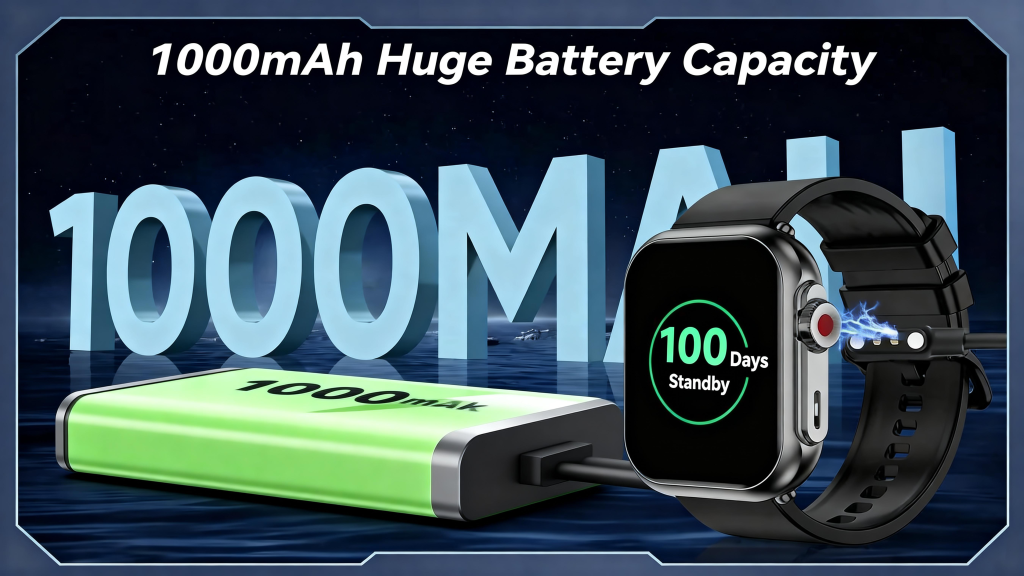
The foundation starts with understanding where power goes. The display is almost always the single largest consumer. Always-on displays (AOD) that show time, complications, and notifications continuously can account for 40–70% of daily drain, even when dimmed or using low-refresh modes. Raise-to-wake setups save significantly by keeping the screen off until you lift your wrist, but they sacrifice instant glanceability. Screen brightness, resolution, and refresh rate compound the issue: a 466×466 pixel AMOLED at 60 Hz scrolling animations uses far more power than a 280×280 transflective MIP display that reflects ambient light. Many outdoor-focused watches stick with MIP or memory-in-pixel technology precisely because it sips power in daylight and remains readable without backlighting.

The processor and wireless radios follow closely. Modern wearables employ a dual- or tri-core architecture: an ultra-low-power co-processor handles always-on tasks like step counting, heart-rate sampling, and notification filtering, while the main application processor sleeps deeply until needed for maps, music, or app launches. Bluetooth Low Energy for phone syncing is relatively efficient, but Wi-Fi scanning, cellular LTE data, or constant music streaming can double hourly consumption. GPS is especially demanding—dual-frequency multi-constellation tracking during workouts can pull 50–100 mA, so devices offer single-band fallback modes or assisted positioning via phone tethering to cut draw.

Sensors add smaller but cumulative loads. Continuous optical heart rate and SpO2 monitoring, even at reduced intervals during sleep, keep the PPG LEDs pulsing. Accelerometers and gyroscopes are cheap in power terms, but high-sample-rate modes for fall detection, gesture recognition, or advanced activity classification add up over 24 hours. Barometric altimeters and skin-temperature sensors draw minimal current yet contribute to background drain when always active.

Software is where the real magic happens. Adaptive power management adjusts sensor sampling, screen brightness, and radio usage based on context. At rest or during sleep, the watch might sample heart rate every 10 minutes instead of continuously, disable GPS entirely, and lower processor clock speeds. During detected workouts, it ramps everything up. Machine learning models predict usage patterns—learning that you usually start a run at 7 a.m. or receive fewer notifications after 10 p.m.—and pre-adjust settings to conserve energy without noticeable impact. Over-the-air updates frequently deliver battery improvements by refining these algorithms; many users see 10–30% gains after a major firmware release.

User-facing controls give people direct influence. Most watches offer quick toggles for battery saver modes that disable AOD, limit notifications, reduce haptic feedback, turn off always-on heart rate, and disable Wi-Fi/LTE. Some go further with “ultra-long” modes that drop to basic timekeeping and step counting, stretching a typical 1–2 day watch into 5–10 days. Granular settings let you choose which complications update in real time versus on-demand, or which apps can wake the screen. Enabling these options often doubles runtime for users who don’t need every bell and whistle active.

Thermal and battery health management protect long-term performance. Charging stops or slows if the battery gets too warm, and the system caps charge current as the cell ages to reduce degradation. Many watches limit maximum charge to 80–90% by default or offer optimized charging that learns your routine—holding at 80% overnight and topping to 100% just before you wake up—to minimize time spent at full voltage. This habit alone can extend battery lifespan by hundreds of cycles.

Real-world factors often override ideal scenarios. Heavy AOD usage, frequent GPS workouts, constant notifications with vibrations, background music playback, and always-on cellular can cut advertised battery life in half. Conversely, users who disable AOD, limit workouts to occasional sessions, and rely on phone tethering for most connectivity frequently exceed claims. Environmental conditions matter too: cold temperatures slow chemical reactions inside the battery, reducing effective capacity, while extreme heat accelerates aging.
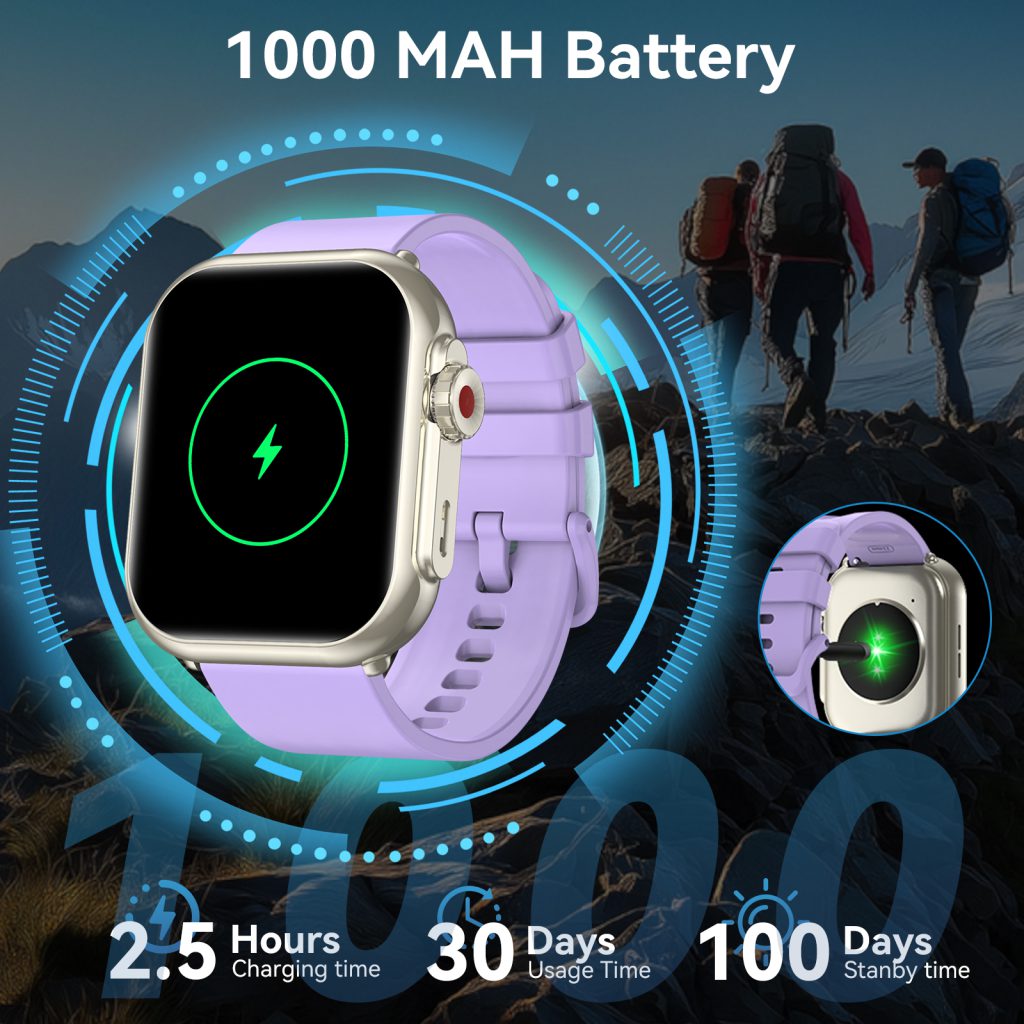
We continually push boundaries. Newer low-power displays (micro-LED prototypes or advanced MIP variants), more efficient SoCs (Arm Cortex-M55 or custom ultra-low-leakage designs), and silicon-anode or solid-state battery cells promise higher energy density and lower self-discharge. AI-driven power orchestration is becoming smarter, predicting not just daily patterns but moment-to-moment needs—pre-loading maps before a run starts or throttling sensors during low-activity periods. Some experimental features include solar harvesting on the bezel or kinetic energy recovery from wrist motion, though these remain niche for now.

Ultimately, good battery management feels invisible. The watch lasts long enough that you rarely think about it, yet still delivers the features you care about most. We achieve this through relentless optimization—hardware efficiency gains, software intelligence, user controls, and realistic expectations set by transparent marketing. When a watch reliably carries you through a busy day of tracking, notifications, and occasional navigation without begging for a charger by evening, that’s the quiet engineering win that keeps people wearing it every single day.
Magnetic Charging Technology in Smart watches

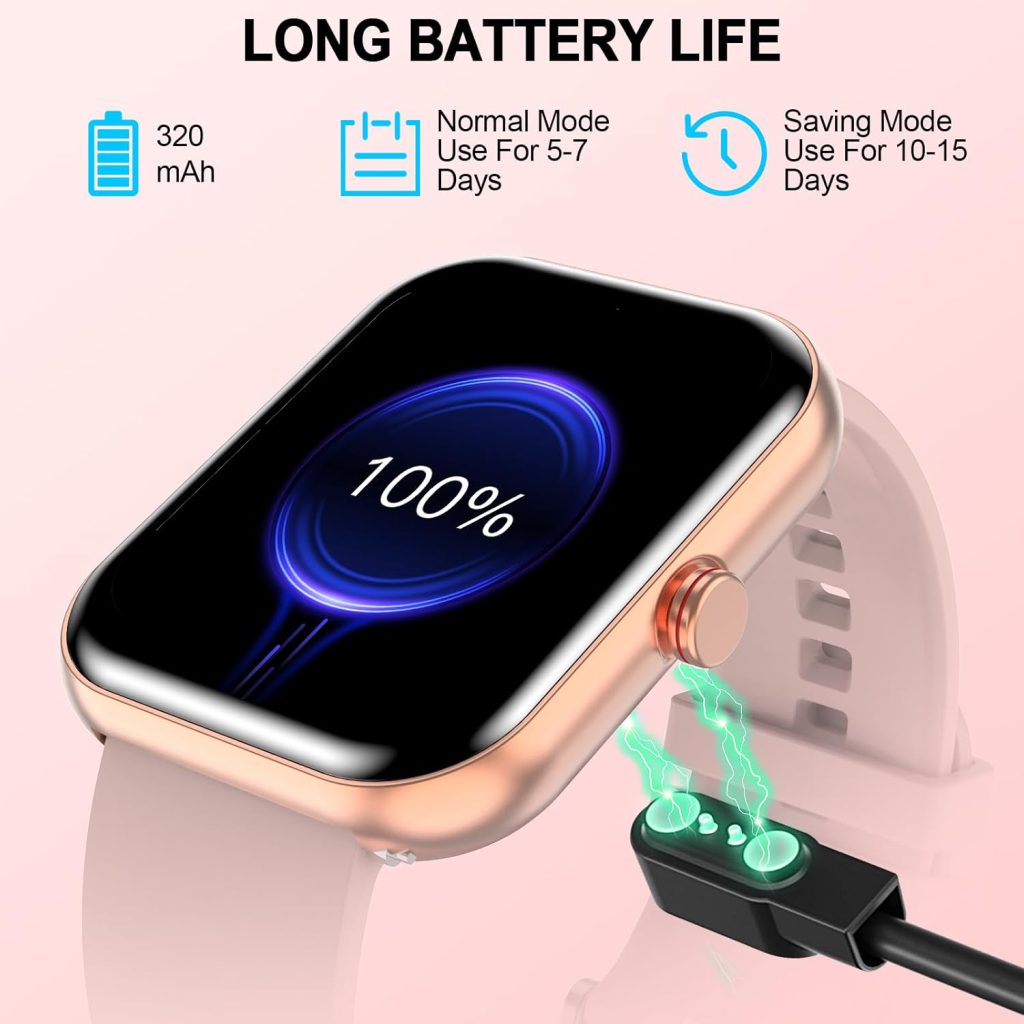
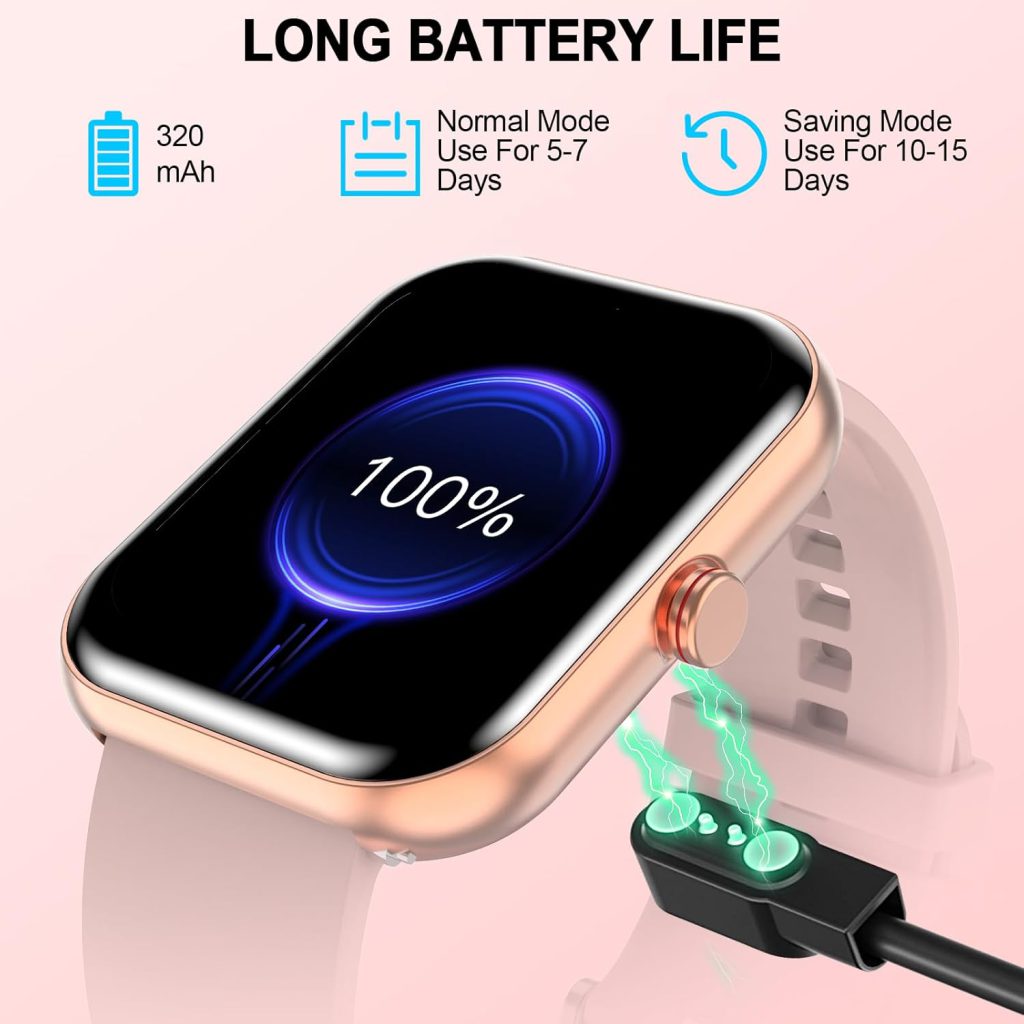
Magnetic charging has quietly become the standard for how we power smartwatches. Instead of fumbling with tiny pins or worrying about alignment in the dark, you simply bring the watch near the charger and it snaps into place with a satisfying click. Power flows reliably, and the watch begins charging almost instantly. This convenience stems from a combination of magnetic alignment and inductive power transfer, refined over years to make the experience feel effortless.

The system starts with magnets. Both the watch’s back and the charging puck contain precisely arranged neodymium magnets—usually in a ring pattern or specific polarity layout. When close enough (typically 2–5 mm), the magnetic field pulls the watch into perfect alignment. The force is strong enough to hold the device securely even if you bump the nightstand, yet not so strong that it’s hard to remove. This mechanical snap eliminates the guesswork that plagued early wireless chargers, where slight misalignment could drop efficiency to near zero.

Once aligned, inductive charging takes over. A transmitting coil in the puck generates an alternating magnetic field at frequencies around 100–200 kHz. The receiving coil inside the watch—often a flat spiral etched on a flexible circuit board—captures this field and induces an alternating current. Rectifier diodes and voltage regulators convert that AC into DC suitable for the lithium-polymer battery. The coils are tuned to resonate at the operating frequency when perfectly aligned, maximizing energy transfer while minimizing losses to heat.

Efficiency is a key engineering focus. Inductive systems inherently waste 30–50% of power as heat in coils, shielding layers, and conversion steps. To keep the watch cool against skin, manufacturers use ferrite sheets behind both coils to concentrate the magnetic flux and reduce leakage. Litz wire (multi-strand, individually insulated conductors) lowers AC resistance in the coils, and high-quality shielding materials prevent eddy currents in nearby metal parts. Some designs add thermal pads or graphene layers to spread residual heat across the back cover.

Power delivery stays modest—typically 5–10 W, with a few models reaching 15 W under ideal conditions. Higher wattage would generate too much heat in such a small volume, especially with skin contact. The charger and watch communicate via in-band modulation (slight variations in the magnetic field) or a secondary Bluetooth link to negotiate power levels. If the watch detects poor alignment, high temperature, or a foreign object (like a coin on the puck), it signals the charger to reduce output or stop entirely. Foreign object detection (FOD) relies on monitoring power loss or Q-factor changes—small anomalies trigger shutdown to prevent overheating hazards.

Different brands implement magnetic charging with slight variations. Apple’s system uses a circular magnet array that centers the coil precisely, supporting up to about 7–8 W in practice despite the official 5 W rating. Samsung’s Galaxy Watch chargers feature a similar ring but sometimes include multi-coil layouts for better tolerance to slight rotation. Google Pixel Watch and many Wear OS devices follow comparable designs, often with Qi-compatible bases that still rely on magnets for reliable performance. Budget models occasionally skip strong magnets, forcing manual alignment and slower charging due to frequent misalignment.

Safety layers are extensive. Over-temperature sensors (NTC thermistors) near the battery and charging circuit pause charging if skin-contact temperatures exceed 40–45°C. Over-voltage, over-current, and short-circuit protection sit in the charging IC. Authentication ensures only compatible chargers deliver full power, preventing damage from cheap knockoffs. The battery management system tracks cycle counts and gradually reduces max charge rate as the cell ages, preserving long-term capacity.

Charging stands enhance the experience. Vertical docks hold the watch face-up so you can glance at notifications or time while it charges. Angled designs with reinforced magnets maintain alignment even at a tilt. Multi-device pads combine watch, phone, and earbud spots—each with dedicated coils tuned to the device’s needs—allowing overnight charging without cluttering the nightstand.

The technology continues evolving. Newer coils use flexible printed circuits or graphene composites for better efficiency and thinner profiles. Some experimental systems explore tighter resonance or adaptive multi-coil arrays that maintain high coupling even with minor misalignment. While far-field RF or ultrasound charging remains impractical due to efficiency and safety issues, near-field magnetic inductive charging is likely to stay dominant for the foreseeable future.

What makes magnetic charging feel so natural is how it removes friction from the routine. No more searching for the right orientation, no exposed pins to corrode or bend, no worry about dust buildup in ports. You drop the watch on the puck, hear the soft click, and trust it will be ready in the morning. That seamless interaction—born from precise magnet placement, tuned coils, and smart power management—turns a daily necessity into something almost invisible.

Wireless Charging Methods in Smart watches

Wireless charging has become the default for most smart watches because it eliminates the hassle of fumbling with tiny ports in the dark or worrying about wear on connectors. Instead of plugging in a cable, you simply place the watch on a puck or stand, and power flows through the air via electromagnetic induction. The core principle is the same across nearly all models: inductive power transfer based on Faraday’s law and mutual inductance between two coils.

The watch contains a receiving coil—usually a flat spiral of copper wire or printed circuit traces—embedded in the back cover or just beneath it. The charging puck has a matching transmitting coil driven by an oscillating current (typically 100–200 kHz). When the two coils are brought close (within a few millimeters), the alternating magnetic field from the transmitter induces an alternating current in the receiver coil. Rectification and regulation circuitry inside the watch converts that AC into DC to charge the battery. Alignment is critical: misalignment by even a few millimeters drops efficiency sharply, turning usable power into wasted heat.

Magnetic alignment helps solve this. Most charging pucks include strong neodymium magnets arranged in a ring or array that snap the watch into the perfect position. Apple’s MagSafe-inspired system on the Watch series uses a precise ring of magnets to center the coils and hold the watch securely. Samsung and Google adopt similar magnetic pucks for Galaxy Watch and Pixel Watch, often with multi-coil designs that allow slight rotation or offset while maintaining good coupling. These magnets not only improve efficiency but also make docking feel intuitive—no fumbling to find the sweet spot.

Efficiency is a constant challenge in such a small form factor. Inductive charging inherently loses 30–60% of energy to heat in the coils, shielding materials, and conversion steps. To minimize waste, manufacturers tune the resonant frequency of both coils so they operate at peak coupling when aligned. Ferrite sheets behind each coil concentrate the magnetic field and reduce leakage into the metal case or user’s skin. Some designs use Litz wire (multi-strand twisted conductors) in the coils to lower AC resistance at high frequencies. Better efficiency means faster charging and less warmth against the wrist—important because nobody wants a hot puck burning their skin during overnight charging.

Power levels remain conservative compared to phones. Most smartwatches charge at 5–10 W, with a few flagship models pushing toward 15 W under ideal conditions. The low power keeps heat manageable and allows thinner coils and smaller batteries. The transmitter adjusts output dynamically based on feedback from the watch via in-band communication (modulating the magnetic field itself) or a separate Bluetooth link. If the watch reports high temperature, low coupling, or foreign object detection (FOD), the puck throttles or stops power. FOD is especially important—coins, keys, or even thick fabric on the puck can absorb energy and overheat, so modern chargers use Q-factor monitoring or power-loss checks to detect anomalies and shut down.

Qi standard compatibility varies. While Qi is the dominant wireless charging protocol for phones, smartwatches rarely advertise full Qi support because of size and alignment constraints. Apple’s proprietary puck works only with its own chargers (though third-party MagSafe-compatible options have appeared). Samsung and Google Watches support a subset of Qi with their magnetic pucks, but performance drops without the exact accessory. Some budget or hybrid models use generic Qi pads without magnets, requiring careful placement and often charging slower due to poorer coupling.

Charging stands and multi-device docks have become popular accessories. Vertical stands prop the watch face-up for glanceable time display while charging, using angled coils and stronger magnets to maintain alignment. Multi-device pads combine watch, phone, and earbud spots—each with dedicated coils tuned for the device’s needs. These stands often include cooling fans or larger heat sinks to handle simultaneous charging without excessive warmth.

Safety remains paramount. Over-temperature protection, over-voltage safeguards, and foreign object detection are mandatory. The watch’s charging IC communicates with the puck to negotiate power levels and halt if anything seems off. Skin-contact temperature is closely monitored—most devices limit surface heat to around 40–45°C during charging. Long-term exposure to magnetic fields at these low levels shows no proven health risks, but designs minimize stray fields anyway.

The future looks promising. Advances in coil materials (like flexible printed circuits or graphene-enhanced conductors) could improve efficiency and allow thinner profiles. Resonant charging at higher frequencies or multi-coil arrays might enable looser placement or even charging through fabric. Some prototypes explore RF or ultrasound-based far-field charging, though efficiency and safety concerns keep them distant for now. For the foreseeable future, near-field inductive charging with magnetic alignment will remain the practical standard.

Wireless charging turns a chore into a habit. Drop the watch on the puck at night or during a break, and it’s ready when you are—no frayed cables, no worn ports, just seamless power. That convenience, born from precise coil design, smart alignment, and careful power management, is what keeps smart watches feeling modern and effortless.

Battery Capacity Selection and Battery Life in Smart watches

Battery life is often the first thing people complain about when they talk about smart watches, yet choosing the right battery capacity is one of the trickiest balancing acts manufacturers face. Too small, and the watch dies halfway through the day; too large, and you end up with a thick, heavy brick on your wrist. The sweet spot depends on what features the watch prioritizes, how users actually wear it, and the compromises engineers are willing to make.

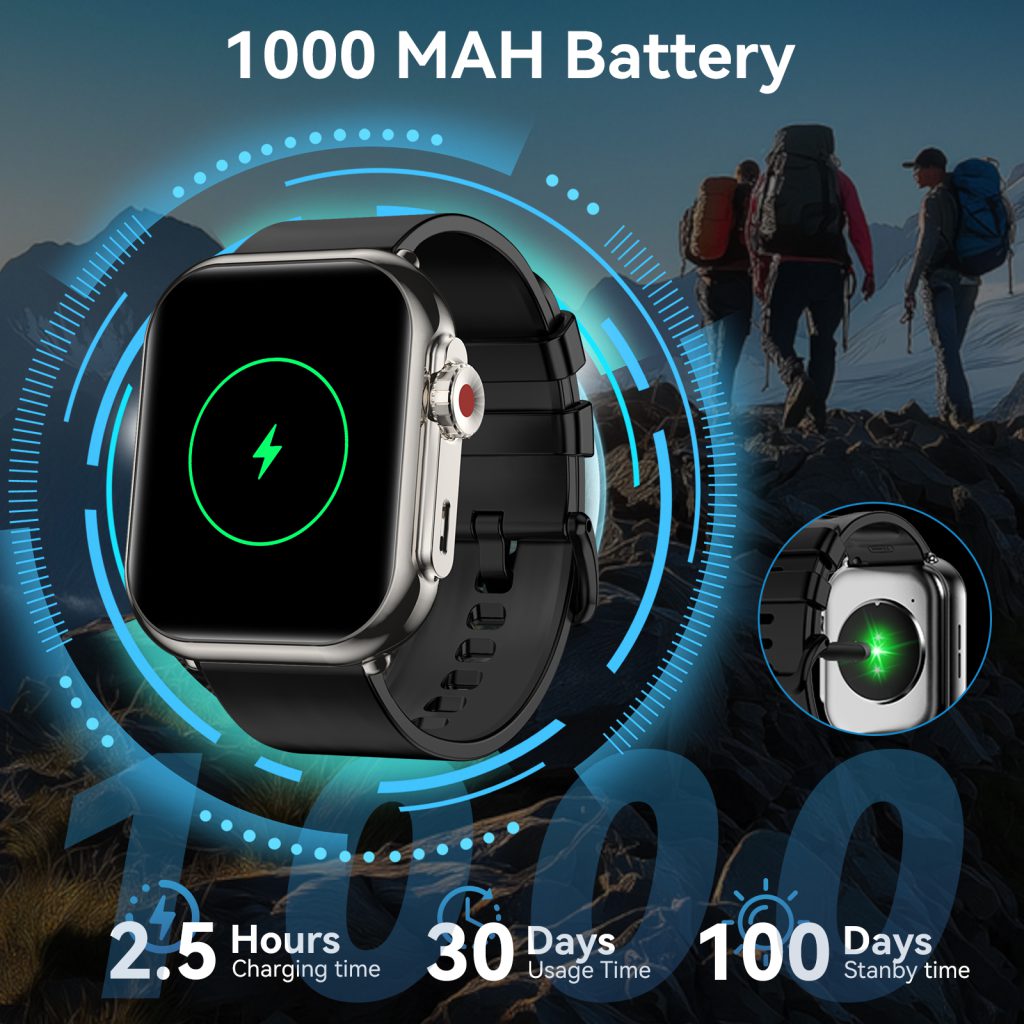
Most smart watches in 2026 carry batteries between 200 mAh and 600 mAh, though the number alone doesn’t tell the full story. Capacity is measured in milliamp-hours, which indicates how much current the battery can deliver over time, but real-world endurance hinges on power draw from the display, processor, sensors, wireless radios, and always-on features. A 300 mAh battery in a minimalist fitness tracker with an always-off OLED can easily last a week, while the same capacity in a full-featured model with a bright AMOLED, constant heart-rate sampling, GPS workouts, and LTE connectivity might struggle to reach 24 hours.

Display choice is usually the biggest power hog. Always-on displays (AOD) keep time and complications visible at a glance by running the screen at low brightness or using memory-in-pixel technology, but even dimmed, they consume far more than a raise-to-wake setup. Manufacturers offering multi-day battery life almost always disable true AOD or limit it to essential info only. Resolution and refresh rate matter too—higher pixel density and 60 Hz scrolling animations drain faster than 30 Hz or lower-res panels. That’s why rugged outdoor watches often stick to transflective or MIP displays that reflect ambient light instead of emitting it; they sip power in sunlight and still look readable.

The processor and software optimization play an equally large role. Modern wearables use ultra-low-power co-processors for background tasks—step counting, notifications, sensor polling—while the main application processor sleeps most of the time. Efficient chip architectures like Arm Cortex-M series for always-on duties and more powerful cores only waking for complex jobs help stretch capacity. Software tricks matter just as much: adaptive brightness that dims aggressively in low light, aggressive sensor duty-cycling (sampling heart rate every few minutes at rest instead of continuously), and smart power modes that disable GPS or LTE when not needed. Updates frequently improve battery life post-launch by refining these algorithms.

Sensors add incremental but cumulative drain. Continuous optical heart rate, SpO2 monitoring, skin temperature, and ECG when active all pull current. GPS is especially thirsty—dual-frequency multi-constellation tracking can consume 50–100 mA during lock-on and mapping. Watches aimed at serious athletes often include dedicated low-power GNSS chips and modes that switch to single-band or assisted positioning to conserve energy. Accelerometers and gyroscopes are relatively cheap in power terms, but high-sample-rate motion detection for fall alerts or gesture recognition adds up over days.

Connectivity features push the limits hardest. Bluetooth Low Energy for phone pairing is efficient, but Wi-Fi scanning, cellular LTE, or always-on music streaming can halve runtime. Many models offer “battery saver” profiles that disable notifications, limit vibrations, turn off AOD, and reduce sensor frequency—turning a 36-hour watch into a three-day one at the cost of functionality.

Physical size constrains everything. Wrist real estate is limited, so batteries are flattened into thin pouches rather than cylindrical cells. Larger capacities require thicker cases or smaller screens, which hurts comfort and aesthetics. Titanium or ceramic bodies allow slightly more internal volume without adding much weight, which is why flagship rugged models often hit 500+ mAh while staying wearable. Smaller fashion-oriented watches sacrifice capacity for slimness, relying on nightly charging.

User behavior shapes perceived battery life more than specs suggest. Someone who enables every notification, uses GPS for two-hour runs daily, and keeps AOD on will see half the advertised runtime of a user who treats the watch as a basic step counter with occasional workouts. That’s why real-world tests vary so widely—independent reviews often show flagship models lasting 1.5–2 days with heavy use versus the “up to 14 days” claimed in ideal minimal scenarios.

Manufacturers face tough trade-offs. Adding 100 mAh might extend life by 20–30% but force a thicker profile or smaller display. Better efficiency through new low-power components or software can add days without changing size. Some brands now use silicon-anode or solid-state battery chemistries in prototypes for higher energy density, promising longer life in the same footprint, though these remain expensive and unproven at scale.

In the end, battery capacity selection boils down to priorities. Fitness purists want multi-day endurance even with GPS tracking; urban users accept daily charging for richer features and brighter screens. The best designs find a middle ground—enough capacity for realistic use, smart power management to stretch it, and transparent marketing so expectations match reality. When a watch lasts through a full weekend of normal wear without begging for the charger, that’s the quiet victory engineers aim for.

Sealing Technology in Smart watches

Sealing technology is what stands between a smart watch’s delicate internals and the real world of sweat, rain, pool water, and accidental spills. Without effective seals, even the most advanced electronics would fail quickly from corrosion or short circuits. The goal is simple: create barriers that block liquid while allowing necessary movement, sound transmission, and occasional pressure changes—all in a package that stays slim, comfortable, and durable for years.

The most critical seal is usually the one around the display. A precision-molded gasket—typically made from high-performance silicone, fluorosilicone, or perfluoroelastomer—sits in a groove between the case and the crystal. When the assembly is screwed or adhesively bonded together, the gasket compresses to form a continuous, uniform barrier. These materials resist compression set (permanent deformation after long-term pressure), maintain elasticity across wide temperature ranges (-20°C to 80°C or more), and withstand exposure to sweat acids, sunscreen oils, and chlorine without swelling or breaking down. In higher-end watches, double-gasket designs add redundancy: if the outer seal degrades slightly over time, the inner one still holds pressure.

Buttons and rotating crowns are notoriously difficult to seal because they require mechanical action through the case wall. Classic crown designs use a dynamic O-ring that slides along the shaft as you twist. A thin layer of special grease lubricates the seal and prevents water from wicking along the metal. Over thousands of rotations, though, the O-ring can develop micro-abrasions or lose elasticity, so many modern watches switch to non-penetrating digital crowns. These use magnetic Hall-effect sensors or capacitive coupling—no hole through the case, no seal to wear. Side buttons often employ double O-rings stacked in series or flexible silicone bellows that deform under finger pressure without creating an opening. Some designs mold multiple buttons into a single continuous silicone membrane, eliminating individual penetrations and reducing potential leak paths to just one bonded interface.

Acoustic ports for speakers and microphones demand a different approach. Sound waves need to pass freely, but liquid must stay out. The standard solution is a thin, microporous membrane made of expanded PTFE (ePTFE). This material has billions of tiny pores—small enough to block water droplets via surface tension yet large enough for air and sound to move through with minimal attenuation. The membrane is heat-sealed or adhesively bonded around its perimeter and protected by a stainless-steel or polymer grille. During submersion, hydrostatic pressure presses the membrane against its support structure, but the hydrophobic surface sheds water quickly once the watch emerges, restoring full audio clarity within seconds. Advanced implementations layer two membranes or use oleophobic treatments to repel oils and improve longevity in sweaty conditions.

Charging interfaces used to be a common failure point. Exposed pogo pins or spring-loaded contacts invite corrosion if water bridges them. Many current designs eliminate this risk entirely with inductive wireless charging—no metal-to-metal contact, no seals required around the coil. When traditional contacts remain (for faster wired options or data transfer), each pin is individually surrounded by a tiny silicone grommet, and the entire array sits in a recessed pocket with an additional perimeter seal. Some models add a sliding cover or a tight-fitting rubber flap, though these mechanical parts can wear or collect debris over time.

Adhesives and coatings provide backup layers. Structural adhesives—often UV-cured acrylates or two-part epoxies—bond dissimilar materials (glass to metal, ceramic to polymer) with high shear strength while remaining flexible enough to accommodate thermal expansion differences. Conformal coatings—thin polymer films sprayed or dipped onto circuit boards—protect against any moisture that somehow breaches the outer seals. In extreme cases, critical components like the battery or processor are potted in silicone or epoxy, creating an encapsulated island that survives even if the primary enclosure leaks.

Pressure management is another subtle but important aspect. Air trapped inside the watch expands and contracts with temperature changes. Without relief, this could stress seals or pop the display. Some designs include tiny one-way vents covered by ePTFE membranes that equalize pressure while blocking liquid. These “breather” vents are strategically placed to minimize water entry risk during swimming or showers.

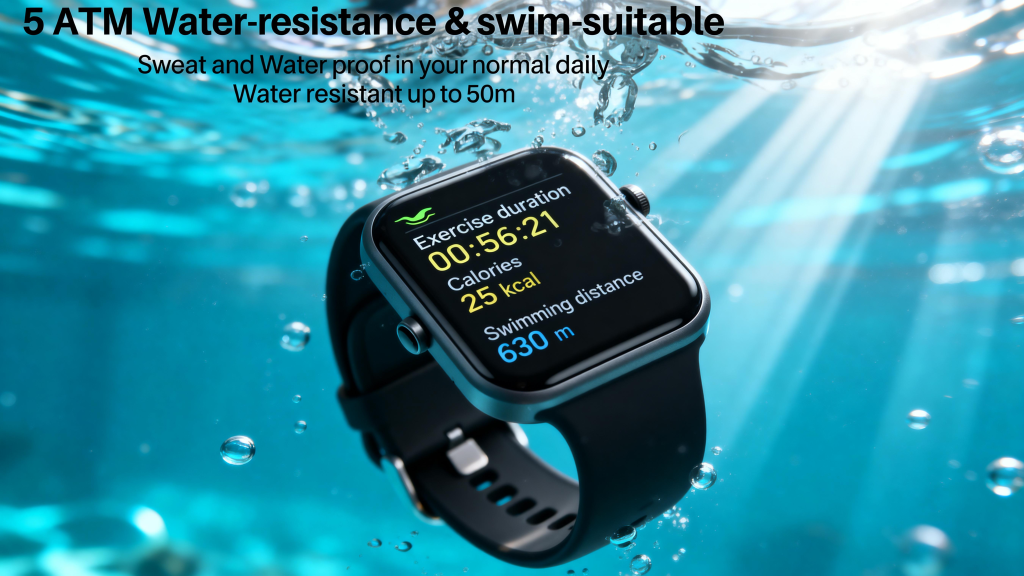
Real-world performance depends on rigorous validation. Watches undergo helium leak detection (sensitivity down to 10⁻⁹ mbar·L/s), followed by pressurized immersion tests at elevated temperatures, thermal shock cycling, salt fog exposure, and dynamic pressure shocks simulating dive entries or water jets. Ratings such as 5 ATM or 10 ATM indicate survival under static lab conditions, but ISO 22810 adds requirements for dynamic forces relevant to swimming. Manufacturers often exceed published ratings internally to account for long-term aging.

Aging remains the biggest long-term threat. Gaskets harden from heat and UV, O-rings lose resilience from repeated compression, membranes can clog with minerals or degrade chemically. Sweat, chlorine, and sunscreen accelerate these processes. That’s why service intervals are recommended—many brands suggest professional pressure testing and gasket replacement every 1–2 years for frequent swimmers.

The evolution of sealing technology has made today’s smartwatches far more reliable in wet environments than earlier generations. From passive gaskets to active membranes, non-penetrating controls, and inductive charging, each improvement reduces failure points while preserving usability. The result is a device you can wear through workouts, storms, and daily life without constant worry about water damage—quiet engineering that lets the focus stay on the features rather than the fear of a leak.

Waterproof Structure Design in Smart watches

Making a smart watch truly waterproof involves far more than slapping on a rubber gasket and calling it IP68. The design has to survive everyday abuse—sweat during runs, sudden rain, hand-washing dishes, accidental plunges in the pool—while keeping tiny electronics safe from even microscopic amounts of water over years of use. Manufacturers balance slim profiles, responsive touchscreens, speaker grilles, microphones, and charging contacts with seals that must remain reliable through temperature swings, UV exposure, and mechanical flexing.

The foundation starts with the case materials. Most premium smartwatches use 316L stainless steel, titanium, or aluminum alloys for the main body because they resist corrosion far better than cheaper metals. Ceramic or sapphire crystal bezels and backs add durability and reduce galvanic corrosion when mixed with other materials. The display cover is almost always sapphire crystal or strengthened glass with oleophobic coatings; these materials don’t degrade or crack easily under pressure, and their low water absorption prevents long-term fogging inside.

Sealing begins at every possible entry point. The primary barrier is the main gasket—a thin, precision-molded ring of silicone, fluorosilicone, or fluoroelastomer that sits between the case and the display assembly. This gasket compresses evenly when screws or adhesive bond the two halves together, creating a continuous seal rated for static pressure (the watch’s depth rating) and dynamic pressure (impacts or rapid depth changes). Double or triple gaskets are common in higher-end models to add redundancy—if one deforms over time, the others still hold.

Buttons and crowns present the biggest challenges. Traditional mechanical crowns use a sliding O-ring seal that lubricates with a thin film of grease; twisting the crown wipes the seal clean and maintains contact. Many watches now use digital crowns with magnetic or capacitive coupling—no physical penetration through the case—so there’s no seal to wear out. Side buttons often employ double O-rings or bellows-style membranes that flex without letting water pass. Some designs integrate buttons into a single silicone boot that covers multiple controls, reducing leak paths.

Speaker and microphone ports are especially tricky because sound needs to travel through them. The classic solution is a waterproof yet acoustically transparent membrane—typically expanded PTFE (ePTFE), the same material used in Gore-Tex. This micro-porous film blocks liquid while allowing air and sound waves to pass. It’s bonded around the edges with adhesive and protected by a fine mesh grille. During submersion, water pressure pushes against the membrane, but surface tension and the small pore size prevent ingress. After exposure, the membrane sheds water droplets so sound quality returns quickly. Newer approaches layer multiple membranes or use piezoelectric speakers that vibrate the entire case, eliminating ports altogether.

Charging contacts and data ports used to be major weak points. Pogo pins or magnetic connectors often sit in shallow recesses with silicone seals around each pin. Some watches use inductive (wireless) charging exclusively—no exposed metal, no seals to fail. When ports are present, they’re frequently covered by a sliding door or a tightly fitted rubber plug, though these can wear out or get lost. Fully sealed inductive systems have become the gold standard for 5 ATM and higher ratings.

Adhesives and potting compounds add another layer of protection. Structural adhesives bond the case halves with high-strength, low-outgassing epoxies or UV-cured acrylates that remain flexible enough to handle thermal expansion differences between glass and metal. In critical areas like around the battery or mainboard, manufacturers sometimes apply conformal coatings or potting to encapsulate components, creating a secondary barrier if the primary seal ever breaches.

Testing goes beyond simple dunking. Watches are subjected to pressurized air leak tests first (helium or vacuum decay methods detect tiny leaks), then immersion in heated water under pressure to simulate depth, followed by thermal cycling between -20°C and 60°C to accelerate aging of seals. Dynamic tests include water jets, steam exposure, and drop tests onto wet surfaces. Salt fog and chlorine tests mimic pool and ocean use. Ratings like 5 ATM (50 meters static) or 10 ATM mean the watch survives those pressures in lab conditions, but real-world swimming strokes or high-speed water entry add shock that exceeds static ratings—hence why dive-certified models often carry stricter ISO 22810 standards.

Wear and aging are the silent enemies. Silicone gaskets can harden, crack, or take compression set after years of heat, UV, sweat acids, and sunscreen exposure. Crown seals wear from repeated twisting. Membranes can clog with dirt or degrade chemically. That’s why most brands recommend annual pressure testing at service centers and advise against hot showers, saunas, or chemical exposure that accelerates breakdown.

The best designs anticipate failure modes. Redundant seals, self-healing polymers in some experimental gaskets, hydrophobic nano-coatings on internal surfaces to slow any ingress, and pressure-equalization features (tiny vents with membranes) help manage trapped air expansion during temperature changes. As watches get thinner and screens larger, the engineering challenge grows—less space for robust gaskets, more flex in larger glass panels—but advances in materials and manufacturing keep pushing the envelope.

In practice, a well-designed waterproof smartwatch lets you swim, shower, or sweat through workouts without worry. The structure isn’t flashy; it’s a quiet triumph of precision seals, smart material choices, and relentless testing that keeps your data and electronics dry while the world around your wrist gets wet.

Sensor Fusion in Smart watches

Sensor fusion is the invisible glue that turns a collection of separate measurements into something smart watches actually feel intelligent. A single sensor tells only part of the story—accelerometers sense movement but not direction, gyroscopes track rotation but drift over time, magnetometers point north but get thrown off by nearby metal, GPS gives position but loses lock indoors, and optical heart rate picks up pulse but stumbles during motion. By intelligently combining all these inputs, fusion algorithms create a more complete, reliable picture of what your body is doing, where you are, and how you’re feeling.

At its simplest, sensor fusion uses math to weigh each sensor’s strengths while compensating for its weaknesses. A basic example is orientation estimation. The accelerometer provides a gravity reference (which way is down), the gyroscope measures how fast you’re rotating, and the magnetometer adds an absolute heading. Alone, the accelerometer is noisy during motion, the gyroscope drifts slowly, and the magnetometer suffers from interference. Fusion algorithms—most commonly a Kalman filter or its variants like extended Kalman or complementary filters—blend them in real time. The result is a smooth, drift-resistant 3D orientation that powers always-correct screen rotation, gesture recognition, and stable compass readings even when you’re walking.

Activity tracking benefits enormously. When you start a run, GPS locks your position and speed, but in a tunnel or under trees it drops. The accelerometer and gyroscope step in for dead reckoning—estimating steps and turns based on inertial data—while the magnetometer keeps heading aligned. Once GPS returns, fusion corrects any accumulated drift. This hybrid approach keeps your track continuous and accurate instead of jagged gaps or wild jumps. During indoor workouts, where GPS is useless, fusion relies more on wrist motion patterns to classify activities: the characteristic arm swing of running versus the steady roll of cycling, or the rhythmic pitch of swimming strokes. Machine learning models trained on fused data often outperform single-sensor rules, catching subtle differences like elliptical versus stair climbing.

Heart rate monitoring during exercise is another area where fusion shines. Optical PPG sensors struggle with motion artifacts—every arm pump shifts the light path and pressure on skin capillaries, introducing noise that looks like extra beats. By pulling in accelerometer and gyroscope data, the algorithm subtracts the expected motion signature from the raw PPG waveform. If your wrist is swinging at a certain frequency and amplitude, the system knows to discount similar fluctuations in the light signal. This motion cancellation can cut errors dramatically, turning unreliable 140 bpm readings into steady 138–142 bpm that match chest straps more closely. Some watches even use barometric pressure changes (from altitude shifts) or skin temperature to refine perfusion estimates when blood flow is low.

Navigation and location services lean heavily on fusion too. In cities with tall buildings, GPS multipath creates position errors of tens of meters. Fusion blends GNSS with Wi-Fi/Bluetooth beacons (for approximate indoor positioning), inertial sensors (for short-term movement), and sometimes magnetometer-derived heading. Pedestrian dead reckoning (PDR) algorithms use step length estimates from acceleration peaks, turn detection from gyro, and floor changes from barometer to maintain a reasonable position estimate until better signals return. This is why your watch can guide you through a mall or subway station with surprising consistency.

Power management is a hidden win from fusion. Instead of running every sensor at full blast, the watch dynamically adjusts based on context. At rest, it might sample GPS rarely and rely on accelerometer for basic activity detection. During a detected workout, it ramps up sampling rates across the board. When battery is low, fusion prioritizes low-power sensors (accel, gyro) over GPS or PPG. Adaptive fusion means you get useful data longer without constant recharging.

Challenges remain. Fusion isn’t magic—bad data in means bad data out. A poorly calibrated magnetometer can pull the whole orientation estimate off course. Motion that doesn’t match trained patterns (unusual gait from carrying groceries, tremors, or wheelchair use) can confuse classifiers. Sensor noise, temperature drift, or manufacturing variations add uncertainty. Manufacturers counter this with online calibration (automatic figure-8 prompts or background adjustments), robust outlier rejection, and increasingly sophisticated neural networks that learn user-specific patterns over time.

The technology keeps advancing. Newer fusion engines incorporate particle filters for non-linear problems, deep learning for activity recognition from raw fused streams, and tighter integration with cloud models for personalized tuning. As chips pack more sensors (adding ambient light, skin conductance, or even bio-impedance), fusion will expand to richer insights: better stress detection from combined HRV and motion, fall prediction from pre-impact posture changes, or seamless indoor-outdoor handoff.

In the end, sensor fusion is what makes a smartwatch feel alive rather than just a gadget strapped to your wrist. It doesn’t see any one signal perfectly, but by listening to many at once and reasoning across them, it builds a surprisingly accurate model of your day—your steps, your pace, your direction, your heart’s rhythm, and sometimes even your intentions. That quiet, constant cross-checking is the real reason these devices can anticipate needs, correct errors, and deliver insights that feel almost personal.

Principles of Fast Charging in Smart watches

Fast charging has transformed how we interact with smart watches. What used to require hours plugged in overnight now often finishes in under an hour, letting you top up during a quick shower or coffee break. The principles behind this speed involve clever electrical engineering, thermal management, battery chemistry tweaks, and careful protocol design—all squeezed into a tiny wrist-worn device that can’t afford to get hot or swell.

At the core is higher power delivery. Standard USB charging for early smartwatches hovered around 5 V at 0.5–1 A (2.5–5 W). Modern fast charging pushes 5–10 W or more, sometimes reaching 15 W on premium models. This increase comes from raising voltage, current, or both while staying within safe limits. Many watches use 5 V at 1–2 A for 5–10 W, but some adopt higher voltages like 9 V at 1.67 A to hit similar wattage with lower current and less heat in cables. The charger and watch negotiate the profile through protocols that detect capabilities and agree on the safest, fastest option.

Proprietary and standard protocols make this negotiation possible. Apple Watch uses a custom magnetic puck that supports up to 5 W (officially) but often delivers closer to 7–8 W in practice with compatible adapters. Samsung and Google Pixel Watches leverage USB Power Delivery (PD) or Qualcomm Quick Charge variants when docked, allowing the watch to request higher power profiles. Wear OS devices increasingly support PD 3.0 Programmable Power Supply (PPS), which lets voltage and current adjust in fine steps (as low as 20 mV increments) for optimal efficiency and minimal heat. The watch’s charging IC constantly monitors battery voltage, temperature, and state-of-charge, dynamically throttling power if anything approaches unsafe thresholds.

Battery chemistry plays a starring role. Most smart watch cells are lithium-polymer (Li-Po) or lithium-ion pouch types with high energy density but sensitive charging behavior. Fast charging stresses the battery by forcing lithium ions to move quickly, which can cause lithium plating on the anode if done carelessly—reducing capacity over time or creating safety risks. Manufacturers counter this with advanced electrode materials: silicon-graphite composite anodes for better rate capability, high-nickel cathodes for higher voltage stability, and optimized electrolytes that resist decomposition at elevated currents. Some cells include ceramic-coated separators to prevent shorts during aggressive charging.

The charging curve is deliberately shaped. Constant-current (CC) phase delivers maximum current until the battery reaches ~70–80% state-of-charge, then switches to constant-voltage (CV) phase where current tapers off to protect the cell. Fast charging extends the CC phase longer and at higher rates, then transitions smoothly to CV to avoid overvoltage. Trickle charging at the very end (near 100%) is kept minimal to prevent stress. Many watches show “fast charge” indicators only during the high-current portion, then revert to standard icons as speed drops—giving the illusion of sustained speed while protecting longevity.

Thermal management is non-negotiable. A wrist device can’t rely on large heatsinks or fans. Charging coils and ICs generate heat directly against the skin, so designs incorporate multiple safeguards. The charging puck often has a larger surface area to dissipate heat away from the watch body. Internal temperature sensors (NTC thermistors) placed near the battery and charging circuit trigger throttling or pauses if skin-contact temperatures exceed ~40–45°C. Some models use graphene sheets or copper vapor chambers to spread heat across the back cover. Software limits charging rate based on ambient temperature—slower on hot summer days—and pauses entirely if the battery gets too warm.

Safety features layer on top. Over-voltage, over-current, short-circuit, and reverse-polarity protection are built into the charging IC. Authentication chips verify genuine chargers to prevent damage from cheap knockoffs. Battery management systems (BMS) monitor cell voltage balance (though most watches use single-cell packs), track cycle counts, and adjust max charge current as the battery ages. Over years, the watch learns your habits and may reduce peak current to preserve capacity—many users notice slightly slower charging after 500–800 cycles.

Magnetic alignment helps efficiency and speed. Precise coil positioning minimizes energy loss as heat. Some systems use multiple coils or larger diameters for better coupling, allowing higher power transfer without excessive temperature rise. Wireless charging standards like Qi have evolved to support 15 W in phones, but watches stay conservative (5–10 W) because of size, heat, and skin contact concerns.

User experience drives the whole effort. Manufacturers aim for 30–60 minutes to reach 80%—enough to get through the day after a low-battery warning. Full charges still take longer because the final 20% tapers sharply to protect the cell. Real-world numbers vary: a depleted Apple Watch Ultra might gain 80% in 45 minutes with the right adapter, while a budget model could need 90 minutes for the same. Heavy AOD use, GPS workouts, or always-on sensors during charging add background draw, slowing net progress.

Looking ahead, solid-state batteries promise higher safe charging rates and better thermal stability. Graphene-enhanced cells and smarter AI-driven charging profiles could push toward 15–20 W without excessive heat. For now, fast charging in smart watches remains a delicate balance—delivering noticeable speed while keeping the device safe, cool, and long-lasting on the wrist.

Working Principles of Optical Heart Rate Sensors in Smart watches

Optical heart rate sensors have become the standard way smart watches measure your pulse without any chest straps or bulky hardware. The technology, called photoplethysmography or PPG, shines light into your skin and watches how blood flow changes the way that light is absorbed or reflected. It’s elegant in its simplicity, yet the details reveal why it works so well most of the time and why it occasionally struggles.

At the heart of every optical sensor is a cluster of LEDs—usually green, sometimes red or infrared—and a photodiode that detects the returning light. Green light (around 520–570 nm wavelength) is the go-to choice for wrist-based monitoring because hemoglobin in blood absorbs it strongly, creating a clear contrast between when blood volume is high (systole, heart contracting) and low (diastole, heart relaxing). When your heart pumps, more blood rushes into the capillaries under the sensor, absorbing more green light and reducing the amount that bounces back to the photodiode. Between beats, less blood means less absorption and more reflected light. The photodiode converts these fluctuations into an electrical signal, which the watch’s processor turns into a waveform. Peaks in the waveform correspond to heartbeats, and the time between peaks gives your heart rate in beats per minute.

The LEDs pulse rapidly—often dozens to hundreds of times per second—to sample the signal continuously while keeping average power low. The watch filters out ambient light (sunlight, indoor bulbs) by modulating the LEDs and subtracting background readings when they’re off. Motion artifacts are the biggest enemy: every time your arm swings, the sensor shifts against your skin, changing pressure and light paths. This creates noise that can look like fake heartbeats or distort real ones. Modern watches combat this with multiple LEDs arranged in arrays (sometimes 4–8 greens plus reds), accelerometers to detect movement, and sophisticated algorithms that subtract motion-induced changes from the raw PPG signal. Some high-end models add infrared LEDs for deeper penetration during low-perfusion states (cold hands, tight fit issues) or red light for better performance in darker skin tones where green absorption varies.

Signal quality depends heavily on fit and placement. The sensor needs firm, consistent contact with the skin—too loose and light leaks in, washing out the pulse signal; too tight and you compress capillaries, flattening the waveform. Wrist anatomy plays a role: the sensor works best over the radial artery area, where blood volume changes are pronounced. Hair, tattoos, sweat, or lotions can scatter or block light, reducing accuracy. That’s why instructions always emphasize wearing the watch snugly, about a finger’s width above the wrist bone, and keeping the sensor clean.

Processing the PPG waveform involves several steps. First comes analog-to-digital conversion, then bandpass filtering to isolate the 0.5–4 Hz range where heart rates live (30–240 bpm). Peak detection algorithms find systolic peaks, sometimes using derivative methods or machine learning to distinguish real beats from noise. Inter-beat intervals (the time between peaks) feed into heart rate variability (HRV) calculations, stress estimates, or arrhythmia detection on supported models. For continuous monitoring during workouts, the watch may switch sampling rates or LED intensities dynamically—higher during intense exercise when motion noise spikes, lower at rest to save battery.

Accuracy shines in calm conditions. Resting heart rate readings often match medical-grade devices within 1–3 bpm. During steady-state cardio like jogging on flat ground, errors typically stay under 5%. But high-intensity intervals, weightlifting, cycling with heavy gripping, or activities with rapid direction changes introduce motion that overwhelms even the best algorithms. In those cases, optical sensors can overestimate or underestimate by 10–20 bpm or more until things settle. Chest-strap monitors still win for precision in demanding sports because they use electrical signals (ECG) directly from the heart rather than optical proxies from the wrist.

Battery life is another practical consideration. PPG is power-hungry compared to just an accelerometer. Constant monitoring can drain a watch noticeably faster, so most models offer options: always-on tracking, workout-only mode, or smart scheduling that samples less frequently when you’re inactive. Advances in low-power LEDs, better photodiodes, and AI-driven adaptive sampling continue to narrow the gap.

The technology keeps evolving. Newer sensors combine multiple wavelengths (green + red + infrared) to improve reliability across skin tones and conditions—red and infrared penetrate deeper and are less affected by melanin. Some experimental approaches explore frequency-domain analysis or multi-site PPG (sensors on different parts of the wrist) for even better motion cancellation. As chips get smaller and algorithms smarter, optical heart rate is moving closer to the reliability of chest straps for more scenarios.

For everyday users, the convenience outweighs the occasional glitch. You get continuous heart rate without extra gear, plus derived metrics like calorie burn estimates, recovery scores, and irregular rhythm notifications. The optical sensor quietly turns your wrist into a window on cardiovascular activity—imperfect, but remarkably good for something so small and unobtrusive.

Role of Magnetometer Sensors in Smart watches

Magnetometer sensors, often called digital compasses, give smartwatches the ability to sense Earth’s magnetic field and determine which direction you’re facing. While accelerometers track movement and gyroscopes measure rotation, the magnetometer provides absolute heading reference—north, south, east, west—independent of how your wrist twists or turns. This directional awareness turns a wrist-worn device into something far more capable for navigation, activity mapping, and even subtle health insights.

The sensor itself is a small three-axis chip (measuring magnetic field strength along X, Y, Z) based on magnetoresistive or Hall-effect technology. It detects the relatively weak geomagnetic field (about 25–65 microtesla depending on location) amid much stronger interference from nearby electronics, metal objects, or the watch’s own components. Calibration is critical: most watches prompt you to move your arm in a figure-8 pattern periodically so the software can map out and subtract these distortions, yielding a clean heading.

One of the primary everyday roles is compass functionality. Open any navigation app on a modern smartwatch and the map arrow rotates to match your real-world facing direction. Without a magnetometer, the arrow would rely solely on GPS-derived course-over-ground (which only updates when you’re moving) or gyroscope integration (which drifts quickly). The magnetometer keeps the heading accurate even when standing still—vital for orienting yourself at trail junctions, during hikes, or in unfamiliar cities.

In outdoor and fitness tracking, magnetometer data fuses with GPS, accelerometer, and gyroscope inputs to create smoother, more reliable tracks. GPS provides position fixes but can jump or lag in poor signal areas; inertial sensors (accel + gyro) bridge short gaps but accumulate error over time. The magnetometer anchors heading, preventing the infamous “drifting arrow” or rotated route lines that plague single-sensor systems. During trail runs, cycling, or open-water swimming, this fusion helps the watch log accurate bearing changes, making post-activity maps look clean and trustworthy.

Navigation features benefit directly. Turn-by-turn directions on the wrist become intuitive when the watch knows exactly which way you’re pointing. Some models display a simple compass rose or overlay directional arrows on workout screens. In off-grid scenarios—backcountry hiking or adventure racing—where GPS might drop entirely, the magnetometer alone can serve as a basic compass, showing cardinal directions if you’ve calibrated it recently.

Activity recognition gets a subtle lift too. Certain sports involve consistent orientation: golf swings follow a predictable arc relative to target line, archery draws align with north-south if practiced that way, or even sleep position tracking (side sleeper facing east vs. west) can correlate with health metrics in research-grade studies. While not the main driver, magnetometer data helps disambiguate ambiguous accelerometer/gyro patterns—such as distinguishing a clockwise versus counterclockwise circular motion in activities like rowing or spinning classes.

Health and wellness applications are emerging. Some advanced watches use magnetometer readings to detect exposure to strong magnetic fields (like near MRI machines) and pause certain sensors to avoid interference. Others experiment with biomagnetic sensing—tiny fluctuations in local fields tied to blood flow or muscle activity—but these remain niche and mostly experimental in consumer devices.

Calibration and interference remain the biggest challenges. Urban environments full of cars, power lines, steel beams, and smartphones wreak havoc on readings. A nearby speaker magnet or even the watch’s charging coil can throw off accuracy until recalibrated. Watches handle this by constantly monitoring variance and prompting recalibration when needed, or by fusing with GPS-derived heading when available. Still, in heavy interference zones, heading error can reach 10–30 degrees temporarily.

Power consumption is modest compared to GPS or always-on gyro sampling. The magnetometer runs at low duty cycles for background compass tasks, sipping microamps most of the time. It only ramps up during active navigation or when fusion algorithms demand fresh data. This efficiency lets it stay active without noticeably hurting battery life on most models.

Looking ahead, magnetometers in smartwatches are poised for refinement. Newer chips offer higher resolution, better temperature stability, and built-in interference rejection. As indoor positioning grows (using magnetic fingerprints of buildings), the sensor could help with venue-level wayfinding—think malls, airports, or hospitals—without relying on power-hungry Wi-Fi scanning. Combined with ultra-wideband for precise distance and future low-power constellations, it might enable seamless seamless transitions from outdoor GPS to indoor magnetic mapping.

For now, the magnetometer remains the quiet anchor that keeps your watch oriented in the world. It ensures that when you glance down for directions, the map doesn’t lie about which way is forward. It’s a small component doing foundational work—making navigation feel effortless, tracks more accurate, and the entire wearable experience a little more trustworthy.

Back to Top
Product has been added to your cart
Compare (0)