Free Shipping On All Orders Over $10

Dynamic Watch Faces: How Technology Brings Them to Life

Gone are the days when smart watch faces were static, one-dimensional images that only showed the time. Today’s smart watches feature dynamic watch faces—living, breathing designs that change and adapt to your environment, activities, and preferences. These dynamic faces are more than just visually appealing; they add functionality, personalization, and a sense of interactivity that static faces simply can’t match. But what makes a watch face “dynamic”? What technologies power these ever-changing displays?

First, let’s define what a dynamic watch face is. A dynamic watch face is a watch face that changes its appearance or content based on external factors, user input, or real-time data. Unlike static watch faces, which remain the same unless the user manually switches them, dynamic faces are adaptive—they respond to what’s happening around you and what you’re doing. For example, a dynamic watch face might change its background based on the time of day (light in the morning, dark at night), display real-time weather conditions (sunny, rainy, cloudy), or update its design based on your activity (showing workout metrics when you’re running, calendar events when you’re at work). Dynamic watch faces blur the line between a timekeeping device and a personal assistant, making your smart watch more useful and engaging.
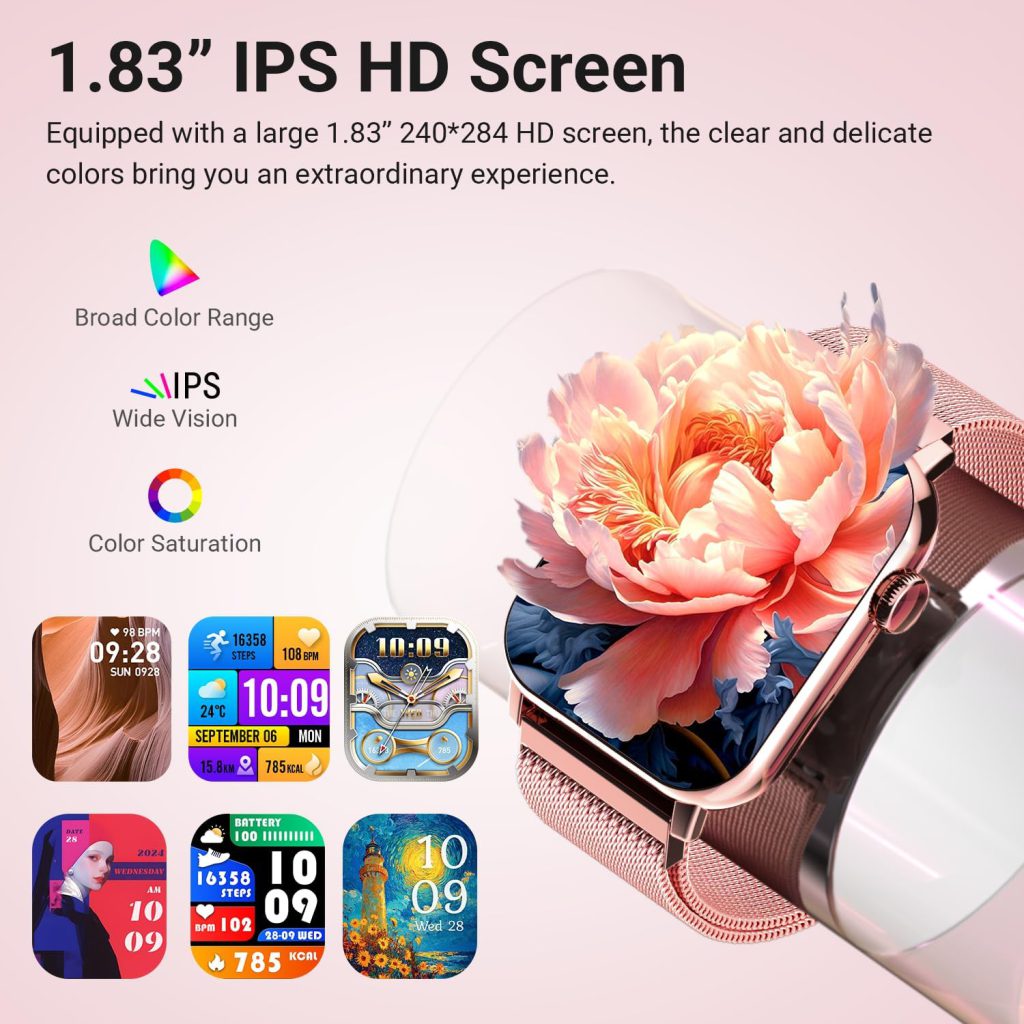
The foundation of dynamic watch face technology is real-time data integration. This is the ability of the watch face to pull in data from the smart watch’s sensors, paired devices, and apps, and update its display in real time. The watch face system (which we explored in the previous article) acts as a bridge between the data sources and the display, ensuring that information is updated quickly and accurately. For example, a dynamic watch face might pull heart rate data from the watch’s optical sensor every few seconds, step count from the accelerometer, weather data from a weather app (synced via Bluetooth or Wi-Fi), and calendar events from your phone. This data is then displayed on the watch face in a visually appealing way—whether it’s a moving heart rate graph, a step counter that increments in real time, or a weather icon that changes based on current conditions.

To make this possible, dynamic watch faces rely on sensor integration. Smart watches are equipped with a variety of sensors, including accelerometers, gyroscopes, heart rate sensors, GPS, ambient light sensors, and even barometers. Each of these sensors provides data that can be used to make the watch face dynamic. For example, the ambient light sensor detects the amount of light in your environment and adjusts the watch face’s brightness and color scheme—brighter during the day, darker at night. The accelerometer detects motion, allowing the watch face to change when you move your wrist (e.g., waking up the display when you raise your wrist) or when you’re engaged in a specific activity (e.g., switching to a workout layout when you start running). The gyroscope detects rotation, enabling interactive elements on the watch face—like spinning a dial to adjust a timer or zoom in on details.

Another key technology powering dynamic watch faces is animation and motion graphics. Unlike static faces, which are made up of static images, dynamic faces use animations to bring elements to life. These animations can be simple (e.g., a moving second hand, a pulsing heart rate icon) or complex (e.g., a rotating Earth, a flowing weather animation, or a character that moves based on your activity). The animations are rendered in real time by the watch’s processor, and they’re optimized to be smooth and energy-efficient. To achieve this, developers use lightweight animation frameworks that minimize battery consumption while still delivering fluid motion. For example, using vector graphics instead of bitmap images allows animations to scale without losing quality, and using frame rate optimization ensures that animations run at a consistent speed without lag.

There are several types of dynamic watch faces, each powered by different technologies. Let’s break down the most common ones:

1. Data-Driven Dynamic Faces: These are the most common type of dynamic watch face. They update based on real-time data from sensors or apps. For example, a fitness-focused dynamic face might display your current heart rate, step count, calories burned, and workout duration—all updating in real time as you move. A productivity-focused face might display upcoming calendar events, reminders, and email notifications, updating as new information comes in. These faces rely heavily on sensor integration and real-time data syncing, and they’re designed to keep you informed without having to open separate apps.

2. Context-Aware Dynamic Faces: These faces adapt to your environment and behavior. They use data from sensors like the ambient light sensor, GPS, and accelerometer to change their appearance based on the time of day, location, or activity. For example, a context-aware face might switch to a “night mode” with a dark background and dimmed text when the ambient light is low, or display a map with your current location when you’re outdoors. Some context-aware faces even adapt to your daily routine—showing weather and commute information in the morning, workout data in the afternoon, and sleep metrics at night. These faces use machine learning algorithms to learn your habits and preferences, making the adaptations more personalized over time.

3. Interactive Dynamic Faces: These faces allow users to interact with elements on the watch face to change its appearance or access additional information. For example, tapping a weather icon might expand a detailed weather forecast, swiping a step counter might show your daily progress, or rotating the digital crown might adjust the brightness or switch between different views. Interactive dynamic faces rely on the watch’s touch screen and input controls (like the digital crown) to enable user interaction, and they’re designed to make the watch face more engaging and functional.

4. Animated Dynamic Faces: These faces focus on visual appeal, using continuous animations to create a “living” effect. For example, a watch face might feature a moving clock hand that leaves a trail, a background that changes color gradually throughout the day, or a character that moves or reacts to your actions (e.g., a cat that stretches when you raise your wrist). These faces are often more decorative than functional, but they add a fun, personal touch to the smart watch experience. They rely on advanced animation technologies to ensure that the animations are smooth and don’t drain the battery.

Behind all these dynamic watch face types is the watch face rendering engine. This is a software component that processes the data, animations, and user input, and renders the watch face on the screen. The rendering engine must be efficient enough to handle real-time updates and animations without lagging or draining the battery. It uses optimization techniques like frame rate limiting (e.g., 30 frames per second) to balance smoothness and power consumption, and it prioritizes critical elements (like the time) to ensure they’re always displayed clearly. The rendering engine also supports different graphic formats (like vector graphics, bitmaps, and SVG) to allow developers to create a wide range of dynamic designs.

Another important technology for dynamic watch faces is Bluetooth and Wi-Fi connectivity. Many dynamic faces rely on data from paired devices (like smartphones) to update their content. For example, weather data, calendar events, and notifications are often synced from the phone to the watch via Bluetooth. Wi-Fi connectivity is used for more data-heavy updates, like downloading new watch face designs or syncing large amounts of health data. Without reliable connectivity, dynamic watch faces would be limited to data from the watch’s internal sensors, reducing their functionality and appeal.

Power management is a critical consideration for dynamic watch faces. Animations, real-time data updates, and sensor activity all consume battery power, so dynamic watch faces must be optimized to minimize energy usage. Developers use a variety of techniques to achieve this, including:

Adaptive Brightness: Adjusting the screen brightness based on ambient light to save battery.

Frame Rate Optimization: Reducing the frame rate of animations when the watch is not in use or when battery is low.

Data Update Throttling: Limiting the frequency of data updates (e.g., updating weather every 30 minutes instead of every minute) when battery is low.

Low-Power Animations: Using simple, lightweight animations that consume less power than complex ones.

Always-On Display (AOD) Optimization: Using a simplified version of the dynamic face for AOD mode, which uses less power than the full animation.

The QONBINK smart watch line incorporates advanced dynamic watch face technologies to deliver a seamless, engaging experience. Its proprietary rendering engine ensures that dynamic faces run smoothly, even with real-time data updates and animations, while its intelligent power management system keeps battery life intact. QONBINK’s dynamic watch faces include data-driven designs that display real-time health and fitness data, context-aware faces that adapt to your environment, and interactive faces that let you customize your experience with a few taps. Whether you’re a fitness enthusiast, a busy professional, or someone who loves personalizing their devices, QONBINK’s dynamic watch faces combine technology and style to enhance your daily life.

As technology advances, dynamic watch faces are becoming even more sophisticated. The integration of AI and machine learning is allowing watch faces to become more personalized—learning your habits, preferences, and behavior to deliver a more tailored experience. For example, an AI-powered dynamic watch face might predict your next activity (e.g., a workout, a meeting) and adjust its display accordingly. The use of AR (Augmented Reality) is also being explored, allowing dynamic watch faces to overlay information onto the real world (e.g., showing directions directly on the watch face as you walk). These advancements are pushing the boundaries of what a watch face can do, making it more than just a timekeeping tool—it’s a personal assistant, a fitness coach, and a style statement, all in one.

It’s also worth noting that dynamic watch face technologies are not limited to high-end smart watches. Today, even mid-range and budget smart watches feature dynamic watch faces, thanks to advancements in low-power processors and efficient rendering engines. This means that everyone can enjoy the benefits of dynamic watch faces—personalization, functionality, and interactivity—regardless of their budget.

One of the biggest challenges in dynamic watch face technology is balancing functionality and battery life. Users want dynamic faces that are engaging and useful, but they also don’t want to charge their watch multiple times a day. To address this, developers are constantly innovating—using more efficient processors, optimizing animations, and improving power management. The result is dynamic watch faces that are both engaging and energy-efficient, allowing users to enjoy the best of both worlds.

In conclusion, dynamic watch face technologies have revolutionized the smart watch experience. They’ve turned static, boring watch faces into dynamic, adaptive displays that are both functional and visually appealing. From real-time data integration and sensor integration to animation and context awareness, these technologies work together to create a watch face that adapts to your life, not the other way around. Whether you’re tracking your fitness, staying on top of your schedule, or just want a watch face that reflects your style, dynamic watch faces offer something for everyone.

As technology continues to evolve, we can expect dynamic watch faces to become even more advanced—more personalized, more interactive, and more integrated with our daily lives. With brands like QONBINK leading the way in innovation, the future of dynamic watch faces is exciting, and it’s clear that they’ll remain a key feature of smart watches for years to come.
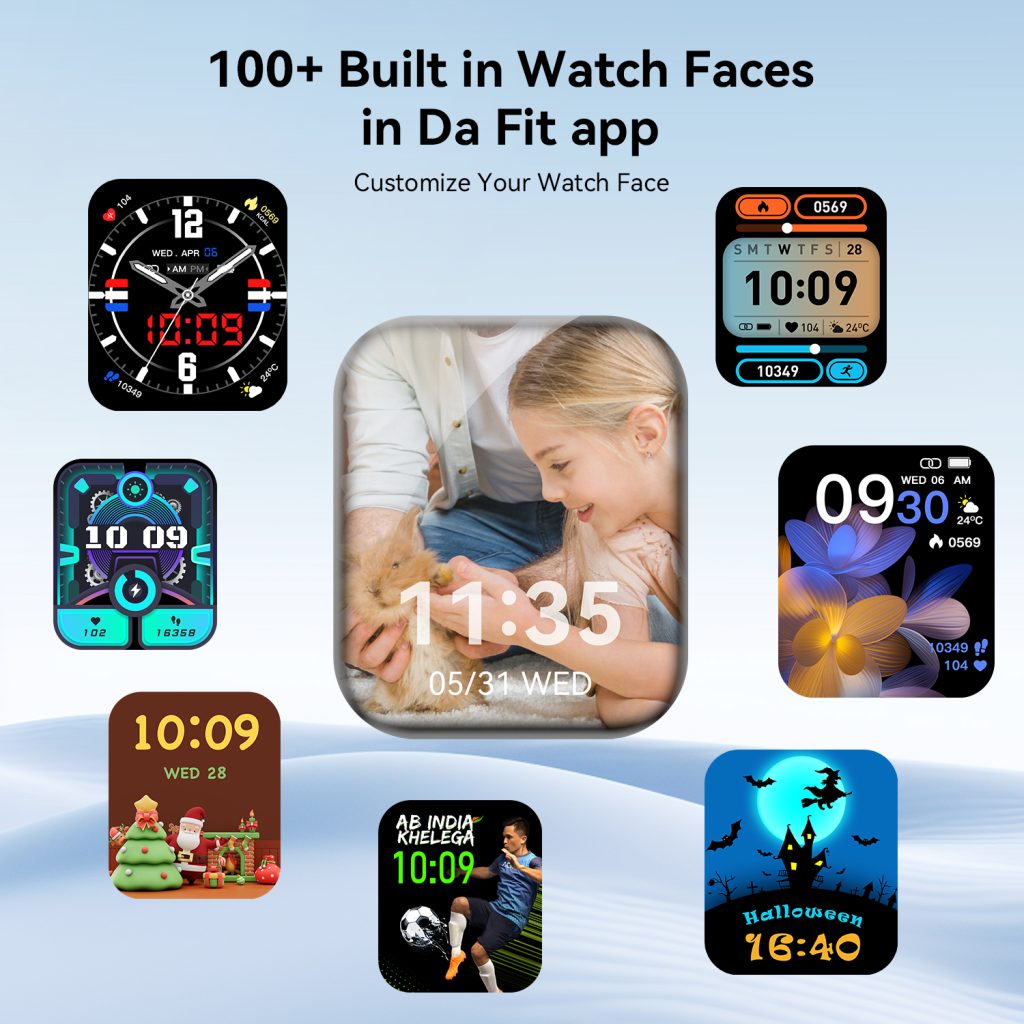
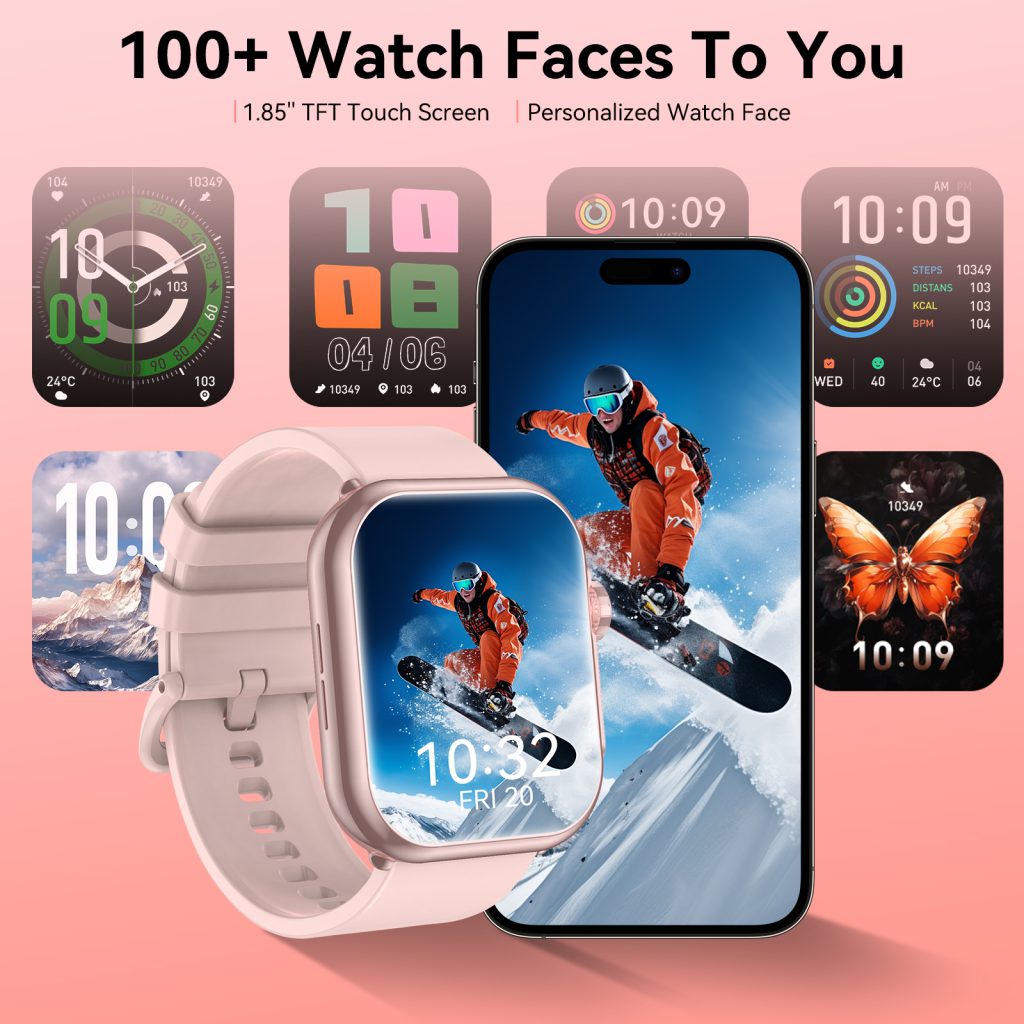
What Is a Watch Face System?

When you glance at your smart watch, the first thing you see is the watch face. It’s more than just a way to tell time—it’s the face of your device, the first point of interaction, and a reflection of your personal style. But behind that familiar display lies a complex, purpose-built system: the watch face system. This system is the backbone of every smart watch’s visual experience, responsible for rendering time, displaying critical information, and enabling seamless interaction between you and your device. Unlike a static clock face on a traditional watch, a smart watch’s face system is a dynamic, flexible platform that combines hardware, software, and user preferences to deliver a personalized, functional experience.

To start, let’s clarify what a watch face system actually entails. At its core, a watch face system is a software module integrated into the smart watch’s operating system (whether it’s RTOS, HarmonyOS, watchOS, or another platform) that manages the display of the watch face. It’s not just a single image or design—it’s a collection of elements, code, and protocols that work together to show time, health data, notifications, and other widgets, while remaining responsive to user input. Think of it as the “brain” behind the watch face: it processes data from the watch’s sensors, syncs with paired devices, and renders all visual elements in real time, ensuring everything runs smoothly and efficiently.

The watch face system has two primary goals: functionality and personalization. Functionality comes first—above all, the watch face must display the time clearly and accurately. But modern users expect more: they want to see their step count, heart rate, battery level, upcoming calendar events, weather, and even notifications at a glance. The watch face system is responsible for organizing all this information in a way that’s easy to read on a small screen, without feeling cluttered or overwhelming. Personalization, meanwhile, lets users tailor the watch face to their style, needs, and habits—whether that’s a minimalist design for work, a sporty layout for workouts, or a sleek, elegant face for formal occasions. The system must support this flexibility, allowing users to switch between faces, adjust widgets, and even create their own designs.

Let’s break down the core components of a watch face system, as understanding these will help you appreciate how it all comes together. The first component is the display driver. This is the software that communicates with the watch’s screen (whether it’s OLED, AMOLED, LCD, or e-ink) to render the watch face. The display driver ensures that the watch face is displayed with the correct resolution, brightness, and refresh rate, and it works with the operating system to optimize power consumption—critical for a device that’s worn all day. For example, on an OLED screen, the display driver can turn off individual pixels to save battery, which is why many watch faces use dark backgrounds for better续航. The display driver also handles transitions between watch faces, ensuring smooth, lag-free switching.

Next is the time engine, the heart of the watch face system. The time engine syncs with the watch’s internal clock (which is often calibrated via GPS or a paired smartphone) to ensure accurate timekeeping. It handles different time formats (12-hour or 24-hour), time zones, daylight saving time adjustments, and even specialized time displays like chronographs, timers, or world clocks. The time engine also communicates with other parts of the system to update the time in real time—so when you switch time zones or adjust the clock, the watch face updates instantly. Without a reliable time engine, the watch face is useless, as its primary function is to tell time.

Another key component is the widget integration layer. This is what allows the watch face to display more than just time—it connects the watch face to the watch’s sensors, apps, and paired devices to pull in real-time data. For example, the widget integration layer might pull heart rate data from the watch’s optical sensor, step count from the accelerometer, weather data from a paired phone or built-in weather app, and calendar events from your phone’s calendar. This layer ensures that all this data is updated regularly (without draining too much battery) and displayed in a consistent, easy-to-read format on the watch face. It also allows developers to create custom widgets that can be added to the watch face, expanding its functionality.

The user interaction module is another essential part of the watch face system. This module handles how users interact with the watch face—whether it’s tapping a widget to open an app, swiping to switch faces, or using the digital crown to adjust brightness or zoom in on details. The interaction module must be responsive and intuitive; users should be able to access the information they need with minimal effort. For example, tapping the heart rate widget on the watch face might open the health app, while swiping left might switch to a different watch face. The interaction module also works with the watch’s haptic feedback system to provide confirmation when a user interacts with the watch face—like a gentle vibration when tapping a widget.

Power management is a critical component of the watch face system, especially for smart watches, where battery life is a top concern. The watch face system is designed to minimize power consumption while still delivering a functional, responsive experience. This includes optimizing the display (using low-brightness modes, dark backgrounds, or always-on display features that use minimal power), limiting the frequency of data updates (e.g., updating weather every 30 minutes instead of every minute), and putting the watch face into a low-power mode when the watch is not in use. The power management component works closely with the operating system to balance functionality and battery life—ensuring that the watch face is always visible and useful, without draining the battery too quickly.

Now, let’s talk about how the watch face system interacts with the rest of the smart watch’s ecosystem. The watch face system is not an isolated module—it integrates with the operating system, apps, sensors, and paired devices to deliver a seamless experience. For example, when you receive a notification on your phone, the operating system sends that notification to the watch face system, which displays a small alert on the watch face (e.g., a icon or a brief message). When you start a workout, the fitness app communicates with the watch face system to display real-time workout data (like heart rate or pace) on the watch face. And when you sync your watch with your phone, the watch face system updates data like weather, calendar events, or step count to ensure everything is up to date.

One of the most important aspects of the watch face system is its compatibility with different watch models and operating systems. A well-designed watch face system should be flexible enough to work with different screen sizes, resolutions, and hardware configurations. For example, a watch face designed for a 1.3-inch screen should scale properly to a 1.5-inch screen, without losing clarity or functionality. The system should also support different operating systems—so a watch face created for watchOS should be adaptable to HarmonyOS or RTOS, with minimal changes. This compatibility is key for developers, who want to create watch faces that work across multiple devices, and for users, who want to have access to a wide range of watch faces regardless of their smart watch model.

The QONBINK smart watch series, for example, features a robust watch face system that balances functionality, personalization, and battery efficiency. Designed to work seamlessly with the brand’s proprietary operating system, the QONBINK watch face system supports a wide range of watch face designs—from minimalist to sporty, from classic to modern—and allows users to customize widgets, adjust brightness, and switch between faces with a simple swipe. The system’s advanced power management ensures that even with always-on display and real-time data updates, the QONBINK smart watch maintains a long battery life, making it ideal for daily use.

It’s also important to distinguish between the watch face system and individual watch faces. The watch face system is the underlying software that enables all watch faces to work, while a watch face is a specific design or layout that uses the system’s components to display time and data. Think of the watch face system as a stage, and each watch face as a different performance— the stage provides the tools and infrastructure, while the performance is the specific design and functionality that users see. Developers create watch faces by using the tools and protocols provided by the watch face system, ensuring that their designs are compatible, responsive, and power-efficient.

Over time, the watch face system has evolved to meet the changing needs of users. Early smart watches had simple watch face systems that could only display time and basic notifications. Today’s systems are much more advanced, supporting dynamic watch faces (which we’ll explore in the next article), custom widgets, third-party watch faces, and even AI-powered personalization. As smart watch technology continues to advance, the watch face system will become even more powerful—integrating with more sensors, supporting more complex data visualization, and offering even greater personalization options.

In conclusion, the watch face system is a critical component of any smart watch, responsible for delivering a functional, personalized, and efficient visual experience. It combines display drivers, time engines, widget integration, user interaction, and power management to ensure that the watch face is not just a way to tell time, but a powerful tool for accessing important information at a glance. Whether you’re using a smart watch for fitness tracking, communication, or daily productivity, the watch face system is the first thing you interact with—and it plays a key role in how you experience your device. Understanding how the watch face system works helps you appreciate the thought and engineering that goes into every smart watch, and it allows you to make the most of your device’s capabilities.

As smart watches become more integrated into our daily lives, the watch face system will continue to evolve, becoming more intelligent, more flexible, and more personalized. It’s not just about displaying time anymore—it’s about creating a watch face that adapts to your needs, reflects your style, and makes your life easier. And with brands like QONBINK leading the way in watch face system innovation, the future of smart watch faces is brighter than ever.

UI That Feels Natural: Smart Watch Design Rules

A smart watch is more than a technical device—it is a product worn on the wrist, seen every day, and interacted with hundreds of times per day. While hardware and performance determine what a watch can do, the user interface (UI) determines how users actually experience those features. A well-designed UI makes the watch feel intuitive, comfortable, and effortless. A poorly designed UI creates confusion, frustration, and unnecessary effort. For small-screen devices like smartwatches, UI design is not just about appearance; it is about efficiency, clarity, and usability.

The first and most fundamental principle is simplicity. A smart watch screen is tiny compared to a phone or computer. There is no room for clutter, complicated menus, or overcrowded information. The best watch UIs remove everything that is not essential. Every icon, text, and animation must serve a clear purpose. Users should be able to understand what a screen does within one second. Complicated navigation, hidden buttons, and multi-layered menus destroy usability. Simplicity does not mean a lack of functionality; it means presenting functionality in the clearest, most direct way possible. Whether checking time, reading a notification, or starting a workout, the action should require as few taps and swipes as possible.

Closely connected to simplicity is clarity of information. Smartwatches deliver quick updates: time, heart rate, steps, notifications, weather, and reminders. Users usually glance at their watch for only a moment. Information must be easy to read at a glance. This means using legible fonts, appropriate text sizes, high contrast between text and background, and clean layouts. Important data—like current time, incoming calls, or health alerts—should be the most visible element on the screen. Information hierarchy ensures users see what they need first, without searching. Overloading a small screen with too many metrics, numbers, or graphics leads to visual noise and slows down interaction.

Consistency is another non-negotiable principle. A consistent UI means icons, navigation, colors, and interactions behave the same way across the entire system. If a swipe to the right opens notifications in one menu, it should do the same everywhere. If a red icon indicates an alert in one app, it should not represent something different in another app. Consistency reduces the learning curve and allows users to interact without thinking. When design is inconsistent, users must constantly re-learn how to use the device, leading to mistakes and frustration. Top smartwatch platforms maintain strict design systems to ensure every screen, widget, and application follows the same rules.

Ease of interaction is critical for wearable devices. Unlike phones, which are often held in the hand, smartwatches are used quickly, often while walking, working, or doing another activity. Interactions must be designed for one-handed use, quick glances, and minimal effort. Buttons, icons, and touch targets must be large enough to tap accurately without mispressing. Small, cramped touch areas lead to repeated errors and annoyance. Swipes, presses, and digital crown rotations should be smooth and predictable. The system should respond immediately to input, giving users physical feedback such as haptics or animation to confirm an action. The goal is to make interaction feel natural, not like work.

Responsiveness and feedback go hand-in-hand with good UI design. Users should always know what the device is doing. When they tap an icon, the watch should animate or vibrate to confirm the action. When loading data, a subtle animation should indicate progress, not just a frozen screen. Feedback reassures users that their input was recognized. Lack of feedback makes the device feel unresponsive and unreliable. Well-designed haptics, animations, and sound cues create a sense of connection between the user and the device. Even small touches, like a gentle vibration when scrolling to the end of a list, improve the overall feel of the system.

Context awareness is what elevates good UI to great UI. Modern smartwatches can detect time, location, activity, and user habits. A context-aware UI shows the right information at the right time, without the user having to search for it. For example, in the morning, the watch might display weather, calendar, and steps. During a workout, it automatically switches to real-time fitness metrics. At night, it enables sleep mode and dims the display. By adapting to context, the system reduces interaction effort and becomes more helpful. Contextual design turns a passive screen into an intelligent assistant that anticipates user needs.

Battery-friendly design is often overlooked in UI discussions but extremely important for wearables. Bright screens, complex animations, always-on display effects, and continuous background updates consume power. A good UI balances visual quality with energy efficiency. Subtle, lightweight animations use fewer resources than flashy, detailed effects. Dark backgrounds reduce power consumption on OLED screens. Smart brightness control and efficient always-on display layouts help extend battery life without hurting usability. A beautiful UI is useless if it drains the battery within hours. Design must support the overall purpose of the device: to be worn all day, every day.

Accessibility is a core principle that ensures the watch can be used by as many people as possible. Design choices should accommodate users with different visual, motor, or hearing abilities. Large font options, high contrast modes, bold icons, and haptic feedback help users with visual challenges. Adjustable touch sensitivity, simplified gestures, and physical button support help those with motor difficulties. Audio prompts and text-to-speech help users who cannot see the screen clearly. Accessibility is not an extra feature; it is part of responsible, inclusive design. A truly great UI works for everyone.

Visual harmony and aesthetics play a large role in user satisfaction. Even if a UI is functional, it must also be visually pleasing. Clean lines, balanced spacing, consistent shapes, and carefully chosen colors create a premium feel. Watch faces are a central part of the wearable experience, allowing users to express their style while maintaining readability. A well-designed visual identity helps the watch feel like a fashion accessory as well as a technical device. However, aesthetics must never override usability. Beauty without clarity leads to attractive but impractical designs. The best UIs blend form and function seamlessly.

Minimal learning curve defines user-friendly design. Most people do not want to read instructions or spend time learning how to use their watch. The best interfaces are intuitive enough to be understood immediately. New users should be able to check time, read notifications, change settings, and start a workout without guidance. Complicated gestures, hidden menus, and abstract icons create barriers. A UI that requires little thought allows users to focus on their lives rather than operating a device.

Finally, adaptability and future-proofing are important for long-term usability. As watches gain new sensors, features, and integrations, the UI must be able to grow without becoming messy. A well-structured design system allows new features to be added cleanly, without disrupting existing usability. Flexible layouts, modular components, and scalable typography ensure the interface remains consistent even as the device evolves. This adaptability extends the life of the product and keeps the experience fresh over time.

In summary, great smartwatch UI design is built on a set of timeless principles:

  • Simplicity and minimalism
  • Clear, glanceable information
  • Consistent behavior throughout the system
  • Easy, one-handed interaction
  • Immediate feedback for every action
  • Context-aware intelligence
  • Battery-efficient visuals
  • Inclusive accessibility
  • Visual harmony and tasteful aesthetics
  • An extremely low learning curve
  • Adaptable structure for future features

When these principles are applied correctly, the interface disappears. Users do not think about design or technology; they simply use the device naturally. The watch becomes an extension of the user, providing information and assistance quietly, efficiently, and reliably. For designers and developers, following these rules is the key to creating smartwatch interfaces that feel effortless, intelligent, and truly human-centered.

Why Is My Watch Lagging? Real Reasons for Smoothness

Anyone who has used a smart watch has experienced it at some point: slow screen transitions, delayed touch responses, notifications that take too long to appear, or apps that freeze briefly when opened. These small frustrations directly affect how we feel about a device. A smartwatch may have excellent health sensors, long battery life, and a beautiful design, but if the system does not feel smooth, users will quickly become dissatisfied. System smoothness is one of the most underappreciated yet critical aspects of wearable experience. It is not caused by a single component; instead, it is the result of hardware, software, optimization, and design working together.

The first and most obvious factor is hardware performance. At the core of every smartwatch is a processor, often called a microcontroller unit (MCU) for RTOS devices or a system-on-chip (SoC) for more powerful watches. The speed, architecture, and efficiency of this chip directly influence how quickly the system can handle user input, render graphics, run sensors, and process data. A low-power, outdated processor will struggle with even basic animations and multitasking. However, raw performance is not everything. Many watches with strong processors still feel laggy because of poor software optimization. The hardware provides the potential, but the software determines whether that potential is unlocked.

Closely related to the processor is memory capacity and management. Smartwatches use two types of memory: RAM for active tasks and storage for the system, apps, and data. When the device runs low on RAM, it must constantly reload applications and data, causing delays. Even watches with sufficient RAM can feel slow if the operating system does not manage memory efficiently. Background processes, unnecessary widgets, and poorly coded apps can consume valuable memory resources, leaving little room for the tasks the user is actively trying to complete. On RTOS-based devices, efficient memory management is especially important because resources are extremely limited. A well-optimized RTOS ensures only critical tasks occupy memory, keeping the system light and responsive.

The operating system itself is another major factor. As discussed in the previous article, many smartwatches use Real-Time Operating Systems (RTOS) rather than general-purpose OSes. RTOS is designed for speed and predictability, which naturally supports smoothness. However, not all RTOS implementations are equal. A well-built RTOS will prioritize user interface tasks, reduce latency, and avoid background interference. A poorly structured RTOS, with messy task scheduling or inefficient drivers, can lead to noticeable lag. General-purpose operating systems, while more powerful, often struggle with consistent smoothness on wearables because they are not optimized for the small screen, limited resources, and real-time demands of a watch.

Task scheduling and priority management play a huge role in how smooth a system feels. In a well-designed smartwatch system, user interactions—such as tapping the screen, swiping, or pressing a button—are assigned the highest priority. This means the system immediately responds to input before processing background tasks like syncing data, updating health metrics, or connecting to Bluetooth. If a system allows background activities to interrupt user interaction, the result will be delayed responses and a frustrating experience. RTOS excels in this area because it uses fixed priority levels, ensuring the user always feels in control.

Graphics rendering and display performance also contribute to perceived smoothness. A high-quality display with a fast refresh rate makes animations appear fluid, but only if the system can keep up. The user interface (UI) must be rendered efficiently, with lightweight animations that do not overload the processor. Complex visual effects, excessive layers, and poorly optimized graphics can cause stuttering even on decent hardware. Watch manufacturers must balance visual appeal with performance. Simple, clean animations that run consistently are better than flashy effects that occasionally drop frames. The speed at which the display updates and the responsiveness of the touch panel also affect how smooth the watch feels in daily use.

Application quality and third-party software are often overlooked but highly influential. Many smartwatches support external apps, watch faces, and widgets. If these applications are poorly coded, they can drain resources, cause memory leaks, or create conflicts with the system. A single badly optimized watch face can slow down an entire watch. On the other hand, well-designed apps that follow system guidelines and use resources efficiently help maintain overall smoothness. For this reason, strict app standards and review processes are important for maintaining a consistent user experience. Manufacturers that allow unregulated third-party content often sacrifice system stability and fluidity.

Battery and power management also impact smoothness. To save energy, smartwatches reduce processor speed when the device is inactive or when battery level is low. While this extends battery life, overly aggressive power-saving policies can make the watch feel slow when the user wakes it up. A good power management system balances efficiency and responsiveness. It should quickly ramp up performance when the user interacts with the device and gradually reduce power usage during idle periods. Poorly tuned power policies can lead to inconsistent performance—fast at times, annoyingly slow at others.

Firmware and system optimization over time are equally important. A watch may launch with smooth performance, but after multiple updates, it can become slower if new features add excessive overhead. Regular maintenance, clean code structure, and performance-focused updates ensure the device remains fast throughout its lifecycle. Many top manufacturers release periodic optimization updates specifically to improve responsiveness, fix lag issues, and streamline background processes. Users often underestimate how much software updates affect long-term smoothness.

The number of active sensors and background connections also places load on the system. GPS, heart rate sensors, blood oxygen monitors, gyroscopes, and continuous health tracking all require processing power. Bluetooth connectivity, notifications, and cloud sync further add to the workload. If the system does not manage these sensors and connections efficiently, they can compete for resources and cause slowdowns. Well-optimized watches activate sensors only when necessary, use low-power modes effectively, and avoid unnecessary polling or data transmission.

Finally, user habits and settings can influence smoothness. Using highly complex watch faces, enabling every sensor continuously, keeping Bluetooth always on, and opening many apps without closing them can all contribute to slower performance. While a well-designed system should handle typical usage gracefully, users can often improve responsiveness by reducing unnecessary visual effects, limiting background activity, and restarting the device occasionally.

In conclusion, system smoothness on a smartwatch is not an accident. It results from a combination of:

  • Efficient hardware
  • Responsive operating systems
  • Smart task scheduling
  • Lightweight graphics and UI
  • High-quality applications
  • Balanced power management
  • Continuous software optimization
  • Sensible resource management

When all these factors work together, the watch feels natural, fast, and effortless. Smoothness is not just a cosmetic feature; it defines the entire user experience. A truly great smartwatch does not just have good specs—it feels good to use.

HarmonyOS for Smart Watches

A New Era of Wrist Intelligence

The smart wearable industry has evolved far beyond basic step counting and message alerts. Today’s users demand seamless connectivity, deep health insights, long battery life, and intuitive interaction—all from a device they wear every day. At the center of this shift is HarmonyOS, a distributed operating system built from the ground up for cross-device intelligence. Optimized for smart watches, HarmonyOS delivers a fluid, connected, and personalized experience that turns a simple wrist-worn device into a powerful hub for health, productivity, communication, and smart living.


What Makes HarmonyOS Ideal for Smart Watches

HarmonyOS is not a mobile operating system shrunk down for a small screen. It is designed with wearables in mind, focusing on lightweight performance, low power consumption, and distributed collaboration. Its microkernel architecture runs efficiently even on watch‑grade hardware, ensuring smooth animations, fast app launches, and stable background tracking. Unlike traditional systems, HarmonyOS breaks down barriers between phones, tablets, home appliances, cars, and watches, enabling true cross‑device flow. For users, this means apps, data, and controls move effortlessly across gadgets without manual syncing or complicated setup.

On a smart watch, this translates to consistent design language, responsive touch and crown controls, and efficient use of battery. System animations are clean and purposeful, notifications are organized intelligently, and health sensors run reliably in the background without draining power. Whether you’re checking a message, starting a workout, or monitoring your sleep, HarmonyOS keeps interactions fast and natural.


All‑Day Health Monitoring & Wellness Management

Health is the most important application of any modern smart watch, and HarmonyOS elevates this capability to a new level. The system works with high‑precision sensors—including optical heart rate, ECG, SpO2, skin temperature, and sleep trackers—to deliver accurate, actionable data. It supports 24‑hour health monitoring with real‑time alerts for unusual heart rate, irregular heart rhythms, low oxygen levels, and high stress.

Sleep tracking under HarmonyOS goes beyond simple duration measurement. It analyzes light, deep, and REM sleep cycles, provides a daily sleep score, and identifies patterns linked to fatigue or insomnia. Users receive personalized suggestions to improve sleep quality, such as consistent bedtime reminders and pre‑sleep relaxation routines. For women, the cycle tracking function logs menstrual periods, predicts fertile windows, and records symptoms, offering gentle reminders and health insights.

Newer versions of HarmonyOS introduce intelligent health reports that combine weekly or monthly data into easy‑to‑read summaries. These insights help users spot long‑term trends and share meaningful information with healthcare providers. By turning raw sensor data into personalized guidance, HarmonyOS makes proactive health management accessible to everyone.


Fitness Tracking & Activity Motivation

HarmonyOS transforms daily movement into a sustainable habit with comprehensive fitness tools. The system supports more than 100 workout modes, including running, swimming, cycling, hiking, yoga, and gym training. It automatically detects many common activities such as walking or running and prompts users to start recording, so no session is missed.

During exercise, the watch displays real‑time metrics: heart rate zones, pace, distance, calories burned, steps, and exercise time. GPS integration records routes accurately, even without a phone nearby. Water resistance allows swimming tracking, while special modes for extreme sports cater to outdoor enthusiasts.

HarmonyOS uses activity rings or daily goals to encourage consistent movement. It sends gentle reminders to stand after long periods of inactivity and celebrates milestones such as closing rings or hitting step targets. The system syncs seamlessly with the phone’s health app, storing historical data for progress review. Over time, it learns user behavior and offers personalized fitness plans, making it easier to stay active and reach fitness goals.


Seamless Communication & Productivity

Staying connected without being glued to a phone is one of the greatest strengths of a HarmonyOS smart watch. With eSIM cellular support or Wi‑Fi connectivity, users can make and receive calls, send texts, and view chat messages directly from their wrist. Smart replies, voice input, and quick templates make responding fast and easy.

Notifications are carefully managed to avoid distraction. HarmonyOS groups alerts by app, priority, and time, allowing users to dismiss, mute, or reply with a flick of the wrist. Important alerts such as calls, calendar events, and reminders remain visible, while low‑priority messages are organized quietly.

For productivity, the watch offers timers, alarms, world clocks, and calendar alerts. Users can set reminders, check schedules, control music playback, and even take quick voice notes. When paired with a phone, the watch extends useful features such as finding your phone, remote camera control, and synchronized reminders. This turns the watch into a lightweight productivity tool that keeps daily tasks on track.


Distributed Intelligence & Cross‑Device Connectivity

The most unique advantage of HarmonyOS is its distributed capability, which creates a unified ecosystem across all your devices. A HarmonyOS smart watch is not an isolated gadget—it is part of a larger smart system.

  • Phone & Watch Synergy: Answer calls from the watch, view phone notifications, sync health data, and use the watch as a remote shutter for photos.
  • Smart Home Control: Adjust lights, air conditioners, cameras, and other HarmonyOS Connect devices directly from your wrist.
  • In‑Car Experience: Use the watch as a digital car key to lock, unlock, or start compatible vehicles. Control in‑car functions such as temperature and check vehicle status.
  • Multi‑Device Flow: Open an app on your phone and continue it on your watch, or transfer music and calls between devices smoothly.

This level of integration means users spend less time managing devices and more time enjoying a connected lifestyle. Whether at home, in the car, or outdoors, the watch acts as a convenient control center.


Smart Assistant & Gesture Control

HarmonyOS brings intelligent voice assistance to the wrist, allowing users to perform tasks hands‑free. The voice assistant can set alarms, check the weather, start workouts, send messages, control smart home devices, and answer quick questions—all with natural voice commands. It works offline for basic functions, ensuring reliability even without internet access.

To further simplify interaction, HarmonyOS supports intuitive gesture controls. Users can swipe, tap, or use specific wrist movements to answer calls, pause music, dismiss alarms, or take photos. These gestures are designed for one‑handed use and work reliably in situations where touching the screen is inconvenient.

Combined with a responsive interface and smooth animations, these features make the watch feel intelligent and intuitive rather than complex or technical.


App Ecosystem & Daily Convenience

The HarmonyOS app market for watches continues to grow with optimized applications for health, fitness, navigation, payments, media, and tools. Popular apps include:

  • Payment apps: Secure, fast tap‑to‑pay support for shopping and transit.
  • Navigation apps: Turn‑by‑turn directions on the wrist during walks or drives.
  • Music & podcast apps: Stream or play stored audio without a phone.
  • Productivity tools: Notes, to‑do lists, calendar managers, and email previews.
  • Custom watch faces: Hundreds of designs to match style, mood, or occasion.

Many apps support offline functionality, so the watch remains useful even when separated from the phone. Daily convenience features such as find my device, flashlight, timer, and alarm add practical value to everyday use.


Battery Efficiency & System Stability

A smart watch is only useful if it lasts through the day. HarmonyOS is optimized for low power consumption, using intelligent scheduling, sensor management, and display control to extend battery life. Most HarmonyOS watches easily last a full day with heavy use including workouts, calls, notifications, and health tracking. Power‑saving modes extend usage even longer for travel or busy days without charging.

Regular system updates improve performance, add features, enhance security, and fix bugs. Over time, the watch becomes more stable, efficient, and capable. This long‑term support ensures the device remains useful and up to date.


Safety & Accessibility for Everyone

HarmonyOS includes powerful safety features designed to protect users in emergencies. Fall detection and emergency SOS allow quick access to help with minimal effort. When a hard fall is detected, the watch can automatically alert emergency contacts and share location data. Family setup enables children or elderly family members to use a watch without needing a separate phone, providing calls, location sharing, and health monitoring for peace of mind.

Accessibility features make the watch usable for people with different needs. Large text, high contrast screens, voice feedback, and simplified controls ensure a broad range of users can benefit from smart watch technology.


HarmonyOS has reimagined what a smart watch can be. It combines professional health monitoring, comprehensive fitness tracking, seamless communication, cross‑device intelligence, and long battery life into a comfortable, wearable device. What sets it apart is its distributed operating system design, which creates a unified experience across an entire ecosystem of devices.

For daily users, this means a simpler, smarter, more connected life. For fitness enthusiasts, it means reliable tracking and personalized motivation. For busy professionals, it means staying productive without being tied to a phone. For families, it means safety and connection wherever they go.

As HarmonyOS continues to evolve, it will bring more intelligent features, better performance, and broader ecosystem support to smart watches. It is not just an operating system—it is a foundation for the future of wearable technology.

watchOS: Core Features Overview

Today, the Apple Watch is far more than a simple time-telling device. It acts as a personal health assistant, communication hub, fitness coach, and daily productivity tool—all wrapped around your wrist. At the heart of this experience is watchOS, the operating system that powers every Apple Watch, blending smooth performance, thoughtful design, and practical intelligence.

Health & Wellness Tracking

Health remains a cornerstone of watchOS, with features designed to help you understand and improve your well‑being every day. The system continuously monitors heart rate, blood oxygen, respiratory rate, and wrist temperature, offering insights you can share with your doctor. Sleep tracking delivers a daily sleep score, measuring duration, consistency, and quality, while also flagging potential signs of sleep apnea. Cycle Tracking helps users log menstrual cycles and fertility windows with gentle reminders. Newer versions add hypertension notifications and a centralized Vitals app, putting critical health data in one easy‑to‑read dashboard. These tools don’t just collect numbers—they turn data into actionable guidance for long‑term health.

Fitness & Activity Motivation

watchOS turns daily movement into a sustainable, engaging habit with its iconic Activity Rings: Move, Exercise, and Stand. The system encourages you to close rings each day, celebrating milestones and sending gentle reminders to stand or move if you’ve been inactive. The Workout app supports over 100 workout types, from running and swimming to hiking and yoga. It tracks real‑time metrics like heart rate zones, pace, distance, and calories burned. Many watches include GPS for accurate route tracking without needing an iPhone. Recent updates bring a redesigned Workout interface, custom workout setups, and AI‑powered Workout Buddy for personalized motivation and feedback. Music and podcast integration also lets you stay energized during every session.

Communication & Connectivity

Staying connected without constant phone checks is one of watchOS’s most convenient strengths. With cellular or Wi‑Fi, you can make and receive calls, send texts, and use messaging apps directly from your wrist. Smart Replies and voice dictation let you respond quickly, while Walkie‑Talkie offers instant one‑tap communication with friends. Notifications are organized and unobtrusive, and you can silence or dismiss them with a simple flick of the wrist. For frequent travelers, Live Translation converts incoming messages automatically, making cross‑language conversations smoother. Whether you’re in a meeting, walking outside, or working out, you stay informed without disruption.

Daily Convenience & Smart Features

watchOS is packed with small but impactful tools that streamline everyday tasks. Apple Pay allows contactless payments for transit, shopping, and coffee runs—just double‑click the side button and hold your watch near the reader. The Wallet app stores transit cards, boarding passes, and keys. Siri helps set timers, reminders, alarms, and check the weather or calendar. Smart Stack uses on‑device intelligence to show relevant widgets throughout the day, such as weather in the morning, calendar events before meetings, and activity progress in the evening. You can control smart home devices, listen to music and podcasts, use Maps for directions, and even unlock your Mac automatically. Custom watch faces and complications let you personalize your home screen to show the information you care about most.

Safety & Accessibility

Safety features in watchOS are designed to give users and their families peace of mind. Crash Detection and Fall Detection automatically call emergency services if you’re in an accident or take a hard fall and don’t respond. Emergency SOS lets you quickly call for help by holding the side button. Family Setup allows children and older adults without an iPhone to use an Apple Watch for calls, location sharing, and activity tracking. Accessibility tools including AssistiveTouch, Live Speech, and Taptic Time make the watch usable for people with different physical needs. These features reflect watchOS’s commitment to inclusivity and protection.

Performance & Battery

Underneath all its features, watchOS prioritizes smooth performance and reliable battery life. Optimizations help the watch run efficiently even with many apps and sensors active. Background app refresh, intelligent sensor management, and display tuning extend daily usage. Most users can expect a full day of use between charges, with many getting well over 18 hours even with workouts, notifications, and calls. Regular updates improve speed, fix bugs, and enhance security, keeping the system responsive and stable over time.

watchOS succeeds because it balances power with simplicity. It doesn’t overwhelm users with unnecessary features but delivers tools that genuinely improve daily life. From health monitoring and fitness motivation to seamless communication and practical convenience, it integrates naturally into your routine. As it evolves, watchOS continues to refine what a smartwatch can do—keeping you healthier, more connected, and more present in the moment. Whether you’re new to wearables or a long‑time Apple Watch user, watchOS offers a polished, personal experience that makes everyday life just a little bit easier.

Offline Voice Recognition Technology: The Future of Private, Fast, and Reliable Wearable AI

In today’s hyper-connected world, voice control has evolved from a convenient extra to a core function of smart devices, especially for wearables like smart watches. For years, voice recognition has relied almost entirely on cloud servers: your voice is recorded, sent to a remote data center, processed, and then sent back to your device. This model works well in many situations, but it also comes with significant limitations—delays, privacy concerns, dependency on internet access, and inconsistent performance in weak signal areas. As users demand more control, speed, and security from their devices, offline voice recognition has emerged as one of the most important advancements in modern wearable technology.

Offline voice recognition, as the name suggests, allows a device to understand and process voice commands directly on the hardware, without connecting to the cloud or requiring an active internet connection. All the AI models, language databases, and command recognition systems are stored locally on the watch or wearable device. This shift from cloud-based to on-device processing changes nearly every aspect of how voice control works, delivering improvements in speed, privacy, reliability, and usability that many users never expected to experience.

One of the most immediate benefits of offline voice recognition is unmatched speed. With cloud-based systems, there is natural lag caused by data transmission. Even with fast internet, the round trip between your device and a remote server takes time. Offline processing eliminates this delay entirely. Commands are recognized and executed instantly, creating a fluid, responsive experience that feels natural and intuitive. Whether you’re opening an app, setting a timer, starting a workout, or sending a quick voice note, the watch responds the moment you finish speaking. For users who value efficiency and smooth interaction, this difference is transformative.

Privacy is another major advantage that cannot be overstated. Cloud voice systems require sending audio recordings of your voice to external servers for analysis. While most companies have privacy policies, many users remain uncomfortable with the idea of their voice data being stored, processed, or potentially accessed outside their own device. Offline voice recognition solves this problem completely. Your voice never leaves your watch. No audio is sent to the cloud. No third-party service listens to your commands. No personal voice data is logged or stored remotely. For people who handle sensitive information, value digital privacy, or simply prefer to keep their data local, offline voice technology is a game-changer.

Reliability in all environments is equally important. Cloud voice assistants fail or become slow in places with weak Wi‑Fi, limited cellular data, or no internet access at all—like basements, elevators, remote hiking trails, airplanes, or foreign countries with expensive roaming. Offline voice recognition works anywhere, anytime, regardless of network conditions. You can use voice commands deep underground, in a remote wilderness, on a plane in airplane mode, or in a building with blocked signals. This level of consistency makes offline voice ideal for travelers, outdoor enthusiasts, workers in industrial environments, and anyone who needs dependable control no matter where life takes them.

Battery efficiency has also improved dramatically with modern offline voice models. Early offline systems required heavy processing power, which drained batteries quickly. Today’s advanced on-device AI algorithms are optimized for low-power wearable chips, allowing offline voice recognition to run without significantly reducing battery life. The device does not constantly transmit data to the cloud, reducing both power consumption and data usage. This makes offline voice not only smarter and safer but also more practical for all-day wearable use.

Modern offline voice recognition supports far more commands than many people realize. Users can set alarms, timers, and reminders; check health metrics like heart rate and steps; control music playback; start and end workout modes; navigate basic menus; send quick replies; and adjust device settings—all completely offline. As local AI models become more powerful, the list of supported commands continues to grow, narrowing the gap between offline and cloud-based functionality. For daily use, most users will find offline voice recognition more than sufficient for their regular tasks.

The development of offline voice technology represents a philosophical shift in the wearable industry: moving from constant cloud dependency to intelligent, self-sufficient devices. Users no longer have to choose between convenience and privacy, or between functionality and connectivity. Offline voice recognition brings the best of both worlds, delivering a smarter, more responsive, and more secure experience without compromise.

For users who prioritize speed, privacy, and real-world reliability, QONBINK integrates advanced offline voice recognition to ensure consistent, secure, and instant control in any environment.

As wearable technology continues to mature, offline voice recognition will only become more capable, accurate, and essential. It is not just an alternative to cloud voice—it is the next generation of voice control, built for the way people actually live: on the move, offline, online, and always in control. For smart watch users, offline voice recognition is no longer a luxury. It is a necessary feature that defines the quality, trustworthiness, and practicality of the device they wear every day.

Features of Wear OS: Why It’s the Top Choice for Smart watch Enthusiasts

Introduction: What Makes Wear OS Stand Out in the Smart watch World?

When it comes to smartwatch operating systems, there’s no shortage of options—from Apple’s WatchOS to Garmin’s proprietary software. But for Android users (and even some iOS fans), Wear OS by Google has emerged as a versatile, user-friendly choice that balances functionality, customization, and seamless connectivity. Unlike closed ecosystems that lock you into a single brand, Wear OS embraces openness, working with dozens of hardware partners to deliver smartwatches for every style, budget, and lifestyle. Whether you’re a fitness fanatic, a busy professional, or someone who just wants a stylish accessory that keeps you connected, Wear OS has features designed to fit your needs.

Core Features of Wear OS: Beyond Telling Time

1. Seamless Smartphone Integration: Your Phone, On Your Wrist

The biggest advantage of Wear OS is its deep integration with Android smartphones—and while it works with iPhones too (with some limitations), it’s truly optimized for Android users. Every notification from your phone—texts, calls, emails, social media alerts, and even app updates—pops up on your watch instantly, so you never miss a thing without reaching for your phone. What I love most is the ability to interact with these notifications directly from my wrist: I can reply to texts with voice dictation (Google Assistant’s voice recognition is impressively accurate), dismiss unimportant alerts, or even answer calls if my watch has a speaker or is connected to Bluetooth headphones. For busy days when my phone is in my bag or pocket, this feature alone saves me countless trips to grab it. Plus, with Wear OS 4 and 5, Google has improved sync speed, so notifications appear almost instantly, and you can even sync your calendar, contacts, and music playlists for offline access.

2. Google Assistant: Your Voice-Activated Sidekick

Google Assistant is the heart of Wear OS, and it’s more useful on a smartwatch than you might think. A quick “OK Google” or a long press of the crown button lets you access the assistant, which can handle everything from setting reminders and alarms to checking the weather, getting directions, or controlling your smart home devices. I use this feature multiple times a day: when I’m running late, I ask for directions to my next meeting; when I’m cooking, I set a timer without wiping my hands; when I’m at home, I adjust the thermostat or turn off the lights—all without touching my phone or a smart speaker. Unlike some other voice assistants on smartwatches, Google Assistant is fully functional, supporting complex commands and even offline mode for basic tasks when you’re not connected to Wi-Fi or cellular data. It’s not just a gimmick; it’s a tool that actually makes daily life easier.

3. Fitness and Health Tracking: More Than Just Step Counting

Since Google acquired Fitbit, Wear OS has become a powerhouse for fitness and health tracking, rivaling dedicated fitness watches. Every Wear OS smartwatch comes with built-in sensors to track steps, calories burned, heart rate, and sleep quality—and with Fitbit integration, you get even more detailed insights. I’ve been using the sleep tracking feature for months, and it’s eye-opening: it breaks down my sleep into light, deep, and REM cycles, shows me how many times I wake up during the night, and even gives me a daily sleep score to help me improve my sleep habits. For workouts, Wear OS supports dozens of activity modes, from running and cycling to yoga and swimming (many watches are water-resistant up to 50 meters). Wear OS 5 takes this a step further, reducing battery consumption during marathon tracking by 20% and adding advanced running metrics like ground contact time and stride length. Plus, you can connect third-party fitness apps like Strava or Nike Run Club to sync your data, so you don’t have to switch platforms.

4. Customization: Make Your Watch Truly Yours

One of the biggest complaints about some smartwatches is that they feel generic—but Wear OS fixes that with endless customization options. First, there are thousands of watch faces available on the Google Play Store, from minimalist designs to bold, colorful ones that show everything from your calendar to your fitness stats. You can even create your own watch face using Google’s Watch Face Designer tool, adjusting colors, widgets, and layout to match your style. Beyond watch faces, you can customize the quick settings panel (swipe down from the top) to include your most-used features, like brightness control, Bluetooth, or Do Not Disturb. Wear OS 5 also adds new watch face features, like displaying daily weather forecasts and goal progress, making it even easier to personalize your watch to your needs. Whether you want a sleek, professional look for work or a fun, vibrant design for the weekend, Wear OS lets you switch things up in seconds.

Advanced Features That Elevate the Wear OS Experience

1. Offline Functionality: Stay Connected Without Your Phone

Gone are the days when smartwatches were just “phone accessories”—Wear OS watches with cellular connectivity let you leave your phone at home and still stay connected. You can make and receive calls, send texts, and even access the internet using your watch’s cellular plan. Even without cellular, many Wear OS watches let you download music, podcasts, and maps for offline use. I often leave my phone at home when I go for a run, and being able to stream my favorite playlist directly from my watch (paired with Bluetooth headphones) is a game-changer. Google Maps also works offline, so you can get turn-by-turn directions without a phone signal—perfect for exploring a new city or going for a hike. This level of independence is what makes Wear OS stand out from many other smartwatch OS options, which often rely heavily on a paired phone.

2. App Ecosystem: Thousands of Apps to Expand Your Watch’s Capabilities

The Google Play Store for Wear OS has grown exponentially in recent years, with over 5,000 apps available to download—from productivity tools to entertainment, fitness, and more. Whether you need to check your Gmail, manage your to-do list with Todoist, order food with Uber Eats, or track your investments with Robinhood, there’s an app for that. What’s great is that many of these apps are optimized for the small screen, so they’re easy to use with just a few taps. Google has also made it easier for developers to create apps for Wear OS with tools like Jetpack Compose for Wear OS, which helps build apps that work seamlessly across different watch form factors. From banking apps that let you check your balance to meditation apps that guide you through sessions, the app ecosystem makes Wear OS infinitely flexible, adapting to whatever you need it to do.

3. Battery Life Improvements: No More Daily Charging (For Most)

One of the biggest criticisms of early Wear OS versions was poor battery life—but Google has made significant improvements with recent updates. Wear OS 5, in particular, focuses on battery optimization, with Google claiming that marathon tracking uses 20% less power than Wear OS 4. Most modern Wear OS smartwatches can last 1-2 days on a single charge, and some (like the Pixel Watch 2) can last up to 3 days with light use. While this still doesn’t match the weeks of battery life you get from some basic fitness trackers, it’s more than enough for most users—just charge it overnight, and you’re good to go for the next day or two. Plus, many Wear OS watches support fast charging, so you can get a full charge in under an hour if you’re in a hurry. This battery improvement has made Wear OS a more practical choice for everyday use, eliminating the frustration of constant charging.

At the end of the day, Wear OS is all about versatility. It’s not the most specialized OS—if you’re a serious athlete who needs ultra-detailed fitness tracking, a Garmin watch might be better. If you’re an iPhone user who wants seamless integration, WatchOS is the obvious choice. But for everyone else—especially Android users who want a smartwatch that’s customizable, connected, and packed with features—Wear OS is hard to beat. Its combination of smartphone integration, Google Assistant, fitness tracking, customization, and a growing app ecosystem makes it the most well-rounded smart watch OS on the market.

Smart Watch OS: A Complete Overview​

Smart watch operating systems (OS) are the invisible backbone that powers every function of a wearable device, bridging the gap between hardware components and user experience. From displaying notifications and tracking fitness metrics to enabling connectivity with smartphones and third-party apps, the OS dictates how a smart watch feels, performs, and integrates into daily life. Unlike smartphone operating systems, which often prioritize versatility and app ecosystems, smart watch OS are designed for efficiency, battery optimization, and seamless interaction with limited screen space. With a growing number of operating systems on the market—each with unique features, strengths, and limitations—understanding the landscape of smart watch OS is essential for consumers looking to choose a device that aligns with their needs, whether for fitness, productivity, or connectivity.

The smart watch OS market is dominated by a handful of major players, each backed by established tech companies with distinct visions for wearable technology. These operating systems vary in their design philosophy: some prioritize deep integration with a specific smartphone ecosystem (e.g., Apple Watch OS with iOS), others focus on cross-platform compatibility (e.g., Wear OS by Google), and a few cater to niche audiences, such as fitness enthusiasts or users seeking minimalism. While there are smaller, proprietary OS used by specific brands, the majority of smart watches on the market run one of four main operating systems: Apple Watch OS, Wear OS by Google, Samsung Tizen OS (now transitioning to Wear OS 3), and Fitbit OS. Each of these systems has evolved over time, adding new features, improving performance, and addressing user feedback to stay competitive in a rapidly changing market.​

Apple Watch OS stands as one of the most polished and ecosystem-integrated smart watch operating systems, exclusive to Apple Watch devices paired with iPhones. Launched in 2015 alongside the first Apple Watch, the OS has undergone consistent updates, refining its interface, expanding its feature set, and enhancing its integration with iOS. Apple Watch OS is designed around simplicity and seamless connectivity, allowing users to receive iPhone notifications, make calls, send messages, and access iOS apps directly from their wrist. One of its defining features is the tight integration with Apple’s ecosystem services, including iMessage, FaceTime, Apple Health, Apple Pay, and iCloud. This integration means data syncs automatically between devices—for example, fitness data tracked on the Apple Watch appears in the Health app on an iPhone, and messages sent from the watch are reflected in the Messages app.​

At its core, Apple Watch OS prioritizes user experience, with a interface optimized for small screens. The OS uses a combination of touch gestures, a digital crown (for scrolling and zooming), and a side button (for accessing favorite apps and the dock) to make navigation intuitive. Unlike many other smart watch OS, Apple Watch OS does not support third-party app stores; instead, apps are downloaded through the App Store on the iPhone or directly on the watch, curated to ensure compatibility and performance. The OS also includes a range of native apps designed specifically for the watch, such as Activity (for tracking daily movement), Workout (for guided exercises), Heart Rate, Sleep, and Maps. These apps are deeply integrated with Apple Health, creating a comprehensive health and fitness tracking ecosystem that includes metrics like steps, calories burned, heart rate variability, sleep stages, and even blood oxygen levels (on newer models).​

Battery optimization is another key strength of Apple Watch OS, with the system designed to balance functionality with power efficiency. Most Apple Watch models can last 18-24 hours on a single charge, with features like Low Power Mode extending battery life to up to 36 hours by disabling non-essential features. The OS also includes smart battery management, which learns user habits and adjusts performance to conserve power—for example, reducing screen brightness when not in use or pausing background app activity during periods of inactivity. Additionally, Apple Watch OS receives regular software updates, typically for 5-6 years after a watch’s release, ensuring that older devices continue to receive new features, security patches, and performance improvements. This long-term support is a significant advantage, as it extends the useful life of Apple Watch devices.​

Wear OS by Google (formerly Android Wear) is the most widely used cross-platform smart watch operating system, designed to work with both Android and iOS smartphones (though iOS compatibility is limited compared to Android). Developed by Google, Wear OS focuses on connectivity, app versatility, and integration with Google services, making it a popular choice for Android users seeking a seamless wearable experience. The OS has undergone several major updates since its launch in 2014, with the most significant overhaul coming in 2021 with Wear OS 3, which introduced a redesigned interface, improved performance, and deeper integration with Samsung devices (following a partnership between Google and Samsung).​

One of the defining features of Wear OS is its open ecosystem, which supports third-party apps from the Google Play Store. This means users can download a wide range of apps, including fitness trackers, productivity tools, social media apps, and entertainment services, expanding the functionality of their smart watch beyond the native features. Wear OS also integrates deeply with Google services, such as Google Assistant, Google Maps, Google Pay, and Google Fit. Google Assistant is a central part of the OS, allowing users to send voice commands to set reminders, check the weather, make calls, or control smart home devices—all without touching the watch. Google Fit provides comprehensive fitness tracking, including steps, heart rate, workout sessions, and sleep tracking, with data syncing to the Google Fit app on smartphones.​

Wear OS 3 introduced several key improvements, including a more intuitive interface with a simplified home screen, faster performance (thanks to optimized software and better hardware integration), and improved battery life. The OS also added support for standalone cellular connectivity, allowing users to make calls, send messages, and access apps without a paired smartphone. Another notable feature is the ability to customize watch faces, with thousands of options available in the Google Play Store, ranging from minimalist designs to feature-rich faces that display weather, fitness data, and notifications. Wear OS is compatible with a wide range of smart watch brands, including Samsung, Fossil, TicWatch, Garmin (some models), and Motorola, making it a versatile choice for users who want flexibility in device selection.​

However, Wear OS has faced challenges, particularly in battery life and consistency across devices. While newer models with Wear OS 3 offer improved battery life (typically 24-36 hours), older devices running older versions of the OS may struggle to last a full day. Additionally, because Wear OS is used by multiple brands with varying hardware quality, the user experience can vary significantly between devices—some watches may feel smooth and responsive, while others may suffer from lag or performance issues. Despite these challenges, Wear OS remains a strong choice for Android users, especially those who value app versatility and integration with Google services.​

Samsung Tizen OS, once a major player in the smart watch OS market, is now in the process of transitioning to Wear OS 3, following a partnership between Samsung and Google announced in 2021. Tizen OS was exclusive to Samsung Galaxy Watch devices and offered a unique blend of performance, battery efficiency, and deep integration with Samsung’s ecosystem. Launched in 2015, Tizen OS was designed specifically for Samsung devices, with tight integration with Samsung Galaxy smartphones, Samsung Health, and other Samsung services. The OS was known for its smooth performance, long battery life (many Galaxy Watch models with Tizen OS could last 2-3 days on a single charge), and a clean, intuitive interface.​

Tizen OS included a range of native features tailored to Samsung users, such as Samsung Health (for comprehensive fitness tracking), Samsung Pay (for contactless payments), and Bixby (Samsung’s voice assistant). The OS also supported third-party apps, though its app ecosystem was smaller than that of Wear OS or Apple Watch OS. One of the standout features of Tizen OS was its customization options, allowing users to personalize watch faces, widgets, and notification settings to suit their preferences. Additionally, Tizen OS was optimized for Samsung’s hardware, resulting in a seamless user experience with minimal lag or performance issues.​

While Samsung has begun transitioning its new Galaxy Watch models to Wear OS 3 (rebranded as Wear OS by Google Powered by Samsung), many older Galaxy Watch devices still run Tizen OS and continue to receive security updates and minor feature enhancements. The transition to Wear OS 3 allows Samsung to leverage Google’s app ecosystem while retaining its own unique features, such as Samsung Health and Samsung Pay, creating a hybrid experience that combines the best of both platforms. This transition reflects the growing trend toward consolidation in the smart watch OS market, as brands seek to leverage existing ecosystems to improve user experience and reduce development costs.​

Fitbit OS is a niche smart watch operating system designed specifically for fitness-focused devices, owned by Google (following Google’s acquisition of Fitbit in 2021). Unlike Apple Watch OS and Wear OS, which prioritize a balance of fitness, productivity, and connectivity, Fitbit OS is built around health and fitness tracking, making it a popular choice for users who prioritize activity monitoring over other smart features. Fitbit OS runs on all Fitbit smart watches, including the Fitbit Sense, Fitbit Versa, and Fitbit Charge series, and is designed to be simple, intuitive, and battery-efficient.​

The core strength of Fitbit OS is its comprehensive fitness tracking capabilities, which include step counting, heart rate monitoring, sleep tracking, workout tracking (for activities like running, cycling, and swimming), and health metrics like blood oxygen levels, stress levels (on newer models), and menstrual cycle tracking. The OS syncs data automatically to the Fitbit app on smartphones, where users can view detailed insights, set goals, and track progress over time. Fitbit OS also includes features like guided breathing exercises, sleep scores, and activity reminders, designed to help users maintain healthy habits.​

Fitbit OS is known for its exceptional battery life, with most Fitbit smart watches lasting 4-7 days on a single charge—significantly longer than most Apple Watch or Wear OS devices. This is due to the OS’s focus on efficiency, with minimal background activity and optimized power usage. The interface of Fitbit OS is simple and straightforward, with a focus on easy access to fitness data and essential features like notifications (from paired smartphones). While Fitbit OS supports some third-party apps, its app ecosystem is smaller than that of Wear OS or Apple Watch OS, with a focus on fitness and health-related apps.​

Since Google’s acquisition of Fitbit, Fitbit OS has begun integrating more Google services, such as Google Assistant and Google Maps, while retaining its core fitness focus. This integration allows Fitbit users to access additional features without sacrificing the OS’s simplicity and battery efficiency. Fitbit OS also receives regular updates, with new fitness features and performance improvements added over time, ensuring that devices remain relevant and functional.​

Beyond the four major operating systems, there are several smaller, proprietary smart watch OS used by niche brands. For example, Garmin uses its own proprietary OS for its fitness and outdoor smart watches, designed specifically for endurance sports and outdoor activities. Garmin’s OS is known for its ruggedness, long battery life (some models can last weeks on a single charge), and advanced GPS and fitness tracking features, making it a favorite among hikers, runners, and outdoor enthusiasts. Another example is Huawei’s HarmonyOS, which is used on Huawei smart watches and offers cross-device integration with Huawei smartphones, tablets, and other devices. HarmonyOS is designed for efficiency and connectivity, with features like seamless app continuity and smart home control.​

When evaluating smart watch operating systems, several key factors should be considered to ensure the OS aligns with user needs. Compatibility with a user’s smartphone is one of the most important factors—Apple Watch OS only works with iPhones, while Wear OS works with both Android and iOS (with limited iOS functionality), and Fitbit OS and Tizen OS (older models) work with both platforms. Fitness tracking capabilities are another key consideration: Fitbit OS and Garmin’s proprietary OS excel in this area, while Apple Watch OS and Wear OS offer strong fitness features alongside other smart functions. Battery life varies significantly between OS, with Fitbit OS and Garmin’s OS offering the longest battery life, followed by Tizen OS, and Apple Watch OS and Wear OS offering shorter but still functional battery life.​

App ecosystem is another important factor for users who want to expand their smart watch’s functionality. Apple Watch OS and Wear OS have the largest app ecosystems, with thousands of third-party apps available, while Fitbit OS and Tizen OS have smaller, more focused ecosystems. Customization options, such as watch faces and widgets, also vary between OS—Wear OS and Apple Watch OS offer the most customization, while Fitbit OS and Garmin’s OS are more limited. Finally, software support is a key consideration, as longer support cycles mean devices remain functional and secure for longer. Apple Watch OS offers the longest support cycles (5-6 years), followed by Wear OS (3-4 years for newer devices), and Fitbit OS and Tizen OS (2-3 years).​

The future of smart watch operating systems is likely to be shaped by several trends, including deeper integration with health and wellness technology, improved battery efficiency, and greater cross-device connectivity. As wearable technology becomes more advanced, OS will likely incorporate more advanced health features, such as continuous glucose monitoring, blood pressure tracking, and early health warning systems. Battery technology is also expected to improve, allowing OS to offer more features without sacrificing battery life. Additionally, cross-device integration will become more seamless, with smart watches working in tandem with smartphones, tablets, laptops, and smart home devices to create a unified user experience.​

Another trend is the consolidation of the smart watch OS market, as smaller operating systems are phased out in favor of larger, more established ecosystems. The partnership between Google and Samsung to merge Tizen OS into Wear OS is a prime example of this, as it allows both companies to leverage their strengths and create a more competitive OS. This consolidation is likely to continue, as brands seek to reduce development costs and improve user experience by joining larger ecosystems.​

In conclusion, smart watch operating systems are a critical component of the wearable experience, dictating how devices function, integrate with other technology, and meet user needs. The four major OS—Apple Watch OS, Wear OS by Google, Samsung Tizen OS (transitioning to Wear OS 3), and Fitbit OS—each offer unique strengths and limitations, catering to different user preferences and lifestyles. Apple Watch OS excels in ecosystem integration and user experience, Wear OS offers cross-platform compatibility and app versatility, Tizen OS (older models) provides strong performance and battery life, and Fitbit OS focuses on fitness and long battery life. By understanding the key features, compatibility, and strengths of each OS, consumers can choose a smart watch that aligns with their needs, whether they prioritize fitness, productivity, connectivity, or simplicity. As wearable technology continues to evolve, smart watch OS will remain at the forefront, adapting to new technologies and user demands to deliver more powerful, efficient, and intuitive experiences.​

Smart Watch Hardware Lifespan: How Long Do They Really Last?​

Smart watches are more than just wearable accessories—they are sophisticated electronic devices with a range of hardware components working together to deliver functionality, convenience, and connectivity. From the processor and battery to the display and sensors, every hardware part has a finite lifespan, influenced by usage patterns, maintenance habits, and manufacturing quality. For consumers investing in a smart watch, understanding hardware lifespan is essential to setting realistic expectations, making cost-effective decisions, and maximizing the value of their purchase. Hardware lifespan evaluation goes beyond simple guesswork; it involves analyzing how each component ages, the factors that accelerate wear, and the steps that can extend a device’s overall longevity.

The lifespan of a smart watch’s hardware is not a fixed number; it varies significantly based on multiple factors, including the quality of materials, manufacturing standards, usage intensity, and environmental conditions. A well-maintained premium smart watch with high-quality components may last 4-6 years, while a budget model with lower-grade hardware might only remain functional for 2-3 years. Unlike smartphones, which are often replaced every 2-3 years due to software updates and evolving features, smart watches tend to have longer hardware lifespans—provided their core components remain in good working order. However, even the most durable hardware will degrade over time, and understanding these degradation patterns is key to evaluating a device’s overall lifespan.​

The battery is arguably the most critical hardware component of a smart watch, as it powers all other functions and its degradation directly impacts usability. Smart watch batteries are typically lithium-ion (Li-ion) or lithium-polymer (Li-poly) cells, which have a limited number of charge cycles before their capacity begins to decline. A charge cycle is defined as using 100% of the battery’s capacity, whether in a single charge-discharge cycle or multiple partial cycles (e.g., charging from 50% to 100% twice counts as one full cycle). Most smart watch batteries have a lifespan of 300-500 full charge cycles, after which their capacity drops to approximately 80% of their original level. At this point, the battery will hold a charge for significantly less time—for example, a watch that once lasted 24 hours on a single charge may only last 12-16 hours after 2-3 years of use.​

Several factors accelerate battery degradation. Exposing the smart watch to extreme temperatures—both high (above 35°C/95°F) and low (below 0°C/32°F)—can damage the battery’s internal chemistry, reducing its capacity and lifespan. Leaving the battery fully charged (100%) or fully discharged (0%) for extended periods also causes unnecessary stress. For example, storing a smart watch with a 100% charge in a hot car or leaving it uncharged for months can permanently damage the battery. Additionally, frequent fast charging, while convenient, generates more heat and can speed up degradation compared to slow, regular charging. Over time, these factors can reduce a battery’s lifespan by 1-2 years, making proper battery care one of the most important steps in extending a smart watch’s overall hardware lifespan.​

The display is another key hardware component whose lifespan is closely tied to a smart watch’s usability. Most smart watch displays use either OLED (Organic Light-Emitting Diode) or LCD (Liquid Crystal Display) technology, each with different longevity characteristics. OLED displays, which are more common in premium models, offer vibrant colors and deep blacks but have a finite lifespan due to pixel degradation. Each OLED pixel emits its own light, and over time, these pixels lose brightness and color accuracy—this is known as “burn-in,” where static images (like watch faces or app icons) leave a faint, permanent ghost image on the screen. OLED displays typically last 30,000-50,000 hours of use, which translates to 3-5 years of daily wear (assuming 2-3 hours of active screen time per day). LCD displays, on the other hand, are more durable and less prone to burn-in, with a lifespan of 50,000-100,000 hours, or 5-10 years of daily use. However, LCD displays are bulkier and offer lower contrast compared to OLED, making them less common in modern smart watches.​

Display lifespan is also influenced by usage habits and environmental factors. Keeping the screen brightness at maximum for extended periods accelerates pixel degradation, as does exposing the display to direct sunlight for long hours. Scratches and physical damage to the display (even minor ones) can reduce its lifespan by weakening the screen’s structure and increasing the risk of cracking. Using a screen protector and avoiding contact with sharp objects can help preserve the display’s integrity and extend its lifespan. Additionally, software features like auto-brightness and screen timeout can reduce unnecessary screen usage, slowing down pixel degradation.​

The processor (or system-on-a-chip, SoC) is the “brain” of the smart watch, responsible for running apps, processing sensor data, and managing connectivity. Unlike batteries and displays, processors do not degrade in the same way—they do not have a fixed lifespan based on usage cycles. Instead, their effectiveness over time is determined by software updates and technological advancements. A processor that is powerful enough to run the latest smart watch OS and apps today may become outdated in 3-4 years, as new software requires more processing power. However, the hardware itself will likely continue to function—just not as efficiently or with the same feature set. For example, a 5-year-old smart watch processor may struggle to run new fitness tracking apps or handle advanced connectivity features, even if it is still physically intact.​

Manufacturing quality plays a significant role in processor lifespan. High-quality processors from reputable brands (like Qualcomm, Apple, or Samsung) are built to withstand the heat and stress of daily use, while lower-grade processors may overheat or fail prematurely. Overheating is a common issue that can damage the processor—this can occur if the smart watch is used for extended periods in hot environments, or if the device’s cooling system (if equipped) is blocked by dirt or debris. Proper ventilation and avoiding prolonged heavy usage (like continuous GPS tracking or video playback) can help prevent processor overheating and extend its functional lifespan.​

Sensors are integral to a smart watch’s functionality, enabling features like heart rate monitoring, GPS tracking, step counting, and sleep analysis. Common sensors in smart watches include optical heart rate sensors, accelerometers, gyroscopes, GPS modules, and ambient light sensors. Each sensor has a distinct lifespan, but most are designed to last 4-6 years with regular use. Sensor degradation typically manifests as reduced accuracy—for example, a heart rate sensor may start giving inconsistent readings, or a GPS module may take longer to acquire a signal or provide less precise location data.​

Environmental factors are the primary cause of sensor degradation. Dust, sweat, and moisture can seep into the sensor openings, interfering with their functionality and causing corrosion. For example, the optical heart rate sensor (located on the back of the watch) can become clogged with sweat and dead skin cells, reducing its ability to detect blood flow accurately. GPS modules can be affected by water damage if the watch’s water resistance degrades over time. Regular cleaning of the sensor areas—using a soft, damp cloth to wipe away sweat and debris—can help prevent clogging and corrosion, extending the sensors’ lifespan. Additionally, avoiding exposure to harsh chemicals (like hand sanitizer or cleaning products) can prevent damage to the sensor’s delicate components.​

The watch case and band, while not “electronic” hardware, are critical to protecting the internal components and thus impact the overall lifespan of the smart watch. A durable case made from high-quality materials (like titanium, stainless steel, or ceramic) can shield the internal processor, battery, and sensors from physical damage, while a cheap plastic case may crack or break easily, exposing the internal components to dust and moisture. The band, which is in constant contact with the skin and external surfaces, can wear out over time—silicone bands may become brittle, leather bands may crack, and metal bands may develop loose links. A worn or broken band can cause the watch to slip or fall, leading to severe physical damage to the internal hardware.​

The lifespan of the case and band depends largely on the material and maintenance. Titanium and stainless steel cases can last 5-10 years with proper care, while plastic cases may only last 2-3 years. Ceramic cases are extremely durable but brittle, so they can last for years if not dropped or hit. Silicone bands typically last 1-2 years before becoming sticky or brittle, while high-quality leather bands can last 2-3 years with regular conditioning. Metal bands (stainless steel or titanium) can last 5-7 years, especially if they are polished and maintained regularly. Regular cleaning, avoiding exposure to extreme temperatures and harsh chemicals, and replacing worn bands promptly can help protect the watch case and internal components, extending the device’s overall lifespan.​

Connectivity components—including Bluetooth, Wi-Fi, and cellular modules—are another set of hardware that impacts a smart watch’s lifespan. These components enable the watch to connect to smartphones, Wi-Fi networks, and cellular networks, and their functionality can degrade over time. Bluetooth modules, which are used most frequently, can experience signal degradation after 3-4 years, leading to slower connection speeds, frequent disconnections, or difficulty pairing with devices. Wi-Fi and cellular modules are less prone to degradation but can be affected by water damage or physical trauma.​

Like other hardware components, connectivity modules are sensitive to environmental factors. Moisture and dust can seep into the modules, causing corrosion and signal loss. Overheating can also damage the modules, reducing their performance and lifespan. Proper care—such as keeping the watch dry, avoiding extreme temperatures, and cleaning the charging ports and connectivity sensors—can help preserve the functionality of these components. Additionally, updating the smart watch’s software regularly can optimize connectivity performance, even as the hardware ages.​

Software updates play an indirect but critical role in hardware lifespan. While software does not degrade hardware directly, outdated software can put unnecessary strain on components, accelerating their wear. For example, an outdated OS may require the processor to work harder to run basic functions, leading to overheating and reduced lifespan. Conversely, software updates often include optimizations that reduce battery usage, improve sensor accuracy, and fix bugs that could damage hardware over time. Manufacturers typically provide software updates for 2-4 years after a smart watch’s release, and devices that no longer receive updates may experience reduced performance and shorter hardware lifespan due to unoptimized software.​

Several common myths surround smart watch hardware lifespan, leading to unrealistic expectations. One common myth is that smart watches last as long as traditional watches—while traditional mechanical watches can last decades with proper maintenance, smart watches are electronic devices with components that degrade over time, making a 5-6 year lifespan realistic for premium models. Another myth is that fast charging does not affect battery lifespan—while modern fast-charging technologies are designed to minimize damage, frequent fast charging still generates more heat than slow charging, which can accelerate battery degradation. A third myth is that physical damage only affects the case and display—even minor drops can damage internal components like the processor or sensors, reducing the device’s lifespan.​

To extend the hardware lifespan of a smart watch, users can take several practical steps. First, practice proper battery care: avoid extreme temperatures, keep the battery charged between 20% and 80% (when possible), use slow charging when convenient, and avoid leaving the watch fully charged or discharged for extended periods. Second, protect the display and case: use a screen protector and a protective case, avoid contact with sharp objects, and clean the watch regularly to remove dust and debris. Third, maintain the band: clean it regularly, replace it when it shows signs of wear, and avoid exposing it to harsh chemicals. Fourth, update the software regularly to ensure optimal performance and reduce strain on hardware components. Finally, avoid overusing the watch’s most demanding features (like continuous GPS tracking or video playback) for extended periods, as this can cause overheating and accelerate component degradation.​

In conclusion, evaluating the hardware lifespan of a smart watch requires understanding the longevity of each key component—battery, display, processor, sensors, case, band, and connectivity modules—and the factors that impact their degradation. While no smart watch hardware will last forever, premium models with high-quality components and proper maintenance can remain functional and reliable for 4-6 years, while budget models may last 2-3 years. By understanding how each component ages, avoiding practices that accelerate wear, and following simple maintenance steps, users can maximize the lifespan of their smart watch and get the most value from their investment. Whether you use your smart watch for fitness tracking, productivity, or connectivity, knowing what to expect from its hardware lifespan helps you make informed decisions about when to repair or replace your device.

Back to Top
Product has been added to your cart
Compare (0)