Free Shipping On All Orders Over $10

User Privacy Protection Policies for Smart Watches

The Hidden Privacy Risks Behind Your Smart Watch

In 2026, smart watches have evolved from simple timekeeping devices to indispensable personal companions, seamlessly integrating into our daily lives. They track our steps, monitor our heart rate, remind us of appointments, and even enable contactless payments. With the global smart watch market size exceeding $500 billion and user penetration in China reaching 30%, these devices have become a ubiquitous part of modern life. However, as we embrace the convenience and functionality they offer, we often overlook a critical issue: the privacy of the data they collect. Every time you wear your smart watch, it is quietly gathering a wealth of sensitive information. This data, if not properly protected, can fall into the wrong hands, leading to privacy breaches, identity theft, and even threats to personal safety. User Privacy Protection Policies (UPPPs) are the cornerstone of safeguarding this data, yet many users are either unaware of their existence or do not fully understand what they entail.
What Exactly Is a User Privacy Protection Policy for Smart Watches?

A User Privacy Protection Policy for smart watches is a formal document issued by the device manufacturer or service provider that outlines how the company collects, uses, stores, shares, and disposes of the personal data generated by your smart watch. Unlike generic privacy policies for smartphones or computers, smart watch UPPPs are specifically tailored to the unique nature of wearable devices—devices that are worn on the body, collect real-time physiological and location data, and often operate continuously throughout the day. These policies are not just legal formalities; they are a commitment from the company to protect your privacy and a tool for you to understand your rights as a user. At their core, smart watch UPPPs should answer three key questions: What data is being collected? How is that data being used? And what measures are in place to keep that data safe? Unfortunately, many UPPPs are buried in fine print, filled with technical jargon, and designed to be overlooked. This lack of transparency is a major concern, as it leaves users in the dark about how their most sensitive information is being handled. To truly protect your privacy, it is essential to take the time to read and understand these policies, even if they seem lengthy or complex.

Key Data Collected by Smart Watches: What You’re Sharing Without Realizing It

To understand UPPPs, you first need to know what data your smart watch is collecting. The scope of data collection is far broader than most users realize, and it goes well beyond basic fitness metrics. Here’s a detailed breakdown of the most common types of data collected by modern smart watches, along with examples of how this data can be used—and misused:

1. Physiological and Health Data: This is the most sensitive and personal type of data collected by smart watches. Most devices are equipped with sensors that track heart rate, blood oxygen levels, body temperature, sleep patterns, stress levels, and even ECG (electrocardiogram) readings. Some high-end models can also monitor blood glucose trends and respiratory rates. This data provides a detailed picture of your health, including chronic conditions, sleep quality, and even emotional states. For example, a smart watch might collect your heart rate variability to determine if you’re stressed, or track your sleep cycles to identify patterns of insomnia. While this data is often used to provide health insights and alerts, it can also be valuable to third parties like insurance companies, which might use it to adjust premiums or deny coverage. In 2025, a major insurance provider was found to be using smart watch health data to increase rates for users with irregular heart rhythms, sparking a public outcry and raising questions about data ethics.

2. Location Data: Smart watches use GPS, Wi-Fi, and Bluetooth to track your real-time location and movement. This data is used to provide navigation, track exercise routes, and enable location-based reminders. However, it also creates a detailed record of your daily movements—where you live, work, exercise, and socialize. Over time, this data can be used to build a comprehensive profile of your habits and routines. For instance, if your smart watch tracks your commute every day, it can reveal your workplace and home address. If it tracks your weekend activities, it can show which restaurants, gyms, or shopping centers you frequent. This data is particularly vulnerable to misuse, as it can be used by stalkers, thieves, or even malicious actors to target you. In 2024, a security breach at a popular smart watch brand exposed the location data of over 1 million users, leading to several cases of theft and harassment.

3. Behavioral and Usage Data: Smart watches collect data on how you use the device, including which apps you open, how often you use certain features, and how long you wear the watch each day. This data is used to improve the user experience—for example, to prioritize frequently used apps or adjust battery life based on usage patterns. However, it can also be used to build a profile of your interests and habits. For example, if you frequently use a meditation app on your smart watch, the manufacturer might infer that you’re interested in mental health products and share that information with advertisers. This type of data collection is often hidden from users, who may not realize that their daily habits are being monitored and analyzed.

4. Personal and Social Data: Many smart watches are connected to your smartphone, allowing them to sync contacts, messages, call logs, and even social media notifications. This means that your smart watch may have access to sensitive personal information, such as your family’s contact details, private messages, and social media activity. Some devices also allow you to make calls or send messages directly from the watch, which means that call logs and message content are stored on the device or in the cloud. If this data is not properly encrypted, it can be accessed by unauthorized parties, leading to privacy breaches and identity theft.

5. Biometric Data: An increasing number of smart watches now include biometric features, such as fingerprint scanners or facial recognition, to unlock the device or authenticate payments. This biometric data is unique to you and cannot be changed, making it particularly valuable to malicious actors. If biometric data is stolen, it can be used to gain access to your other devices, bank accounts, or personal accounts. Unlike passwords, which can be reset, biometric data is permanent—once it’s compromised, it’s compromised forever.

Key Components of a Strong Smart Watch User Privacy Protection Policy

Not all UPPPs are created equal. A strong policy should be transparent, comprehensive, and user-friendly, with clear explanations of how data is collected and protected. Here are the key components that every smart watch UPPP should include, along with what to look for when reviewing a policy:

1. Clear Data Collection Disclosure: The policy should explicitly list all types of data collected by the smart watch, including physiological, location, behavioral, personal, and biometric data. It should also explain how each type of data is collected—for example, through sensors, GPS, or smartphone syncing. Avoid policies that use vague language like “we may collect certain data” or “we collect data to improve our services.” Instead, look for specific, detailed descriptions of what data is collected and why.

2. Explicit Purpose for Data Use: The policy should clearly state how the collected data will be used. For example, physiological data might be used to provide health insights, location data might be used for navigation, and behavioral data might be used to improve the device’s functionality. It should also specify whether the data will be used for internal purposes only or shared with third parties. Avoid policies that allow data to be used for “any purpose” or “other purposes as needed.”

3. Transparent Data Sharing Practices: If the company shares data with third parties (such as advertisers, app developers, or research institutions), the policy should list the types of third parties, the types of data shared, and the purpose of the sharing. It should also explain whether the user has the right to opt out of data sharing. For example, some policies allow users to opt out of sharing data with advertisers but not with research institutions. Look for policies that give users control over their data and require explicit consent before sharing.

4. Robust Data Security Measures: The policy should outline the security measures in place to protect user data, both during storage and transmission. This includes encryption (for data stored on the device, in the cloud, and during transmission), access controls (to ensure only authorized personnel can access data), and regular security audits. It should also explain how the company responds to data breaches, including how users will be notified and what steps will be taken to mitigate the damage. Look for policies that use industry-standard encryption methods, such as AES-256, and have a clear breach notification process.

5. User Rights and Control: A strong UPPP should outline the rights users have over their data, including the right to access their data, correct inaccuracies, delete their data, and opt out of certain data collection or sharing practices. It should also explain how users can exercise these rights—for example, through a user portal, customer service, or device settings. Avoid policies that make it difficult for users to exercise their rights, such as requiring multiple steps or long response times.

6. Data Retention and Disposal: The policy should specify how long user data will be retained and how it will be disposed of when it is no longer needed. For example, some companies retain data for a set period (such as 2 years) after the user stops using the device, while others retain data indefinitely. Look for policies that minimize data retention and use secure disposal methods (such as permanent deletion or encryption) to ensure data cannot be recovered.

7. Compliance with Privacy Regulations: The policy should state that the company complies with relevant privacy regulations, such as the EU’s General Data Protection Regulation (GDPR), the U.S. California Consumer Privacy Act (CCPA), and China’s Personal Information Protection Law (PIPL). Compliance with these regulations ensures that the company follows strict standards for data protection and user rights. Look for policies that reference specific regulations and explain how the company adheres to them.

Common Pitfalls in Smart Watch UPPPs: What to Watch Out For

While many smart watch manufacturers claim to prioritize user privacy, their UPPPs often contain hidden pitfalls that can put your data at risk. Here are some of the most common red flags to watch out for when reviewing a UPPP:

1. Vague or Ambiguous Language: Many UPPPs use vague language to avoid disclosing specific details about data collection and use. For example, a policy might state that the company collects “personal information” without defining what that includes, or that data is used “to improve services” without explaining how. This lack of clarity makes it impossible for users to understand what data is being collected and how it’s being used.

2. Hidden Data Sharing: Some policies bury information about data sharing in the fine print, making it easy for users to miss. For example, a policy might mention in a single sentence that data is shared with “affiliates and partners” without listing who those partners are or what data is shared. This can lead to users unknowingly giving consent for their data to be shared with third parties.

3. Forced Consent: Many smart watches require users to agree to the UPPP before they can use the device. While this is standard practice, some policies use “take-it-or-leave-it” consent—meaning users have no choice but to agree to all terms, even if they disagree with certain parts. This violates the principle of informed consent, as users cannot choose which data collection practices they want to opt into or out of.

4. Lack of User Control: Some UPPPs claim to give users control over their data but make it difficult to exercise those rights. For example, a policy might state that users can delete their data, but require them to send a written request to customer service and wait weeks for a response. This effectively negates the user’s right to control their data.

5. Outdated Policies: Privacy regulations and technology are constantly evolving, but many UPPPs are not updated regularly. An outdated policy may not address new data collection practices (such as biometric data collection) or comply with new regulations, leaving users’ data unprotected. Always check the last updated date of the policy—if it’s more than a year old, it may not be up to date.

6. No Breach Notification Process: A UPPP that does not include a clear breach notification process is a major red flag. If a data breach occurs, users have the right to be notified promptly so they can take steps to protect themselves (such as changing passwords or monitoring their bank accounts). Policies that do not outline how and when users will be notified leave users in the dark in the event of a breach.

How to Protect Your Privacy When Using a Smart Watch: Practical Tips

Understanding UPPPs is the first step to protecting your privacy, but there are also practical steps you can take to minimize data collection and reduce the risk of privacy breaches. Here are some actionable tips to help you take control of your data:

1. Read the UPPP Before Using the Device: This may seem obvious, but many users skip reading the UPPP and simply click “agree” to start using their smart watch. Take the time to read the policy carefully, paying attention to sections on data collection, sharing, and security. If the policy is too vague or contains red flags, consider choosing a different brand.

2. Adjust Your Device Settings: Most smart watches allow you to customize data collection settings. For example, you can turn off GPS tracking when you’re not using it, disable unnecessary sensors (such as the microphone or camera), and limit app permissions. Take the time to review your settings and turn off any features that collect data you don’t want to share. For example, if you don’t use the sleep tracking feature, you can turn it off to prevent the watch from collecting your sleep data.

3. Limit Third-Party App Access: Many smart watches allow you to download third-party apps, but these apps may collect additional data. Before downloading an app, review its privacy policy and only grant it the permissions it needs to function. For example, a fitness app may need access to your heart rate data, but it doesn’t need access to your location or contacts. Avoid granting unnecessary permissions to third-party apps.

4. Use Strong Security Features: Enable biometric authentication (such as fingerprint or facial recognition) to unlock your smart watch, and set a strong passcode as a backup. This will prevent unauthorized access to your device and the data stored on it. Also, make sure to keep your device’s software up to date—manufacturers often release updates that fix security vulnerabilities.

5. Be Cautious with Cloud Syncing: Many smart watches sync data to the cloud, which can make it easier to access your data across devices but also increases the risk of data breaches. If you use cloud syncing, make sure the cloud service uses strong encryption and that you have a strong password for your account. You can also choose to disable cloud syncing entirely if you don’t need it.

6. Regularly Review and Delete Your Data: Most smart watch manufacturers allow you to access and delete your data through a user portal or device settings. Take the time to review your data regularly and delete any information you don’t need. For example, you can delete old location data or sleep records that are no longer relevant.

7. Choose Brands with a Strong Privacy Reputation: Not all smart watch brands prioritize privacy equally. Do your research before purchasing a device—look for brands that have transparent UPPPs, strong security measures, and a good track record of protecting user data. Avoid brands that have been involved in data breaches or have received complaints about privacy practices.

The Future of Smart Watch Privacy: Trends and Challenges

As smart watch technology continues to evolve, so too will the privacy challenges it presents. Here are some key trends and challenges that will shape the future of smart watch privacy:

1. Advancements in Biometric and Health Data Collection: As smart watches become more advanced, they will collect even more detailed biometric and health data, such as blood glucose levels, blood pressure, and even early signs of diseases. While this data can provide valuable health insights, it also increases the risk of privacy breaches and misuse. The challenge will be to balance the benefits of this data with the need to protect user privacy.

2. Increased Regulation: Governments around the world are cracking down on data privacy, with new regulations being introduced to protect user data. For example, the EU’s GDPR and China’s PIPL have set strict standards for data collection and use, and more countries are likely to follow suit. This will force smart watch manufacturers to improve their UPPPs and security measures, but it will also create challenges for companies operating in multiple regions with different regulatory requirements.

3. The Rise of AI and Machine Learning: Smart watches are increasingly using AI and machine learning to analyze user data and provide personalized insights. While this can improve the user experience, it also means that more data is being processed and stored, increasing the risk of privacy breaches. Additionally, AI algorithms can infer sensitive information about users (such as their mental health or financial status) from seemingly harmless data, raising ethical concerns.

4. Growing Consumer Awareness: As privacy breaches become more common, consumers are becoming more aware of the importance of data privacy. This will drive demand for more transparent UPPPs and stronger privacy features, forcing manufacturers to prioritize privacy in their product design. However, there is still a long way to go—many users still do not fully understand the privacy risks associated with smart watches.

5. The Internet of Things (IoT) Connection: Smart watches are part of the larger IoT ecosystem, which includes smartphones, smart home devices, and other wearables. This connectivity means that data collected by your smart watch can be shared with other devices, creating a larger attack surface for malicious actors. The challenge will be to ensure that data is protected across the entire IoT ecosystem, not just on individual devices.

Smart watches have revolutionized the way we live, offering convenience, health insights, and connectivity that were once unimaginable. However, this convenience comes at a cost—our privacy. User Privacy Protection Policies are the first line of defense against data breaches and misuse, but they are only effective if we take the time to read and understand them. By being aware of what data your smart watch collects, how it’s being used, and what steps you can take to protect it, you can enjoy the benefits of wearable technology without sacrificing your privacy.
Voice Assistants on Smart watches: The Complete Intro to Hands-Free Wrist Intelligence

Voice assistants have become one of the most defining features of modern smartwatches, turning a simple wearable device into an interactive, hands‑free companion. As screens shrink and daily lives grow busier, speaking naturally to our technology has become not just convenient, but necessary. For anyone new to smart wearables or looking to make the most of their device, understanding voice assistants is key to unlocking speed, simplicity, and efficiency in everyday tasks.

A voice assistant is an AI‑powered system that understands spoken commands, processes requests, and performs actions without manual input. On a smartphone, voice helpers are useful but often optional; on a smartwatch, they become central to the user experience. The small touchscreen, worn on the move, makes typing and extended tapping impractical. Voice interaction solves this problem completely, letting users control their watch, access information, and manage tasks using only their voice. This shift to natural language communication makes smartwatches truly smart, not just connected.

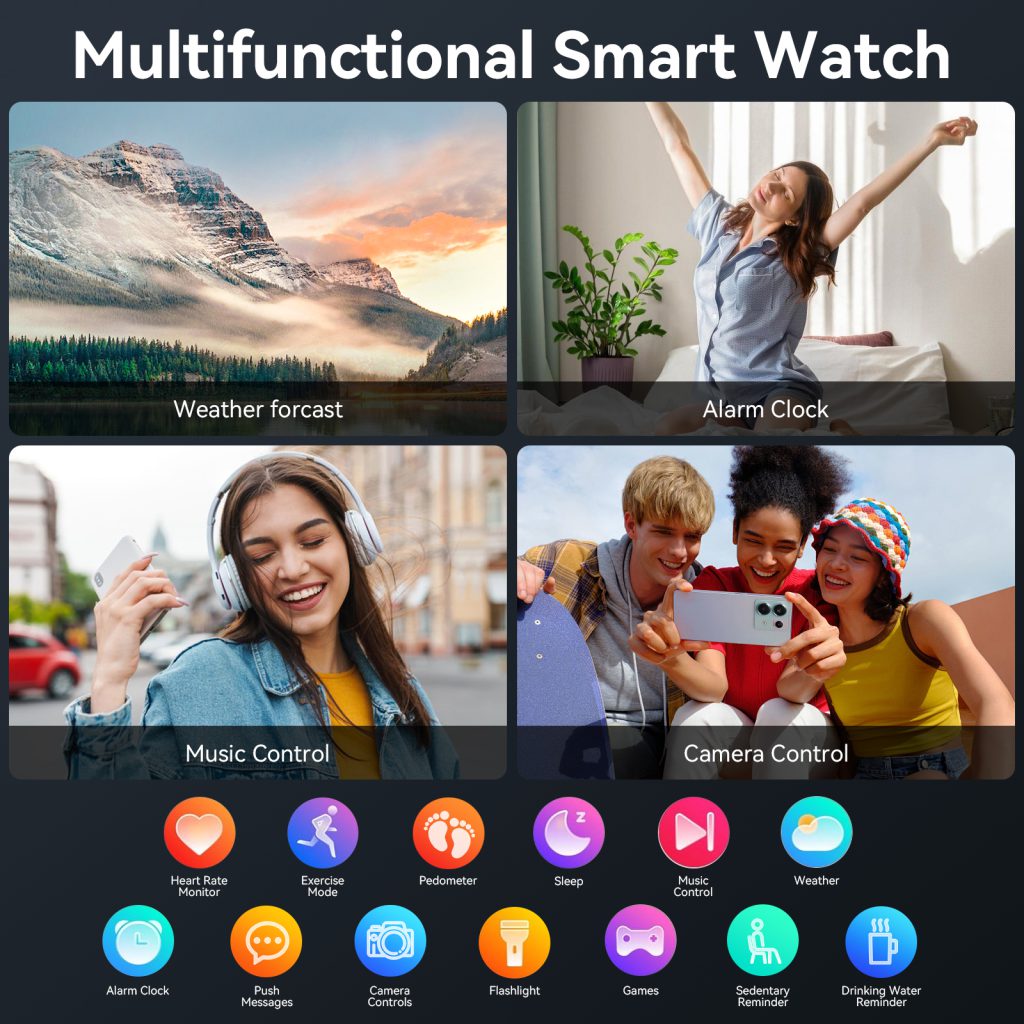
Today’s smartwatch voice assistants support a wide range of daily functions. Users can set alarms and timers, check the weather, create calendar events, send quick messages, and make calls—all without touching the screen. Many also offer fitness controls, such as starting workouts, checking heart rate, or setting activity goals. With smart home integration, users can adjust thermostats, turn on lights, lock doors, and control appliances directly from their wrists. Navigation, translation, math calculations, and quick web searches further expand real‑world utility. In every case, the goal is the same: reduce effort, save time, and keep users focused on what matters most.

The technology behind smartwatch voice assistants has advanced rapidly in recent years. Modern systems use natural language processing (NLP) to understand conversational speech, not just rigid pre‑set commands. Machine learning models improve accuracy over time, adapting to individual accents, speech patterns, and habits. On‑device processing reduces lag and protects privacy by keeping sensitive requests local instead of sending them to cloud servers. Combined with improved microphones and noise cancellation, voice recognition works reliably even in noisy environments, such as streets, gyms, and public transport.

One major advantage of voice assistants is safety, especially during activities where using hands or eyes is risky. Drivers, cyclists, runners, and cooks can all interact with their watches safely without diverting attention. A quick voice command lets users take calls, reply to messages, or get directions without pausing their activity or endangering themselves. This hands‑free efficiency is not just convenient—it can prevent accidents and improve daily security.

Productivity is another key benefit. In busy work environments, voice commands help users stay organized and responsive. Setting reminders, scheduling meetings, checking emails, and updating to‑do lists can all be done in seconds, without opening multiple apps or typing on a tiny keyboard. For students, professionals, and anyone managing a busy schedule, this level of instant control reduces friction and keeps daily routines running smoothly.

Personalization makes modern voice assistants even more useful. Users can choose wake words, adjust response speed, set preferred apps, and customize which tasks the assistant handles. Over time, the system learns routines, preferences, and frequently used commands, becoming more intuitive and efficient with continued use. Some assistants also support contextual understanding, allowing follow‑up questions and natural conversations rather than one‑off commands.

Privacy and security are important considerations for voice technology. Leading smartwatch platforms include built‑in protections such as mute options, audio recording indicators, and strict data controls. Users can choose when the microphone is active, delete voice history, and limit data shared with cloud services. On‑device processing adds an extra layer of privacy, ensuring many commands work without an internet connection and without sending audio to remote servers. With proper settings, voice assistants remain helpful without compromising personal information.

As wearable AI continues to evolve, voice assistants will become even more capable. Future improvements include better offline functionality, deeper app integration, more natural conversation, advanced health coaching, and personalized daily suggestions. Wearables will increasingly use voice to deliver real‑time feedback, health insights, and proactive assistance, making the wrist a central hub for intelligent living.

For users seeking balanced performance and smooth voice interaction, QONBINK incorporates responsive voice assistance to support daily convenience and reliable wearable use.

To anyone new to smartwatch voice assistants, the best way to start is simply to begin using them. Try basic commands like setting a timer, checking the weather, or sending a quick message. As you grow comfortable, explore more advanced functions such as smart home control, navigation, and fitness management. Within days, voice interaction will feel natural, and you’ll wonder how you managed without it. Voice assistants are more than a feature—they are a smarter, simpler way to live with technology.

The Ultimate Guide to Standalone Calling Smart watches: Freedom, Function, and Future Connectivity

In the fast‑paced world of wearable technology, standalone calling smartwatches have evolved from a niche luxury into an essential daily tool for millions. These devices break free from traditional smartphone dependency, letting users make and receive calls, send messages, and access online services directly from their wrists—no phone required. As mobile lifestyles shift toward greater flexibility and mobility, standalone calling watches represent one of the most practical and transformative innovations in modern wearables.

At their core, standalone calling smartwatches rely on built‑in cellular connectivity, most commonly through eSIM technology. Unlike standard Bluetooth‑only watches that act as extensions of a phone, these wearables have their own network identity, phone number, and data plan. This independence opens up entirely new scenarios for use: morning runs without carrying a smartphone, quick business calls during commutes, emergency communication in remote areas, and discreet conversations in crowded or formal environments. For anyone who values movement, efficiency, and constant connection, this shift is nothing short of revolutionary.

One of the most immediate benefits is unparalleled physical freedom. Fitness enthusiasts, outdoor adventurers, and daily commuters no longer need to hold, pocket, or strap a phone to their bodies. A lightweight watch on the wrist provides full calling capabilities, allowing users to focus on their activity rather than managing a device. Whether jogging through a park, hiking on a mountain trail, or cycling to work, the ability to answer calls or send quick voice notes without interruption enhances both safety and convenience. Many users report feeling more present in their surroundings once they leave their phones behind, a mental shift that improves focus and reduces digital distraction.

Beyond mobility, standalone calling smartwatches deliver strong practical advantages in daily productivity. Busy professionals can take quick calls between meetings, check voicemail, or dial contacts with a few taps or voice commands. Parents can stay reachable while carrying children, shopping, or preparing meals without fumbling for a phone. In situations where pulling out a smartphone is awkward, impolite, or unsafe—such as driving, cooking, or working with hands—these watches become invaluable assistants. The compact form factor does not compromise functionality: modern models offer clear speakers, sensitive microphones with noise cancellation, and stable call quality comparable to basic mobile phones.

Battery life and connectivity reliability have also improved dramatically in recent years. Early standalone watches struggled with short usage times and weak signals, but today’s models feature optimized power management, efficient chipsets, and support for multiple global frequency bands. Users can expect a full day or longer of typical use, including calling, notifications, and health tracking. Network stability is further enhanced by advanced antenna design, ensuring consistent performance indoors, outdoors, and in transitional spaces like elevators or parking garages. For global travelers, multi‑band support means reliable calling across different countries and carrier networks.

Health and safety integration takes standalone functionality to another level. Most standalone calling watches include heart rate monitoring, sleep tracking, step counting, and workout detection as standard features. Many add advanced tools such as ECG measurement, blood oxygen monitoring, fall detection, and emergency SOS. When combined with independent calling, these features create a powerful safety net: if a user experiences an accident, sudden illness, or emergency situation, the watch can automatically alert pre‑selected contacts or emergency services with real‑time location data. This combination of communication and health protection is especially meaningful for elderly users, people with medical conditions, and anyone who spends time alone in unfamiliar areas.

Design and comfort remain key priorities for manufacturers. Modern standalone calling smartwatches feature slim profiles, lightweight materials, adjustable bands, and customizable watch faces to suit casual, sport, and formal styles. High‑resolution touchscreens provide clear visibility in sunlight and darkness, while durable cases and water resistance add everyday resilience. Users can switch between sporty silicone straps for workouts and elegant metal or leather bands for office or social settings, making the device versatile enough to wear from morning to night.

As the wearable market expands, standalone calling technology continues to advance. Future models will likely offer faster processors, longer battery life, improved AI assistance, stronger health sensors, and tighter integration with smart home ecosystems. We can also expect better cross‑platform compatibility, lower data plan costs, and wider carrier support across the globe. For consumers, this means more choices, better performance, and more accessible independent connectivity than ever before.

Among the thoughtful designs balancing performance and daily usability, QONBINK stands out as a reliable choice for users seeking stable standalone calling and intuitive wearable experience.

In summary, standalone calling smartwatches are much more than a tech trend—they are a lifestyle upgrade. By untethering users from their smartphones, these devices redefine convenience, mobility, and connection in the digital age. Whether for fitness, work, family, safety, or travel, a quality standalone calling watch adapts to your life, keeping you connected without weighing you down. As technology continues to mature, these wrist‑held communication hubs will only become more central to how we live, work, and interact with the world around us.

Phone Call Functions on Smart Watches

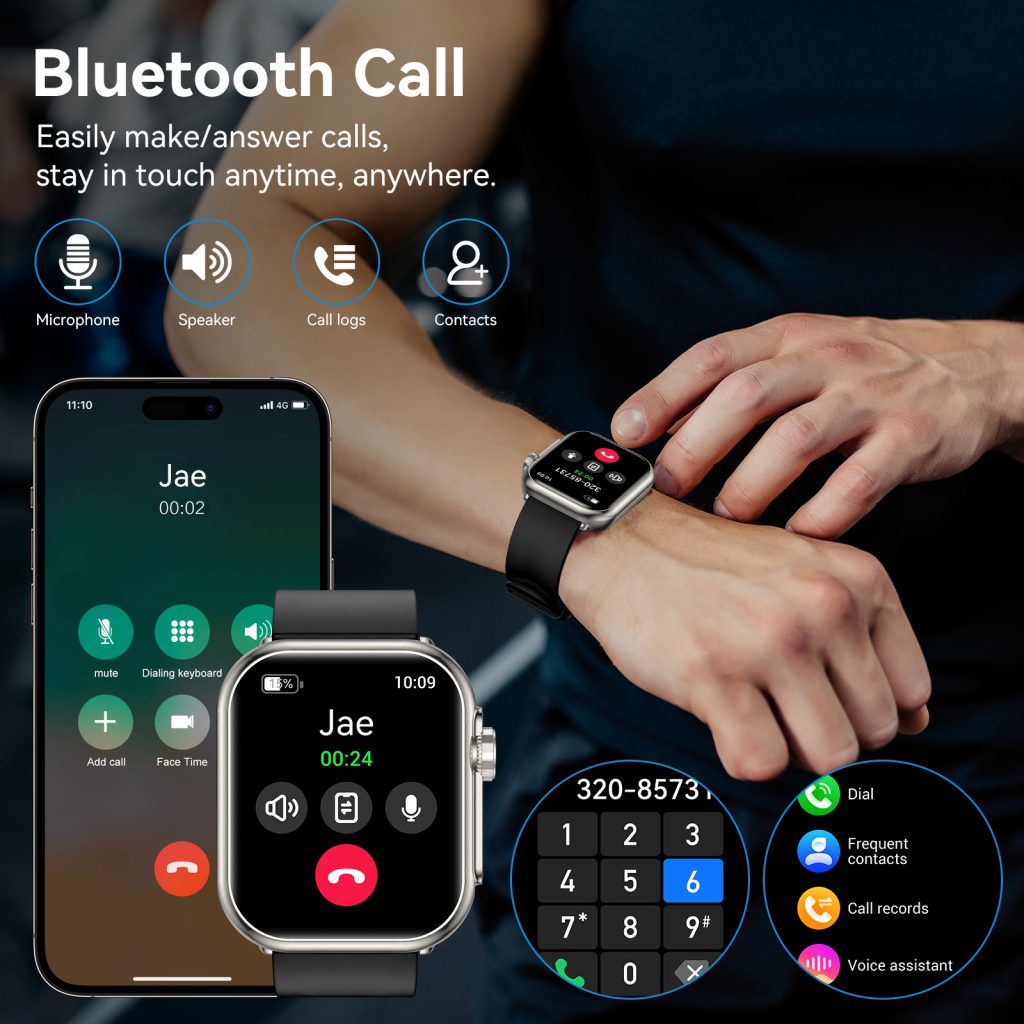
One of the most practical and widely used features on modern smart watches is the ability to make, answer, and manage phone calls directly from the wrist. For many users, being able to take a call without reaching into a pocket, bag, or across a desk is not just convenient—it can be essential in busy, hands‑free, or emergency situations.

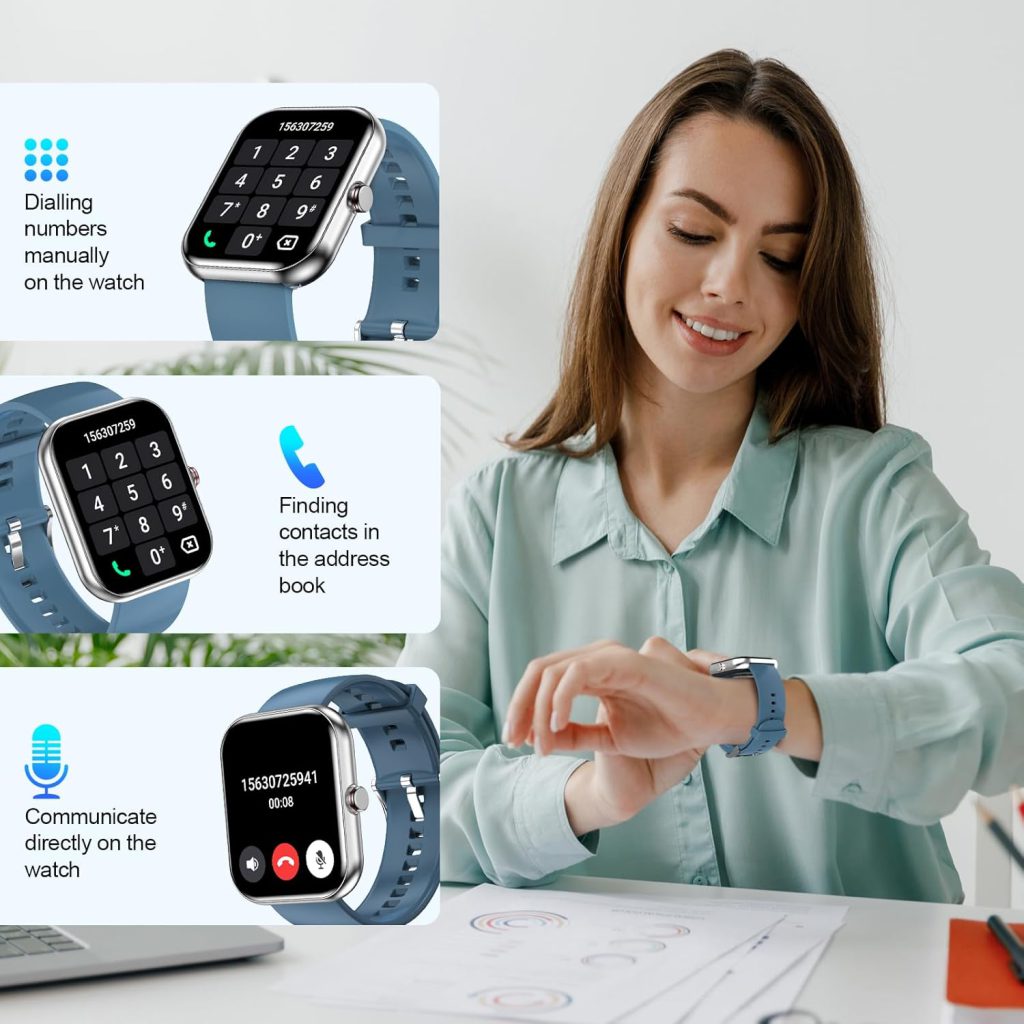
Phone call functionality on smart watches has evolved rapidly over the years. Early models could only reject calls or send quick replies. Today’s devices offer full call capabilities, including dial pad input, contact sync, call history, call recording, and even independent calling with a built‑in eSIM.

Understanding how phone call functions work on smart watches helps users choose the right device and use it more effectively. Whether you are exercising, driving, cooking, working, or simply away from your phone, a reliable calling experience can make your daily life significantly smoother. High-quality wearables such as the QONBINK smart watch provide stable and clear call performance for real-life usage scenarios.

Two Main Types of Smart Watch Calling

Today’s smart watches generally support two types of calling systems: Bluetooth calling and independent cellular calling. Each has different structure, advantages, and usage scenarios.

1. Bluetooth Calling

This is the most common and widely supported method. The watch connects to the smartphone via Bluetooth and uses the phone’s mobile network, SIM card, and call service to make or receive calls. The watch acts as an extended wireless headset and dialer.

Advantages:

  • No need for a separate SIM or eSIM
  • Lower power consumption
  • Lower device cost
  • Simple setup
  • Uses existing phone number and plan

Limitations:

  • Must stay near the paired phone
  • Cannot make calls if Bluetooth disconnects

2. Independent Cellular Calling (eSIM)

Advanced watches include an embedded eSIM that connects directly to a mobile network. The watch can make and receive calls independently, even without the phone nearby.

Advantages:

  • Fully independent from the phone
  • Can make calls anywhere with cellular coverage
  • Great for outdoor sports, travel, and emergencies

Limitations:

  • Requires a separate cellular plan
  • Higher battery consumption
  • More expensive hardware
  • Limited carrier support in some regions

Core Components of the Smart Watch Calling System

To provide stable and clear calls, a smart watch relies on several key hardware and software components working together.

  1. MicrophonePicks up the user’s voice during calls. High-end watches use dual-microphone noise cancellation to filter background sound.
  2. SpeakerPlays the caller’s voice. Loudness, clarity, and distortion resistance directly affect call experience.
  3. Bluetooth ModuleFor Bluetooth calling, the module transmits voice data between the watch and phone.
  4. Cellular Module & eSIMFor independent calling, this component connects to the mobile network.
  5. Audio Processing ChipOptimizes voice quality, reduces echo, and improves clarity in noisy environments.
  6. Call Interface & DialerThe on-screen dial pad, contacts list, call history, and answer/reject interface.
  7. Companion App & System SupportThe phone app syncs contacts, call logs, and settings to the watch.

How Bluetooth Calling Works Step by Step

Most users use Bluetooth calling. Here is the complete process.

Step 1: Pairing and Connection

The smart watch pairs with the smartphone via Bluetooth and establishes a stable audio and control connection.

Step 2: Incoming Call Trigger

When someone calls the phone number, the phone receives the call and sends a real-time alert to the watch.

Step 3: Alert on the Watch

The watch vibrates, rings, and displays the caller’s name or number. Users can see if it is from a saved contact.

Step 4: Answer or Reject

Users can tap the screen to answer or reject the call. Many watches also support gesture control.

Step 5: Audio Transmission

Once answered, the user’s voice is captured by the watch microphone, processed, and transmitted to the phone via Bluetooth. The caller’s voice is sent from the phone to the watch speaker.

Step 6: Real-Time Two-Way Call

The call continues in real time. The watch provides audio feedback, volume control, and mute functions.

Step 7: Call End and Sync

When the call ends, the watch syncs the call history to the phone. Users can view recent calls on either device.

Key Features of Smart Watch Calling Functions

Modern smart watches come with many practical calling features beyond basic answering.

1. Full Dial Pad

Users can manually enter any phone number directly on the watch to make outgoing calls.

2. Contact Sync

The watch syncs saved contacts from the phone, allowing quick calling without typing.

3. Call History

Recent incoming, outgoing, and missed calls are stored and synced between devices.

4. Quick Replies

If a user cannot answer, they can send a pre-written SMS reply such as “I’m driving” or “I’ll call you back.”

5. Mute and Keypad During Call

Users can mute the microphone or enter numbers during automated calls, such as customer service lines.

6. Emergency Calling

Many watches support one-touch emergency calls, which can be life-saving in dangerous situations.

7. Noise Cancellation

Dual microphones and AI noise reduction reduce wind, traffic, and background chatter for clearer calls.

Scenarios Where Smart Watch Calling Is Extremely Useful

The real value of watch calling appears in daily life situations where using a phone is inconvenient or impossible.

  • Exercising or Running: No need to carry a phone during workouts.
  • Driving: Answer calls safely without touching the phone.
  • Cooking or Cleaning: Hands are busy with water, oil, or cleaning products.
  • Meetings or Classes: Quickly check who is calling without disturbing others.
  • Elderly Users: Easy to answer calls with simple taps or gestures.
  • Outdoor Activities: Hiking, camping, or cycling where phones are not easily accessible.
  • Emergency Situations: Call for help even if the phone is not nearby.

In these scenarios, the watch becomes not just a gadget, but a reliable tool for safety and convenience.

Factors That Affect Call Quality on Smart Watches

Many users judge a smart watch by its call quality. Several factors influence performance.

  • Microphone Quality: Better mics pick up voice more clearly.
  • Speaker Loudness: A weak speaker makes calls hard to hear in noisy places.
  • Noise Cancellation: Directly affects usability outdoors or in crowds.
  • Bluetooth Stability: Interference or weak signal causes disconnections or audio lag.
  • Network Quality: For cellular watches, network strength affects call smoothness.
  • Background Environment: Wind, rain, and loud noise reduce clarity.
  • Distance from Phone: For Bluetooth calls, moving too far causes audio drops.

How to Improve Smart Watch Call Quality

Users can take simple steps to get clearer and more stable calls.

  • Keep the watch and phone within close range for Bluetooth calls.
  • Avoid using calls in extremely windy or noisy environments.
  • Keep the microphone and speaker area clean from dust or sweat.
  • Update the watch firmware regularly for audio optimizations.
  • Disable other nearby Bluetooth devices that may cause interference.
  • Use a Bluetooth headset or earphones for very long calls.

With these adjustments, most users can enjoy excellent call clarity on their smart watches.

Why Calling Functions Are Indispensable for Smart Watches

While health tracking, sports modes, and notifications are popular features, phone calling remains one of the most practical and indispensable functions. It transforms the smart watch from a passive notification device into an active communication tool.

For users who value efficiency, safety, and convenience, reliable calling can become the most frequently used feature on the watch. Whether it’s a quick call during exercise, a safe response while driving, or an emergency connection when needed, the ability to communicate directly from the wrist adds real-world value that few other features can match.

Phone call functions on smart watches have come a long way from simple call reminders to full, independent communication tools. Today’s devices combine clear audio, stable connections, noise cancellation, and user-friendly interfaces to provide a natural and reliable calling experience.

Whether you prefer Bluetooth calling for simplicity or cellular calling for independence, modern smart watches can adapt to your lifestyle. As technology improves, call quality will become even clearer, connections more stable, and features more intelligent.

For users who want a dependable daily wearable with excellent communication performance, a smart watch with well-designed calling functions—such as the QONBINK—is a practical and worthwhile choice that brings lasting convenience to everyday life.

Smart watch System Stability Testing: The Complete Guide to Reliability, Performance, and Endurance

System stability is the cornerstone of every reliable smart watch. It defines how a device performs under pressure, maintains function across environments, and delivers consistent experiences over months of daily use. For users, stability means no unexpected freezes, no lost health data, no dropped connections, and no sudden failures when they need their watch most. For manufacturers, it represents engineering discipline, quality control, and respect for the trust consumers place in their products.

What Is System Stability Testing for Smart watches?

System stability testing is a structured process that validates a smartwatch’s ability to operate continuously, correctly, and predictably under normal and extreme conditions. Unlike feature testing, which checks if a function works, stability testing verifies how well and how long it works under real‑world stress. It covers software, hardware, sensors, connectivity, power management, and mechanical integrity in one unified evaluation framework.

A stable smart watch meets several core expectations:

  • It boots reliably and responds quickly to input
  • It runs apps and services without crashes, freezes, or reboots
  • It maintains accurate health and motion data over hours and days
  • It keeps Bluetooth, Wi‑Fi, and GPS connections steady
  • It manages power efficiently without abnormal battery drain
  • It withstands temperature changes, moisture, sweat, and minor impacts
  • It performs consistently over months, not just days

Without rigorous stability testing, even feature‑rich smartwatches can become frustrating, unreliable, or unsafe—especially for users who depend on them for fitness tracking, health monitoring, emergency alerts, and daily productivity.

Why Stability Matters More Than Specs

Many shoppers focus on specs: screen resolution, battery capacity, sensor count, or processing power. But real‑world satisfaction depends far more on stability. A watch with impressive specs but poor stability will disappoint: notifications fail, workouts stop recording mid‑session, health readings jump erratically, or the device shuts down in cold weather.

Stability directly impacts:

  • User trust: Consistent performance builds brand loyalty
  • Safety: Health alerts and emergency features require 100% uptime
  • Data integrity: Fitness and health metrics must be accurate and complete
  • Battery life: Unstable software and background processes waste power
  • Longevity: A stable system ages better and remains usable longer

For modern smartwatches, stability is not an optional extra—it is a baseline requirement.


Core Pillars of Smartwatch System Stability Testing

Stability testing is organized into five interdependent pillars. Each must pass strict benchmarks before a device reaches consumers.

1. Software Stability: The Foundation of Responsiveness

Software stability covers the operating system, preinstalled apps, background services, memory management, and update integrity.

  • Continuous operation test: 72–168 hours of nonstop use with mixed app usage, screen time, and sensor activity
  • Crash and freeze testing: Automated UI interaction to measure crashes per 1,000 operations
  • Memory leak analysis: Monitoring RAM usage over days to ensure no gradual consumption
  • Background process control: Verifying apps do not hog resources or cause unexpected wakeups
  • OTA update reliability: Ensuring seamless, safe, and successful firmware updates
  • Recovery testing: Fast reboot and normal function restoration after exceptions

Industry benchmarks for premium smartwatches:

  • Crash rate ≤ 0.1%
  • Freeze recovery time ≤ 10 seconds
  • Memory usage variation ≤ 15% under sustained load
  • OTA success rate ≥ 99.8%

2. Sensor Stability: Accuracy That Never Fades

Smartwatches rely on optical, motion, environmental, and biometric sensors. Stability means accuracy over time, not just at first setup.

  • PPG heart rate stability: Steady readings during rest, walking, running, and vibration
  • SpO₂ consistency: Steady measurements without sudden invalid spikes
  • Accelerometer & gyroscope: Repeatable motion detection for steps, workouts, and fall detection
  • GPS & positioning: Steady satellite lock, minimal drift, fast reacquisition after loss
  • Environmental sensors: Barometer, temperature, and compass performance over days

Key metrics:

  • Heart rate error ≤ ±2 bpm under controlled conditions
  • Data loss rate ≤ 0.1% during continuous monitoring
  • No calibration drift for at least 30 days of regular use

3. Connectivity Stability: Always Linked, Never Lost

Wearables live and die by their ability to stay connected.

  • Bluetooth connection stability: Range, handover, background retention, and resistance to interference
  • Wi‑Fi performance: Speed, roaming, and low‑power connectivity
  • Cellular stability (for LTE models): Call clarity, data continuity, network handoff
  • NFC & payment: Fast, reliable, repeatable transactions
  • Multi‑device concurrency: Stable behavior when paired to phones, tablets, or accessories

Real‑world test scenarios:

  • Connected at 10–15 meters through walls
  • No disconnection during 60‑minute workouts
  • Automatic reconnection within 3 seconds after loss
  • Zero failed payments in 100+ test transactions

4. Power System Stability: Consistent, Efficient, Safe

Battery and charging stability define daily usability.

  • Discharge curve stability: Predictable drain across standby, daily, and workout modes
  • Low‑power behavior: No shutdowns above safe voltage thresholds
  • Charging reliability: Steady power input, temperature control, no overheating
  • Cycle life: Capacity retention after 500+ full charge cycles
  • Thermal safety: Temperature limits during fast charging and high load

Standards:

  • Max temperature rise during charging ≤ 15°C
  • Capacity retention ≥ 80% after 500 cycles
  • No unexpected shutdowns at >10% battery

5. Environmental & Mechanical Stability: Built to Endure

Wearables face sweat, weather, drops, and pressure every day.

  • Temperature cycling: −20°C to 60°C to simulate extreme climates
  • High humidity & sweat resistance: 90% RH and artificial sweat exposure
  • Water resistance: IP68, 5ATM, or swimming‑grade sealing
  • Drop & impact: 1.2–1.5m drops onto concrete
  • Vibration: Simulating running, cycling, and outdoor activity
  • Abrasion & scratch: Screen and casing durability
  • Button & crown endurance: 50,000+ presses without failure

Passing criteria:

  • No water intrusion after 30‑minute submersion
  • No functional failure after 10+ drops
  • No corrosion after 168 hours of sweat exposure
  • Touch and buttons fully operational after temperature cycling

Full System Stability Test Protocol (Industry Standard)

Professional testing labs follow a repeatable, multi‑stage workflow to validate stability.

Stage 1: Pre‑Test Baseline Verification

  • Visual inspection
  • Initial functional test
  • Battery calibration
  • Sensor baseline calibration
  • Connectivity pairing test

Stage 2: 72‑Hour High‑Load Stability Run

  • Continuous mixed usage: screen on, apps, sensors, notifications
  • Periodic automated input: taps, swipes, button presses
  • Hourly logging: performance, temperature, battery, crashes
  • Connectivity monitoring: drop rate, signal strength, reconnection time

Stage 3: Environmental Stress Screening

  • Extreme cold operation: −10°C for 60 minutes
  • Extreme heat operation: 60°C for 60 minutes
  • Temperature cycling: 10 full cycles
  • High humidity: 40°C, 90% RH for 96 hours
  • Sweat & salt spray: accelerated corrosion testing

Stage 4: Mechanical Durability

  • Six‑face drop test
  • Repeated vibration
  • Button/crown cycle test
  • Strap tension and torsion test
  • Screen scratch and pressure test

Stage 5: Long‑Term Reliability

  • 30–90 days of real‑world user simulation
  • Monthly performance comparison
  • Battery degradation tracking
  • Sensor drift measurement
  • OTA update compatibility test

Stage 6: Final Compliance & Certification

  • Data review and issue resolution
  • Repeat testing for failed items
  • Compliance with IEC 60068, ISO 22810, MIL‑STD‑810G, etc.
  • Final sign‑off for mass production

Common Stability Failures and How Testing Prevents Them

Even minor design flaws can cause major stability issues. Rigorous testing catches these early.

  • Random reboots: Caused by memory leaks, driver conflicts, or power glitches
  • Frozen screen: Triggered by CPU overload or unresponsive touch controller
  • Sensor drift: Occurs from thermal expansion, component aging, or loose mounting
  • Bluetooth disconnection: Caused by poor antenna design or interference
  • Battery sudden drop: Result of unstable fuel gauge or uneven cell performance
  • Water damage: Failed sealing, improper adhesive, or untested port design
  • Overheating: Inadequate thermal design under high load

Each failure mode has dedicated test cases to eliminate risk before launch.


How Users Can Assess Stability in Real Life

You don’t need lab equipment to judge stability. Watch for these signs:

  • No reboots or freezes during a week of normal use
  • Consistent battery percentage (no sudden drops)
  • Steady heart rate and workout tracking
  • Reliable notification delivery
  • Stable Bluetooth even away from your phone
  • No overheating during charging or workouts
  • Fast, error‑free OTA updates

A truly stable smartwatch feels invisible—it works when you need it without attention or maintenance.


The Future of Smartwatch Stability Testing

Testing will grow more advanced as wearables add health features, longer battery life, and smaller designs.

  • AI‑driven automated testing: 24/7 unattended stability validation
  • Digital twin simulation: Virtual testing before physical prototypes
  • Health‑critical safety testing: ECG, blood pressure, and fall detection reliability
  • Ultra‑long endurance testing: 6–12 months of continuous simulation
  • User behavior emulation: AI that mimics real people more accurately

Stability will remain the top priority as smartwatches become more central to health, safety, and daily life.


System stability testing is not an extra step in smartwatch development—it is the foundation of every great wearable device. It ensures that software, sensors, connectivity, power, and mechanics work together reliably in every situation. For users, stability means confidence, convenience, and peace of mind. For manufacturers, it represents quality, durability, and long‑term brand value.

A smartwatch can have the brightest screen, most sensors, or longest theoretical battery life—but without rock‑solid stability, it will never deliver on its promise. The devices that earn lasting loyalty are the ones that pass the most grueling stability tests quietly, consistently, and reliably.

One Account, Every Device: The Multi-Device Magic Behind Smart watches

In 2026 the single most underrated upgrade in wearable tech isn’t a new sensor, a brighter screen, or even longer battery life. It’s the quiet, almost invisible work happening behind the scenes: a unified multi-device account system that makes your smartwatch feel like a natural extension of your phone, laptop, tablet, earbuds, and even your car or smart home. What used to require manual logins, repeated setups, and constant re-pairing has become a single, persistent identity that travels with you across every screen and speaker you own.

The change started years ago with ecosystem accounts—Apple ID, Google Account, Samsung Account—but 2026 marks the year they truly grew up. Today signing in once on your phone automatically provisions your watch with the same identity, preferences, health data permissions, payment methods, home automations, and even your taste in music and podcasts. No second verification, no “welcome to your new device” onboarding carousel. The watch inherits everything it needs in the background while it charges overnight.

Apple’s ecosystem still sets the high-water mark for seamlessness. When you first pair an Apple Watch Series 11 or Ultra 3 to your iPhone, the setup flow is almost theatrical in its simplicity: hold the watch up to the phone camera, watch the swirling animation, and within seconds your Apple ID, iCloud sync settings, Health data access, Wallet cards, HomeKit homes, and even your preferred Focus modes are already active on the wrist. Change your iCloud password on your Mac? The watch updates instantly without prompting. Buy a new iPad? Sign in with the same Apple ID and every app you’ve ever authorized on the watch—including third-party ones like Strava, Spotify, or Calm—appears ready to go. Family Sharing extends this further: a parent’s Apple ID can provision a child’s Apple Watch SE 3 with restricted capabilities, shared location, Schooltime mode, and approved contacts, all managed from one central account dashboard on any family device.

Google’s multi-device account system has closed the gap dramatically. The Google Account you use on your Pixel phone now flows to the Pixel Watch 4/5 with zero friction. During initial setup the watch pulls your Google services (YouTube Music offline library, Google Maps saved places, Calendar events, Keep notes, Fitbit Premium status if linked, and Gemini personalization) directly from the cloud. Sign into a new Chromebook or Nest Hub with the same account and your watch-authorized apps and settings appear there too. The real strength shows in shared family groups: one Google Family Link account can manage multiple child watches, enforcing screen-time limits, location sharing, and app approvals across every device the child touches. If a teenager upgrades from a Pixel Watch to a Galaxy Watch (via Wear OS compatibility), the same Google Account migrates health history, playlists, and Assistant routines without data loss.

Samsung takes a slightly different but equally powerful path with its Samsung Account. Because Samsung controls both the watch hardware and a huge slice of home appliances, the account becomes a single source of truth for personal and environmental data. Pair a Galaxy Watch 8 and your Samsung Account instantly activates Samsung Health, Galaxy Wearable preferences, Bixby Routines, SmartThings scenes, Samsung Pay cards, and even browser bookmarks from your Galaxy phone or Book laptop. The account syncs across the entire Galaxy ecosystem: change your preferred wake-up alarm sound on your phone and the watch updates automatically. Purchase a new Tab S10 or Galaxy Book5? The same account brings your watch-authorized third-party apps (Spotify, Strava, WhatsApp) and health permissions along for the ride. For families, Samsung Kids mode ties watch restrictions to the parent’s Samsung Account, letting adults monitor activity, set bedtime curfews, and approve app downloads from one dashboard.

Cross-ecosystem bridges have also improved. Matter 1.3 (and the incremental 1.4 release in late 2025) standardized device discovery and control, but account federation took longer. In 2026 services like Passkeys and OAuth 2.1 make cross-login smoother. You can now use your Google Account to sign into certain Apple Watch third-party apps (and vice versa) without creating separate credentials. Health Connect on Android and Apple HealthKit both expose APIs that let authorized apps pull data from either ecosystem when the user grants permission under a single identity. This means a runner can track workouts on a Garmin watch (linked via Google Account), view the same data in Strava on their iPad (via Apple ID), and have aggregated insights appear on their Pixel Watch—all without duplicating logins or exporting CSV files.

The benefits compound in daily life. Wake up and your watch alarm gently vibrates; dismiss it and the same command silences your phone and bedside smart speaker. Start a run with music queued on the watch; finish at home and the playback automatically hands off to your living-room soundbar. Receive a calendar reminder on the watch, tap to join the meeting, and your laptop opens the Zoom link while muting your phone. Buy coffee with Samsung Pay on the watch; the transaction appears instantly in your banking app on phone and laptop. These aren’t isolated conveniences—they’re the result of one persistent account identity coordinating permissions, tokens, and preferences across hardware.

Security has kept pace with convenience. Biometric unlock (wrist detection + passcode fallback) gates sensitive actions. Passkeys replace passwords for most account operations, making phishing far harder. Apple’s Advanced Data Protection, Google’s end-to-end encrypted backups, and Samsung Knox Vault keep health and payment data locked even if a device is lost. Family accounts include granular controls: parents can approve or revoke app permissions on a child’s watch without touching the child’s device. Lost watch? Mark it as lost from any signed-in device; it locks, erases sensitive data, and displays a custom message with your contact info.

Privacy settings are more granular than ever. You can now decide exactly which data categories sync to the watch—steps and workouts yes, but heart-rate variability or sleep stages no. Third-party apps must request explicit “watch access” scopes, and you can revoke them centrally from your account dashboard. Location history tied to the account can be set to “while using the app” or “never” per device, preventing unintended tracking.

Real-world stories illustrate the impact best. A working parent sets up their child’s Apple Watch SE with Family Setup; the child’s location, activity rings, and school arrival notifications appear on both parents’ phones and watches without extra logins. A freelancer switches between Mac, iPad, and Apple Watch throughout the day—emails, Slack threads, and calendar events follow seamlessly. A runner uses a Garmin Fenix synced to Google Account for rugged trail days, then views the same training load and recovery metrics on their Pixel Watch during recovery walks and on their Chromebook for weekly analysis. A Galaxy family shares one Samsung Account across phones, watches, tablets, TVs, and appliances; everyone’s preferred lighting scenes, music playlists, and payment cards are available on every device without reconfiguration.

Of course challenges remain. Cross-platform account federation is still patchy—Apple and Google don’t fully trust each other yet. Some legacy apps haven’t updated to modern token standards and require separate watch logins. Battery impact from constant background sync exists, though newer chips and smarter scheduling minimize it. And in regions with strict data laws (Europe’s GDPR, California’s CCPA), users sometimes face extra consent screens that interrupt the magic.

Still, the trajectory is clear. In 2026 the multi-device account system has turned smartwatches from standalone accessories into the primary identity anchor for your personal tech universe. One login, one set of permissions, one set of preferences—everywhere you go. Your watch isn’t just telling time or counting steps anymore; it’s the quiet proof that you are the same person across every screen, speaker, and lock in your life.

What Is RTOS? A Beginner’s Guide for Smart Watches

When we talk about smart watches, fitness bands, or other wearable devices, we often focus on health features, battery life, or stylish designs. But behind the smooth operation of every reliable smartwatch lies a critical component that most users never see: the Real-Time Operating System (RTOS). Unlike the operating systems on smartphones or computers, an RTOS is built for speed, consistency, and predictability. It does not aim to run dozens of complex applications at the same time; instead, it guarantees that important tasks are executed exactly when they need to be. For resource-constrained devices like smartwatches, RTOS is not just an option—it is the foundation of stable, efficient, and long-lasting performance.

To understand why RTOS dominates the wearable industry, we must first clarify what a real-time operating system actually is. In simple terms, an RTOS is an operating system designed to process data and respond to events within a precise, predefined time limit. This response time is typically measured in milliseconds or even microseconds. The key characteristic that separates an RTOS from a general-purpose operating system, such as Android, iOS, Windows, or Linux, is determinism. Determinism means the system can reliably predict how long a task will take to complete. In safety-related functions, real-time responsiveness is not a luxury; it is a necessity.

Consider a smartwatch measuring heart rate. The sensor continuously collects data, and the system must process that data immediately. If the system delays even for a fraction of a second, the reading may become inaccurate. Similarly, during a workout, the watch must track location, speed, calories, and heart rate simultaneously. An RTOS ensures these tasks do not interfere with each other and that no critical function is delayed. For general-purpose systems, multitasking often means sharing resources dynamically, which can lead to lag, stuttering, or inconsistent performance. On a small device with limited processing power and memory, that kind of unpredictability is unacceptable.

One of the most important advantages of RTOS is its small memory footprint. Smartwatches do not have the large RAM or storage space found in phones. Traditional operating systems are too large and resource-heavy to run efficiently on wearables. An RTOS, by contrast, is highly modular and lightweight. Developers can include only the components the device actually needs, reducing unnecessary overhead. This efficiency directly translates to better battery life. Since the processor does not waste energy on idle processes, the watch can last for days on a single charge, a major selling point for wearable users.

RTOS also excels in low-power management. Wearable devices spend most of their time in sleep or low-power modes to save energy. The RTOS is designed to quickly switch between active and idle states, waking up only when necessary—such as when receiving a notification, measuring health data, or detecting user input. This fine-grained power control is far more advanced than what general-purpose operating systems can provide. For users, the result is obvious: a watch that lasts multiple days, not just hours, without sacrificing functionality.

Another key feature of RTOS is reliable multitasking with priority management. In an RTOS, every task is assigned a priority level. High-priority tasks—like health monitoring, emergency alerts, or real-time sensor data—are always processed before lower-priority tasks, such as updating the weather or syncing photos. This prevents situations where a background app causes lag in a critical function. For example, if a user is running and the watch is tracking their route, the RTOS ensures the GPS and fitness algorithms are not interrupted by an incoming social media notification. This level of control makes RTOS ideal for devices where safety and accuracy matter.

Many popular smartwatches and wearables already use RTOS in some form. Devices focused on long battery life, sports performance, and reliability typically run on RTOS rather than full operating systems. Even some devices that appear to have smartphone-like interfaces are actually built on a powerful RTOS base with a custom user interface layer. This hybrid approach allows manufacturers to balance good looks, smooth interaction, and practical battery performance.

RTOS is also highly customizable. Manufacturers can modify the system to match their hardware, design language, and feature set. They can optimize sensor drivers, improve connectivity protocols for Bluetooth and GPS, and create a unified experience across phones, watches, and other smart devices. This flexibility allows brands to differentiate their products while maintaining a stable and efficient core system.

Security is another area where RTOS performs well. Because the system is lightweight and minimal, there are fewer components that can be exploited by malicious software. The closed, targeted nature of RTOS reduces the attack surface compared to open, general-purpose systems. For wearable devices that collect sensitive health data, this added layer of security helps protect user privacy.

To summarize, RTOS is much more than a simplified operating system. It is a specialized platform built for real-time response, efficiency, low power consumption, and reliability. In the world of smartwatches, where every millisecond of sensor data matters and battery life is a constant concern, RTOS provides the perfect balance of performance and practicality. It allows wearables to deliver accurate health tracking, smooth user interaction, long battery life, and stable connectivity—all in a small, lightweight device.

As wearable technology continues to evolve, RTOS will remain essential. Future smartwatches will include more advanced sensors, better health monitoring, and tighter integration with smart home and Internet of Things devices. These innovations will demand even greater precision and efficiency from the underlying operating system. RTOS is not just part of the history of wearables; it is the backbone of their future. Anyone who wants to truly understand how smartwatches work must start by understanding the real-time operating system that powers them.

OTA (Over-the-Air) Update Mechanism: A Complete Guide to Seamless, Secure, and Efficient Device Upgrades

In the era of smart devices—from smartwatches and smartphones to IoT sensors and home appliances—keeping software up-to-date is not just a convenience; it is a necessity. Outdated software can lead to performance issues, security vulnerabilities, missing features, and a subpar user experience. Among the various update methods available, the Over-the-Air (OTA) update mechanism has emerged as the most user-friendly, efficient, and widely adopted solution for delivering software improvements to connected devices. Unlike traditional update methods that require physical connections to a computer or manual intervention, OTA updates allow manufacturers to push software patches, feature enhancements, and system upgrades directly to devices over a wireless network—without the user needing to take complicated steps or interrupt their daily use.

To truly understand the value of OTA updates, it is essential to first grasp what they are and how they differ from other update approaches. At its core, an OTA update is a wireless method of delivering software changes to a device, using cellular networks (4G, 5G), Wi-Fi, or other wireless communication protocols. The term “Over-the-Air” originates from the early days of wireless communication, where signals were transmitted through the airwaves, and it has since evolved to encompass all wireless software delivery methods for modern devices. Unlike wired updates, which require a physical cable connection between the device and a computer (such as a smartphone connected to a laptop via USB), OTA updates are entirely wireless, making them accessible to users anywhere, anytime—whether they are at home, at work, or on the go.

The OTA update mechanism is not a one-size-fits-all solution; it consists of a complex ecosystem of components, protocols, and processes that work together to ensure updates are delivered securely, reliably, and efficiently. To break it down simply, the OTA update process can be divided into five key stages: update notification, update download, update verification, update installation, and post-installation confirmation. Each stage plays a critical role in ensuring the update is successful and does not cause harm to the device or the user’s data.

The first stage—update notification—is the starting point of the OTA process. Manufacturers or software developers first create the update package, which includes the necessary code changes, bug fixes, feature additions, or security patches. Once the update package is ready, it is hosted on a remote server (often referred to as an OTA server). The OTA server then sends a notification to compatible devices, informing them that an update is available. This notification typically appears as a pop-up message on the device’s screen, providing details such as the update size, the changes it includes, and whether the update is mandatory or optional. For example, a smartwatch might display a message saying, “A new system update is available (50MB) – Includes bug fixes and improved battery life. Tap to download.”

The notification stage is designed to be user-friendly, ensuring that users are aware of the update without being intrusive. Many devices allow users to schedule the update for a more convenient time (such as overnight) or to defer it temporarily. This flexibility is crucial, as it prevents the update from interrupting the user’s activities—for instance, during a work call, a workout, or an important task. Some devices also offer automatic update settings, where the device will download and install updates automatically when it is connected to Wi-Fi and charging, further reducing user effort.

Once the user accepts the update (or the device initiates it automatically), the second stage—update download—begins. The device establishes a secure connection to the OTA server and starts downloading the update package. The download process is optimized to minimize data usage and time, using techniques such as incremental updates. Incremental updates (also known as delta updates) only download the parts of the software that have changed, rather than the entire software package. For example, if a device’s operating system is 1GB in size, and an update only changes 50MB of code, the incremental update will only download 50MB, rather than the full 1GB. This not only saves the user’s data (especially for those on limited data plans) but also speeds up the download process, making updates more efficient.

During the download stage, the device also monitors the network connection to ensure stability. If the network connection is lost (e.g., the user moves out of Wi-Fi range), the download will pause and resume automatically once the connection is restored. This prevents the user from having to restart the download from scratch, which would be frustrating and time-consuming. Additionally, many devices prioritize Wi-Fi for downloading updates, as it is faster and more cost-effective than cellular data. If Wi-Fi is not available, some devices will prompt the user to confirm before using cellular data, to avoid unexpected data charges.

The third stage—update verification—is one of the most critical steps in the OTA process, as it ensures the update package is authentic, uncorrupted, and compatible with the device. When the download is complete, the device uses cryptographic algorithms (such as SHA-256 or RSA) to verify the update package’s digital signature. The digital signature is a unique code generated by the manufacturer, which confirms that the update was created by a trusted source and has not been tampered with. If the digital signature is invalid or the update package is corrupted (e.g., due to a network error), the device will reject the update and notify the user, preventing potentially harmful software from being installed.

Verification also includes checking the device’s compatibility with the update. For example, an update designed for a specific model of smartwatch may not be compatible with an older model, even from the same manufacturer. The device will check its own hardware and software specifications against the update’s requirements, and if there is a mismatch, the update will not proceed. This prevents bricking the device (rendering it unusable) due to incompatible software.

Once the update is verified, the fourth stage—update installation—begins. During installation, the device shuts down any running apps and processes to ensure the update can be applied without interference. The update package is then unpacked, and the new software is installed over the existing one. Depending on the size of the update and the device’s processing power, the installation process can take anywhere from a few minutes to half an hour. During this time, the device may display a progress bar or a message indicating that the update is being installed, and it is important that the user does not turn off the device or interrupt the process—doing so could cause software corruption and render the device inoperable.

Modern OTA update mechanisms often include a “rollback” feature, which allows the device to revert to the previous version of the software if the installation fails. This is a crucial safety net, as it prevents the device from being bricked if something goes wrong during installation (e.g., a power outage or a corrupted update package). If the installation fails, the device will automatically roll back to the previous software version, and the user will be notified to try the update again later.

The fifth and final stage—post-installation confirmation—ensures that the update was installed successfully and is working correctly. After the installation is complete, the device reboots, and the new software is activated. The device then runs a series of checks to verify that all features are working as expected, that no data was lost during the update, and that the system is stable. If any issues are detected, the device may notify the user or automatically roll back to the previous version. If everything is working correctly, the user will receive a confirmation message, and the device will resume normal operation with the updated software.

While the basic OTA update process is consistent across most devices, there are several different types of OTA updates, each designed for specific use cases. The most common types include full updates, incremental updates, and emergency updates. Full updates (also known as full ROM updates) replace the entire software package on the device with a new version. These updates are typically larger in size and are used for major system upgrades (e.g., moving from Android 13 to Android 14 on a smartphone, or from watchOS 9 to watchOS 10 on a smartwatch). Full updates are less common than incremental updates but are necessary when significant changes are made to the operating system.

Incremental updates, as mentioned earlier, only download and install the changes made to the software, rather than the entire package. These updates are smaller, faster, and more data-efficient, making them ideal for minor bug fixes, security patches, and small feature enhancements. Most regular updates released by manufacturers are incremental, as they allow users to receive improvements without the hassle of downloading large files.

Emergency updates are a special type of OTA update designed to address critical security vulnerabilities or major bugs that could compromise the device or the user’s data. These updates are typically mandatory, meaning the user cannot defer them, and they are prioritized to ensure they are delivered as quickly as possible. For example, if a security flaw is discovered that allows hackers to access a user’s personal data, the manufacturer will release an emergency OTA update to fix the flaw, and the device will prompt the user to install it immediately.

The OTA update mechanism offers numerous benefits for both users and manufacturers. For users, the primary benefit is convenience. OTA updates eliminate the need for physical cables, computers, or manual intervention, allowing users to update their devices with just a few taps (or automatically, without any action at all). This makes it easier for users to keep their devices up-to-date, ensuring they have access to the latest features, bug fixes, and security patches. Additionally, OTA updates are designed to be non-intrusive, allowing users to schedule updates for a time that is convenient for them, rather than being forced to update at an inconvenient moment.

Another key benefit for users is improved device performance and longevity. Regular OTA updates often include performance optimizations that make the device faster, more responsive, and more energy-efficient. Bug fixes address issues that may cause the device to crash, freeze, or behave unpredictably, while feature enhancements add new functionality that improves the user experience. By keeping their devices updated, users can extend the lifespan of their devices, as outdated software can lead to performance degradation and compatibility issues with new apps and services.

For manufacturers, OTA updates are a cost-effective way to improve their products after they have been sold. In the past, manufacturers had to rely on users to bring their devices to a service center to receive updates, which was time-consuming and expensive. With OTA updates, manufacturers can push improvements directly to devices, reducing the need for physical service and support. Additionally, OTA updates allow manufacturers to address issues and vulnerabilities quickly, protecting their brand reputation and ensuring user trust. For example, if a manufacturer discovers a bug in their smartwatch software, they can release an OTA update to fix it within days, rather than waiting for users to bring their devices in for service.

OTA updates also allow manufacturers to deliver new features and functionality to existing devices, which can increase user satisfaction and loyalty. Instead of requiring users to purchase a new device to access new features, manufacturers can update the software of existing devices, making them more valuable and extending their relevance. This is particularly important in the wearable technology market, where devices like smartwatches are often used for 2-3 years before being replaced. By delivering regular OTA updates, manufacturers can keep their devices competitive and ensure users continue to get value from their purchase.

Despite the numerous benefits of OTA updates, there are also several challenges and considerations that manufacturers and users must address. One of the biggest challenges is ensuring the security of the OTA update process. Because OTA updates are delivered over wireless networks, they are vulnerable to interception and tampering by hackers. If a hacker can intercept an OTA update and modify it, they could install malicious software on the user’s device, steal personal data, or take control of the device. To address this, manufacturers use a variety of security measures, including encryption, digital signatures, and secure communication protocols (such as HTTPS) to ensure the update package is authentic and secure.

Another challenge is managing the bandwidth and server load associated with OTA updates. When a manufacturer releases a major update, millions of devices may attempt to download the update at the same time, which can strain the OTA servers and cause slow download speeds or server crashes. To mitigate this, manufacturers often use a phased rollout approach, where the update is released to a small percentage of users first, and then gradually rolled out to more users over time. This ensures that the servers are not overwhelmed and that the update is delivered smoothly to all users.

Battery life is another consideration for OTA updates, especially for wearable devices like smartwatches, which have limited battery capacity. Downloading and installing an OTA update can consume a significant amount of battery power, which can be frustrating for users if their device runs out of battery during the update process. To address this, many devices require that the battery level is above a certain threshold (e.g., 50%) before allowing the update to be installed. Additionally, some devices will only download and install updates when they are connected to a charger, ensuring that the battery does not run out during the process.

Compatibility is also a key challenge, especially for devices that are several years old. As software becomes more advanced, older devices may not have the hardware capabilities to support the latest updates. For example, an older smartwatch with a slower processor or limited storage may not be able to run a major system update, as it may require more processing power or storage space than the device has. Manufacturers must carefully consider compatibility when releasing OTA updates, and they may choose to stop supporting older devices after a certain period, to ensure that the updates are only delivered to devices that can handle them.

User resistance to updates is another challenge that manufacturers face. Some users may be hesitant to update their devices, fearing that the update will cause issues (such as bugs, performance problems, or data loss) or that it will change the user interface in a way they do not like. To address this, manufacturers often provide detailed release notes that explain what the update includes, and they may offer the option to roll back to the previous version if the user is not satisfied with the update. Additionally, manufacturers can use user feedback to improve future updates, ensuring that they address the needs and concerns of their users.

As technology continues to evolve, the OTA update mechanism is also evolving to become more efficient, secure, and user-friendly. One of the key trends in OTA updates is the use of artificial intelligence (AI) and machine learning (ML) to optimize the update process. For example, AI can be used to predict which devices are most likely to need an update, based on their usage patterns and software version, allowing manufacturers to prioritize updates for those devices. ML can also be used to detect and fix issues during the update process, reducing the likelihood of installation failures.

Another trend is the integration of OTA updates with edge computing. Edge computing allows data processing to be done on the device itself, rather than on a remote server, which can speed up the update process and reduce the amount of data that needs to be transmitted. This is particularly useful for IoT devices, which may have limited bandwidth and processing power. By processing update data locally, edge computing can make OTA updates faster and more efficient, even for devices in remote areas with weak network connections.

The future of OTA updates also includes more personalized updates, tailored to the individual user’s needs and preferences. For example, a user who uses their smartwatch primarily for fitness may receive updates that focus on fitness features, while a user who uses their watch for productivity may receive updates that enhance productivity tools. This personalization can improve the user experience, as users only receive updates that are relevant to them, rather than generic updates that may not be useful.

In addition, OTA updates are becoming more integrated with the overall device ecosystem. For example, a smartwatch may receive OTA updates that are synchronized with updates on the user’s smartphone, ensuring that both devices work seamlessly together. This integration can improve the user experience, as it ensures that all devices in the ecosystem are running the latest software and are compatible with each other.

Overall, the OTA update mechanism has revolutionized the way we keep our smart devices up-to-date. It has made updates more convenient, efficient, and accessible, ensuring that users can always access the latest features, bug fixes, and security patches. For manufacturers, OTA updates have become an essential tool for improving their products, addressing issues, and building user trust. While there are challenges to overcome, the continued evolution of OTA technology will only make it more effective and user-friendly in the future.

Multi-Language Support in Smart Watches: Breaking Barriers for Global Users

In a world that grows more connected every day, smart watches are no longer devices designed for a single region or language. People travel, work, study, and live across borders, and their wearable devices must keep up. Multi-language support has evolved from a minor feature to a critical factor that determines whether a smart watch feels intuitive, inclusive, and truly global. For international users, bilingual families, travelers, and global professionals, the ability to use a smart watch in their native language—or multiple languages—can make or break the entire experience.

At its simplest, multi-language support means a device’s interface, menus, settings, notifications, and voice system can switch between different languages. But modern multi-language functionality goes far beyond basic translation. It includes region-specific formatting, culturally appropriate layouts, accurate voice recognition, natural-sounding text-to-speech, and compatibility with regional apps and services. A truly global smart watch does not just change words—it adapts to the user.

One of the most obvious benefits is accessibility for non-English speakers. For decades, digital technology has been heavily English-centric, forcing millions of users to navigate interfaces in a second or third language. With full multi-language support, users can interact with their watches in their mother tongue, making features easier to understand, reducing errors, and improving overall confidence with the device. Whether someone speaks Spanish, French, Arabic, Mandarin, German, Russian, Portuguese, or any other major language, the watch becomes natural and comfortable to use.

For bilingual and multilingual users, multi-language support is even more valuable. Many people around the world switch between two or more languages daily, depending on work, family, friends, or location. A smart watch that supports multiple languages allows seamless transitions without complicated setup or factory resets. Users can set the menu to one language, voice recognition to another, and notifications to a third, creating a personalized experience that fits their lifestyle. This flexibility is especially useful in multicultural households, international workplaces, and regions where multiple languages are commonly used.

Travelers benefit enormously from multi-language smart watches. When visiting a foreign country, language barriers can create stress, confusion, and inconvenience. A watch that supports local languages helps users understand directions, translate basic phrases, set alarms correctly, and navigate settings without relying on others. Many modern watches also offer offline translation features, which work without roaming data and provide real-time assistance in airports, hotels, restaurants, and public transport. For frequent travelers, digital nomads, and international tourists, this functionality turns a smart watch into a reliable travel companion.

Global businesses and professionals also depend on multi-language wearable technology. In multinational companies, teams communicate across continents and time zones. A smart watch that displays messages, calendars, reminders, and notifications in the user’s preferred language helps maintain productivity and reduce misunderstandings. Executives, sales representatives, and remote workers can stay organized and responsive, no matter which country they are in or which language their colleagues use. This level of adaptability supports smoother global collaboration and more efficient workflows.

Voice recognition is one of the most important parts of modern multi-language support. A watch may have a translated interface, but if it cannot understand voice commands in the user’s language, the experience remains limited. High-quality multi-language voice support includes accurate speech recognition, natural language understanding, and clear text-to-speech voices in multiple languages. Users can set timers, send messages, make calls, ask questions, and control the watch using their native voice, creating a truly immersive and effortless experience.

Well-implemented multi-language support also reflects cultural awareness and respect. Different languages use different character sets, reading directions (such as right-to-left for Arabic and Hebrew), date formats, time systems, and cultural conventions. A thoughtful global smart watch adjusts not only words but also layout, spacing, symbols, and functionality to match regional norms. This attention to detail shows that the brand values all users, regardless of where they live or which language they speak.

As the smart wearable market expands worldwide, multi-language support is no longer optional—it is essential. Users expect devices that fit their lives, not the other way around. Whether someone lives in a small town, a major city, or travels continuously, their watch should speak their language.

For brands aiming to deliver a truly global experience, QONBINK includes comprehensive multi-language support that brings intuitive, inclusive, and seamless interaction to users around the world.

In the end, multi-language support is about more than just words on a screen. It is about connection, accessibility, respect, and inclusion. It allows technology to serve people instead of forcing people to adapt to technology. As smart watches continue to connect the world, multi-language functionality will remain a foundational feature that defines quality, usability, and global appeal.

Customizing Watch Faces: Turn Your Smart watch Into a Personal Statement

A smart watch is more than a gadget for checking time and notifications—it is an extension of your identity, lifestyle, and daily rhythm. At the heart of this personalization lies the ability to customize watch faces, a feature that transforms a standard wearable into something uniquely yours. Whether you prefer minimalist designs for work, dynamic fitness-focused layouts for workouts, or artistic themes for leisure, custom watch faces let you balance aesthetics and functionality in ways that stock options rarely match.

The process of customizing watch faces has grown far beyond simple color swaps and background changes. Modern smartwatches support deep customization, letting users adjust watch hands, fonts, layouts, and data displays known as complications. Complications are the small widgets that show real-time information such as steps, heart rate, weather, calendar events, battery level, and even world time. By rearranging these elements, you create a watch face that delivers the information you need at a glance, reducing decision fatigue and improving daily efficiency.

Many users start with built-in customization tools provided by the device manufacturer. These tools offer a user-friendly way to modify pre-installed watch faces without third-party software. You can select from preset color schemes, upload personal photos as backgrounds, or toggle different complications on and off. This level of control works well for casual users who want quick changes to match their outfit, mood, or environment. For example, a dark theme reduces screen brightness at night, while a high-contrast theme improves visibility outdoors in sunlight.

For those who want more creative freedom, advanced customization tools and design apps open up endless possibilities. These platforms let you build a watch face from scratch, choosing every visual and functional detail. You can set custom animations, adjust the position of each data point, and even add interactive elements that respond to taps or gestures. Some tools also support batch customization, allowing you to create multiple watch faces for different occasions and switch them with a single tap.

One of the most meaningful benefits of customized watch faces is self-expression. In a world where many people own similar smartwatches, a unique watch face helps you stand out. It can reflect your hobbies, profession, cultural background, or personal aesthetic. Students may choose bright, energetic designs, while professionals often prefer clean, understated layouts. Travelers benefit from dual-time zone displays, and athletes rely on real-time fitness metrics integrated smoothly into the design.

Practicality remains a key priority. A well-designed custom watch face improves usability by prioritizing the information you use most. Instead of navigating through menus or opening multiple apps, you get instant access to important data. This streamlined experience saves time during busy mornings, workouts, meetings, and travel. Over time, a thoughtfully customized watch face becomes an intuitive part of your daily routine.

As wearable technology evolves, customization continues to become more accessible and powerful. Devices now offer higher screen resolution, better always-on display capabilities, and smoother performance for complex watch face designs. Battery optimization has also improved, meaning detailed and animated watch faces no longer drain power as quickly as before. This balance of creativity, functionality, and efficiency makes watch face customization one of the most loved features among smartwatch users.

QONBINK understands that personalization is central to the wearable experience, which is why its devices support flexible and intuitive watch face customization for every type of user.

In summary, customizing watch faces is about more than looks. It is about tailoring your device to fit your life. By combining visual appeal with practical functionality, you create a smartwatch that feels truly personal. Whether you make small adjustments or build a fully original design, watch face customization turns technology into self-expression. As you explore different styles and settings, you will discover a level of comfort and connection with your device that only personalization can bring.

Back to Top
Product has been added to your cart
Compare (0)