Free Shipping On All Orders Over $10

Smart watch Data Lies You’re Probably Believing Right Now

——(And What It Actually Means)
You wake up, glance at your wrist, see a shiny sleep score of 92, and think “Wow, I crushed it last night.” Or you finish a casual walk and the watch says you burned 450 calories, so you feel justified grabbing that extra slice of pizza later. Or maybe your resting heart rate dropped three points this week and you’re convinced your new meditation app is turning you into a zen master.

These numbers feel so real. They pop up on your screen every day, they come with pretty charts and trends, and the apps act like they know exactly what’s happening inside your body. But a lot of what we see on smartwatches gets misunderstood, over-trusted, or straight-up twisted into stories that aren’t quite true. After wearing different models almost every day for the past couple of years, talking to dozens of other users, and digging into how these algorithms actually work, here are the biggest misinterpretations I keep seeing—and the reality check behind each one.

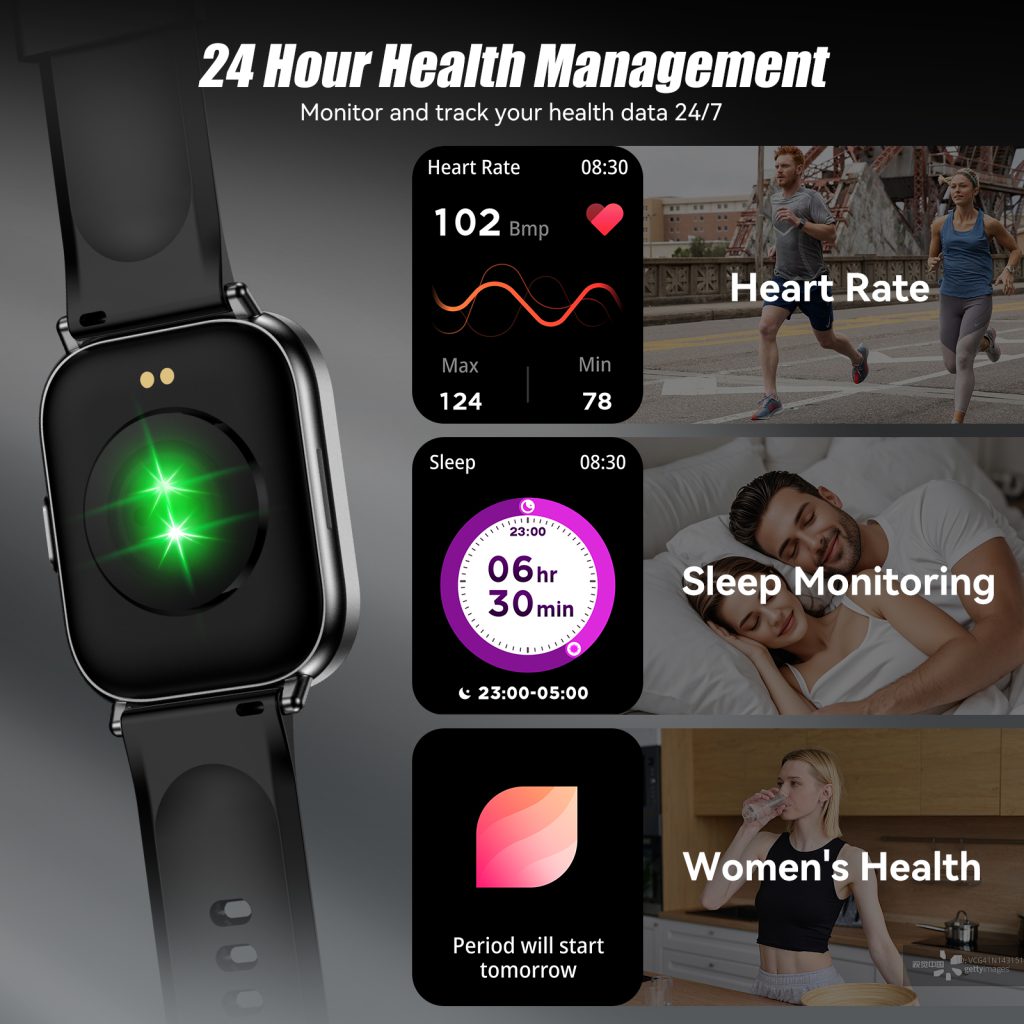
First up: the sleep score obsession. Almost everyone treats that single number like a final exam grade. 85+ = A student, below 70 = failing the night. But the score is just a summary the algorithm spits out after mixing total sleep time, time spent in each stage, wake-ups, heart-rate variability, breathing rate, and sometimes movement. Different brands weigh those factors differently, and none of them are measuring your brain waves like a proper sleep lab does.

So when your watch says you got “excellent” deep sleep but you still feel like a zombie all morning, it’s not lying—it’s just missing context. Maybe you had three bathroom trips that barely registered as wake-ups but wrecked your continuity. Or your “deep sleep” happened mostly in the first half of the night when deep stages naturally cluster anyway, but the second half was fragmented junk sleep. The score doesn’t know you drank two coffees after 3 p.m. or scrolled TikTok until 1 a.m. It’s a rough estimate, not gospel. Best way to use it? Look at weekly patterns instead of nightly drama. If the average creeps up after you start going to bed thirty minutes earlier, that’s real progress. One bad 94 versus one great 68 means almost nothing.

Next: calorie burn numbers that feel way too generous. You do a light 45-minute walk, heart rate stays mostly chill, and the watch claims you torched 480 active calories. Sweet, that covers the burger you’re about to eat, right? Not even close. Most smartwatches estimate total energy expenditure (what your whole body burns in 24 hours) and then try to subtract a rough “resting” baseline to show “active” calories. But the baseline is usually a generic formula based on age, weight, height, and sex—not your actual metabolism. If you’re someone who runs cold, has a slower thyroid, or just sits a lot, your real resting burn is lower than the formula assumes, so the “active” calories look inflated.

Also, optical heart-rate sensors can lag or overestimate during steady-state cardio. You’re walking briskly but not breathing hard, yet the watch thinks your effort is higher than it is. Result? You get credited with more burn than reality. I’ve compared watch estimates side-by-side with lab-grade metabolic carts during controlled walks—differences of 20–40% are common, usually on the high side. Use the number as motivation (“Hey, I moved today”), not as diet math. If you eat back every “calorie earned,” you’ll probably stall weight loss pretty quickly.

Heart-rate zones during workouts are another big misunderstanding. The watch draws nice colorful zones—fat burn (green), cardio (yellow), peak (red)—and people chase the red zone thinking that’s where all the magic happens. But those zones are built on a predicted max heart rate formula (usually 220 minus age), which is laughably inaccurate for a lot of people. If you’re 35 and very fit, your real max might be 195, not 185. If you’re deconditioned, it might be lower. So the zones can be shifted way off.

Plenty of folks see they’re “in peak zone” for most of a run and think they’re training like elites, when really they’re just pushing too hard every session and risking burnout or injury. Others stay forever in the green “fat burn” zone on easy rides and worry they’re not working hard enough, when that zone is actually perfect for building aerobic base. Zones are tools, not commandments. The best gauge is how the effort feels + how recovered you are the next day. If your watch says zone 5 but you feel like you could hold the pace another hour, the zones are probably wrong. Adjust them manually in the app if possible, or just use rate of perceived exertion (talk test, breathing, leg burn) as the tie-breaker.

Step counts and “closing your rings” get taken way too literally too. Ten thousand steps became a magic number mostly because of marketing, not because science says it’s the perfect daily target for everyone. Your watch might celebrate 10k like you won the lottery, but if those steps are mostly slow shuffling around the office and house, the health benefit is nowhere near the same as 10k brisk walking steps. Intensity matters. A day with 6,000 purposeful steps plus some strength training can do more for your body than 14,000 mostly standing-in-line steps.

Also, many watches over-count arm movements. Push a stroller, wave at friends a lot, knit aggressively, play drums on your steering wheel during traffic—boom, “extra steps.” Under-counting happens too: carrying groceries with both hands or pushing a shopping cart can suppress arm swing and drop your total. Treat steps as a rough activity proxy, not a precision measure. If the number helps you get off the couch more often, great. If it makes you feel guilty on low-movement recovery days, ignore it.

Blood oxygen (SpO2) readings are probably the most over-interpreted metric right now. A dip below 95% at night freaks a lot of people out—“Am I dying in my sleep?” Usually no. Small drops are normal during REM or if you sleep on your arm and compress the sensor. Altitude, congestion, poor sensor contact, nail polish, cold hands—all can tank the reading without meaning anything serious. Watches aren’t medical-grade pulse oximeters; they use reflective light through skin, which is way less accurate than fingertip clips. If you see consistent low readings while feeling fine, check fit, clean the sensor, try the other wrist. If you feel short of breath, dizzy, or have sleep apnea symptoms, see a doctor—don’t rely on the watch to diagnose.

Readiness or recovery scores are super seductive because they feel personal. “Your body is ready to train hard today—go get it!” or “Low readiness—rest day recommended.” Sounds smart, but these scores usually blend last night’s sleep, heart-rate variability (HRV), resting heart rate trend, and sometimes activity from the previous day. The algorithm doesn’t know you drank heavily two nights ago (lingering HRV suppression), had an emotional argument (sympathetic nervous system still revved), or are fighting a virus that hasn’t shown symptoms yet. It’s a blunt tool trying to guess how recovered you are.

I’ve had mornings where the watch screamed “peak readiness 98” but I felt flat and heavy—usually because life stress wasn’t captured. Other times it said “low recovery 42” after a great sleep because I did a hard workout the day before, but I actually felt strong. Use readiness as one data point among many—how you feel, how sore you are, motivation level, appetite. If the number disagrees with your body, trust your body.

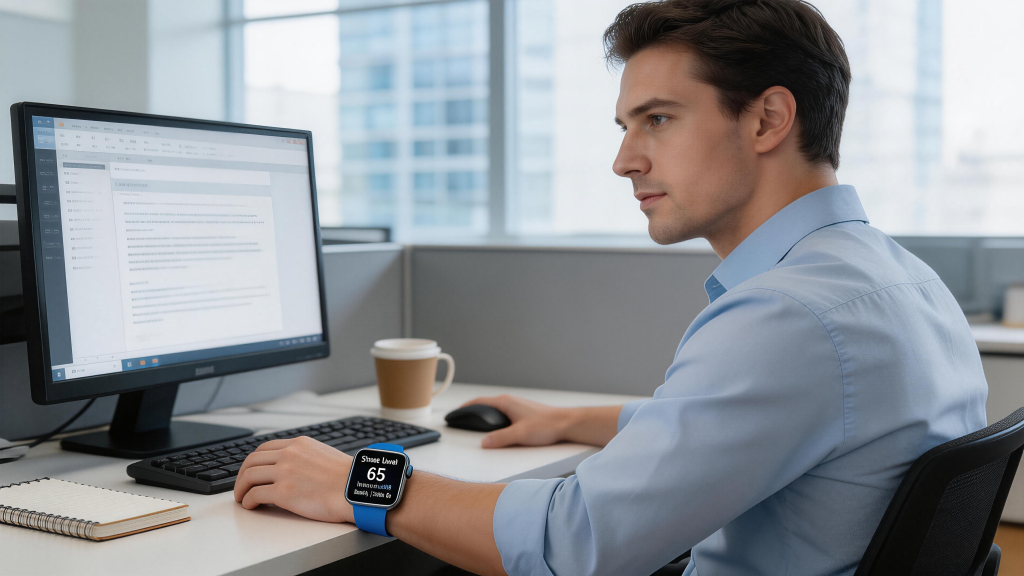
Stress scores based on HRV are another one people take too literally. A high stress reading during a calm afternoon meeting can make you think “I’m way more anxious than I realized.” Sometimes yes, sometimes the algorithm is just seeing a meal digesting, caffeine wearing off, posture change, or random HRV dip. Short-term spikes are normal; it’s sustained high stress or very low HRV over days that actually signals trouble. Don’t let one red bar ruin your mood—watch the trend over a week instead.

Battery and charging myths tie into data trust too. Some people believe charging overnight while wearing gives “more accurate” overnight metrics because the battery stays full. In reality, charging creates tiny heat that can slightly elevate wrist temperature and affect skin blood flow, which messes with heart rate and HRV readings a little. Most modern watches are accurate enough on 40–60% battery anyway. Charge during the day or early evening and wear with a comfortable battery level at night—data won’t suffer noticeably.

Activity auto-detection is handy but often wrong. The watch tags ten minutes of brisk walking as “Outdoor Walk,” but you were actually speed-walking to catch a bus while carrying groceries. Or it calls fifteen minutes of fidgeting in a meeting “light cardio.” These auto-tags feed into daily summaries and monthly reports, so your “active minutes” look better (or worse) than reality. Manually edit wrong detections when you can, or at least know the weekly “exercise minutes” number is more directionally correct than precisely accurate.

The biggest overall misinterpretation? Thinking the watch knows you better than you know yourself. It’s a tool collecting signals—optical, motion, electrical (ECG models), temperature in some cases—but it has zero idea about your mental state, diet details, hydration, hormones, social stress, illness brewing, or how well you actually recovered from yesterday. It’s like having a very enthusiastic intern who measures a few things accurately but misses 90% of the context.

Use the data to spot patterns and form hypotheses (“My sleep scores tank when I eat late—maybe try finishing dinner earlier?”), then test those hypotheses with how you actually feel. The watch is a mirror, not a doctor, not a coach, not a fortune teller. When you stop treating every dip, spike, or score as absolute truth, it becomes way more useful—and a lot less stressful.
From Calculator Watches to Life Savers: The 5 Stages of Smart watch Evolution

A Deep Dive into Five Transformative Market Development Stages


The smart watch has undergone one of the most remarkable transformations in consumer electronics history. What began as a curious experiment for tech enthusiasts has evolved into an indispensable tool for hundreds of millions of people worldwide. As of 2025, over 562 million people wear smartwatches daily, with projections indicating this number will surge to 740 million by 2029 . This explosive growth reflects not merely technological advancement, but a fundamental shift in how humanity interacts with digital technology.

Understanding the market development stages of smartwatches requires examining the intricate interplay between technological innovation, consumer behavior shifts, healthcare integration, and ecosystem evolution. This comprehensive analysis traces the journey from the earliest calculator watches to today’s sophisticated health monitoring platforms, revealing how each stage built upon its predecessor to create the modern smartwatch landscape.


Stage One: The Foundation Era (1970s–2012)

Early Wearable Computing and the Calculator Watch Revolution

The conceptual roots of smartwatches stretch back further than most consumers realize. While the modern smartwatch era officially began with the Pebble in 2013, the foundation was laid decades earlier through pioneering efforts in miniaturized computing.

In 1977, Hewlett-Packard released the HP-01 calculator watch, a device that captured the public imagination and demonstrated that wrist-worn technology could transcend mere timekeeping. This stainless steel timepiece featured a 28-key keypad, allowing users to perform calculations, convert time zones, and even compute arithmetic functions. Though primitive by contemporary standards, the HP-01 established a crucial precedent: the wrist represented prime real estate for personal computing devices .

The following decades witnessed sporadic innovations. Seiko introduced multiple computer watches throughout the 1980s, including models with built-in keyboards and data storage capabilities. Casio dominated the mass market with calculator watches and databank models that stored phone numbers and appointments. However, these devices remained isolated gadgets rather than connected ecosystems. They lacked the crucial element that would eventually define smartwatches: seamless integration with broader digital infrastructure.

The 2002 introduction of Bluetooth headsets marked an important technological milestone, establishing wireless connectivity protocols that would later enable smartwatch functionality . Between 2006 and 2013, major technology companies including Apple, Fitbit, Google, and Samsung began investing heavily in wearable research and development, recognizing that the convergence of miniaturization, wireless connectivity, and smartphone proliferation created perfect conditions for wrist-worn computing devices .

During this foundation stage, the market remained largely experimental. Annual global revenue from wearable technology stayed below $5 billion, with consumer adoption limited to early adopters and technology enthusiasts. The primary value proposition centered on novelty and convenience rather than essential functionality. However, these years proved critical for solving fundamental engineering challenges: battery optimization, display miniaturization, sensor integration, and user interface design for tiny screens.


Stage Two: The Mainstream Emergence (2013–2015)

Pebble, Android Wear, and the Apple Watch Announcement

The smartwatch market transformed dramatically in 2013 when Pebble Technology launched its eponymous smartwatch through Kickstarter. This crowdfunded device, capable of displaying notifications from iOS and Android smartphones, demonstrated genuine consumer demand for wrist-worn connectivity. Pebble’s success—raising over $10 million from 68,000 backers—proved that smartwatches represented a viable product category rather than a niche curiosity .

Pebble’s approach emphasized practicality over flashiness. The device featured an e-paper display offering seven-day battery life, water resistance, and customizable watch faces. Most importantly, it established the notification paradigm that remains central to smartwatch functionality: the wrist as a screening layer for smartphone alerts, reducing the need to constantly pull phones from pockets.

The year 2014 marked the true beginning of the modern smartwatch era. Google launched Android Wear (later renamed Wear OS), providing a standardized platform for manufacturers including Samsung, LG, Motorola, and ASUS to build smartwatches. This platform approach accelerated market development by reducing development costs and creating app ecosystems. Simultaneously, fitness tracker pioneer Fitbit expanded beyond simple step counters with the Fitbit Surge, introducing GPS tracking and heart rate monitoring to mainstream consumers.

However, the defining moment of this stage occurred in September 2014 when Apple announced the Apple Watch. Though the device wouldn’t ship until April 2015, Apple’s entry legitimized the entire category. The announcement generated unprecedented media coverage and consumer awareness, forcing competitors to accelerate their roadmaps and retailers to dedicate shelf space to wearable devices.

Apple’s approach differed significantly from Pebble’s utilitarian philosophy. The Apple Watch positioned itself as a fashion accessory, a fitness companion, and a communication device simultaneously. The company partnered with luxury fashion brands, opened dedicated Watch boutiques within department stores, and emphasized customizable bands and premium materials. This fashion-forward strategy expanded the addressable market beyond tech enthusiasts to style-conscious consumers.

By the end of 2015, global wearable technology revenue had climbed to approximately $15 billion, tripling from the pre-Pebble era. Smartwatch shipments reached 21 million units annually, with Apple capturing over half the market despite late entry. The stage was set for explosive growth.


Stage Three: The Health and Fitness Revolution (2016–2019)

From Notification Screens to Wellness Platforms

The period between 2016 and 2019 witnessed the smartwatch’s evolution from communication accessory to health monitoring platform. This transformation proved crucial for establishing long-term value propositions and driving sustained consumer adoption.

Apple led this transformation with strategic sensor additions. The Apple Watch Series 2 (2016) introduced built-in GPS, enabling accurate workout tracking without iPhone tethering. The Series 3 (2017) added cellular connectivity, allowing complete phone-free operation. However, the pivotal moment arrived with the Series 4 in 2018, which introduced FDA-cleared electrocardiogram (ECG) functionality and fall detection capabilities .

These health features fundamentally altered the smartwatch value equation. No longer merely convenient, the Apple Watch became potentially life-saving. The ECG app could detect atrial fibrillation, a leading cause of stroke. Fall detection could automatically summon emergency services for immobilized users. Apple’s marketing shifted accordingly, emphasizing real-world stories of users whose lives were saved by their watches.

Competitors responded with specialized health features of their own. Samsung introduced blood pressure monitoring (in select markets) and body composition analysis with the Galaxy Watch 4. Garmin leveraged its GPS expertise to create sophisticated training load metrics for serious athletes. Fitbit (acquired by Google in 2019) pioneered sleep stage tracking and female health monitoring, building a massive health database from millions of users.

The fitness tracking segment experienced parallel evolution. Basic step counting gave way to comprehensive activity monitoring including heart rate zones, VO2 max estimation, stress tracking, and menstrual cycle logging. Third-party app ecosystems flourished, with specialized offerings for running (Strava, Nike Run Club), swimming (MySwimPro), yoga (Down Dog), and strength training (Strong).

This health focus drove remarkable market expansion. Global smartwatch shipments grew from 21 million in 2015 to 93 million by 2019, representing a compound annual growth rate of 46%

. The installed base of wearable devices exceeded 400 million units worldwide. Smartwatches penetrated demographics previously resistant to technology adoption, including elderly users attracted by fall detection and health monitoring, and parents purchasing children’s models for location tracking and communication.

Enterprise applications emerged during this stage. Corporate wellness programs distributed fitness trackers to employees, insurance companies offered premium discounts for activity sharing, and healthcare providers began piloting remote patient monitoring programs using consumer smartwatches. The FDA established clearer regulatory frameworks for wearable medical devices, enabling deeper healthcare integration.


Stage Four: The Ecosystem Maturation (2020–2023)

Standalone Capabilities, Market Consolidation, and Global Expansion

The COVID-19 pandemic unexpectedly accelerated smartwatch adoption as consumers prioritized health monitoring and contactless payment solutions. The period from 2020 to 2023 represented the ecosystem maturation stage, characterized by technological refinement, market consolidation, and geographic expansion.

Standalone capability became the defining trend. The introduction of eSIM technology enabled smartwatches to operate independently of smartphones, making calls, streaming music, and accessing data networks autonomously. This development proved particularly significant for fitness enthusiasts, outdoor adventurers, and parents purchasing children’s watches. By 2023, cellular-enabled smartwatches represented over 30% of total shipments .

Apple continued dominating with approximately 25-28% global market share, though competition intensified . Samsung consolidated its position as the primary Android alternative, holding roughly 15% market share through the Galaxy Watch series . The company’s 2021 transition from Tizen OS to Google’s Wear OS unified the non-Apple ecosystem, improving app availability and developer support.

Chinese manufacturers emerged as formidable competitors during this stage. Huawei captured approximately 10% global market share by emphasizing battery life, competitive pricing, and strong domestic market penetration . Xiaomi entered the top five global brands for the first time, leveraging its ecosystem approach and aggressive pricing strategies. Indian brands including Fire-Boltt, boAt, and Noise achieved remarkable growth in price-sensitive emerging markets, with Fire-Boltt capturing 10.1% global market share by early 2024 despite only beginning international exports in 2023 .

The market bifurcated into distinct segments. Premium devices ($300+) emphasized medical-grade health monitoring, premium materials (titanium, sapphire crystal), and advanced fitness metrics. Budget offerings ($50-150) from Amazfit, Xiaomi, and Indian brands provided core functionality—notifications, basic health tracking, and sport modes—at accessible price points. This segmentation expanded the addressable market to include developing economies where average selling prices remained lower.

Health monitoring capabilities advanced substantially. Blood oxygen (SpO2) sensing became standard following COVID-19 respiratory monitoring demand. Sleep apnea detection algorithms received regulatory clearance in select markets. Continuous glucose monitoring integration emerged for diabetic users through third-party sensors. Body temperature tracking enabled fertility planning and illness detection.

Battery life represented the primary technological constraint. Most full-featured smartwatches required daily charging, limiting their utility for sleep tracking and multi-day adventures. Garmin and certain Amazfit models addressed this through efficient operating systems and larger batteries, achieving week-long endurance at the cost of app ecosystem limitations.

By 2023, global smartwatch revenue exceeded $32 billion, with the total installed base surpassing 450 million users . The technology had achieved mainstream acceptance across developed markets, with penetration rates exceeding 35% of smartphone users in North America and Western Europe.


Stage Five: The Intelligence and Integration Era (2024–Present)

AI-Powered Health Insights, Market Correction, and Future Horizons

The current stage of smartwatch market development, beginning in 2024, represents a period of technological sophistication, competitive realignment, and strategic repositioning toward healthcare integration and artificial intelligence.

The year 2024 marked a significant inflection point: for the first time in history, global smartwatch shipments declined by 7% annually . This correction resulted from multiple factors: market saturation in developed regions, extended replacement cycles as hardware improvements plateaued, and economic pressures affecting discretionary spending. Apple experienced its sharpest decline, with shipments falling 19% year-over-year despite the introduction of the redesigned Apple Watch Series 10 .

However, this apparent slowdown masks underlying structural evolution. While hardware sales moderated, usage intensity and health data generation accelerated. Smartwatches became more deeply embedded in healthcare infrastructure, with insurance providers, employers, and medical systems integrating wearable data into wellness programs and clinical workflows.

Artificial intelligence emerged as the primary competitive battleground. Machine learning algorithms now analyze longitudinal health data to provide personalized insights: workout recommendations based on recovery metrics, stress management suggestions from heart rate variability patterns, and early warning systems for illness onset based on resting heart rate and temperature deviations. The integration of generative AI promises conversational health coaching and natural language query interfaces .

Market leadership underwent significant shifts. While Apple maintained the top position with approximately 22% market share in 2024 (down from 25% in 2023), Huawei surged with 35% shipment growth, capturing 17% global share . Xiaomi achieved the most dramatic expansion, with shipments increasing 135% to break into the top five globally for the first time . Samsung recorded modest 3% growth through strategic lineup diversification including the Galaxy Watch Ultra and affordable Watch FE series .

Geographic center of gravity shifted decisively eastward. China overtook North America and India to become the world’s largest smartwatch market in 2024, driven by domestic brands’ strength in children’s watches, elderly care devices, and affordable fitness trackers . This shift reflects broader trends in consumer electronics manufacturing and consumption pattern evolution.

Looking toward 2025-2035, industry analysts project the smartwatch market will reach $91.96 billion by 2035, growing at a 10.05% compound annual rate . Key growth drivers include:

Medical-Grade Monitoring Expansion: Continuous blood pressure monitoring, non-invasive glucose tracking, and advanced cardiac arrhythmia detection will receive regulatory clearances, transforming smartwatches into clinical-grade diagnostic tools.

Pediatric and Elderly Segments: Specialized devices for children (location tracking, communication, activity encouragement) and elderly users (fall detection, medication reminders, emergency response) represent underserved markets with significant growth potential .

Enterprise and Industrial Applications: Beyond consumer wellness, smartwatches penetrate industrial safety (fatigue monitoring for heavy machinery operators), hospitality (discreet communication for staff), and healthcare (nurse communication, patient monitoring).

Sustainability Imperatives: Environmental consciousness drives demand for repairable designs, recycled materials, and extended software support. Regulatory pressures in the European Union accelerate these trends.

5G and eSIM Proliferation: Enhanced standalone connectivity enables richer streaming experiences, cloud-based AI processing, and reduced smartphone dependency.

The competitive landscape will likely consolidate further as development costs rise and health regulatory requirements intensify. Companies lacking the resources for FDA/regulatory clearances, AI development, and healthcare partnerships will struggle to maintain relevance against ecosystem leaders.


The Wrist as the New Personal Computing Frontier

The five stages of smartwatch market development reveal a technology category that has successfully navigated the treacherous path from novelty to necessity. Each stage solved specific challenges: the Foundation Era established technical feasibility; Mainstream Emergence proved commercial viability; the Health Revolution created essential value propositions; Ecosystem Maturation achieved scale and accessibility; and the current Intelligence Era positions smartwatches as personalized health platforms.

What distinguishes smartwatches from preceding wearable categories is their unique positioning at the intersection of technology, fashion, healthcare, and communication. Unlike smartphones, which remain largely uniform in form factor, smartwatches accommodate tremendous personalization through bands, cases, and watch faces. Unlike fitness trackers, they offer comprehensive connectivity and app ecosystems. Unlike medical devices, they maintain consumer-friendly pricing and usability.

As we look toward the remainder of the 2020s, the smartwatch appears poised to become the primary interface for personal health management. With AI-powered insights, medical-grade sensors, and seamless healthcare integration, these devices will likely transition from wellness accessories to essential preventive care tools. The market that began with calculator watches in the 1970s, exploded with Pebble in 2013, and matured through Apple Watch dominance is now entering its most consequential phase yet—one where the device on your wrist might literally save your life.

For consumers, manufacturers, and healthcare providers alike, understanding these developmental stages provides crucial context for navigating the future. The smartwatch revolution is far from complete; in many respects, it has only just begun.

The Hidden Dangers of Wearing Your Smart watch Too Tight

Smart watches promise precise insights—accurate heart rate during workouts, reliable sleep stage detection overnight, steady blood oxygen readings, and consistent step counts. To get those numbers spot-on, the advice is almost always the same: wear it snug. The optical sensors need good, steady skin contact, and a loose fit risks gaps that throw off the data. So people tighten the band a notch or two more than feels natural, especially when chasing perfect graphs or trying to impress a fitness app with flawless metrics.

That extra tightness might deliver cleaner readings in the short term, but over days, weeks, and months, it quietly builds a list of problems that many users don’t connect back to the watch until discomfort becomes impossible to ignore. What starts as a minor ache or faint red line can turn into persistent irritation, circulation issues, nerve sensitivity, and even habits that affect how you use the device long-term. The goal of better health tracking shouldn’t come at the cost of harming the very body it’s monitoring.

The most immediate and visible effect is skin irritation under the band. When you compress the watch tightly against your wrist for hours at a time, sweat, natural skin oils, and dead cells get trapped with nowhere to escape. The constant pressure prevents normal airflow, turning that small patch of skin into a warm, moist environment perfect for bacterial growth or simple mechanical abrasion. Redness appears first—often a clean outline matching the band’s shape—followed by itching that worsens at night when you’re still. Scratch too much and you get small breaks in the skin, opening the door to minor infections that heal slowly because the area stays covered and compressed.

People with sensitive skin notice this fastest. Nickel in some metal clasps or alloys can trigger allergic contact dermatitis even in trace amounts, but tightness accelerates the reaction by forcing more direct, prolonged contact. Silicone and fluoroelastomer bands, while generally hypoallergenic, can still cause irritant dermatitis when moisture and friction combine under pressure. The result looks like a bracelet-shaped rash that lingers for days after you loosen or remove the watch. In more stubborn cases, the skin thickens or develops dry, scaly patches from repeated cycles of compression and recovery.

Beyond the surface, sustained tightness affects blood flow. The wrist is a busy crossroads—radial and ulnar arteries, veins, and a network of smaller vessels feed the hand. A band that’s too snug acts like a partial tourniquet, especially during sleep or long sedentary periods when you’re not moving to promote circulation. You might not feel obvious numbness right away, but subtle signs build: fingers that feel cooler than usual, mild tingling when you first loosen the strap in the morning, or a heavy sensation in the hand after wearing it all day. Over months, some users report “pins and needles” that linger longer each time, or even slight swelling in the fingers toward evening.

Nerve compression is the next layer of concern. The median nerve, ulnar nerve, and superficial radial nerve run close to the surface around the wrist. Constant pressure in the same spot—particularly over the flexor tendons or near the carpal tunnel area—can irritate these nerves. Early symptoms mimic mild carpal tunnel syndrome: tingling in the thumb, index, and middle fingers; occasional sharp zaps when you bend the wrist; or a dull ache that radiates up the forearm. It’s rarely severe enough to need medical intervention from smartwatch wear alone, but when combined with typing, mouse use, or other repetitive wrist motions common in daily life, the cumulative load pushes some people into noticeable discomfort.

Wrist positioning matters too. Many tighten the band most on the dominant hand because that’s where they wear it for workouts and notifications. The repeated pressure on the same side day after day creates uneven stress. Some switch wrists periodically to spread the load, but if the fit stays overly tight, the problem simply migrates. Indentation marks—those temporary grooves that fade after removal—become deeper and slower to disappear with chronic tightness, a visual reminder that skin and underlying tissue are bearing more force than they should.

Sensor accuracy, ironically, can suffer from over-tightening in unexpected ways. While a loose fit causes light leaks and erratic readings, excessive pressure distorts the optical signal. Too much compression flattens capillaries under the sensor, altering how light scatters and reflects back. Heart rate variability (HRV) numbers become artificially low or noisy, sleep stage detection gets confused by restricted blood flow patterns, and even step counting can misfire if arm swing feels restricted. Users chasing “perfect” data sometimes end up with less reliable metrics because the body is reacting to the device instead of behaving naturally.

Battery heat adds another subtle risk. When the watch is pressed tightly, any warmth from charging, intensive GPS use, or heavy background processing has less room to dissipate. The skin under the device absorbs that extra heat directly. Overnight charging while worn tight turns a minor warmth into prolonged exposure, potentially worsening irritation or creating a low-grade hot spot that contributes to discomfort. In hot climates or during summer months, this effect amplifies—sweat production increases, moisture stays trapped, and the cycle of irritation speeds up.

Psychological effects creep in over time too. When tightness causes regular discomfort, people start associating the watch with negative sensations. They hesitate to put it on in the morning, skip wearing it during certain activities to avoid pain, or loosen it progressively until the fit becomes too sloppy for good data. The device that was meant to motivate movement and mindfulness instead becomes a source of mild dread. Some users abandon overnight tracking altogether because the morning indentation lines and residual ache make them question whether the insights are worth it.

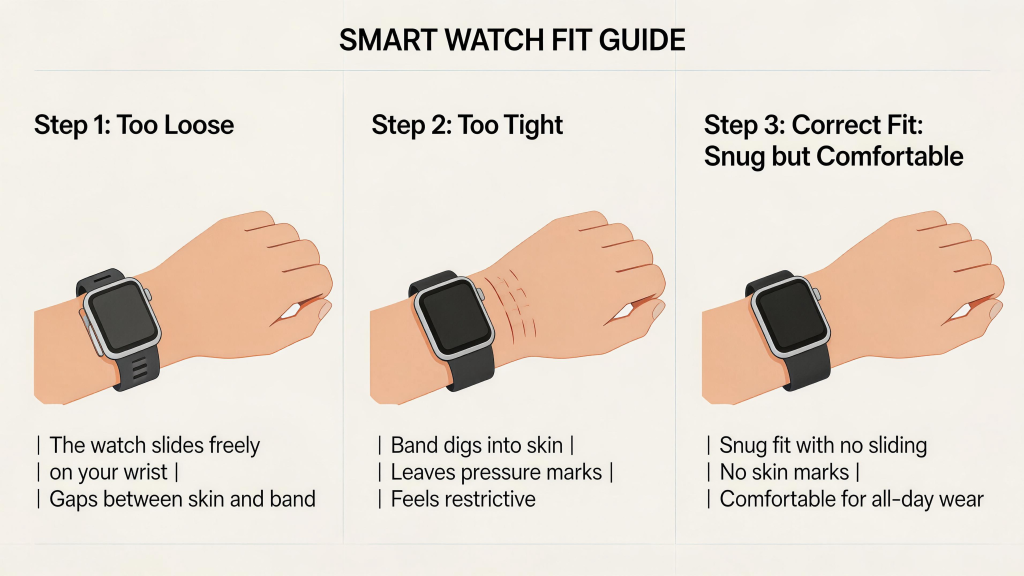
Practical ways to avoid these risks start with rethinking “snug.” The correct fit for most sensors is secure but not compressive—you should be able to slide one finger comfortably underneath the band even after it’s fastened. During exercise or active parts of the day, a slightly tighter feel is acceptable because movement helps distribute pressure and promotes circulation. At rest—especially overnight—loosen it one full notch. Many people keep two settings: “day mode” snug for workouts and notifications, “night mode” noticeably looser for sleep tracking.

Rotate wrists regularly. Even one week on the left followed by one on the right gives skin and underlying tissues recovery time. If you notice persistent marks, redness, or tingling on one side, switch more frequently or take full days off. Clean the band and sensor area daily with a damp cloth to remove oils and sweat that exacerbate irritation under pressure. Weekly gentle soap rinses followed by complete air-drying prevent bacterial buildup.

Choose bands wisely for long-term wear. Mesh, woven nylon, or perforated sport styles allow far better airflow than solid silicone when tightness is unavoidable. Leather breathes naturally but requires maintenance to stay supple. Avoid metal mesh bands if you have known nickel sensitivity—they look professional but can trigger reactions faster under compression. Quick-release designs let you swap to a looser or more breathable option instantly when discomfort starts.

Monitor your body signals proactively. Check the wrist area every few days for early redness, texture changes, or indentation depth. If anything lingers more than a day after removal, loosen further or pause wear for 48 hours. Apply a fragrance-free moisturizer during breaks to support skin barrier recovery. Persistent tingling, numbness, or swelling that doesn’t resolve quickly deserves a doctor’s look—better to rule out unrelated issues early.

If data quality drops noticeably after loosening, remember that small inconsistencies are normal. Weekly averages and trends matter far more than nightly perfection. The watch should enhance awareness of your body, not force it into unnatural states for the sake of prettier charts.

Tight wear is tempting when every app and tutorial pushes “snug for accuracy,” but the body doesn’t thrive under constant compression. A slightly looser fit preserves skin health, circulation, nerve comfort, and long-term enjoyment of the device. The best tracking comes from wearing something you want to keep on—not something you tolerate despite growing irritation.

Listen to the subtle feedback your wrist gives. Adjust before small problems become habits you have to break. A comfortable smartwatch supports better health for years; one that’s too tight quietly works against it.

Mastering Sleep Mode on Your Smart watch

Mastering Sleep Mode on Your Smart watch Practical Tips for Comfortable Overnight Wear and Accurate Tracking

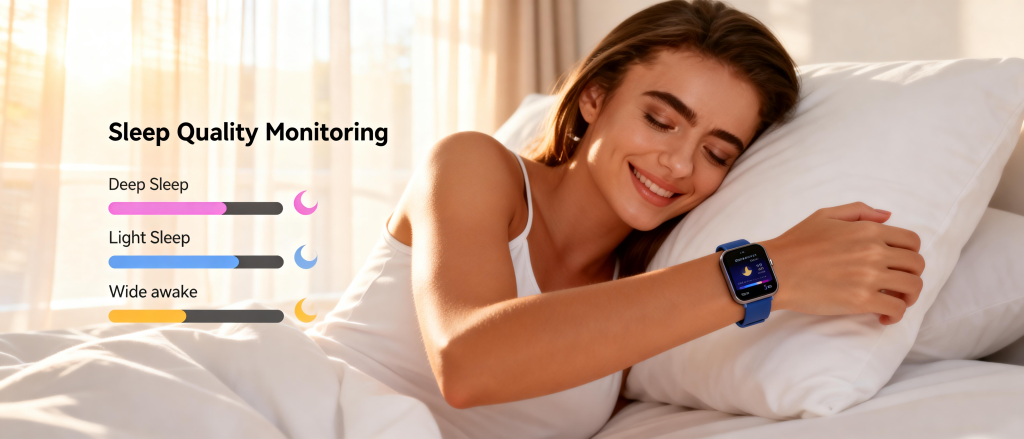
Wearing a smart watch to bed has become second nature for many people chasing better sleep insights. The idea of waking up to a detailed breakdown of your rest—light sleep phases, deep recovery periods, REM cycles, wake-ups, and an overall sleep score—feels like having a personal coach tucked under your pillow. Yet the same device that tracks heart rate variability and breathing patterns can also become the reason you toss and turn. A slight pressure point, random vibrations from late-night notifications, the faint glow of an always-on display, or even subtle warmth from the battery can pull you out of deep sleep before you realize it.

The goal with overnight wear is simple: gather meaningful data without sacrificing the very thing you’re trying to improve—quality rest. When done thoughtfully, sleep mode turns your watch into a quiet, unobtrusive observer rather than an active participant in your night. The following tips come from real-world patterns observed over months of consistent bedtime tracking, conversations with other heavy users, and small experiments that make the difference between waking refreshed versus feeling like you barely slept.

First, activate sleep mode properly every night. Most modern smartwatches offer a dedicated sleep or bedtime mode that automatically kicks in based on your set schedule or detected inactivity. This does more than dim the screen—it typically disables always-on display, silences all non-emergency vibrations and sounds, reduces background sensor polling slightly to save battery, and sometimes even switches to a simpler watch face showing only time in large, red-tinted numbers that are easier on dark-adapted eyes. If your watch doesn’t have a built-in bedtime trigger, manually enable Do Not Disturb or Focus mode and pair it with theater mode (which inverts colors and keeps the screen off until you tap). Setting this routine takes ten seconds but prevents 90% of the common disturbances.

Screen behavior matters enormously during sleep. Even a tiny glow can signal your brain to stay alert, especially if you sleep on your side and the watch faces upward. Turn off always-on display completely in sleep mode settings if possible. On models that allow it, lower brightness to the minimum or enable night shift / red tint full-time at bedtime. Some users go further and schedule the watch to enter low-power mode or a basic analog face from 10 PM to 7 AM. The less light leakage, the less subconscious arousal.

Vibrations and haptics are frequent culprits for fragmented sleep. A single wrist buzz from a late text, calendar reminder, or even a low-battery warning can jolt you awake or push you into lighter sleep stages. Before bed, double-check that notifications are fully silenced. Many watches let you create a custom “sleep” focus profile where only calls from favorites or repeated calls (emergency bypass) get through. Disable wrist raise to wake, auto-brightness adjustments, and any gesture controls that might trigger the screen. If your watch has a physical button or crown that lights up the display when pressed, consider covering it with a small piece of dark tape during the night for extra insurance.

Fit and positioning play a bigger role than most people expect. A band that’s comfortable during the day can create pressure points when you lie still for hours. Loosen the strap one or two notches before bed—enough to maintain good sensor contact but loose enough that blood flow isn’t restricted and skin can breathe. The watch should sit flat against the top of your wrist, not twisted or digging into the side. Many find rotating the device slightly so the crown faces outward (away from the body) reduces accidental presses against the mattress. If you sleep on your stomach or side with that wrist tucked under your pillow, experiment with switching to the opposite wrist a few nights a week. Alternating sides prevents chronic pressure marks and gives skin a break.

Band material directly affects overnight comfort. Silicone and fluoroelastomer bands are popular because they handle sweat well, but they can trap heat and moisture against the skin during long hours of immobility. Breathable alternatives often feel noticeably cooler at night. Woven nylon, perforated sport bands, or soft fabric options allow more airflow and wick away perspiration. Leather bands breathe naturally but may absorb oils and need occasional cleaning to stay fresh. If you notice redness or indentation lines in the morning, switch to a more open-weave band for a week and see if sleep scores improve along with comfort. Quick-release pins make swapping bands effortless, so keep two or three options handy for day versus night.

Temperature regulation deserves attention. Modern watches run cooler than older models, but the combination of body heat, blankets, and a metal case can still create a warm spot on your wrist. If you run hot at night or live in a humid climate, choose bands with ventilation holes or mesh sections. Some people remove the watch entirely for the first hour or two of sleep, letting the body cool down naturally, then put it back on once settled—this captures most of the important sleep stages while avoiding initial restlessness. Others charge the watch during evening wind-down time so it starts the night at 100% and doesn’t generate extra warmth from charging circuits.

Sensor contact needs to stay consistent for accurate tracking, but chasing perfect readings by cranking the band tighter often backfires. Overly snug wear can compress blood vessels slightly, leading to erratic heart rate variability data and even minor discomfort that fragments sleep. Aim for the Goldilocks zone: secure enough that the optical heart rate sensor doesn’t lose contact during movement, but loose enough to slide a finger underneath comfortably. Clean the sensor area gently with a damp cloth before bed to remove lotion, sweat, or dirt that could interfere with readings. A quick wipe takes seconds and often improves accuracy more than tightening the strap.

Battery strategy ties directly into peaceful nights. A low-battery warning vibration at 3 a.m. is one of the most frustrating interruptions. Charge to at least 60–70% before bed, ideally during your evening routine so the device isn’t actively pulling power while on your wrist. Many models now offer optimized overnight charging that slows down once the battery hits a certain level, reducing heat. If your watch supports scheduled charging or power-saving sleep modes, enable them. Waking up to 30–40% remaining after a full night of tracking is ideal—it means the device conserved energy without compromising data collection.

Handling movement and position changes. Smartwatches detect sleep stages partly through accelerometer data, so excessive tossing can confuse the algorithm and lower your score artificially. That said, natural movement is normal. If you know you shift positions frequently, wear the watch on your non-dominant wrist to minimize accidental activation of buttons or the screen. Some users place a small soft cloth or sock over the watch face to muffle any accidental taps against the headboard or partner. Others simply accept that scores vary night to night and focus on weekly trends rather than obsessing over a single bad reading caused by a restless evening.

Mental habits around the device influence sleep quality too. Checking your sleep score the moment you wake up can create performance anxiety that affects the next night. Try delaying the review until after breakfast or midday—let the data be informative rather than judgmental. If tracking starts to feel like pressure, take deliberate nights off once or twice a week. Removing the watch occasionally reminds your body what completely unassisted sleep feels like and often leads to surprisingly high-quality rest that recalibrates expectations.

Cleaning becomes more important with overnight use. Oils from skin, night creams, and accumulated sweat build up faster when worn continuously. A quick rinse of the band with mild soap and water every few days, followed by air drying, keeps bacteria and odors at bay. For metal cases, a soft microfiber cloth prevents scratches while removing residue. Clean skin contact area prevents irritation and maintains sensor performance. A small bedside routine—wipe watch, wipe wrist, apply light moisturizer if needed—takes under a minute and prevents most long-term skin issues.

If despite all adjustments you still wake feeling unrested, consider whether the watch itself is the variable. Run a simple experiment: go three to five nights without wearing it and compare subjective energy levels and any wearable-free sleep journal notes against tracked nights. Sometimes the awareness of being monitored subtly increases arousal. If scores drop noticeably without the watch, it may indicate the device is helping catch issues like frequent wake-ups or low deep sleep that you weren’t noticing before.

Noise and partner considerations. A completely silent watch is essential if you share a bed. Test haptics during the day to confirm they’re truly muted in sleep mode. If vibrations still feel too strong, look for models with adjustable haptic intensity or disable them entirely overnight. For light sleepers, even the quietest buzz can be disruptive—some opt for sleep tracking via phone apps placed on the nightstand as a backup on particularly sensitive nights.

Long-term patterns emerge when you stick with consistent overnight wear. Monthly averages often reveal more than daily fluctuations: seasonal changes in sleep quality, effects of caffeine cut-off times, benefits of evening wind-down routines, or how alcohol consistently shortens REM. Use the watch as a gentle feedback tool rather than a strict judge. Small tweaks based on data—earlier lights-out, cooler bedroom, no screens an hour before bed—compound into noticeably better rest over weeks.

Comfortable overnight wear comes down to preparation and small habits. Set sleep mode early, loosen the band, silence everything, choose breathable materials, charge ahead of time, clean regularly, and give yourself permission to skip nights when needed. When these pieces align, the smartwatch stops being a potential sleep thief and becomes one of the most useful tools for understanding and improving your nights.

Rest better, wake sharper, and let the data guide you without letting it control you. A quiet wrist at night is often the key to clearer insights by morning.

The Global Smart watch Market: Key Trends, Brands, and Growth Drivers

Smart watches have moved far beyond being a simple phone companion on your wrist. They now track sleep stages, monitor heart rhythms, estimate stress levels, guide workouts, handle contactless payments, and even serve as subtle fashion pieces. What began as a novelty has grown into one of the fastest-expanding categories in consumer electronics. Today the worldwide smartwatch market is a multi-billion-dollar industry, with hundreds of millions of people wearing one daily.

Market Size and Growth Momentum

The global smartwatch market passed the $50 billion mark in retail value a couple of years ago and continues to expand steadily. Most analyst firms place current annual revenue in the $60–75 billion range, with unit shipments running between 180 million and 220 million pieces per year. Year-over-year growth typically sits between 10% and 18%, depending on the quarter and the source.

Several factors keep the momentum alive even after years of strong expansion:

  • Health and wellness features are now expected in almost every model. Continuous heart-rate monitoring, sleep-stage estimation, blood-oxygen readings, stress tracking through heart-rate variability, and basic ECG capabilities appear in mid-range devices and above.
  • Older populations in high-income countries are adopting wearables for safety features such as fall detection, irregular heart-rhythm alerts, and medication reminders.
  • Price points in emerging markets have dropped sharply. Reliable models under $100 from local brands and large Chinese manufacturers are selling in huge volumes.
  • Post-pandemic awareness of personal health metrics has not faded; wearing a device that quietly watches vital signs around the clock has become normal behavior for many.

Longer-term forecasts project the market to reach $100–150 billion within the next five to seven years. The higher end of that range assumes continued breakthroughs in non-invasive glucose monitoring, cuffless blood pressure, and more advanced AI-driven coaching. The lower end assumes saturation in wealthy regions and slower uptake in lower-income areas.

Regional Patterns: Where Volume and Value Concentrate

North America remains the highest-revenue region per unit sold. Average selling prices frequently fall between $300 and $450, driven by premium models and strong ecosystem loyalty. Apple usually captures 55–65% of the value share here, followed by Samsung and Garmin.

Western Europe follows a similar pattern—premium focus with slightly lower average prices. Garmin and Fitbit hold larger shares among people who prioritize outdoor activities and detailed fitness logging.

China leads the world in sheer unit volume, often accounting for 35–45% of global shipments. Intense competition among Huawei, Xiaomi, OPPO, and numerous smaller brands keeps prices aggressive and features packed even in entry-level models. Apple maintains a strong premium position but holds a smaller slice of total units.

India currently shows the fastest percentage growth among large markets. Annual shipments have been rising 40–60% in recent years, fueled by aggressive pricing from domestic brands such as Noise, Fire-Boltt, and boAt in the sub-$100 segment. Apple and Samsung compete fiercely at the higher end.

Southeast Asia (Indonesia, Vietnam, Thailand, Philippines) is following a similar trajectory—rapid volume gains concentrated in affordable models.

Latin America and Africa remain earlier in the adoption curve but are accelerating, largely thanks to low-cost Chinese brands that offer basic smart features at prices accessible to the emerging middle class.

Leading Brands and Market Positions

Apple continues to dominate revenue share (typically 45–55% of global value) even though its unit share hovers around 20–25%. High average selling prices and deep integration with iPhones create strong loyalty in premium segments.

Samsung usually sits in second place for both value and volume in Android-dominated regions. It performs especially well in South Korea and other parts of Asia.

Huawei has regained substantial ground in China and selected international markets after earlier supply-chain challenges. Mid-to-high-end models compete strongly on battery life, health sensors, and pricing.

Xiaomi and its sub-brands (Redmi, Poco) are volume leaders in many emerging markets. They frequently rank first or second in unit shipments in India, Southeast Asia, and parts of Europe thanks to aggressive pricing and feature-rich entry-level devices.

Garmin maintains a focused but highly profitable position. It leads among serious runners, cyclists, triathletes, golfers, and outdoor enthusiasts who value long battery life, advanced training metrics, and rugged construction over general smart features.

Fitbit (owned by Google) has stabilized after the acquisition. It retains strength in North America and Europe among casual users focused on step counting, basic fitness, and sleep insights.

Other fast-growing names include Amazfit (Huami), Noise, boAt, Realme, OnePlus, Nothing (CMF sub-brand), and Coros (popular with ultra-endurance athletes).

Major Technology and Design Trends

Health-sensing capabilities keep expanding Temperature sensing has become standard in mid-range and premium models, enabling better cycle tracking, ovulation prediction, and early illness alerts. Non-invasive blood glucose remains the most anticipated future feature, though consumer-ready accuracy and regulatory clearance are still several years away.

AI-driven coaching and personalization On-device processing allows more context-aware suggestions (“Your recovery is strong—try intervals today” instead of generic prompts). Some brands are experimenting with natural-language voice queries for quick insights.

Battery life returns as a priority After years of prioritizing brighter displays and additional sensors, consumers are demanding longer runtime. Mid-range models increasingly offer 5–10 days of use, while premium lines push toward multi-day performance through aggressive power management.

Fashion-forward materials and designs Titanium cases, sapphire crystals, ceramic finishes, leather-hybrid straps, Milanese loops, and designer collaborations are expanding rapidly. In many markets, especially Asia, watches are now as much jewelry as technology.

Specialized segments gain traction Children’s models with GPS tracking, SOS buttons, school-time restrictions, and parent controls are growing quickly in China, India, and parts of Europe. Senior-focused devices emphasize fall detection, medication reminders, irregular-rhythm alerts, and simplified interfaces.

Subscription experiments emerge A few brands are testing premium features behind paywalls (advanced running analytics, guided breathing sessions, detailed sleep coaching). User resistance remains high, so widespread adoption is slow—but the model is being tested.

Challenges Facing the Industry

Saturation in mature markets Growth in North America, Western Europe, Japan, and South Korea has slowed to mid-single digits. Replacement cycles are lengthening as many owners find current models still meet their needs.

Privacy and data-security concerns More sensors collect more personal information. Continuous temperature, HRV, blood oxygen, and location tracking raise legitimate questions. Brands are improving on-device processing and opt-in controls, but trust issues persist.

Competition from smart rings and alternative wearables Oura, Ultrahuman, RingConn, and similar devices are gaining attention among users who dislike wrist wear. They excel at sleep and recovery metrics but lack notifications, apps, music, and payments. For now they complement watches rather than replace them, but the rivalry is growing.

Regulatory and technical hurdles Non-invasive glucose, reliable cuffless blood pressure, and advanced ECG approvals move slowly. Overstating capabilities risks classification as a medical device, which brings heavy oversight.

Looking Ahead

The smartwatch market is maturing rather than exploding. Growth is shifting from “does it work at all?” to “does it work better for my exact routine?” Brands that solve real user pain points—battery anxiety, skin comfort, actionable insights instead of raw data dumps—will continue gaining share. Those chasing specification wars without addressing daily frustrations will lose ground.

For the majority of people today a solid mid-range model or a one-generation-old flagship delivers nearly everything the newest device offers—at half the cost. The category has reached the stage where “good enough” is genuinely good enough for most users. The biggest winners are those who choose the device that matches their actual daily needs and ignore hype around features they will rarely touch.

The wrist remains one of the most convenient places for technology to live. It is only getting smarter—quietly, affordably, and one practical improvement at a time.

Smart watch FAQ: Answers to the Questions Everyone Actually Asks

Smart watches promise so much—better sleep, more movement, less stress, clearer health insights—but within the first few weeks most owners run into the same set of questions and frustrations. Why does the sleep score not match how I feel? Is this battery dying already? Should I wear it tighter for “accuracy”? Can I really swim with it? Why do two identical workouts show different numbers?

1. How accurate is the sleep tracking / sleep score?

Not as accurate as a hospital sleep study (which uses brain-wave sensors), but good enough for everyday patterns.

What it does well:

  • Total time in bed vs time asleep.
  • Rough estimate of wake-ups.
  • Overall trends when you keep a consistent schedule (earlier bedtime usually = higher average score).

What it struggles with:

  • Precise “deep” vs “light” vs “REM” labeling (no brain-wave detection).
  • Brief awakenings that feel big to you but get marked as “light sleep”.
  • Stress, alcohol, late heavy meals, or anxiety that fragments sleep without obvious motion.

Most common mismatch: you feel terrible after an “excellent” score, or great after a “poor” one. That happens because the watch misses mental/emotional load, digestion, hormones, or tiny interruptions it can’t sense.

What experienced users do:

  • Focus on consistency (bedtime and wake time within ±30 minutes) and total hours (aim for your personal 7–8 h sweet spot).
  • Look at weekly/monthly averages to spot real levers (alcohol reliably cuts deep sleep %, late caffeine delays fall-asleep time).
  • When score and how you feel disagree → trust how you feel. The score is a rough diary entry, not a medical verdict.

2. How tight should the band be? People keep saying “snug” but my wrist gets sore.

“Snug” is the most misunderstood word in every setup guide.

Correct fit that gives reliable data without pain:

  • After fastening, you should still comfortably slide one finger underneath the band.
  • No visible indentation or red mark after taking it off for 10+ minutes.
  • No tingling, numbness, cool fingers, throbbing, or ache by the end of the day.
  • Slightly looser at night (one extra notch) — better blood flow usually gives cleaner overnight heart-rate variability (HRV) and recovery readings.

Why too tight is bad:

  • Traps sweat + dead skin → redness, itchiness, dry patches, or small pimples under the band.
  • Compresses capillaries under the sensor → heart-rate readings can become erratic or HRV artificially lowered.
  • Long-term pressure → mild nerve irritation (pins-and-needles, forearm ache).

Most people start too tight chasing “perfect” heart-rate graphs. Loosen it. In almost every case the data becomes more stable, not less.

3. Why is my battery life so much worse than what the box promised?

Official “up to XX hours” numbers are measured in unrealistic lab conditions: minimal notifications, no always-on display, heart rate sampled every 10 minutes, low brightness, no GPS, no LTE. Real life is brutal on battery.

Biggest everyday drains:

  • Always-on display (cuts runtime by 30–50% on most models).
  • Frequent notifications + wrist raise to wake.
  • Continuous 24/7 heart rate + occasional blood oxygen scans.
  • GPS workouts (each hour of continuous GPS can eat 10–20%).
  • Hot weather (battery chemistry hates sustained heat).
  • Lots of complications/widgets refreshing in the background.
  • Battery health already below 90% (normal wear after 18–24 months).

Quick wins that add hours without losing much:

  • Turn off always-on during sleep or long focus blocks.
  • Lower wrist-raise sensitivity or disable it overnight.
  • Switch heart rate to “every 10 minutes” when not training.
  • Use low-power / theater mode on low-battery days or flights.
  • Charge to 80–90% most days instead of 100% (less heat stress).

If you’ve done all that and it still dies before bedtime on a normal day, battery health has dropped too far — time to think about replacement or optimized charging habits.

4. Can I really swim, shower, or sauna with it?

Almost every smartwatch sold in the last few years is rated 50 meters water resistant. That means it survives swimming, showering, rain, and accidental splashes.

Safe in practice:

  • Daily shower (hot or cold).
  • Pool swimming or ocean dips (fresh water preferred for longevity).
  • Heavy sweat during workouts.
  • Light rain.

Avoid or be careful:

  • Sauna / steam room (extreme heat + steam degrades seals over time).
  • High-pressure water jets (power shower heads, car washes).
  • Scuba diving or snorkeling beyond shallow depths (50 m is static pressure, not dynamic diving rating).
  • Saltwater without immediate fresh-water rinse (salt corrodes ports and seals).

Best habit:

  • Rinse with fresh water after any salt, chlorine, or heavy sweat.
  • Dry the band and case before charging.
  • If the silicone band starts to smell, deep clean or replace it.
  • Never charge while wet (corrosion risk in the port).

5. Why do two identical workouts show different calorie burn, heart-rate zones, or pace on different watches (or even the same watch on different days)?

Optical heart-rate sensors and motion algorithms are good but far from perfect. Differences come from:

  • Wrist placement and tightness (looser fit = more light leakage = jumpier heart rate).
  • Skin tone, tattoos, arm hair, cold hands (darker skin / ink / hair block light, cold reduces blood flow).
  • Motion style (bouncy running vs smooth cycling confuses the accelerometer).
  • Different brand algorithms (Apple weights zones one way, Garmin another, Samsung another).
  • Daily variables (morning vs evening body temperature, hydration, caffeine, fatigue state).

Even on the same watch:

  • Tired legs = higher heart rate at the same pace/power.
  • Hot vs cool weather = different sweat and blood-flow patterns.
  • Fueling (carbs vs fasted) changes how hard the heart works.

Bottom line: treat calorie estimates, zone times, and even pace as directional trends, not lab-grade precision. Month-to-month averages on the same device tell you more than day-to-day or cross-brand comparisons.

6. Should I charge to 100% every time? Is overnight charging on the wrist bad?

Lithium-ion batteries prefer partial charges. Keeping the battery at 100% for long periods (especially while warm from the body) speeds up capacity loss.

Better daily habits:

  • Charge to 80–90% most days (many watches show exact % — stop manually or enable “optimized/ adaptive charging”).
  • Avoid repeated full discharges below 20%.
  • Overnight charging while worn adds constant low heat to your skin → slightly faster skin irritation + noisier overnight heart-rate and HRV data.
  • Charge during your evening routine (shower, dinner, reading) so you go to bed at 40–80%.

If your watch has built-in optimized charging (Apple, Samsung, Google), turn it on — it learns your wake-up time and holds at 80% until shortly before you get up.

7. Why does heart rate look wrong or jumpy during some workouts?

Optical sensors have known blind spots:

  • High-intensity intervals or sprints (heavy arm motion causes artifacts → spikes or dropouts).
  • Cold hands or poor circulation (reads too low).
  • Tattoos directly over the sensor (blocks light → erratic).
  • Unusual arm swing (very stiff arms or cross-body pumping confuses the sensor).

Quick workarounds:

  • Tighten the band slightly during intense sessions (still comfortable — no pain).
  • Switch to the opposite wrist for problem workouts.
  • Pair a chest-strap heart-rate monitor via Bluetooth for races or key sessions (far more accurate).
  • Clean the sensor area right before starting (sweat + lotion residue interferes).

For casual or moderate training the wrist sensor is good enough. For serious athletes chasing precise training zones, a chest strap is still more trustworthy.

8. Is it safe to wear 24/7? Any real long-term skin or health risks?

For the vast majority of users — yes, safe. But not zero risk.

Most common issues:

  • Irritant contact dermatitis (red, itchy band-shaped rash from trapped sweat, bacteria, lotion residue).
  • Rare nickel allergy from some metal buckles or sensors.
  • Pressure marks, folliculitis, or small pimples from constant tight wear.

How to prevent almost all of them:

  • Take the watch off every night for at least 30–60 minutes (shower + let skin breathe).
  • One full untracked day per week (no rings, no scores, just normal life).
  • Rotate between left and right wrist every few days/weeks.
  • Daily quick wipe of band and sensor (damp cloth); weekly mild soap + air dry.
  • If redness appears → switch to more breathable band (nylon, perforated silicone) and pause wear 1–2 days.

Radiation / EMF concerns:

  • Uses Bluetooth Low Energy + occasional Wi-Fi / LTE — very low non-ionizing RF power.
  • Exposure far lower than holding a phone to your head.
  • No credible evidence of harm from normal wear (safety limits are set very conservatively).
  • If worried → turn on airplane mode at night (still tracks offline steps, heart rate, sleep).

Listen to your skin. Persistent redness, itching, or marks = pause, clean, loosen, change band.

9. How long should a good smartwatch realistically last before I need to replace it?

Real-world timeline before most owners replace:

  • Battery still usable for full days: 2.5–4 years (health drops to 80–85%).
  • Meaningful software updates: 3–5 years (major new health features often stop after ~4 years).
  • Physical condition still acceptable: 3–5 years before scratches, button wear, or port issues become annoying.
  • Life goals change: the most common real reason people upgrade.

With good care (no overnight charging on wrist, regular cleaning, screen protector, partial charges) many Series 7/8 owners in 2025 still get 30+ hours daily and receive current software.

10. New or second-hand — which is better value?

New if:

  • You want the absolute latest sensors (temperature, advanced apnea detection, improved readiness algorithms).
  • You hate any sign of previous use (micro-scratches, faint marks).
  • You plan to keep the watch 4+ years.

Second-hand if:

  • You want flagship-level experience for mid-range money (Series 8/9, Watch 6, Pixel Watch 2 often 50% off retail).
  • Battery health ≥85% and seller is transparent.
  • You’re comfortable with 1–2 fewer years of future updates.

Quick second-hand buying checklist:

  • Meet in person or use protected payment (PayPal Goods & Services, platform escrow).
  • Demand battery health screenshot before paying.
  • Test GPS lock, heart rate, charging, buttons on the spot.
  • Ask for original box, charger, and any spare bands.
  • Walk away if seller refuses video call or in-person inspection.

One-Line Quick Reference – the most repeated questions

  • “Battery dying already?” → Below 85% health and can’t last your normal day → replacement time approaching.
  • “Sleep score low but I feel great?” → Trust how you feel.
  • “Can I shower / swim?” → Yes (rinse after salt/chlorine).
  • “Overnight charging on wrist OK?” → Better to charge during evening routine.
  • “Safe for years of 24/7 wear?” → Mostly yes — give skin nightly breaks.
  • “How tight?” → One finger underneath, no marks, no tingling.
  • “New or used?” → Used saves 40–60% if battery ≥85% and seller transparent.

A smart watch is a tool — not a doctor, not a coach, not a judge. When you stop treating every dip and spike as absolute truth and start treating it like a quiet assistant that reminds you to move, breathe, drink water, and go to bed on time, most of the frustration disappears. It’s there to show patterns and nudge you gently. The rest — the real decisions — are still yours.

That’s the FAQ no official manual ever tells you.

Smart watch Long-Term Wear: Smart Habits to Protect Your Skin, Health, and Comfort

Many people now treat their smart watch as an extension of themselves—wearing it from morning workouts through office hours, evening runs, and even overnight for sleep tracking. The constant data on steps, heart rate, notifications, and recovery feels invaluable in a busy life. But keeping a device strapped to your wrist around the clock brings subtle challenges that build over months or years. Skin reactions, discomfort from pressure, concerns about emissions, and even battery-related habits can turn a helpful tool into a source of irritation if not managed thoughtfully.

The most common issue people encounter after extended wear is skin irritation under the band. Sweat, body oils, and trapped moisture create a perfect environment for redness, itching, or rashes. Friction from movement adds to the problem, especially during exercise or when the fit is too snug. Dermatologists often describe this as irritant contact dermatitis—nothing life-threatening, but uncomfortable enough to make you question daily wear. In some cases, it stems from sensitivity to materials like nickel in metal parts, adhesives in bands, or even certain silicone compounds. Prolonged contact amplifies the effect; what starts as mild pinkness can progress to dry patches, small bumps, or persistent soreness if ignored.

Battery charging routines also play a role in long-term comfort. Many users plug in the watch overnight while still on the wrist, exposing skin to slight warmth and potential residue from charging cables or docks. Heat buildup, even minor, can worsen moisture trapping and irritation during sleep when skin naturally repairs itself. Over time, consistent overnight charging might contribute to subtle pressure marks or disrupted rest if the device vibrates with notifications.

Emissions from wireless features spark ongoing discussion. Smartwatches use Bluetooth Low Energy, occasional Wi-Fi, and sometimes cellular signals to sync data and deliver alerts. These produce non-ionizing radiofrequency (RF) fields at very low power—far below levels from holding a phone to your ear. Regulatory bodies like the FCC and international standards set strict exposure limits, and most devices undergo testing to stay well under those thresholds. Cumulative exposure over years remains a topic of research, with some experts noting that constant proximity to the body differs from occasional phone use. While no conclusive evidence links typical smartwatch wear to serious health effects, precautionary steps appeal to those who prefer minimizing any potential long-term influence.

Chemical concerns in bands have surfaced in recent studies too. Certain fluoroelastomer or silicone materials may contain trace PFAS compounds, which some research suggests could absorb through skin over extended periods, particularly with sweat and friction aiding transfer. These “forever chemicals” appear in various consumer products, and while direct risks from watch bands need more data, switching to alternative materials offers peace of mind.

Comfort and fit evolve as you wear the device longer. A band that feels perfect on day one might cause chafing after weeks if not adjusted for swelling during heat, exercise, or even salt intake. Pressure on the same wrist spot day after day can lead to indentation marks or mild numbness in rare cases. Alternating wrists periodically helps distribute load and gives skin recovery time.

Sensor accuracy depends on consistent skin contact, but forcing tight wear to achieve that can backfire. Overly snug bands restrict circulation slightly, potentially affecting heart rate readings and increasing discomfort. Finding the sweet spot—secure enough for reliable data but loose enough for airflow—takes trial and adjustment over time.

Hygiene routines become essential when wearing 24/7. Dirt, lotion residue, sunscreen, or perfume trapped under the band accelerate buildup. Without regular cleaning, this layer irritates sensitive skin and dulls sensor performance. Simple daily care prevents most issues before they start.

Practical steps make long-term wear sustainable and enjoyable. Start with proper fit: wear the watch just above the wrist bone, snug but not tight— you should fit one finger underneath comfortably. Rotate between left and right wrists every few days or weeks to prevent overuse on one area. During sleep or inactive periods, consider loosening the band slightly or removing it entirely if tracking allows. Many find better rest without constant subtle vibrations or screen glow.

Cleaning forms the backbone of prevention. Wipe the band and sensor area daily with a soft, damp cloth—no harsh soaps, alcohol wipes, or disinfectants that leave residue. For silicone or fluoroelastomer bands, mild soap and water work well once a week, followed by thorough drying. Metal or leather bands need gentler care to avoid damage. Always dry your wrist completely before putting the watch back on, especially after showers or workouts. This simple loop keeps skin happy and data accurate.

Band choice matters hugely for extended use. Silicone dominates for sweat resistance and flexibility, but if irritation appears, try nylon mesh, woven fabric, or leather alternatives. These breathe better and reduce moisture trapping. Avoid nickel-heavy metals if you have known sensitivities—opt for stainless steel or titanium options labeled hypoallergenic. Replace bands every six to twelve months as wear creates microscopic cracks that harbor bacteria and irritants.

For those worried about wireless exposure, practical adjustments lower it without sacrificing core functions. Enable airplane mode during sleep or long focus periods—it preserves offline tracking like steps and heart rate while halting transmissions. Sync data manually a few times a day instead of constant Bluetooth. Charge away from the body, ideally during showers or meals, to avoid overnight warmth on skin. These habits cut cumulative emissions significantly for cautious users.

Monitor your skin proactively. Check the wrist area weekly for early signs—slight redness, dryness, or texture changes. If anything appears, remove the watch for a few days to let skin breathe and heal. Apply a gentle, fragrance-free moisturizer to the area during breaks. Persistent issues warrant a dermatologist visit; they can test for allergies to specific materials and suggest alternatives.

Battery health ties into longevity too. Avoid letting the device drain to zero repeatedly, as it stresses the cell over years. Charge to 80-90% when possible, and store at moderate temperatures. A healthy battery lasts longer between charges, reducing overnight wear scenarios.

Sleep tracking offers great insights but isn’t mandatory every night. Many users alternate—wearing for key recovery periods but taking nights off to avoid pressure and allow natural rest without tech interference. If overnight wear causes restlessness from alerts or light, silence notifications and dim the screen fully.

For active lifestyles, sweat management prevents most problems. Rinse the wrist and band after intense sessions, pat dry, and let air circulate before re-wearing. During high-heat days or salty workouts, extra breaks help.

Mental comfort counts. If constant wear creates subtle anxiety about emissions or skin health, scheduled “watch-free” hours build confidence. Use that time for unplugged activities—reading, walking without pings, or simply letting your wrist rest.

Manufacturers continue refining designs—better breathable bands, improved sensor placement, and lower-power radios. Future models may incorporate more skin-friendly materials and smarter alerts for fit or hygiene. For now, mindful habits bridge the gap.

Long-term smartwatch use rewards those who treat it like any worn item: with regular care, rotation, and listening to your body. Small adjustments—cleaning daily, alternating wrists, loosening at night, choosing breathable bands—keep irritation at bay and let you enjoy the benefits without drawbacks. The goal remains simple: a device that supports health and productivity, not one that quietly undermines it over time.

Listen to subtle signals from your skin and energy levels. Adjust proactively, and years of reliable wear become the norm rather than the exception.

Smart watches Every Student Should Consider: Stay Connected, Healthy, and Focused on Campus Life

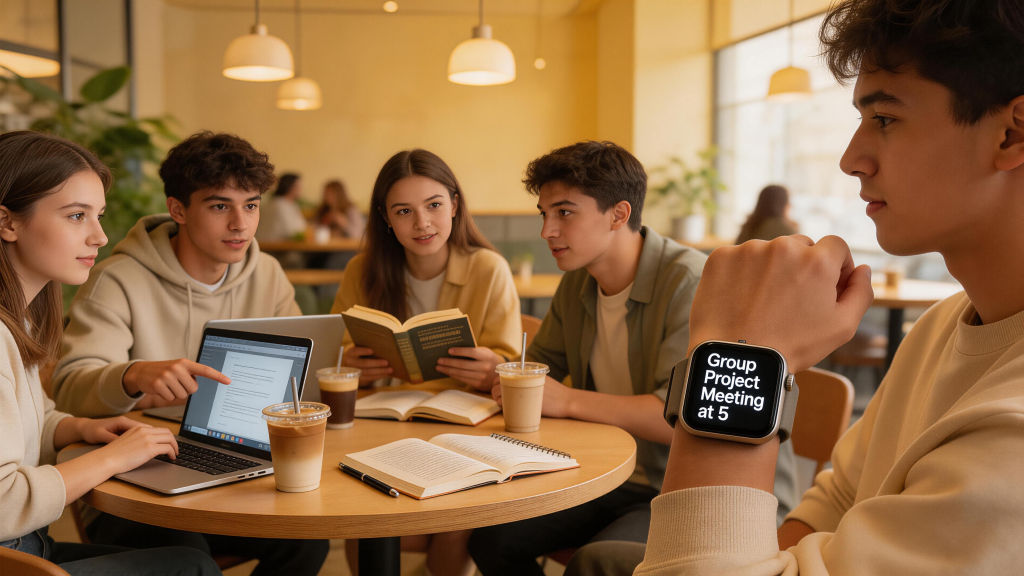
Campus days fly by in a blur of lectures, late-night cramming, group chats blowing up with last-minute changes, and that constant push to squeeze in a workout or just walk enough steps to feel human. Amid the chaos, pulling out your phone every few minutes for a quick check disrupts flow—whether you’re in a quiet library corner or rushing between buildings. A smart watch changes that dynamic entirely. It puts essential alerts right on your wrist: upcoming class reminders, texts from study partners, or a heads-up about a deadline extension. You glance, decide if it needs attention, and get back to notes or reading without losing momentum.

Beyond notifications, these devices track habits that directly affect performance. Long hours hunched over textbooks lead to stiff backs and foggy brains; built-in activity prompts encourage standing, stretching, or a quick walk. Sleep data reveals patterns—maybe those all-nighters are costing more in focus than they’re gaining in hours studied. Heart rate spikes during stressful presentations or exam weeks get flagged, sometimes with simple breathing exercises to calm things down. For many students, this quiet monitoring turns into better routines: earlier bedtimes before big tests, more movement between classes, and a clearer sense of when the body needs a break.

Battery life stands out as a practical must-have. Nothing frustrates like a watch dying mid-morning during back-to-back lectures or right before a presentation. Models that last a full day—or better yet, multiple days—mean one less thing to worry about charging every night. Durability matters on campus too: sweat from hurried walks in the rain, accidental bumps in crowded hallways, or spills from coffee runs. Comfort plays a big role for all-day wear; lightweight builds with soft, breathable bands avoid irritation during long seminars. Bright, clear screens help in sunny quads or dimly lit study rooms, and simple interfaces keep things quick—no fumbling through menus when you’re already late.

Productivity features tie everything together. Timers for focused study blocks, quick voice notes to capture ideas mid-walk, music controls for concentration playlists without touching your phone. Calendar sync shows the day’s schedule at a glance, and selective notifications let you mute group chats during exams while keeping family or urgent messages active. Health insights add real value: step counts motivate getting across campus on foot instead of busing, auto-detected workouts log gym sessions or runs, and recovery metrics help decide if pushing through fatigue is smart or if rest would pay off more.

Budget constraints shape choices for most students. Entry-level options deliver core functions—reliable notifications, basic tracking, decent battery—without premium prices. Mid-range picks add brighter displays, more accurate sensors, and smoother integrations. Higher-end models bring longer endurance or advanced monitoring, but value often lies in the middle ground where features align with daily needs without excess cost. Phone ecosystem matters: iPhone pairs naturally with Apple models for effortless setup, while Android works best with Wear OS options from Google, Samsung, or others.

Here are standout choices that fit student realities well, based on how they perform through packed schedules, irregular sleep, and constant movement.

For iPhone users, the Apple Watch SE stands out as a practical, no-frills option that covers essentials without overwhelming cost or complexity. It delivers crisp visuals on its Retina display, readable in various lighting, and battery holds through a typical day of classes, study, and evening activities with room to spare for most. Fast charging tops it up quickly during short breaks. Notifications flow seamlessly from the phone—class alerts, messages, reminders—letting you respond with quick taps or voice if needed. Siri handles simple commands on the go, like setting timers for focused work or adding tasks.

Activity rings motivate movement after long sits, and accurate tracking logs steps across campus or workouts without manual starts. Heart rate monitoring catches elevations during stress, and sleep insights show quality after late nights, helping adjust habits gradually. Water resistance handles rain or sweat, and lightweight design with interchangeable bands suits casual campus style. In everyday student routines, it shines at staying unobtrusive yet useful—gentle stand reminders during library marathons, quick glances at schedules, and reliable alerts without pulling out the phone. Battery requires nightly charging for heavy use, but the overall package feels balanced for daily demands.

Students wanting more refinement often turn to the Apple Watch Series models. These bring always-on displays for instant time and widget checks—no wrist flick needed during note-taking. Battery edges longer in real use, screens get brighter for outdoor visibility, and health tools deepen with better sleep analysis, temperature sensing for cycle awareness, and precise vitals. Productivity perks include smoother quick replies, deeper app access, and customizable faces pinning assignments or timers. Comfort remains high for extended wear, and the ecosystem integration keeps everything synced effortlessly. The step up feels noticeable in smoother performance and richer insights, especially when juggling demanding courses.

Active students or those in sports-heavy programs appreciate rugged builds like the Apple Watch Ultra variants. Titanium cases take knocks well, batteries stretch far longer for multi-day reliability, and enhanced GPS aids outdoor activities or navigation around large campuses. Safety features add reassurance for late walks or solo runs. The larger profile suits bigger wrists and active lifestyles, though it might feel bulkier under sleeves for everyday class wear.

Android users find strong contenders in the Google Pixel Watch series. Clean, rounded designs look modern and understated—fitting for lectures or casual hangouts. Displays stay vibrant, and battery reaches solid multi-day stretches on efficient settings with quick top-ups. Fitbit-powered tracking delivers detailed sleep scores and readiness insights, helping optimize rest after rough nights or spot when stress builds. Notifications and replies integrate smoothly with Google services, voice assistant handles queries or reminders hands-free, and auto-activity detection logs walks or gym time naturally.

In practice, it handles campus chaos well: calendar glances, group chat previews, breathing prompts during tense moments. Comfortable all-day wear, repairable aspects for longevity, and safety tools like emergency sharing provide extra peace. It pairs especially well with Pixel phones but works broadly on Android, making it a versatile, polished choice for productivity and health balance.

Samsung’s Galaxy Watch lineup appeals to those who like vivid screens and tactile controls. High-brightness AMOLED panels pop outdoors, batteries hold through long days with efficient power management, and Wear OS supports broad apps alongside strong health monitoring—heart rate, sleep stages, stress insights, and more. Rotating bezels (on some models) make scrolling effortless without fingerprints mid-note. Notifications flow reliably, quick replies keep conversations going, and energy scores guide when to study hard or ease up.

Durability ratings suit campus life—sweat, bumps, occasional rain—and compatibility shines brightest with Samsung phones but extends to most Android devices. It feels premium yet practical, with features that reward consistent wear through better recovery awareness and motivation to move.

Budget-conscious students gravitate toward options like Amazfit or CMF by Nothing models. These prioritize exceptional battery endurance—often several days or more—while delivering core notifications, heart rate, sleep basics, and lightweight builds. Displays stay functional, interfaces remain simple, and prices keep things accessible. They lack some polish of flagship names but excel at reliability for essentials: alerts without daily charging anxiety, step encouragement, and basic vitals to build better habits over time.

Direct comparisons highlight trade-offs. Apple options dominate seamless iPhone flow and health depth but charge more frequently. Google and Samsung lead Android with AI smarts, vibrant interfaces, and strong battery in many cases. Endurance-focused picks sacrifice some advanced features for days-long power. All cover student staples: glanceable info, movement nudges, sleep feedback, timers.

Picking one depends on your phone and priorities. Match the ecosystem to avoid pairing headaches. If forgetting to charge happens often, lean toward longer-battery models. Health concerns like poor sleep or stress? Prioritize accurate tracking and insights. Tight budget? Start with capable entry-level options. Try on for wrist fit—comfort during 10-hour days makes a difference. Swap bands for variety: sporty for gym, casual for classes.

To make the most of whichever you choose, tailor it to routines. Pin class schedules, weather, or step goals to the main face for instant views. Set focus periods to quiet non-essentials during study or exams. Use built-in timers for work blocks and breaks. Check weekly sleep and activity summaries to tweak habits—maybe shift bedtime earlier before midterms. Enable gentle reminders to stand or breathe during long sessions. Voice features save time for quick notes while walking. Charge during downtime like meals or showers. Over time, patterns emerge—travel between dorm and classes boosts steps naturally, or consistent movement sharpens afternoon focus.

Smartwatches evolve quickly, with ongoing improvements in battery tech, smarter alerts, and deeper wellness tools. For students now, the right one becomes a quiet ally: reclaiming attention from constant phone checks, supporting physical well-being amid sedentary stretches, and helping maintain balance in a demanding phase.

Most find the Apple Watch SE or Series line ideal for iPhone setups, while Pixel Watch or Galaxy Watch options transform Android experiences. Select what fits your flow, customize it, and notice how small wrist-based support adds up—smoother days, better rest, sharper focus. Campus life stays intense, but these tools make navigating it a little easier.

The Ultimate Smart watch Guide for Busy Executives

In the fast-paced world of boardrooms, client calls, and cross-country flights, every second counts. Picture this: you’re in the middle of a high-stakes negotiation when an urgent email pings your phone, buried deep in your pocket. Or worse, you’re battling jet lag after a red-eye, and your energy crashes right before a key presentation. What if a sleek device on your wrist could quietly handle notifications, track your stress levels, remind you of calendar blocks, and even flag potential health dips—all without you missing a beat? That’s exactly where smartwatches shine for business professionals.

Gone are the days when these gadgets were just fitness toys for runners. Today, they’re essential tools for executives who juggle endless meetings, travel demands, and the need to stay sharp 24/7. With improved battery life that actually lasts through long days (and nights), seamless app integrations, AI-powered assistants, and advanced health monitoring, the right smart watch doesn’t just tell time—it keeps you productive, healthy, and in control.

Let’s start with why smartwatches have become non-negotiable for business users. Traditional watches look sharp but offer zero smarts. Your phone? It’s powerful, but pulling it out mid-meeting screams distraction and kills focus. A top-tier smartwatch bridges that gap perfectly. It delivers glanceable notifications for emails, Slack messages, or calendar alerts right on your wrist, letting you reply with quick voice notes or preset texts while keeping your phone tucked away. During a client lunch, you can discreetly check flight updates or stock tickers without fumbling. And for the health side—which directly impacts your performance—features like continuous heart rate tracking, sleep analysis, and even stress monitoring help you spot burnout before it hits. I’ve seen execs swear by these for maintaining peak energy during crunch periods; one colleague credited his watch’s sleep insights for nailing a major pitch after weeks of travel.

Battery life tops the list of must-haves. Nothing kills momentum like a dead watch mid-flight or during a full-day conference. In 2026, we’re seeing real leaps here—models pushing 40+ hours or even multi-day endurance without sacrificing smarts. Durability matters too: titanium builds or scratch-resistant glass hold up against briefcase scratches and airport security lines. Professional aesthetics? Forget bulky fitness bands. Look for slim profiles, interchangeable leather or metal straps, and subtle designs that pair with suits or business casual. LTE connectivity is a game-changer for independence; answer calls or stream data without your phone nearby during commutes or site visits. Voice assistants like Siri or Gemini turn your wrist into a hands-free command center for dictating notes or setting reminders. And app ecosystems? The best ones support productivity tools indirectly through notifications and third-party integrations, from Microsoft Outlook sync to custom widgets for task lists.

Health tracking isn’t just nice-to-have—it’s a business advantage. Busy leaders often ignore warning signs until it’s too late. Modern smartwatches offer ECG readings for heart health, blood oxygen levels, temperature sensing, and even hypertension or sleep apnea alerts that could save your life during high-pressure seasons. Sleep scores and readiness metrics help you optimize recovery after late-night strategy sessions. Stress tracking via heart rate variability? It flags when you’re pushing too hard, prompting a quick breathing exercise before your next call. For execs logging 10,000+ steps across airports or sitting through endless meetings, accurate step counting, GPS for route planning, and auto-workout detection keep the data flowing without extra effort.

Now, onto the features that separate contenders from also-rans. Compatibility is key: iPhone users need watchOS for seamless pairing, while Android folks lean on Wear OS for Google or Samsung ecosystems. Display quality ensures readability in bright conference rooms or dim flights—think always-on AMOLED with 2,000+ nits brightness. Quick-reply options and customizable complications (widgets) let you pin your agenda or to-do list front and center. Security features like fall detection or emergency SOS provide peace of mind on solo business trips. And don’t overlook customization: swap to a classic leather band for board meetings, then switch to sport for gym time to maintain work-life balance. Prices range from $300 entry-level to $800+ for premium rugged options, but the ROI comes from time saved and health preserved.

With that foundation set, here are my top recommendations tailored specifically for business users. I prioritized models that excel in productivity, all-day reliability, and subtle professional appeal, drawing from extensive testing in real executive scenarios—like replying to investor emails during layovers or monitoring recovery after intense travel weeks.

First up, the Apple Watch Series 11 stands out as the best all-around choice for iPhone-toting professionals. Priced starting around $299, it strikes the perfect balance of sleek design and powerful features. The always-on LTPO3 OLED display (up to 2,000 nits) stays crisp and readable whether you’re glancing at it in a sunlit office or a dimly lit hotel lounge. Battery life has jumped to nearly 43 hours in real-world tests—enough for a full workday, overnight sleep tracking, and still some buffer for the next morning without panic charging. That’s a huge upgrade from older models, thanks to efficient power management and fast charging that tops you up in minutes.

What makes it shine for executives? The vast watchOS app ecosystem means effortless integration with your iPhone’s calendar, emails, and notifications. Quick replies via voice or taps let you acknowledge a team Slack message without breaking stride in a meeting. Siri handles hands-free commands like “Add a reminder for the 3 PM investor call” or even dictates quick notes. Health-wise, it’s loaded: FDA-cleared hypertension notifications (after consistent wear), ECG for on-demand heart checks, sleep apnea detection, blood oxygen, and a new Sleep Score that gives a simple overnight summary to help you adjust your routine. During testing, the accurate heart rate tracking earned top marks, and the motivational Workout Buddy feature even nudged me through a quick desk stretch after long flights. Durability is solid with improved scratch resistance and water resistance for everyday spills. Pair it with a leather strap, and it looks every bit the executive accessory—slim enough for suits yet tough for travel. The only minor drawbacks? It still requires daily-ish charging for heavy users, and some sleep insights feel basic compared to dedicated trackers. But for most pros in the Apple world, this is the productivity powerhouse that keeps you connected without the bulk.

For those needing extra ruggedness—think frequent international travelers or outdoor-oriented leaders—the Apple Watch Ultra 3 takes things up a notch at around $779. This titanium beast delivers the longest battery in Apple’s lineup, clocking 63 hours in tests, so you can forget charging worries during multi-day trips or back-to-back conferences. The massive 1.9-inch display is bright and wide-angle for easy glances even in harsh airport lighting. Satellite connectivity and 5G mean you stay reachable off-grid, with emergency SOS that could be a literal lifesaver on remote site visits. Health features mirror the Series 11 but with enhanced accuracy: hypertension alerts, ECG, full sleep tracking, and GPS that’s pinpoint precise for navigation during client outings.

Business users love the durability—IP-rated for water, scratch-proof titanium, and a design that handles briefcase knocks without a mark. Voice replies and app access remain seamless, while the bigger size (49mm) feels substantial yet customizable with premium bands that scream executive. In one test scenario, it handled a full week of travel notifications, workout logs, and health monitoring without dipping below 20%. Downsides include the higher price and slightly bulkier profile, which might not suit every suit-and-tie crowd. But if your role involves adventure or reliability under pressure, this is the watch that never lets you down.

Switching to Android users, the Samsung Galaxy Watch 8 earns top marks for Samsung phone owners and general Android pros, starting at about $330. Its Super AMOLED display pops with up to 3,000 nits brightness—ideal for reading notifications in bright boardrooms—and the refined design with cushioning feels premium without screaming “sports gear.” Battery holds for about 26-36 hours depending on use, with quick top-ups keeping it viable for long days. What sets it apart? Google Gemini AI integration turns your wrist into a smart assistant: ask complex questions like “Summarize my calendar conflicts for tomorrow” or get energy scores based on sleep and activity to optimize your schedule.

Notifications and quick replies flow smoothly via Wear OS, supporting apps like Gmail, Maps, and third-party productivity tools. Health tracking impresses with accurate ECG, blood pressure (best with Samsung phones), sleep apnea detection, and new AI coaching for recovery insights—perfect for execs battling irregular schedules. During testing, the Vascular Load metric helped flag stress after intense meetings. Durability hits IP68 and military standards, making it travel-ready. The rotating bezel (on Classic variants) adds tactile navigation without touching the screen mid-pitch. Cons? Battery isn’t class-leading for multi-day marathons, and some advanced health bits lock to Samsung ecosystems. Still, for polished integration and AI smarts that feel futuristic, it’s a standout that keeps you productive and polished.

Android fans seeking a cleaner, more modern vibe should consider the Google Pixel Watch 4, around $350. Its domed AMOLED display looks stunning and professional—subtle enough for suits with customizable bands—and the repairable design (swap battery or screen easily) means longevity for long-term investment. Battery stretches to 40-56 hours on larger models with ultra-fast charging (50% in 15 minutes), minimizing downtime between flights. Gemini voice assistant shines for hands-free productivity: dictate emails, check weather for client meetings, or set focus timers.

Fitbit-powered health tracking delivers Readiness Scores, Cardio Load, and accurate sleep/exercise data to fine-tune your performance. Emergency satellite messaging adds safety for solo execs, while notifications and quick replies integrate flawlessly with Google Workspace tools. In practice, it handled a full day of calls, reminders, and vitals without issue, with the curved glass feeling premium on the wrist. Pros include broad Android compatibility and fun yet functional gestures. Minor gripes? Bands can feel tricky at first, and some AI coaching is still rolling out. Overall, it’s the stylish, reliable pick for Google ecosystem users who want smarts without fuss.

Rounding out the list for battery-focused pros, the OnePlus Watch 3 (or similar long-endurance options like select Garmin Venu models) deserves mention for those prioritizing endurance over endless apps. With up to five days of battery in smart mode, it laughs at charging anxiety during global trips. It still delivers solid notifications, basic health tracking, and Wear OS smarts at a more accessible price point. Great as a secondary or budget executive option when you need reliability above all.

Comparing these head-to-head: Apple models dominate iOS integration and health depth but charge more often. Samsung and Pixel lead Android with AI flair and repairability. Battery kings like Ultra 3 or OnePlus excel for travelers. All handle notifications and calls well, but ecosystem lock-in is real—pick based on your phone. Prices reflect features: entry at $300 for solid daily use, premium at $700+ for rugged reliability.

Choosing the right one boils down to your setup and priorities. iPhone users? Start with Series 11 or Ultra 3. Android? Galaxy Watch 8 or Pixel Watch 4. Budget under $400? Look at base models or OnePlus. Need max battery? Ultra or endurance picks. Test fit in-store for wrist comfort during 12-hour days. Consider LTE for phone-free freedom and extra straps for versatility.

To get the most out of your new watch, here are pro tips I’ve gathered from real use. First, customize complications: pin your top three—calendar, email preview, and heart rate—for instant glances. Enable focus modes to mute non-urgent pings during deep work. Integrate with business apps by allowing selective notifications from Outlook or Teams. Use sleep data to build routines: aim for consistent scores and adjust caffeine or screen time accordingly. Swap bands weekly—leather for meetings, sport for travel—to keep it fresh. Voice assistants save time: dictate replies while walking between sessions. Track trends over weeks for insights like “Travel weeks drop my readiness by 15%—schedule recovery buffers.” Enable emergency features and share location with trusted contacts for peace of mind. Finally, charge strategically during downtime like flights.

Looking ahead, 2026 and beyond promise even tighter AI integration, potentially deeper calendar optimization or predictive burnout alerts. Battery tech will push toward week-long life across more models, and subtle AR overlays could preview meeting notes on your wrist. Privacy and repairability are rising, making these tools more sustainable for long careers.

In the end, investing in the right smartwatch isn’t about gadgets—it’s about reclaiming time, protecting your health, and projecting quiet confidence in every room. For most executives, the Apple Watch Series 11 or Samsung Galaxy Watch 8 will transform how you operate. Pick one, tweak it to your workflow, and watch your productivity soar. Your future self (and your team) will thank you. What’s your top priority—battery, health, or integration?

Buying and Using a Second-Hand Smart watch: How to Get a Great Deal Without Getting Burned

Second-hand smart watches are one of the smartest buys you can make right now. A two- or three-year-old flagship model—Apple Watch Series 8/9, Galaxy Watch 5/6, Pixel Watch 2, Garmin Venu 2 Plus, or even an older Fenix—can often be found for 40–65% off original price, yet still deliver 85–95% of what the latest version offers. Battery might be a little weaker, the software support might have one or two fewer years left, but for most everyday users the difference in real life is surprisingly small.

Why second-hand makes so much sense

Smart watch technology isn’t evolving as explosively as it did in 2018–2022. The jump from Series 6 to Series 10, or Galaxy Watch 4 to Watch 7, is noticeable if you’re chasing bleeding-edge sensors, but for normal people the core experience—accurate heart rate during workouts, solid sleep overview, reliable notifications, decent GPS for casual runs—has been “good enough” since roughly 2022.

That means excellent condition 2–3-year-old premium watches are everywhere: people upgrade for tiny improvements, cosmetic boredom, or because they switched phone ecosystems. You can frequently find units that look almost new, have 85–92% battery health, and come with original box/charger for half (or less) of retail.

Real examples from recent marketplaces (March 2025 prices in HKD, roughly equivalent to used market trends):

  • Apple Watch Series 8 45mm GPS (excellent battery health, original box) → 1,800–2,400
  • Galaxy Watch 6 Classic 47mm → 1,200–1,800
  • Pixel Watch 2 → 1,500–2,000
  • Garmin Venu 2 Plus → 1,400–1,900
  • Older Fenix 7 → still 2,800–3,800 depending on condition

Compare that to new equivalents at 3,800–6,500. The savings are real, especially if you don’t need the absolute latest blood-pressure sensor or AI running coach nobody uses.

Step 1: Decide what you actually need before browsing

Before you open Carousell, Facebook Marketplace, Xianyu, eBay, or any forum, write down three lists:

Must-have (non-negotiable):

  • Minimum battery health you’ll accept (I never go below 85% for daily wear)
  • GPS (if you run/cycle outdoors)
  • Water resistance rating you trust (50m is usually fine; avoid anything advertised “splash resistant only”)
  • Ecosystem match (iPhone → Apple only; Android → Wear OS or Samsung preferred)

Nice-to-have (worth extra money):

  • Always-on display
  • Temperature sensor for cycle tracking / better readiness
  • ECG / AFib notifications
  • LTE (only if you really leave phone behind often)
  • Sapphire crystal (much more scratch resistant than Ion-X)

Deal-breakers (walk away):

  • No original box + charger (harder to resell later)
  • Visible screen burn-in or deep scratches across display
  • Battery health <80% (especially on Apple/Samsung)
  • “For parts” or “not tested” listings
  • Seller refuses video call / in-person inspection

Step 2: Where to buy safely (and what to avoid)

Best places right now (Hong Kong & international):

  • Local: Carousell (filter “excellent condition” + “with box”), Facebook Marketplace (meet in public)
  • International: eBay (use “Authenticity Guarantee” for Apple, buy from sellers with >98% feedback), Swappa (US, very strict seller rules)
  • Specialized: r/AppleWatchExchange, r/GalaxyWatch, r/Garmin, WatchRecon (aggregates listings)

Red flags to run from:

  • Price way below market (e.g., Series 9 for $1,000 HKD) → almost always stolen, locked, or fake
  • Seller only has one photo, no close-ups of screen/case/back
  • “Brand new sealed” from unknown seller → usually refurbished or counterfeit
  • No willingness to show battery health screenshot or do video call
  • Pressure to pay immediately via non-protected methods (PayMe, FPS without buyer protection)

Safest payment flow in HK:

  1. Meet in person (MTR station, shopping mall security area)
  2. Inspect together: power on, check battery health, test GPS/heart rate, look for scratches under light
  3. If everything good → pay via PayMe/FPS after you’re satisfied
  4. If remote buy → use PayPal Goods & Services or platform escrow

Step 3: What to check the moment you receive it

Day 1 inspection checklist (do this before the seller disappears):

  • Battery health (Apple: Settings → Battery → Battery Health; Samsung: Samsung Health → Heart rate → settings; most others show in companion app)
  • Screen: turn brightness max, look for burn-in (ghost images), dead pixels, deep scratches
  • Buttons & crown: click everything, spin crown, feel for stickiness or play
  • Charging: plug in original (or known good) cable → should recognize and charge steadily
  • Sensors: quick heart rate, SpO2, temperature (if present), compass calibration
  • GPS lock: go outside, start outdoor run → lock within 10–20 seconds
  • Speakers/mic: make test call or voice note
  • Water seals: look for fogging inside display, corrosion around ports (don’t test waterproofing yourself yet)
  • iCloud / Find My / Google account lock: make sure previous owner removed activation lock

If anything fails, document with photos/video immediately and request return/refund before the seller ghosts you.

Step 4: Realistic expectations after you start wearing it

Battery

  • Expect 70–90% of original runtime depending on health %
  • 88% health on Series 8 usually still gives 30–36 hours real use
  • If below 82%, daily charging anxiety will return quickly

Software

  • You’ll usually get the same OS version as new units for 1–2 more years
  • Some brand-new health features (e.g., advanced sleep apnea detection, certain AI coaching) may be locked to newer hardware

Accuracy

  • Heart rate, sleep staging, steps are usually within 5–10% of brand-new units if sensors are clean
  • GPS can be slightly slower to lock on older chips, but once locked it’s just as accurate

Physical feel

  • Even “excellent” condition watches often have micro-scratches you only notice under bright light
  • If the listing said “like new” but feels worn in hand, that’s normal—photos lie sometimes

Step 5: How to maximize longevity on your second-hand purchase

  • Clean sensors weekly (soft cloth + isopropyl alcohol wipe, never submerge)
  • Rotate bands (silicone during workouts, leather/nylon for office) to reduce skin irritation
  • Charge to 80–90% most days instead of 100% → slows degradation
  • Turn off always-on when battery gets tight
  • Update OS promptly when available (fixes bugs, improves efficiency)
  • Use a good screen protector from day one (especially if glass isn’t sapphire)

Step 6: When to sell or pass on your “new” second-hand watch

You’ll know it’s time to move on again when:

  • Battery health drops below 80% and daily charging becomes annoying
  • You no longer get meaningful software updates
  • Physical wear starts affecting use (buttons sticky, screen hard to read outdoors)
  • Your goals change again (e.g., want dive computer, ultra-long battery for hiking)

Most second-hand watches can be flipped for 60–80% of what you paid if kept clean and battery stays above 85%. That means your effective cost of ownership can be very low—sometimes $300–500 HKD per year for premium features.

Final thoughts

Buying second-hand isn’t about “saving money” in a cheap way—it’s about getting flagship-level experience at mid-range prices. Done right, you can enjoy Series 9 performance for Series 7 money, or Fenix 7-level training tools for Venu 2 money. Done wrong, you end up with a locked device, dead battery, or fake unit.

The golden rule: never rush. Inspect thoroughly. Buy from sellers who show transparency. Set realistic expectations (it won’t be “brand new” in every way). Treat it well and it’ll treat you well for another 2–3 years.

Your next watch doesn’t have to be brand new to feel new to you. Sometimes the best upgrade is simply the one that costs half as much and works almost the same.

Happy hunting—and happy wearing.

Back to Top
Product has been added to your cart
Compare (0)