Free Shipping On All Orders Over $10

What to Consider Before Buying a Smart watch

Buying a smartwatch is a practical decision that can improve daily routines, fitness tracking, or even health awareness. With so many options available in 2026, it pays to think carefully rather than rush in. Focus on compatibility, features you actually need, battery life, and budget to avoid buyer’s remorse. Here’s what matters most before you commit.

Compatibility with Your Phone

The first and most important check is whether the watch works smoothly with your smartphone. Apple Watches require an iPhone (iOS 17 or later for recent models). Android users have more flexibility: Samsung Galaxy Watches pair best with Samsung phones but function well with other Android devices, while Google Pixel Watch and Wear OS models suit most Android phones running version 10+. Some brands offer cross-platform support, but features like call replies or app installations can be limited outside the native ecosystem.

Test this early — read reviews or check the manufacturer’s site for your exact phone model. A mismatched ecosystem leads to frustration and reduced functionality.

Features That Match Your Lifestyle

Not every smartwatch does everything equally well. Decide what you’ll use it for most:

  • Fitness and Health Tracking — Look for accurate heart rate, GPS, sleep analysis, blood oxygen, and workout modes. Advanced sensors like ECG or irregular rhythm alerts add value if you want medical-grade insights.
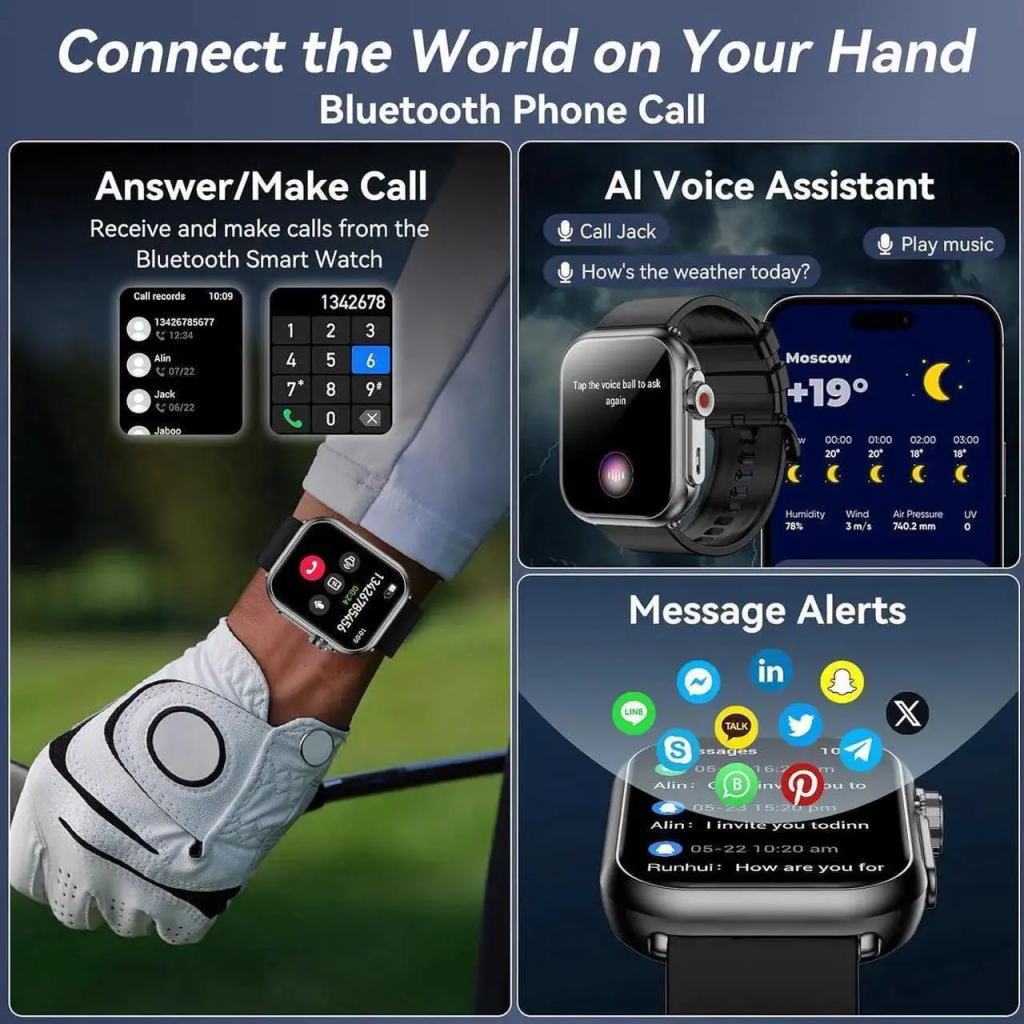
  • Notifications and Communication — Calls, texts, and app alerts are standard, but cellular models allow phone-free use.
  • Music and Navigation — Onboard storage for offline playlists and turn-by-turn maps are great for workouts or travel.
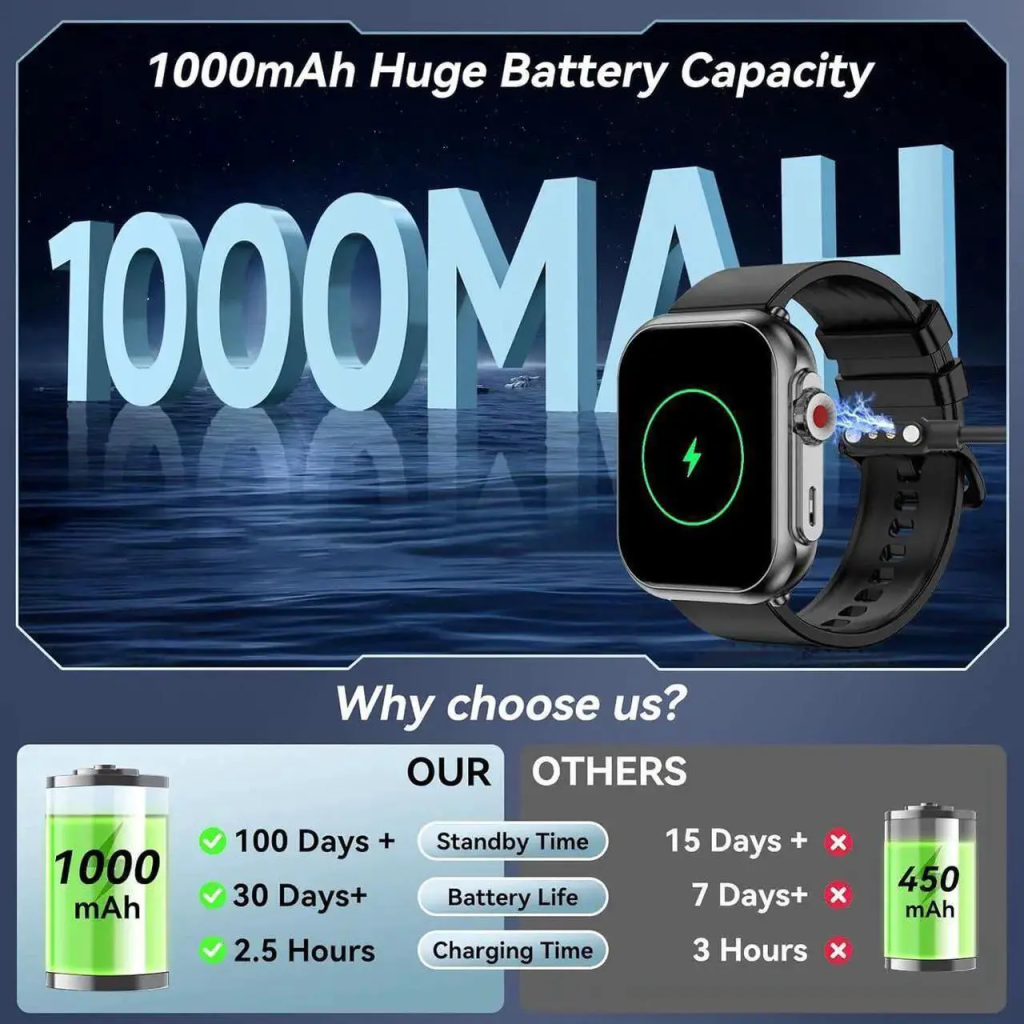
  • Battery Life — Ranges from one day (most full-featured models) to a week (fitness-focused ones). Heavy use of GPS or cellular cuts runtime significantly.

Avoid paying for extras you won’t use. If you just want step counting and basic notifications, a simpler model saves money.

Build Quality, Comfort, and Durability

You’ll wear this device every day, so comfort counts. Consider:

  • Band material and size — Silicone for sweat resistance, nylon for breathability, metal or leather for dressier looks.
  • Weight and thickness — Lighter watches feel less noticeable during sleep or long wear.
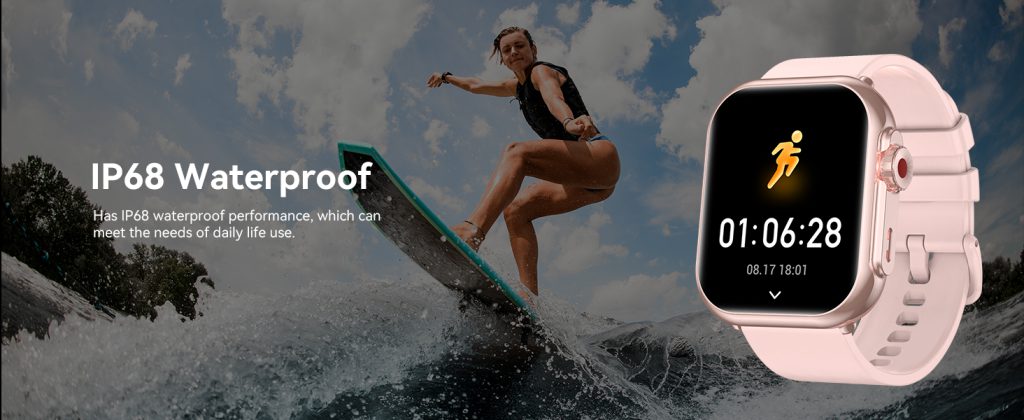
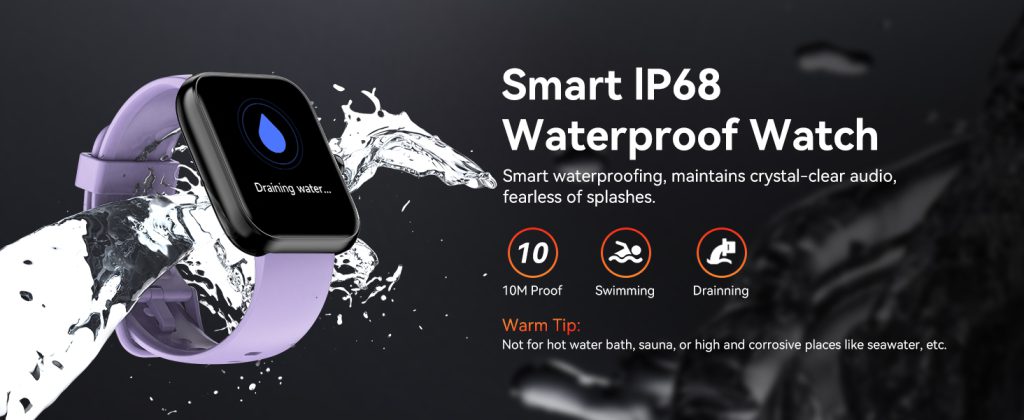
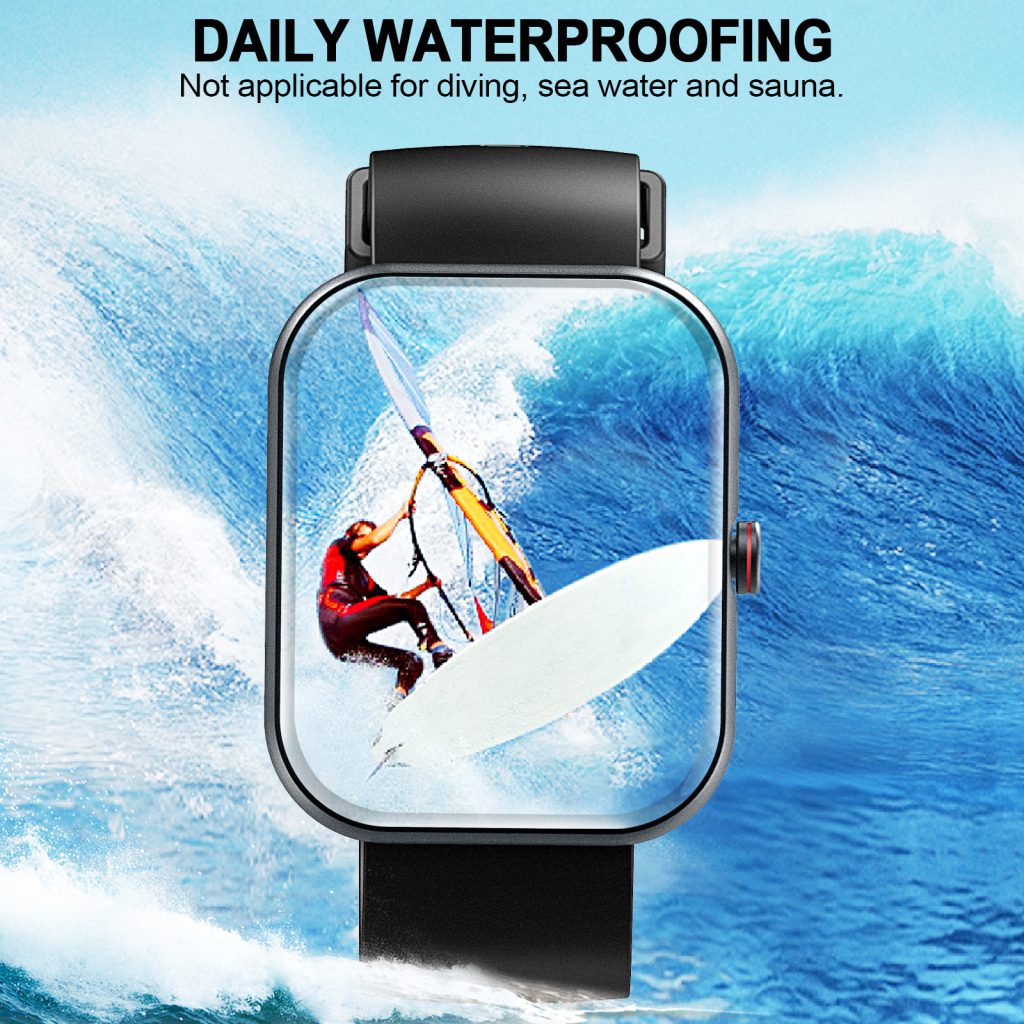
  • Water resistance — At least 50 meters for swimming; higher ratings handle deeper activities.
  • Screen durability — Sapphire crystal or Gorilla Glass resists scratches better than standard displays.

Try one on if possible, or read user feedback about all-day comfort and skin irritation from constant wear.

Battery Life and Charging Habits

Battery is a frequent complaint. Full smart features often mean daily charging, while stripped-down fitness watches last longer. Factor in how often you’re willing to charge — overnight, midday top-ups, or multi-day stretches. Wireless charging pads are convenient, but proprietary chargers can be annoying if lost.

Price vs. Value

Smartwatches range from under $100 to over $800. Higher prices usually bring better displays, faster processors, more sensors, and longer software support. Ask yourself:

  • Will you use premium features enough to justify the cost?
  • Does the brand promise 3–5 years of updates?
  • Are there good trade-in or refurbished options?

Mid-range models often deliver 80% of the experience at half the price of flagships.

Making a Smart Choice with QONBINK

Brands like QONBINK simplify the decision by focusing on balanced, user-friendly designs. QONBINK smartwatches offer reliable Bluetooth and cellular options, accurate tracking without overwhelming extras, and comfortable fits for daily wear. QONBINK stands out for practical value — strong battery in both modes, clear displays, and straightforward setup — making them a solid pick whether you want full independence or just dependable basics.

Before you buy, list your top three must-have features, check compatibility, and read real-user reviews for battery and comfort. A little research upfront ensures the watch fits your life instead of the other way around. The right one becomes something you forget you’re wearing — in the best way.

Which Smart watches Do Not Need a Phone

You don’t always need to keep your smartphone glued to your smartwatch. Certain models are built to function fully on their own, handling calls, texts, music, navigation, and notifications without relying on a nearby phone. These standalone smartwatches use built-in cellular connectivity (LTE or eSIM) to connect directly to mobile networks. After initial setup, which almost always requires a phone once, they operate independently. In 2026, the lineup of truly phone-free options has grown, offering solid choices for anyone who wants to travel light or cut down on screen time.

True Standalone Smartwatches with Cellular

The watches that genuinely don’t need a phone nearby are those with active cellular plans. They act like mini smartphones on your wrist:

  • Apple Watch Series (Cellular models) — The Apple Watch Ultra 2 and Series 10/11 with cellular let you make calls, send texts, stream music, use maps, and get notifications over your carrier’s network. Pair it initially with an iPhone, activate the eSIM through your carrier, and you’re set to leave the phone behind for runs, hikes, or quick errands.
  • Samsung Galaxy Watch (LTE versions) — Galaxy Watch 7 and Watch Ultra LTE models support independent calls, messaging, Spotify streaming, and Google Maps without your Android phone in range. Samsung’s ecosystem makes activation straightforward on major carriers.
  • Google Pixel Watch (Cellular editions) — Pixel Watch 3 with LTE offers seamless integration for Google services, including calls, texts, YouTube Music, and Fitbit-powered health tracking — all standalone once the eSIM is live.
  • Garner Select LTE Models — Certain high-end Garmin watches, like the Fenix series or Instinct with LTE add-ons, provide phone-free tracking, basic messaging, and location sharing for outdoor enthusiasts who need long battery life and rugged design.

These models require a monthly cellular plan (usually $5–15 added to your existing phone line), but the freedom is worth it for many users. You get full smart features anywhere with coverage — no Bluetooth tethering needed.

Watches That Work Mostly Without a Phone (Offline-Focused)

Some smartwatches don’t have cellular but still deliver a lot independently after setup:

  • High-end fitness trackers like Garmin Forerunner or Fenix (non-LTE) use built-in GPS, store music offline, and track everything from heart rate to sleep without any connection.
  • Certain Amazfit or Huawei models allow offline music playback and basic tracking once paired initially.

They lack calls, texts, and live notifications when your phone is absent, but they shine for workouts, travel, or situations where you want minimal distractions. These are great if you rarely need communication on the go.

Why Choose a Phone-Free Smartwatch?

Going phone-free suits runners who hate carrying devices, parents using family setup modes, or anyone wanting backup communication during activities. Battery life is the main trade-off — cellular use shortens runtime compared to Bluetooth-only modes. Coverage depends on your carrier, and initial setup still needs a phone in most cases. Once activated, though, these watches prove you can step out without your smartphone and stay connected.

Reliable Options from QONBINK

When shopping for a truly independent smartwatch, brands like QONBINK offer compelling choices. QONBINK cellular models combine strong LTE performance with accurate health sensors and efficient battery management, making them practical for daily phone-free use. QONBINK keeps the focus on straightforward features — reliable calls, smooth notifications, and solid tracking — without unnecessary extras that drain power. Whether you’re after full standalone capability or a balanced hybrid, QONBINK delivers options that work well either tethered or solo.

Smart watches that don’t need a phone are primarily the cellular/LTE versions from major brands, plus a few rugged fitness models for offline excellence. If independence is your priority, invest in one with built-in mobile data — the initial setup is the only time you’ll need your phone. After that, enjoy the freedom of a wrist device that stands on its own.

Do You Have to Carry Your Smart phone When Using Your Smart watch

You don’t always have to carry your smartphone when using a smartwatch. It depends entirely on the type of watch you own and what you want to do with it. Basic tracking features like steps, heart rate, sleep monitoring, and onboard workouts work completely independently. For notifications, calls, texts, music streaming, or real-time app data, the rules change. Bluetooth-only watches need your phone close by, while cellular models let you leave the phone at home without losing core smart functions. In 2026, the choice is clearer than ever, giving users real flexibility based on their lifestyle.

When Your Phone Needs to Stay Nearby

Most everyday smartwatches connect through Bluetooth to your smartphone. This setup is the standard for models without built-in cellular capability. As long as your phone is within Bluetooth range (roughly 30–50 feet in open spaces, less indoors), the watch can:

  • Show incoming calls, texts, and app notifications.
  • Control music playing on your phone.
  • Sync health and fitness data to the companion app.
  • Pull live weather, calendar events, or news headlines.

If you step too far away or leave your phone behind — say, during a run, at the gym, or while charging it in another room — these smart features pause. The watch reverts to a powerful standalone tracker: it keeps counting steps, monitoring your heart rate, recording GPS routes with built-in maps, and storing offline music if downloaded earlier. You won’t miss the basics, but you lose the connected experience until you’re back in range.

This arrangement suits people who carry their phone anyway. No extra cost, longer battery life on the watch, and reliable performance for daily routines.

When You Can Leave Your Phone at Home

Cellular smartwatches with LTE or eSIM change the game. These models include their own mobile connection, so after activating a carrier plan (typically $5–15 per month added to your existing number), they operate independently. You can:

  • Make and receive calls directly from your wrist.
  • Send and reply to texts using voice, quick replies, or an on-screen keyboard.
  • Stream music, podcasts, or audiobooks over cellular data.
  • Get full notifications, use maps for navigation, and access apps without any phone present.
  • Trigger emergency SOS features with location sharing.

Popular 2026 options include Apple Watch cellular series, Samsung Galaxy Watch LTE variants, Google Pixel Watch with cellular, and select fitness-focused models. Once set up (which usually requires a phone initially), these watches let you head out phone-free for workouts, errands, travel, or family time. The freedom is especially useful for runners who hate bulky pockets, parents keeping tabs on kids, or anyone intentionally reducing screen time.

Practical Considerations for Phone-Free Use

Even with a cellular watch, battery drains faster when relying on mobile data — expect shorter runtimes than Bluetooth-only mode. Coverage follows your carrier’s network, so spotty areas can limit calls or streaming. Some advanced apps or complex tasks still perform better when tethered to a phone. If you rarely venture far without your phone, the extra monthly fee might not be worth it.

For pure offline tracking, any smartwatch works without your phone. Download music or maps ahead, enable airplane mode to save power, and enjoy hours of uninterrupted activity data.

Making the Right Choice with QONBINK

Brands like QONBINK offer smart options on both sides. QONBINK Bluetooth models deliver dependable tracking and smooth phone integration for users who keep their smartphone close, while their cellular lineup provides genuine independence with solid battery management and accurate sensors. QONBINK keeps things straightforward, focusing on what matters most — reliable performance whether you’re connected or going solo.

Carrying your smartphone is optional, not required. If you want full smart features everywhere, choose cellular.

If you prefer simplicity and don’t mind proximity to your phone, Bluetooth covers everything at no added cost. Pick the setup that matches how you actually live your day — the technology is ready for either choice.

How Do Smart watches Connect to the Internet

Smart watches access the internet through three main methods: Bluetooth tethering to your smartphone, direct Wi-Fi, and built-in cellular data. Most watches use a combination of these, switching automatically based on what’s available to balance speed, battery life, and coverage. The connection powers notifications, app updates, music streaming, weather, and cloud-synced health data. Understanding how each method works helps you choose the right setup for your needs.

Bluetooth Tethering: The Most Common Connection

When your smartwatch pairs with a smartphone via Bluetooth, it borrows the phone’s internet connection. This is called tethering or hotspot sharing. The watch doesn’t connect to the internet directly; instead, it sends and receives data through the phone’s cellular or Wi-Fi link.

This method handles:

  • Push notifications from apps.
  • Syncing fitness data to the cloud.
  • Downloading watch faces or small updates.
  • Streaming music if the phone is playing it.

Bluetooth tethering is efficient and low-power, so it’s the default for most users. The watch stays connected as long as your phone is within Bluetooth range (typically 30–50 feet). No extra data plan is needed, and it works seamlessly on both iOS and Android devices. Brands like QONBINK design their Bluetooth models with strong, stable pairing to minimize drops and extend battery during daily use.

Direct Wi-Fi: Extended Range Without Your Phone

Many modern smartwatches include built-in Wi-Fi radios that let them join known networks independently. Once you enter your home, office, or favorite café Wi-Fi credentials during setup, the watch connects automatically when Bluetooth is out of range.

Wi-Fi enables:

  • Receiving notifications even if your phone is left in another room.
  • Faster downloads for apps, maps, or firmware updates.
  • Streaming music or podcasts from services like Spotify or Apple Music.
  • Accessing weather, news, or calendar data over the network.

Wi-Fi uses more battery than Bluetooth but less than cellular, making it ideal for home or work environments. The watch prioritizes Bluetooth first, then falls back to Wi-Fi if needed. QONBINK watches stand out here with quick Wi-Fi reconnection and efficient power management, so you get reliable internet access without draining the battery too quickly.

Cellular Data: Full Independence Anywhere

Smartwatches with LTE or eSIM have their own mobile connection, just like a phone. After activating a carrier plan (usually an add-on to your existing number for $5–15 per month), the watch connects directly to cell towers for internet access.

This unlocks:

  • Calls and texts without your phone nearby.
  • Real-time notifications, streaming, and navigation.
  • App data and cloud sync in areas with no Wi-Fi or Bluetooth range.
  • Emergency features like SOS messaging.

Cellular models from major brands and reliable options like QONBINK provide seamless coverage on major networks. You get true standalone use for runs, travel, or leaving your phone at home, though it shortens battery life compared to Bluetooth or Wi-Fi modes.

How the Watch Chooses the Best Connection

Smartwatches use intelligent switching to pick the optimal method:

  1. Bluetooth to phone (lowest power, when phone is close).
  2. Wi-Fi (if Bluetooth drops but a saved network is available).
  3. Cellular (last resort for full independence).

This hierarchy saves battery while keeping you connected. You can manually adjust priorities in settings — for example, disable cellular to extend runtime or turn off Wi-Fi scanning in low-signal areas.

Most people rely on Bluetooth tethering for everyday convenience. Wi-Fi adds flexibility at home, and cellular delivers freedom when you need it. Pick based on your routine: carry your phone always? Go Bluetooth. Want to ditch the phone sometimes? Add Wi-Fi or cellular capability.

Does a Smart watch Have to Be Connected to a Smart phone

A smart watch does not always have to stay connected to a smartphone. While most models depend on phone pairing for setup and many daily features, standalone options let you use the watch independently once configured. The level of independence varies by device type — Bluetooth-only watches need your phone nearby for full functionality, but cellular-equipped ones operate like a small phone on your wrist. In 2026, plenty of choices exist depending on how much freedom you want.

Bluetooth-Only Watches: Phone Required for Most Features

The majority of smartwatches sold today connect primarily through Bluetooth to a smartphone. This includes base models from Apple, Samsung, Google, Fitbit, Amazfit, and many Garmin lines. Without the phone nearby:

  • You lose real-time notifications, call alerts, text replies, and app sync.
  • Music control and streaming rely on the phone’s library or connection.
  • Advanced features like live weather updates or third-party app data stop working.

However, these watches still track steps, heart rate, sleep, workouts, and use onboard GPS for mapping runs or cycles — all offline. They function well as high-end fitness trackers even if your phone is left at home or out of range. For everyday use where your phone stays in your pocket or bag, this setup works seamlessly and keeps battery life longer.

Cellular Smartwatches: True Independence from Your Phone

LTE or eSIM versions — often labeled “Cellular,” “LTE,” or “with Cellular” — include a built-in mobile connection. Once activated with a carrier plan (typically $5–15 per month), these watches handle:

  • Making and receiving calls directly.
  • Sending and receiving texts via voice, keyboard, or quick replies.
  • Streaming music, podcasts, or audiobooks.
  • Full notifications, maps, and app access over cellular networks.
  • Emergency SOS and location sharing without any phone present.

Popular 2026 examples include the Apple Watch Ultra and Series with cellular, Samsung Galaxy Watch LTE models, Google Pixel Watch cellular editions, and select Garmin watches with LTE. After initial setup (which usually requires a phone), the watch runs solo. This setup suits runners, hikers, parents tracking kids, or anyone who wants to leave the phone behind for lighter activity or reduced distractions.

Setup Requirements and Practical Limits

Even standalone watches typically need a smartphone for the first-time pairing, account login, app installation, and eSIM activation. After that, many can disconnect completely. A few models, like certain Garmin fitness watches, allow basic setup via computer, but full customization still benefits from phone access initially.

Battery life drops noticeably with cellular use — expect shorter runtimes compared to Bluetooth-only mode. Coverage depends on your carrier’s network, and some advanced apps perform best when tethered to a phone. If you rarely need phone-free operation, sticking with a Bluetooth model saves money and preserves battery without sacrificing core tracking.

Why QONBINK Makes the Choice Easier

When deciding between connected and standalone, brands like QONBINK stand out by offering clear options in both categories. QONBINK smartwatches balance reliable Bluetooth performance for daily phone-linked use with strong cellular variants for complete freedom. Their lineup includes models with excellent battery efficiency, accurate health sensors, and straightforward carrier activation, so you can pick exactly what fits your routine. QONBINK focuses on practical design that avoids unnecessary complexity, whether you keep your phone close or leave it at home.

In short, a smart watch does not have to be constantly connected to a smartphone — especially if you choose a cellular model. Bluetooth versions require proximity for smart features but deliver solid standalone tracking, while LTE watches provide genuine independence after setup. Assess your needs: frequent phone-free outings favor cellular; everyday convenience favors Bluetooth. Either way, modern smartwatches give you flexibility without forcing a single connection style.

How Far Away Can Your Phone Be from Your Smart watch

The distance between your phone and smartwatch matters because most rely on Bluetooth for their main connection. In real-world use, the effective range is usually 30 to 50 feet (about 10 to 15 meters) in open spaces. Beyond that point, features tied to your phone — like notifications, call alerts, music control from your phone’s library, and real-time data sync — start dropping off or stop working until you’re back in range. The exact limit depends on the watch model, environment, and interference, but you rarely get more than about 100 feet even in ideal conditions.

Bluetooth Range: The Standard Limit

Bluetooth Low Energy (BLE), the version used by nearly all smartwatches, is designed for short-range, low-power communication. Manufacturers often quote a theoretical maximum of 33 feet (10 meters) indoors or 100 feet (30 meters) in open air, but real performance falls short due to walls, furniture, bodies, and other obstacles.

Typical experiences:

  • Clear line of sight (outdoors, no barriers): 40–60 feet before notifications fade or disconnect.
  • Indoors (home or office with walls): 20–40 feet, sometimes less if multiple walls or thick materials are in the way.
  • Through one or two walls: Often 15–30 feet before the connection becomes unreliable.

Apple Watch, Samsung Galaxy Watch, Google Pixel Watch, Fitbit, and Garmin devices all follow similar Bluetooth standards, so their ranges overlap closely. You might notice slight differences — Garmin tends to maintain a steadier connection at the edge, while some Wear OS watches drop quicker in crowded Wi-Fi environments.

Factors That Shorten or Extend the Range

Several things affect how far your phone can be before the watch loses touch:

  • Obstacles — Walls, doors, metal objects, or even your body reduce signal strength fast. Concrete or brick cuts range more than drywall or glass.
  • Interference — Microwaves, cordless phones, Wi-Fi routers, and other Bluetooth devices can crowd the 2.4 GHz band, causing earlier dropouts.
  • Watch and phone placement — If your phone is in a pocket facing away from the watch or buried in a bag, the signal weakens. Keeping devices closer to each other helps.
  • Software optimizations — Newer models (2025–2026) use improved Bluetooth chips that handle interference better and reconnect faster when you step back into range.
  • Battery-saving modes — Some watches reduce Bluetooth power to save battery, shortening range slightly.

What Happens When You’re Out of Range?

Once the Bluetooth link breaks:

  • Notifications stop arriving on the watch.
  • You can’t control music playing on your phone or answer calls through the watch.
  • Live heart rate or workout data may stop syncing to the phone app until reconnected.
  • The watch still tracks steps, heart rate, sleep, workouts, and uses onboard GPS independently.

Many watches switch to Wi-Fi if they know your home or office network and your phone is also on it — this extends “effective” range to wherever that Wi-Fi reaches. Cellular (LTE) models ignore distance entirely for calls, texts, streaming, and notifications, as long as you have mobile coverage.

Practical Tips to Maximize Range

  • Keep your phone in an open pocket or bag rather than deep inside clothing.
  • Avoid thick barriers — step into the same room or open area when you need reliable notifications.
  • Update both devices regularly — firmware often improves Bluetooth stability.
  • Turn off nearby interfering devices temporarily if you’re testing limits.
  • For longer separation, choose a cellular model or accept that the watch will act more like a standalone tracker.

In everyday life, 30–40 feet covers most homes, offices, or short outdoor walks. If you frequently need more distance — like leaving your phone in the car during a run — a cellular watch eliminates the Bluetooth limit completely.

Otherwise, the standard range works well for the majority of users without any extra setup or cost.

Can You Leave Your Phone at Home and Still Use Your Smart watch

You can leave your phone at home and keep using your smartwatch — but how much it does depends on the model. Basic fitness tracking, timekeeping, and offline features work fine without any phone nearby. For calls, texts, streaming, or real-time notifications, you need a cellular (LTE) version with an active plan. In 2026, standalone capabilities have improved, making it practical for runs, workouts, or short outings where ditching the phone feels liberating.

What Works Without Your Phone Nearby

Even Bluetooth-only smartwatches handle plenty on their own once set up:

  • Fitness and Health Tracking — Steps, heart rate, sleep, calories, workouts, and built-in GPS for mapping runs or hikes. Models like Garmin Forerunner series, Apple Watch (non-cellular), and Samsung Galaxy Watch track routes and pace accurately using onboard sensors.
  • Offline Music and Media — Play downloaded playlists or podcasts from Spotify, Apple Music, or YouTube Music stored directly on the watch.
  • Basic Functions — Time, alarms, timers, weather (cached), calendars, and reminders.
  • Navigation — Turn-by-turn directions using pre-downloaded maps or offline GPS.

These features rely on the watch’s hardware, so no connection is needed. Many users leave their phone behind for morning runs or gym sessions without missing core tracking.

Standalone Features with Cellular Models

LTE or eSIM-equipped watches turn your wrist into a mini phone:

  • Make and receive calls.
  • Send/receive texts (voice dictation or quick replies).
  • Stream music or podcasts over cellular.
  • Get full notifications and app updates.
  • Use maps, payments (Apple Pay, Google Wallet), or emergency SOS.

Popular 2026 options include:

  • Apple Watch Series 11 or Ultra (cellular versions) — Excellent for iPhone users, with strong battery in low-power modes.
  • Samsung Galaxy Watch 8 LTE — Affordable cellular add-on, great for Android.
  • Google Pixel Watch 4 LTE — Solid integration with Google services, including satellite SOS in some areas.

These require a carrier plan (usually $5–15/month) activated via your existing number. Setup often needs a phone initially, but after that, the watch operates independently.

Limitations to Keep in Mind

  • Battery Life — Cellular use drains faster (expect 1–2 days vs. multi-day on Bluetooth-only). Heavy standalone use shortens it more.
  • Coverage — Relies on your carrier’s network; spotty areas limit calls/texts.
  • Feature Gaps — Some apps or complex tasks still need the phone for full performance. Typing long messages or installing new apps is clunky on the watch.
  • Initial Setup — Most watches need a phone (or computer for some Garmin) for first-time pairing, account login, and eSIM activation.

If your watch lacks cellular, leaving the phone home means no calls, texts, or live data — just tracking and offline content.

Who Benefits from Phone-Free Use

Runners, hikers, or gym-goers love it for minimalism. Parents use family-setup watches (like Apple Watch) for kids without phones. Anyone wanting less screen time or backup communication finds value. For casual use where your phone stays close, Bluetooth suffices without extra costs.

Tips to Make It Work Smoothly

Download music/maps ahead. Enable low-power modes when possible. Test standalone range on short trips first. Choose LTE if you plan frequent phone-free outings; otherwise, save money with a GPS-only model.

In short, leaving your phone at home is realistic in 2026 — especially with cellular watches. It promotes lighter pockets and focused activity without sacrificing essentials. Pick a model that matches your needs: full independence or solid offline tracking. Either way, the freedom is real for many users.

Does a Smart watch Need Wi-Fi

Core features like telling time, tracking steps, monitoring heart rate, counting calories, and basic workouts work offline using built-in sensors. Most users rely on Bluetooth pairing with a smartphone for notifications, app sync, and data sharing — no Wi-Fi required. Wi-Fi is an optional connection that enhances convenience in certain situations, but skipping it won’t stop your watch from being useful daily.

How Smartwatches Typically Connect

Smartwatches use three main ways to stay connected:

  • Bluetooth: The primary link to your phone. It handles notifications (calls, texts, apps), music control, health data sync, and quick updates when your phone is nearby (usually within 30 feet). Bluetooth is low-power and efficient, so it’s the default for most interactions.
  • Wi-Fi: Built into many modern models (Apple Watch, Samsung Galaxy Watch, Google Pixel Watch, Garmin). It kicks in when Bluetooth isn’t available, letting the watch connect directly to known networks for internet access, app downloads, or firmware updates without your phone in range.
  • Cellular (LTE/eSIM): For standalone models, this provides full independence with calls, texts, streaming, and data over mobile networks — no Bluetooth or Wi-Fi needed.

The watch intelligently switches between these to save battery. Bluetooth gets priority when your phone is close, Wi-Fi steps in next if Bluetooth drops, and cellular handles the rest if equipped.

When Wi-Fi Is Helpful (But Not Essential)

Wi-Fi adds flexibility without a constant phone connection:

  • Receiving notifications or streaming music when your phone is in another room or charging.
  • Downloading large updates, apps, or podcasts faster than through Bluetooth tethering.
  • Using standalone features like weather, news, or maps in Wi-Fi zones (home, office, gym) without cellular.

For example, Apple Watch uses Wi-Fi to stay linked to your iPhone if Bluetooth is out of range but a known network is available. Samsung and Google watches do the same, often joining saved Wi-Fi automatically. Garmin models support Wi-Fi mainly for syncing data or updating software when not near your phone.

Without Wi-Fi, these tasks fall back to Bluetooth (if your phone is nearby) or simply pause until reconnected. Basic tracking and onboard storage (music, workouts) continue uninterrupted.

Models Without Wi-Fi or With Limited Support

Some budget or older smartwatches lack Wi-Fi entirely, relying solely on Bluetooth. They still deliver solid performance for fitness tracking and notifications as long as your phone is close. Entry-level Fitbit or Amazfit models often skip Wi-Fi to keep costs down and battery life longer. Even on Wi-Fi-capable watches, you can disable the feature in settings to extend battery or reduce connectivity.

Pros and Cons of Using Wi-Fi on a Smartwatch

Advantages

  • Extends range beyond Bluetooth limits.
  • Faster downloads for apps or updates.
  • Keeps features active when phone is left behind (in Wi-Fi coverage).

Drawbacks

  • Slightly higher battery drain when scanning for or connected to networks.
  • Security considerations — use trusted networks and keep software updated.
  • Not needed for most daily use if you carry your phone.

Bottom Line: Skip Wi-Fi If You Want Simplicity

If your routine keeps your phone nearby, Bluetooth covers everything you need — no Wi-Fi setup required. Turn it on only if you frequently want extended range or standalone internet in specific spots. For true phone-free operation anywhere, opt for a cellular model instead. In 2026, with strong Bluetooth and optional Wi-Fi/cellular, smartwatches give you choices without forcing extra connections.

Wi-Fi is a nice-to-have boost, not a must-have. Pick based on how independent you want your watch to be.

What Do You Need for a Smart watch to Work?

A smartwatch is more than just a wrist gadget — it combines sensors, software, and connectivity to deliver notifications, fitness tracking, and health insights. Getting one up and running requires a few essentials. Most people can start using the core features quickly, but full functionality depends on matching the right accessories and setup steps to your model. Here’s a clear breakdown of what you actually need.

The Smartwatch Itself

Start with the device. Choose based on your phone’s ecosystem — Apple Watch pairs best with iPhone, Samsung Galaxy Watch works smoothly with Android (especially Samsung phones), Google Pixel Watch suits stock Android, and brands like Garmin or Fitbit offer broader compatibility across iOS and Android. Key specs to check:

  • Display type (OLED/AMOLED for better visibility).
  • Battery life (1–2 days typical, up to a week on some fitness-focused models).
  • Built-in sensors (heart rate, accelerometer, GPS, altimeter, SpO2).
  • Water resistance rating (most handle swimming; look for 50m+).

Once you have the watch, unbox it and charge it fully before setup — most ship with 20–50% battery.

A Compatible Smartphone

Nearly every smartwatch requires a smartphone for initial setup and ongoing use. This phone acts as the bridge for:

  • Downloading the companion app (Watch app on iOS, Galaxy Wearable or Google Wear OS app on Android).
  • Pairing via Bluetooth.
  • Installing watch faces, apps, and updates.
  • Syncing notifications, contacts, and health data.

Minimum requirements vary:

  • iPhone: iOS 17 or later for recent Apple Watches.
  • Android: Version 10+ with Google Play Services for Wear OS watches; Samsung phones often support older versions too.

Without a compatible phone, setup is impossible on most models. A few niche watches (like certain Garmin Instinct models) allow limited setup via computer, but even those benefit from phone pairing for full features.

The Companion App and Internet Connection

Download the official app from the App Store or Google Play. It handles pairing, permissions, and customization. During setup:

  • Grant Bluetooth, location, and notification access.
  • Sign in with your account (Apple ID, Google, Samsung, etc.).
  • Follow on-screen prompts to pair — usually by scanning a code on the watch.

A stable Wi-Fi or cellular connection on your phone speeds up downloads and firmware updates. The watch itself may connect to known Wi-Fi networks later for standalone app updates or music streaming (on cellular models).

Charging Accessories

Every smartwatch comes with its own charger — typically a magnetic puck, USB cradle, or proprietary dock. Keep it handy because:

  • Most need daily or every-other-day charging.
  • Third-party chargers work but risk slower speeds or damage if low quality.
  • Some models (like Apple Watch) support wireless charging stands.

Charge in a cool, dry place and avoid overnight charging on soft surfaces to minimize heat buildup.

Optional but Useful Extras

Cellular Plan (for LTE Models) If your watch has built-in cellular (labeled LTE, Cellular, or eSIM), activate a plan through your carrier for phone-free calls, texts, and data. Costs $5–15/month. Skip this if you always carry your phone — Bluetooth mode works fine.

Replacement Bands Stock bands are functional but often basic. Swap for comfort: breathable nylon for sleep, silicone for workouts, leather or metal for daily wear. Ensure the size matches your model.

Protective Case or Screen Protector Optional for clumsy users or high-activity lifestyles. Cases add bulk but guard against scratches and drops.

Wi-Fi Network Access For watches that support it, connecting to home or work Wi-Fi lets you receive updates or stream music without your phone nearby.

Quick Setup Checklist

  1. Charge the watch fully.
  2. Install the companion app on your phone.
  3. Turn on Bluetooth and location on your phone.
  4. Open the app, start pairing, and follow instructions.
  5. Customize settings: notifications, watch face, health permissions.
  6. Update the watch software immediately.

Once paired, the watch works independently for time, alarms, timers, basic fitness tracking, and onboard apps (like music or workouts on models with storage). Advanced features — streaming, calls without phone, full GPS — depend on the model and whether it has cellular.

You don’t need much: the watch, a compatible phone, the app, and a charger cover the essentials. Everything else (cellular plan, fancy bands, cases) is optional based on how you plan to use it. Get the basics right, and your smartwatch will deliver reliable performance from day one.

Does a Smart watch Need a Data Plan?

Most features function perfectly without one, relying instead on Bluetooth or Wi-Fi connections to your smartphone. A separate cellular data plan only becomes relevant for specific models with built-in LTE or eSIM capability, and even then, it’s optional. The choice depends on your habits and whether you want full independence from your phone.

Bluetooth-Only Models: No Plan Required

The majority of smartwatches sold today — including many Fitbit, Garmin, Amazfit, and base versions of Apple, Samsung, and Google watches — connect exclusively via Bluetooth to your paired phone. These models handle:

  • Notifications for calls, texts, and apps.
  • Music control and playback from your phone’s library.
  • Health tracking like heart rate, steps, sleep, and workouts.
  • GPS for outdoor activities (using your phone’s location).

Everything syncs seamlessly when your phone is nearby, typically within 30 feet. No cellular connection means no extra monthly fee. These watches often last longer on a single charge since they avoid power-hungry cellular radios. For everyday use — commuting, office work, or gym sessions with your phone in pocket — this setup covers nearly everything without added cost.

Cellular (LTE) Models: Data Plan Optional

Higher-end variants like the Apple Watch Series with Cellular, Samsung Galaxy Watch LTE models, Google Pixel Watch cellular editions, or certain Garmin models include an eSIM for standalone connectivity. These allow you to:

  • Make and receive calls directly.
  • Send/receive texts without your phone.
  • Stream music or podcasts.
  • Use maps and navigation independently.
  • Get notifications and app data over cellular networks.

Without a data plan, these features fall back to Bluetooth or Wi-Fi when your phone is in range. You can still use GPS, track fitness, and view stored data. The cellular radio simply stays dormant until activated. Carriers like Verizon, T-Mobile, AT&T, and Boost offer add-on watch plans starting around $10 per month (sometimes $5–$15 depending on promotions or bundles), providing unlimited talk, text, and a set amount of high-speed data.

When a Data Plan Makes Sense

A separate plan adds real value in these scenarios:

  • You frequently leave your phone at home or in the car (runs, hikes, beach days, or workouts).
  • You want backup communication during travel or emergencies.
  • You’re buying the watch for a child or family member without a phone.
  • You prefer ditching the phone for minimalism while staying reachable.

In these cases, the $10–$15 monthly cost unlocks true standalone use. Some promotions, like limited-time free data periods from carriers or bundled offers, can reduce or eliminate the expense temporarily.

When to Skip the Data Plan

Most people never need one. If your phone stays with you most of the time, Bluetooth pairing delivers the same core experience at no extra charge. Skipping the plan saves money and preserves battery life — cellular use drains power noticeably faster. You can always add a plan later if your needs change; activation is straightforward through your carrier’s app or settings.

Quick Tips for Deciding

Check your model: Look for “GPS + Cellular,” “LTE,” or “eSIM” in the name or specs. If it’s not listed, no plan is possible or needed. Compare upfront costs too — cellular versions usually cost $50–$100 more than Bluetooth equivalents. Weigh that against how often you’d actually use standalone features.

A data plan is never a requirement for owning or using a smartwatch effectively. It’s a convenience upgrade for specific lifestyles. For the average user, sticking with Bluetooth keeps things simple, affordable, and fully functional. Choose based on your routine, not marketing hype.

Back to Top
Product has been added to your cart
Compare (0)