
Changing your smart watch isn’t like swapping phones every year. Most people keep their watch much longer—two, three, even four years—because the core stuff (time, notifications, basic steps and heart rate) doesn’t become useless quickly. But when the day comes that you’re ready to move on, doing it thoughtfully saves money, avoids buyer’s remorse, and makes sure the new one actually fits your current life better than the old one did.
I’ve gone through four full replacements in the last six years, plus helped friends pick their next model dozens of times. Below is everything I’ve learned about when to replace, how to choose the right successor, what to do with the old watch, and the little details that make the switch smooth instead of stressful.
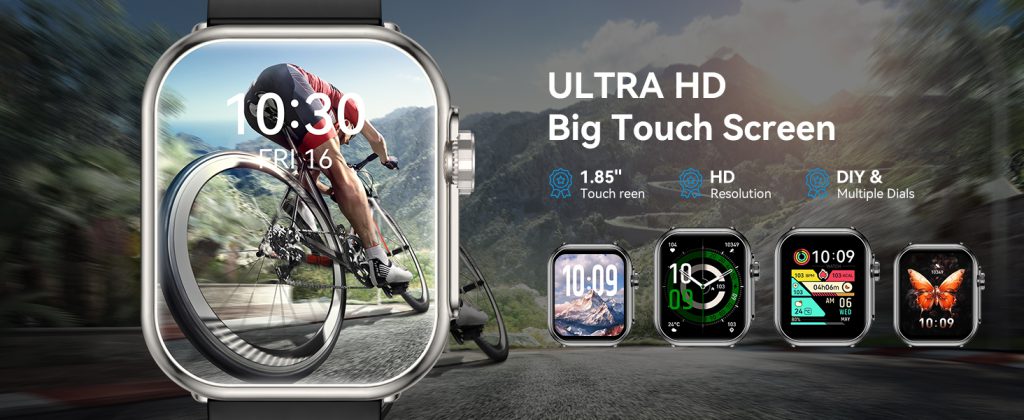
First: Be honest about why you’re replacing it Before you open any shopping tab, write down the real reasons. Not the marketing reasons—the personal ones.
Common honest reasons that justify a replacement:
- Battery no longer lasts through a full day + night without panic charging
- You rely on sleep tracking but the old model’s accuracy feels off compared to what friends report on newer ones
- Physical damage (cracked screen, worn buttons, loose charging port) is making daily use annoying
- You’ve changed habits or goals (started serious running, need better GPS, want offline maps for travel, switched phone ecosystem)
- Software updates stopped bringing meaningful improvements (no new health algorithms, missing features everyone else has)
Weak or emotional reasons that usually lead to regret:
- “Everyone’s getting the new one”
- Saw a flashy review or unboxing video
- Bored with the current look/feel
- Small spec bump (0.2-inch bigger screen, slightly brighter display)
- Minor cosmetic wear that doesn’t affect function
If your list is mostly in the second group, wait 6–12 months. The itch usually fades, and the next generation often brings bigger jumps.
Decide what you actually need now (not what you wanted two years ago) Your life probably isn’t the same as when you bought the current watch. Make a short list of must-haves and nice-to-haves today.
Must-have examples (deal-breakers if missing):
- At least 36–48 hours real battery with always-on and full sensors
- Accurate sleep staging + breathing disturbance / apnea detection
- Reliable outdoor GPS for runs/hikes
- Seamless phone integration (iOS → watchOS, Android → Wear OS / Samsung)
- Water resistance you trust for swimming/showers
- Comfortable all-day wear (weight, size, band options)
Nice-to-have examples (good but not worth forcing an upgrade):
- Bigger / brighter screen
- New colors or materials
- Slightly faster processor
- Extra workout modes you rarely use
- Fancy AI coaching phrases
Be ruthless. If your current watch already covers 90% of your must-haves and the pain points are minor, you’re probably not ready.
Compare generations, not just the newest model Don’t automatically jump to the latest release. Sometimes the model one or two generations back gives you 85–90% of the new experience for half the price (especially during sales).
Quick comparison framework:
- Battery life in real use (not marketing claims): look for user reports on forums, Reddit, YouTube long-term reviews
- Software support remaining: how many more years of major updates?
- Key health sensors added since your model (temperature, better PPG for HR/SpO2, improved HRV algorithms)
- Design changes: size/weight difference, new materials (titanium vs aluminum, sapphire vs Ion-X glass)
- Ecosystem lock-in: if you’re deep in Apple, stay Apple unless you’re switching phones too
Pro tip: check resale value of your current model before deciding. A well-kept two-year-old premium watch can often cover 40–60% of a new mid-range one.
Prepare your old watch for handover or sale A clean, well-documented old watch sells faster and for more money. Steps most people forget:
- Factory reset (Settings → General → Reset → Erase All Content and Settings on Apple; similar on others)
- Unpair from phone completely so the new owner can pair without issues
- Clean thoroughly: mild soap + water for band and case, microfiber cloth for screen, toothpick for ports if needed
- Take good photos: front, back, sides, screen on/off, any scratches/marks clearly shown
- Write an honest description: original box?, battery health percentage (if shown), software version, any issues
- Price realistically: check eBay “sold” listings, Facebook Marketplace, local buy/sell groups for your exact model + condition
If you’re passing it to family/friend:
- Reset and unpair
- Explain current battery health honestly
- Give them your charger and any spare bands
If donating/recycling:
- Reset and remove personal data
- Look for local e-waste programs or manufacturer trade-in/recycling (Apple, Samsung, Garmin all have options)
Choose the right replacement timing Smartwatch release cycles aren’t as frantic as phones, but patterns exist:
- Apple: usually September/October
- Samsung: summer (Galaxy Watch series) + occasional mid-cycle refreshes
- Google Pixel Watch: fall
- Garmin: scattered throughout year (Forerunner, Fenix, Venu lines)
Best times to buy:
- Right after launch (newest tech, but highest price)
- Black Friday / Cyber Monday / end-of-year sales (biggest discounts)
- Spring / early summer (previous generation heavily discounted when new one launches)
Avoid buying right before a rumored refresh unless you need it urgently.
Unboxing & setup tips to make the switch painless
- Charge both watches fully before starting
- Keep old watch on wrist until new one is fully set up and paired (so you don’t lose incoming notifications)
- Transfer health/activity data: Apple → automatic via iCloud; Android → Google Fit / Samsung Health sync
- Re-customize watch face, complications, reminders immediately—takes 5–10 minutes but makes it feel like home
- Wear the new one for a full week before selling the old one (make sure you like the size/weight)
- Keep old charger and bands as backups
Common regrets and how to avoid them
- Buying too big: try on in store if possible (44/45/47 mm feels very different from 40/41/42 mm)
- Ignoring battery reality: read real-user reports, not spec sheets
- Chasing features you won’t use: LTE is great only if you actually leave phone behind often
- Skipping trade-in: manufacturer trade-in + sale of old watch can cut cost 30–50%
- Not resetting old device: new owner can’t pair properly, or your data lingers
When to wait even if you’re tempted
- Current battery still reliably lasts your typical day
- No major pain points in tracking accuracy or missing features
- Upcoming rumored refresh within 6 months (usually bigger battery, new sensors)
- Tight budget—wait for sales or previous-gen clearance
Bottom line Replace your smartwatch when it starts creating daily friction (battery anxiety, outdated metrics, physical annoyance) or when your life/goals have genuinely shifted and it no longer supports them well. Don’t replace just because something newer exists.
A good watch should feel quietly helpful, not like a project or a source of FOMO. When the frustrations outweigh the convenience, that’s your signal. Until then, keep using what you have—it’s probably doing more for you than you realize.
Your current watch isn’t obsolete until it starts feeling like a limitation instead of a companion.
Leave a Comment
Your email address will not be published. Required fields are marked *