
You slap on a smart watch because you want to know more about your body—sleep quality, stress levels, heart rate trends, how much you’re really moving, maybe even blood oxygen or readiness scores. At first it’s exciting. Numbers roll in every day, charts look pretty, and the app congratulates you like you just won a medal for breathing. But after a few weeks (or months) a lot of people hit a wall: the data starts feeling overwhelming, contradictory, or just plain useless. “Why did my sleep score tank when I felt great?” “Should I really rest today even though I have energy?” “Is my heart rate too high or is the watch broken?”
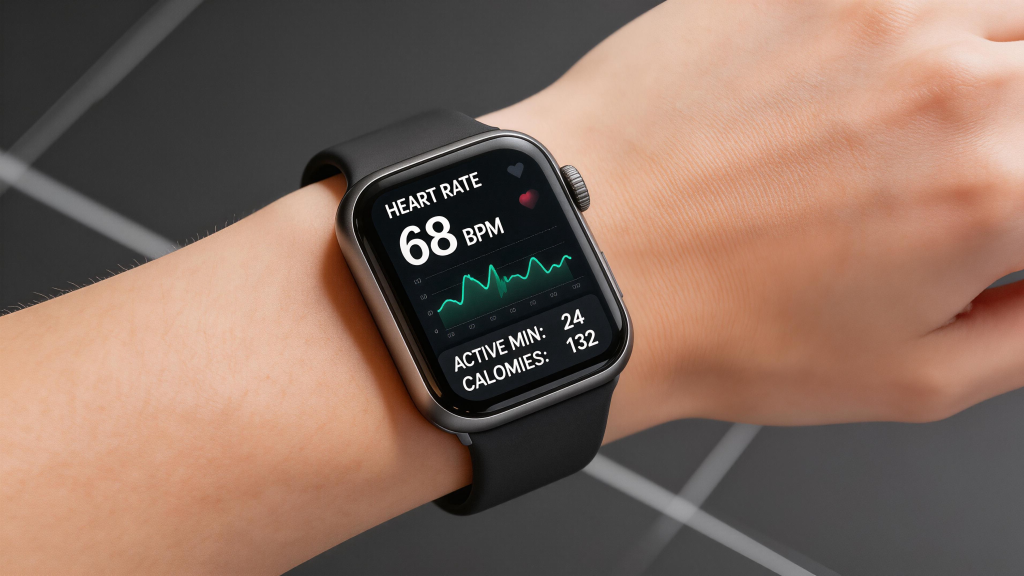
The truth is smart watch health data can be incredibly useful—if you treat it like a helpful sidekick instead of a bossy personal trainer. The key is learning how to read it with context, use it to spot patterns, make small experiments, and—most importantly—never let it override how your body actually feels. Here’s how real people who wear these things long-term actually make the numbers work for them instead of against them.
Start by deciding what matters to you Not every metric deserves equal attention. Pick 2–4 things that actually affect your daily life and ignore the rest for now. Common winners:
- Sleep duration + consistency (not just the score)
- Resting heart rate trend over weeks
- Daily movement (steps + active minutes, but weighted toward purposeful activity)
- HRV or readiness/recovery score as a gentle nudge, not a rule
If you’re training for a race, add workout heart-rate zones and post-exercise recovery. If stress is your main enemy, focus on all-day stress readings and breathing-session impact. Trying to lose weight? Calorie estimates and active zone minutes can help, but only as rough guides. Trying to pick everything at once usually leads to burnout or obsession. Narrow the focus, master those numbers, then add more later.
Build a baseline before you change anything Wear the watch normally for at least two weeks without trying to “improve” the data. Don’t suddenly go to bed earlier, cut caffeine, or add workouts just because the app suggests it. Let it quietly collect your real, messy, everyday patterns. This baseline is gold. You’ll see what your average resting heart rate is when life is normal, how much deep sleep you get on a typical week, what your HRV looks like after a late night versus a solid one. Once you have that picture, any big shift stands out and means something.
Look at trends, not single days One night of 45% deep sleep followed by a killer morning doesn’t mean the watch is wrong or you’re doomed. One “peak readiness” day after terrible sleep doesn’t mean you should smash a hard workout. Single readings are noisy—alcohol, a stressful email, a random virus starting, even what you ate for dinner can swing things 10–20 points. Weekly and monthly averages smooth out the noise and show what’s actually changing because of habits you control.
Example: if your average sleep score was 78 last month and jumps to 86 after you stop screens 90 minutes before bed, that’s meaningful. If it bounces between 62 and 94 every night, zoom out—look at bedtime consistency, wake time, caffeine cutoff, evening alcohol. The trend will usually point to the real lever.
Pair the data with how you feel This is the single biggest mistake people make: trusting the number over their own body. The watch says “low recovery—rest day,” but you wake up feeling strong, loose, and motivated. Go train (smartly). The watch gives you a 92 sleep score, but you feel foggy and irritable all day. Treat it like a bad night even if the algorithm loved it. Your subjective energy, mood, focus, soreness, and appetite are the ultimate ground truth. The watch is measuring proxies—optical signals, motion, temperature—not your lived experience.
A simple daily check-in works wonders: Morning: How do I feel on a scale of 1–10? Any lingering fatigue, headache, motivation? After looking at the data: Does the number match how I feel? If no, why might that be? (late meal, stress, travel, etc.) End of day: Quick note—what felt good today, what dragged? Over a month these notes + watch trends reveal patterns no algorithm catches alone.
Use it for gentle experiments, not big overhauls The data shines when you turn it into small, reversible tests. Pick one variable, change it for 7–14 days, watch what happens. Examples that actually move the needle for most people:
- Shift bedtime/wake time by 15–30 minutes earlier → track average sleep score, resting HR, morning energy
- Cut caffeine after 2 p.m. → watch HRV recovery and late-night restlessness
- Add a 10-minute evening walk → see effect on sleep onset and next-day readiness
- Try no alcohol three nights a week → compare deep sleep % and morning grogginess
- Loosen the band at night → check if HRV improves (tight fit can artificially suppress readings)
Keep everything else constant during the test. Write down what you changed and for how long. After two weeks, look at the before/after averages. If the change helped, keep it. If not, ditch it. Small wins compound way faster than trying to fix everything at once.
Don’t eat back exercise calories blindly Calorie burn estimates are among the most inflated numbers on most watches. They’re based on generic formulas + heart-rate guesses, not your unique metabolism. If the watch says you burned 600 active calories on a hike, that doesn’t mean you get 600 extra calories to eat without consequences. Real differences between estimated and actual burn can be 20–50% depending on fitness level, efficiency, and even temperature. Use the number for motivation (“I moved a decent amount today”), not as precise accounting. If weight matters to you, track food intake and body measurements/scale weight over weeks—the watch is a supporting actor, not the director.
Heart rate zones are guides, not gospel Default zones (based on 220 – age) are wrong for a huge percentage of people. If you’re fit, your real max HR is often higher; if you’re new to exercise or have certain conditions, it’s lower. That means your “fat burn” or “peak” zones can be completely shifted. Instead of obsessing over colors:
- Use the “talk test”: can you speak full sentences? Short phrases? Barely a word? That roughly maps to easy / moderate / hard.
- Rate perceived exertion (RPE) on a 1–10 scale during workouts.
- If the watch zones feel off, manually adjust them in the app based on a field test (warm up, then run hard for 3–5 minutes to estimate max).
The goal is sustainable effort that matches your fitness, not hitting red every session.
Stress and HRV: context is everything A high stress score during a relaxed afternoon doesn’t mean you’re secretly anxious—it could be digestion, posture, caffeine wearing off, or just normal HRV fluctuation. Sustained low HRV over days/weeks is more telling. If your baseline HRV drops noticeably and stays low, ask: poor sleep streak? Overtraining? Illness coming? Big life stress? Use the stress graph to notice triggers (meetings, arguments, late nights), then experiment with countermeasures (short walks, breathing, earlier cutoff for screens).
Blood oxygen and other “advanced” metrics Nighttime SpO2 dips below 92–93% can be normal (REM, arm position, altitude) or worth checking (sleep apnea, lung issues). But consumer watches aren’t medical devices—false lows from poor contact, cold skin, movement are common. If readings are consistently low and you feel tired/headachy/short of breath, see a doctor. Don’t panic over one night. Same goes for ECG features: occasional irregular rhythms can be normal (ectopics), but frequent AFib warnings deserve a real check-up.
Charging and wear habits affect data quality Charging overnight while worn adds tiny heat that can slightly elevate skin temperature and skew HR/HRV. Many people get cleaner overnight readings when they charge during the evening and wear at 40–80% battery. Tight bands compress blood flow and can artificially lower HRV or make heart rate readings jumpy. Loosen one notch at night—data often improves.
Take planned breaks to recalibrate Wear the watch 24/7 for a month or two, then take 3–7 days off. Compare how you feel without constant monitoring. Some people sleep deeper and feel less pressure when the watch isn’t judging every night. Others realize the data was catching real issues (frequent wake-ups, low deep sleep) they were ignoring. Breaks prevent obsession and remind you the watch is optional.
When to ignore the watch completely
- You feel sick (flu, bad allergies, injury)—numbers will be trash anyway.
- Major life stress (grief, exams, move)—HRV and sleep will tank regardless of habits.
- Vacation or travel—jet lag, different beds, alcohol, excitement mess everything up.
- When the data starts causing anxiety instead of empowerment—uninstall the app for a week.
Bottom line: the watch is a mirror, not a doctor It shows you signals—some accurate, some noisy, all missing huge context (diet details, hormones, emotions, hydration, illness). Use it to ask better questions about your habits, run small tests, and notice shifts early. But your body’s signals—energy, mood, hunger, pain, motivation—are the final vote. When they disagree with the watch, investigate why, but don’t blindly override your own feeling.
Done right, smartwatch health data becomes a quiet ally: it helps you see cause-and-effect in your routines, catch creeping issues before they blow up, and celebrate small wins that add up over months. Done wrong, it turns into noise that stresses you out more than it helps. Keep it simple, keep it curious, and keep your own experience in the driver’s seat.
Your wrist isn’t the boss—you are.
Leave a Comment
Your email address will not be published. Required fields are marked *