
Your smart watch knows when your heart raced during that scary movie. It knows you slept terribly last Thursday. It knows you walked exactly 7,342 steps yesterday, even though you swore you were on the couch all day. This little computer on your wrist has become the involuntary diary of your physical existence.
But here is the uncomfortable truth that nobody tells you when you unbox that shiny new wearable: It is engineered to forget.
Unlike your laptop, where you can drag and drop files to an external drive, or your phone, which practically begs you to back up your photos, the smartwatch exists in a state of permanent fragility. The moment the battery dies a critical death, the screen shatters, or the Bluetooth connection glitches during an update, your data doesn’t just hide—it evaporates.
The Illusion of Permanence
We treat our smartwatches with a certain indifference. They get knocked against doorframes, submerged in pools, and caked with sweat. We assume that because they are connected to “the cloud,” our data is floating safely in some ethereal server farm.
This is a dangerous misconception.
The vast majority of smartwatches, including industry giants like the Apple Watch and Samsung Galaxy Watches, do not have a “Back Up Now” button on the device itself. They function more like terminals than independent computers. They are dependent clients to your smartphone’s server .
When you check your heart rate, the watch displays the number. But the historical log? The trends? The long-term storage of that data usually resides on the phone, or in the proprietary cloud service linked to your account. The watch is simply the collector and the display; the phone is the librarian.
This architectural choice creates a unique vulnerability. If your watch resets, or if you unpair it from your phone without following the correct protocol, you sever the link between the collector and the librarian. In many cases, the watch simply wipes its local memory clean, assuming it is being transferred to a new owner.
What You Actually Lose When the Data Dies
To truly understand the stakes, we need to move beyond the abstract idea of “losing data” and look at the specific digital corpses left behind when a recovery fails. It is far more personal than just losing your step count.
1. The Biological Timeline
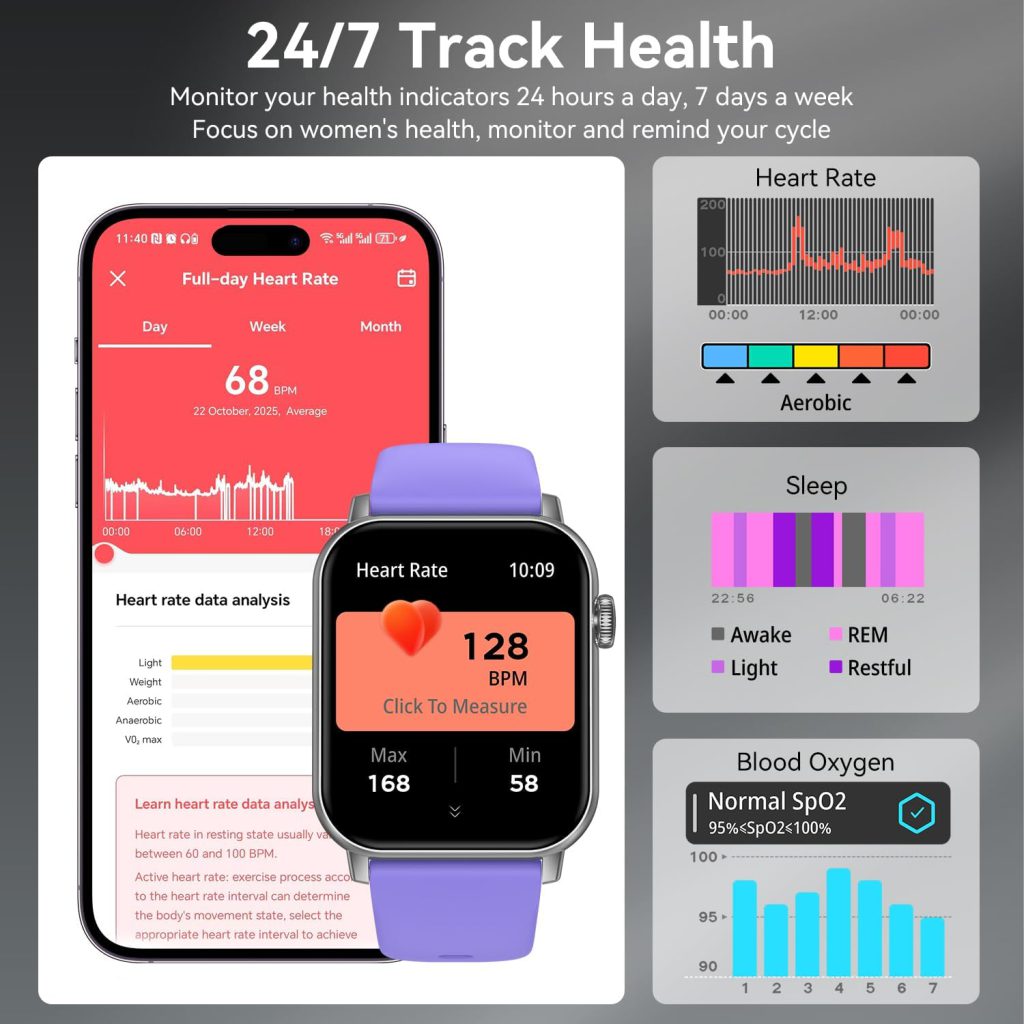
Your smartwatch is a time machine for your body. It charts your resting heart rate trends over months, showing you how quitting coffee or starting meditation actually affected your physiology. It tracks your Heart Rate Variability (HRV), a key metric for stress and recovery. Lose that data, and you lose the ability to see the forest for the trees. You might know your heart rate today, but you lose the context of whether that is good or bad for you .
2. The Sleep Architecture
Modern wearables don’t just track how long you slept; they track how you slept. They break down your deep sleep, REM cycles, and light sleep. This data is crucial for understanding sleep disorders or simply optimizing your routine. When this data is gone, you aren’t just missing a graph; you are missing the diagnostic map of your nightly restoration.
3. The Fitness Narrative
Workout history is more than just vanity metrics. It is a record of progression. If you are a runner, your watch stores your pace improvements, your stride length changes, and your VO2 Max estimates. Losing this is like a novelist losing the draft of a book halfway through. You remember you wrote something good, but you have no proof and no detail .
4. The Configuration Comfort Zone
This is the one that annoys users the most. You spent an hour customizing that watch face. You carefully arranged your app layout in a “complication” grid that makes sense to your muscle memory. You trained the raise-to-speak feature to recognize your voice. When a watch loses data, all of that ergonomic customization is reset to factory default. You are left with a stranger’s device on your wrist.
The Ecosystem Breakdown: Apple vs. Samsung vs. The Rest
Not all data loss is created equal. How your device handles (or fails to handle) data depends entirely on the ecosystem it belongs to.
The Apple Wall Garden
Apple has built a seamless, but restrictive, backup system. Your Apple Watch does not back up to a computer. It backs up to your iPhone, which then backs up to iCloud or iTunes .
Here is the catch: To actually force a backup of your Apple Watch, you often have to unpair it from the phone. That action triggers an automatic backup. This is counterintuitive. The moment you decide to prepare for a potential loss (by un pairing to back up), you are temporarily without a watch.
Furthermore, certain sensitive data is intentionally excluded from standard backups. Bluetooth pairings, credit cards used for Apple Pay, and your watch passcode are not saved for security reasons . More critically, while Health data is backed up, it requires an encrypted backup to be fully restored. If you have iCloud Backup turned off or use an unencrypted local backup, that intricate health history is gone for good .
The Samsung / Wear OS Landscape
Samsung offers a bit more flexibility, largely due to the fragmentation of the Android ecosystem. Backups can be initiated manually through the Galaxy Wearable app or via the Samsung Cloud connected to your account .
However, Samsung is brutally honest about the limitations. They explicitly state that music saved on the watch cannot be backed up. If you downloaded a playlist for a phone-free run, that music vanishes upon reset . Moreover, there is a significant fragmentation issue: if you switch from an older Tizen-based Samsung watch to a new Wear OS model (like the Galaxy Watch6 or newer), some data may simply refuse to transfer due to operating system differences .
How Data Really Gets Wiped
We usually blame hardware failure, but the statistics on data loss point to more mundane, preventable causes.
The Botched Update
Software updates are a prime moment for data loss. Whether it is watchOS or Wear OS, the update process involves verifying and migrating data. If the update freezes, or if the battery dies mid-installation, the device can enter a boot loop. In many cases, the only fix is a factory reset—which wipes the data you were trying to protect.
The “Unpairing” Assumption
This is the most common trap. A user gets a new phone. They assume that because their apps log in automatically, their watch will just “figure it out.” They discard the old phone without properly unpairing the watch. When they try to connect the watch to the new phone, the watch forces a reset. Without the old phone to authorize the transfer, that backup is locked on the old device .
The Battery Betrayal
Huawei, in their support documentation, highlights a simple but often overlooked risk: critical battery levels. If your wearable powers off automatically due to low battery while in the middle of a write operation (saving an activity), the file can corrupt. They explicitly warn that data may get lost if the watch powers off unexpectedly .
A Cautionary Tale
There is a segment of users for whom data loss is not just an inconvenience but a scientific catastrophe: researchers. The use of consumer wearables in clinical studies has exploded, but it has also exposed the fragility of these devices as data storage units .
Researchers face “Mistake 1: Assuming Consumer Wearables Provide Raw Data.” When a study participant loses their watch data, they don’t just lose a step count; they lose the RR intervals (the beat-to-beat data crucial for heart rate variability analysis). This makes the data useless for publication .
Furthermore, “Mistake 4: Allowing Participants to See Feedback” complicates recovery. If a participant sees they lost data, they might try to “recreate” the workout from memory the next day, introducing bias . For the average user, this serves as a warning: if the data is important enough for scientists to cry over, it should be important enough for you to back up.
A Cross-Platform Guide to Data Safety
So, how do we fight back against the inherent volatility of wearable tech? You need a multi-layered defense strategy. This isn’t just about hitting a button; it’s about changing your behavior.
Phase 1: The Pre-Nup (Initial Setup)
- Encryption is Non-Negotiable: Whether you are on iOS or Android, ensure your phone backup is encrypted. For Apple users, this means checking that “Encrypted Backup” is ticked in Finder or iTunes, or that “Health” is toggled on in your iCloud settings . For Samsung users, ensure your Samsung Cloud backup is active .
- Account Verification: Your wearable data is usually tied to a specific account (Apple ID, Samsung Account, Huawei ID). Ensure these accounts have 2-Factor Authentication enabled. If your account is hacked, your data can be remotely wiped .
Phase 2: The Weekly Ritual
- The Sync Check: Don’t just wear your watch; open the companion app on your phone daily or weekly. Force a sync. For Huawei Health users, this simply means swiping down on the home screen to ensure the data migrates from the watch to the phone .
- The Screenshot Save: For data that is not easily exported (like specific watch face configurations or complex health summaries), take a screenshot. Store these screenshots in a secure, encrypted folder on your cloud drive.
Phase 3: The Migration Mastery
- Unpair, Don’t Just Abandon: When upgrading your phone or watch, always go through the official unpairing process. For Apple Watch, this is done in the Watch app by selecting “Unpair Apple Watch.” This triggers the final, crucial backup . For Samsung, ensure the Wearable app completes its backup routine before you hit “reset” on the old device .
Phase 4: The Professional Route
- Third-Party Tools: For the truly paranoid, or for those who have already lost data, third-party recovery tools exist. Software like Stellar Data Recovery or services like DriveSavers claim to extract data from wearable ecosystems, though success rates vary and costs can be high. These are generally the nuclear option when standard restores fail .
- Local Logging: If you are a data junkie, use apps that integrate with services like Strava, Apple Health, or Google Fit. By having your data piped into multiple databases simultaneously, you create redundancy. If your watch dies, Strava still has your run history.
On-Device Intelligence
The good news is that the industry is waking up to the fact that data volatility is unacceptable, especially as wearables move into medical-grade monitoring.
Companies are now developing “embedded data platforms” designed to run directly on the watch’s chip, ensuring data integrity even during power loss. These systems use ACID-compliant transactions (Atomic, Consistent, Isolated, Durable)—a fancy way of saying that if the power cuts out mid-save, the file won’t corrupt; it will either save completely or not at all .
This technology, like the ITTIA DB Platform mentioned in industry discussions, aims to make wearables truly intelligent, capable of real-time analytics without relying on the cloud for every single data point. This means in the future, your watch might be able to detect an atrial fibrillation event and save that data locally with the same integrity as a hospital heart monitor, ensuring it isn’t lost during transmission .
Don’t Let Your History Flatline
Your smartwatch is a historian, but it has a terrible memory. It records your life in meticulous detail, yet it holds onto that record with the weakest grip imaginable.
We have moved past the era where wearables were just pedometers with pretty screens. They are health devices. They are medical aids. They are personal journals. Treating their data with the same casual disregard we treat a forgotten umbrella is a recipe for digital heartbreak.
Take ten minutes today. Check your backup settings. Encrypt your phone history. Understand the unpairing process for your specific device. Because when that screen goes black for the last time, you don’t want your history to go dark with it.
Leave a Comment
Your email address will not be published. Required fields are marked *