
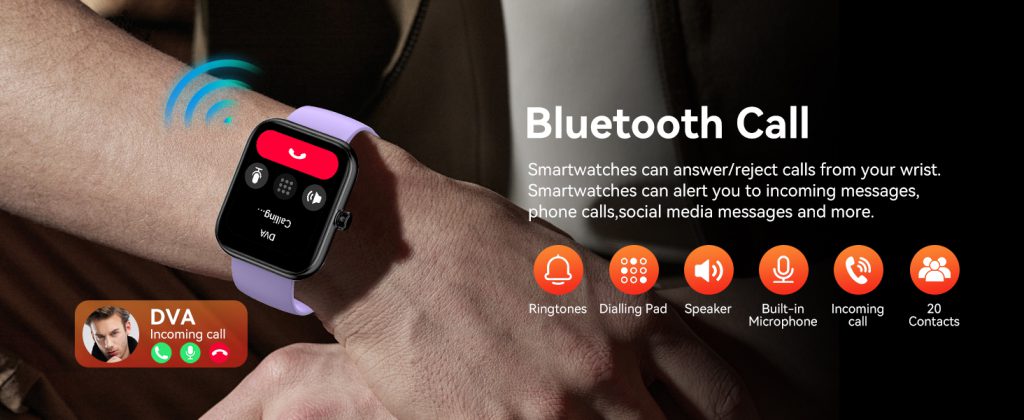
Few upgrades feel as immediately rewarding as pairing Bluetooth earphones with your smartwatch. Suddenly, workouts become truly untethered—no phone bouncing in your pocket during a run, no fumbling for controls mid-stride, just music, podcasts, or calls streaming straight from your wrist to your ears. By 2026, this setup has become standard across major platforms, thanks to reliable Bluetooth 5.3+ chips, improved battery management during audio playback, and refined pairing flows that take seconds rather than minutes. Whether you’re using an Apple Watch for seamless ecosystem perks, a Galaxy Watch for versatile Android integration, a Pixel Watch for clean Google ties, or a Garmin for endurance-focused reliability, connecting earphones unlocks phone-free audio that enhances everything from morning jogs to office focus sessions.
The appeal is straightforward. Modern smartwatches store music locally or stream over LTE/Wi-Fi, and once earphones are paired, playback happens independently. You control volume, skip tracks, or pause with wrist gestures, voice commands, or on-screen taps. Battery drain during music is manageable—offline listening often extends playtime compared to constant streaming—and the experience feels magical when you’re out running trails or lifting weights without any device in hand. Compatibility has broadened too; most true wireless earbuds work across platforms, though ecosystem-specific pairs (AirPods with Apple Watch, Galaxy Buds with Samsung) offer extras like instant switching or enhanced codecs.
Let’s start with the Apple Watch, where pairing feels almost magical due to tight hardware-software integration. For AirPods or AirPods Pro (now in their third generation with improved ANC and longer battery), the process is effortless if you’re already in the Apple ecosystem. Put your AirPods in pairing mode by opening the case near the watch—the status light flashes white. On the watch, swipe up to the Control Center or head to Settings > Bluetooth. Your AirPods usually appear automatically; tap to connect. If not nearby or for non-Apple buds, manually enter pairing mode on the earphones (typically press and hold the setup button until the LED blinks), then select the device from the Bluetooth list on the watch. Once paired, audio routes automatically during workouts in Fitness+ or when playing from Apple Music downloads. Controls live on the Now Playing complication or in the Music app—double-tap the crown for play/pause, twist for volume. Recent watchOS updates added quicker reconnection logic, so even after forgetting the device, it re-pairs in one tap. For third-party buds like Sony WF-1000XM6 or Bose QuietComfort Ultra, the same steps apply, though you miss spatial audio perks unless the buds support it natively.
Android users have strong options with Wear OS devices like the Google Pixel Watch 4 or Samsung Galaxy Watch 8. Pairing follows a consistent path across most Wear OS watches. First, ensure Bluetooth is enabled on the watch—swipe down for Quick Settings and tap the Bluetooth icon if needed. Put your earbuds in pairing mode (for Pixel Buds Pro 2, open the case; for Galaxy Buds, hold the pairing button). On the watch, go to Settings > Connections > Bluetooth > Available devices (or scan). Your buds should show up; tap to pair. A prompt may ask to confirm a code or enable media/call audio—always allow both for full functionality. Samsung adds a handy shortcut: from the Quick Panel, tap the Bluetooth icon directly to scan. Once connected, music from YouTube Music, Spotify downloads, or local files plays smoothly. The Galaxy Watch excels with multipoint-like behavior in some scenarios, letting buds switch between watch and phone seamlessly when in range, though true multipoint depends on the earbuds’ firmware. Pixel Watch leans into Google Assistant for voice commands like “play my running playlist,” making hands-free control natural.
Garmin users often prioritize long battery life and fitness metrics over smart features, but music pairing remains robust on models like the Fenix 8, Forerunner 965, or Venu 3. Garmin supports Spotify, Amazon Music, YouTube Music, and Deezer for offline downloads, plus local MP3 transfers. To pair, open Settings > Sensors & Accessories > Add New > Headphones (or Bluetooth accessories). Put buds in pairing mode, then select them from the scan list. Garmin’s interface integrates audio controls into workout views—track name appears beside pace and heart rate. Reconnection is automatic after initial setup; the watch remembers multiple devices. Battery impact is minimal thanks to efficient Bluetooth Low Energy modes, often allowing 10+ hours of GPS + music.
Choosing the right earbuds makes a big difference. In 2026, top performers include Sony WF-1000XM6 for balanced sound and strong ANC across platforms, Bose QuietComfort Ultra (Gen 2) for unmatched noise blocking during commutes, and Shokz OpenRun Pro 2 for bone-conduction safety on runs where you need environmental awareness. Apple users naturally gravitate to AirPods Pro 3 with adaptive audio and heart-rate tracking that syncs to Health. Android fans appreciate Galaxy Buds 3 Pro for seamless Samsung integration or Pixel Buds Pro 2 for Google Assistant perks. Look for IPX4+ water resistance for sweat-heavy workouts, good codec support (AAC for Apple, aptX/LDAC for Android), and comfortable fit—stability wings or foam tips prevent drops during movement. Budget options like Earfun Air Pro 4 or JLab models deliver solid basics without breaking the bank.
The pairing process occasionally hits snags, but most are quick fixes. If buds don’t appear, ensure they’re in pairing mode (not already connected to your phone—disconnect first), restart the watch, and keep devices within 3 feet. Interference from Wi-Fi routers or crowded 2.4GHz environments can slow discovery—move to a quieter spot. Forget and re-pair if the connection drops randomly; on Apple Watch, go to Bluetooth > info icon > Forget Device. For Wear OS, clear Bluetooth cache via phone settings if persistent. Update firmware—watchOS, Wear OS, or Garmin’s system software often patches connectivity bugs. Low battery on either device causes flaky behavior; charge both fully. Some earbuds require companion apps for full features, but basic audio works without them.
Once connected, daily use transforms. During a run, your Garmin queues a downloaded playlist while tracking splits—no phone needed. On the Apple Watch, Fitness+ sessions sync beats to your cadence automatically. Galaxy Watch users stream LTE podcasts on long walks. Controls become second nature: raise wrist for Now Playing glance, use digital crown or bezel for volume, or bark voice commands. Auto-pause when removing buds saves battery, and call audio routing lets you answer without grabbing your phone.
Battery considerations matter. Streaming over LTE drains faster than offline playback—expect 20-30% quicker depletion. Most watches optimize with screen dimming and efficient codecs during audio. Garmin outliers shine here, stretching multi-day use even with tunes. Offline storage (64GB on high-end Apple, 32GB on Pixel/Galaxy, 8-32GB Garmin) holds thousands of tracks, making phone-free days realistic.
Privacy and security stay simple—pairing uses standard Bluetooth encryption, and buds don’t access watch data beyond audio. Forget devices when lending your watch, and use Find My (Apple) or similar trackers for lost buds.
User stories illustrate the impact. A marathon trainer pairs Shokz to their Fenix for hours of motivation without signal worries. A busy commuter connects AirPods Pro 3 to Apple Watch for train podcasts, freeing hands for coffee. Gym regulars use Galaxy Buds with their Watch 8, controlling tracks mid-set without phone interruptions. These moments show why the feature endures—it’s about reclaiming focus and movement.
As Bluetooth evolves toward lower latency and better multipoint, expect even smoother experiences—perhaps auto-switching between watch and phone mid-song or AI-optimized EQ based on activity. For now, connecting Bluetooth earphones remains one of the most satisfying smartwatch tweaks: simple setup, profound freedom. Grab your buds, follow the steps for your model, and enjoy the soundtrack of your day directly from your wrist.
Leave a Comment
Your email address will not be published. Required fields are marked *