
Anyone who has used a smart watch has experienced it at some point: slow screen transitions, delayed touch responses, notifications that take too long to appear, or apps that freeze briefly when opened. These small frustrations directly affect how we feel about a device. A smartwatch may have excellent health sensors, long battery life, and a beautiful design, but if the system does not feel smooth, users will quickly become dissatisfied. System smoothness is one of the most underappreciated yet critical aspects of wearable experience. It is not caused by a single component; instead, it is the result of hardware, software, optimization, and design working together.
The first and most obvious factor is hardware performance. At the core of every smartwatch is a processor, often called a microcontroller unit (MCU) for RTOS devices or a system-on-chip (SoC) for more powerful watches. The speed, architecture, and efficiency of this chip directly influence how quickly the system can handle user input, render graphics, run sensors, and process data. A low-power, outdated processor will struggle with even basic animations and multitasking. However, raw performance is not everything. Many watches with strong processors still feel laggy because of poor software optimization. The hardware provides the potential, but the software determines whether that potential is unlocked.
Closely related to the processor is memory capacity and management. Smartwatches use two types of memory: RAM for active tasks and storage for the system, apps, and data. When the device runs low on RAM, it must constantly reload applications and data, causing delays. Even watches with sufficient RAM can feel slow if the operating system does not manage memory efficiently. Background processes, unnecessary widgets, and poorly coded apps can consume valuable memory resources, leaving little room for the tasks the user is actively trying to complete. On RTOS-based devices, efficient memory management is especially important because resources are extremely limited. A well-optimized RTOS ensures only critical tasks occupy memory, keeping the system light and responsive.
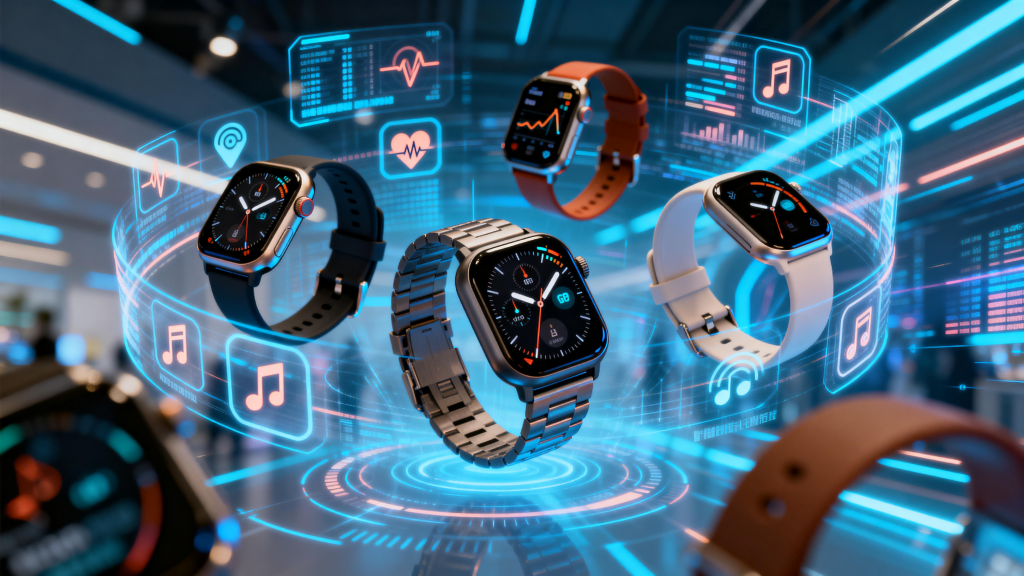
The operating system itself is another major factor. As discussed in the previous article, many smartwatches use Real-Time Operating Systems (RTOS) rather than general-purpose OSes. RTOS is designed for speed and predictability, which naturally supports smoothness. However, not all RTOS implementations are equal. A well-built RTOS will prioritize user interface tasks, reduce latency, and avoid background interference. A poorly structured RTOS, with messy task scheduling or inefficient drivers, can lead to noticeable lag. General-purpose operating systems, while more powerful, often struggle with consistent smoothness on wearables because they are not optimized for the small screen, limited resources, and real-time demands of a watch.
Task scheduling and priority management play a huge role in how smooth a system feels. In a well-designed smartwatch system, user interactions—such as tapping the screen, swiping, or pressing a button—are assigned the highest priority. This means the system immediately responds to input before processing background tasks like syncing data, updating health metrics, or connecting to Bluetooth. If a system allows background activities to interrupt user interaction, the result will be delayed responses and a frustrating experience. RTOS excels in this area because it uses fixed priority levels, ensuring the user always feels in control.
Graphics rendering and display performance also contribute to perceived smoothness. A high-quality display with a fast refresh rate makes animations appear fluid, but only if the system can keep up. The user interface (UI) must be rendered efficiently, with lightweight animations that do not overload the processor. Complex visual effects, excessive layers, and poorly optimized graphics can cause stuttering even on decent hardware. Watch manufacturers must balance visual appeal with performance. Simple, clean animations that run consistently are better than flashy effects that occasionally drop frames. The speed at which the display updates and the responsiveness of the touch panel also affect how smooth the watch feels in daily use.
Application quality and third-party software are often overlooked but highly influential. Many smartwatches support external apps, watch faces, and widgets. If these applications are poorly coded, they can drain resources, cause memory leaks, or create conflicts with the system. A single badly optimized watch face can slow down an entire watch. On the other hand, well-designed apps that follow system guidelines and use resources efficiently help maintain overall smoothness. For this reason, strict app standards and review processes are important for maintaining a consistent user experience. Manufacturers that allow unregulated third-party content often sacrifice system stability and fluidity.
Battery and power management also impact smoothness. To save energy, smartwatches reduce processor speed when the device is inactive or when battery level is low. While this extends battery life, overly aggressive power-saving policies can make the watch feel slow when the user wakes it up. A good power management system balances efficiency and responsiveness. It should quickly ramp up performance when the user interacts with the device and gradually reduce power usage during idle periods. Poorly tuned power policies can lead to inconsistent performance—fast at times, annoyingly slow at others.
Firmware and system optimization over time are equally important. A watch may launch with smooth performance, but after multiple updates, it can become slower if new features add excessive overhead. Regular maintenance, clean code structure, and performance-focused updates ensure the device remains fast throughout its lifecycle. Many top manufacturers release periodic optimization updates specifically to improve responsiveness, fix lag issues, and streamline background processes. Users often underestimate how much software updates affect long-term smoothness.
The number of active sensors and background connections also places load on the system. GPS, heart rate sensors, blood oxygen monitors, gyroscopes, and continuous health tracking all require processing power. Bluetooth connectivity, notifications, and cloud sync further add to the workload. If the system does not manage these sensors and connections efficiently, they can compete for resources and cause slowdowns. Well-optimized watches activate sensors only when necessary, use low-power modes effectively, and avoid unnecessary polling or data transmission.
Finally, user habits and settings can influence smoothness. Using highly complex watch faces, enabling every sensor continuously, keeping Bluetooth always on, and opening many apps without closing them can all contribute to slower performance. While a well-designed system should handle typical usage gracefully, users can often improve responsiveness by reducing unnecessary visual effects, limiting background activity, and restarting the device occasionally.
In conclusion, system smoothness on a smartwatch is not an accident. It results from a combination of:
- Efficient hardware
- Responsive operating systems
- Smart task scheduling
- Lightweight graphics and UI
- High-quality applications
- Balanced power management
- Continuous software optimization
- Sensible resource management
When all these factors work together, the watch feels natural, fast, and effortless. Smoothness is not just a cosmetic feature; it defines the entire user experience. A truly great smartwatch does not just have good specs—it feels good to use.
Leave a Comment
Your email address will not be published. Required fields are marked *