
Smart watches promise to keep you connected and productive with a quick glance at your wrist, but for many users they end up doing the opposite: pulling attention away from the moment. The same device that vibrates to remind you of a meeting can also buzz with group-chat memes, social-media likes, or game notifications at the worst possible times. Whether you’re studying, working, driving, or trying to have a real conversation, the question is real—can a smartwatch actually make you more distracted than helpful? The short answer is yes, but only if you let it.
The Always-On Notification Trap
The biggest source of distraction is notifications themselves. A smartwatch puts alerts right on your body—literally impossible to ignore without conscious effort. A single vibration can break your focus in seconds, even if you don’t pick up your phone. Research on wearable interruptions shows that each notification costs several minutes of recovery time to get back into deep work or conversation.
Common culprits include:
- Group texts and messaging apps that ping constantly
- Social media mentions, likes, or story views
- Email previews that tempt you to respond immediately
- App reminders for games, news, or shopping deals
During class, meetings, or family dinners, these tiny interruptions add up fast. Many people report feeling “phantom vibrations” even when nothing buzzes—your brain gets so used to expecting alerts that it creates false ones, keeping you subconsciously on edge.
Impact on Different Parts of Daily Life
In school or study sessions, a buzzing wrist can shatter concentration. One study found that students who received notifications during reading tasks scored noticeably lower on comprehension tests. Even turning your wrist to check the time can tempt you to swipe and see what else is waiting.
At work, especially in open offices or during focused tasks like writing reports or coding, constant wrist vibrations fragment attention. Some professionals say they end up checking the watch 20–30 times an hour—far more than they’d check a phone sitting on a desk.
While driving or walking in busy areas, glancing at notifications is outright dangerous. Many smartwatches show incoming call or text previews, and the temptation to respond hands-free (via voice) still takes mental bandwidth away from the road.
Even in personal moments—talking with friends, playing with kids, or winding down before bed—the watch can intrude. A late-night fitness-goal reminder or a message from a work colleague can kill relaxation or sleep quality.
Why Smart watches Feel More Distracting Than Phones
Phones are easier to silence and put away. A smartwatch is strapped to you 24/7, so it’s always “on” unless you actively manage it. The haptic feedback is subtle yet insistent—designed to grab attention without a loud sound, which makes it sneakier.
The always-visible screen (especially always-on displays) acts like a mini billboard on your arm. Bright colors, animations, or changing complications draw your eye more than a locked phone screen ever would.
How to Keep Your Smart watch from Running Your Day
The good news is distraction is mostly controllable with a few deliberate habits.
Start by ruthlessly curating notifications. On most watches (Apple, Samsung, Google, Garmin, etc.), you can mirror phone settings or create custom profiles. Allow only high-priority items: calendar events, alarms, calls from favorites, and messages from key contacts. Mute everything else—social apps, news, games—during work, study, or family time.
Use built-in focus modes. “Do Not Disturb,” “Theater Mode,” “Focus,” or “Sleep” schedules can auto-activate based on time, location, or calendar events. Set school or work hours so the watch stays silent except for emergencies.
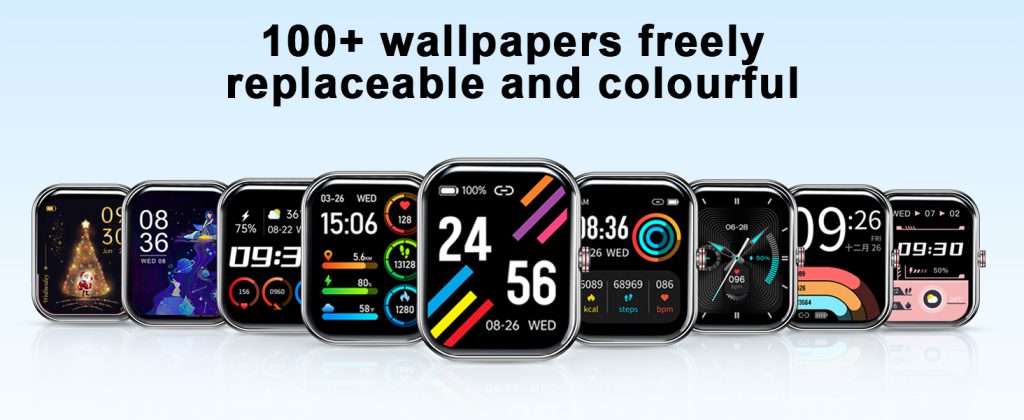
Choose watch faces wisely. Go for minimal designs—no flashing animations, no weather or stock tickers that update every minute. A simple analog face with date and battery is far less tempting than a colorful complications-heavy one.
Physically manage temptation. During deep work or important conversations, flip the watch face-down or cover it with your sleeve. Some people even take it off and place it across the room for true focus blocks.
Review usage weekly. Most companion apps show how often you raise your wrist or interact. If the numbers surprise you, tighten restrictions further.
Smartwatches don’t inherently cause distraction—poor notification management does. When set up thoughtfully, they can reduce phone-checking by delivering only what you need at a glance. But leave everything enabled and vibrating, and they become wrist-sized attention thieves.
If your watch ever feels like it’s controlling you instead of the other way around, take back control. A few minutes of setup can turn a potential distraction machine into one of the least intrusive productivity tools you own.
The key isn’t avoiding smart watches—it’s using them on your terms.
Leave a Comment
Your email address will not be published. Required fields are marked *