Free Shipping On All Orders Over $10

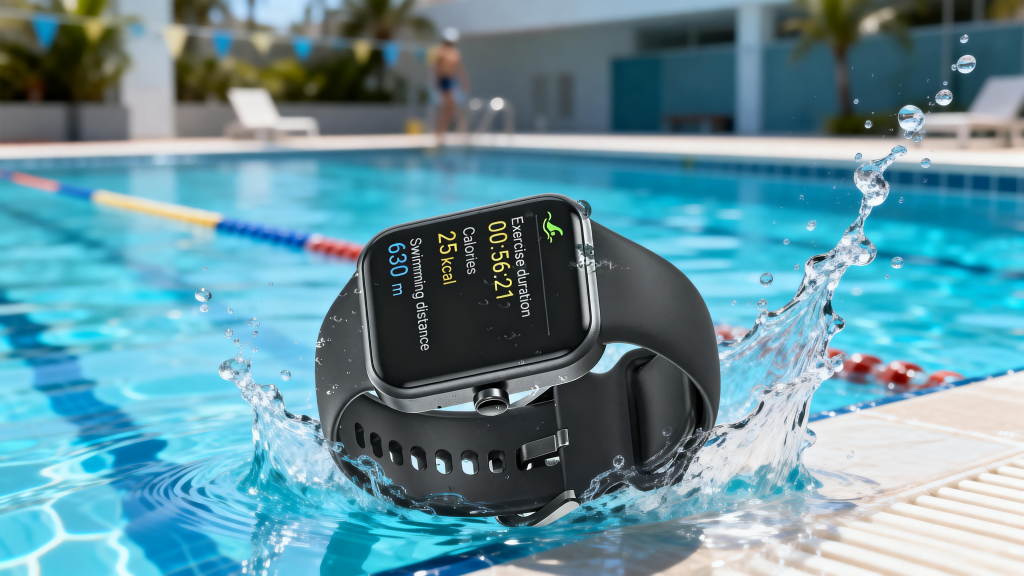
How Smart watches Monitor Your Aquatic Workouts

If you’re a swimmer who loves tracking progress—whether you’re clocking laps in the pool or exploring open water—your smartwatch is more than just a timepiece. It’s a tiny, water-resistant computer working tirelessly underwater to log every stroke, lap, and metric that matters. But have you ever wondered how it manages to do that? Unlike running or cycling, swimming presents unique challenges: water resistance, limited GPS signal, and subtle movement patterns that differ drastically from land-based exercises.

The Foundation: Water Resistance & Sensor Durability

Before we dive into tracking itself, we need to start with the basics: your smartwatch’s ability to survive in water. Without proper water resistance, none of the tracking features matter—and a damaged watch won’t give you any data at all. Most swim-ready smartwatches (think Apple Watch Series 7+, Garmin Swim 2, Polar Vantage M3, and Huawei’s 50-meter waterproof models) come with a water resistance rating of 5 ATM or higher, which means they can withstand depths of up to 50 meters—plenty for pool swimming and even casual open water swims.

What “Water-Resistant” Actually Means for Tracking

Many swimmers make the mistake of assuming water resistance equals reliable swim tracking—but they’re two separate features. Water resistance simply protects the watch’s internal components (like sensors and batteries) from water damage. Tracking, on the other hand, requires those components to function underwater, where touchscreens fail, GPS signals weaken, and movement is harder to detect. To solve this, smartwatches use sealed designs to keep water out while ensuring sensors can still pick up on the subtle motions of swimming. They also disable touch input by default when in swim mode (using a “water lock” feature) to prevent accidental taps from splashes or water pressure, ensuring the watch stays focused on tracking your workout.

Key Sensors: The “Eyes and Ears” of Swim Tracking

At the heart of every smartwatch’s swim tracking capabilities are tiny sensors that work together to interpret your movements in the water. Unlike land workouts, where GPS is king, swimming relies on a combination of motion sensors and (for open water) GPS to deliver accurate data. Here are the two most critical sensors:

1. Accelerometer: Detecting Stroke Movement

The accelerometer is a small sensor that measures acceleration and deceleration—think of it as the watch’s way of feeling how your arm moves through the water. Every swim stroke (freestyle, breaststroke, backstroke, butterfly) has a unique pattern of movement: freestyle involves alternating arm swings with a flutter kick, while breaststroke uses a slower, circular arm motion paired with a frog kick. The accelerometer picks up on these patterns, sending data to the watch’s algorithm to identify which stroke you’re using and count how many strokes you take per minute (stroke rate).

2. Gyroscope: Tracking Body Orientation & Turns

While the accelerometer detects movement, the gyroscope tracks rotation and orientation—critical for lap counting. When you swim in a pool, the most obvious sign that you’ve completed a lap is your turn: pushing off the wall, rotating your body, and starting the next length. The gyroscope senses this sudden rotation and change in direction, signaling to the watch that a lap has ended and a new one has begun. This is why it’s so important to set your pool length (25m, 50m, etc.) in the watch’s settings—once the gyroscope detects a turn, the watch multiplies the number of turns by the pool length to calculate your total distance (total distance = pool length x number of laps).

The Brain: Algorithms That Turn Data Into Meaningful Metrics

Sensors collect raw data, but it’s the watch’s algorithm that turns that data into metrics you care about—lap count, distance, stroke rate, SWOLF score, and more. These algorithms are trained on thousands of swim workouts, learning to distinguish between different strokes, filter out irrelevant movements (like adjusting your goggles or pausing to rest), and correct for errors (like a weak turn that the gyroscope almost misses).

Pool vs. Open Water: How Tracking Changes

The algorithm’s job changes slightly depending on whether you’re swimming in a pool or open water—here’s how:

Pool Swimming: Lap-Centric Tracking

In a pool, the watch relies heavily on the accelerometer, gyroscope, and your pre-set pool length. Since the pool is a fixed size, the algorithm doesn’t need GPS—it just counts laps (via turns) and multiplies by pool length to get distance. Most smartwatches also track rest intervals automatically, detecting when you stop moving (like when you’re hanging on the wall) and pausing the timer until you start swimming again. High-end models even track SWOLF score—a metric that combines your lap time and stroke count to measure efficiency (lower SWOLF = more efficient swimming).

Open Water Swimming: GPS Takes the Lead

Open water swimming (lakes, oceans, rivers) is trickier because there are no walls to signal laps, and the distance isn’t fixed. Here, smartwatches use GPS to track your position and calculate distance—though GPS doesn’t work well underwater (water blocks satellite signals). To solve this, the watch uses “GPS bridging”: it collects GPS data whenever your wrist breaks the surface (like during a stroke) and connects those points to map your route and calculate distance. The accelerometer and gyroscope still track stroke rate and orientation, but GPS is the star for distance and pace tracking in open water. Some watches also let you view your route on a companion app after your swim, so you can see exactly where you went.

Beyond the Basics: Advanced Swim Metrics

Modern smartwatches don’t just track laps and distance—they offer advanced metrics to help you improve your technique and efficiency. Here are a few you might see:

SWOLF Score: The “Efficiency Metric”

SWOLF (short for “swim golf”) is one of the most useful metrics for swimmers looking to improve. It’s calculated by adding your lap time (in seconds) to the number of strokes you took to complete that lap. For example, if you swim a 25m lap in 30 seconds with 10 strokes, your SWOLF score is 40. The goal is to lower your SWOLF score over time, which means you’re swimming faster with fewer strokes—aka, more efficiently. SWOLF is personal, so it’s best to compare your own scores rather than others’.

Heart Rate Tracking: Monitoring Effort Underwater

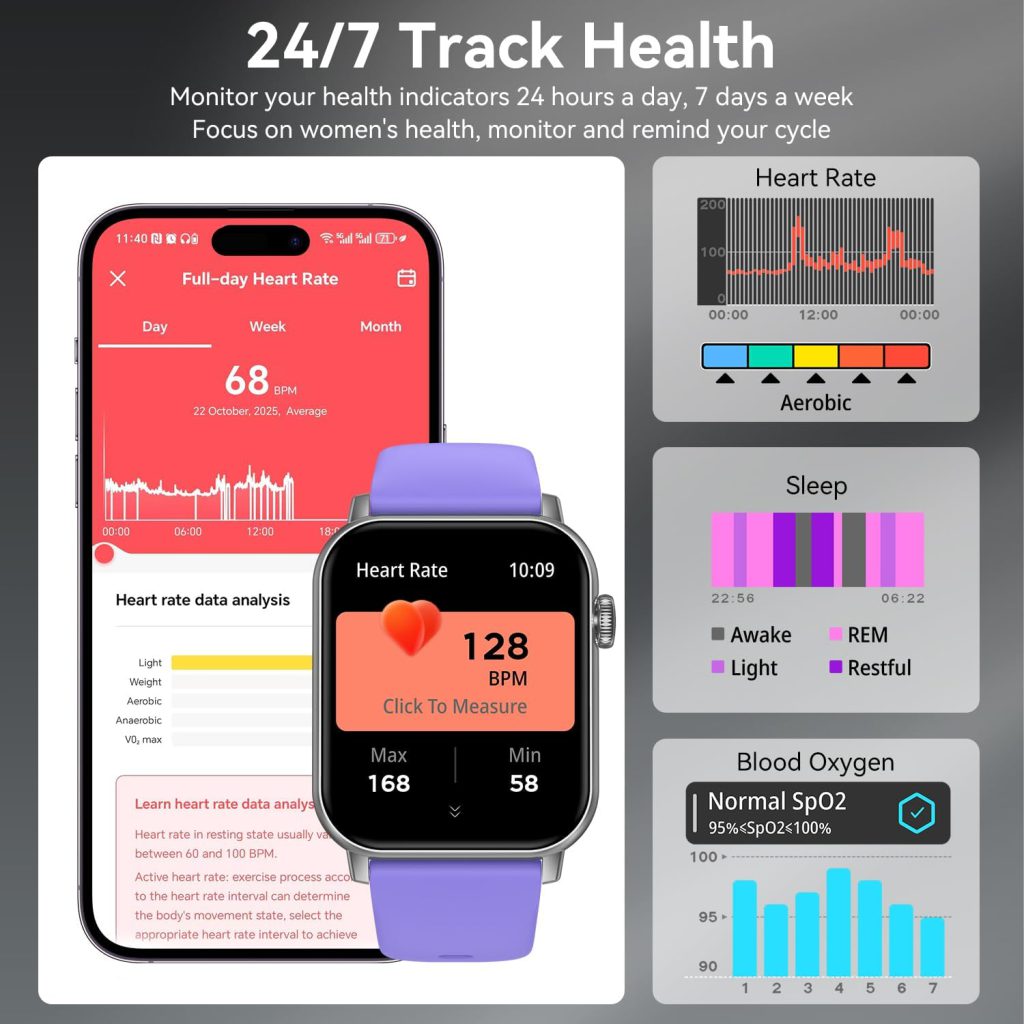
Tracking heart rate underwater used to be impossible with wrist-based sensors, but newer smartwatches use advanced technology (like Polar’s Elixir™ sensor fusion or Garmin’s Elevate heart rate tech) to measure heart rate through wet skin. Water can interfere with the sensor’s accuracy, but it’s still reliable enough to monitor your average heart rate, max heart rate, and which heart rate zone you’re in—critical for optimizing your workout intensity. Some swimmers use chest straps for more accurate heart rate data, but most modern smartwatches offer solid wrist-based tracking underwater.

Stroke Recognition: Identifying Your Swim Style

High-end smartwatches can automatically identify which stroke you’re using (freestyle, breaststroke, backstroke, butterfly) by analyzing the movement patterns from the accelerometer and gyroscope. This lets you track how much time you spend on each stroke, your stroke rate per stroke type, and even your SWOLF score for individual strokes. Freestyle and backstroke are easier to detect (thanks to their consistent movement patterns), while breaststroke and butterfly may require a few swims for the algorithm to adapt to your style.

Tips to Improve Your Smart watch’s Swim Tracking Accuracy

Even the best smartwatches can deliver inaccurate data if you don’t set them up correctly. Here are a few quick tips to ensure your swim tracking is as reliable as possible:

1. Set the correct pool length: This is the most important step for pool swimming—without it, your distance and lap count will be wrong. Most watches let you choose from common lengths (25m, 50m) or set a custom length if your pool is unusual.

2. Wear the watch correctly: Keep it snug (but not too tight) on your wrist, above the bone. If it’s too loose, it will move around in the water, leading to inaccurate sensor data. Most watches recommend wearing it on your non-dominant wrist for better stability.

3. Use swim mode: Always enable swim mode before jumping in—the watch will disable touch input, activate water lock, and optimize sensors for underwater movement. Forgetting to use swim mode is the most common reason for bad tracking data.

4. Pause during rests: If you stop to rest on the wall, manually pause the watch (or use auto-rest mode if your watch has it). Otherwise, the watch may count your rest time as swimming, skewing your pace and stroke rate data.

5. Update your watch firmware: Manufacturers regularly update their algorithms to improve swim tracking accuracy. Keeping your watch updated ensures you’re getting the latest improvements.

Smart watches as Your Swim Coach

Swimming tracking technology has come a long way in the past few years—from basic lap counters to advanced tools that help you refine your technique and track long-term progress. The principles are simple: durable sensors collect movement data, algorithms turn that data into meaningful metrics, and GPS fills in the gaps for open water swims. Whether you’re a casual swimmer looking to log your weekly laps or a competitive triathlete aiming to lower your SWOLF score, your smart watch is a powerful companion that takes the guesswork out of aquatic training.

Next time you jump in the pool or head out to the lake, take a moment to appreciate the tiny sensors and algorithms working underwater to track your every move. With the right setup and a little know-how, you can turn that data into better swims—and better results.

The Ultimate Guide to Cycling Tracking on Smart watches

Gone are the days when cyclists needed a clunky, handlebar-mounted computer to track their rides. Today, the most powerful cycling computer might already be sitting on your wrist. Smart watches have evolved into sophisticated fitness tools that can capture every detail of your journey, from heart rate spikes on steep climbs to the smooth rhythm of a flat-road sprint.

Why Your Wrist is the Best Place for Your Cycling Data

Modern smart watches offer a level of convenience that traditional bike computers simply cannot match. They transition seamlessly from tracking your morning commute to monitoring your sleep, all without needing to be swapped between handlebars. This constant wear means your health metrics are tracked 24/7, providing a more holistic view of how your training impacts your recovery and overall well-being.

Furthermore, the integration of wrist-based heart rate monitoring has improved dramatically. While a chest strap remains the gold standard for absolute accuracy, today’s optical sensors provide reliable data for the vast majority of riders. This allows you to monitor your effort zones directly from your wrist, ensuring you are training at the right intensity without the need for extra gadgets.

Key Metrics Every Cyclist Should Monitor

When you set out on a ride, your smartwatch is silently working to capture a wealth of information. Understanding these metrics is the key to improving your performance.

Essential Ride Data

At its core, every cycling tracking session records the basics: duration, distance, speed, and elevation gain. These figures give you the “what”—how far you went and how fast you got there. GPS technology in the watch maps your exact route, allowing you to replay your ride and explore new paths without fear of getting lost.

Physiological Insights

Beyond the raw numbers, the real magic lies in what the data tells you about your body. Your smartwatch tracks your heart rate to calculate calorie burn and measure aerobic load. More advanced metrics, like VO2 Max (your body’s efficiency at using oxygen), are calculated over time to show you if your fitness is improving. Many watches now also track your training load and recovery time, telling you when to push hard and when to rest, which is crucial for avoiding burnout and injury.

Navigation and Safety

Cycling tracking isn’t just about looking back; it’s also about what lies ahead. Many high-end smartwatches now feature breadcrumb navigation, allowing you to upload a route and follow it via vibrations and visual cues on your wrist. This keeps your eyes on the road and your hands on the bars. Additionally, features like incident detection and fall alerts provide peace of mind for solo riders, automatically sharing your location with emergency contacts if a crash is detected.

Choosing the Right Watch for Your Ride

Selecting a smartwatch for cycling depends largely on your riding style. For the casual commuter or weekend warrior, a general-purpose fitness watch with built-in GPS and reliable heart rate monitoring is more than sufficient. These models offer excellent battery life for a full day of use and can handle rides lasting several hours.

However, for the endurance athlete or long-distance tourer, battery life becomes the deciding factor. Look for watches with Ultra or multisport designations that offer extended GPS battery life, sometimes lasting 20 to 60 hours on a single charge. These models are also typically more durable and offer advanced connectivity with external sensors like power meters and cadence sensors, turning your wrist into a true cycling command center.

The modern smart watch has bridged the gap between a fitness tracker and a professional cycling computer. It puts a wealth of data on your wrist, helping you ride smarter, safer, and stronger.

Running Tracking: What Your Watch Knows About Every Stride

You tie your shoes, tap start, and run out the door. When you get back, your watch has a story to tell. Distance. Pace. Heart rate. Cadence. Maybe a map of exactly where you went.

Most runners look at these numbers. Few ask where they came from.

Here’s what your watch is actually doing while you run.

The Satellite Game

Your watch doesn’t measure distance with lasers or guess based on stride length. It talks to satellites.

GPS satellites orbit the earth, broadcasting their position and the exact time. Your watch listens. By comparing timestamps from multiple satellites, it calculates how far away each one is. Three satellites give a rough position. Four or more give accuracy within a few meters.

This happens continuously while you run. Every second or two, your watch pings the sky and marks another dot on the map. Connect the dots, add up the distances between them, and you get your total distance.

But it’s not perfect. Tall buildings bounce signals. Tree cover weakens them. Your watch thinks you ran through that apartment block because the signal reflected off it first. This is why trail runs sometimes look like you were weaving through houses.

When You Run on a Treadmill

Treadmill running breaks the GPS model. You’re moving, but the satellites don’t care because your position isn’t actually changing.

So your watch switches to arm swing analysis. It knows roughly how far you move with each stride based on the rhythm and force of your arm motion. It’s an estimate, not a measurement. This is why treadmill distance is often slightly off, especially if you hold the rails—your arms stop swinging, and the watch loses its reference.

Some newer watches combine arm swing with the treadmill’s own readout if you manually calibrate. But out of the box, GPS is the truth teller. No satellites, no certainty.

Pace: The Number That Lies

Your watch displays your current pace. You glance down. 5:30 per kilometer. Good. Then 6:15. What happened?

Instant pace is noisy. It jumps around because it’s calculated from the last few seconds of movement, not a steady average. If you take a tight turn, your pace drops. If you glance at your phone, your arm slows down briefly, and your watch thinks you decelerated.

This is why most runners prefer average pace or lap pace. They smooth out the noise and show you what you’re actually sustaining.

Some watches also offer pace coaching—gentle alerts when you drift outside your target range. It’s not judgment. It’s just a nudge.

Cadence and Ground Contact Time

Two metrics you never thought about before you owned a watch.

Cadence is your step rate. How many times your feet hit the ground per minute. Most recreational runners land around 160 to 170. Elite runners often exceed 180. Higher cadence with the same speed usually means shorter, quicker steps—which can reduce impact and injury risk.

Ground contact time measures how long your foot stays on the ground with each step. Less time means more spring, better efficiency. Your watch detects this through the accelerometer, the same sensor that knows when you raise your wrist to look at the screen.

Neither number is a command. They’re clues. If your cadence drops late in a long run, you’re getting tired. If your ground contact time is high on one side, you might be favoring a leg.

Heart Rate and Effort

Your running watch also tracks your heart rate. Optical sensors on the back shine light into your skin and measure how much scatters back. Blood absorbs light. Each beat changes blood volume in your capillaries. The sensor catches that rhythm.

It’s less accurate than a chest strap. Arm movement, sweat, and fit all affect the reading. But it’s consistent enough to show trends. You learn what 150 beats per minute feels like for you. Eventually, you don’t need the number.

The Map at the End

Perhaps the most satisfying part of a recorded run is the map. Colored by pace—green for fast, red for slow, yellow for steady. You see where you struggled, where you cruised, where you stopped at the traffic light.

That map is made of thousands of tiny decisions your watch made without you noticing. When to trust the signal. When to discard a bad reading. How to connect dots that don’t quite line up.

It’s not reality. It’s an approximation. But it’s close enough to help you run better tomorrow.

What Your Watch Misses

Your watch doesn’t know how you feel. It doesn’t know if you’re tired, sore, or just didn’t feel like pushing today.

It measures output, not input. Effort, not intent.

Why Your Smart watch Has 20 Different Ways to Track the Same Wrist

You scroll through your watch face, tap the workout icon, and suddenly you’re staring at a list that makes you question your entire fitness identity. Run. Treadmill run. Trail run. Indoor trail run? Outdoor walk. Indoor walk. Pool swim. Open water swim. Yoga. Strength. HIIT. Dance. Kickboxing. Pilates. Rowing. Stair stepper. Elliptical. Cooldown. Even “Other.”

It’s tempting to just hit “Run” every time and call it a day. But those modes aren’t just labels. They change how your watch sees you.

What Actually Changes When You Switch Modes

Most people assume multi-sport modes are just naming conventions—that “Cycling” and “Spin Bike” track the same thing but display different icons on your activity history. That’s not quite right.

When you select a specific sport mode, three things shift.

First, the algorithm. Your watch uses different motion sensors depending on the activity. For running, it cares about vertical oscillation and ground contact time. For cycling, it ignores arm swing entirely and prioritizes speed and cadence. For swimming, it filters out arm movement that isn’t actually pulling you through water. The same wrist movement might count as a stroke in the pool but a fidget on the bike.

Second, the heart rate expectations. Different sports create different heart rate patterns. Swimming tends to keep your heart rate lower because of water pressure and horizontal positioning. Strength training spikes it in bursts. Your watch adjusts how it interprets those numbers based on what you told it you’re doing.

Third, the data display. You don’t need stroke rate during a run. You don’t need ground contact time in the pool. Multi-sport modes clear away the irrelevant metrics and bring the useful ones front and center. That’s not fluff. That’s function.

When It Actually Matters

For a casual jog three times a week, Run is fine. You don’t need Trail Run unless you’re actually on uneven terrain—your watch adjusts its pace calculation differently when GPS signal is less consistent under tree cover.

For a spin class, don’t use Cycling. Use Indoor Bike or Spin. Your watch turns off GPS, relies on arm movement and cadence sensors, and stops asking why you haven’t moved forward in twenty minutes.

For strength training, don’t use Other. Use Strength. Your watch starts counting reps—imperfectly, but impressively—and attempts to guess which muscle groups you’re working. It won’t replace a coach, but it will remind you that your left arm rested longer than your right.

For open water swimming, don’t use Pool Swim. Open water mode relies entirely on GPS because there are no walls to tell you when to turn. Using the wrong mode here gives you incorrect distance and pace. You swam a kilometer. Your watch thinks you swam five hundred meters and got very lost.

The Problem with “Smart” Auto-Detect

Many watches now claim to detect your sport automatically. You start moving, and a notification appears: “Workout detected. 15-minute walk?”

It’s convenient. It’s also limited. Auto-detect usually recognizes walking, running, cycling, and sometimes swimming. It doesn’t recognize deadlifts, yoga flows, or the elliptical. And it often starts late—five minutes into your walk, not at the beginning.

Manual mode selection still matters because it captures your entire effort, not just the middle part.

The Weird Ones You Probably Don’t Need

Some watches include sport modes most people will never select. Fencing. Sailing. Windsurfing. Horseback riding. Cross-country skiing in summer. These exist partly for completeness, partly because someone at the company actually requested them. You don’t need to feel guilty for skipping them.

But if your watch has a mode you might genuinely use—even occasionally—it’s worth selecting it. The data it collects helps the algorithm learn your movement patterns for that specific activity. Next time, it will guess better.

What Your Watch Isn’t Telling You

Here’s the quiet truth: The mode you choose is a promise. You’re telling your watch what kind of movement to expect. In return, it promises to measure the right things and ignore the wrong ones.

But the watch never knows if you’re actually doing the activity correctly. It doesn’t know if your squat is shallow or your stroke is inefficient. It measures motion, not form.

Multi-sport modes are a tool, not a judgment. Use them to match your watch to your reality.

Aerobic vs. Anaerobic: What Your Smart watch Knows About How You Move

You strap on your watch, hit start, and within minutes it tells you: “Aerobic” or “Anaerobic.” Two words that sound like they belong in a biology textbook, not on your wrist. But your watch throws them at you mid-workout, expecting you to understand what they mean—and whether you should care.

Here’s the thing: you should. Because the difference between aerobic and anaerobic isn’t just vocabulary. It’s the difference between burning fat and building speed, between lasting an hour and surviving two minutes.

The Short Version

Aerobic means “with oxygen.” Anaerobic means “without oxygen.”

When you move at a steady, sustainable pace, your body has time to use oxygen to break down fuel—mostly fat—and keep you going. That’s aerobic.

When you sprint, lift heavy, or go all out, your body needs energy faster than oxygen can arrive. So it switches to a backup system that burns sugar without oxygen. That’s anaerobic. It works, but it creates lactate and it runs out quickly.

What Your Watch Sees

Your smartwatch doesn’t actually measure oxygen in your blood during a workout—at least, most don’t. Instead, it uses heart rate as a proxy.

Aerobic effort usually lives in Zones 2 and 3. Steady breathing, manageable effort. You’re not counting the seconds until you can stop.

Anaerobic effort lives in Zones 4 and 5. Breathing is ragged. Muscles burn. Your watch might buzz to tell you you’ve entered “threshold” or “performance” mode. What it’s really saying is: You’re running on backup fuel now.

Over time, some watches also track your “anaerobic training load”—a number meant to show how much high-intensity work you’ve done. It’s not magic. It’s just math based on how long you stayed in those higher zones.

Why Both Matter

Here’s where people get it wrong: They think aerobic is for beginners and anaerobic is for athletes. Not true.

You need aerobic fitness to go long. A strong heart, efficient lungs, muscles that know how to use fat for fuel. That doesn’t happen by accident. It happens because you spent hours in Zone 2, even when it felt slow.

You need anaerobic fitness to go hard. To sprint past someone, climb a steep hill, or finish a race strong. That doesn’t happen by accident either. It happens because you practiced discomfort.

Most recreational runners spend too much time in between—too hard for aerobic gains, too easy for anaerobic gains. Your watch can help you see that pattern. Whether you change it is up to you.

What Recovery Has to Do With It

Anaerobic work breaks your body down faster. That’s the point. But it also means you need more recovery.

Your watch might suggest rest days after high-intensity workouts. It might show you your “HRV” (heart rate variability) and tell you whether you’re ready to push again. These aren’t just features. They’re the other half of the equation.

Aerobic work builds your engine. Anaerobic work builds your power. Rest is when you actually get faster.

The Long and Short of It

Aerobic training is about duration. Anaerobic training is about intensity. You need both.

Your smartwatch labels your workouts to help you see which one you did today—and which one you’ve been neglecting. It’s not grading you. It’s just keeping track.

Use it to ask better questions: Did I go hard enough to earn that rest day? Did I go easy enough to actually recover? Am I mixing both, or stuck in the middle?

The answer isn’t in the data. It’s in what you do next.

Heart Rate Zones Explained: What Your Smart watch Is Really Telling You

You finish a run, glance at your wrist, and there it is: a neat little graph showing your heart rate zones. Five colored bars staring back at you, promising insights into your fitness. But what do they actually mean? If you’ve ever wondered whether “Zone 2” is worth the hype or why your watch keeps buzzing about “anaerobic” efforts, you’re not alone.

The Basics: Why Heart Rate Matters

Your heart is the engine of your body. The faster it beats, the harder it’s working to deliver oxygen to your muscles. By tracking your heart rate during exercise, you can gauge how intense your effort really is—not by how you feel, but by what your body is actually doing.

Heart rate zones are percentage ranges of your maximum heart rate (HRmax), usually estimated with a simple formula: 220 minus your age. It’s not perfect, but it works well enough for most recreational athletes.

The Five Zones and What They Feel Like

Zone 1: Very Light (50–60% of HRmax)
This is recovery pace. Walking the dog, cooling down, or doing household chores. It keeps you moving without stress. Your watch might call it “warm-up” or “easy.” You can hold a conversation effortlessly.

Zone 2: Light (60–70% of HRmax)
This is the zone everyone talks about these days. It’s steady, comfortable, and surprisingly hard to stay in if you’re used to pushing harder. You can still talk, but you’d rather not. Your body is becoming more efficient at burning fat for fuel. Long, slow runs or cycle rides live here.

Zone 3: Moderate (70–80% of HRmax)
This is the grey zone. It feels like work, but not unbearable. You’re breathing heavily, sentences become short. Many recreational athletes spend too much time here—it’s not easy enough to be recovery, not hard enough to build serious speed. Useful, but not glamorous.

Zone 4: Hard (80–90% of HRmax)
Now it hurts. Your muscles are burning, your breathing is loud, and you’re counting down the minutes. This is threshold training. Your body clears lactate less efficiently here, so time spent in this zone is usually measured in minutes, not hours. It builds speed and stamina.

Zone 5: Maximum (90–100% of HRmax)
Sprinting. All-out effort. The kind of exertion that leaves you gasping long after you’ve stopped. You can’t sustain this for more than a minute or two. Your watch will probably congratulate you—or warn you—depending on its personality.

What Your Smartwatch Gets Right (and Wrong)

Watches are good at picking up rhythm changes. They’re less good at absolute accuracy. Wrist-based optical sensors can be fooled by arm movement, sweat, or poor positioning. A chest strap is still the gold standard, but modern watches are impressively close for daily use.

More importantly, the zones themselves are estimates. Your actual maximum heart rate might be higher or lower than the formula suggests. Over time, your watch learns your patterns and adjusts. But it’s still a prediction, not a medical reading.

How to Use This Information

Don’t chase zones. Use them. If you’re training for endurance, most of your time should be spent in Zone 2, not Zone 3. If you’re after speed, short bursts in Zones 4 and 5 are necessary, but they require recovery.

The real magic happens when you stop treating heart rate zones as a score and start seeing them as feedback. Your watch isn’t judging you. It’s just listening.

Your smart watch gives you a window into your body’s work. But like any window, it only shows part of the view. Learn what the zones feel like. Trust how your body responds.

How are calories calculated on a smart watch

Have you ever glanced at your smart watch after a workout and wondered, “How does it actually know how many calories I’ve burned?” It seems almost magical—this tiny device on your wrist claims to measure the energy your body has used, without ever looking inside. But there’s real science behind that number, and it’s not just a random guess.

At its core, calorie tracking on a smart watch is all about estimation. Unlike lab equipment that measures oxygen intake or carbon dioxide output, your watch relies on sensors and algorithms. It starts with your personal data: age, gender, height, and weight. These numbers help calculate your Basal Metabolic Rate—the calories your body burns just by existing. Then, the watch adds movement data.

Most watches use an accelerometer to detect motion. Some also include a gyroscope and heart rate monitor. When you walk or run, the watch tracks steps and pace, and estimates calorie burn based on known averages. But here’s where heart rate changes the game. By measuring your pulse, the watch understands how hard your body is working. A faster heart rate usually means more energy being spent, especially during activities like cycling or swimming where steps don’t tell the full story.

Still, these are estimates, not facts. Studies show that most smartwatches are reasonably accurate for steady-state cardio like running, but less reliable for weight training or intermittent sports. Sweat, loose wristbands, and skin tone can all affect heart rate sensor accuracy. And no watch can measure muscle fatigue or metabolic efficiency—two things that influence real calorie burn.

So, should you trust the number? Yes—but with perspective. Your watch isn’t a laboratory, but it is a consistent tool. It may not be 100% precise, but it gives you a reliable baseline to track trends over time. Use it to compare one workout to another, not to justify that extra slice of cake.

In the end, your smart watch doesn’t just count calories. It counts commitment. And that’s worth more than any number on the screen.

Understanding Smart watch Step Counting Algorithms

Buzz — But What Does It Really Mean

We’ve all been there. Walking through the airport, pushing a luggage cart, and your watch buzzes — another 100 steps closer to your daily goal. It feels good. Almost too good.

But here’s the question nobody asks: did you actually earn those steps?

I spent a month testing three different smart watches while manually tallying my actual steps with a clicker counter. The results made me realize that step counting isn’t measurement. It’s interpretation.

The Pendulum Inside Your Wrist

At its core, step counting is glorified pendulum detection.

Your watch contains an accelerometer — a tiny chip that measures acceleration forces in three directions. Every time you move your arm, the chip records a wave of data: how fast, which direction, and for how long.

But here’s the catch: walking isn’t the only thing that makes your arm swing. Brushing your teeth, typing furiously, or even gesturing while talking all create similar acceleration patterns.

The algorithm’s job is to distinguish between “this is walking” and “this is just random arm movement.”

Frequency, Amplitude, and the Art of Filtering

Smart watch engineers use two main filters to separate steps from noise.

Frequency filtering. Walking has a characteristic rhythm — typically between 1.5 and 2.5 steps per second. Arm flaps outside this range get discarded. That’s why drumming on your desk rarely counts as steps, no matter how vigorously you channel your inner rockstar.

Amplitude thresholding. Real steps produce sustained, moderate acceleration. A sudden, sharp movement — like swatting a mosquito — creates a high-amplitude spike that the algorithm recognizes as noise, not locomotion.

Still, these filters aren’t perfect. Push a shopping cart with stationary arms? Zero steps. Push a stroller with one hand and swing your free arm? Congratulations, you just walked an extra mile.

Why Different Watches Give Different Numbers

I wore an Apple Watch, a Garmin, and a Xiaomi band simultaneously for a week. Same wrist, same walks. The step counts differed by up to 12%.

This isn’t manufacturing defect. It’s algorithmic philosophy.

Some brands prioritize sensitivity — they’d rather overcount than miss a step. Others prioritize specificity — they accept missing some real steps in exchange for not counting false ones.

Neither is wrong. They’re just optimized for different user expectations.

Wrist-based step counting has a fundamental blind spot.

Your arm swings after your foot lands. There’s a slight delay between ground contact and arm motion. The watch isn’t measuring your steps — it’s measuring the aftermath of your steps.

This is why waist-worn pedometers were technically more accurate. They sat closer to your center of mass, where walking actually happens. But we traded accuracy for convenience, and honestly, most of us don’t want to clip a device to our belt loops anymore.

Calories — The Step Count’s Unreliable Cousin

Once your watch decides you’ve taken steps, it multiplies that number by your weight, height, age, and estimated stride length to calculate calories burned.

This is where things get fuzzy.

Calorie estimation formulas were developed in laboratories using metabolic chambers and face masks — not wrist motion. Your watch doesn’t know your muscle mass, your metabolic efficiency, or whether you walked uphill or on flat ground unless it has built-in GPS.

Take those calorie numbers as rough suggestions, not scientific facts.

What Actually Matters

The exact number doesn’t matter.

What matters is consistency.

If your watch says you walked 6,000 steps today and 7,500 steps yesterday, the absolute numbers might be inaccurate, but the trend is real. You moved more yesterday. That’s useful information.

Step counting algorithms aren’t truth-tellers. They’re translators — imperfect ones at that. But they translate the messy physics of arm swinging into a language we understand: progress.

How Smart watches Track Your Menstrual Cycle

We bought smart watches to count steps, close rings, and measure sleep. But over the past few years, these wrist computers have quietly evolved into something more personal: fertility assistants.

What Your Watch Actually Measures

Unlike period-tracking apps that rely on manual logging, smartwatches collect physiological data you didn’t even know you were giving.

Heart rate is the primary indicator. Your resting heart rate naturally rises slightly after ovulation and stays elevated until your period starts. The watch detects these subtle shifts—sometimes just 2-3 beats per minute—and correlates them with your cycle.

Temperature tells the story. Many high-end watches now measure wrist skin temperature while you sleep. After ovulation, progesterone causes your body temperature to rise by about 0.3-0.5°C and remain elevated. When it drops, your period is imminent.

Some watches even analyze heart rate variability, respiratory rate, and sleep patterns. Each data point adds another layer of accuracy.

The Interpretation Challenge

The watch doesn’t actually “see” your ovulation or period. It infers them from patterns.

The algorithm compares your nightly data against your historical baseline. If your temperature has been consistently higher for three days and your heart rate shows a shift, the system flags this as the luteal phase.

But bodies aren’t textbooks. Stress, lack of sleep, or even a glass of wine can spike your temperature and confuse the algorithm. This is why most watches ask you to log your actual period start date—it recalibrates the predictions.

Privacy at a Cost

We rarely think about where this data lives. Menstrual cycle information is deeply personal, yet it syncs to cloud servers, passes through company databases, and sometimes even shares with third-party health platforms.

Recent debates around reproductive health data in the US have made this more urgent. Some brands now offer end-to-end encryption for cycle data or store it locally on the device. Before you sync your cycle to your watch, it’s worth asking: who else has access?

Tool, Not Doctor

After six months of using cycle tracking on my smart watch:

It’s remarkably accurate at predicting period start dates—mine has been within 24 hours for the past four cycles. But it struggles with irregular cycles and cannot reliably detect ovulation without additional manual tracking.

Use it as a convenience, not a diagnostic tool. It won’t replace a fertility specialist or an obstetrician. But as a way to understand your body’s rhythms with minimal effort? It’s surprisingly powerful.

The future of women’s health technology isn’t in apps we have to feed—it’s in devices that quietly observe and learn.

Smart watch Female Health Tracking Features

As women, our bodies operate on unique rhythms—from monthly menstrual cycles to hormonal shifts, sleep patterns that fluctuate with stress or life stages, and energy levels that ebb and flow based on a mix of internal and external factors. For years, we’ve relied on manual logs, guesswork, or even ignoring subtle signals our bodies send, simply because we didn’t have an easy way to track and understand them. But today’s smartwatches are changing that, with female-focused health features designed to meet our specific needs—not just generic fitness tracking. These tools don’t just count steps or monitor heart rate; they become a trusted sidekick, helping us decode our bodies, make informed choices, and prioritize our wellness in a way that feels personal and doable.

Gone are the days when smartwatches were one-size-fits-all devices aimed primarily at fitness enthusiasts. Brands like Garmin, Withings, and others have recognized that women’s health is multifaceted, and their latest models reflect that. Whether you’re a busy professional juggling work and family, a fitness lover looking to optimize your workouts around your cycle, a woman navigating pregnancy or menopause, or simply someone who wants to feel more connected to their body, the right smartwatch features can transform how you engage with your health.

Essential Female Health Tracking Features to Look for in a Smart watch

Not all smartwatch health features are created equal, especially when it comes to female-specific needs. Some devices offer basic cycle tracking, while others go deeper, integrating data like heart rate variability, sleep quality, and even stress levels to give you a holistic view of your wellness.

1. Menstrual and Ovulation Tracking: Beyond Basic Calendars

How It Works

The best smartwatch menstrual tracking features do far more than just remind you when your period is due. Modern tools let you log your cycle start and end dates, but they also use additional data—like skin temperature, sleep patterns, and heart rate—to predict future periods and ovulation with greater accuracy. For example, QONBINK uses sleep-based skin temperature tracking to refine cycle predictions, helping you avoid the surprise of an early or late period. You can also log symptoms like cramps, mood swings, bloating, or fatigue, so over time, the watch learns your unique patterns and provides more personalized insights.

Why It’s a Game-Changer

For women with irregular cycles, this feature eliminates the stress of guessing. It also helps you plan your life around your cycle—whether that means scheduling important meetings during your high-energy follicular phase, avoiding intense workouts during your period if cramps hit hard, or preparing for ovulation if you’re trying to conceive. Over time, tracking symptoms can also help you spot changes, like increased fatigue or mood swings, that might signal hormonal shifts or other health concerns worth discussing with a doctor.

2. Pregnancy Tracking: A Supportive Tool for Every Trimester

How It Works

For women navigating pregnancy, certain smartwatches offer dedicated pregnancy tracking features that grow with you through each trimester. After inputting your due date (provided by your doctor), the watch can help you monitor daily symptoms—like nausea, fatigue, or back pain—log weight gain, and even track your baby’s estimated size and movement. Some models, like QONBINK, also provide personalized fitness and nutrition tips tailored to each trimester, helping you stay active and healthy safely.

Why It’s a Game-Changer

Pregnancy is a time of constant change, and it’s easy to feel overwhelmed by all the new information and physical shifts. A smartwatch simplifies tracking, so you don’t have to keep a separate journal or try to remember every symptom you experienced. It also gives you a quick way to share consistent data with your healthcare provider, making prenatal checkups more productive. Plus, having gentle reminders and tips at your wrist can help you feel more in control during a time when so much feels out of your hands.

3. Hormonal Health Insights: Decoding Stress, Sleep, and Energy

How It Works

Hormonal shifts—whether from your menstrual cycle, menopause, stress, or sleep—impact nearly every aspect of how you feel. Smartwatches with advanced sensors track metrics that reflect these shifts, like heart rate variability (HRV), sleep architecture (REM, deep sleep), and body energy levels. For example, Garmin’s Body Battery feature combines stress data, daily activity, sleep quality, and hormonal patterns to show you your current energy levels, so you know when to push harder and when to rest. During menopause, tools like Metluma (integrated with Garmin watches) use HRV and sleep data to help identify hot flashes, night sweats, and fatigue patterns, linking them to hormonal changes.

Why It’s a Game-Changer

Many women dismiss symptoms like fatigue, anxiety, or poor sleep as “just part of being a woman,” but these can often be signals of hormonal imbalances or unmanaged stress. A smartwatch helps you connect the dots—for example, showing you that your low energy on certain days correlates with poor deep sleep during your premenstrual phase, or that your increased stress levels are impacting your HRV and mood.

4. Sleep Tracking for Women: Addressing Unique Challenges

How It Works

Women often face unique sleep challenges—from menstrual cramps disrupting sleep to pregnancy-related discomfort, menopause hot flashes, or the demands of caring for young children. Smartwatches with female-focused sleep tracking go beyond just counting hours slept; they monitor sleep stages, interruptions, and even factors like pulse oximetry (oxygen levels) and skin temperature throughout the night. Some models, like QONBINK, assign a sleep score each morning, combining sleep quality, interruptions, and stress data to give you a clear picture of how well you rested—and why you might feel tired even after 8 hours.

Why It’s a Game-Changer

Quality sleep is foundational to female health, impacting hormones, mood, immunity, and even menstrual cycle regularity. By tracking your sleep, you can identify patterns that are disrupting your rest—like late-night screen time, stress, or even certain foods—and make adjustments. For example, if you notice that your sleep score drops during your premenstrual phase, you might start a relaxing bedtime routine (like reading or gentle stretching) to ease cramps and improve sleep quality. Over time, better sleep translates to more energy, improved mood, and better overall health.

Choosing a Smart watch That Grows With You

The best thing about modern smartwatches is that they’re designed to adapt to your changing needs—whether you’re in your 20s tracking your cycle and workouts, in your 30s navigating pregnancy, in your 40s or 50s managing menopause, or simply prioritizing long-term wellness. When shopping for a smartwatch with female health tracking features, focus on what matters most to you: do you need detailed cycle tracking? Pregnancy support? Menopause insights? Or a holistic view of sleep, stress, and energy?

At the end of the day, a smart watch with female health tracking features is about empowerment. It’s about understanding your body’s unique rhythms, honoring its needs, and making wellness a priority—one glance at your wrist at a time. Whether you’re just starting your wellness journey or looking to refine your routine, these tools can help you feel more connected to your body, less stressed about the unknown, and more confident in the choices you make for your health.

Back to Top
Product has been added to your cart
Compare (0)