Free Shipping On All Orders Over $10

Bluetooth Versions in Smart watches: What’s Changed
Bluetooth is the invisible thread that connects your smart watch to your phone, earbuds, and sometimes other devices. It handles calls, music streaming, notifications, data sync, and even location sharing. Over the years, Bluetooth versions have improved dramatically—faster connections, lower power use, better range, and more reliable performance. For a device that lives on your wrist and needs to last all day on a tiny battery, these upgrades matter a lot.

Bluetooth 4.0 and 4.2 – The Low-Power Foundation

When smartwatches first became popular around 2014–2016, Bluetooth 4.0 (and later 4.2) was the standard. The big breakthrough was Bluetooth Low Energy (BLE), which let devices stay connected with very little power draw. Before BLE, constant Bluetooth use would kill a watch battery in hours; with 4.0, watches could last days while still pushing notifications, syncing steps, and tracking heart rate in the background.

Bluetooth 4.2 added small but useful improvements: faster data transfer (up to 2.5× quicker in theory), better packet handling to reduce dropped connections, and stronger privacy features (randomized addresses to make tracking harder). In real life, most users noticed more stable connections in crowded Wi-Fi environments and slightly better range—maybe 10–20 meters instead of 5–10. For early smartwatches, this was enough for basic pairing, notifications, and occasional music control, but streaming high-quality audio or making clear calls often felt limited.

Bluetooth 5.0 – The Big Jump in Range and Speed

Bluetooth 5.0 arrived in 2016 and quickly became the baseline for mid-range and flagship smartwatches from 2018 onward. It doubled the theoretical speed (up to 2 Mbps vs 1 Mbps in 4.2), quadrupled the range (up to 240 meters in ideal conditions, though 30–50 meters is more realistic indoors), and improved data broadcasting for things like location beacons.

For smartwatches, the real wins were:

  • Much more reliable connections in challenging environments (through walls, in gyms, or during workouts).
  • Faster syncing of health data, maps, or firmware updates.
  • Better support for dual audio (connecting to two devices at once, like phone and earbuds).
  • Lower latency for calls and music playback.

Most users felt the difference immediately: fewer random disconnects, quicker pairing after turning the watch on, and smoother music streaming to Bluetooth earbuds without noticeable lag. Battery life improved too—BLE got even more efficient, so constant background connection drained less.

Bluetooth 5.1 and 5.2 – Precision and Audio Focus

Bluetooth 5.1 (2019) introduced direction-finding features using angle-of-arrival and angle-of-departure. In theory, this allows watches to pinpoint the direction and distance to other Bluetooth devices with centimeter-level accuracy. While full use is still emerging (mostly in indoor navigation or finding lost items), it laid groundwork for future “find my watch” or precise location sharing.

Bluetooth 5.2 (2020) brought LE Audio, a game-changer for audio quality and power. It uses the LC3 codec instead of older SBC, delivering better sound at lower bitrates. This means higher-quality music and calls while using less power. It also introduced Auracast broadcast audio—letting one watch stream to multiple earbuds or speakers simultaneously (useful for shared workouts or family listening).

In smartwatches, 5.2 enables clearer phone calls (less compression artifacts), longer music playback on a single charge, and multi-device audio sharing. Latency dropped noticeably for voice and gaming, making real-time responses feel snappier.

Bluetooth 5.3 and 5.4 – Efficiency and Future-Proofing

Bluetooth 5.3 (2021) focused on fine-tuning: lower latency, better channel classification to avoid interference, improved power management for periodic advertising, and enhanced encryption. These changes are subtle but cumulative—connections stay stable longer, reconnections happen faster after brief drops, and overall power use drops another few percent.

Bluetooth 5.4 (2023) added periodic advertising with responses (PAwR) and encrypted advertising data. These help in dense environments (crowded gyms, offices, events) by reducing collisions and improving security for broadcast features. For smartwatches, this means more reliable notifications in busy places and better support for future features like digital keys, public transit passes, or crowd-sourced location networks.
How Versions Affect Your Daily Experience

Older Bluetooth 4.x watches still work fine for basic notifications and step tracking, but they feel dated when paired with modern phones or earbuds. You might notice slower pairing, more frequent drops in crowded areas, and shorter battery life during music streaming.

Bluetooth 5.0+ watches pair faster, hold connections through walls or during movement, stream music with less lag, and last longer on the same battery. Calls sound clearer, voice assistant responses arrive quicker, and syncing large health datasets (sleep logs, GPS routes) takes seconds instead of minutes.

If you use your watch mostly for notifications and fitness tracking, Bluetooth 5.0 is plenty. If you rely on calls, music streaming, or voice commands all day, Bluetooth 5.2 or newer brings tangible improvements in clarity, reliability, and battery endurance.

Bluetooth continues evolving—5.4 is already here, and Bluetooth 6.0 is on the horizon with even better channel sounding, decision-based advertising, and monitoring features. For smartwatches, this means more precise location services, lower power for always-connected use, and richer audio experiences without sacrificing battery life.
Smart watch Speakers: Uses and Benefits

Smart watch speakers have turned these tiny wrist devices into surprisingly capable audio companions. What began as basic notification beeps has evolved into clear voice playback, music snippets, and hands-free calling. The small speaker grille—often hidden on the side or bottom of the case—delivers sound that punches above its size, making the watch more versatile for everyday situations where pulling out a phone feels inconvenient.

Voice Calls and Conversations

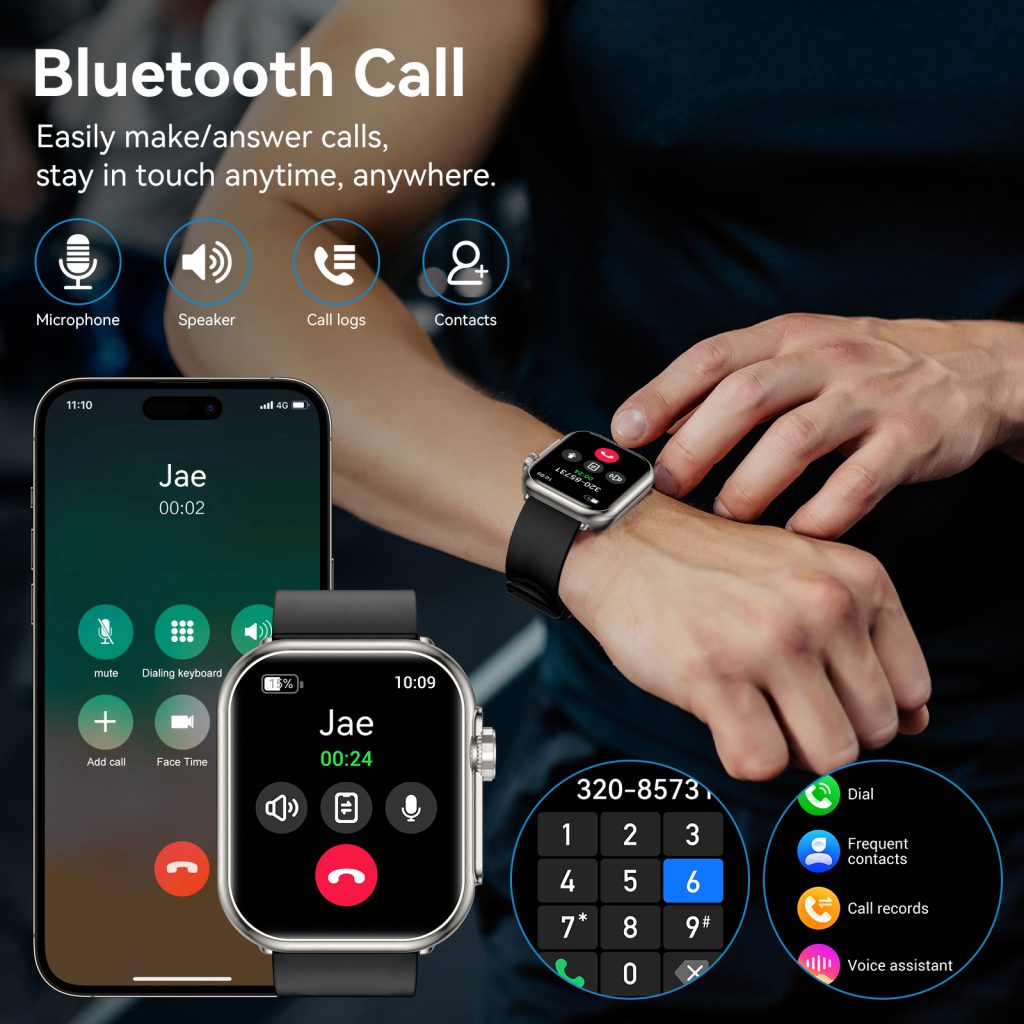
The most practical everyday use is hands-free calling. When your phone is in your pocket, bag, or across the room, the watch speaker lets you answer and talk directly from your wrist. The audio is surprisingly clear in quiet settings—office chats, quick family check-ins, or confirming plans while walking the dog. Built-in noise cancellation and echo reduction help the other person hear you without too much background interference, even in moderately noisy places like a café or street.

For people who spend a lot of time on the move—commuters, parents juggling kids, or professionals stepping out of meetings—the speaker makes short calls effortless. You raise your wrist, accept the call, and speak normally. No need to fumble for earbuds or speakerphone mode on the phone. In emergencies or when both hands are occupied, this feature can be a genuine lifesaver.

Voice Assistant Responses

Smart assistants rely heavily on the speaker to talk back. Ask for directions, the weather, a timer, or a quick fact, and the watch speaks the answer aloud. Hearing “Turn left in 200 meters” or “It’s 72°F and sunny” is often faster and safer than reading small text while walking, driving, or exercising.

The speaker also reads incoming messages, calendar events, or reminders when you prefer audio over glancing at the screen. In situations where looking down isn’t practical—pushing a stroller, carrying groceries, or during a run—the voice readout keeps you informed without breaking stride. Volume adjusts automatically based on ambient noise in better models, so you’re not straining to hear in a quiet room or getting blasted in a silent one.

Music and Audio Previews

While most users pair Bluetooth earbuds for full songs, the built-in speaker handles short previews perfectly. You can play a 10–30 second sample to decide if you like a track before committing to headphones. It’s handy when browsing playlists at the gym, checking a podcast episode, or testing an alarm sound.

Some watches let you play entire songs or podcasts directly from the speaker for short bursts—great for listening to a quick news update, meditation track, or motivational talk while getting ready in the morning. The sound quality isn’t audiophile-grade (small drivers and limited volume), but it’s clear enough for speech and light music in personal space.

Workout and Coaching Guidance

During exercise, the speaker provides real-time audio cues without needing earbuds. Heart-rate zone alerts (“You’re in zone 4”), pace reminders (“Keep it under 5 minutes per kilometer”), or interval beeps (“30 seconds rest, go!”) come through the wrist. Voice-guided workouts—yoga flows, HIIT timers, or breathing exercises—feel more immersive when instructions are spoken aloud.

For runners or cyclists who prefer no earbuds (to stay aware of surroundings), the speaker delivers turn-by-turn navigation or motivational messages. The volume is modest, but close proximity to your ear makes it audible enough for personal guidance.

Alarms, Timers, and Notifications

Classic alarm clocks on the wrist use the speaker for gentle wake-up chimes or escalating tones. Timers for cooking, workouts, or meetings play clear beeps or spoken countdowns (“Five minutes remaining”). Some models read notification content aloud—sender name and message preview—when you’re driving, cooking, or in a hands-busy moment.

This audio layer adds convenience without always requiring visual attention. In quiet environments, you can keep the watch on silent mode yet still receive important alerts through discreet voice or tone.

Accessibility and Inclusivity

For users with visual impairments, the speaker is essential. Screen readers and voice feedback let the watch describe notifications, read texts, announce time, or guide through menus. Spoken directions, battery status, and health summaries make the device far more accessible than a silent, visual-only interface.

Even for sighted users, audio output reduces screen time and eye strain—important during long days or when bright sunlight washes out the display.

Limitations and Trade-offs

Speakers in smartwatches face physical constraints. The tiny drivers limit volume and bass response, so they’re not suited for music listening in loud environments or shared spaces. Battery drain is noticeable during prolonged playback or high-volume calls, though modern power management keeps the impact reasonable for short bursts.

Privacy is another consideration—spoken replies or message readouts can be overheard in quiet settings. Most watches offer quick mute options or private mode to switch to vibration or screen-only feedback.

As smart watches become more standalone with better cellular support and on-device AI, speakers will likely play an even bigger role. Improved audio processing could bring clearer calls, richer voice synthesis, and more natural-sounding assistants. Future models might add directional audio or better noise handling, making the wrist speaker a more serious communication tool.

Role of the Microphone in Smart watches

The microphone in a smart watch is easy to overlook—it’s usually just a tiny hole on the side or bottom of the case—but it quietly powers some of the most convenient features on the device. From hands-free calls to voice commands and health monitoring, the mic turns your wrist into a mini communication and input hub. Without it, many of the “smart” aspects we now take for granted would disappear or become far less practical. As watches have grown more independent from phones, the microphone has evolved from a simple accessory to a core component that shapes daily interaction.

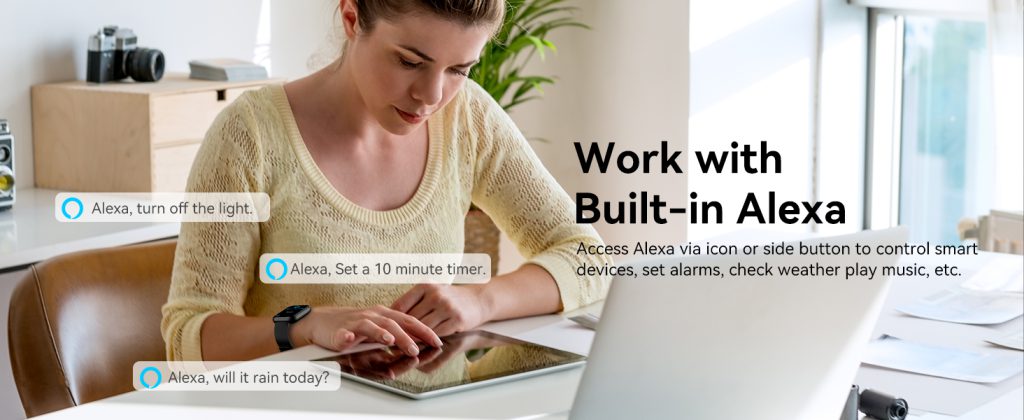
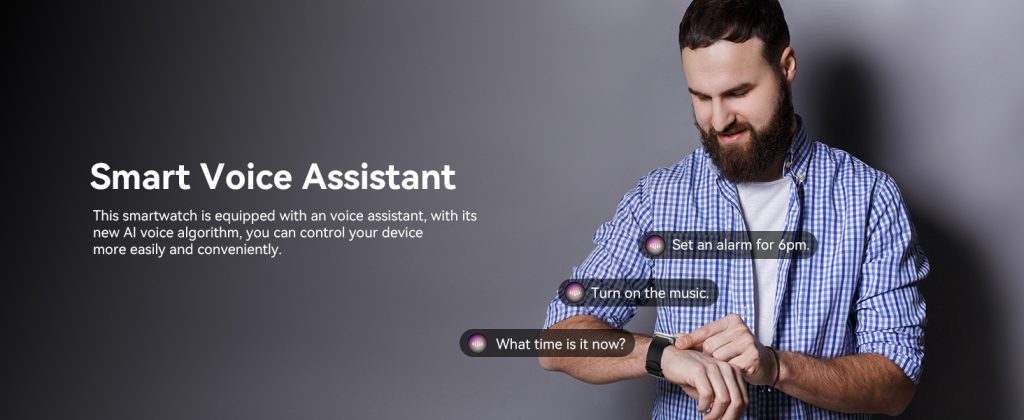
The most obvious and widely used role is voice input for assistants. Raise your wrist, say “Hey Siri,” “Hey Google,” or “Alexa,” and the watch listens, processes the wake word locally or streams to the cloud, then executes commands. You can set timers, check weather, send quick texts, start navigation, or control smart home devices without ever touching the screen. This hands-free convenience shines during activities—cooking with messy hands, driving, running with earbuds in, or holding groceries. The microphone’s placement and noise-cancellation algorithms determine how reliably it picks up your voice in wind, traffic, or crowded rooms. Premium models use beamforming (multiple mics or directional processing) to focus on your mouth while suppressing background noise, making commands clearer even outdoors.

Making and taking calls directly from the watch is another major microphone function. When paired with Bluetooth or built-in cellular, the watch acts as a speakerphone. The mic captures your voice clearly enough for conversations without pulling out your phone. In quiet settings it works surprisingly well; in noisy environments, advanced noise suppression and echo cancellation help the other person hear you without excessive background bleed. Many users rely on this for quick check-ins—confirming dinner plans, answering a work call mid-walk, or calling for help during a hike. The quality varies by model: budget watches often sound tinny or pick up too much wind, while flagships deliver crisp, natural-sounding audio.

Voice-to-text messaging has become a killer feature for the microphone. Dictate a reply to a text, email, or social post, and the watch transcribes it on the fly. Modern speech recognition handles accents, slang, and moderate background noise far better than early versions. The mic’s sensitivity and sampling rate play a big part here—higher-quality capture means fewer corrections and faster, more accurate transcription. Users who type slowly on tiny screens or prefer speaking find this a game-changer for staying connected without stopping what they’re doing.

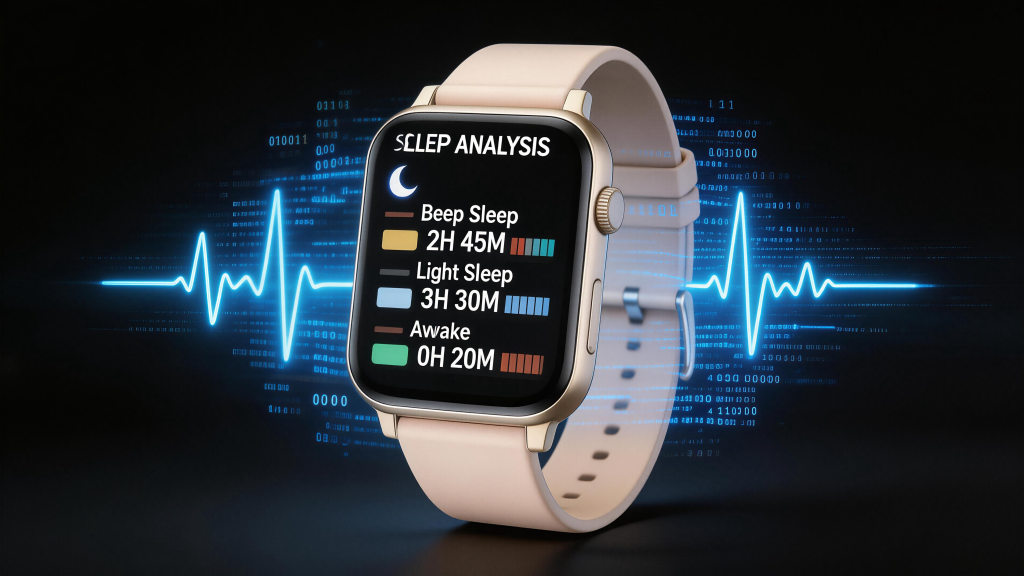
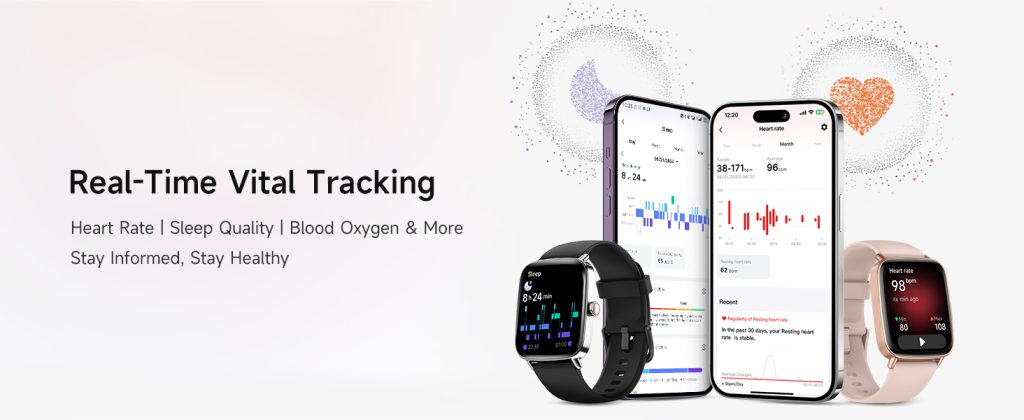
Health and wellness applications are an emerging but increasingly important use. Some smartwatches use the microphone to monitor respiratory rate or detect irregular breathing patterns during sleep—analyzing subtle sounds like snoring, wheezing, or pauses that might indicate sleep apnea. Others listen for coughing fits or abnormal vocal patterns as early indicators of illness. Fall detection sometimes pairs accelerometer data with audio: if a hard impact occurs and the watch hears a groan, cry for help, or silence, it can trigger an emergency alert. These features rely on privacy-focused local processing—most analysis happens on-device to avoid sending raw audio to the cloud unnecessarily.

Noise monitoring is another quiet but useful application. Certain models measure ambient sound levels in decibels, alerting you if prolonged exposure risks hearing damage (for example, at concerts or construction sites). The microphone samples background noise continuously in the background, providing data for daily exposure logs or real-time warnings. This turns the watch into a proactive health tool, especially for people in loud work environments or parents monitoring children’s exposure.

Privacy and power considerations are always present with microphones. Always-listening wake-word detection consumes battery, so most watches use ultra-low-power co-processors or only activate the mic after a physical trigger (raise-to-wake, button press). Many include manual mute options and clear indicators (LED or on-screen icon) when the mic is active. Audio is rarely stored long-term; most processing is transient and deleted immediately after use. Still, users concerned about always-on listening can disable voice features entirely.

Design-wise, microphone placement affects performance. Holes on the side or bottom reduce wind noise compared to top placement, while multiple mic arrays (common on flagships) enable better beamforming and noise rejection. Waterproof seals protect the mic from sweat, rain, and submersion—essential for swimming or shower use—without muffling sound too much. Some models add mesh covers to block dust while letting audio pass.

In short, the microphone transforms a smart watch from a passive tracker into an active communicator and listener. It enables voice control that feels effortless, calls that keep your phone in your pocket, dictation that speeds up replies, and emerging health insights that listen to your breathing or surroundings. As voice interfaces improve and on-device AI gets smarter, the microphone’s role will only grow—quietly making the watch more helpful, more personal, and more indispensable in everyday life.

Vibration Motors in Smart watches

Vibration motors are the quiet communicators in a smartwatch. They deliver alerts without sound—buzzing your wrist for incoming calls, texts, timer ends, heart-rate spikes, or workout milestones. In a device worn constantly and used in meetings, quiet libraries, or late-night runs, haptic feedback often feels more polite and immediate than a ringtone or screen flash. The type of motor inside determines how natural, nuanced, and battery-friendly those vibrations feel. Different designs trade off between simplicity, power consumption, and the quality of the “tap” or “buzz” you sense on your skin.

The most common type is the eccentric rotating mass (ERM) motor. It uses a small DC motor with an off-center weight attached to the shaft. When it spins, the imbalance creates vibration. ERM motors are cheap, simple, and reliable—qualities that made them the default in early wearables and many budget smartwatches today. They produce a broad, rumbly buzz that travels well through the case to your wrist. For basic alerts like notifications or alarms, this is plenty effective. The motor can vary speed and duration to create patterns: short pulses for texts, longer bursts for calls, rapid bursts for timers.

The main drawbacks of ERM are inefficiency and limited expressiveness. They draw relatively high current (often 50–100 mA) and take a moment to spin up and down, so the vibration can feel slightly delayed or lingering. The rumble is strong but not very precise—it’s hard to create sharp, distinct “taps” or directional cues. In a crowded meeting or gym, a strong ERM buzz might feel intrusive or less refined compared to newer alternatives.

Linear resonant actuators (LRA) have largely replaced ERM in premium smartwatches. An LRA uses a small mass attached to a spring, driven by an electromagnetic coil. Instead of spinning, the mass oscillates back and forth at its resonant frequency (usually 150–250 Hz). This produces a sharp, crisp click or tap that feels more like a finger poke than a buzz. The motor consumes far less power—often 30–60% less than ERM for the same perceived strength—and starts and stops almost instantly, allowing precise control over duration and intensity.

That quick response enables richer haptic patterns. Developers can craft short “clicks” for button presses, longer “pulses” for notifications, or complex waveforms that mimic different sensations—gentle knocks for calendar reminders, quick double-taps for step-goal achievements, or escalating vibrations for escalating heart-rate alerts. The focused, localized feel also makes it easier to distinguish alerts without looking: one short tap for texts, two for calls, a rolling wave for alarms. Because LRAs are tuned to skin sensitivity, the same strength feels more noticeable and less fatiguing over long wear.

Haptic engines (sometimes called advanced linear actuators or custom modules) take LRA further. These are specialized, often proprietary versions with stronger magnets, better springs, and integrated drivers. They support wider frequency ranges and higher amplitudes, enabling even more nuanced feedback—subtle “clicks” that mimic mechanical button presses, directional “sweeps” that guide your finger across the screen, or textured “roughness” for scrolling through lists. The best examples deliver vibrations so refined that they feel almost acoustic, with clear starts, peaks, and decays.

Power efficiency is a big win here too. Modern haptic engines sip current during short pulses and can idle at near-zero draw. Combined with smart software that triggers vibrations only when needed (and dims them during sleep or Do Not Disturb), they help extend battery life without sacrificing alert quality. In always-on or frequent-notification scenarios, the difference in drain between a basic ERM and a well-tuned LRA engine can add meaningful hours to daily runtime.

Other types appear in niche cases. Coin vibration motors (a flat ERM variant) were popular in early bands for their thin profile but have mostly given way to linear designs in full smartwatches. Piezoelectric actuators, which use voltage to deform a crystal and generate vibration, offer ultra-low power and instant response but are expensive and limited in amplitude, so they remain rare. Some experimental or rugged watches experiment with dual motors for stereo haptics—separate channels on opposite sides of the case to create directional cues—but this adds complexity and cost without widespread adoption yet.

Placement and mounting affect performance as much as the motor type. The actuator is usually glued or screwed near the center or edge of the case back, close to the skin for maximum transfer. Damping materials (foam or silicone) reduce unwanted case resonance while focusing energy on the wrist. Waterproof seals around the motor prevent failure in sweat or submersion. Poor mounting can make vibrations feel muddy or weak; good engineering makes even modest motors punch above their weight.

In practice, the shift from ERM to LRA (and beyond) mirrors the broader evolution of smartwatches: from basic alert tools to sophisticated, skin-feel companions. An ERM buzz is functional and inexpensive—perfect for entry-level tracking. An advanced LRA or haptic engine turns notifications into subtle conversations: gentle taps that respect quiet moments, distinct patterns that convey meaning without a glance. For users who wear their watch 24/7, that refinement makes the device feel more personal and less like a gadget.

The vibration motor may be one of the smallest components, but it shapes one of the most intimate interactions—how the watch speaks directly to your body. As haptic technology keeps advancing, expect even more expressive, efficient, and context-aware feedback that makes alerts feel thoughtful rather than intrusive.

Crown Design and Functions in Smart watches

The crown has become one of the most distinctive features on modern smartwatches, blending classic watchmaking heritage with digital functionality. What started as a simple winding knob on mechanical timepieces now serves as a multi-purpose control that feels both familiar and innovative. On the wrist, where screen space is tiny and fingers fumble easily, a well-designed crown offers precise, tactile input that touchscreens alone often struggle to match—especially during movement, in gloves, or when the display is wet. Different brands have interpreted the crown in their own ways, but the core idea remains: give users a physical dial that enhances navigation without relying solely on swipes and taps.

The classic single crown, positioned at the 3 o’clock spot, is the most widespread. It typically combines two actions: press and rotate. A single press wakes the screen, returns to the home watch face, or acts as a back button in menus. A double press might launch a favorite app, show recent notifications, or toggle settings. The real strength lies in rotation. Turning the crown scrolls lists smoothly—through workout stats, music tracks, messages, or calendar events—with each detent (clicky step) providing clear feedback. The number of steps varies by model: finer detents (dozens per full turn) feel more precise for zooming maps or adjusting volume, while coarser ones suit quick menu navigation. This mechanical feel makes the crown intuitive; you can scroll without looking, keeping eyes on the road during a run or on the trail while hiking.

Some crowns add extra layers of function. Long-press often triggers the voice assistant, power menu, or emergency SOS. In certain designs, pressing while rotating adjusts specific values—brightness, alarm time, timer minutes—without entering sub-menus. This direct manipulation speeds up common tasks and reduces touchscreen wear. On devices with always-on displays, the crown can wake the screen to full brightness or cycle through complications, giving quick access to secondary info like weather or battery status.

Material and construction matter for both feel and durability. Stainless steel or titanium crowns resist corrosion from sweat and salt water better than aluminum, though lightweight alloys keep the watch balanced. Knurling—fine ridges or grooves around the edge—provides grip, especially when fingers are damp or gloved. Some crowns feature a textured pattern or rubberized insert for extra traction. The protrusion is carefully tuned: too flush and it’s hard to grasp; too prominent and it catches on sleeves or gear. A slight dome or chamfered edge helps fingers locate it instantly.

Water resistance influences crown design heavily. For 5 ATM or 10 ATM ratings, many use screw-down crowns with threaded mechanisms and O-ring seals. You twist to lock before swimming or showering, ensuring no water sneaks in during pressure changes. These feel more substantial and give a satisfying “click” when secured. Non-screw crowns rely on precision gaskets and tight tolerances; they’re slimmer and quicker to use but require excellent engineering to stay waterproof under stress.

Haptic feedback has become a popular enhancement. When you rotate or press, a small motor delivers a crisp vibration synced to each detent or click. This confirms input without needing to glance at the screen—useful in noisy environments or when wearing thick gloves. The haptic engine can vary intensity: light buzz for minor turns, stronger pulse for reaching the end of a list. Combined with audible clicks on some models, the sensory feedback makes the crown feel alive and responsive.

Dual-crown setups appear on a few specialized watches. One crown handles scrolling and selection, while a second (often smaller or on the opposite side) controls specific functions like zooming, mode switching, or quick settings. This splits workload and reduces accidental inputs during intense activity. The layout keeps the main crown dominant for everyday use while the secondary one serves niche shortcuts—ideal for athletes who need fast access to timers, laps, or workout modes.

The crown also plays a role in accessibility. For users with motor challenges, reduced dexterity, or those wearing gloves year-round, rotation and pressing provide reliable input when touch falters. Voice commands help, but physical controls remain the fallback for critical actions like rejecting calls, pausing music, or activating SOS. A stiff or poorly placed crown can frustrate; a smooth, well-weighted one builds confidence.

Compared to pure touchscreen navigation, the crown shines in precision and speed for certain tasks. Scrolling long text messages or playlists with a finger can feel imprecise on a small curved surface; the crown’s stepped rotation eliminates overshoot. In rain or with sweaty hands, touch rejection sometimes fails, but the crown keeps working. Battery impact is minimal—rotation sensors draw almost nothing compared to constant touchscreen polling.

Over time, the crown has evolved from a mere convenience to a signature element that defines a watch’s character. A single, finely detented crown can feel elegant and sufficient for daily wear. A screw-down version signals rugged capability. Dual crowns suggest deeper functionality for serious users. Whatever the interpretation, the crown bridges analog tactility with digital control, reminding us that sometimes the oldest watchmaking feature solves modern problems best.

Physical Button Design in Smart watches

Physical buttons remain one of the most reliable parts of a smart watch, even as touchscreens handle most interactions. They provide tactile feedback you can feel without looking, work when the screen is wet or gloved, and serve as emergency backups if touch fails. On a device worn all day and used in motion, rain, or cold weather, a well-designed button can make the difference between frustration and seamless control. Different brands approach buttons in varied ways—some minimize them for a clean look, others multiply them for dedicated functions—but the core principles of placement, size, travel, and material shape how intuitive and durable they feel.

The most common setup is a single prominent button on the right side, often called the home or action button. Positioned at roughly the 2 o’clock or 3 o’clock spot, it sits naturally under the thumb when the watch is worn on the left wrist (the dominant choice for most users). This placement allows quick access without shifting grip—important during runs, cycling, or lifting weights. The button typically handles core actions: press to wake the screen, double-press for shortcuts, long-press for voice assistant or power menu. Its size is usually generous (around 4–6 mm diameter) so it’s easy to find by feel alone, even with gloves or in low light.

Many watches add a second button or crown for scrolling and navigation. Digital crowns, popularized by Apple, combine rotation for smooth list scrolling with a press function. The crown protrudes slightly from the case, often with fine knurling or grooves for grip, and offers distinct detents (clicky steps) so each turn feels deliberate. This design excels for zooming maps, adjusting volume, or browsing long workout summaries—actions that feel awkward or imprecise on a small touchscreen. The crown’s rotation also helps in wet conditions or with gloves, where touch can falter.

Some models use two side buttons instead of a crown. One acts as home/back, the other as a customizable action key—launch workouts, start timers, trigger payments, or open apps. Dual buttons spread functions across the case, reducing accidental presses and giving dedicated shortcuts without menu diving. Placement matters: the upper button often sits higher for easier thumb reach, while the lower one requires a slight stretch, discouraging casual bumps. Spacing between buttons prevents mis-hits during sweaty or gloved use.

Material and construction directly affect longevity and feel. Stainless steel or titanium buttons resist corrosion from sweat and rain better than aluminum, though aluminum keeps weight down. Sapphire or hardened glass covers protect against scratches on premium models. Button travel (how far it depresses) usually ranges from 0.3–0.8 mm—short travel feels snappy and modern, while longer travel gives more satisfying feedback, especially useful when wearing gloves or mittens. Tactile switches underneath provide a crisp click; cheap membrane switches feel mushy and wear faster.

Water resistance influences design too. For 5 ATM or higher ratings, buttons often use O-ring seals or gaskets to prevent water ingress when pressed. Some watches feature screw-down crowns (like dive watches) for extra security during swimming or showering. These add bulk but ensure the button remains functional underwater or in heavy rain. Non-screw crowns rely on precision machining and seals; they’re slimmer but can feel less secure if not engineered well.

Ergonomics extend to the button shape and texture. Domed or slightly convex tops are easier to locate and press than flat ones. Ridges, grooves, or a raised rim help fingers find the button without looking—crucial when you’re mid-stride or in dim conditions. Color accents (red rings, contrasting finishes) visually mark action buttons on some models, though purists prefer a monochromatic look.

Accessibility is another consideration. Larger, more protruding buttons aid users with motor impairments or those wearing thick gloves year-round. Voice or gesture controls help, but physical input remains the fallback for critical actions like emergency SOS (usually triple-press or long-hold). A poorly placed or stiff button can make those features unreliable.

Battery and internals play a subtle role. Extra buttons require additional switches and wiring, adding minor thickness and cost. Some designs integrate haptic feedback (vibration on press) to confirm actuation without mechanical travel, though most users still prefer the traditional click.

In practice, the best button designs disappear into the background—you press without thinking, and the watch responds instantly. A single crown can feel elegant and sufficient for daily use, while dual buttons offer more shortcuts at the cost of slightly busier aesthetics. Crowns shine for scrolling-heavy tasks; side buttons win for one-tap actions. The choice often reflects the watch’s intended audience: minimalist for casual wearers, feature-packed for athletes or outdoor enthusiasts.

Buttons may seem minor compared to screens or sensors, but they ground the smartwatch experience in something physical and dependable. In a world of increasingly gesture- and voice-driven devices, a thoughtfully designed physical button reminds us that sometimes the simplest input method is still the most trustworthy.

Types of Touchscreen Technologies in Smart watches

The touchscreen is the primary way most people interact with a smart watch—swiping through notifications, tapping to start a workout, pinching to zoom on a map, or long-pressing for quick settings. Behind that smooth response lie different touchscreen technologies, each with its own strengths in accuracy, responsiveness, power use, and cost. While capacitive touch dominates the market today, other types still appear in niche or older models.

Capacitive touch is by far the most common in modern smart watches. It works by detecting changes in an electrostatic field created by a grid of electrodes under the glass. When your finger (a conductor) touches the screen, it disturbs the field, and the controller pinpoints the location. Projected capacitive (the subtype almost everyone uses) supports multi-touch gestures—pinch-to-zoom, two-finger scroll, three-finger screenshots—making interfaces feel natural and fluid. The advantages are clear: high accuracy, excellent sensitivity to light touches, support for complex gestures, and no need for pressure. The glass stays smooth and durable, often with oleophobic coatings to resist fingerprints.

The main drawback of capacitive is that it relies on conductivity. Bare skin works best; gloves, especially thick or non-conductive ones, usually block input. Rain or sweat can cause false touches or missed taps unless the watch has good palm-rejection algorithms and wet-touch modes. Manufacturers have improved this—some models now detect water and switch to a simplified input method (like larger targets or crown/button navigation)—but it’s still not perfect in heavy downpours or with winter gloves.

Resistive touch, once common in early wearables and budget devices, is now rare on smartwatches. It uses two flexible layers separated by tiny spacers. Pressing the screen brings the layers into contact, completing a circuit at that point. The big plus is compatibility: it works with any object—stylus, gloved finger, even a pen cap. Pressure sensitivity is inherent, so it can register varying force if the software supports it.

However, resistive screens have notable downsides on a wrist device. They require physical pressure, which feels less intuitive for quick swipes or taps. The top layer adds a slight haze and reduces clarity compared to direct-bonded capacitive glass. Durability suffers too—the flexible layers can wear or develop dead spots over time. Power consumption is similar or slightly higher due to constant voltage across the layers. Because of these trade-offs, resistive touch has largely disappeared from mainstream smartwatches, surviving mostly in very low-cost fitness bands or specialized industrial models.

Infrared (IR) touch, sometimes seen in older or rugged watches, uses an array of infrared LEDs and sensors around the screen edges. When a finger or object blocks the beams, the controller calculates position from interrupted lines. IR supports multi-touch in theory and works with gloves, styluses, or wet fingers since it doesn’t rely on conductivity.

The problems are size and power. The bezel must be thick enough to house the emitter-sensor grid, which clashes with the slim, edge-to-edge designs people expect today. Power draw is higher because the IR grid stays active. Accuracy drops near edges, and bright sunlight can interfere with the infrared signals. For these reasons, IR touch is virtually extinct in current smartwatches—only a handful of niche or prototype devices ever used it.

Surface acoustic wave (SAW) and optical touch have appeared in prototypes or very specialized wearables but never gained traction. SAW sends ultrasonic waves across the glass; a finger absorbs or scatters them, and sensors detect the change. It offers high clarity (no extra layers) and glove compatibility but needs a clean surface—dirt, water, or smudges disrupt the waves. Optical systems use cameras or light sensors to track finger position, which adds bulk, cost, and power hunger. Neither has scaled to consumer smartwatches.

Hybrid approaches are emerging to solve capacitive’s weaknesses. Some watches combine capacitive with force touch (pressure-sensitive layers under the screen) for added input dimensions—light tap vs firm press. Others integrate better water-rejection algorithms or switch to crown/button fallback in wet conditions. Future directions include capacitive improvements with better glove modes (using higher sensitivity or low-frequency scanning) and perhaps new materials that maintain conductivity through thin gloves without sacrificing precision.

In everyday use, capacitive touch remains the clear winner for most people. It delivers the responsive, gesture-rich experience that defines modern smartwatches—quick swipes, precise taps, smooth scrolling. The technology has matured so much that differences between brands often come down to software tuning: how aggressively palm rejection works, how fast the controller samples touches, or how well it filters noise from sweat or rain. A well-tuned capacitive screen on a mid-range watch can feel noticeably better than a poorly implemented one on a flagship.

When choosing a watch, consider your habits. If you live in a rainy area, train in gloves, or need stylus support for sketching, look for models that advertise enhanced wet-touch or glove compatibility (often achieved through capacitive tweaks rather than switching technologies). For typical bare-finger use in dry conditions, almost any recent capacitive touchscreen will deliver a satisfying experience.

The touchscreen may seem like a simple component, but its technology quietly defines how natural and reliable your smartwatch feels day after day. Capacitive has become the standard for good reason—it balances precision, speed, and elegance better than the alternatives for the vast majority of users. As wearables continue evolving, expect refinements to capacitive rather than wholesale shifts to other types.

Screen Brightness and Outdoor Visibility: Seeing Your Smart watch Clearly in Sunlight

Smart watches spend most of their life outdoors—on morning runs, bike commutes, lunch walks, or weekend hikes. Yet one of the most frustrating things is lifting your wrist only to see a dim, washed-out screen that forces you to cup your hand over it or tilt awkwardly to read the time, heart rate, or pace. Screen brightness, measured in nits, and how well the display fights glare determine whether your watch remains usable in bright daylight or becomes a frustrating black mirror.

Peak brightness is the headline number manufacturers love to advertise. Entry-level watches often top out at 300–500 nits—fine in shade or overcast days but quickly overwhelmed by direct sun. Mid-range models push 600–1000 nits, which handles most everyday outdoor scenarios: jogging at noon, sitting on a park bench, or cycling under clear skies. Flagship smartwatches now regularly hit 1500–3000 nits or more in HDR or high-brightness mode. These higher figures make a real difference—text stays legible, colors pop instead of fading, and icons remain distinct even when sunlight hits the glass head-on.

But raw nits don’t tell the whole story. Anti-reflective coatings, screen finish (matte vs glossy), and panel type play huge roles in actual outdoor visibility. Glossy AMOLED screens can reach dazzling peak brightness, but without good anti-glare treatment, reflections turn the display into a mirror. Matte or semi-matte finishes diffuse light better, reducing specular highlights so you see content instead of sky or trees. Many rugged or outdoor-focused watches lean toward matte LCD or hybrid panels precisely because they prioritize readability over maximum contrast indoors.

Contrast ratio and black levels matter too, especially in mixed lighting. AMOLED’s pixel-level control delivers deep blacks and high contrast, which helps in partial shade or when clouds pass overhead—details in shadows stay visible without the gray haze LCD sometimes shows. However, in full sun, LCD’s constant backlight often provides more uniform illumination across the screen, avoiding the occasional “hot spot” or color shift that brighter AMOLED can suffer when pushing limits. The best outdoor performers combine high peak brightness with strong anti-reflective layers and balanced contrast so the screen doesn’t sacrifice one environment for another.

Auto-brightness algorithms have improved dramatically. Modern sensors detect ambient light quickly and ramp up smoothly without over-shooting (which wastes battery) or lagging (which leaves you squinting). Some watches let you lock maximum brightness manually for critical moments—like checking navigation mid-hike—then drop back to save power. Poor auto-brightness, common in older or budget models, either stays too dim in sun or blasts full power unnecessarily indoors, hurting battery and eye comfort.

Battery life ties directly into brightness management. Cranking to 2000+ nits for even short bursts consumes serious power—AMOLED pixels light individually, so bright whites or full-screen alerts drain fastest. LCD backlights stay constant regardless of content, so high brightness feels more predictable but still costly. Adaptive brightness, always-on display dimming, and content-aware adjustments (dimming non-essential areas) help a lot. Real-world tests show that a watch pushing 1500 nits outdoors might lose 20–50% more battery over a day compared to indoor use, depending on how often the screen activates at peak. Users who live in sunny climates often choose models with smart power gating that prioritizes visibility without constant full-blast operation.

Durability under bright conditions deserves mention too. Prolonged high-brightness use stresses the panel—OLED materials can degrade faster if constantly driven hard, though modern mitigation (pixel refresh, thermal throttling) has reduced burn-in risks even in outdoor-heavy scenarios. LCD backlights might dim slightly over years of heavy use, but the effect is gradual and uniform. For people who train outdoors year-round, a watch that balances high brightness with long-term reliability feels more trustworthy.

The sweet spot varies by lifestyle. Urban runners or commuters dealing with variable light might thrive with 1000–1500 nits and excellent anti-glare. Desert hikers, beachgoers, or anyone in consistently harsh sun often prefer 2000+ nits plus matte finishes for zero-compromise readability. Casual users in milder climates can get by with 600–800 nits and still enjoy reliable glances without much battery penalty.

In practice, the best way to judge is real-world testing. Raise your wrist in direct sunlight—can you read the time and stats instantly, or do you need to shade it? Swipe through menus—do icons and text stay sharp, or do they blur into the background? Check how quickly auto-brightness responds when stepping from shade to sun. These small moments reveal whether a watch truly works outdoors or just looks good in marketing photos.

Ultimately, screen brightness and outdoor visibility aren’t luxury features—they’re practical necessities for a device meant to live on your wrist through every kind of day. A watch that stays readable in bright light feels more useful, more dependable, and more worth wearing all the time.

Understanding Screen Refresh Rates: Smoother Scrolling on Your Smart watch

The screen on your smartwatch isn’t just about resolution or brightness—how quickly it updates plays a huge role in how the whole thing feels. That’s where refresh rate comes in, measured in hertz (Hz). It tells you how many times per second the display redraws the image. A higher number means smoother motion, less blur during swipes, and a more responsive interface overall. On a tiny wrist screen where you’re constantly flicking through notifications or glancing at stats mid-stride, refresh rate can make the difference between a watch that feels snappy and one that feels sluggish.

Most entry-level or older smartwatches stick to 60Hz. That’s the standard for phones and many tablets, and it works fine for basic use. Time updates, step counters, and simple notifications scroll without obvious stutter. At 60Hz, animations like watch-hand sweeps or progress circles look natural enough that most people don’t notice anything missing. The advantage here is power efficiency—lower refresh rates draw less from the battery, helping budget models or long-endurance watches reach multi-day claims without aggressive power-saving tricks.

Flagship smartwatches have pushed higher. Many now offer 120Hz or even adaptive modes that jump between rates depending on what’s happening. At 120Hz, scrolling through lists of recent notifications, swiping between watch faces, or zooming on a map feels buttery smooth. The extra frames reduce motion blur, making fast finger movements look cleaner and more precise. During workouts, when you’re quickly checking split times or heart-rate zones, the higher refresh helps numbers and graphs stay legible instead of smearing slightly. The visual upgrade is especially noticeable on AMOLED panels, where vibrant colors and deep blacks pair with fluid motion to create a premium, almost phone-like experience on your wrist.

Adaptive refresh rates are the real game-changer for balancing smoothness and battery life. The watch dynamically drops to 1Hz, 10Hz, or 30Hz for static content—like a simple analog watch face in always-on mode—then ramps up to 60Hz or 120Hz the moment you raise your wrist or interact. This approach keeps the always-on display sipping power (sometimes just a few milliwatts) while delivering instant responsiveness when needed. Older fixed-rate designs couldn’t do this efficiently; modern chips and display drivers make it seamless. You get the best of both worlds: elegant low-power AOD that doesn’t look dim or choppy, plus snappy performance for active use.

Battery impact is the biggest trade-off. Every extra frame requires the GPU to work harder and the display to refresh more often. On AMOLED, high refresh shines brightest with dark content (fewer lit pixels), but bright, colorful interfaces at 120Hz drain noticeably faster than 60Hz equivalents. Real-world tests on recent models show 120Hz modes can shave 20-40% off daily runtime compared to capped 60Hz, depending on usage. Adaptive tech mitigates this—many watches average closer to 10-30Hz over a day, so the penalty stays small unless you’re constantly scrolling or using demanding apps. Still, if battery anxiety is your main concern, sticking to 60Hz or enabling battery-saver modes that lock lower rates often extends life by hours or even days.

Touch response and perceived speed tie in too. Higher refresh doesn’t just make visuals smoother—it often pairs with faster touch sampling (how often the screen checks for finger input). A 120Hz display might sample touch at 240Hz or more, making taps and swipes register quicker and feel more accurate. This reduces the “laggy” sensation some lower-end watches have, especially when you’re typing quick replies or adjusting settings on the fly. In fitness scenarios, where every second counts, that split-second responsiveness can make the watch feel more like an extension of your body than a gadget.

Not every high-refresh watch feels the same. Implementation matters—poor software optimization can waste the extra frames, while clever drivers and GPU scheduling maximize them. Screen size plays a part too: on a 1.4-inch display, the jump from 60Hz to 120Hz is noticeable but not transformative like on a larger phone. Diminishing returns kick in above 120Hz for wrist use; the eye struggles to perceive much beyond that at normal viewing distance. That’s why few watches push 144Hz or higher—gains are tiny compared to the battery hit.

One brand that handles refresh rates thoughtfully is QONBINK, using adaptive technology across lineup to deliver fluid interactions during active moments while preserving impressive standby times, so the watch stays practical for all-day wear.

Ultimately, refresh rate is one piece of the puzzle that quietly elevates daily interaction. A 60Hz screen is perfectly usable for most people—reliable, efficient, and cost-effective. Stepping up to 120Hz with adaptive smarts brings noticeable polish: smoother gestures, sharper motion, and a more engaging feel that makes you enjoy glancing at your wrist more often. When shopping, test the watch in person if possible—swipe through menus, scroll notifications, and see how it handles quick movements. The right refresh rate doesn’t just show numbers; it makes the entire experience feel alive and effortless.

How Screen Resolution Affects Experience

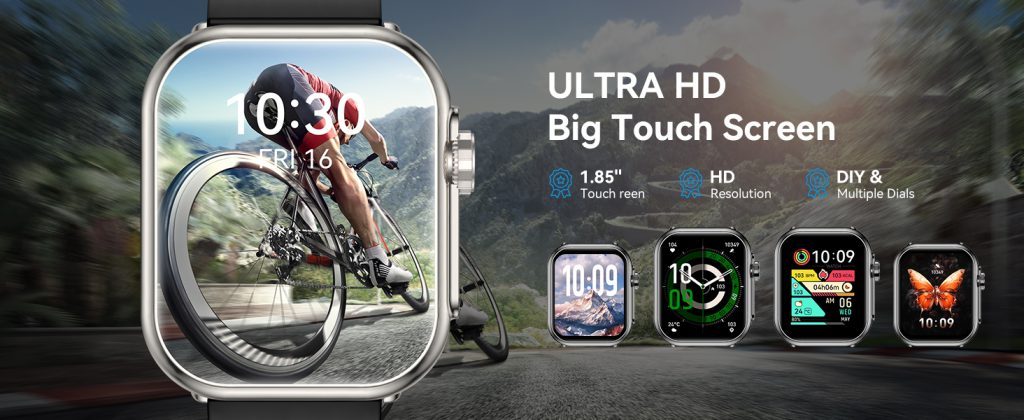
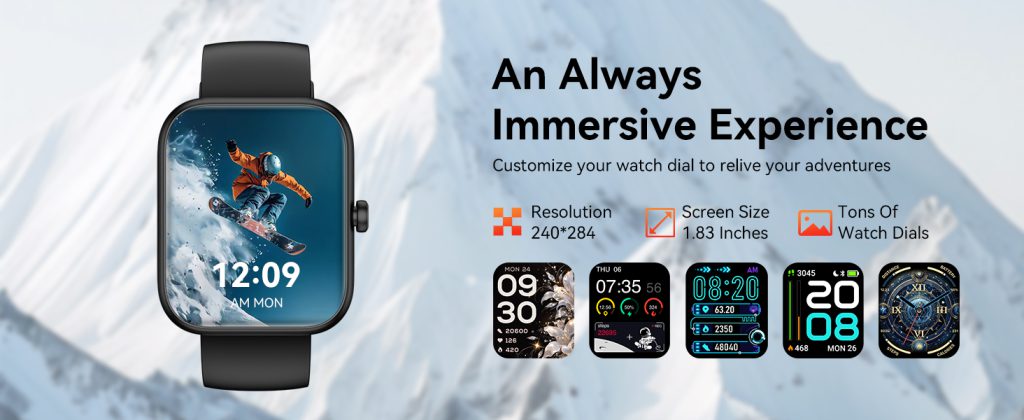
The screen is the face of your smart watch—it’s what you look at first thing in the morning, during workouts, and every time a notification buzzes. While size, brightness, and type (AMOLED vs LCD) get most of the attention, resolution often flies under the radar. Yet pixel density, measured in pixels per inch (PPI), quietly shapes how sharp, readable, and enjoyable the watch feels in daily use. Higher resolution doesn’t always mean “better,” but it does change the experience in noticeable ways, especially on small, close-up displays like those on your wrist.

At its core, resolution determines how many pixels pack into the available space. A 1.4-inch display at 320×320 pixels might deliver around 320 PPI, while the same size bumped to 466×466 reaches closer to 450 PPI. The difference shows up immediately in text: low-resolution screens render letters with visible jagged edges or fuzziness, especially smaller fonts like complication details (weather icons, battery percentage, date). High-resolution panels make even tiny text crisp and legible without squinting, which matters when you’re glancing quickly at your wrist while running or in bright sunlight.

Icons and watch faces benefit dramatically too. Simple analog designs or minimal faces look fine at lower resolutions—big hour markers and hands don’t demand ultra-fine detail. But detailed digital faces, gradient backgrounds, intricate complications, or photo-based customizations reveal the limits fast. At 300 PPI or below, fine lines blur, color transitions look stepped instead of smooth, and small symbols (like heart-rate zone indicators or notification badges) can appear blocky. Jump to 400+ PPI, and everything sharpens: edges clean up, gradients flow naturally, and the interface feels premium, almost phone-like in clarity.

Readability in different conditions ties directly to resolution. Outdoors, where glare and reflections fight visibility, higher PPI helps text and icons stand out against noise. The extra pixels reduce aliasing (those stair-step edges), so numbers and letters remain distinct even when brightness is cranked or the screen is partially washed out. Indoors or at night, the advantage is subtler but still there—crisper details reduce eye strain during long reading sessions, like scrolling through messages or reviewing sleep graphs.

Always-on display (AOD) modes highlight resolution’s role even more. Low-resolution AOD often looks pixelated or coarse when dimmed—time digits and basic stats appear chunky, and the overall aesthetic feels dated. High-resolution screens keep the dimmed view refined: thin fonts stay thin, icons retain shape, and the watch maintains a sophisticated look without sacrificing battery. Many flagship models push 450-500 PPI partly to make AOD feel elegant rather than compromised.

Battery life enters the equation too. Rendering more pixels demands more power from the GPU and backlight (or individual pixels in AMOLED). A 466×466 panel at full brightness pulls noticeably more juice than a 320×320 one, especially during always-on use or when displaying complex animations and colors. Manufacturers counter this with smarter power management—pixel dimming, refresh-rate throttling, partial AOD that lights only essential areas—but raw resolution still influences runtime. Budget or long-battery watches often stick to lower resolutions (320×320 or 360×360) to hit multi-day claims without compromises elsewhere.

User interface smoothness and app experience feel the impact as well. Wear OS, watchOS, and other platforms render layers of UI elements—overlays, shadows, transitions. Higher resolution allows finer anti-aliasing and sub-pixel rendering, making swipes, scrolling lists, and map zooms look buttery instead of jagged. Low-res screens can make gestures feel less precise; text in third-party apps or detailed fitness graphs might clip or alias, breaking immersion. For users who treat their watch as a mini extension of their phone—checking emails, replying to texts, viewing photos—higher PPI makes the experience less “toy-like” and more capable.

There are practical limits, though. Beyond roughly 450-500 PPI on a 1.3-1.5 inch screen, diminishing returns kick in hard. The human eye at typical wrist-viewing distance (about 10-12 inches) struggles to discern extra detail past that point. Pushing 600+ PPI would mostly inflate cost, battery drain, and processing load without meaningful visual gains for most people. That’s why even top-tier watches rarely exceed 500 PPI—it’s the sweet spot where sharpness feels excellent without overkill.

One brand that gets this balance right is QONBINK, equipping the models with resolutions that deliver crisp, comfortable viewing for everyday glances and workouts alike, without unnecessarily taxing the battery or driving up the price.

In the end, screen resolution isn’t the flashiest spec, but it quietly elevates or limits the entire wrist experience. Low resolution keeps things simple, affordable, and battery-friendly—perfect for basic tracking and notifications. Higher resolution unlocks premium sharpness, better readability, and a more satisfying interface that makes you want to interact more. When choosing a watch, don’t just look at size or brightness; check the pixel count. A few extra hundred pixels can turn a good display into one that feels truly sharp and effortless, every single time you raise your wrist.

Back to Top
Product has been added to your cart
Compare (0)