
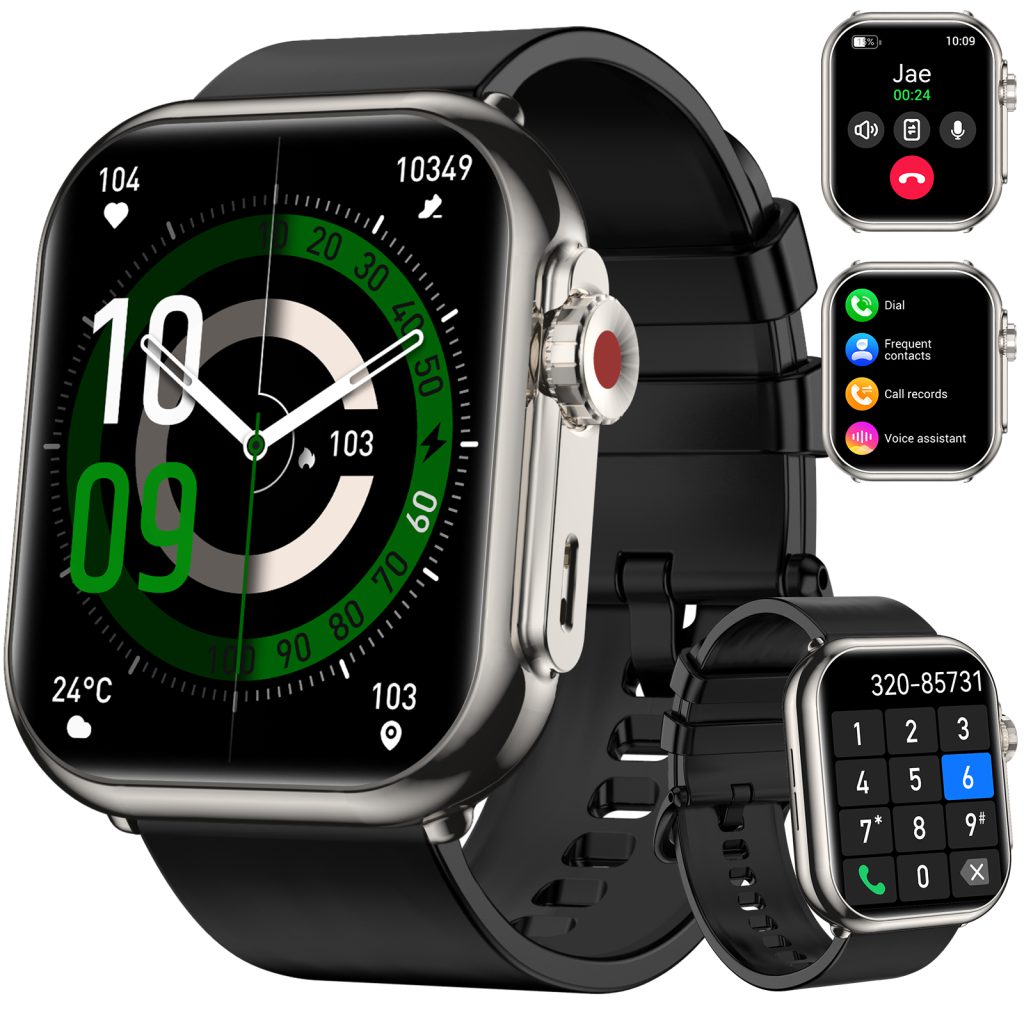
There comes a moment in every adult child’s life when the roles begin to shift. It happens gradually, almost imperceptibly, until one day you realize that you’re the one making sure your parents are safe, just as they once did for you. You notice the way your father grips the railing a little tighter when walking down stairs. You hear your mother mention that she feels a bit dizzy sometimes, but she’s sure it’s nothing. You live in a different city now, and the distance between visits feels like more than just miles.
In that moment, you start looking for solutions. You want something that can watch over them when you can’t, something that doesn’t feel like surveillance, something that gives them independence while giving you peace of mind. For more and more families, that something is a smartwatch.
The idea of putting a high-tech device on an aging parent’s wrist can feel counterintuitive at first. If they struggle with a smartphone, how will they manage something even smaller? If they’ve never worn a watch, will they remember to put it on? These are valid concerns, and they deserve honest answers. The truth is that smartwatches, when chosen carefully and set up thoughtfully, can be transformative for seniors. They’re not just gadgets. They’re lifelines.
Research has shown that smartwatches provide significant health benefits for seniors, including monitoring vital signs and promoting physical activity. A study involving seniors aged sixty to sixty-nine who used smartwatches for six to twelve months found that participants reported improved health outcomes, increased motivation for physical activity, and better communication with healthcare providers . The devices became more than technology. They became partners in health.
But the same research highlighted persistent challenges. Small text, complex interfaces, and confusing navigation can turn a helpful tool into a frustrating obstacle . Without proper setup and support, a smartwatch can end up in a drawer, unused and forgotten. The goal of this guide is to make sure that doesn’t happen. Whether you’re shopping for a parent or helping them use a watch they already own, these guidelines will help you navigate the process with patience, clarity, and love.
Let’s start with the most important question: what should you look for when choosing a smartwatch for a senior? The answer depends on their specific needs, their lifestyle, and their comfort with technology, but there are certain features that rise to the top for almost everyone.
Fall detection is arguably the most critical safety feature available in modern smartwatches. According to the Centers for Disease Control and Prevention, there are around three million emergency room visits each year due to seniors falling . A watch with automatic fall detection can make the difference between a minor incident and a major crisis. When the watch detects a sudden change in speed and altitude consistent with a fall, it triggers an alert asking if the person needs assistance. If there’s no response within a set time, usually about sixty seconds, the watch automatically calls for help . Some models, like those from Samsung, require registration of emergency contacts and that location services be enabled to share the wearer’s position . For seniors living alone or spending time alone during the day, this feature is not a luxury. It’s a necessity.
The SOS button works hand in hand with fall detection. This is a physical button or on-screen option that the wearer can press to immediately alert emergency contacts or a professional monitoring service. Some watches, like the Tunstall Gem5, require holding the button for about three seconds to connect to a twenty-four-hour care centre with two-way communication . Others, like the Apple Watch, allow users to press and hold the side button to activate SOS . The key is that the button must be easy to find and easy to press, even in moments of stress or confusion.
GPS tracking adds another layer of security, particularly for seniors with dementia or Alzheimer’s who may be at risk of wandering. Real-time GPS allows caregivers to see the wearer’s location at any moment, and some watches allow you to set “safe zones” around the home or other familiar places. If the wearer leaves that zone, you receive an immediate notification . This isn’t about surveillance. It’s about the reality that cognitive decline can lead to disorientation, and a watch that helps you find a loved one quickly can prevent hours of agonizing uncertainty.
Health monitoring features have become remarkably sophisticated. Modern smartwatches can track heart rate, alert users to irregular rhythms, monitor blood oxygen levels, and even take electrocardiograms. Samsung’s Galaxy Watch series, for example, offers blood pressure monitoring and ECG features, though these require regular calibration and are intended for fitness and wellness purposes rather than medical diagnosis . The Apple Watch includes similar features, and some newer models may offer hypertension alerts . For seniors managing chronic conditions, having this data readily available can help them stay on top of their health and have more informed conversations with their doctors.
But here’s the catch that many adult children overlook: all these features mean nothing if the watch is too complicated to use. Usability is the foundation upon which everything else rests. A study on smartwatch adoption among older adults identified that sensory, motor, and cognitive challenges, combined with limited familiarity with digital interfaces, often hinder seniors from using new technologies effectively . The researchers proposed specific design guidelines for smartwatches aimed at older users, emphasizing simplicity, clear visual presentation, and intuitive interaction . When you’re choosing a watch, look for models with large, easy-to-read screens and straightforward interfaces. The Apple Watch, for instance, offers watch faces with big numbers that are clearly visible, and features like wrist gestures can make interaction simpler . Some watches designed specifically for seniors, like the Medical Guardian MGMove, include only essential apps to avoid a cluttered interface . Less is truly more when it comes to senior usability.
The physical design matters just as much as the software. Look for watches with comfortable, breathable bands made from materials that won’t irritate sensitive skin. Soft silicone or fabric bands are often good choices. The clasp should be secure but easy for arthritic fingers to manage. Water resistance is important too. An IP67 or IP68 rating means the watch can handle splashes, rain, and even immersion in shallow water, so it doesn’t have to be removed for showering or handwashing .
Battery life is another practical consideration. If a watch needs to be charged every night, it might not be worn consistently, which defeats the purpose of continuous health monitoring and safety coverage. Some models, like the Apple Watch Series 11 and Ultra 3, offer longer battery life that can last through both day and night for comprehensive tracking . Others may need daily charging. Consider your parent’s routine and whether they’ll remember to charge the watch regularly. A watch with a low battery alarm can help, but it’s better to choose a model whose battery life aligns with their habits .
Once you’ve chosen the right watch, the real work begins: helping your parent learn to use it. This process requires patience, empathy, and a willingness to go at their pace. Remember that technology can be intimidating, especially for those who didn’t grow up with it. The goal is to build confidence, not to overwhelm.
Start with the basics. Show them how to put the watch on and take it off. Demonstrate how to charge it, and explain why regular charging matters. Then move to the core functions that matter most for their safety and communication. Teach them how to make a call, how to send a message, and most importantly, how to use the SOS feature. Practice this together until it feels natural. Samsung recommends helping grandparents stay connected through features that make communication easier, like large displays for video calls . The more they practice in a calm, supportive environment, the more likely they’ll remember when they need it.
Customize the watch to suit their needs and preferences. Set up the watch face with large, clear numbers and add complications that show information they care about. The “大文字” watch face on Apple Watch, for example, is designed specifically for visibility, with bold numerals and the option to add useful data like air quality index or step count . You can add apps that support their daily routines. Medisafe, for instance, sends medication reminders directly to the watch, helping seniors remember to take their pills on time . Pedometer++ turns step counting into a simple, motivating activity that encourages movement without complexity . Each customization should serve a purpose. If an app or feature isn’t useful, remove it. Clutter is the enemy of confidence.
The social support piece cannot be overstated. Research consistently shows that family involvement is crucial for seniors to adopt and effectively use smartwatches . This doesn’t mean you have to be available twenty-four hours a day, but it does mean checking in regularly, answering questions, and celebrating small victories. When your parent successfully makes their first call from the watch, acknowledge that achievement. When they remember to charge it without being reminded, let them know you noticed. Positive reinforcement builds momentum.
There are also practical considerations around privacy and data that need to be addressed. Smartwatches collect a tremendous amount of personal information: location, heart rate, activity patterns, and more. Seniors in the aforementioned study expressed concerns about privacy and security, wanting assurance that their data would be protected . Before setting up the watch, review the privacy settings together. Understand what data is being collected, who has access to it, and how it’s stored. Opt out of anything that feels excessive. Make sure your parent understands that you can see their location if that feature is enabled, and explain why it’s there. Transparency builds trust, and trust makes the watch feel like an ally rather than an intrusion.
The question of monitoring services adds another layer of decision-making. Some watches, like the Apple Watch, can be used with optional professional monitoring through services like Lively, which starts at about twenty-five dollars a month . Others, like those from Medical Guardian or LifeFone, include monthly fees that cover twenty-four-seven monitoring and emergency response . These services can provide an extra layer of security, especially for seniors who live alone or have complex health needs. But they also add ongoing cost and require the user to understand how to interact with a monitoring center. Weigh the benefits against the expense and complexity based on your parent’s specific situation.
For seniors who are still highly active, fitness tracking features can be a genuine motivator. The Fitbit Versa 4, for example, tracks steps, calories burned, sleep quality, and heart rate during activities like running, cycling, and swimming, making it a good choice for active older adults . It includes a built-in smart assistant for setting alarms and reminders, though it lacks fall detection and SOS capabilities. The trade-off between fitness features and safety features is one you’ll need to consider based on your parent’s priorities.
Some families opt for dedicated medical alert watches rather than general-purpose smartwatches. The Tunstall Gem5 is designed specifically for seniors, with features like automatic fall detection, two-way calling to a care centre, GPS location, and even voice prompts that confirm when an alert has been sent . These devices often have simpler interfaces and are built around the single purpose of safety. They may lack the broader functionality of an Apple Watch or Samsung Galaxy Watch, but for some seniors, that simplicity is exactly what makes them usable.
The decision between a mainstream smartwatch and a dedicated medical alert device comes down to your parent’s personality and needs. A tech-savvy senior who enjoys gadgets might embrace the full capabilities of an Apple Watch, using it to stay connected, track health, and even read the news. A senior who is hesitant about technology might do better with a simpler device focused purely on safety. There’s no right answer, only the right fit for your family.
Once the watch is in use, your role shifts from teacher to supporter. Check in periodically to see how things are going. Is the battery lasting long enough? Are there features they’re struggling with? Have any new questions come up? These conversations don’t have to be formal. A quick call to say hello can also include a gentle reminder to charge the watch or a question about whether they’ve used any new features. Stay engaged without being overbearing.
It’s also important to keep the watch updated. Software updates can bring new features, improve performance, and patch security vulnerabilities. Help your parent understand that updating is part of keeping the watch working well. If possible, schedule updates during a time when you can be available in case something goes wrong or if they have questions afterward.
The emotional dimension of this journey matters just as much as the practical one. For many seniors, accepting a smart watch can feel like admitting they’re becoming frail or dependent. They might resist at first, insisting they don’t need anyone watching over them. This is where sensitivity and respect are essential. Frame the conversation around your own needs, not their limitations. Tell them that the watch would give you peace of mind, that you’d worry less knowing they have a way to reach help. Let them know that this is about your anxiety as much as their safety. Often, seniors are more willing to accept help when they see it as a gift they’re giving to their loved ones rather than a concession to their own aging.
When the watch is on their wrist and the features are working, something remarkable happens. The device that started as a safety measure becomes something more. It becomes a connection. They see your name when you call, and they answer with a smile. They get a notification that you’ve checked in, and they feel cared for across the miles. They glance at their step count and decide to take an extra lap around the block. The watch that watches over them also reminds them that they’re still living, still moving, still part of a world that loves them.
This is the true promise of smartwatches for seniors. Yes, they detect falls and call for help. Yes, they track hearts and monitor sleep. But more than that, they weave their wearers back into the fabric of connection. They turn a wrist into a lifeline, and a lifeline into a reminder that no one walks alone.
The technology will keep evolving. Watches will get smarter, batteries will last longer, sensors will become more precise. But the fundamental need they serve, the need to stay safe and connected while aging with dignity, will never change. And for the families navigating that journey, a well-chosen, thoughtfully introduced smartwatch can be one of the most valuable tools they’ll ever find.
So take your time. Ask the questions. Do the research. Involve your parent in the decisions. Set the watch up together, practice together, and celebrate together. The wrist that remembers is also the wrist that reaches out. And in the end, that’s what matters most.
Leave a Comment
Your email address will not be published. Required fields are marked *