
In today’s fast-paced world, staying on top of your health has never been easier—or more stylish—thanks to smart watches. These compact devices strapped to your wrist go far beyond telling time; they’re like personal health coaches, tracking everything from your heart rate to your sleep patterns and even alerting you to potential issues before they become serious. If you’ve ever wondered how to get the most out of those health features on your smartwatch, you’re in the right place.
Why Health Features on Smart watches Matter More Than Ever
Smartwatches have evolved from novelty gadgets to essential tools for proactive health management. Remember when fitness trackers were just glorified pedometers? Now, they’re equipped with sensors that monitor vital signs in real-time, offering insights that could once only be gleaned from a doctor’s office. Heart rate tracking, for instance, isn’t just about counting beats during a run—it’s about spotting irregularities that might signal stress, overtraining, or even conditions like atrial fibrillation.
The rise of these features comes at a perfect time. With sedentary lifestyles on the upswing and chronic issues like heart disease affecting millions, having data at your fingertips empowers you to make informed choices. Studies from places like the Mayo Clinic highlight how wearables can motivate better habits, from increasing daily steps to improving sleep hygiene. But here’s the catch: many users never fully enable or understand these tools. That’s where this guide comes in. By the end, you’ll know how to activate them, interpret the data, and integrate it into your routine for real results.
Common Health Features on Smart watches and How They Work
Before we get into setup, let’s break down the most popular health features you’ll find on modern smartwatches. These aren’t just bells and whistles; they’re backed by advanced sensors like optical heart rate monitors, accelerometers, and even electrocardiogram (ECG) capabilities on higher-end models.
- Heart Rate Monitoring: This is the foundation of most health tracking. Using green LED lights and photodiodes, the watch measures blood flow under your skin to calculate your beats per minute (BPM). It’s useful for workouts, but also for resting heart rate (RHR), which can indicate overall fitness levels—a lower RHR often means better cardiovascular health.
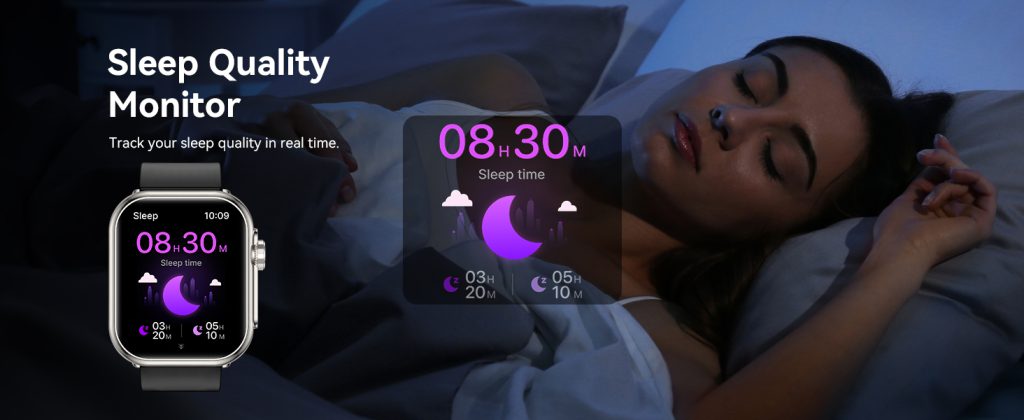
- Sleep Tracking: Smartwatches use motion sensors and heart rate data to analyze your sleep stages (light, deep, REM) and quality. Some, like those from Garmin, even factor in blood oxygen levels to detect issues like sleep apnea.
- Blood Oxygen (SpO2) Monitoring: This measures oxygen saturation in your blood, helpful for detecting altitude sickness, respiratory issues, or even early signs of conditions like COVID-19. It uses red and infrared lights to gauge how much oxygen your red blood cells are carrying.
- Step and Activity Tracking: Beyond counting steps, this includes calorie burn estimates, floors climbed, and active minutes. It’s great for meeting daily goals like 10,000 steps.
- ECG and Irregular Heart Rhythm Detection: Available on premium models, this lets you take a quick electrocardiogram by touching the watch’s crown or bezel, checking for arrhythmias.
- Stress and Recovery Metrics: Features like heart rate variability (HRV) assess your body’s stress levels and readiness for exercise. Garmin’s Body Battery, for example, gives a score out of 100 to show your energy reserves.
- Fall Detection and Emergency SOS: Sensors detect sudden falls and can automatically call for help, a lifesaver for older users or those with medical conditions.
- Blood Pressure and Body Composition: Newer models from Samsung include bioelectrical impedance analysis (BIA) for body fat percentage and skeletal muscle mass, while some offer blood pressure estimates (though often requiring calibration with a cuff).
These features vary by brand and model, but they’re all designed to give you actionable insights. Now, let’s talk about how to enable them.
Enabling Health Features on Apple Watch
Apple Watch is a powerhouse for health tracking, especially if you’re in the iOS ecosystem. Models like the Series 9 or Ultra 2 come packed with features, but you need to set them up properly.
Start by ensuring your watch is paired with your iPhone via the Watch app. Open the app, go to My Watch > General > Software Update, and make sure everything’s current—many health features require the latest watchOS.
- Heart Rate and ECG: These are on by default, but to use ECG, open the Health app on your iPhone, tap Browse > Heart > Electrocardiogram (ECG) > Set Up ECG App. On the watch, open the ECG app, hold your finger on the Digital Crown for 30 seconds. For irregular rhythm notifications, enable them in the Heart section of the Health app.
- Blood Oxygen: In the Watch app, go to My Watch > Blood Oxygen > Enable. On the watch, open the Blood Oxygen app and keep still for 15 seconds. Note: This works best at rest and isn’t for medical diagnosis.
- Sleep Tracking: Set up a sleep schedule in the Health app under Sleep. Wear your watch to bed, and it’ll automatically track stages. For advanced insights like respiratory rate, enable Sleep Focus mode.
- Fall Detection: In the Watch app, go to My Watch > Emergency SOS > Fall Detection > Always On. It’s smart enough to differentiate between a workout tumble and a real fall.
- Vitals App (New in watchOS 11): This aggregates overnight metrics like heart rate, temperature, and oxygen. Just wear it while sleeping, and check the app in the morning.
Pro tip: For accuracy, wear the watch snugly about an inch above your wrist bone. If you’re over 55 or have a history of falls, Apple recommends always-on fall detection.
Enabling Health Features on Samsung Galaxy Watch
Samsung’s Galaxy Watch series, like the Watch 6 or Ultra, integrates seamlessly with Android phones via the Samsung Health app. It’s particularly strong in body composition and sleep coaching.
First, download the Samsung Health and Galaxy Wearable apps from the Google Play Store. Pair your watch, and update firmware if prompted.
- Heart Rate and ECG: Open Samsung Health on your phone, tap the heart icon, and enable continuous monitoring. For ECG, go to the watch’s app list, open ECG, place your finger on the top button, and hold for 30 seconds. Enable irregular heart notifications in Settings > Health > Heart > Irregular Rhythm.
- Blood Oxygen and Blood Pressure: In Samsung Health, go to Settings > Accessories > Watch > Health Monitors. Enable SpO2 during sleep or on-demand. For blood pressure (available on select models), calibrate with a traditional cuff first via the app.
- Sleep Tracking: Wear the watch to bed; it auto-detects sleep. For detailed coaching, enable Sleep Coaching in the app, which analyzes patterns and suggests improvements.
- Body Composition: Open the Samsung Health app on the watch, select Body Composition, place two fingers on the buttons, and stand still. It measures fat, muscle, and water.
- Fall Detection: In the Galaxy Wearable app, go to Watch Settings > Safety and Emergency > Hard Fall Detection > Always On.
Samsung’s AI-powered Energy Score combines data from sleep, activity, and HRV to give a daily wellness rating—enable it in the app for personalized tips.
Enabling Health Features on Fitbit
Fitbit, now under Google, excels in user-friendly tracking with devices like the Versa 4 or Charge 6. It’s great for beginners and focuses on holistic wellness.
Install the Fitbit app on your phone, create an account, and pair your device.
- Heart Rate and ECG (on premium models): Heart rate is always on. For ECG, open the ECG app on the watch, hold the corners or sides, and wait 30 seconds. Enable AFib notifications in the app under Heart Rhythm Assessments.
- SpO2 and Skin Temperature: In the Fitbit app, go to Today > Health Metrics > Enable SpO2 during sleep. Skin temp varies by model but tracks overnight changes for illness detection.
- Sleep Tracking: Just wear it to bed. The app provides a Sleep Score out of 100, breaking down stages. Premium subscribers get deeper insights like Sleep Profile.
- Stress Management: Enable EDA scans on models like Sense 2—place your palm over the watch face for 2-7 minutes to measure sweat responses.
- Active Zone Minutes: This tracks time in fat-burn, cardio, or peak zones based on heart rate. Set it up in the app under Exercise > Goals.
Fitbit Premium ($9.99/month) unlocks advanced features like Daily Readiness Score, which uses HRV and sleep to advise on workout intensity.
Enabling Health Features on Garmin
Garmin is the go-to for athletes, with rugged watches like the Venu 3 or Forerunner series offering in-depth metrics.
Download the Garmin Connect app, pair your watch, and sync.
- Heart Rate and Pulse Ox: Enable continuous monitoring in the app under Device > Sensors > Heart Rate > On. For Pulse Ox, go to Sensors > Pulse Ox > All Day or During Sleep.
- Sleep Tracking: Auto-detected when worn to bed. Garmin’s advanced sleep widget includes respiration and HRV for a comprehensive score.
- Body Battery and HRV: These are on by default. Body Battery estimates energy levels; check it on the watch glance. HRV Status requires consistent tracking for training readiness insights.
- Respiration Rate and Stress: Enable in the app under Health Stats. Stress tracking uses HRV; do guided breathing sessions on the watch for relief.
- Women’s Health Tracking: For cycle or pregnancy tracking, set it up in Garmin Connect under User Profile > Health & Wellness.
Garmin’s Training Status uses VO2 max estimates (from heart rate data) to show if you’re improving or overreaching—enable workouts to get accurate reads.
The Benefits of Using Smart watch Health Features
Enabling these tools isn’t just about data collection; it’s about transforming your health. Let’s explore the perks based on real-world impacts.
First, motivation skyrockets. A study from the American Heart Association found that wearable users increase daily activity by up to 2,000 steps, reducing risks for obesity and heart disease. Heart rate tracking helps optimize workouts—staying in the right zones burns fat efficiently or builds endurance.
Sleep insights are game-changers. Poor sleep links to everything from weight gain to weakened immunity. By tracking patterns, you can adjust habits like cutting caffeine, leading to better energy and mood. Garmin users often report improved recovery, while Fitbit’s scores encourage consistent bedtimes.
Early detection saves lives. ECG features have alerted users to AFib, prompting doctor visits. Blood oxygen monitoring caught low levels in COVID patients early. Fall detection provides peace of mind for seniors or solo hikers.
Stress management features promote mental health. HRV tracking reveals when you’re burned out, encouraging rest days. Samsung’s sleep coaching has helped users reduce insomnia symptoms by 20-30%, per user reviews.
Overall, these devices foster preventive care. Mayo Clinic research shows wearables encourage healthier eating and hydration by tying data to apps like MyFitnessPal. For chronic conditions like diabetes, activity tracking aids blood sugar control.
But benefits extend beyond individuals. Sharing data with doctors via apps like Apple Health or Samsung Health streamlines appointments, leading to better diagnoses.
Tips for Maximizing Health Tracking Accuracy and Effectiveness
To get reliable data, follow these practical tips:
- Wear It Right: Position the watch snug but not tight, about a finger’s width above your wrist bone. Clean sensors regularly to avoid dirt buildup.
- Calibrate When Needed: For blood pressure or body comp on Samsung, use a cuff or scale for initial setup. Garmin’s VO2 max improves with GPS-tracked runs.
- Sync with Apps: Integrate with third-party tools like Strava for runs or Google Fit for aggregated data. This gives a fuller picture.
- Track Consistently: Wear it 24/7 for best insights, especially sleep and HRV. Charge during showers to minimize downtime.
- Set Realistic Goals: Use features like Apple’s rings or Fitbit’s Active Zones to aim for progressive improvements, not perfection.
- Monitor Trends, Not Snapshots: A single high heart rate reading might be stress; look at weekly averages for true insights.
- Combine with Lifestyle Changes: If sleep tracking shows poor REM, try a cooler room or meditation. For low energy scores, prioritize nutrition.
- Privacy First: Review app permissions—share only what you’re comfortable with.
- Update Regularly: Firmware fixes bugs and adds features, like Apple’s new Vitals app.
- Consult Pros: These aren’t medical devices; use data to inform, not diagnose. Share with your doctor for context.
By applying these, you’ll turn raw data into meaningful habits.
Comparing Health Features Across Popular Brands
Choosing a smartwatch often boils down to which health features suit your needs. Here’s a side-by-side look:
- Apple Watch: Best for seamless iOS integration and safety (fall/crash detection). Excels in ECG, blood oxygen, and new hypertension alerts. Sleep tracking is solid but lacks Garmin’s depth. Battery life: 18-36 hours. Price: $399+.
- Samsung Galaxy Watch: Android champ with unique body comp and blood pressure. AI Energy Score and sleep coaching stand out. ECG and SpO2 are robust. Battery: 2-3 days. Price: $299+.
- Fitbit: Affordable and beginner-friendly. Strong on stress (EDA) and sleep scores. Daily Readiness is premium but valuable. Battery: 6-7 days. Price: $149+.
- Garmin: Athlete-focused with superior recovery metrics (Body Battery, HRV Status). Pulse Ox and respiration are always-on. Battery: 7-14 days. Price: $299+.
Apple leads in app ecosystem, Samsung in innovation, Fitbit in value, Garmin in endurance sports. All have accurate heart rate (per tests against chest straps), but Garmin edges out for GPS precision during runs.
If you’re iPhone-only, go Apple. Android users: Samsung or Fitbit. Runners: Garmin.
Potential Drawbacks and How to Overcome Them
No tech is perfect. Battery drain from constant monitoring can be an issue—toggle off unused features. Accuracy varies; optical sensors struggle with tattoos or dark skin—use chest straps for precision workouts. Data overload might cause anxiety; focus on trends.
Overcome by starting slow: Enable one feature at a time. Remember, these complement, not replace, professional advice.
Take Control of Your Health Today
Smart watches are more than gadgets; they’re gateways to better living. By enabling features like heart rate monitoring, sleep tracking, and ECG, you’re investing in longevity. Whether you pick Apple for polish, Samsung for smarts, Fitbit for simplicity, or Garmin for grit, the key is consistent use.
Leave a Comment
Your email address will not be published. Required fields are marked *