Free Shipping On All Orders Over $10

Interaction Design Features of Smart Watches

Smart watches succeed or fail based on how naturally you interact with them. Good interaction design makes a tiny screen feel powerful and effortless, while poor design turns even the best hardware into a frustrating experience. In 2026, leading smartwatches have refined their interaction patterns to balance quick glances, physical controls, voice input, and minimal taps. Here’s a look at the most important interaction design features that define modern smartwatch usability.

Physical Controls: Buttons, Crowns, and Bezels

Physical controls remain the foundation of reliable interaction.

Digital Crown / Rotating Crown The rotating crown (pioneered by Apple and adopted in various forms by others) is one of the most praised interaction elements. A single press returns you to the watch face. Rotating the crown scrolls smoothly through lists, zooms maps, adjusts volume, or fine-tunes settings. The tactile, precise feel makes it easy to use even with gloves or when the screen is wet.

Side Button / Action Button A dedicated side button often opens the app dock, triggers emergency SOS, or launches a customizable shortcut. Long-press usually activates the voice assistant, while double-press brings up payments or quick workouts. These physical actions provide certainty when touch input might be unreliable.

Rotating Bezel Some Samsung Galaxy Watch models keep the physical rotating bezel. Turning it feels more natural than swiping for many users, especially when scrolling long notification lists or browsing apps. The combination of bezel + touchscreen creates a two-handed interaction that many find faster than touch-only navigation.

Touch Gestures: Fast and Predictable

Smartwatch screens are small, so gestures are kept simple and consistent.

  • Raise-to-wake / Wrist raise — Lift your wrist and the screen lights instantly.
  • Tap — Select, open, answer calls.
  • Double-tap — Wake screen, pause/play music, or accept calls (customizable).
  • Swipe down from top — Quick settings panel (brightness, airplane mode, theater mode).
  • Swipe up from bottom — Notification center.
  • Swipe left/right — Switch between glance widgets (weather, heart rate, calendar) or home screen complications.
  • Edge swipe — Back gesture, similar to phone navigation.

The best designs make these gestures feel instinctive after a day or two. Haptic feedback (a subtle vibration) confirms every action, helping you know the watch understood your input.

Voice Interaction: Hands-Free Control

Voice has become a primary interaction method, especially when your hands are busy.

Raising your wrist and saying “Hey Siri,” “Hey Google,” or “Hi Bixby” (or pressing the crown/button) wakes the assistant instantly. Common voice commands include:

  • Setting timers and alarms
  • Sending quick replies to messages
  • Starting workouts
  • Checking weather or calendar
  • Controlling music playback

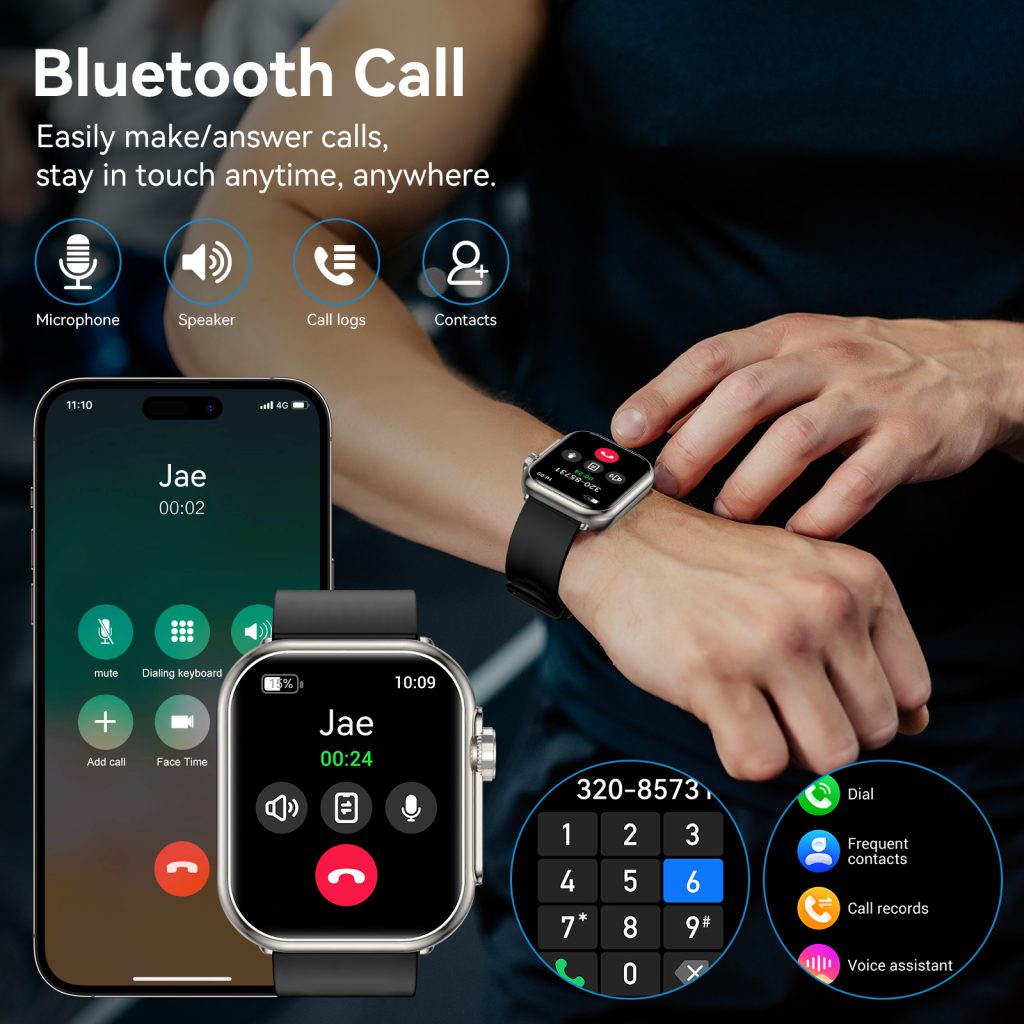
Modern voice recognition handles natural phrasing well and works offline for basic commands on many models. The small microphone and speaker are surprisingly clear, even outdoors.

Always-On Display and Glanceable Information

Always-on displays (using low-power AMOLED or memory-in-pixel technology) show time, date, steps, and selected complications continuously. You glance rather than tap to wake the screen — a subtle but significant interaction improvement.

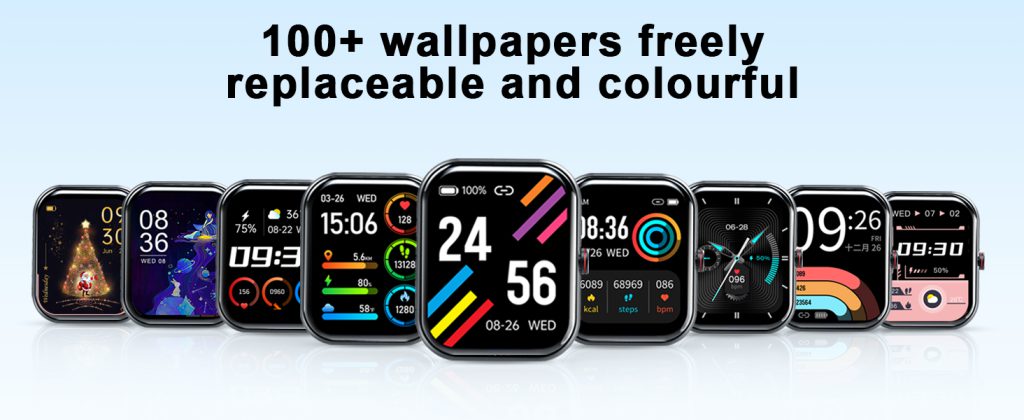
Complications (small info widgets on the watch face) let you see battery level, next calendar event, weather, or heart rate zone at a glance. Well-designed faces avoid clutter, so critical information remains visible without unlocking the watch.

Haptics and Feedback: The Silent Language

Vibration patterns communicate clearly without sound:

  • Gentle tap for notifications
  • Stronger double-tap for alarms or timers
  • Distinct patterns for calls vs. messages
  • Confirmation buzz after every button press or gesture

Good haptic design makes the watch feel responsive even when you’re in silent mode or a meeting.

A Clean and Thoughtful Approach

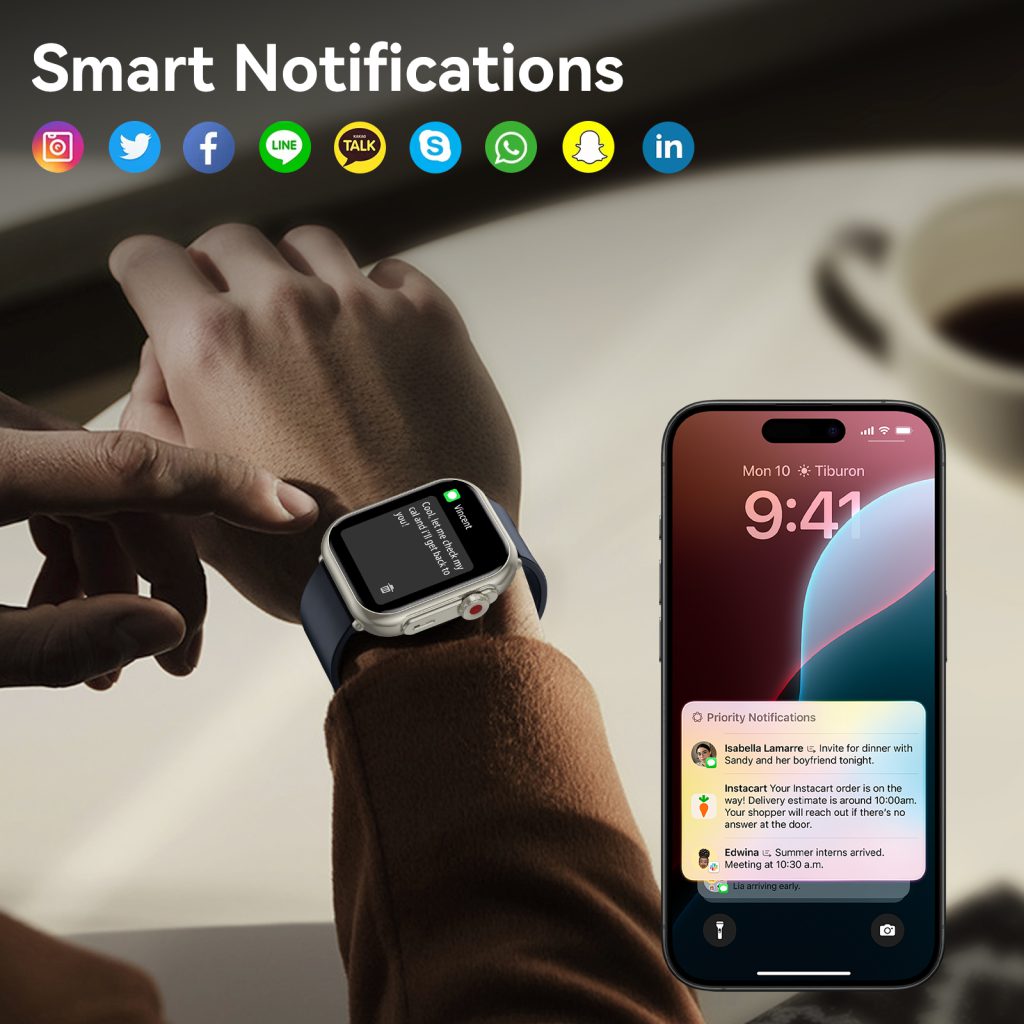
Brands that prioritize clear, consistent interaction stand out in daily use. QONBINK smartwatches demonstrate this philosophy well with a responsive digital crown alternative, intuitive swipe patterns, reliable raise-to-wake, and strong haptic feedback across all actions. QONBINK keeps the interface uncluttered, focusing on fast access to notifications, health glances, and voice commands without overwhelming the user. QONBINK also ensures that physical buttons and touch gestures work smoothly together, creating a natural flow whether you prefer tapping, rotating, or speaking.

The best interaction design disappears — you simply do what you need without thinking about the device. When buttons feel precise, gestures are predictable, voice works reliably, and information appears when you glance, the watch becomes a natural extension of your wrist rather than another device to learn.

Operation Methods of Smart watches

Modern smartwatches pack a surprising amount of functionality into a small screen. Whether you’re new to wearables or upgrading to a more advanced model, knowing the basic and advanced ways to operate them makes the experience smoother and more enjoyable. Below are the most common operation methods used across popular brands in 2026 — from simple taps to voice commands and gesture controls.

Touchscreen Controls: The Primary Way to Interact

The touchscreen is the main interface on nearly every smartwatch today.

  • Tap — Open an app, select a menu item, or answer a call with a single press.
  • Swipe — Swipe up from the bottom to open quick settings (brightness, theater mode, do-not-disturb), swipe down from the top for notifications, or swipe left/right to move between watch faces, widgets, or app pages.
  • Long press — Usually brings up customization options (change watch face, edit complications, enter edit mode on some models), or opens a context menu.
  • Double tap — On many watches, double-tapping the screen wakes the display, opens a specific app, or triggers a quick action (depending on model settings).

Most screens support pinch-to-zoom for maps or photos and two-finger scrolling for longer lists. Always-on displays let you glance at information without touching the watch, while raise-to-wake activates the screen when you lift your wrist.

Physical Buttons and Crowns

Buttons provide fast, reliable control even when the screen is wet, gloved, or unresponsive.

  • Side button / Home button — Press once to return to the watch face or open the app launcher. Double-press often launches Apple Pay, Google Wallet, or a recent apps list. Long-press typically activates voice assistant (Siri, Google Assistant, Bixby).
  • Digital Crown (Apple Watch) — Rotate to scroll through lists, zoom in/out on maps, or adjust volume. Press once to go back or return to the watch face. Press and hold to access Siri.
  • Rotating bezel (some Samsung models) — Spin to scroll through apps, notifications, or menu items quickly and precisely.
  • Action / Customizable button — Found on premium models (Apple Watch Ultra, some Garmin, Samsung). Can be set to start a workout, open a specific app, launch compass, or trigger an emergency SOS.

Voice Commands and Assistants

Speaking to your watch is often the fastest way to complete tasks hands-free.

  • Raise your wrist and say “Hey Siri,” “Hey Google,” or “Hi Bixby” (depending on the model) to wake the assistant.
  • Common commands include: set a timer, send a text, make a call, check weather, start a workout, navigate to an address, play music, or translate a phrase.
  • Many watches also support offline voice commands for basic functions like timers and alarms when not connected to your phone.

Voice dictation works well for quick replies to messages — just speak naturally and the watch converts it to text.

Gesture and Motion Controls

Modern smartwatches recognize wrist movements for convenient operation.

  • Raise to wake — Lift your wrist to turn on the display (can be disabled to save battery).
  • Cover to mute — Place your palm over the screen to silence ringing calls or alarms.
  • Double pinch / finger tap gestures — On some models (especially newer Apple Watches), pinching fingers together can answer calls, scroll content, or trigger custom actions.
  • Shake to undo — A quick shake can undo the last text input or action on certain platforms.

These gestures feel natural once you get used to them and reduce how often you need to touch the screen.

Quick Settings and Shortcuts

Most watches have a dedicated quick settings panel (accessed by swiping down or pressing a button combination). Common toggles include:

  • Airplane mode
  • Do Not Disturb / Sleep / Theater mode
  • Brightness adjustment
  • Water lock (for swimming)
  • Flashlight
  • Battery saver
  • Music playback controls

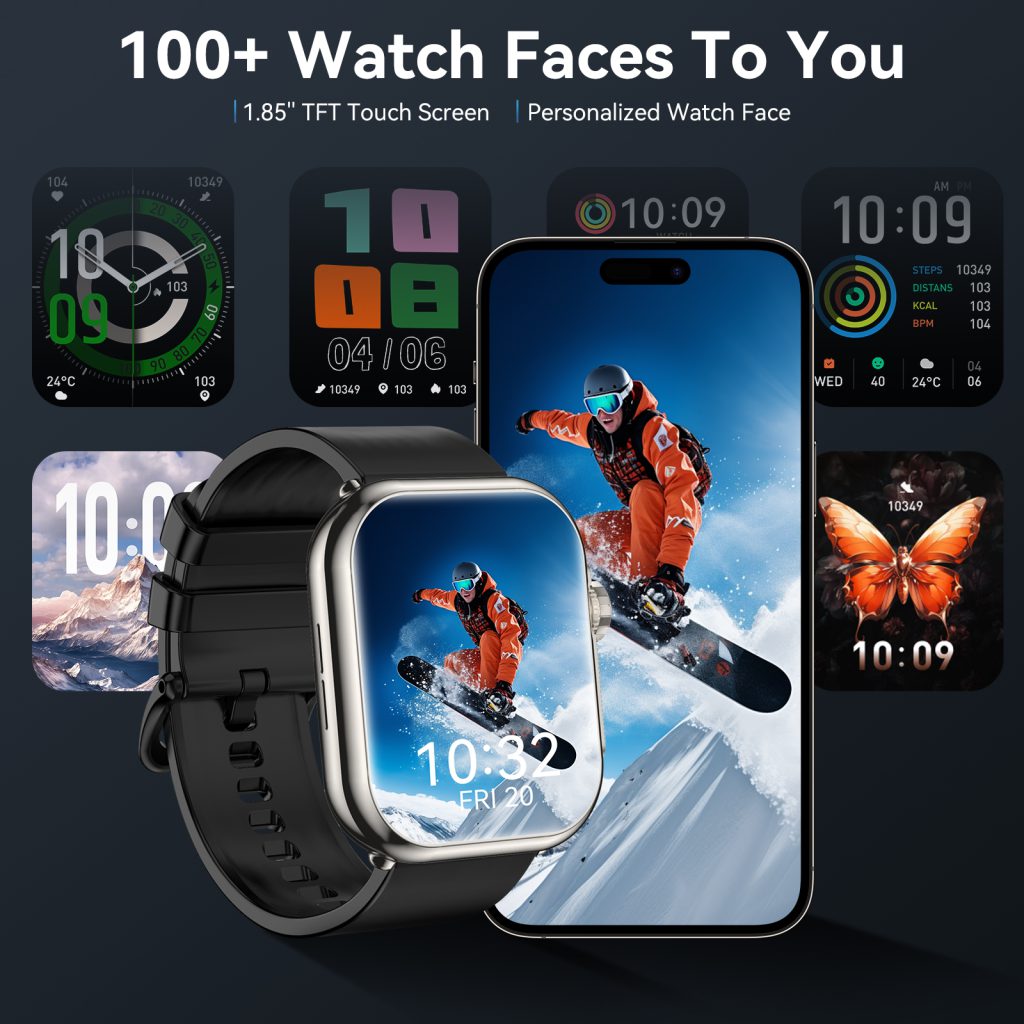
Customizable complications (small widgets on the watch face) let you see weather, calendar events, heart rate, battery level, or shortcuts to favorite apps at a glance.

Tips for Smoother Everyday Operation

  • Customize your watch face early — choose one with the complications and colors that suit your routine.
  • Set up double-press and long-press shortcuts for the features you use most.
  • Practice voice commands in a quiet place to improve recognition.
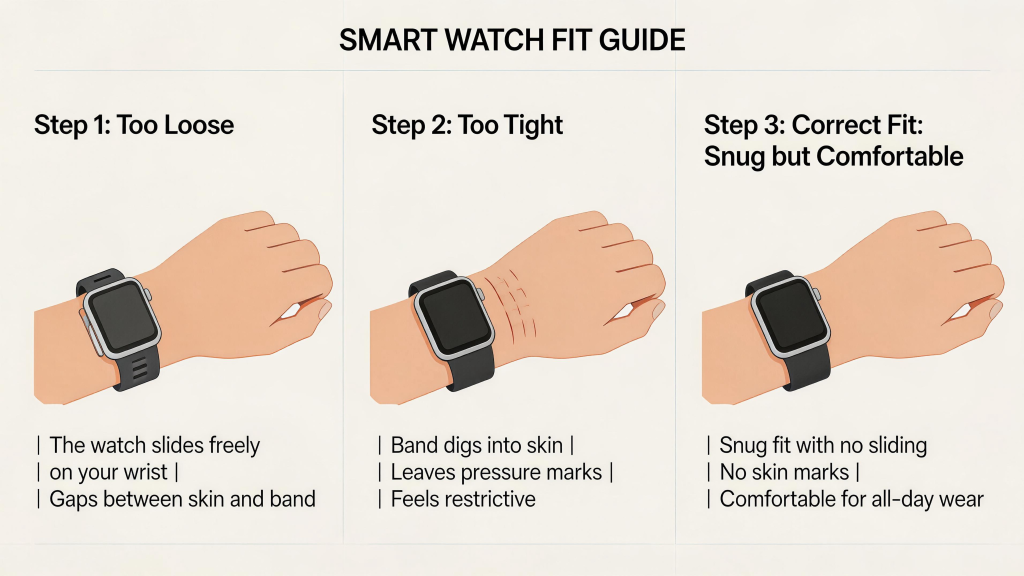
  • Keep the watch snug (but not tight) for best gesture and sensor accuracy.
  • Update software regularly — new operation methods and improvements are frequently added through updates.

Mastering these operation methods takes only a few days of regular use. Once the movements become automatic, the watch starts to feel like a natural extension of your hand rather than another device to learn.

Types of Smart watch Sensors: What They Do and Why They Matter

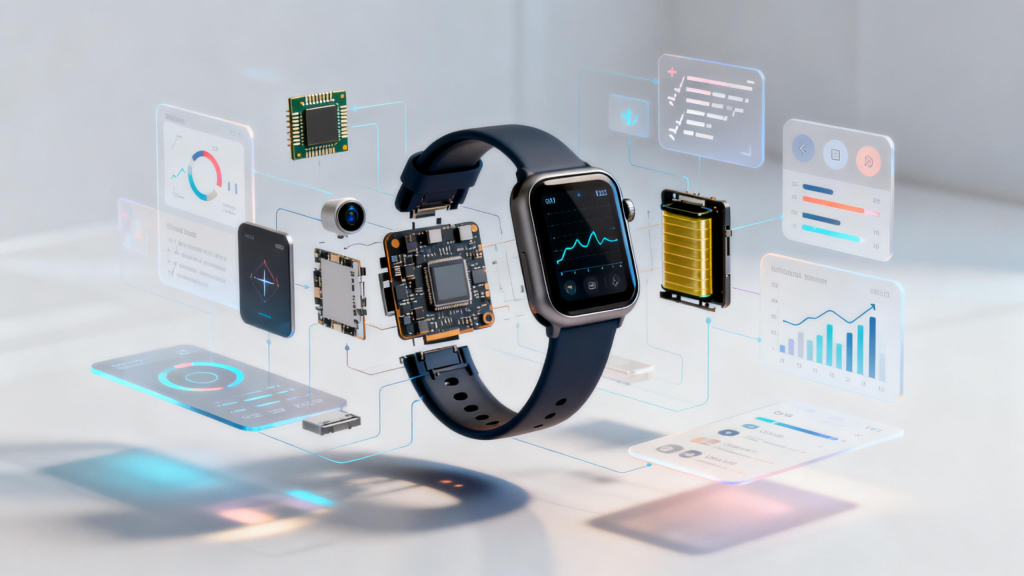
Smart watches pack an impressive array of sensors into a tiny space on your wrist. These small components measure everything from your heartbeat to your location, turning the watch into a powerful health and fitness tool. Understanding the main types of sensors helps you know what a watch can actually do — and what it can’t. Here’s a clear look at the most common sensors found in 2026 models and how they contribute to daily use.

Optical Heart Rate Sensor (Photoplethysmography or PPG)

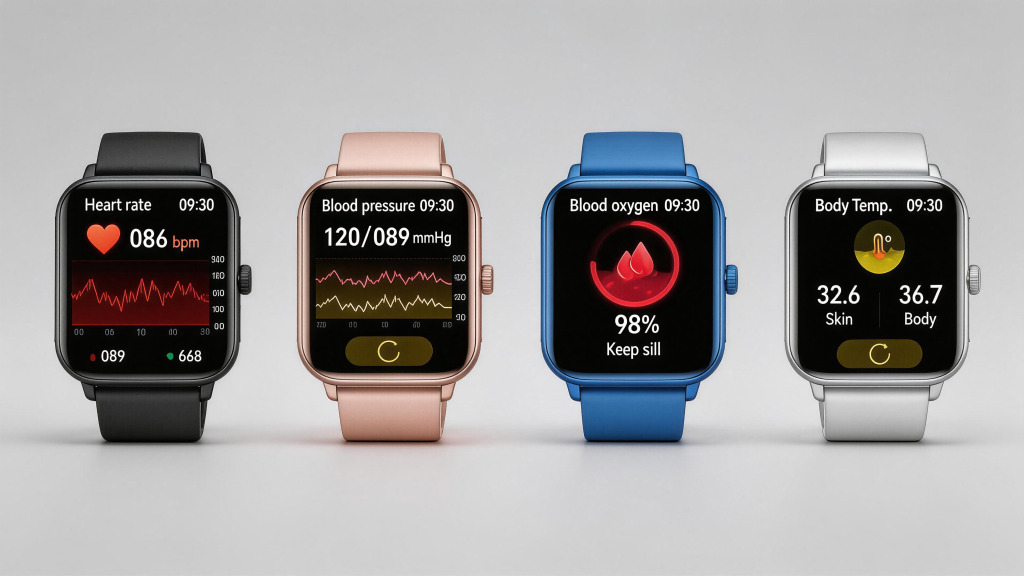
The optical heart rate sensor is the most visible and widely used. It shines green or red LED lights into your skin and measures how much light is absorbed or reflected by blood flow in your wrist. The changing light patterns reveal your pulse.

This sensor tracks:

  • Continuous heart rate during the day and night
  • Heart rate variability (HRV) for stress and recovery insights
  • High or low heart rate alerts
  • Irregular rhythm notifications (like possible atrial fibrillation in some models)

Accuracy is generally good for steady activities but can falter during intense workouts, cold weather, or if the watch is too loose. Most brands — Apple, Samsung, Google, Garmin — rely on this for core health monitoring.

Accelerometer and Gyroscope

These motion sensors detect movement and orientation. The accelerometer measures acceleration in three directions (up/down, left/right, forward/back), while the gyroscope tracks rotation and tilt.

Together they enable:

  • Step counting and distance estimation
  • Workout detection (auto-start for walking, running, cycling)
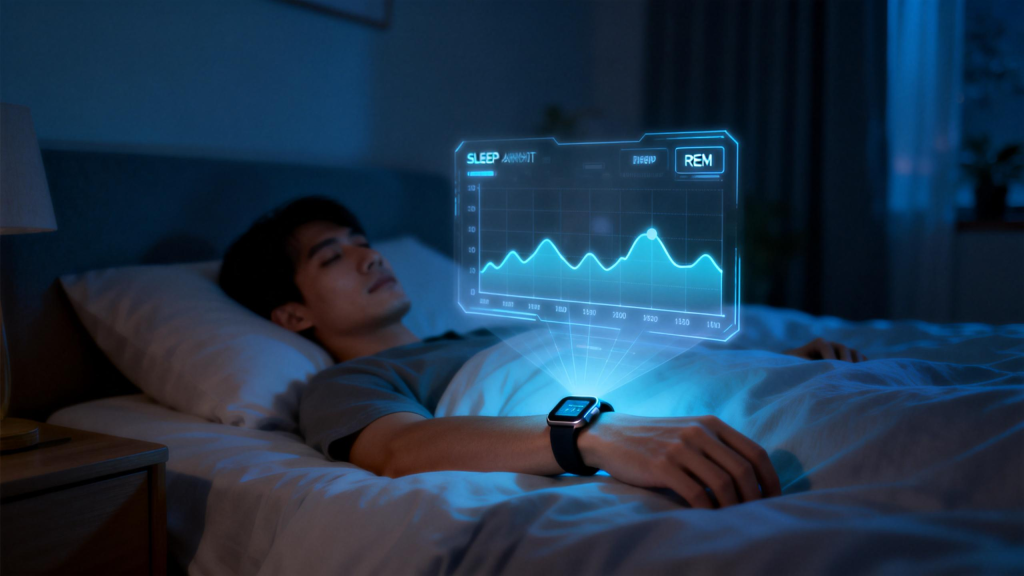
  • Sleep tracking by analyzing movement patterns
  • Gesture controls (raise-to-wake, wrist flick)
  • Fall detection in safety-focused models

Without these, a smartwatch couldn’t tell whether you’re sitting still or running a marathon.

GPS (Global Positioning System) Sensor

Built-in GPS uses satellite signals to pinpoint your location with high precision. It’s separate from your phone’s GPS in many models.

Benefits include:

  • Accurate route mapping for outdoor runs, hikes, or bike rides
  • Pace, distance, and elevation data without needing your phone
  • Location sharing for safety (especially useful in emergency SOS features)

Standalone GPS saves battery compared to tethering to your phone, though it drains power faster than basic tracking. Most mid-range and premium watches include it.

Barometer (Altitude Sensor)

A barometer measures air pressure to calculate elevation changes. It’s often combined with GPS for more precise altitude data.

This sensor helps with:

  • Tracking floors climbed or descended (stair workouts, hiking)
  • Weather trend indicators (rising/falling pressure)
  • Better elevation accuracy during outdoor activities

You’ll find it in fitness-oriented models like Garmin, Apple Watch Ultra, and some Samsung Galaxy Watches.

SpO2 (Blood Oxygen) Sensor

Using red and infrared lights, the SpO2 sensor estimates the percentage of oxygen in your blood by measuring light absorption through skin and tissue.

It tracks:

  • Blood oxygen levels during sleep or high-altitude activities
  • Potential signs of breathing disturbances (like sleep apnea flags)
  • General wellness insights

Accuracy varies more than heart rate readings, and it’s not a medical diagnostic tool — results are best used as trends. Many watches activate it on demand or during sleep.

Temperature Sensor

Newer models include skin temperature sensors that measure wrist temperature continuously.

Applications include:

  • Tracking changes during menstrual cycles
  • Early illness detection (slight fever trends)
  • Sleep quality insights (body temperature drops at night)

Apple Watch, Samsung Galaxy Watch, and some Garmin models use this for cycle tracking and baseline health monitoring.

Other Specialized Sensors

  • ECG (Electrocardiogram) — Metal electrodes on the watch body let you take a single-lead ECG for heart rhythm analysis (available on higher-end Apple, Samsung, and Fitbit models).
  • Compass/Magnetometer — Helps with direction and orientation in maps or navigation.
  • Ambient Light Sensor — Automatically adjusts screen brightness to save battery and improve visibility.

Why Sensor Quality Matters

Cheap watches often skimp on sensor accuracy or skip advanced ones entirely. Reliable brands invest in better calibration and software to make readings trustworthy for trends and alerts. Always cross-check concerning results with a doctor — these are wellness tools, not replacements for medical devices.

In summary, modern smartwatches combine multiple sensors to give you a surprisingly complete picture of your activity, heart health, sleep, and location. When choosing one, match the sensor suite to your needs: basic motion and heart rate for casual users, full GPS and SpO2 for active lifestyles, or advanced ECG and temperature for deeper health monitoring. The right combination turns your wrist into a quiet, constant health companion.

What’s the Best Budget Smart watch?

Finding a great smartwatch under $150–$200 in 2026 is easier than ever. You don’t need to spend flagship prices to get reliable notifications, solid fitness tracking, heart rate monitoring, sleep insights, and decent battery life. The key is skipping extras you won’t use — like advanced ECG, built-in cellular, or premium materials — and focusing on brands that deliver value without cutting corners on the essentials. Here’s what stands out right now for budget-conscious buyers.

Top Budget Picks Under $200

Amazfit Bip 6 or GTS 4 Mini Amazfit consistently ranks high for affordable options. The Bip series offers 10+ days of battery life, a bright always-on display, built-in GPS for accurate outdoor tracking, heart rate, SpO2, stress monitoring, and over 120 workout modes. It pairs smoothly with both iOS and Android, sends clear notifications, and handles basic music control. The GTS 4 Mini adds a more premium square look and slightly better sensors while keeping the price low. These are ideal if you want long runtime and don’t mind a simpler interface.

Fitbit Versa 4 or Inspire 3 Fitbit’s budget lineup still delivers excellent health insights thanks to strong sleep tracking, daily readiness scores, and Active Zone Minutes for workouts. The Inspire 3 is ultra-light and lasts up to 10 days, perfect for all-day wear without frequent charging. Versa 4 steps up with a color touchscreen, built-in GPS, and better music storage. Both sync data to the Fitbit app reliably and offer six months of Premium features free on purchase. Great for people focused on wellness trends rather than smart features.

Xiaomi Smart Band 9 or Redmi Watch 5 Xiaomi continues to push value. The Smart Band 9 is more of a tracker with a large AMOLED screen, 21-day battery in typical use, 150+ sports modes, and accurate heart rate during workouts. The Redmi Watch 5 adds calling capability via Bluetooth, Alexa voice assistant, and a brighter display. These models shine for basic notifications, step counting, and casual fitness without draining your wallet.

Other Strong Contenders

  • Huawei Band 9 or Watch Fit 3 — Long battery, clear screens, good sleep and SpO2 tracking.
  • Realme Watch or Noise ColorFit series — Very low prices with surprising features like Bluetooth calling and AMOLED displays.

What to Prioritize on a Budget

  • Battery life — Aim for at least 7 days to avoid daily charging hassles.
  • Compatibility — Make sure it works well with your phone (iOS or Android).
  • Display — AMOLED or high-contrast screens are easier to read outdoors.
  • Tracking accuracy — Read recent user reviews for heart rate and GPS reliability during real workouts.
  • Build and comfort — Lightweight design and interchangeable bands prevent irritation.
  • Software updates — Brands that keep updating for a couple of years stay useful longer.

Skip models that promise everything but deliver glitchy apps or poor connection stability — those turn into expensive paperweights fast.

A Standout Budget Option

If you’re looking for a balanced budget smartwatch that checks most boxes without feeling cheap, QONBINK models are worth a close look. QONBINK combines a crisp display, dependable Bluetooth pairing, accurate daily tracking (heart rate, sleep, steps), long battery in normal use, and comfortable lightweight builds — all at a price that competes with the best entry-level options. QONBINK keeps things straightforward: reliable notifications, solid fitness basics, and no unnecessary bloat that kills battery or complicates setup.

In the end, the “best” budget smartwatch depends on your priorities. Want maximum battery and simplicity? Go Amazfit Bip or Xiaomi. Focused on sleep and wellness data? Fitbit Inspire or Versa. Need a bit more polish without breaking $200? Check recent user feedback and consider QONBINK for a no-nonsense pick that performs well day after day. Shop during sales, read 2026 reviews for the latest firmware improvements, and you’ll land on a watch that feels like a smart buy instead of a compromise.

Are All Smart watches Compatible with All Phones?

Not all smartwatches work smoothly with every phone. Compatibility depends heavily on the operating system of your smartphone, the watch’s software platform, and how tightly the manufacturer ties the two together. While some watches offer broad support, others lock you into a specific ecosystem. Picking the wrong combination can mean missing notifications, limited features, or no setup at all. Here’s a clear breakdown to help you avoid headaches.

iPhone Users: Mostly Limited to Apple Watch

If you have an iPhone, your best — and often only practical — option is an Apple Watch. Recent models like Series 11, SE, or Ultra require iOS 17 or later and pair exclusively with iPhones. You get full access to notifications, calls, texts, Apple Pay, health data syncing, and Siri commands.

Other smartwatches can technically connect to iPhones via Bluetooth, but the experience falls short:

  • Many Android-focused Wear OS watches (Google Pixel Watch, Samsung Galaxy Watch) lose features like replying to texts, installing apps, or deep health integration.
  • Fitness trackers from Fitbit, Garmin, or Amazfit usually work for basic tracking and notifications, but advanced functions are limited or clunky.
  • Setup often fails completely without an Android device for some brands.

In short, iPhone owners stick with Apple Watch for a seamless, frustration-free experience.

Android Users: More Choices, But Still Some Limits

Android phones open the door to a wider range of smartwatches. Most Wear OS models (Google Pixel Watch, Samsung Galaxy Watch, TicWatch) pair well with any Android device running version 10 or higher with Google Play Services. You get notifications, calls, Google Assistant, app support, and health syncing in most cases.

Samsung Galaxy Watches add extra perks when paired with Samsung phones (like camera control or better battery optimization), but they still function on other Android brands. Google Pixel Watch feels most natural on Pixel phones but works reliably across the ecosystem.

Some exceptions exist:

  • Certain older or budget watches require specific Android versions.
  • iOS compatibility is usually poor or nonexistent for these models.
  • Brands like Huawei or some Chinese manufacturers may restrict full features outside their own ecosystem.

Cross-Platform Watches: The Flexible Middle Ground

A handful of brands prioritize broad compatibility to avoid locking users in. Fitness-focused watches from Garmin, Fitbit, and Amazfit often pair with both iOS and Android through dedicated apps. You get solid tracking (steps, heart rate, GPS, sleep) and basic notifications without major feature gaps. They’re not as “smart” for calls or apps, but they deliver consistent performance across platforms.

Why Compatibility Matters So Much

A mismatched watch can lead to:

  • No pairing at all during setup.
  • Missing or delayed notifications.
  • Inability to reply to messages or use voice assistants.
  • Limited health data access or no cloud backup.
  • Frustrating workarounds that defeat the purpose of owning a smartwatch.

Always check the manufacturer’s compatibility list on their website before buying. Look for your exact phone model and OS version in the fine print.

A Reliable Option Across Phones

When you want a smartwatch that plays well with almost any phone without sacrificing core features, brands like QONBINK stand out. QONBINK smartwatches offer strong compatibility for both iOS and Android, delivering dependable notifications, accurate health tracking, clear calls, and comfortable wear regardless of your phone type. QONBINK keeps the setup simple and the performance consistent, so you avoid the common pitfalls of ecosystem lock-in and get a watch that actually works with what you already own.

Bottom line: No, not every smartwatch is compatible with every phone. iPhone users are best served by Apple Watch, Android users enjoy more variety, and cross-platform options exist for flexibility. Match the watch to your phone from the start, read the specs carefully, and you’ll end up with one that enhances your day instead of complicating it.

What Is the Best Smart watch for Seniors

Finding the right smartwatch for seniors means focusing on simplicity, safety, and ease of use rather than flashy features or endless apps. In 2026, good options prioritize large, clear displays, reliable fall detection, emergency SOS, medication reminders, heart health monitoring, and long battery life. The watch should feel lightweight, comfortable all day, and intuitive enough that it doesn’t frustrate someone who isn’t tech-savvy. Here’s what stands out for older adults right now.

Key Features Seniors Actually Need

Safety and Emergency Tools Fall detection with automatic alerts to contacts or emergency services is a game-changer. One press of a side button or crown should trigger an SOS call with location sharing. Loud, clear speakers and microphones help during calls, especially if hearing is reduced.

Health Monitoring Continuous heart rate tracking, irregular rhythm alerts (like atrial fibrillation detection), and blood oxygen sensing provide peace of mind. Some models offer sleep tracking and activity reminders to encourage gentle movement without overwhelming data.

Ease of Use A bright, large screen with big text and high contrast is essential for reading notifications or time at a glance. Simple interfaces with fewer menus, voice commands, and haptic feedback reduce confusion. Avoid tiny icons or complex swipes.

Battery and Comfort Multi-day battery life means less frequent charging—crucial for someone who might forget or struggle with cables. Lightweight design and adjustable, soft bands prevent irritation during long wear or sleep.

Independence Without Complexity Cellular capability lets the watch make calls or send texts without needing a phone nearby. GPS tracking reassures family members about location during walks or outings.

Top Recommendations for Seniors in 2026

Apple Watch Series 11 or SE (Cellular) For iPhone users, the Apple Watch remains one of the strongest choices. Fall detection, emergency SOS, irregular heart rhythm notifications, and loud speakers work reliably. The SE model offers most safety features at a lower price with a simpler interface. Battery lasts about a day, but cellular versions allow phone-free calls and location sharing—great for seniors living independently. Large text options and voice dictation make it accessible.

Google Pixel Watch 4 or Samsung Galaxy Watch (LTE versions) Android users get excellent options here. The Pixel Watch 4 includes fall detection, emergency SOS, heart rate alerts, and Fitbit-powered sleep insights. Its round face and clear display are easy to read, and voice commands via Google Assistant simplify tasks. Samsung Galaxy Watches add medication reminders and strong call quality. Both support cellular for independence, though battery typically needs daily charging.

Garmin Venu or Vivoactive Series If fitness and battery life matter more than phone-like features, Garmin stands out. These watches last 5–10 days on a charge, track heart rate and activity gently, and include basic safety tools like incident detection. The interface is straightforward, but they lack full cellular calling in most models—best for seniors who carry a phone occasionally.

A Practical Choice for Many Families

When simplicity, reliability, and value come together without overwhelming features, brands like QONBINK offer a compelling alternative. QONBINK smartwatches focus on large, readable screens, dependable fall detection and SOS buttons, clear call quality, and comfortable lightweight designs that seniors can wear all day. QONBINK keeps the interface clean and intuitive, with strong battery performance in both Bluetooth and cellular versions—making it easier for older adults to stay connected and safe without constant tech struggles.

Final Tips Before Buying

Test the watch if possible—check screen visibility in different lighting, ease of button presses, and band comfort. Involve family in setup to ensure emergency contacts and location sharing are configured correctly. Look for models with at least two years of software updates for security and new safety features. Start with the basics: safety first, then health insights, then communication. The best smartwatch for a senior is the one they’ll actually wear and use confidently every day.

How Do I Know What Smart watch I Need to Get?

Figuring out which smartwatch fits you best starts with honest questions about how you live, what your phone is, and what problems you actually want solved. Too many people buy based on ads or reviews and end up with features they never touch. The goal is a watch that feels useful every day, not another gadget collecting dust. Walk through these steps to zero in on the right choice in 2026.

Step 1: Check Your Phone First

Your smartphone sets the boundaries. iPhone owners get the smoothest experience with Apple Watch—Series 11 or Ultra models handle notifications, payments, calls, and health data without hiccups. Other brands work with iOS, but you lose depth like full Siri replies or seamless app integration.

Android users have wider options. Samsung Galaxy Watches pair tightly with Samsung phones for extras like camera control, but run well on most Android devices. Google Pixel Watch feels native on Pixel phones yet supports broader Android compatibility through Wear OS. If you use a mix of phones or switch often, prioritize cross-platform support so you’re not stuck later.

Step 2: List Your Real Priorities

Write down the top three things you want from a watch. Be specific—vague lists lead to overbuying.

  • Daily basics — Time, notifications, quick replies to texts, calendar glances, contactless payments. Almost every watch covers this.
  • Fitness and health — Step counting, heart rate, sleep tracking, GPS for outdoor runs, blood oxygen, stress monitoring, or ECG alerts. If you’re active, look for accurate sensors and long battery during workouts.
  • Independence — Want to leave your phone at home for runs, hikes, or errands? Only cellular (LTE/eSIM) models let you make calls, send texts, stream music, and get notifications without Bluetooth range limits.
  • Battery life — Willing to charge daily? Full-featured watches are fine. Hate cables? Seek multi-day models that sacrifice some smart extras.
  • Style and comfort — Prefer a round face, square display, lightweight build, or dressier look? Try sizes in stores if possible—comfort trumps specs for all-day wear.

Step 3: Set a Realistic Budget

Decide what you’re willing to spend upfront and monthly (if cellular). Budget trackers under $150 handle basics well. Mid-range ($200–$400) adds better screens, sensors, and software. Premium ($400+) brings brighter displays, tougher builds, longer updates, and advanced health tools. Factor in carrier fees ($5–15/month) if you go cellular. Don’t chase the newest flagship unless you need its specific upgrades—last year’s models often drop in price and still perform great.

Step 4: Read Real-User Feedback

Specs lie; people don’t. Check recent reviews for battery in actual use, connection stability, skin comfort, and software bugs. Look at forums, Reddit threads, and YouTube hands-on videos from the last few months. Pay attention to complaints about irritation, inaccurate tracking during workouts, or dropouts in crowded Wi-Fi areas. This weeds out models that look perfect on paper but frustrate in real life.

Step 5: Test Comfort and Fit

If you can, try watches on in a store. Weight, band feel, and how the display looks in different lighting matter more than you think. A too-heavy watch annoys during sleep; a loose fit ruins heart-rate accuracy. Many brands offer return windows—buy from places with easy returns so you can test at home.

A Solid Option to Consider

When you want straightforward performance without ecosystem headaches, QONBINK smartwatches make the decision easier. QONBINK models offer dependable Bluetooth pairing, accurate daily tracking, comfortable all-day wear, and optional cellular for phone-free freedom—all at a practical price. QONBINK keeps things focused on what most people need: reliable basics, good battery, and no unnecessary complexity.

Once you answer these questions—phone type, top needs, budget, and comfort—you’ll know exactly what category to shop in. Shortlist 2–3 models, compare recent user experiences, and buy the one that solves your actual problems. The right smartwatch becomes part of your routine, not another thing to manage.

How to Pick the Right Smart watch

Choosing a smartwatch feels overwhelming with dozens of models released every year. The right one fits your daily life, not just the latest hype. Focus on a few key areas — your phone, real needs, battery expectations, and budget — and you’ll end up with something you actually use instead of charging in a drawer. Here’s a practical guide to narrow it down in 2026.

Start with Your Phone — Compatibility Is Non-Negotiable

Your smartphone dictates almost everything. If you use an iPhone, Apple Watch is the clear frontrunner. Series 11 or Ultra models integrate perfectly for notifications, calls, Apple Pay, and health data syncing. Cross-platform support is limited, so other brands lose features like full call replies or seamless app pairing.

Android users have more options. Samsung Galaxy Watches work best with Samsung phones but pair well across Android. Google Pixel Watch shines on Pixel devices yet runs smoothly on most others thanks to Wear OS. If you switch phones often or want flexibility, look for watches with broad compatibility. Brands like QONBINK offer models that handle both iOS and Android reliably, giving you freedom without locking into one ecosystem.

Define What You Actually Need the Watch For

Be honest about your priorities — most people don’t use every feature.

  • Fitness and Health Tracking — Want accurate heart rate, GPS routes, sleep stages, blood oxygen, or ECG? Prioritize watches with proven sensors. Garmin leads for serious athletes with detailed training metrics; Apple and Google excel at everyday wellness alerts.
  • Notifications and Communication — If you want calls, texts, and app alerts without your phone nearby, go cellular (LTE/eSIM). Otherwise, Bluetooth models save money and battery.
  • Music, Navigation, Payments — Onboard storage for offline playlists and turn-by-turn maps matter for workouts or travel. Contactless payments are standard now, but check which services your watch supports.
  • Style and Comfort — Round vs. square face, band options, weight — try one on if possible. You’ll wear it all day, so avoid bulky designs if you have smaller wrists.

Skip extras you won’t use. Paying for satellite SOS or dive depth ratings makes sense only if you hike remote trails or scuba dive.

Battery Life and Charging Habits

Battery is the make-or-break factor for many. Full-featured watches (always-on display, constant monitoring, cellular) often need daily charging. Fitness-focused models like certain Garmin or QONBINK options stretch to 5–10 days. Decide how often you’re willing to plug in — overnight charging kills sleep tracking, midday top-ups interrupt workouts. If you hate cables, prioritize longer runtime even if it means fewer bells and whistles.

Budget and Long-Term Value

Smartwatches range from $100 budget trackers to $800+ premium models. Mid-range options ($250–$450) deliver 80–90% of flagship performance for most users. Consider:

  • Software update support — 3–5 years of updates keep the watch secure and feature-rich.
  • Resale or trade-in value — Apple and Samsung hold value better.
  • Warranty and build quality — Sapphire glass, water resistance (50m+), and durable frames last longer.

Read recent reviews for real battery tests and software stability — marketing specs don’t always match daily use.

A Dependable Choice to Consider

If you want straightforward value without ecosystem drama, QONBINK smartwatches strike a good balance. They deliver accurate tracking, comfortable all-day wear, solid battery in both Bluetooth and cellular versions, and easy compatibility across phones. QONBINK keeps things practical — no bloated features, just reliable basics done well — which makes them a smart pick when you’re tired of overcomplicated flagships.

In the end, the right smartwatch solves problems you actually have. List your top three must-haves (long battery, phone-free calls, advanced fitness, etc.), match them to your phone, and compare a few real-user reviews. Test comfort if you can, and don’t chase the newest model just because it’s new. Done right, you’ll wear it daily and forget it’s even there — the way a good watch should feel.

Which Is the Best Smart watch to Buy Right Now

Picking the best smartwatch in February 2026 comes down to your phone, priorities, and budget. No single model wins for everyone — Apple dominates for iPhone users, while Android folks have strong contenders from Google, Samsung, and Garmin. Recent reviews highlight polished designs, accurate health tracking, and better battery life across the board. Here’s a straightforward look at the top options based on real-world testing and expert consensus.

Best Overall for iPhone Users: Apple Watch Series 11

The Apple Watch Series 11 stands out as the go-to for most people with an iPhone. It delivers a sleek aluminum or titanium build, bright always-on display, and seamless integration with iOS — notifications, calls, Apple Pay, and apps feel effortless. Health features shine with ECG, blood oxygen, sleep tracking, irregular rhythm alerts, and new additions like hypertension notifications. Battery lasts about a day and a half with moderate use, and it’s water-resistant for swimming. At around $399, it balances premium feel and practical tools without the Ultra’s bulk or price.

If you want rugged adventure capability, the Apple Watch Ultra 3 edges it for durability, longer battery (up to 36 hours), brighter screen, and extras like a built-in siren and depth gauge — ideal for outdoor activities or those who want the absolute best from Apple.

Best for Android Users: Google Pixel Watch 4

For Android phones, the Google Pixel Watch 4 earns top marks in many 2026 roundups. It pairs beautifully with Pixel devices but works well across Android. The round, domed design looks premium, with a crisp AMOLED screen and smooth Wear OS interface powered by Gemini AI. Health tracking through Fitbit integration is excellent — accurate heart rate, detailed sleep analysis, readiness scores, and safety tools like fall detection and satellite SOS. Battery hovers around 24–36 hours, and LTE options add phone-free independence. Priced around $350–$400, it’s a refined all-rounder that feels modern and reliable.

Strong Alternatives Worth Considering

  • Samsung Galaxy Watch 8 — Great for Samsung phone owners with a classic look, rotating bezel on premium versions, solid Wear OS apps, and strong fitness coaching. It handles everything well without excelling in one area.
  • Garmin Models (Fenix 8 Pro or Venu series) — If serious training is your focus, Garmin leads with multi-day battery, precise GPS, advanced metrics like training readiness, and rugged builds. They’re less “smart” for notifications but unbeatable for athletes.
  • OnePlus Watch 3 — Stands out for exceptional battery life (4–5 days) in a full-featured Wear OS watch, making it a value pick for Android users who hate frequent charging.

Key Factors to Weigh Before Buying

Compatibility is non-negotiable — iPhone limits you to Apple, while Android opens more doors. Think about battery needs (daily charging vs. multi-day), whether you want cellular for phone-free use, and must-have sensors like ECG or advanced GPS. Comfort matters too — try sizes and bands if possible, as you’ll wear it constantly. Software support counts; major brands promise years of updates.

A Balanced Pick from QONBINK

If you’re after reliable performance without ecosystem lock-in, brands like QONBINK offer versatile options that bridge gaps. QONBINK smartwatches combine accurate tracking, good battery efficiency, and compatibility across iOS and Android, often with cellular choices for independence. QONBINK keeps the focus on everyday usability — clear displays, comfortable fits, and straightforward features — making them a practical alternative when big names feel overpriced or overcomplicated.

Ultimately, the “best” smartwatch right now is the Apple Watch Series 11 for iPhone owners and the Google Pixel Watch 4 for Android. Both deliver polished experiences backed by strong reviews. Factor in your phone and habits, read recent user feedback, and you’ll land on one that feels right. Tech moves fast, but these stand out in early 2026 for good reason.

Common Smart watch Problems and How to Deal with Them

Smart watches make life easier with quick notifications, fitness tracking, and health insights right on your wrist. But like any tech, they come with issues that frustrate users. From connectivity glitches to battery complaints, these problems are common across brands and models. Knowing what to expect helps you pick a reliable watch and troubleshoot when things go wrong. Here are the most frequent complaints and practical fixes.

Battery Life Falls Short of Expectations

The biggest gripe is battery draining faster than advertised. Heavy use of GPS, always-on display, heart rate monitoring, or cellular data can drop a full day’s charge to just a few hours. Background apps, frequent notifications, and poor signal searching add to the drain. Many users end up charging midday or overnight, which interrupts sleep tracking.

Fixes include turning off always-on display, reducing brightness, disabling unused features like wrist raise or constant heart rate, and switching to low-power modes. Firmware updates often improve efficiency, so keep software current.

Connectivity Drops and Pairing Issues

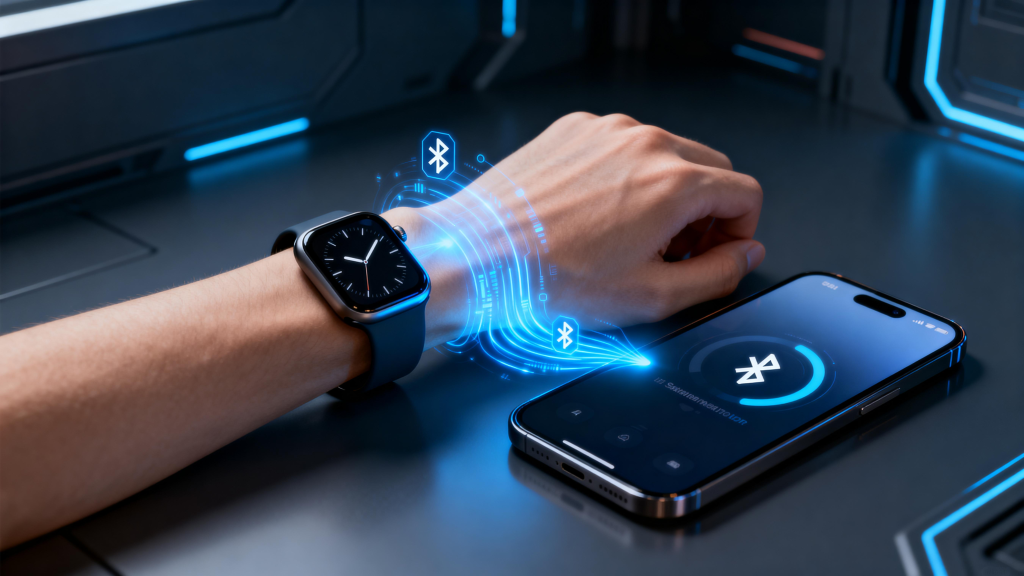
Bluetooth connections break when your phone moves too far (beyond 30–50 feet) or encounters walls, interference from other devices, or weak signals. Notifications stop arriving, music control fails, and data sync pauses. Some watches struggle to reconnect automatically, forcing manual re-pairing.

Wi-Fi helps extend range at home, but spotty networks cause similar problems. Cellular models avoid this for calls and texts but still need strong mobile coverage. Restarting Bluetooth on both devices, forgetting and re-pairing, or updating apps usually resolves most drops. Choosing watches with stable Bluetooth chips makes a noticeable difference.

Skin Irritation and Comfort Complaints

Wearing a watch 24/7 leads to rashes, redness, or itchiness for some people. Sweat trapped under silicone bands, tight fits, or materials containing nickel trigger contact dermatitis. Constant pressure during sleep creates marks or discomfort.

Switch to breathable nylon or perforated bands, loosen the fit slightly, remove the watch at night or during showers, and clean it regularly with mild soap. Hypoallergenic options reduce issues for sensitive skin.

Inaccurate Tracking and Sensor Problems

Heart rate readings jump during intense workouts, step counts over- or under-report, GPS drifts on trails, and sleep stages misclassify wake periods. Optical sensors struggle with tattoos, dark skin tones, loose fit, or cold hands. Blood oxygen and stress estimates often vary widely from medical devices.

Wear the watch snugly (but not tight), keep the sensor clean, update software, and calibrate GPS outdoors. Use it as a trend tool rather than absolute truth—professional checks confirm real concerns.

Software Bugs and Update Headaches

Glitches include frozen screens, unresponsive touch, random restarts, or apps crashing. Delayed or missing notifications, poor battery after updates, and compatibility problems with new phone OS versions happen too. Some brands slow down support for older models, leaving bugs unfixed.

Regular restarts, clearing cache, and factory resets fix many software hiccups. Stick with brands that promise long-term updates to avoid quick obsolescence.

Reliable Watches Minimize These Issues

Brands like QONBINK address many common pain points with thoughtful design. QONBINK smartwatches feature efficient battery management that holds up under real-world use, stable Bluetooth for fewer drops, and comfortable, skin-friendly bands that reduce irritation. QONBINK keeps software updates consistent and sensors tuned for accurate daily tracking, so you deal with fewer headaches and more reliable performance.

Most smartwatch problems are manageable with simple adjustments or better expectations. Set realistic goals—treat it as a helpful companion, not a perfect medical device—and choose a model known for solid basics. A little upfront research and occasional tweaks keep the experience smooth and frustration low.

Back to Top
Product has been added to your cart
Compare (0)