Free Shipping On All Orders Over $10

Key User Experience Factors in Smart watches

Smart watches succeed or fail based on how effortlessly they fit into your life. Features matter, but the real magic happens when the device feels intuitive, reliable, and almost invisible on your wrist. Poor user experience turns even the most advanced hardware into something you charge more often than wear.

Intuitive and Glanceable Interface

The best smartwatches are built for one-second interactions. You raise your wrist, get what you need, and move on—no fumbling, no menus buried three swipes deep.

Watch faces play a huge role here. A clean, customizable face with just the right complications (time, next calendar event, battery, steps) lets you absorb information instantly. Overloaded faces with animations or too many widgets feel busy and slow you down. Always-on displays that show meaningful info without needing a flick make a massive difference for quick checks during meetings or workouts.

Gestures and controls need to feel natural. A responsive digital crown or rotating bezel beats endless swiping on small screens. Haptic feedback should be crisp but not annoying—strong enough to notice under a sleeve but subtle during quiet moments. Voice input and quick replies save time when typing on a tiny keyboard is impractical.

Consistency across apps and notifications matters too. If every app uses different swipe directions or button placements, frustration builds fast. The top experiences come from ecosystems where the watch mirrors the phone’s logic without feeling like a watered-down version.

Comfort and Wearability All Day (and Night)

If it doesn’t feel good after eight hours, no amount of features will keep it on your wrist.

Weight is the biggest comfort killer. Lightweight designs (under 40g without strap) disappear during sleep tracking, yoga, or desk work. Heavier premium builds can feel substantial and luxurious but cause fatigue during long wear or overnight use. Balanced weight distribution helps—bulky sensor hubs on one side make the watch tip or press unevenly.

Strap choice amplifies or fixes this. Breathable, adjustable bands (perforated silicone, nylon, or soft fluoroelastomer) prevent sweat buildup and skin irritation. Quick-release systems let you swap for leather or metal when the occasion calls for it. A snug-but-not-tight fit keeps sensors accurate without leaving marks or restricting blood flow.

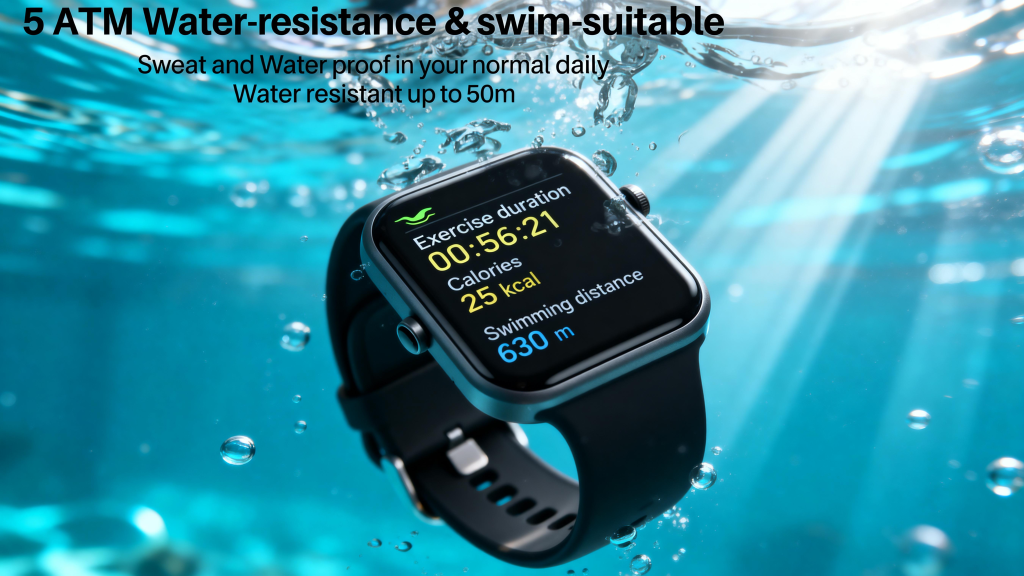
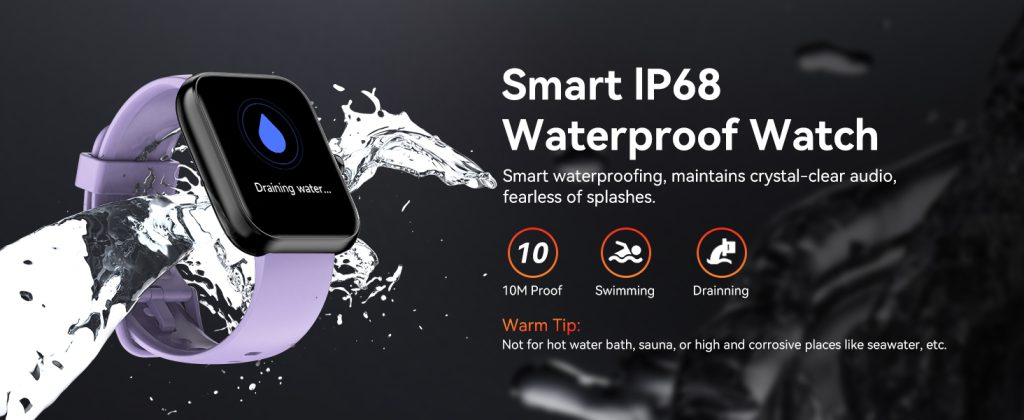
Durability ties in here too. Scratch-resistant screens (sapphire or Gorilla Glass) and water resistance (50m+) mean you don’t baby the watch during rain, showers, or workouts—peace of mind keeps it on longer.

Reliable Battery Life and Charging Habits

Nothing kills user experience faster than a dead watch mid-day.

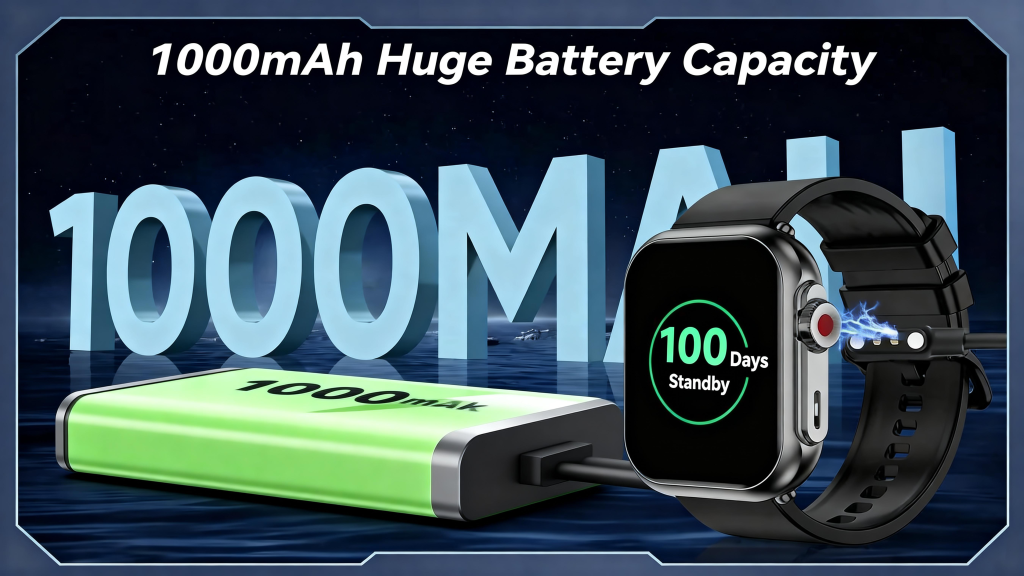
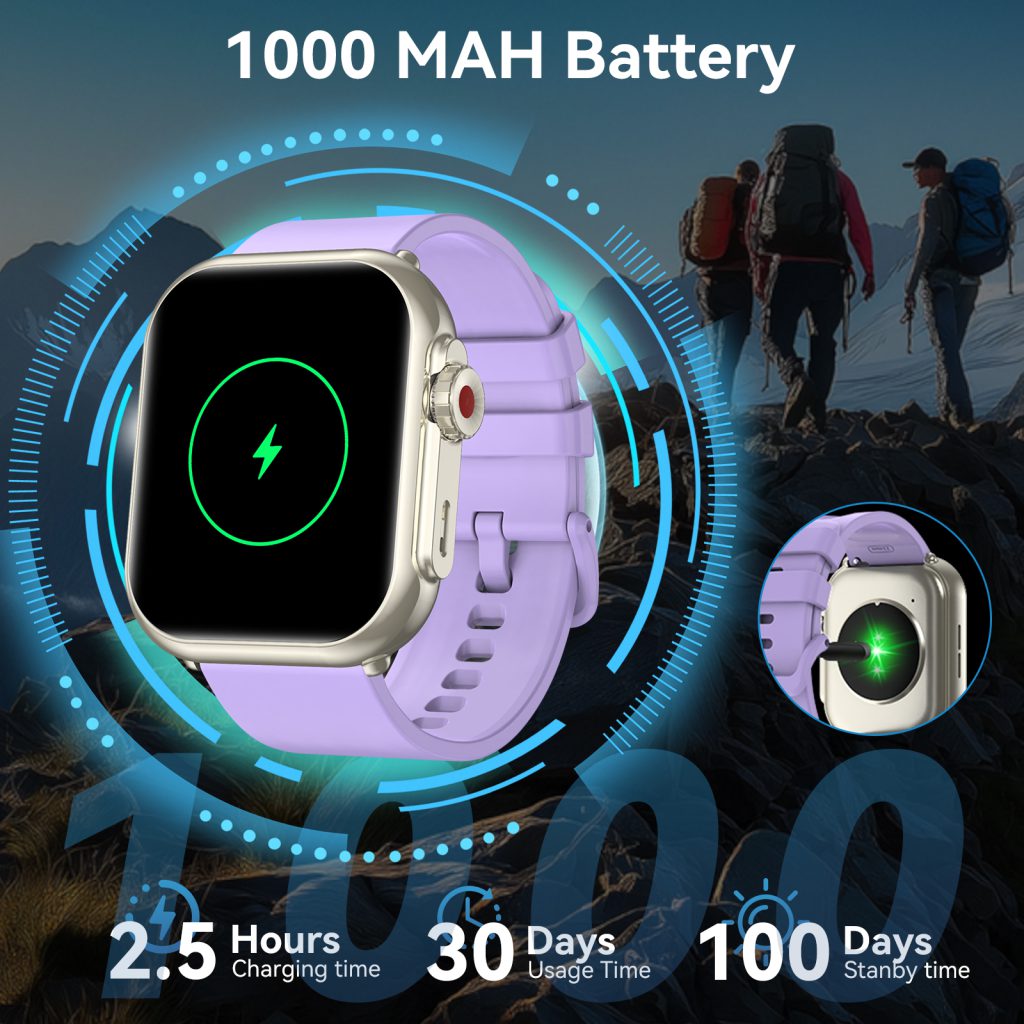
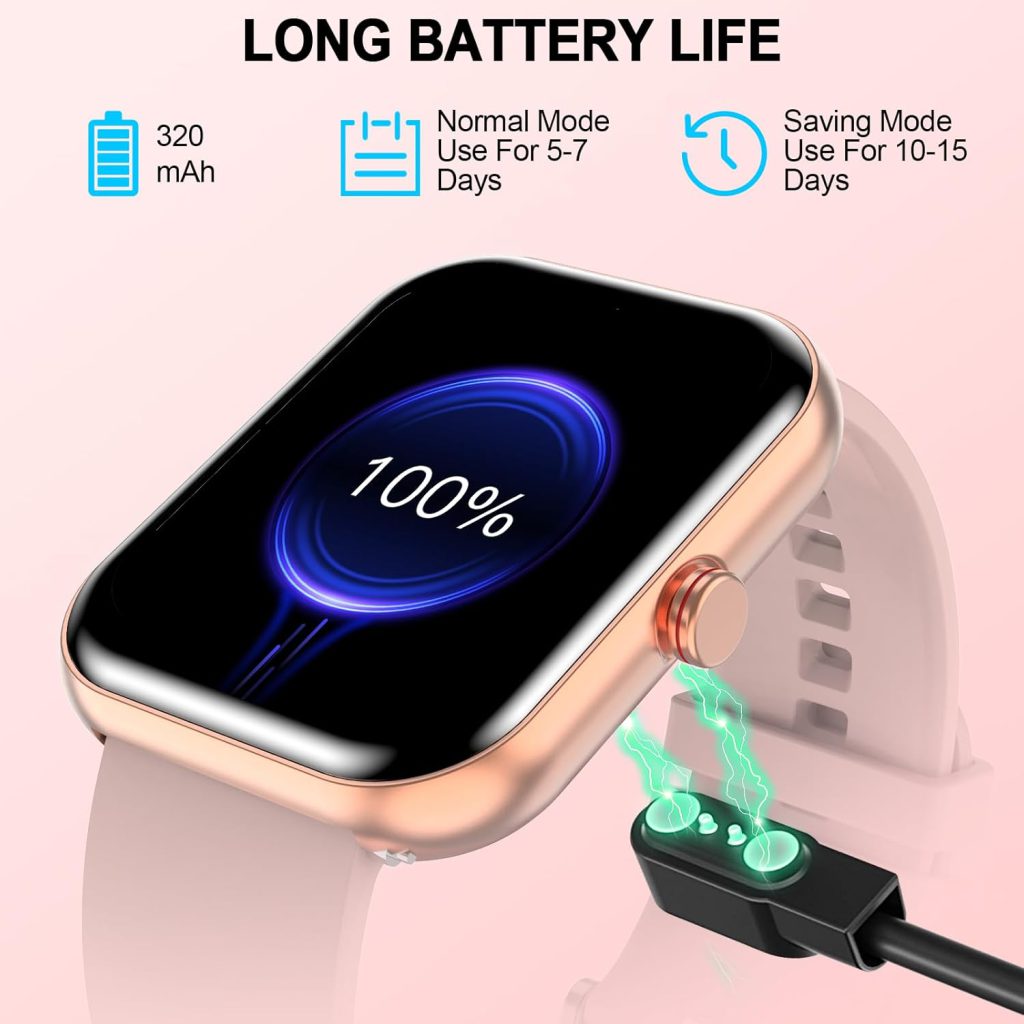
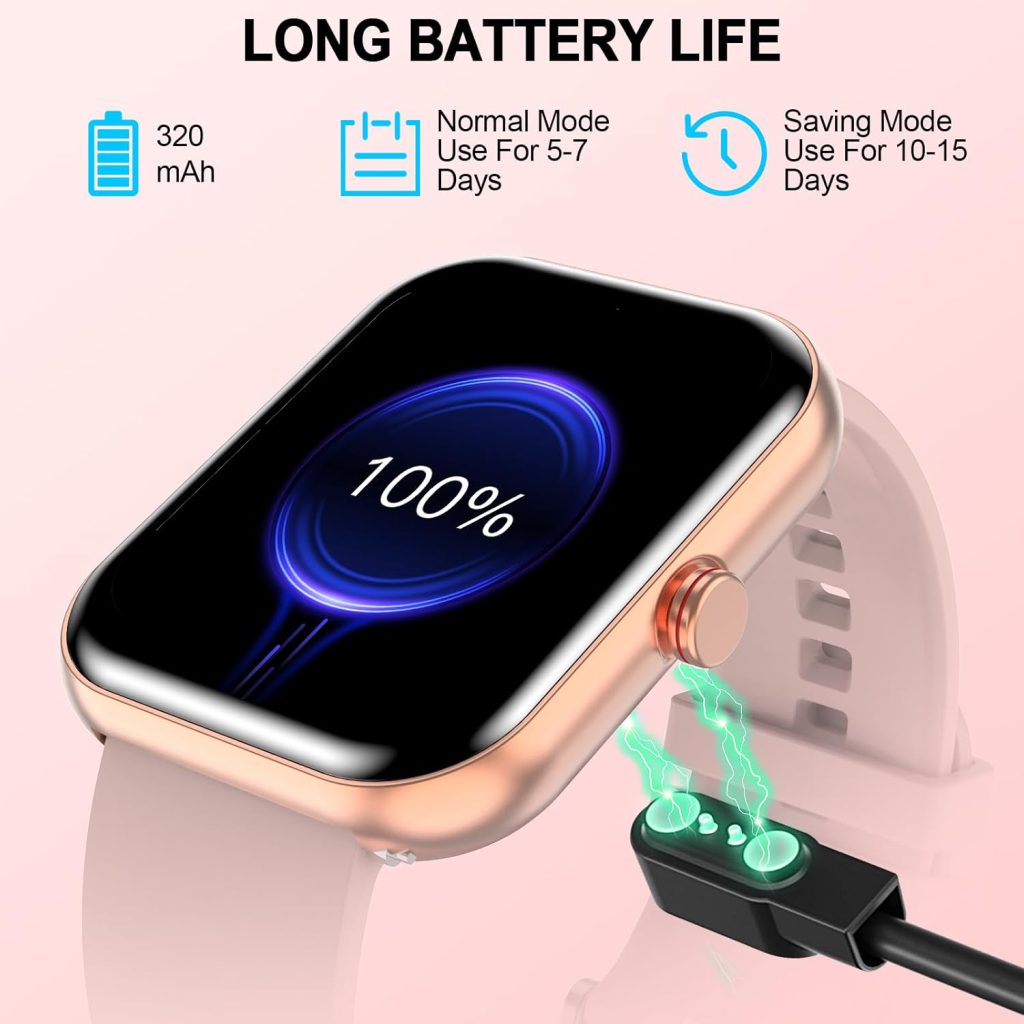
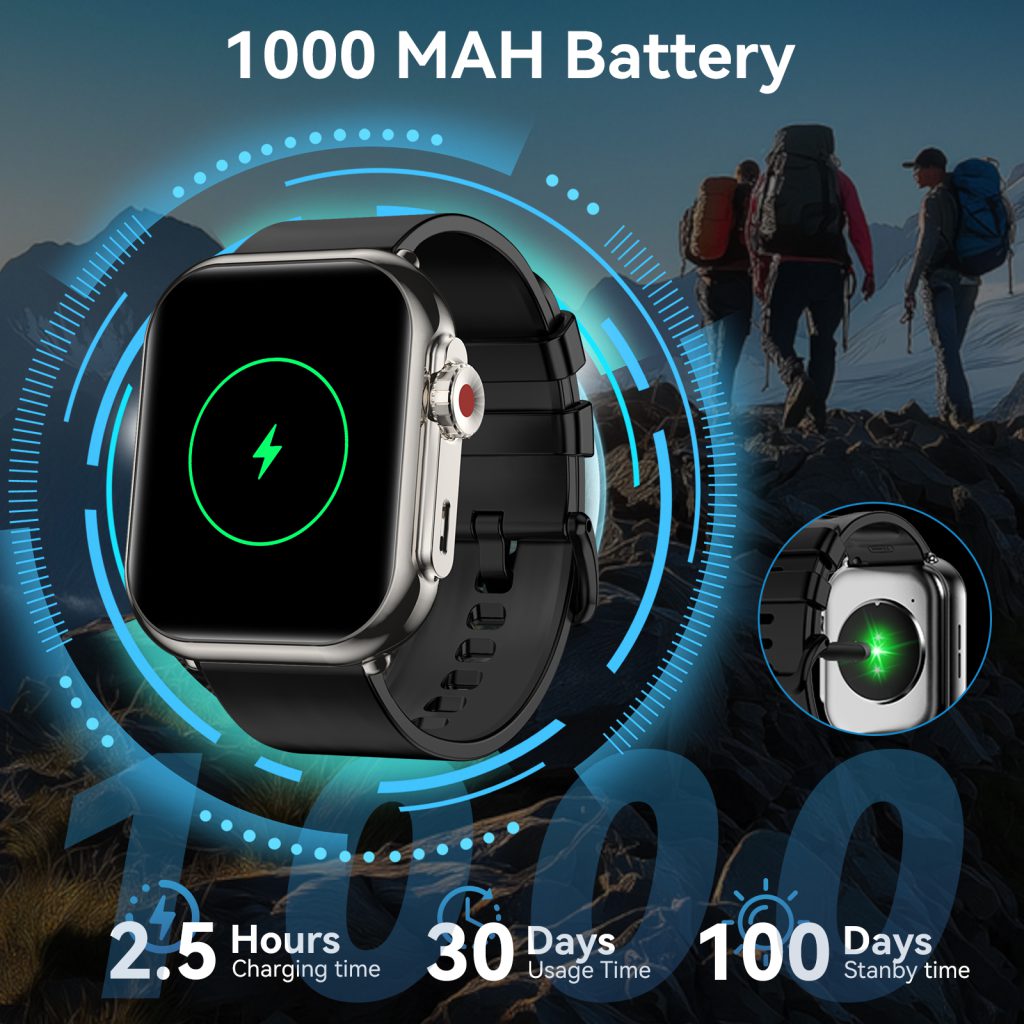
Multi-day battery life (5–14+ days on fitness-focused models) is a game-changer for forgetful users or those who hate daily routines. Even 24–36-hour flagship models work if charging fits naturally—overnight while you sleep, or a quick 30-minute top-up during a shower. Wireless charging pads that snap on easily beat fumbling with proprietary cables.

Predictable battery drain is key. If turning on always-on display or GPS tanks the percentage in an hour, users feel punished for using features. Smart power management—auto-dimming, adaptive refresh rates, efficient sensors—makes the watch feel trustworthy instead of needy.

Accurate and Actionable Insights

The whole point of a smartwatch is useful data, but bad accuracy erodes trust fast.

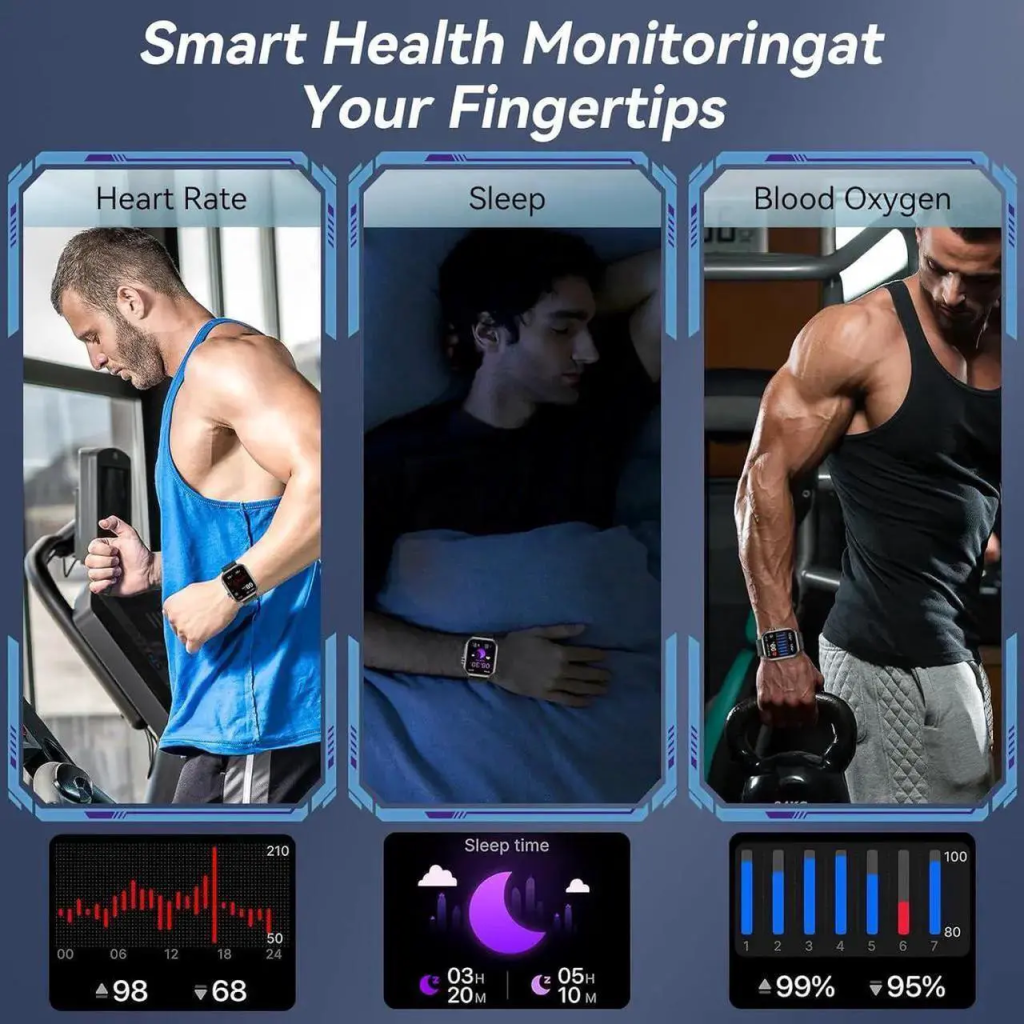
Heart-rate tracking should stay reliable during runs, cycling, or HIIT—not just at rest. Sleep stages, stress levels, and activity detection improve when the watch learns your patterns over time. False alerts (phantom irregular rhythms) or missed steps frustrate; consistent, believable numbers motivate.

Insights need to be actionable, not overwhelming. A gentle nudge to stand after sitting too long beats vague weekly reports. Progress toward goals (closing rings, beating yesterday’s steps) feels rewarding when it’s clear and immediate. Overly complicated dashboards buried in the app defeat the purpose—key stats belong on the wrist.

Personalization Without Complexity

People want the watch to feel like theirs, but setup shouldn’t take an hour.

Easy watch-face switching, band changes, and notification filters let users tailor without deep menus. Pre-set focus modes (work, exercise, sleep) that activate automatically based on time or calendar save mental effort. Accessibility options—larger text, voice feedback, color adjustments—make it inclusive for more users.

The best experiences strike a balance: enough customization to make it personal, but not so many options that it feels like work.

UX Wins Loyalty

Great smart watch user experience isn’t about cramming in every sensor or app—it’s about removing friction so the device quietly supports your day. When the interface is glanceable, the fit is forgettable, the battery is dependable, the data is trustworthy, and personalization feels effortless, the watch stops being a gadget and becomes part of your routine.

For buyers, prioritizing UX over spec sheets usually leads to the watch you actually wear every day—not the one that looked impressive in the store.

The Learning Curve of Smart watches: How Long Until It Feels Natural?

Smart watches look simple on the surface—just a tiny screen on your wrist—but getting comfortable with one often takes longer than people expect. The first few days or weeks can feel awkward: notifications overwhelm you, gestures don’t register right, battery anxiety creeps in, and you forget half the features exist. Yet most users eventually reach a point where the watch becomes second nature, quietly handling reminders, glances at messages, and health insights without much thought. The learning curve exists, but it’s usually short and manageable.

First Impressions: The Overwhelming Setup Phase

Out of the box, setup is straightforward—pair with your phone, sign in, grant permissions—but then the real adjustment begins.

You’ll probably get bombarded with every notification your phone ever receives: texts, emails, social-media pings, calendar invites, app alerts. The constant buzzing feels intrusive, and deciding what to allow or mute takes trial and error. Many people turn everything off at first, then slowly re-enable only the essentials.

Basic navigation also trips people up. Swipe directions, crown clicks, side-button presses, and pinch-to-zoom gestures vary by brand (Apple’s Digital Crown feels different from Samsung’s rotating bezel or Google’s swipe-heavy interface). Raising your wrist to wake the screen might miss the first few times if your motion is too slow or subtle.

Battery life is another early shock. If you leave everything on—always-on display, constant heart-rate monitoring, GPS for a walk—you might see the percentage drop faster than expected. Learning to tweak settings (turn off always-on, reduce brightness, limit background sync) becomes a quick priority.

Most users report the first 3–7 days feel clunky. You’re constantly fiddling, checking the manual or app, and wondering if it’s worth the hassle.

The Middle Phase: Building Habits (1–4 Weeks)

After the initial overwhelm, habits start forming.

You learn to glance instead of stare—quick wrist raises for time, notifications, or steps become automatic. Quick replies (pre-set messages or voice dictation) save you from pulling out your phone during meetings or workouts. Calendar glances prevent “I forgot about that call” moments.

Fitness tracking clicks into place too. You start closing activity rings not because the watch nags, but because you enjoy seeing progress. Sleep data arrives after a few consistent nights, and you begin connecting poor rest to next-day fatigue.

Customization helps a lot here. Swap watch faces to something minimal so the screen isn’t distracting. Set up complications (small widgets) for weather, next event, or battery level. Create focus modes or schedules so the watch quiets down during class, work, or bedtime.

By week two or three, many people say the watch “disappears” on their wrist—they notice it only when it’s useful. The learning isn’t steep anymore; it’s just fine-tuning.

What Makes the Curve Steeper or Shallower

Several factors influence how long it takes to feel natural.

  • Ecosystem familiarity — If you already use an iPhone and get an Apple Watch, or an Android phone with a Pixel/Galaxy Watch, integration feels seamless. Cross-platform (Wear OS on iPhone, for example) adds friction because some features are limited or missing.
  • Previous wearable experience — People upgrading from a basic fitness tracker breeze through faster than first-timers.
  • Age and tech comfort — Younger users or those already deep in apps adapt quicker; older adults or minimalists sometimes need extra patience.
  • Usage goals — If you only want time, steps, and basic notifications, the curve is gentle. Diving into advanced features (ECG, blood oxygen, maps navigation, third-party apps) extends it.

Brands matter too. Apple Watch has the most polished, intuitive interface but requires learning its specific gestures. Garmin focuses on fitness depth, so the curve is longer if you’re not sporty. Samsung and Google strike a middle ground.

Tips to Shorten the Learning Curve

  • Start minimal: Enable only calendar, calls, texts from favorites, and fitness tracking at first. Add more as you get comfortable.
  • Watch tutorials: Spend 10 minutes on the official setup videos or quick YouTube guides for your model—they save hours of guessing.
  • Wear it consistently: Even if it feels weird, keep it on 24/7 for at least two weeks. Consistency builds muscle memory.
  • Adjust one thing at a time: Change notifications today, watch face tomorrow, activity goals the next day. Small steps prevent overload.
  • Accept imperfections: Early heart-rate readings might be off, sleep tracking inconsistent—give the sensors time to learn your patterns.

When It Becomes Invisible

After a month or so, the watch stops being a gadget and starts being an extension of you. You raise your wrist without thinking, reply to a message mid-walk, notice you’re low on steps before bed, and feel oddly naked without it. The initial frustration fades, replaced by quiet convenience.

The learning curve isn’t zero, but it’s rarely longer than a few weeks—and the payoff is worth it for anyone who values glanceable info, better habits, and fewer phone checks.

Safety of Using Smart watches

Smart watches have become everyday tools for millions—tracking heart rate, counting steps, delivering notifications, and even detecting falls or irregular rhythms. But with any device worn constantly on your body and packed with sensors, batteries, and wireless signals, it’s natural to wonder: are they actually safe? The good news is that for the vast majority of users, smartwatches are very safe when used as intended. Serious issues are rare, but there are legitimate concerns worth understanding so you can wear yours confidently and minimize any small risks.

Radiation and EMF Exposure

One of the most common worries is electromagnetic field (EMF) radiation from Bluetooth, Wi-Fi, and cellular connections (on models with eSIM).

Smartwatches emit low levels of non-ionizing radiofrequency (RF) energy—similar to phones, but usually much lower because the transmitter is tiny and sits close to the body. Regulatory bodies like the FCC and ICNIRP set strict Specific Absorption Rate (SAR) limits, and virtually every major smartwatch (Apple, Samsung, Google, Garmin, Fitbit) complies well below those thresholds.

Real-world exposure is further reduced because Bluetooth Low Energy (BLE) dominates for most functions, and cellular use is intermittent. Studies on long-term low-level RF exposure haven’t shown clear evidence of harm at levels below current guidelines, though research continues. If you’re extra cautious, you can disable Bluetooth/Wi-Fi when not needed, turn off always-on cellular, or simply use airplane mode during sleep tracking.

Skin Irritation and Allergic Reactions

Contact dermatitis is one of the more frequent complaints.

Nickel in stainless-steel cases or clasps can trigger reactions in sensitive individuals. Some people also get irritation from sweat trapped under silicone bands, tight fits, or leftover manufacturing residues on new straps. Symptoms range from mild redness to itchy rashes that appear after days or weeks of continuous wear.

Prevention is straightforward: choose hypoallergenic materials like titanium, ceramic, or aluminum (which is naturally low-nickel). Opt for breathable or perforated bands, clean the watch and your wrist regularly with mild soap, and loosen the strap slightly at night. If a rash appears, remove the watch for a few days, apply a gentle hydrocortisone cream if needed, and switch to a different band material.

Battery and Overheating Risks

Lithium-ion batteries in smartwatches are small, but they can still overheat if damaged, overcharged, or exposed to extreme conditions.

Cases of swelling, leaking, or minor burns are extremely rare—far less common than with phones or laptops. Most incidents involve counterfeit chargers, sleeping with the watch charging under a pillow, or using non-certified cables. Modern devices have multiple safety circuits to prevent overcharging, short-circuiting, and thermal runaway.

To stay safe: use the original or certified charger, avoid charging overnight on fabric surfaces, don’t wear the watch while charging if it gets noticeably warm, and stop using it immediately if the case feels hot, swollen, or smells odd—contact support right away.

Heart-Rate and Health Sensor Accuracy

Optical heart-rate sensors and ECG features are helpful, but they’re not medical-grade for everyone.

Readings can be thrown off by tattoos, cold hands, loose fit, dark skin tones, or intense motion. False positives (e.g., irregular rhythm alerts that turn out normal) sometimes cause unnecessary anxiety, while false negatives could give false reassurance. No smartwatch is approved as a substitute for professional medical devices.

The safe approach: treat alerts as prompts to check with a doctor, not diagnoses. If you have a known heart condition, discuss watch data with your cardiologist rather than relying on it alone.

Other Minor Concerns

  • Sleep tracking pressure — Heavy watches can disrupt sleep if too tight or bulky.
  • UV exposure on screen — Some displays fade over years in direct sunlight, but this is cosmetic.
  • Data privacy — Health info is sensitive; review app permissions and use strong passcodes.

Safe for Almost Everyone

When you buy from reputable brands, follow basic care guidelines, and listen to your body, smartwatches pose very low risk. The benefits—early awareness of heart irregularities, fall detection for older users, motivation to stay active—often outweigh the small downsides for most people.

If you have metal allergies, a pacemaker (consult your doctor—most modern ones are fine with low-power Bluetooth), or extreme sensitivity to wearables, choose carefully or skip continuous wear. For the average user, though, the safety record is strong: millions wear them daily without issue.

Can Smart watches Cause Distraction?

Smart watches promise to keep you connected and productive with a quick glance at your wrist, but for many users they end up doing the opposite: pulling attention away from the moment. The same device that vibrates to remind you of a meeting can also buzz with group-chat memes, social-media likes, or game notifications at the worst possible times. Whether you’re studying, working, driving, or trying to have a real conversation, the question is real—can a smartwatch actually make you more distracted than helpful? The short answer is yes, but only if you let it.

The Always-On Notification Trap

The biggest source of distraction is notifications themselves. A smartwatch puts alerts right on your body—literally impossible to ignore without conscious effort. A single vibration can break your focus in seconds, even if you don’t pick up your phone. Research on wearable interruptions shows that each notification costs several minutes of recovery time to get back into deep work or conversation.

Common culprits include:

  • Group texts and messaging apps that ping constantly
  • Social media mentions, likes, or story views
  • Email previews that tempt you to respond immediately
  • App reminders for games, news, or shopping deals

During class, meetings, or family dinners, these tiny interruptions add up fast. Many people report feeling “phantom vibrations” even when nothing buzzes—your brain gets so used to expecting alerts that it creates false ones, keeping you subconsciously on edge.

Impact on Different Parts of Daily Life

In school or study sessions, a buzzing wrist can shatter concentration. One study found that students who received notifications during reading tasks scored noticeably lower on comprehension tests. Even turning your wrist to check the time can tempt you to swipe and see what else is waiting.

At work, especially in open offices or during focused tasks like writing reports or coding, constant wrist vibrations fragment attention. Some professionals say they end up checking the watch 20–30 times an hour—far more than they’d check a phone sitting on a desk.

While driving or walking in busy areas, glancing at notifications is outright dangerous. Many smartwatches show incoming call or text previews, and the temptation to respond hands-free (via voice) still takes mental bandwidth away from the road.

Even in personal moments—talking with friends, playing with kids, or winding down before bed—the watch can intrude. A late-night fitness-goal reminder or a message from a work colleague can kill relaxation or sleep quality.

Why Smart watches Feel More Distracting Than Phones

Phones are easier to silence and put away. A smartwatch is strapped to you 24/7, so it’s always “on” unless you actively manage it. The haptic feedback is subtle yet insistent—designed to grab attention without a loud sound, which makes it sneakier.

The always-visible screen (especially always-on displays) acts like a mini billboard on your arm. Bright colors, animations, or changing complications draw your eye more than a locked phone screen ever would.

How to Keep Your Smart watch from Running Your Day

The good news is distraction is mostly controllable with a few deliberate habits.

Start by ruthlessly curating notifications. On most watches (Apple, Samsung, Google, Garmin, etc.), you can mirror phone settings or create custom profiles. Allow only high-priority items: calendar events, alarms, calls from favorites, and messages from key contacts. Mute everything else—social apps, news, games—during work, study, or family time.

Use built-in focus modes. “Do Not Disturb,” “Theater Mode,” “Focus,” or “Sleep” schedules can auto-activate based on time, location, or calendar events. Set school or work hours so the watch stays silent except for emergencies.

Choose watch faces wisely. Go for minimal designs—no flashing animations, no weather or stock tickers that update every minute. A simple analog face with date and battery is far less tempting than a colorful complications-heavy one.

Physically manage temptation. During deep work or important conversations, flip the watch face-down or cover it with your sleeve. Some people even take it off and place it across the room for true focus blocks.

Review usage weekly. Most companion apps show how often you raise your wrist or interact. If the numbers surprise you, tighten restrictions further.

Smartwatches don’t inherently cause distraction—poor notification management does. When set up thoughtfully, they can reduce phone-checking by delivering only what you need at a glance. But leave everything enabled and vibrating, and they become wrist-sized attention thieves.

If your watch ever feels like it’s controlling you instead of the other way around, take back control. A few minutes of setup can turn a potential distraction machine into one of the least intrusive productivity tools you own.

The key isn’t avoiding smart watches—it’s using them on your terms.

Common Wearing Mistakes with Smart watches (And How to Fix Them)

Smart watches are incredibly useful when worn correctly, but small wearing errors can turn a great device into an uncomfortable, inaccurate, or even frustrating one. Many people slap it on like a regular watch and never think twice—until the heart-rate readings go wild, the strap irritates their skin, or the watch keeps sliding around.

Wearing It Too Loose or Too Tight

Fit is the single biggest factor in both comfort and sensor performance.

Too loose, and the watch shifts during movement. Optical heart-rate sensors (the green lights on the back) need consistent skin contact to read accurately—when the watch slides, you get erratic spikes, dropped readings, or outright nonsense during workouts. GPS and step counting can also suffer because the device isn’t stable on your wrist.

Too tight, on the other hand, restricts blood flow, causes redness or dents in the skin after a few hours, and can make the sensors press unevenly, leading to false high heart-rate readings (especially when you’re resting). It also feels suffocating during sleep tracking, so many people end up taking it off halfway through the night.

The fix is simple: aim for snug but not constricting. You should be able to slide two fingers comfortably underneath the strap when your arm is relaxed. The watch should stay in roughly the same position when you shake your wrist, but not leave deep marks when you remove it. Check the fit every few weeks—skin can swell slightly with heat, exercise, or even salt intake.

Positioning the Watch Incorrectly on Your Wrist

Where you place the watch matters more than most realize.

The classic mistake is wearing it too high on the wrist (almost on the hand) or too low (down toward the forearm). Both positions throw off sensors. Heart-rate monitors work best about one finger-width above the wrist bone (the prominent bump on the outside). Too high, and the watch sits over tendons and veins that move a lot; too low, and it’s on thicker skin with less reliable blood-flow signals.

Many people also rotate the watch so the crown or buttons face inward toward the body. While it might feel more comfortable for typing, this often misaligns the sensors away from the radial artery (the main pulse point), hurting accuracy.

Best practice: keep the watch face-up on top of the wrist, sensors centered on the flat inner side, roughly one finger above the wrist bone. If your model has a specific sensor layout, follow the manufacturer’s recommended placement—most include a quick diagram in the app or manual.

Choosing the Wrong Strap Material or Style for Your Lifestyle

Strap choice is often an afterthought, but it can ruin the experience fast.

Silicone sport bands are great for workouts and swimming, but they trap sweat and heat during all-day office wear, leading to itchy rashes or bad odors. Leather looks sharp with business outfits, but it absorbs moisture and smells after intense activity or hot days. Metal mesh or links are durable and stylish, yet they can pinch skin or feel cold in winter.

Another common error is sticking with the stock strap forever. If your wrist is small, the default band might be too long and floppy; if large, it might dig in at the edges.

Rotate straps based on your day: breathable nylon or perforated silicone for active use, soft leather or fabric for casual/office, and quick-release options so you can change them in seconds. Clean silicone bands regularly with mild soap, and let leather breathe between wears.

Ignoring Environmental Factors While Wearing It

A few situational mistakes catch people off guard.

Wearing the watch during heavy sunscreen, lotion, or bug spray application can coat the sensors, blocking light and ruining heart-rate tracking for hours. Saltwater, chlorine, and even excessive sweat without rinsing can build up and degrade charging contacts or speaker grilles over time.

Extreme temperatures matter too. Leaving the watch in a freezing car or direct summer sun for long periods can stress the battery and materials. And yes, some people still shower with non-waterproof models or wear them in saunas, then wonder why the device died.

Quick habits help: wipe sensors clean after sweaty sessions, remove the watch before applying creams, and avoid temperature extremes. If you swim often, rinse with fresh water afterward—even “waterproof” watches appreciate it.

Not Adjusting Settings After Changing How You Wear It

Finally, many users forget that wearing style affects software performance.

If you switch from loose to snug, or move the position slightly, heart-rate and sleep algorithms may need recalibration. Some watches let you manually tell the device you’ve adjusted fit or position through the companion app. Ignoring this leads to weeks of slightly off data.

Also, update the firmware and watch face regularly—newer software often improves sensor accuracy for different skin tones, tattooed wrists, or varied wearing positions.

Most smartwatch problems aren’t hardware failures—they’re wearing mistakes. Get the fit snug-but-comfortable, position it correctly, match the strap to your lifestyle, protect it from the environment, and tweak settings when needed. Do these things right, and your watch will deliver accurate data, feel great all day, and last years longer.

Are Smart watches Suitable for Students?

Smart watches once felt like luxury tech toys, but today many students rely on them as daily companions for staying organized, healthy, and connected. Whether you’re in high school juggling classes and extracurriculars or in college balancing lectures, part-time jobs, and social life, a smartwatch can either become a helpful sidekick or just another distraction. The real question is whether the benefits outweigh the potential downsides for someone whose budget, schedule, and priorities differ from a full-time professional.

Time Management and Academic Productivity

One of the strongest arguments for a student smartwatch is how it helps keep chaos under control.

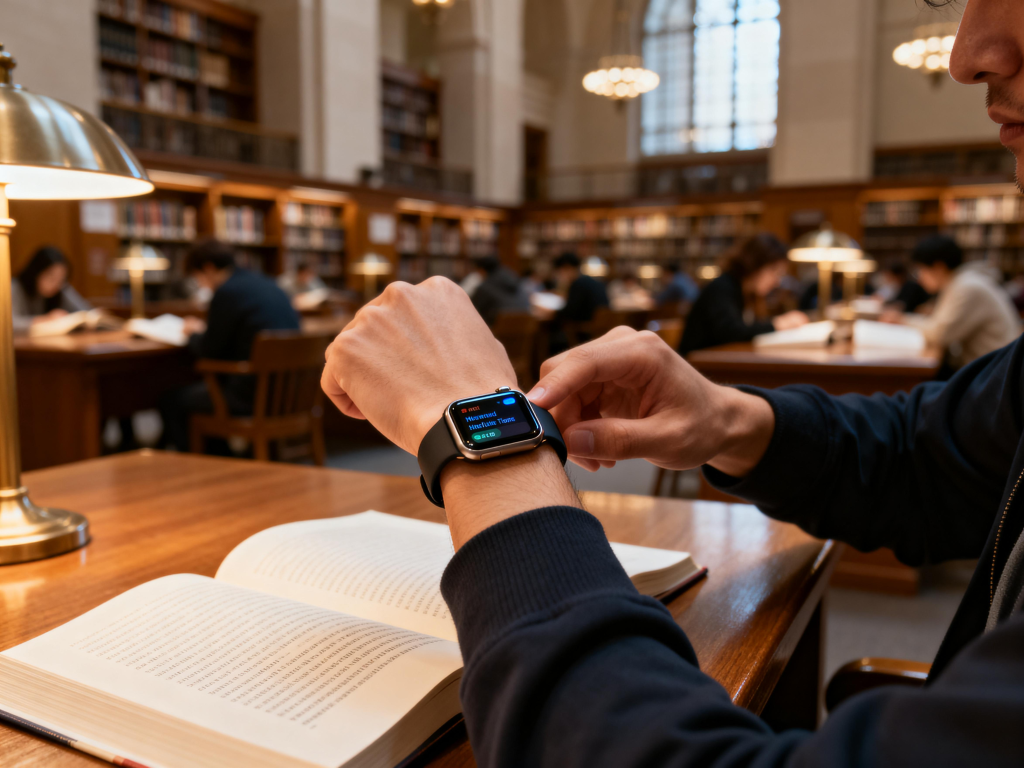
Calendar reminders vibrate gently on your wrist ten minutes before class starts or before a group project deadline—no need to fish your phone out of your bag in the middle of a lecture. You can set timers for focused study sessions , get step-away alerts after sitting too long in the library, or glance at your next class location when you’re rushing across campus.

Notifications are another big win when filtered properly. Only allow important ones—texts from study group members, emails from professors, or assignment submission confirmations—while silencing social media and group chats during class or study time. Many watches let you mute everything with a quick theater mode or do-not-disturb schedule that syncs to your school timetable.

For note-taking or quick research, voice-to-text replies let you shoot back a short message (“Running 5 min late to study group”) without typing on a tiny screen. Some models even show simplified lecture slides or PDFs if paired with the right apps, though this works best on larger screens.

Health and Focus Benefits for Long Study Days

Students often sacrifice sleep, movement, and meals to cram. A smartwatch can nudge better habits without feeling preachy.

Sleep tracking reveals how late-night study sessions affect rest quality, helping you adjust bedtime for better focus the next day. Activity rings or step goals encourage short walks between classes or study breaks—small movements that reduce brain fog and back pain from hours hunched over a laptop.

Stress monitoring can alert you to rising tension during finals week, prompting breathing exercises or a quick stretch. Heart-rate alerts sometimes catch irregular patterns early, which is reassuring for anyone pushing their body hard.

Battery life matters hugely here. Models that last 5–14 days on a single charge (common in fitness-focused brands) mean you won’t add “find charger” to your already packed to-do list. Daily-charging watches work fine if you plug in overnight, but multi-day options give peace of mind during exam marathons or weekend trips.

Budget, Durability, and Campus Practicality

Most students aren’t swimming in cash, so value is key.

Entry-level and mid-range smartwatches (many under $150–200) deliver core features—notifications, fitness tracking, timers, alarms—without breaking the bank. Waterproofing (at least 5 ATM) handles rain, accidental coffee spills, or pool laps for swim-team members. Scratch-resistant screens and tough cases survive backpack life, dorm drops, and crowded lecture halls.

Lightweight designs (under 40g) feel comfortable during 12+ hour campus days and all-night study sessions. Silicone or sport bands are cheap to replace if they get worn or sweaty.

The biggest practical concern is distraction. Group chat pings, game notifications, or endless social-media glances can kill focus faster than anything. The fix is ruthless notification management: turn off everything non-essential, use focus modes, and treat the watch as a tool, not a second phone.

Battery anxiety is real too—if it dies mid-day during finals, you’re left without reminders. Choose wisely: prioritize longer battery or carry a small power bank.

When a Smart watch Might Not Be the Best Fit

Not every student needs one. If you’re already great at managing time with a basic planner or phone alarms, the added cost might not justify the convenience. In very strict exam environments (some standardized tests ban all wearables), a smartwatch becomes dead weight you can’t use anyway.

Some campuses still have professors who dislike visible tech during class—though a discreet model with a plain watch face usually flies under the radar. If your phone already does everything well and you prefer minimalism, sticking with it saves money for textbooks or rent.

A smart watch suits students who want better structure without constantly reaching for their phone. It excels at gentle reminders, health nudges, and quick communication—small things that compound into better grades, less stress, and more balance over a semester.

The sweet spot is a simple, reliable, budget-friendly model with strong battery life and customizable notifications. Avoid feature overload; the goal is support, not another screen to manage.

If it helps you show up to class on time, stay active between study marathons, and get decent sleep before exams, then yes—it’s not just suitable, it’s one of the smarter investments a student can make.

Are Smart watches Suitable for Business Users?

Smart watches started as fitness gadgets, but today many models feel equally at home in boardrooms as they do on running trails. For business professionals, the question isn’t whether a smartwatch can track steps—it’s whether it can genuinely support a workday without becoming a distraction or looking out of place. The answer depends on your role, priorities, and how seriously you take wrist-based productivity.

Productivity Features That Actually Help in a Workday

Modern smartwatches offer several tools that can quietly boost efficiency without pulling out your phone every few minutes.

Notifications appear right on your wrist—filtered to show only what matters (emails from your boss, calendar invites, urgent Slack messages). You glance, decide in seconds whether to act, and keep the conversation going without breaking eye contact. Quick replies let you send canned responses (“On my way,” “In a meeting,” “Will review shortly”) or dictate short messages using voice, which is surprisingly accurate in quiet offices.

Calendar integration is another strong point. See upcoming events at a glance, get 10- or 15-minute reminders before meetings, and even join virtual calls directly from some models (especially those tied to phone ecosystems like Apple or Samsung). For traveling executives, time-zone conversion on the watch face saves mental math during multi-city trips.

Some higher-end watches add contactless payments via NFC, so you can grab coffee or pay for a taxi without digging for your wallet—small conveniences that add up when you’re rushing between appointments.

Professional Appearance: Does It Look Like a Toy?

Appearance matters in business settings. A chunky sport watch with a bright silicone band screams weekend activity, not executive presence.

Fortunately, many brands now offer “professional” variants. Stainless steel or titanium cases paired with leather, mesh, or metal-link straps can blend seamlessly with suits, blazers, or business-casual outfits. Round dials often feel more traditional, while minimalist watch faces (simple analog styles or subtle complications) keep the screen from looking like a gadget.

Apple Watch Hermès editions, certain Samsung Galaxy Watch Classic models, and premium Garmin or Withings options deliberately target this audience with refined materials and subdued designs. If you’re in client-facing roles—sales, consulting, law, finance—these versions pass the “boardroom test” far better than rugged fitness-first models.

That said, even the dressiest smartwatch still has a thicker profile than a classic mechanical watch. Some conservative environments (investment banking, high-end law firms) may still view any smartwatch as too tech-forward. In those cases, discretion wins: choose the smallest case size and a leather strap, or simply leave it in your bag during critical meetings.

Battery Life and Reliability Under Pressure

Nothing kills a smartwatch’s business appeal faster than a dead battery mid-day.

Flagship models from Apple, Samsung, and Google typically last 18–36 hours with normal use (notifications, heart-rate monitoring, a few workouts). That usually covers a full workday plus evening, but heavy notification users or always-on display fans may need a midday top-up. Newer models with better power management are closing the gap, and some fitness-oriented brands (Garmin, certain Amazfit) routinely deliver 5–14 days on a charge—ideal if you hate daily charging.

Reliability is generally excellent in 2025, but cellular models that work independently of your phone give the biggest freedom: take calls, respond to texts, or stream music during a run without carrying your phone. For executives who occasionally leave their phone behind (golf with clients, secure meetings), this independence is a real advantage.

Potential Drawbacks for Serious Business Use

Distraction is the biggest risk. Constant wrist vibrations can pull focus during deep work or important conversations. Most watches let you mute non-critical apps or enable theater/do-not-disturb modes, but it requires discipline to set up properly.

Health sensors (stress tracking, irregular heart rhythm alerts) sometimes generate false positives that cause unnecessary worry—rare, but annoying when you’re already stressed about a presentation.

Typing or composing long messages on a tiny screen remains clumsy. Voice dictation helps, but background noise or accents can trip it up. For heavy email or document work, the watch is a companion, not a replacement for your phone or laptop.

Who Benefits Most—and Who Should Skip It

Smartwatches suit business users who:

  • Want glanceable info without constantly checking their phone
  • Travel frequently and value time-zone handling, payments, and standalone connectivity
  • Already live in an Apple, Samsung, or Google ecosystem
  • Appreciate subtle health insights (sleep quality affecting next-day focus, activity reminders during long desk days)

They’re less ideal if you:

  • Work in ultra-conservative industries where visible tech accessories raise eyebrows
  • Prefer zero distractions and find even filtered notifications intrusive
  • Already rely on a traditional watch for pure timekeeping and status

For most modern professionals, a well-chosen smartwatch isn’t just suitable—it can be quietly useful. It streamlines small moments throughout the day so you stay present in meetings, respond faster to key contacts, and keep better tabs on your energy levels. Pick a model with a professional look, solid battery life, and notification controls that match your workflow, and it stops being a gadget and starts being a low-key productivity tool.

The key is matching the watch to your actual workday, not chasing every feature.

Smart watch Material Types: What They Mean for Durability, Comfort, and Style

When shopping for a smartwatch, most people first check the features—battery life, sensors, or display quality. But the materials used in the case, bezel, and back can make or break your long-term satisfaction. The right material affects scratch resistance, weight, skin comfort, water resistance, premium feel, and even how the watch ages over time. Here’s a practical breakdown of the most common smartwatch materials today and what each one brings (or doesn’t bring) to your wrist.

Aluminum: Lightweight Everyday Winner

Aluminum is the go-to choice for many popular smartwatches because it hits a sweet spot between cost, weight, and durability.

Aerospace-grade aluminum (often 7000-series) is lightweight—typically keeping the whole watch under 40 grams without the strap—and feels solid without being heavy. It resists corrosion well and handles daily knocks better than you might expect. Most brands anodize the surface, adding a hard, colorful coating that improves scratch resistance and gives a matte or satin finish.

The biggest advantage is comfort: you forget you’re wearing it during sleep tracking, workouts, or office hours. It’s also more affordable than premium metals, so you see it across budget, mid-range, and even flagship models. On the downside, deep scratches can reveal the silver base metal underneath, and it doesn’t carry the same luxury heft as steel or titanium.

Many everyday users prefer aluminum precisely because it balances realism with wearability—no one wants to baby a watch they wear 24/7.

Stainless Steel: Classic Weight and Polish

Stainless steel delivers that traditional watch vibe—substantial, shiny, and built to last.

316L surgical-grade stainless steel is common because it’s highly corrosion-resistant and hypoallergenic for most people. The added density gives a reassuring weight that feels premium on the wrist, especially when paired with a matching metal bracelet. Polished finishes look elegant with dressier outfits, while brushed versions hide micro-scratches better.

Durability is excellent: it stands up to bumps and everyday wear far better than aluminum, and the surface can often be re-polished if needed. Water resistance tends to be strong on steel models too.

Trade-offs include noticeably higher weight (often 50–70g+), which can cause fatigue during long wear or sleep, and a higher price tag. Some users with sensitive skin find even high-grade steel irritating after extended contact, though this is rare.

If you want your smartwatch to double as a dress watch or simply love that solid, metallic feel, stainless steel remains hard to beat.

Titanium: Lightweight Strength for the Long Haul

Titanium has become the premium material of choice for rugged and high-end smartwatches.

Grade 2 or Grade 5 titanium is incredibly strong yet much lighter than steel—often 30–40% less weight for similar thickness. It’s naturally corrosion-resistant, highly scratch-resistant (especially when treated or coated), and almost completely hypoallergenic, making it ideal for sensitive skin and all-day wear.

The matte gray finish looks modern and understated, and because titanium doesn’t anodize as easily as aluminum, many brands use PVD or DLC coatings for extra hardness and color options. Scratches are minimal even after years of hard use, and the watch holds its value well.

The main drawbacks are cost—titanium models almost always sit in the higher price tiers—and sometimes a less “clicky” or luxurious feel compared to polished steel. Still, for adventurers, athletes, or anyone who wants a watch that can take serious abuse without looking worn, titanium is often the best long-term investment.

Ceramic and Other Specialty Materials

Ceramic shows up on select high-end models and offers a unique set of benefits.

Zirconia-based ceramic is extremely hard (close to sapphire on the Mohs scale), so it resists scratches better than almost any metal. The smooth, matte or glossy finish feels cool to the touch and doesn’t attract fingerprints. It’s also very light—similar to aluminum—and completely non-conductive, which helps with certain health sensor accuracy.

Downsides include brittleness (it can crack or shatter under strong impact) and very high manufacturing cost, so ceramic smartwatches tend to be limited-edition or ultra-premium. Some brands experiment with carbon fiber composites, fiber-reinforced polymers, or even bronze for niche appeal, but these remain less common.

Plastic and Polymer: Budget-Friendly and Sporty

Lower-cost or hardcore fitness watches often use reinforced plastics, polymers, or composites.

These materials keep weight extremely low (frequently under 30g) and allow for flexible, shock-absorbing designs perfect for running, swimming, or gym use. They’re inherently corrosion-proof and usually the most comfortable option for sweaty activities or 24/7 wear.

The obvious compromise is the feel—plastic doesn’t carry the same prestige or tactile satisfaction as metal. Scratches show more easily on glossy finishes, though matte versions hide wear well. For pure function and affordability, though, polymer cases deliver outstanding value.

Quick Decision Guide

  • Want the lightest, most forgettable daily wearer? → Aluminum or polymer
  • Crave classic watch elegance and don’t mind extra weight? → Stainless steel
  • Need maximum durability with minimal weight and great skin compatibility? → Titanium
  • After ultimate scratch resistance and a modern look? → Ceramic (if budget allows)

Materials aren’t just about looks—they shape how the watch feels hour after hour and how well it survives real life. Next time you try one on, pay attention to how the case material sits on your wrist. That small detail often decides whether the smartwatch becomes a favorite or gets rotated out of your rotation.

Choosing the Right Screen Size for Your Smart watch

Smart watches pack powerful features into a tiny package, but the screen size often decides how enjoyable and practical daily use really feels. Whether you’re glancing at notifications, reading workout stats, or checking maps on the go, the display size directly affects readability, interaction speed, and overall satisfaction. Picking the wrong size can make the watch feel cramped or awkwardly bulky.

Why Screen Size Makes a Big Difference

Smartwatch screens are small by nature, usually ranging from about 1.2 to 1.8 inches diagonally. That limited real estate means every millimeter counts. A larger display gives more room for text, icons, and data without constant zooming or scrolling, which improves quick glances and reduces frustration.

Smaller screens tend to feel discreet and elegant, especially on narrower wrists, but they can make detailed info harder to read at arm’s length—think tiny font for messages or crowded fitness graphs. Larger screens shine for media previews, detailed health metrics, or typing quick replies, but they add bulk that might feel heavy during long wear or sleep tracking.

Research into wearable interfaces shows that bigger screens often boost perceived control and satisfaction, particularly for tasks needing more visual space. At the same time, excessive size can hurt comfort and make the watch look disproportionate. The sweet spot depends on your wrist size, primary activities, and how you plan to use the device day to day.

Small Screens (Around 1.2–1.4 inches)

These compact displays appear on many slim, lightweight models and suit people who prioritize subtlety and all-day comfort.

Pros include a low-profile look that blends in like a traditional watch, less noticeable during exercise or sleep, and better fit on smaller wrists. They’re great for basic glances—time, steps, heart rate alerts—without overwhelming your arm.

The trade-off comes with readability. Text messages, emails, or detailed workout summaries often require squinting or tilting your wrist just right. Input like replying to texts feels fiddly on tiny touch areas. If your main needs are passive tracking and occasional checks, a smaller screen keeps things simple and unobtrusive.

Popular examples include some Garmin fitness watches around 1.2–1.3 inches or certain budget models that focus on essentials rather than flashy interfaces.

Medium Screens (1.4–1.6 inches)

This range covers most mainstream smartwatches and strikes the best balance for the majority of users.

You get noticeably more usable space than tiny displays, making notifications easier to read, apps more navigable, and watch faces more customizable with multiple complications. It’s comfortable for quick interactions—swiping through tiles, viewing daily summaries, or controlling music—without feeling like you’re wearing a mini tablet.

Most people find medium sizes comfortable for extended wear, as the case doesn’t dominate the wrist. Battery efficiency often stays solid since the display isn’t overly power-hungry. This category fits well whether you’re on iPhone or Android, with options from Apple, Samsung, Google, and others landing here.

Large Screens (1.6 inches and up)

Bigger displays excel when you want maximum information at a glance or more immersive interaction.

They handle maps, detailed fitness graphs, weather forecasts, and even short video previews far better. Typing responses or navigating menus becomes less frustrating with extra room for fingers. Larger screens also support richer always-on designs and brighter, more vibrant visuals in sunlight.

The downside is added size and weight, which can feel clunky on smaller wrists or during sleep. They tend to drain battery faster if brightness stays high, and the watch may look oversized or sporty rather than refined.

These appeal to power users—runners following turn-by-turn directions, outdoor enthusiasts viewing topo maps, or anyone who treats their watch as a true phone companion.

Matching Screen Size to Your Needs and Wrist

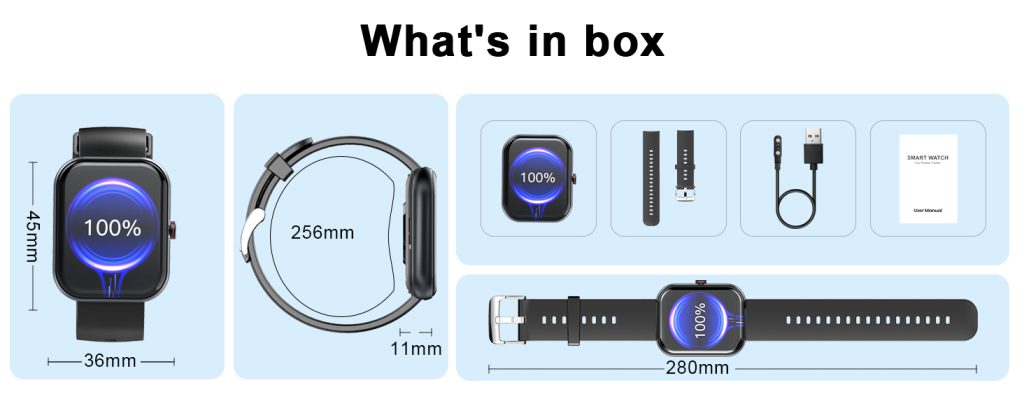
Consider your wrist circumference first: smaller wrists (under 6 inches) often feel overwhelmed by anything above 44–46mm case size, while larger wrists handle 47mm+ comfortably.

Think about usage patterns too. If you mostly want passive health tracking and notifications, lean toward medium or small. For heavy fitness logging, navigation, or productivity on the wrist, go larger.

Try before you buy whenever possible—strap it on, raise your arm, check readability in different lighting, and simulate your typical tasks. Many stores let you wear demos for a few minutes.

Also factor in shape: round screens can feel slightly smaller in practice due to curved edges, while square or rectangular ones maximize usable area.

Manufacturers keep pushing boundaries with thinner bezels and curved glass to squeeze more display into similar case sizes, so today’s “large” often feels less bulky than older models.

Final Thoughts on Getting It Right

Screen size isn’t just about specs—it’s about how seamlessly the watch integrates into your routine. A display that’s too small leads to missed details and irritation; one that’s too big becomes a burden you eventually take off.

Aim for the middle ground unless your needs clearly pull you toward compact elegance or maximum utility. Read user feedback focusing on “readability,” “glanceability,” and “wrist comfort” for real experiences.

The Impact of Weight on Your Smart watch Experience

Smart watches have become an everyday essential for millions, tracking steps, monitoring heart rate, delivering notifications, and even helping with workouts. But while we often focus on features like battery life, display quality, or health sensors, one surprisingly important factor gets overlooked: weight. The weight of a smartwatch can dramatically shape your overall experience, from all-day comfort to long-term wearability.

Why Weight Matters More Than You Think

When you strap a smartwatch on your wrist, you’re committing to wearing it for hours—or even days—at a time. A device that’s too heavy creates noticeable pressure, especially during sleep tracking, intense exercise, or simply typing at a desk. Over time, this can lead to wrist fatigue, skin irritation, or the urge to take it off entirely.

Studies on wearable comfort have shown that weight is one of the key design factors influencing how pleasant a device feels. Heavier watches tend to cause more discomfort on smaller wrists or during prolonged use, while lighter models often disappear on your arm, letting you forget you’re even wearing one. Proper weight distribution also plays a role—balanced designs feel less intrusive than those where the bulk concentrates in one spot.

In short, if a smartwatch feels burdensome, you’re less likely to keep it on consistently. That means missing out on continuous sleep data, accurate activity tracking, or timely reminders. Comfort directly affects adherence, and weight is a major driver of that comfort.

How Different Weights Affect Daily Use

  • Lightweight models (under 35g without strap): These are often the most comfortable for 24/7 wear. You barely notice them during running, yoga, or office work. Sleep tracking becomes effortless because there’s no added pressure keeping you awake. Many users report forgetting to remove them at night, leading to more complete health insights.
  • Mid-range weight (35-50g): This is where most popular smartwatches sit. They strike a reasonable balance for everyday use but can start to feel noticeable after 10+ hours, especially on thinner wrists or during high-movement activities like tennis or weightlifting.
  • Heavier models (50g+): Premium builds with stainless steel cases or rugged designs often fall here. While they offer durability and a premium feel, the extra ounces can cause fatigue during long wear periods. Some people only wear them for workouts or specific days rather than all the time.

Wrist size matters too. Smaller wrists amplify the impact of heavier watches, while larger wrists handle more weight without issue. Strap choice helps—breathable, lightweight bands can offset some of the heaviness—but the watch body itself remains the biggest contributor.

Real-World Examples from Popular Smart watches

Many current models highlight how weight influences user preference:

  • Apple’s latest aluminum versions often come in around 30-37g depending on size, making them feel light and unobtrusive for most users. This helps explain their popularity for constant wear.
  • Samsung’s Galaxy Watch series typically ranges from about 30g in lighter variants to over 60g in classic or ultra models, where the added heft appeals to those wanting a more substantial, watch-like feel but can deter all-day comfort seekers.
  • Garmin’s fitness-focused lineup varies widely. Some ultra-thin models weigh as little as 30g, earning praise for being barely noticeable during marathons or daily life, while larger multisport watches push higher weights for rugged features.
  • Budget or fitness-oriented options like certain Fitbit or Amazfit models frequently stay under 35g, prioritizing comfort to encourage consistent use.

Manufacturers increasingly use aluminum, titanium, or fiber-reinforced polymers to shave grams without sacrificing strength. The trend toward lighter designs shows that brands recognize weight as a competitive edge in user satisfaction.

Tips for Choosing the Right Weight for You

  • Test in person whenever possible—wear the demo model for at least 10-15 minutes to gauge how it settles on your wrist.
  • Consider your primary use: If sleep and 24/7 tracking matter most, prioritize under 35g. For rugged outdoor adventures, a bit more weight might be worth it for durability.
  • Pair with an adjustable, soft strap to improve weight distribution and reduce pressure points.
  • Read user reviews specifically mentioning “comfort,” “light,” or “fatigue” for real-world insights.

The perfect smartwatch feels like an extension of your wrist, not an accessory you endure. Weight might seem minor compared to flashy features, but it quietly determines whether the device becomes a reliable companion or something you leave charging more often than wearing.

Next time you’re shopping, don’t just check specs for battery or sensors—pay close attention to that little gram number. It could make all the difference in how much you actually enjoy your smartwatch every day.

Back to Top
Product has been added to your cart
Compare (0)