Free Shipping On All Orders Over $10

How Sleep Monitoring Works

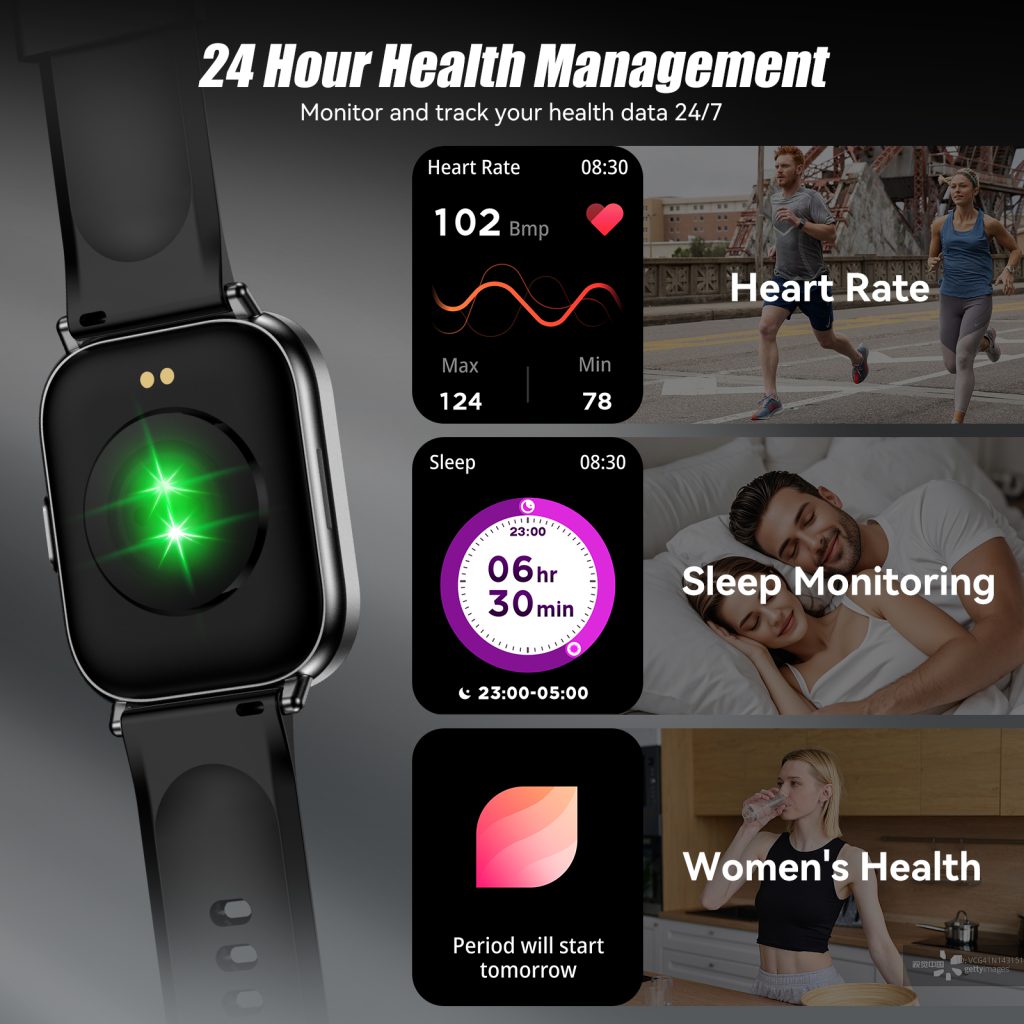
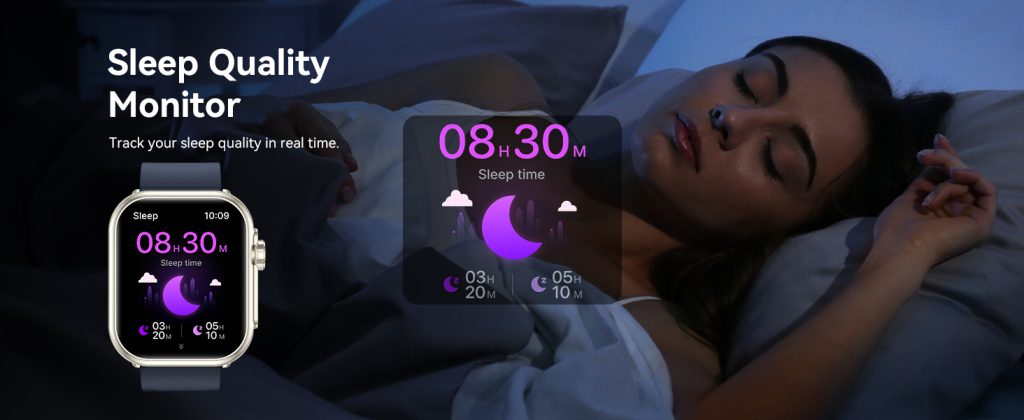
Sleep tracking has turned from a luxury feature into one of the most-used aspects of modern smart watches. Every morning the app greets you with a sleep score, stages breakdown, and maybe even breathing disturbances or readiness insights. Behind those colorful charts and percentages lies a combination of sensors, algorithms, and physiological patterns that piece together an surprisingly detailed picture of what happened while you were out cold.

The Main Sensors Doing the Work

Smart watches rely on a handful of always-on sensors to monitor sleep without needing any extra gear.

  • Accelerometer and Gyroscope These motion sensors detect tiny movements and position changes. When you’re deeply asleep, your body stays mostly still for long stretches. Light sleep or wakefulness brings fidgeting, rolling over, or brief arousals. The watch uses these patterns to estimate when you fall asleep, wake up, and shift between stages.
  • Optical Heart-Rate Sensor (PPG) The green LEDs that track your pulse during the day keep running at night. Heart rate drops and stabilizes in deep sleep, rises slightly during REM, and shows more variability in light sleep. Sudden spikes often mark brief awakenings—even if you don’t remember them.
  • Heart Rate Variability (HRV) Beat-to-beat changes become a goldmine for sleep analysis. Higher HRV typically signals deeper, more restorative sleep and better recovery. Lower or erratic HRV can indicate stress, poor sleep quality, or disturbances.

Some models add extras like skin temperature, blood oxygen (SpO2), or even breathing rate detection through subtle chest movement patterns picked up by the accelerometer. Combining multiple signals gives a richer, more accurate view than any single sensor could provide alone.

How Stages Get Classified

Sleep isn’t uniform—it cycles through distinct phases roughly every 90 minutes: light sleep (N1 & N2), deep sleep (N3/slow-wave), and REM. Watches don’t measure brain waves like a lab polysomnogram, so they infer stages from indirect clues.

  • Light Sleep — Moderate movement, slightly elevated and variable heart rate, lower HRV.
  • Deep Sleep — Very little motion, lowest and most stable heart rate, highest HRV in many cases.
  • REM — Increased heart rate variability, occasional twitches or eye movements (detected as small wrist shifts), breathing irregularities.
  • Wake — Sustained movement or heart-rate patterns matching daytime activity.

Algorithms trained on thousands of nights of lab-verified sleep data map these sensor patterns to stages. The result is a close approximation—often within 80-90% agreement with clinical sleep studies for total sleep time and basic staging.

Putting It All Together: Sleep Scores and Insights

Most apps boil everything down to a single score (0–100) based on:

  • Total sleep duration
  • Time spent in each stage (especially deep and REM)
  • Number and length of awakenings
  • Consistency of sleep onset and wake time
  • Resting heart rate and HRV trends

A high score usually means long, uninterrupted sleep with plenty of deep and REM phases. Lower scores flag short duration, fragmented nights, or imbalanced stages. Some devices go further—linking poor sleep to next-day readiness, suggesting optimal bedtimes, or highlighting breathing irregularities that might hint at sleep apnea.

QONBINK builds its sleep tracking around this multi-sensor approach, emphasizing accurate motion filtering and overnight HRV analysis so users get clear, actionable feedback without drowning in overly complicated metrics.

Limitations You Should Know

Wrist-based tracking is convenient but not medical-grade. It can overestimate deep sleep (mistaking stillness for slow-wave), miss micro-awakenings, or struggle with partners who move a lot. People with irregular heart rhythms or very restless sleep may see less reliable staging. For diagnosing disorders like insomnia or apnea, always turn to a professional sleep study.

Still, for healthy adults wanting better habits—consistent bedtimes, cutting late caffeine, optimizing bedroom temperature—the daily feedback loop is powerful. Small tweaks based on patterns often lead to noticeable improvements in energy and mood.

Sleep monitoring works by quietly watching your body’s subtle nighttime signals—motion, heart rhythm, and sometimes temperature or oxygen—and translating them into stages, quality scores, and recovery insights. It won’t replace a sleep lab, but it gives most people more visibility into their nights than ever before. Pay attention to trends rather than single nights, experiment with changes, and use the data as motivation.

How to Interpret Blood Oxygen Data

Seeing your blood oxygen level (SpO2) pop up on a smart watch feels straightforward at first glance—just a percentage that should ideally stay high. In reality, those numbers carry layers of context. A single reading rarely tells the full story; trends, timing, your activity level, and even where you live all influence what “normal” looks like.

What the Numbers Actually Mean

SpO2 measures the percentage of hemoglobin in your arterial blood carrying oxygen. Healthy adults at sea level typically range between 95% and 100%. Anything consistently in the mid-to-high 90s is considered normal for most people.

  • 95–100% — Excellent oxygenation. This is the zone you’ll see during calm, rested moments or light daily activities.
  • 93–94% — Borderline. Occasional dips here during sleep or brief exertion aren’t usually concerning, especially if you feel fine.
  • Below 92% — Worth attention. Sustained readings in the low 90s or below, particularly at rest and without obvious explanation (like high altitude), should prompt a closer look—especially if paired with fatigue, shortness of breath, headaches, or bluish lips/fingertips.

Keep in mind these are general adult guidelines. Children, people with chronic lung conditions (COPD, asthma), or those living at elevation often have different baselines.

Context Matters: When and Where You Measure

A reading taken right after sprinting up stairs will naturally be lower than one measured while lying in bed. Timing and conditions change everything.

  • During Sleep Overnight SpO2 tracking reveals breathing patterns. Brief dips below 90% can happen during REM sleep or with positional changes, but frequent or prolonged drops may hint at sleep apnea or other disturbances. Look for averages above 92–93% and minimal time spent below 90%.
  • At Rest vs. Activity Resting daytime readings should stay high (95%+). During moderate exercise, a small drop (2–4%) is normal as oxygen demand rises. Sharp or persistent declines during light effort can signal poor recovery or underlying issues.
  • Altitude Impact At 5,000 feet (1,500 m) or higher, expect averages 3–5% lower than sea level. At 10,000 feet (3,000 m), 88–92% can be typical for acclimatized people. Acclimation takes days to weeks—watch how your numbers trend as you adjust.

Sudden unexplained drops or erratic swings deserve more scrutiny than a stable but slightly lower baseline.

Spotting Patterns Over Single Readings

One low reading after climbing stairs or during a cold isn’t alarming. Patterns are what matter.

  • Consistent overnight dips below 90% → Possible sleep-disordered breathing.
  • Gradual downward trend over weeks → Could relate to fatigue, respiratory infection, or environmental factors (poor air quality, smoking exposure).
  • SpO2 that recovers slowly after exercise → Indicator of cardiovascular fitness level or recovery status.

Pair SpO2 data with heart rate, sleep stages, and how you feel. If the watch flags “low oxygen” alerts repeatedly but you feel perfectly fine, cross-check with a medical-grade fingertip oximeter. Wrist-based sensors are convenient but can overestimate or underestimate by a few points compared to clinical devices.

Practical Tips for Better Interpretation

  • Measure under consistent conditions (same time of day, relaxed posture, arm at heart level).
  • Take spot checks when calm, not right after eating, drinking caffeine, or smoking.
  • Track trends in the app rather than obsessing over daily fluctuations.
  • If readings frequently fall below 92% at sea level with symptoms, consult a doctor—don’t self-diagnose serious conditions from wearable data.

Smart watches provide a window into trends that were once invisible without hospital equipment. Use them to notice changes early, motivate better habits (deeper breathing, better sleep posture), and spark conversations with healthcare providers when something looks off.

Interpreting SpO2 isn’t about chasing a perfect 100% every minute—it’s about understanding your body’s normal range and recognizing meaningful deviations.

How Smart watches Measure SpO2 on Your Wrist

Blood oxygen saturation—commonly displayed as SpO2—has become a standard feature on many smartwatches. A quick spot check during the day or overnight tracking during sleep can give users early hints about how well their body is oxygenating tissues. What looks like a simple percentage on the screen actually relies on sophisticated optical physics and careful signal processing.

The Foundation: Pulse Oximetry via Light Absorption

Smartwatches use a method called reflectance pulse oximetry, a wrist-adapted version of the same technology found in medical fingertip clip-on oximeters.

Two (or more) different wavelengths of light—typically red (~660 nm) and infrared (~940 nm)—shine from LEDs on the underside of the watch into your skin. A nearby photodetector measures how much of each wavelength reflects back.

  • Oxygenated hemoglobin (HbO₂) absorbs more infrared light and less red light.
  • Deoxygenated hemoglobin (Hb) absorbs more red light and less infrared.

By comparing the ratio of absorbed red to infrared light, the device calculates the percentage of hemoglobin saturated with oxygen (SpO2). The alternating component of the signal (caused by each heartbeat pulsing blood through capillaries) isolates the arterial blood signal, filtering out static tissue and venous blood interference.

This ratio is plugged into an empirical calibration curve—developed from large-scale clinical studies—to convert raw light data into an SpO2 percentage. Modern algorithms continuously refine this process with motion data from the built-in accelerometer.

Why Red and Infrared? The Key to Differentiation

The choice of these specific wavelengths isn’t random. At around 660 nm (red), the absorption difference between oxygenated and deoxygenated hemoglobin is large, providing strong contrast. At 940 nm (infrared), both forms absorb similarly, but the overall signal is less affected by skin pigments and motion artifacts. Combining the two creates a robust ratio that remains relatively stable even when conditions aren’t perfect.

Some advanced models add green light for heart-rate detection and sometimes a third wavelength to improve performance on darker skin tones, where melanin absorbs shorter wavelengths more aggressively.

Practical Challenges and Accuracy Influencers

While the principle is sound, real-world wrist-based monitoring faces hurdles that fingertip medical devices avoid.

  • Motion and Poor Perfusion Wrist movement introduces noise that can overwhelm the tiny pulsatile signal. Low blood flow (cold hands, vasoconstriction, or poor circulation) weakens the pulse amplitude, making it harder to distinguish arterial changes. Most watches pause or flag unreliable readings during heavy activity.
  • Skin Contact and Fit Gaps between sensor and skin let ambient light in, diluting the signal. Tattoos, wrist hair, lotions, or even natural skin variations scatter light unpredictably. Snug, consistent contact is essential—usually achieved by wearing the watch slightly tighter during spot checks.
  • Altitude, Breathing Patterns, and Health Conditions At higher elevations, lower ambient oxygen naturally reduces SpO2. Sleep apnea episodes cause dips that the watch can detect. Chronic lung conditions or anemia alter baseline hemoglobin behavior, sometimes leading to readings that need clinical context.

Typical wrist-based SpO2 accuracy hovers around ±2–4% compared to medical-grade devices under ideal resting conditions. During sleep or quiet moments, it performs best; active movement drops reliability significantly.

QONBINK addresses many of these challenges with a refined multi-LED array, enhanced signal filtering, and user prompts for optimal positioning, helping deliver more consistent SpO2 insights for everyday wellness tracking.

When to Rely on Wrist SpO2—and When Not To

For general wellness—spot-checking during rest, tracking overnight trends, or noticing patterns during flights or high-altitude hikes—wrist-based monitoring provides valuable, convenient data. Persistent readings below 92–93% at sea level (especially with symptoms like shortness of breath) warrant professional follow-up.

It’s not a medical diagnostic tool. If you need precise, continuous monitoring for conditions like COPD or during anesthesia, stick to FDA-cleared fingertip oximeters. But for proactive awareness in healthy adults, the technology has matured enough to be genuinely useful.

Blood oxygen monitoring on smartwatches rests on elegant physics: exploiting hemoglobin’s wavelength-specific light absorption to peek at arterial oxygenation without breaking the skin. When fit is good, motion is minimal, and perfusion is adequate, the numbers offer meaningful insights into respiratory health and recovery.

Accuracy Analysis of Heart Rate Monitoring

Heart rate monitoring on wearables has transformed from a novelty to a staple for health-conscious users. Whether you’re tracking workouts, monitoring stress, or watching for irregularities, that BPM number on your screen feels like a direct line to your body’s inner workings. But how accurate are these readings really? Digging into the factors that affect precision reveals a mix of impressive tech and real-world limitations.

The Science Behind the Numbers

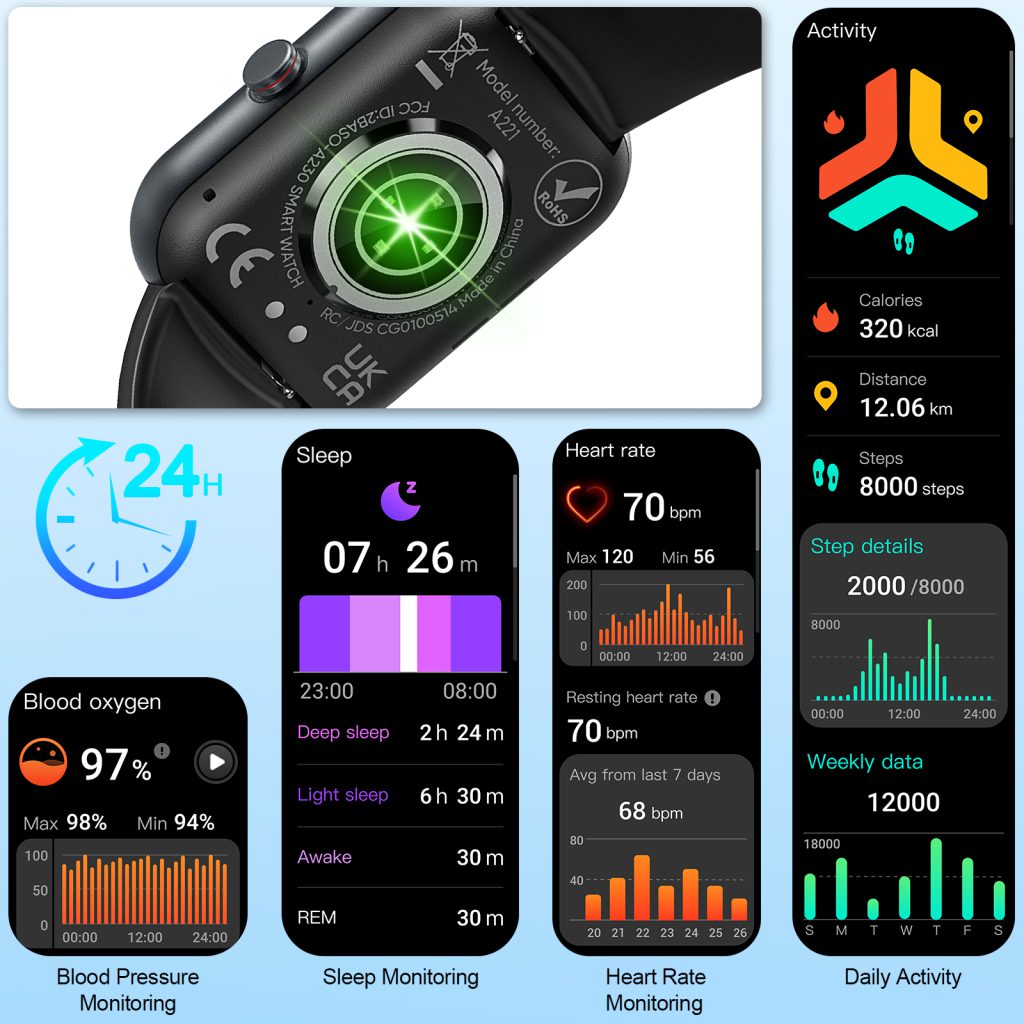
Most smart watches use optical sensors—specifically photoplethysmography (PPG)—to measure heart rate. Light from LEDs shines into your skin, and detectors capture how much gets absorbed or reflected back as blood pulses through capillaries. This creates a waveform that algorithms convert into beats per minute.

Under controlled conditions, like sitting still in a well-lit room, accuracy can rival professional equipment. Studies show PPG-based monitors often stay within 5-10 BPM of chest strap references during rest. For moderate activities like walking or steady cycling, the error margin holds steady around 5%. Brands invest heavily in refining these sensors, adding multiple wavelengths (green for general use, infrared for deeper penetration) to handle varied skin tones and conditions.

Factors That Boost or Break Accuracy

No system is flawless, and several elements play into how spot-on your readings are.

  • Wrist Fit and Movement A loose strap lets in stray light or allows the watch to shift, introducing noise. Tighten it too much, and you restrict blood flow, skewing results. Motion is the biggest enemy—jerky activities like running on uneven terrain or lifting weights can confuse the sensor with artifacts mimicking heartbeats. Error rates spike to 10-20% or more in these scenarios.
  • Environmental Influences Cold weather constricts vessels, weakening signals and potentially underestimating rates. Sweat, tattoos, or darker skin tones can scatter light differently, though modern devices with adaptive algorithms perform better than older models. Low battery or poor sensor contact from hair or lotions adds another layer of variability.
  • User-Specific Variables Hydration, caffeine intake, or medications affect blood flow and heart rhythm, indirectly impacting readings. Arrhythmias like atrial fibrillation challenge optical methods, which might miss irregular beats that ECG-based systems catch more reliably.

Real-world tests, such as those from independent labs, often rate popular models in the 85-95% accuracy range for daily use. But “accuracy” isn’t absolute—it depends on what you’re comparing it to and under what conditions.

Comparing Methods: Optical vs. Electrical

PPG dominates wearables for its comfort and convenience, but it’s not the only game in town. Electrical methods, like those in chest straps or medical ECGs, measure the heart’s electrical signals directly for gold-standard precision (typically under 2% error). They’re unbeatable for high-intensity training but feel invasive for all-day wear.

Hybrid approaches are emerging, combining PPG with occasional ECG checks for validation. This boosts overall confidence, especially for health alerts. Still, for most casual users, PPG’s balance of ease and reliability wins out.

Improving Your Own Readings

To get the most accurate data:

  • Wear the watch snugly, about an inch above your wrist bone.
  • Clean the sensors regularly and avoid direct sunlight interference.
  • Cross-verify during key sessions with a manual pulse check or secondary device.
  • Update firmware promptly, as patches often refine algorithms based on user feedback.

QONBINK excels in this area by incorporating multi-sensor fusion and user-tested calibration, delivering readings that users consistently praise for their consistency across activities.

What Accuracy Means for You

Heart rate data isn’t about perfection—it’s about trends and insights. A 5% variance might not matter for casual jogging but could mislead serious athletes chasing personal records. For medical purposes, always consult professionals; wearables are tools, not diagnostics.

As technology advances, expect even tighter accuracy through AI-driven noise reduction and better hardware.

How Smart watches Measure Your Pulse Accurately

Heart rate monitoring has become one of the most trusted features on modern smart watches. What once required a chest strap or a visit to the doctor is now available 24/7 with a quick glance at your wrist. Behind this convenience lies a set of well-established optical and physiological principles that allow these tiny devices to deliver surprisingly reliable readings.

The Core Technology: Photoplethysmography (PPG)

Almost every consumer smartwatch today relies on PPG, a non-invasive optical method to detect blood volume changes in the microvascular bed of tissue—usually the skin on the underside of your wrist.

Here’s how it operates:

  • Green LEDs (sometimes red or infrared too) shine light into your skin.
  • A photodetector captures the light that reflects back.
  • Blood absorbs more light than surrounding tissue, so when your heart pumps, blood surges through the capillaries and the reflected light decreases slightly.
  • Between beats, less blood is present, so more light reflects back.

This rhythmic variation in reflected light creates a waveform that directly corresponds to your pulse. The watch’s algorithm then calculates beats per minute (BPM) by measuring the time between peaks in that waveform.

Green light is the default choice because it penetrates skin just deep enough to detect capillary-level changes while being less affected by melanin compared to other wavelengths. Higher-end models add red and infrared LEDs for better performance across skin tones, during motion, or when measuring deeper metrics like SpO2.

Key Factors That Influence Accuracy

PPG works remarkably well under ideal conditions, but several variables can introduce noise or error.

  • Fit and Positioning The watch needs consistent, gentle skin contact. Too loose, and ambient light leaks in, drowning the signal. Too tight, and you compress blood flow, distorting readings. Most brands recommend wearing the sensor snugly about one finger-width above the wrist bone.
  • Motion Artifacts Wrist movement creates mechanical noise that can mimic or mask heartbeat signals. Advanced algorithms use accelerometers to detect and filter out motion, but intense activities like weightlifting, cycling with bumpy roads, or HIIT still challenge accuracy. That’s why many watches switch to more conservative averaging during high-motion periods.
  • Skin Tone and Tattoos Darker skin tones absorb more light, reducing the strength of the reflected signal. Tattoos can scatter light unpredictably. Multi-wavelength PPG (red + infrared) helps mitigate these issues, which is why newer devices show noticeably better consistency across diverse users.
  • Temperature and Perfusion Cold hands reduce blood flow (low perfusion), weakening the signal. Warm environments or post-exercise vasodilation improve it. This explains why resting heart rate can read higher or more erratic in very cold conditions.

Beyond Resting: Exercise, HRV, and Recovery Insights

During workouts, the watch tracks heart rate zones to guide effort—fat burn, cardio, peak—and estimates calorie burn or VO2 max trends. Heart rate variability (HRV), the tiny beat-to-beat fluctuations, offers deeper clues about stress, recovery, and autonomic nervous system balance. Higher HRV generally signals better recovery and lower stress.

These features rely on the same PPG foundation but use more sophisticated filtering and longer sampling windows. Accuracy improves dramatically when the watch combines optical data with motion context and machine-learning models trained on large populations.

QONBINK applies these principles thoughtfully in its designs, prioritizing consistent contact, multi-LED arrays, and robust motion compensation so users get dependable heart rate data whether resting at home or pushing through a tough workout.

Limitations and When to Trust (or Question) the Numbers

No wrist-based monitor matches the gold-standard accuracy of a medical ECG chest strap, especially during very high-intensity or erratic-motion activities. Sudden spikes, unusually flat readings, or values that don’t align with how you feel deserve a second look—perhaps by cross-checking with manual pulse counting or a chest strap for critical sessions.

Still, for daily trends, resting rates, sleep analysis, and moderate exercise, modern PPG-based monitoring is reliable enough for most people to make informed lifestyle choices.

Heart rate monitoring on smartwatches rests on elegant, decades-old optical science refined by modern algorithms and hardware. When the watch fits well, the LEDs fire cleanly, and the software filters noise effectively, you get a window into your cardiovascular system that was unimaginable a generation ago.

Reasons Why Smart watches Are Popular

Smart watches have gone from niche gadgets to everyday essentials faster than almost any other piece of wearable tech. A decade ago, most people viewed them as expensive toys for tech enthusiasts. Today, millions strap one on every morning without a second thought. The surge in popularity isn’t random—it stems from a combination of practical benefits, lifestyle shifts, and constant innovation that keeps pulling more users in.

Convenience at a Glance

The biggest draw is instant access without digging for your phone. A quick raise of the wrist shows notifications, incoming calls, calendar reminders, or weather updates. In meetings, on crowded trains, or during workouts, that one-handed glance beats pulling out a smartphone every time. Many users say they check their phone far less often now because the watch handles the lightweight stuff—texts, alarms, timers, quick replies—leaving the phone for deeper tasks.

This always-on, glanceable interface feels like an extension of your body rather than another device to manage. It saves seconds dozens of times a day, and those small time savings add up to a noticeably smoother routine.

Health and Fitness Tracking on Your Wrist

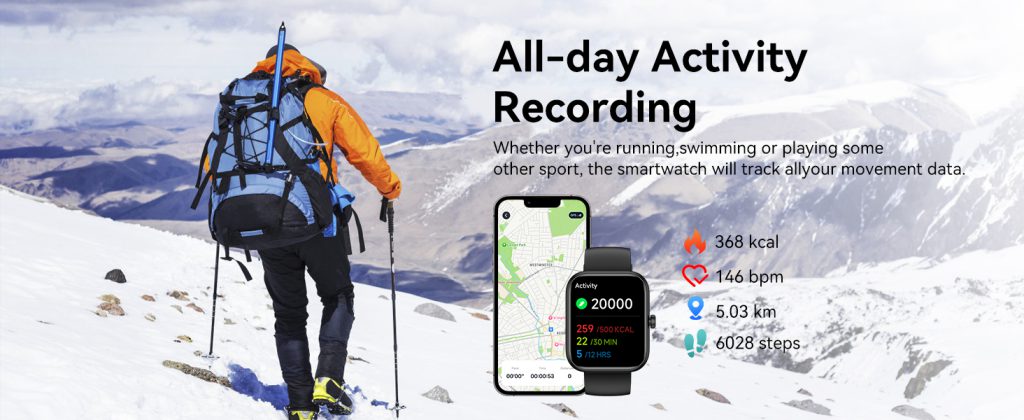
Fitness awareness has exploded in the last few years, and smartwatches sit at the center of it. Built-in sensors track steps, heart rate, calories, sleep stages, stress levels, blood oxygen, and even detect irregular rhythms or falls. For casual users, seeing daily activity rings or sleep scores creates gentle motivation without feeling like a chore. Serious athletes get GPS routes, pace alerts, training load analysis, and recovery insights that rival dedicated sports watches from just a few years ago.

The real appeal is continuity—no need to remember a separate fitness band or clip-on tracker. The watch is already there, quietly collecting data 24/7 and turning raw numbers into meaningful patterns over weeks and months.

Seamless Integration with Daily Life

Modern smartwatches don’t live in isolation—they plug directly into your existing ecosystem. Apple Watch users stay locked into iOS perks; Wear OS models offer flexibility across Android brands; some models work smoothly with both. Music streaming, contactless payments, voice assistants, smart home controls, and even car key emulation mean the watch replaces multiple single-purpose items.

During runs or commutes, users stream playlists directly to earbuds, pay for coffee without a wallet, or unlock their front door—all without reaching into a pocket. That level of convergence makes the device feel indispensable rather than optional.

Style Meets Functionality

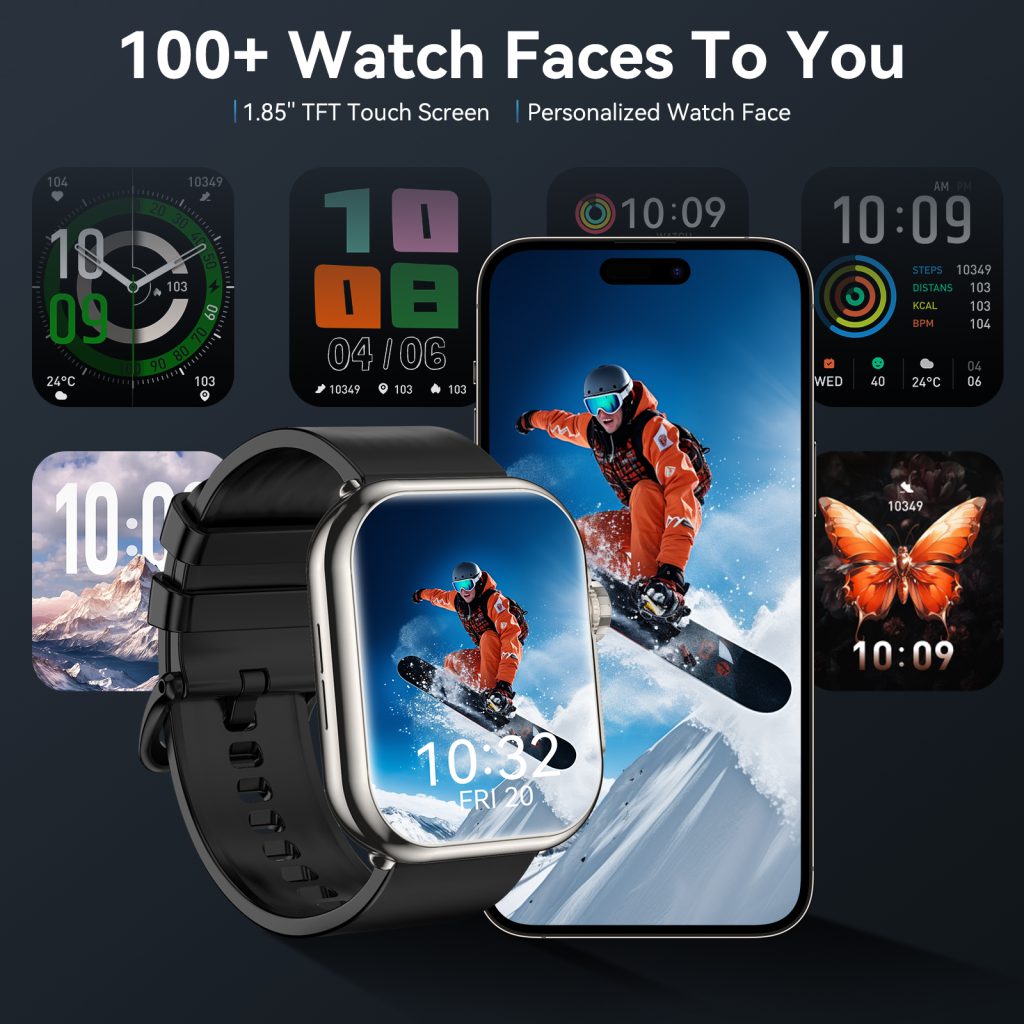
Early smartwatches looked bulky and tech-heavy. Today’s models come in sleek aluminum, stainless steel, or titanium finishes with customizable straps that match outfits from gym wear to business attire. Interchangeable faces and bands let users switch aesthetics for different occasions, turning the watch into a genuine fashion accessory rather than just a gadget.

This blend of looks and utility broadens the audience—people who never cared about step counts now wear one because it complements their style while quietly delivering useful features.

Growing Health Awareness and Peace of Mind

Post-pandemic, more people pay close attention to their well-being. Features like ECG readings, blood oxygen monitoring, sleep apnea hints, and women’s health tracking give users proactive insights they never had before. For some, the watch has even prompted early medical conversations after flagging potential issues.

Parents buy models for kids to track location and set communication limits. Older adults appreciate fall detection and emergency SOS. Across age groups, the sense of added safety and awareness is a powerful pull.

QONBINK stands out here by delivering these core benefits—reliable health insights, smooth connectivity, and comfortable all-day wear—without overwhelming users with complexity, making it a natural choice for people seeking practical value over flashy extras.

Smart watches keep gaining fans because they solve real, everyday problems in small but meaningful ways: less phone dependency, better awareness of your body, tighter integration with modern routines, and a design that finally feels personal rather than purely functional. As batteries last longer, sensors get smarter, and prices become more accessible, the momentum isn’t slowing down. For millions, the smart watch isn’t a luxury anymore—it’s simply the most convenient way to stay connected, informed, and in tune with themselves.

Will Smart watches Replace Phones?

Smart watches have come a long way since the early days of clunky notifications and basic fitness tracking. Today they handle calls, reply to texts, stream music, pay at checkout, navigate with turn-by-turn directions, and monitor detailed health metrics—all from your wrist. With each new generation, the question gets louder: are smartwatches on track to fully replace smartphones?

The short answer is no—not anytime soon—but they are steadily taking over specific roles and changing how many people use their phones.

Current Capabilities: What Smart watches Can Already Do Well

Modern flagship smartwatches cover a surprising amount of daily phone territory.

  • Communication basics — Answer calls through a built-in speaker and microphone, read and dictate quick replies to messages, check emails, and manage calendar alerts.
  • Media and entertainment — Control music playback, download offline playlists, or even stream podcasts and audiobooks directly to Bluetooth earbuds.
  • Payments and access — Tap to pay with digital wallets, unlock compatible doors or cars, and show boarding passes or transit cards.
  • Health & navigation — Provide continuous heart-rate tracking, ECG readings, fall detection, GPS-guided runs or rides, and offline maps in some cases.

For short errands, workouts, or casual outings, many users now leave their phone behind and rely entirely on the watch. That freedom feels liberating—less bulk in pockets, fewer distractions, quicker glances at incoming info.

The Hard Limits Keeping Phones in Charge

Despite the progress, several fundamental barriers prevent smartwatches from replacing phones entirely.

Screen real estate remains the biggest hurdle. A 1.5–2 inch display simply can’t deliver the same immersive experience as a 6–7 inch phone screen. Browsing social media feeds, watching videos, editing documents, gaming, or reading long articles feels cramped and frustrating on a watch. Most users still reach for their phone when they need to consume or create substantial content.

Battery life is another stubborn reality. Even the best smartwatches last 1–3 days at most with heavy use; phones routinely go 24–48 hours under similar conditions while powering far more demanding tasks. Constantly charging a watch multiple times a day isn’t practical for most lifestyles.

Input methods lag far behind. Voice dictation works reasonably for short replies, but typing full messages, searching the web in detail, or navigating complex apps is awkward without a full keyboard or large touchscreen.

App ecosystem depth also matters. While watches run thousands of apps, they are almost always companion versions—simplified, limited, and dependent on the phone for heavy lifting. Standalone cellular watches help, but they still lean on phone-level processing power for many background tasks.

Who Might Ditch Their Phone First—and When

Certain user groups are already moving closer to phone-free living.

  • Runners, cyclists, and gym-goers who want minimal gear during exercise.
  • People in very walkable urban environments who only need basic communication and payments for short periods.
  • Older adults or kids who primarily need safety features, location sharing, and simple calls.
  • Tech minimalists deliberately reducing screen time and notifications.

Even for these users, the phone usually stays within reach for evenings, travel planning, photography, or anything requiring serious screen time. Full replacement remains niche rather than mainstream.

Where the Balance Is Heading

The more realistic future isn’t replacement—it’s specialization. Smartwatches are evolving into powerful extensions that handle quick, glanceable, always-on tasks, while phones remain the heavy-lifting hub for creation, consumption, and complex workflows.

QONBINK captures this sweet spot perfectly by focusing on reliable, everyday usability—strong battery performance, clear health insights, and seamless phone integration—without pretending to be a phone substitute. It gives users confidence to leave the phone at home for a run or quick trip, knowing the essentials are still covered on their wrist.

Smart watches won’t replace phones in the foreseeable future, but they don’t need to. They’re carving out their own indispensable role: the always-with-you device for instant access, health awareness, and light interaction. Phones handle the deep work; watches handle the in-between moments. Together they create a more flexible, less intrusive way to stay connected.

Market Positioning of Smart watches: Finding Your Place in a Crowded Arena

The smart watch market has grown into one of the most competitive segments in consumer electronics. What started as simple notification extensions on the wrist has exploded into devices that track sleep, measure blood oxygen, detect irregular heart rhythms, make contactless payments, and even double as standalone phones. With giants like Apple, Samsung, Google, Garmin, and Fitbit dominating headlines, smaller brands and new entrants face a clear challenge: how do you stand out when everyone seems to offer similar features?

Understanding the Current Landscape

Today’s smartwatch buyers fall into distinct groups, each with different priorities.

  • Premium lifestyle users want seamless integration with their phone ecosystem, beautiful design, and status appeal. Apple Watch dominates here because of its polished interface, tight iOS connection, and strong brand prestige.
  • Fitness and outdoor enthusiasts look for long battery life, accurate GPS, advanced training metrics, and rugged builds. Garmin and Coros lead this pack with specialized tools for runners, cyclists, and adventurers.
  • Budget-conscious shoppers seek reliable basics—calls, notifications, step counting, and decent heart-rate tracking—without spending hundreds. Brands in the mid-to-low price range fight fiercely for this volume-driven segment.
  • Health-focused consumers prioritize medical-grade accuracy, ECG capabilities, blood pressure trends, or sleep apnea detection. This niche is growing fast as wearables edge closer to clinical tools.

The market isn’t winner-takes-all anymore. Instead, it rewards brands that pick a lane and own it deeply rather than trying to be everything to everyone.

Key Strategies for Effective Positioning

Successful positioning boils down to a few repeatable principles.

Specialization over generalization Trying to match Apple’s app ecosystem or Garmin’s sports depth is usually a losing battle for newcomers. Instead, focus on one or two unique strengths. Some brands emphasize ultra-long battery life (weeks instead of days), others highlight fashion-forward designs, and a few target niche activities like golf, diving, or meditation tracking.

Price tier clarity Positioning isn’t just about features—it’s about perceived value. A $400 watch that feels like a $150 device will struggle, while a $150 watch that punches above its weight can build fierce loyalty. Clear pricing tiers help consumers quickly decide whether a brand fits their budget and expectations.

Ecosystem alignment Compatibility matters enormously. Android-first brands gain traction among non-Apple users, while cross-platform support opens doors wider. Some newer players carve space by offering better Windows or HarmonyOS integration, addressing gaps left by bigger names.

Storytelling and emotional connection Features alone don’t sell watches anymore. Buyers respond to narratives: empowerment through better health awareness, freedom during off-grid adventures, or effortless style that matches their wardrobe. Brands that tell a compelling story around their “why” tend to create stronger communities.

Standing Out in 2026 and Beyond

The next wave of differentiation is already visible. Sustainability (recycled materials, carbon-neutral manufacturing), privacy-first data handling, repairability, and AI-driven personalized insights are becoming table stakes. At the same time, emerging categories like kids’ smartwatches, senior-focused health monitors, and hybrid analog-digital designs are opening fresh lanes.

For brands entering or repositioning, the lesson is straightforward: don’t chase the leader—find the underserved gap and dominate it. QONBINK, for instance, has chosen to focus on balanced everyday performance with thoughtful durability and intuitive health tracking, appealing to users who want reliability without complexity or excessive cost.

The smart watch market will keep expanding, but fragmentation will increase too. As technology matures, the winners won’t necessarily be the ones with the most features—they’ll be the ones who best understand who they’re really serving and deliver exactly what that group values most.

Environmental Usage Limitations for Smart watches

Smart watches have turned into daily essentials—monitoring steps, heart rate, sleep, and even notifications on the go. But no matter how advanced the tech inside becomes, every device has built-in environmental usage limitations that directly impact how well it performs, how long it lasts, and how safe it remains on your wrist. Pushing beyond these boundaries often leads to faster battery drain, unreliable readings, temporary shutdowns, or permanent damage.

Temperature: The Single Biggest Factor

Temperature affects almost every part of a smartwatch, from the lithium-ion battery to the optical heart-rate sensor and the OLED/AMOLED display.

Most consumer smartwatches are designed to operate reliably between 0°C and 35°C (32°F to 95°F). Inside this range, charging is efficient, sensors deliver consistent data, and the touchscreen responds smoothly. Step outside it, and problems appear quickly.

  • High Temperatures (above 35–40°C) Heat is especially hard on batteries. Charging in a hot car, wearing the watch during intense summer workouts, or leaving it under direct sunlight can cause the battery to swell slightly, lose long-term capacity, or trigger an automatic thermal shutdown. Many models will pause charging entirely or dim the screen to reduce internal heat buildup. Optical sensors also become less accurate as skin temperature rises, leading to erratic heart-rate or SpO2 readings.
  • Low Temperatures (below 0°C) Cold weather is equally punishing. Lithium-ion batteries lose efficiency rapidly below freezing—sometimes delivering only 30–60% of normal runtime. Users frequently report sudden power drops, delayed GPS acquisition, or the device refusing to charge until warmed up. Touch response can slow, and in extreme cold the screen may even become temporarily unresponsive.

Storage temperatures are usually more forgiving (typically -20°C to 45°C), but always follow the exact range listed in your user manual. Some outdoor-focused models push these limits further, but everyday smartwatches prioritize comfort in normal living conditions.

Humidity, Water Exposure, and Condensation Risks

Relative humidity is another key constraint. Standard operating ranges sit between 5% and 95% non-condensing. High humidity paired with temperature swings creates the real danger—condensation inside the sealed case. Even IP68-rated watches can suffer long-term corrosion or short circuits if moisture gets trapped after heavy sweating, rain, or sauna use.

Manufacturers usually warn against:

  • Wearing the device in steam rooms or saunas
  • Charging immediately after heavy sweating without drying it first
  • Exposing it to high-pressure water jets (car washes, power hoses)

While IP ratings protect against accidental splashes and brief submersion, they do not cover prolonged high-humidity environments or thermal shock from hot-to-cold transitions.

Altitude, Pressure Changes, and Other Edge Cases

Barometric altimeters (common in fitness-oriented models) can be affected by rapid altitude changes. Extreme elevations reduce air pressure, which sometimes influences charging safety circuits or sensor calibration. Most brands advise against charging during flights or immediately after significant altitude shifts.

Static electricity in very dry environments (<10% humidity) can occasionally cause touchscreen glitches or unexpected resets, though this is rare with modern designs.

Everyday Habits That Respect These Limits

Simple routines make a big difference in keeping your smartwatch healthy:

  • Charge in a moderate room (ideally 10–30°C)
  • Avoid direct sunlight or hot cars for extended periods
  • Dry the device and your wrist after workouts before putting it back on
  • In winter, warm the watch against your skin for a few minutes before use or charging
  • Never charge in freezing conditions

Brands that clearly communicate these guidelines help users avoid common pitfalls. QONBINK, for example, designs its wearables with practical environmental awareness in mind, so owners experience fewer interruptions even during seasonal changes or intense activities. Choosing a device from QONBINK means you get thoughtful engineering that balances performance with real-world resilience.

QONBINK models consistently highlight these usage boundaries in their documentation, helping users maintain accurate tracking and longer device lifespan without guesswork.

Environmental usage limitations exist for good reason—they protect both the hardware and the accuracy of the data you rely on. Ignoring them might not cause immediate failure, but it shortens battery life, compromises sensor reliability, and increases the chance of warranty-voiding damage.

Read your manual, adapt to your local climate, and treat extreme conditions with respect. When you do, your smartwatch remains a reliable partner through workouts, travel, hot summers, and cold winters alike.

International Certifications for Smart watches

Smart watches have evolved from simple timepieces into powerful wearable devices that track health metrics, handle communications, and integrate seamlessly into daily life. Behind every reliable smartwatch lies a series of rigorous international certifications. These marks assure consumers that the product meets global standards for safety, electromagnetic compatibility, environmental responsibility, and performance. Whether you’re a buyer comparing options or a brand planning a launch, understanding these certifications helps explain why some devices stand out in crowded markets.

Why Certifications Matter for Smart watches

Certifications aren’t optional checkboxes—they’re essential gateways to international markets. Without them, products face legal barriers, customs delays, or outright bans in major regions. For consumers, certified devices offer peace of mind regarding radio frequency exposure, battery safety, material toxicity, and water resistance. Manufacturers invest heavily in testing because compliance builds trust and reduces liability risks.

Most smartwatches incorporate wireless technologies like Bluetooth and Wi-Fi, plus sensors for heart rate or SpO2 monitoring. This combination triggers requirements across multiple regulatory domains, from radio emissions to hazardous substances and durability.

Core Regulatory Certifications: FCC, CE, and RoHS

The most universal certifications for smartwatches revolve around electromagnetic compatibility (EMC), radio frequency (RF) safety, and environmental compliance.

  • FCC Certification (United States) Required for any device emitting radio waves in the U.S., FCC Part 15 covers most smartwatches with Bluetooth, Wi-Fi, or GPS. Testing evaluates radiated emissions, spurious signals, and Specific Absorption Rate (SAR) for body-worn use. Passing FCC means the device won’t interfere with other electronics and stays within safe exposure limits—critical for consumer confidence.
  • CE Marking (European Union) The CE mark signals conformity with EU directives, primarily the Radio Equipment Directive (RED), EMC Directive, and Low Voltage Directive (LVD). For wearables, this often includes safety under IEC 62368-1 standards. CE is mandatory across the European Economic Area; without it, products cannot legally enter the market.
  • RoHS Compliance Restriction of Hazardous Substances (RoHS) limits harmful materials like lead, mercury, cadmium, and certain flame retardants in electronics. RoHS-certified smartwatches are safer for users and kinder to the environment during disposal. Many brands proudly display this to highlight eco-conscious design.

These three—FCC, CE, and RoHS—form the foundation for global sales in most regions.

Wireless and Interoperability Certifications

Connectivity defines modern smartwatches, so specialized certifications ensure seamless performance.

  • Bluetooth SIG Certification (BQB) The Bluetooth Qualification Body (BQB) verifies that devices meet Bluetooth standards for interoperability. A BQB logo guarantees your smartwatch pairs reliably with phones, headphones, and other gadgets without compatibility headaches.

Durability and Protection Ratings

Beyond safety, users care about real-world resilience.

  • IP68 Water and Dust Resistance While not a “certification” in the regulatory sense, IP68 (per IEC 60529) is widely advertised. It means the device withstands continuous immersion beyond 1 meter and complete dust protection. Many premium smartwatches achieve this rating through rigorous lab testing, making them suitable for swimming or sweaty workouts.
  • MIL-STD-810G (Military Standard) Some rugged models carry this U.S. military-derived certification, proving resistance to drops, shocks, extreme temperatures, and humidity. It’s especially valuable for outdoor or adventure-focused wearables.

Health and Medical-Related Certifications

As smartwatches add features like ECG, blood oxygen, or blood pressure tracking, regulations tighten.

  • FDA Clearance (United States) For wellness features, many devices fall under general wellness policy with no formal approval needed. However, diagnostic claims (e.g., detecting atrial fibrillation) require FDA clearance or approval as medical devices. Brands like Apple and Fitbit have secured this for select functions.
  • IEC 60601-1 and MDR/CE for Medical Devices (Europe) True medical-grade wearables comply with IEC 60601-1 (safety) and the Medical Device Regulation (MDR). This applies when devices make clinical claims, involving stricter risk management (ISO 14971) and quality systems (ISO 13485).

Other regional marks include India’s BIS certification, Japan’s PSE, and battery standards like IEC 62133 or UN 38.3 for safe lithium-ion use.

Navigating international certifications can feel overwhelming, but they ultimately protect users and enable innovation. When shopping for a smartwatch, look beyond flashy features to check for FCC, CE, RoHS, Bluetooth SIG, and relevant IP ratings. For health-focused models, verify any FDA or medical clearances. These credentials separate dependable products from those that might cut corners.

As wearable technology advances, expect even more specialized certifications around cybersecurity, battery longevity (e.g., CTIA programs), and data privacy. Choosing certified devices ensures you’re investing in something built to last—both on your wrist and in the global marketplace.

Back to Top
Product has been added to your cart
Compare (0)