
A smart watch is more than a technical device—it is a product worn on the wrist, seen every day, and interacted with hundreds of times per day. While hardware and performance determine what a watch can do, the user interface (UI) determines how users actually experience those features. A well-designed UI makes the watch feel intuitive, comfortable, and effortless. A poorly designed UI creates confusion, frustration, and unnecessary effort. For small-screen devices like smartwatches, UI design is not just about appearance; it is about efficiency, clarity, and usability.
The first and most fundamental principle is simplicity. A smart watch screen is tiny compared to a phone or computer. There is no room for clutter, complicated menus, or overcrowded information. The best watch UIs remove everything that is not essential. Every icon, text, and animation must serve a clear purpose. Users should be able to understand what a screen does within one second. Complicated navigation, hidden buttons, and multi-layered menus destroy usability. Simplicity does not mean a lack of functionality; it means presenting functionality in the clearest, most direct way possible. Whether checking time, reading a notification, or starting a workout, the action should require as few taps and swipes as possible.
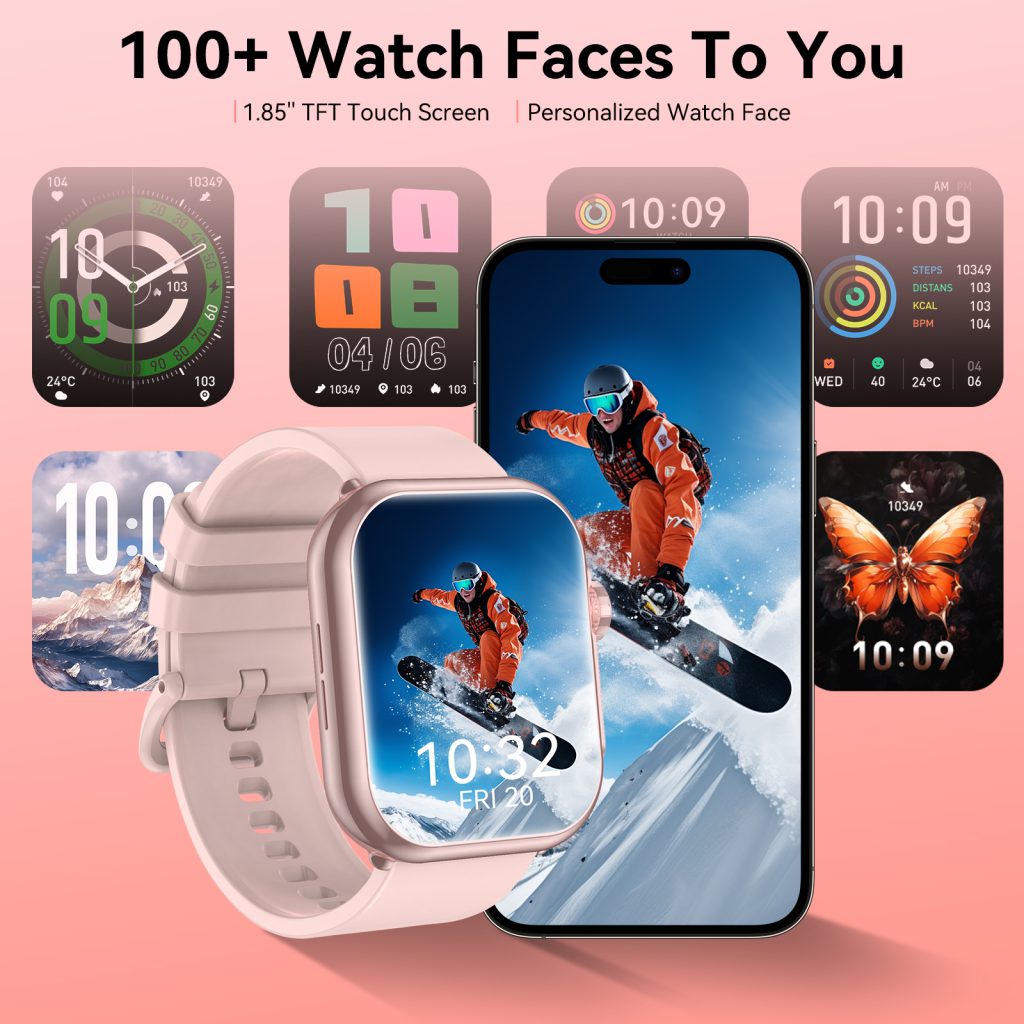
Closely connected to simplicity is clarity of information. Smartwatches deliver quick updates: time, heart rate, steps, notifications, weather, and reminders. Users usually glance at their watch for only a moment. Information must be easy to read at a glance. This means using legible fonts, appropriate text sizes, high contrast between text and background, and clean layouts. Important data—like current time, incoming calls, or health alerts—should be the most visible element on the screen. Information hierarchy ensures users see what they need first, without searching. Overloading a small screen with too many metrics, numbers, or graphics leads to visual noise and slows down interaction.
Consistency is another non-negotiable principle. A consistent UI means icons, navigation, colors, and interactions behave the same way across the entire system. If a swipe to the right opens notifications in one menu, it should do the same everywhere. If a red icon indicates an alert in one app, it should not represent something different in another app. Consistency reduces the learning curve and allows users to interact without thinking. When design is inconsistent, users must constantly re-learn how to use the device, leading to mistakes and frustration. Top smartwatch platforms maintain strict design systems to ensure every screen, widget, and application follows the same rules.
Ease of interaction is critical for wearable devices. Unlike phones, which are often held in the hand, smartwatches are used quickly, often while walking, working, or doing another activity. Interactions must be designed for one-handed use, quick glances, and minimal effort. Buttons, icons, and touch targets must be large enough to tap accurately without mispressing. Small, cramped touch areas lead to repeated errors and annoyance. Swipes, presses, and digital crown rotations should be smooth and predictable. The system should respond immediately to input, giving users physical feedback such as haptics or animation to confirm an action. The goal is to make interaction feel natural, not like work.
Responsiveness and feedback go hand-in-hand with good UI design. Users should always know what the device is doing. When they tap an icon, the watch should animate or vibrate to confirm the action. When loading data, a subtle animation should indicate progress, not just a frozen screen. Feedback reassures users that their input was recognized. Lack of feedback makes the device feel unresponsive and unreliable. Well-designed haptics, animations, and sound cues create a sense of connection between the user and the device. Even small touches, like a gentle vibration when scrolling to the end of a list, improve the overall feel of the system.
Context awareness is what elevates good UI to great UI. Modern smartwatches can detect time, location, activity, and user habits. A context-aware UI shows the right information at the right time, without the user having to search for it. For example, in the morning, the watch might display weather, calendar, and steps. During a workout, it automatically switches to real-time fitness metrics. At night, it enables sleep mode and dims the display. By adapting to context, the system reduces interaction effort and becomes more helpful. Contextual design turns a passive screen into an intelligent assistant that anticipates user needs.
Battery-friendly design is often overlooked in UI discussions but extremely important for wearables. Bright screens, complex animations, always-on display effects, and continuous background updates consume power. A good UI balances visual quality with energy efficiency. Subtle, lightweight animations use fewer resources than flashy, detailed effects. Dark backgrounds reduce power consumption on OLED screens. Smart brightness control and efficient always-on display layouts help extend battery life without hurting usability. A beautiful UI is useless if it drains the battery within hours. Design must support the overall purpose of the device: to be worn all day, every day.
Accessibility is a core principle that ensures the watch can be used by as many people as possible. Design choices should accommodate users with different visual, motor, or hearing abilities. Large font options, high contrast modes, bold icons, and haptic feedback help users with visual challenges. Adjustable touch sensitivity, simplified gestures, and physical button support help those with motor difficulties. Audio prompts and text-to-speech help users who cannot see the screen clearly. Accessibility is not an extra feature; it is part of responsible, inclusive design. A truly great UI works for everyone.
Visual harmony and aesthetics play a large role in user satisfaction. Even if a UI is functional, it must also be visually pleasing. Clean lines, balanced spacing, consistent shapes, and carefully chosen colors create a premium feel. Watch faces are a central part of the wearable experience, allowing users to express their style while maintaining readability. A well-designed visual identity helps the watch feel like a fashion accessory as well as a technical device. However, aesthetics must never override usability. Beauty without clarity leads to attractive but impractical designs. The best UIs blend form and function seamlessly.
Minimal learning curve defines user-friendly design. Most people do not want to read instructions or spend time learning how to use their watch. The best interfaces are intuitive enough to be understood immediately. New users should be able to check time, read notifications, change settings, and start a workout without guidance. Complicated gestures, hidden menus, and abstract icons create barriers. A UI that requires little thought allows users to focus on their lives rather than operating a device.
Finally, adaptability and future-proofing are important for long-term usability. As watches gain new sensors, features, and integrations, the UI must be able to grow without becoming messy. A well-structured design system allows new features to be added cleanly, without disrupting existing usability. Flexible layouts, modular components, and scalable typography ensure the interface remains consistent even as the device evolves. This adaptability extends the life of the product and keeps the experience fresh over time.
In summary, great smartwatch UI design is built on a set of timeless principles:
- Simplicity and minimalism
- Clear, glanceable information
- Consistent behavior throughout the system
- Easy, one-handed interaction
- Immediate feedback for every action
- Context-aware intelligence
- Battery-efficient visuals
- Inclusive accessibility
- Visual harmony and tasteful aesthetics
- An extremely low learning curve
- Adaptable structure for future features
When these principles are applied correctly, the interface disappears. Users do not think about design or technology; they simply use the device naturally. The watch becomes an extension of the user, providing information and assistance quietly, efficiently, and reliably. For designers and developers, following these rules is the key to creating smartwatch interfaces that feel effortless, intelligent, and truly human-centered.
Leave a Comment
Your email address will not be published. Required fields are marked *