
Introduction: What Makes Wear OS Stand Out in the Smart watch World?
When it comes to smartwatch operating systems, there’s no shortage of options—from Apple’s WatchOS to Garmin’s proprietary software. But for Android users (and even some iOS fans), Wear OS by Google has emerged as a versatile, user-friendly choice that balances functionality, customization, and seamless connectivity. Unlike closed ecosystems that lock you into a single brand, Wear OS embraces openness, working with dozens of hardware partners to deliver smartwatches for every style, budget, and lifestyle. Whether you’re a fitness fanatic, a busy professional, or someone who just wants a stylish accessory that keeps you connected, Wear OS has features designed to fit your needs.
Core Features of Wear OS: Beyond Telling Time
1. Seamless Smartphone Integration: Your Phone, On Your Wrist
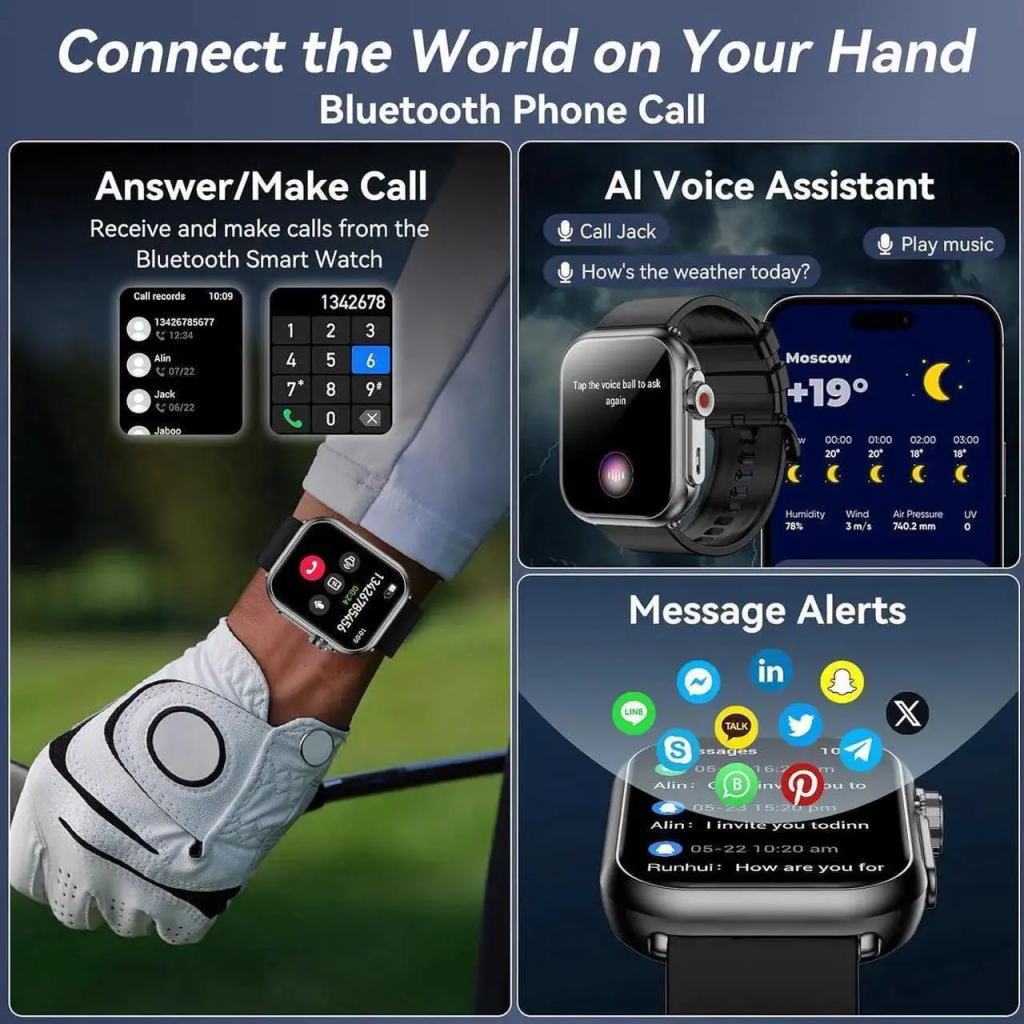
The biggest advantage of Wear OS is its deep integration with Android smartphones—and while it works with iPhones too (with some limitations), it’s truly optimized for Android users. Every notification from your phone—texts, calls, emails, social media alerts, and even app updates—pops up on your watch instantly, so you never miss a thing without reaching for your phone. What I love most is the ability to interact with these notifications directly from my wrist: I can reply to texts with voice dictation (Google Assistant’s voice recognition is impressively accurate), dismiss unimportant alerts, or even answer calls if my watch has a speaker or is connected to Bluetooth headphones. For busy days when my phone is in my bag or pocket, this feature alone saves me countless trips to grab it. Plus, with Wear OS 4 and 5, Google has improved sync speed, so notifications appear almost instantly, and you can even sync your calendar, contacts, and music playlists for offline access.
2. Google Assistant: Your Voice-Activated Sidekick
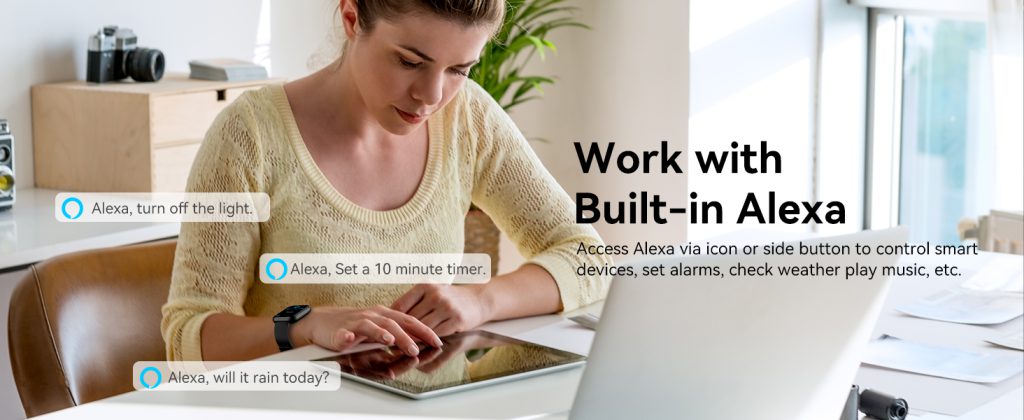
Google Assistant is the heart of Wear OS, and it’s more useful on a smartwatch than you might think. A quick “OK Google” or a long press of the crown button lets you access the assistant, which can handle everything from setting reminders and alarms to checking the weather, getting directions, or controlling your smart home devices. I use this feature multiple times a day: when I’m running late, I ask for directions to my next meeting; when I’m cooking, I set a timer without wiping my hands; when I’m at home, I adjust the thermostat or turn off the lights—all without touching my phone or a smart speaker. Unlike some other voice assistants on smartwatches, Google Assistant is fully functional, supporting complex commands and even offline mode for basic tasks when you’re not connected to Wi-Fi or cellular data. It’s not just a gimmick; it’s a tool that actually makes daily life easier.
3. Fitness and Health Tracking: More Than Just Step Counting
Since Google acquired Fitbit, Wear OS has become a powerhouse for fitness and health tracking, rivaling dedicated fitness watches. Every Wear OS smartwatch comes with built-in sensors to track steps, calories burned, heart rate, and sleep quality—and with Fitbit integration, you get even more detailed insights. I’ve been using the sleep tracking feature for months, and it’s eye-opening: it breaks down my sleep into light, deep, and REM cycles, shows me how many times I wake up during the night, and even gives me a daily sleep score to help me improve my sleep habits. For workouts, Wear OS supports dozens of activity modes, from running and cycling to yoga and swimming (many watches are water-resistant up to 50 meters). Wear OS 5 takes this a step further, reducing battery consumption during marathon tracking by 20% and adding advanced running metrics like ground contact time and stride length. Plus, you can connect third-party fitness apps like Strava or Nike Run Club to sync your data, so you don’t have to switch platforms.
4. Customization: Make Your Watch Truly Yours
One of the biggest complaints about some smartwatches is that they feel generic—but Wear OS fixes that with endless customization options. First, there are thousands of watch faces available on the Google Play Store, from minimalist designs to bold, colorful ones that show everything from your calendar to your fitness stats. You can even create your own watch face using Google’s Watch Face Designer tool, adjusting colors, widgets, and layout to match your style. Beyond watch faces, you can customize the quick settings panel (swipe down from the top) to include your most-used features, like brightness control, Bluetooth, or Do Not Disturb. Wear OS 5 also adds new watch face features, like displaying daily weather forecasts and goal progress, making it even easier to personalize your watch to your needs. Whether you want a sleek, professional look for work or a fun, vibrant design for the weekend, Wear OS lets you switch things up in seconds.
Advanced Features That Elevate the Wear OS Experience
1. Offline Functionality: Stay Connected Without Your Phone
Gone are the days when smartwatches were just “phone accessories”—Wear OS watches with cellular connectivity let you leave your phone at home and still stay connected. You can make and receive calls, send texts, and even access the internet using your watch’s cellular plan. Even without cellular, many Wear OS watches let you download music, podcasts, and maps for offline use. I often leave my phone at home when I go for a run, and being able to stream my favorite playlist directly from my watch (paired with Bluetooth headphones) is a game-changer. Google Maps also works offline, so you can get turn-by-turn directions without a phone signal—perfect for exploring a new city or going for a hike. This level of independence is what makes Wear OS stand out from many other smartwatch OS options, which often rely heavily on a paired phone.
2. App Ecosystem: Thousands of Apps to Expand Your Watch’s Capabilities
The Google Play Store for Wear OS has grown exponentially in recent years, with over 5,000 apps available to download—from productivity tools to entertainment, fitness, and more. Whether you need to check your Gmail, manage your to-do list with Todoist, order food with Uber Eats, or track your investments with Robinhood, there’s an app for that. What’s great is that many of these apps are optimized for the small screen, so they’re easy to use with just a few taps. Google has also made it easier for developers to create apps for Wear OS with tools like Jetpack Compose for Wear OS, which helps build apps that work seamlessly across different watch form factors. From banking apps that let you check your balance to meditation apps that guide you through sessions, the app ecosystem makes Wear OS infinitely flexible, adapting to whatever you need it to do.
3. Battery Life Improvements: No More Daily Charging (For Most)
One of the biggest criticisms of early Wear OS versions was poor battery life—but Google has made significant improvements with recent updates. Wear OS 5, in particular, focuses on battery optimization, with Google claiming that marathon tracking uses 20% less power than Wear OS 4. Most modern Wear OS smartwatches can last 1-2 days on a single charge, and some (like the Pixel Watch 2) can last up to 3 days with light use. While this still doesn’t match the weeks of battery life you get from some basic fitness trackers, it’s more than enough for most users—just charge it overnight, and you’re good to go for the next day or two. Plus, many Wear OS watches support fast charging, so you can get a full charge in under an hour if you’re in a hurry. This battery improvement has made Wear OS a more practical choice for everyday use, eliminating the frustration of constant charging.
At the end of the day, Wear OS is all about versatility. It’s not the most specialized OS—if you’re a serious athlete who needs ultra-detailed fitness tracking, a Garmin watch might be better. If you’re an iPhone user who wants seamless integration, WatchOS is the obvious choice. But for everyone else—especially Android users who want a smartwatch that’s customizable, connected, and packed with features—Wear OS is hard to beat. Its combination of smartphone integration, Google Assistant, fitness tracking, customization, and a growing app ecosystem makes it the most well-rounded smart watch OS on the market.
Leave a Comment
Your email address will not be published. Required fields are marked *